
Many common gadget myths are misconceptions you should ignore. For example, charging your phone overnight won’t damage the battery thanks to smart technology, and more signal bars don’t always mean a better connection. Closing background apps rarely save battery life, and high megapixels don’t guarantee better photos. You don’t need a top-tier PC for gaming, and data recovery is often possible even after deletion. Keep exploring to separate fact from fiction and make smarter tech choices.
Key Takeaways
- Many battery myths, like overnight charging harming health, are false due to modern smart technology and thermal management.
- Signal bars don’t always reflect connection quality; use speed tests for accurate assessment.
- High-end gaming hardware isn’t necessary; mid-range components can deliver excellent performance with proper optimization.
- Higher megapixels don’t guarantee better photo quality; sensor size and lens quality are more important.
- Deleted files are often recoverable with proper software, debunking the myth that data is permanently lost immediately.

EVEO Screen Cleaner Spray - Large Screen Cleaner Bottle - TV Screen Cleaner, Computer Screen Cleaner, for Laptop, Phone, Ipad - Computer Cleaning kit Electronic Cleaner (1 Pack)
Screen Cleaner is Your Screen’s New Bestfriend! - EVEO is proud to present a screen cleaner that’s perfectly...
As an affiliate, we earn on qualifying purchases.
Charging Your Phone Overnight Damages the Battery
Many people believe that leaving your phone charging overnight will damage the battery, but this isn’t entirely true. Modern smartphones are designed to handle overnight charging through smart charging technology, which stops charging once the battery reaches 100%. While poor charging habits, like consistently overcharging or exposing the device to high temperatures, can accelerate battery degradation, simply leaving your phone plugged in overnight isn’t usually harmful. Battery degradation occurs gradually over time due to chemical wear, not short-term charging routines. To preserve your battery’s health, avoid extreme heat and unplug once fully charged if your device doesn’t automatically stop charging. Proper charging practices can significantly extend your battery’s lifespan. Additionally, understanding battery chemistry helps explain why short-term overcharging has minimal impact on modern devices. Modern devices also incorporate thermal management systems to prevent overheating during charging, further protecting the battery. An understanding of charging cycle limits can help users better manage their device’s longevity. Overall, charging habits matter more than the occasional overnight charge, and most devices are built to manage this routine safely. Devices with smart charging technology are especially resilient to overnight charging, making it a safe practice for most users.

iO CLEAN Screen Cleaner Spray (16oz - 473ml) – Best Large Cleaning Kit
Screen cleaner spray and cloth. Screen cleaner spray and cloth are designed for high-end devices and work flawlessly...
As an affiliate, we earn on qualifying purchases.
More Bars Always Mean Better Signal
Having more signal bars on your phone doesn’t always mean you’re getting a better connection. Signal strength isn’t solely determined by network bars, as these can sometimes be misleading. Network bars are a simplified indicator, but they don’t measure actual data transfer quality or speed. You might see full bars, yet experience sluggish internet or dropped calls. Factors like interference, distance from cell towers, and network congestion affect true signal strength. Instead of relying only on the number of bars, consider testing your connection with speed tests or checking for consistent service. Remember, a few bars can sometimes provide a better, more stable connection than many that are merely a visual estimate. Don’t assume full bars guarantee the best signal—look deeper into your device’s actual performance. Understanding signal quality is essential for accurate assessment, just as evaluating investment options requires understanding the true value beyond surface indicators, similar to accurate signal assessment in network performance. Additionally, understanding the performance of electric bikes can help you make better choices when selecting a model that truly meets your needs.

KIC CrystalVu Screen Cleaner Spray Kit (16oz) with Microfiber Cloth
Streak-Free Formula – Professional-grade electronic screen cleaner spray removes fingerprints, smudges, and oily buildup from Smart TVs, OLED...
As an affiliate, we earn on qualifying purchases.
Closing Background Apps Saves Battery Life
Closing background apps doesn’t always lead to significant battery savings. Modern smartphones are designed to manage background apps efficiently, so force-closing them often has minimal impact on battery optimization. In fact, constantly shutting these apps can sometimes hinder performance and increase battery use, as apps may restart more frequently. To better understand, consider this:
| What Happens When You Close Background Apps | What Actually Affects Battery Life |
|---|---|
| Apps restart in the background | Screen brightness and network usage |
| Battery drain from app restart | Background activity from system processes |
| Temporary battery boost initially | Long-term battery health management |
Instead of obsessing over closing apps, focus on optimizing screen brightness and network settings to improve battery life efficiently. Additionally, managing background activity settings can help prolong battery performance without disrupting app functionality. Being aware of power management features on your device can further optimize battery longevity and ensure smoother operation. Understanding how Gold IRA rollovers work can also help you make smarter choices for long-term financial security.
Furthermore, understanding battery optimization techniques can lead to more effective ways to conserve power and extend device usage.

WHOOSH Screen Cleaner and Wipe Kit Duo, 3.7 fl oz + 0.3 fl oz
SAFE FOR ALL SCREENS: Designed to clean without compromise, Screen Shine Duo is safe for every screen and...
As an affiliate, we earn on qualifying purchases.
Apple Devices Are More Secure Than Android
While Apple devices are often perceived as more secure than Android, the reality is more nuanced. Apple emphasizes strong device encryption and controls its app ecosystem tightly, which can enhance mobile app security. However, Android’s open-source nature allows for greater customization and security flexibility. Android devices often receive security updates faster when supported, but their wider variety can lead to inconsistent protection levels. Both platforms implement device encryption, safeguarding your data if your device is lost or stolen. Additionally, net worth of celebrities can influence perceptions of their security and lifestyle choices. For example, high-profile individuals may invest more in personal security measures, affecting how secure their devices are perceived to be. Moreover, user behavior and security practices play a crucial role in overall device security, emphasizing that user responsibility is vital regardless of the platform. Regularly applying security patches and being cautious about app permissions can significantly improve your device security. It is also important to stay informed about emerging security threats and security awareness practices to better protect your devices. Ultimately, your security depends on how you manage your device, update software regularly, and install apps from trusted sources. Relying solely on the platform isn’t enough; proactive security practices matter just as much as the device’s inherent protections.
You Need a High-End PC for Gaming
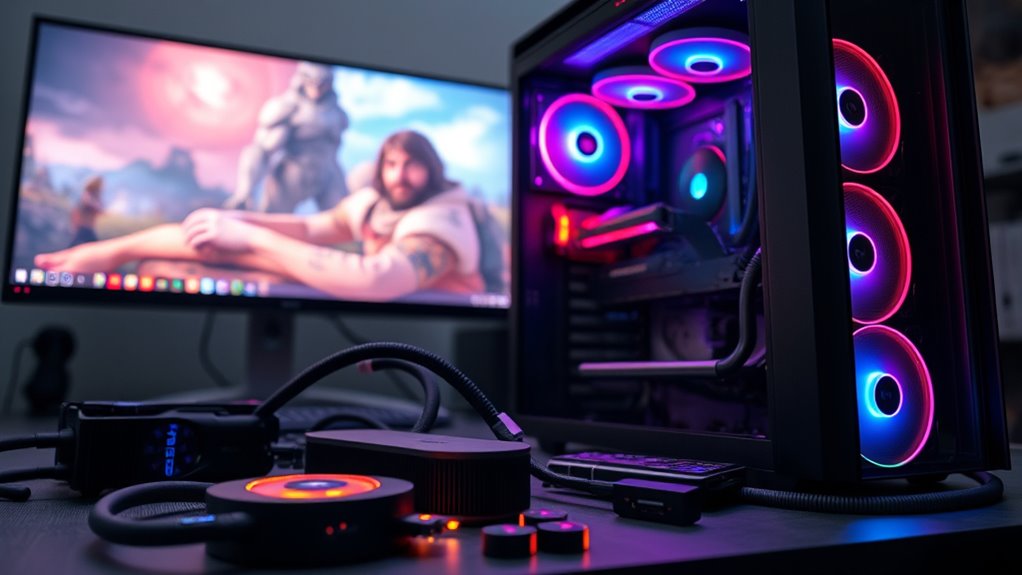
You don’t need a top-tier gaming PC to enjoy modern games. Many titles are optimized to run smoothly on mid-range hardware, meaning you can achieve good gaming performance without breaking the bank. While high-end PCs can handle demanding games at maximum settings, they’re not a necessity for an enjoyable experience. Most games have hardware requirements that can be met by reasonably priced components, such as a decent CPU, sufficient RAM, and a capable GPU. Upgrading specific parts over time can also improve performance without a complete overhaul. Remember, game optimization and settings adjustments often have a bigger impact on performance than simply having the most expensive hardware. So, don’t fall for the myth that only a premium PC can deliver a satisfying gaming experience. Additionally, understanding that hardware requirements are often flexible can help you make smarter, budget-friendly choices. For example, adjusting in-game settings or resolution can significantly enhance performance on mid-range hardware, making gaming more accessible to many users. Moreover, knowing that the performance of a gaming PC depends on a combination of components rather than just one high-end part can guide you toward more balanced upgrades. This approach applies broadly, including understanding how various toilet flushing mechanisms work together to optimize efficiency and reduce costs.
Macs Are Immune to Viruses and Malware
Many believe Macs are completely safe from viruses and malware, but that’s not entirely true. While Mac malware incidents are less common, they do happen, especially if you don’t practice safe browsing habits. Staying vigilant and keeping your system updated helps protect you, even on a Mac.
Mac Malware Incidents
Despite common beliefs, Macs are not immune to viruses and malware. While they face fewer threats due to macOS vulnerabilities, incidents still occur. Cybercriminals target Macs with malware, phishing, and other attacks, making malware prevention essential. Recognizing these threats helps you stay protected.
| Malware Type | Example Incident | Impact | Detection Method | Prevention Tips |
|---|---|---|---|---|
| Trojan | Fake app downloads | Data theft, slow performance | Antivirus scans | Avoid unknown links |
| Ransomware | Locking files | Data loss, financial cost | Suspicious activity alerts | Backup regularly |
| Adware | Unwanted pop-ups | Privacy invasion | Browser monitoring tools | Use ad blockers |
| Keylogger | Hidden keystroke software | Credential theft | Unusual system behavior | Keep macOS updated |
| Worm | Self-replicating malware | System slowdown | Unusual network activity | Practice safe browsing |
Safe Browsing Habits
Although Macs are often considered more secure than other systems, practicing safe browsing habits remains essential to protect your device. You should always be cautious when clicking links, downloading files, or opening email attachments, as these are common ways malware can infiltrate your Mac. Use a reputable security tool to guarantee malware prevention, and keep your software up to date to patch vulnerabilities. Avoid visiting suspicious websites or bypassing security prompts, which can expose you to harmful content. Enable built-in security features like Gatekeeper and Firewall to add extra layers of protection. Remember, secure browsing isn’t just about avoiding viruses; it’s about staying vigilant and proactive to prevent malware from compromising your system. Good habits are your best defense. User awareness plays a crucial role in safeguarding your device from potential threats.
Using VPNs Significantly Slows Down Your Internet Speed
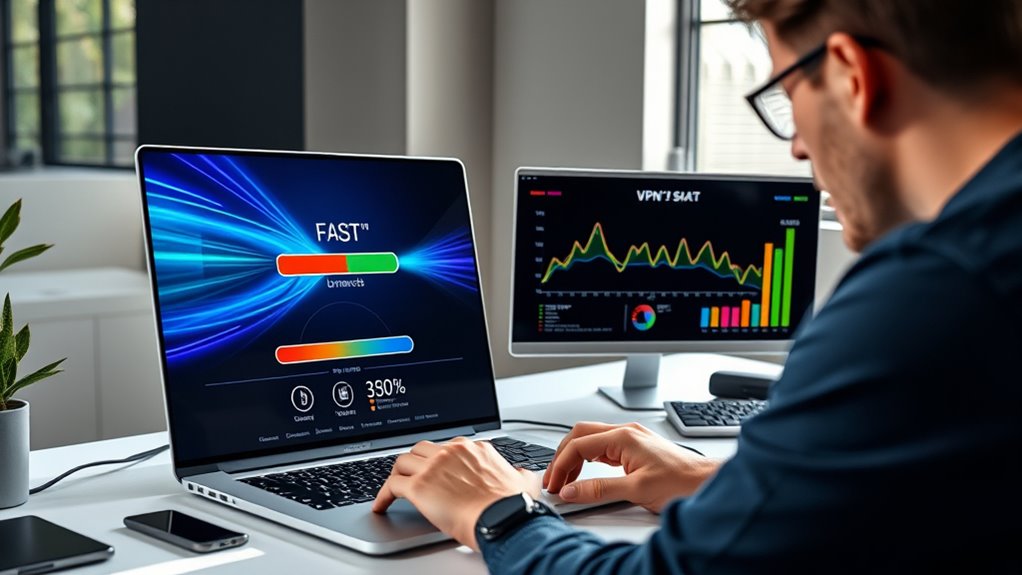
When you use a VPN, the encryption process adds extra overhead that can slow your connection. The farther the VPN server is, the more latency you’ll experience, reducing speed. Additionally, bandwidth limits on your network or the VPN itself can further impact how fast your internet feels. To optimize performance, choosing a VPN with efficient server infrastructure can be beneficial.
VPN Encryption Overhead
Using a VPN can slow down your internet speed because of the encryption process it employs. VPN encryption adds an extra layer of security, but it also introduces an overhead impact that can affect performance. When you connect to a VPN, your data is encrypted to protect your privacy, which takes additional processing power and time. This overhead can cause a slight delay in data transmission, especially if your device or network is already under strain. However, the extent of the slowdown depends on the strength of the encryption protocol and the VPN service’s efficiency. Modern VPNs use optimized encryption methods that minimize this impact, so while some speed reduction is normal, it shouldn’t drastically hinder your browsing experience.
Server Distance Impact
The distance between you and the VPN server directly affects your internet speed. The farther you are from the data center, the higher the server latency, which causes delays in data transmission. When your connection has to travel a longer distance, data packets take more time to reach the server and return, slowing down your browsing experience. Data center proximity plays an essential role; choosing a VPN server closer to your location can profoundly reduce latency and improve speed. However, if you connect to a distant server, you’ll notice increased lag and slower downloads. This impact is especially noticeable during activities requiring real-time data exchange, like streaming or gaming. So, selecting a nearby server helps maintain faster, more responsive internet performance.
Bandwidth Allocation Limits
VPNs often impose bandwidth limits that can substantially slow down your internet speed. These limits are a form of bandwidth throttling, which reduces data flow to manage network resources. When many users connect simultaneously, network congestion occurs, causing slower speeds. VPN providers may restrict bandwidth to ensure fair distribution or reduce server overload. This can lead to noticeable delays, especially during high traffic times. To better understand, consider the following:
| VPN Provider | Bandwidth Throttling | Impact on Speed |
|---|---|---|
| Provider A | Yes | Moderate |
| Provider B | No | Minimal |
| Provider C | Yes | Significant |
Knowing how bandwidth allocation limits work helps you choose reliable VPNs that minimize speed reductions.
The More Megapixels, the Better the Camera

Many assume that increasing a camera’s megapixel count automatically results in better image quality, but that’s not always the case. A higher pixel count doesn’t guarantee sharper photos if the camera sensor isn’t capable of capturing detailed data effectively. Factors like sensor size, lens quality, and image processing play essential roles. More megapixels can lead to larger file sizes and reduced low-light performance. If your camera has a small sensor, extra megapixels may just produce noise. Focus instead on the overall quality of these elements.
- Larger camera sensors improve detail
- Pixel size affects low-light performance
- Sharp images depend on lens quality
- Over-megapixel cameras can cause noise
- Balance pixel count with sensor quality
You Should Never Restart Your Computer

Have you ever heard that restarting your computer can cause more harm than good? This myth suggests that frequent restarts might damage your system or hinder computer maintenance. In reality, restarting is essential for maintaining peak system performance. When you restart, your computer clears temporary files, resets running processes, and updates system resources. It helps fix minor glitches and improves overall stability. Ignoring this practice can lead to sluggish performance and unresolved errors. Regularly restarting your device is a simple yet effective way to keep it running smoothly. Don’t fall for the myth that you should never restart; it’s a crucial part of proper computer maintenance that keeps your system healthy and responsive. Restarting is a quick step toward better system performance.
Data Recovery Is Impossible Once Files Are Deleted

Many deleted files can still be recovered with the right tools, so don’t assume they’re gone forever. However, if new data overwrites the old, recovery becomes impossible. Using specialized data recovery software gives you a better chance to retrieve lost files before they’re overwritten.
Deleted Files Often Recoverable
Is it truly impossible to recover files once they’re deleted? Not necessarily. Many deleted files are actually recoverable through proper data recovery methods. When you delete a file, it’s often just marked for removal, not permanently erased. This means your data might still be on the storage device, waiting for the right tools to recover it. To improve your chances of successful file recovery, consider these points:
- Avoid writing new data to the drive immediately after deletion
- Use specialized data restoration software
- Check your recycle bin or trash folder first
- Act quickly—time is vital in data recovery
- Seek professional help if DIY methods fail
Overwritten Data Loss Risk
Once a file is overwritten on your storage device, recovering it becomes virtually impossible. Data overwrite occurs when new data replaces the old, making traditional recovery methods ineffective. This process considerably increases recovery challenges because the original file no longer exists in its previous form. Even if you delete a file, it remains recoverable until new data overwrites its space. However, once overwritten, the chances of retrieval drop dramatically, often to zero. This myth that deleted data can always be recovered is false; understanding how data overwrite works helps you realize that data loss can be permanent if new information occupies the space. Protecting your files with backups is essential, as recovery becomes nearly impossible once data is overwritten.
Use Data Recovery Tools
When files are deleted from your storage device, they don’t vanish immediately; instead, their data remains on the disk until overwritten by new information. This means data recovery is often possible if you act quickly. To maximize your chances of successful file restoration, consider using reliable data recovery tools. These programs scan your drive for remnants of deleted files and help retrieve them before they’re overwritten. Remember, the longer you wait, the higher the risk that new data will overwrite the deleted files, making recovery impossible.
You should:
- Stop using the device immediately after deletion
- Choose reputable data recovery software
- Avoid installing new files on the affected disk
- Save recovered files to a different storage device
- Perform regular backups to prevent data loss
Using these methods improves your chances of successful file restoration.
Frequently Asked Questions
Can Leaving My Phone Charging Overnight Really Harm Its Battery?
Leaving your phone charging overnight won’t substantially harm its battery if you follow good charging habits. Modern devices have smart systems that prevent overcharging, reducing the risk of battery degradation. However, consistently charging for extended periods can still contribute to long-term wear. To protect your battery, avoid keeping it plugged in at 100% for too long and try to keep charging within the ideal range, like 20-80%.
Does Having More Bars Always Mean My Signal Is Faster?
Think of your signal strength like a lighthouse guiding a ship—more lights don’t always mean a faster journey. Having more bars on your phone usually indicates a stronger signal, but it doesn’t guarantee faster network speed. Factors like network traffic and bandwidth matter more. So, don’t rely solely on bar count; it’s a helpful but imperfect map of your actual connection quality.
Will Closing Apps in the Background Actually Improve My Battery Life?
Closing apps in the background can help improve your battery life, but the effect is often minimal. Background apps can cause battery drain and performance impact, so app management might help in some cases. However, modern smartphones are designed to efficiently manage background processes, so constantly closing apps isn’t necessary and may even use more power. Focus on managing only the apps that consume excessive resources for better results.
Are Apple Devices Immune to All Types of Malware and Viruses?
Apple devices aren’t completely immune to malware and viruses, but Apple security measures make them less vulnerable. You should still stay cautious, avoid downloading suspicious apps, and keep your software updated. While Apple’s malware immunity is strong due to its closed ecosystem, no device is entirely invulnerable. Regularly monitor your device for unusual activity and use reputable security tools to protect your data. Staying vigilant helps keep your device safe.
Is a High-End Gaming PC Necessary for a Good Gaming Experience?
You don’t need a high-end gaming PC for a great experience. While gaming hardware can boost performance benchmarks, many games run smoothly on mid-range systems. Ironically, spending thousands on top-tier gear doesn’t guarantee better fun—skill and enjoyment matter more. Focus on optimizing your current setup, and you’ll find that a powerful PC isn’t always necessary for immersion and entertainment. Sometimes, good games just need good players.
Conclusion
Don’t fall for these common myths. Don’t believe that overnight charging damages your battery, that more bars mean better signal, or that closing apps saves battery. Don’t assume Apple’s more secure, that high-end PCs are needed for gaming, or that VPNs drastically slow your internet. Don’t think more megapixels mean better photos, that restarting harms your computer, or that data recovery is impossible. Question these myths, understand the facts, and make smarter tech choices every day.