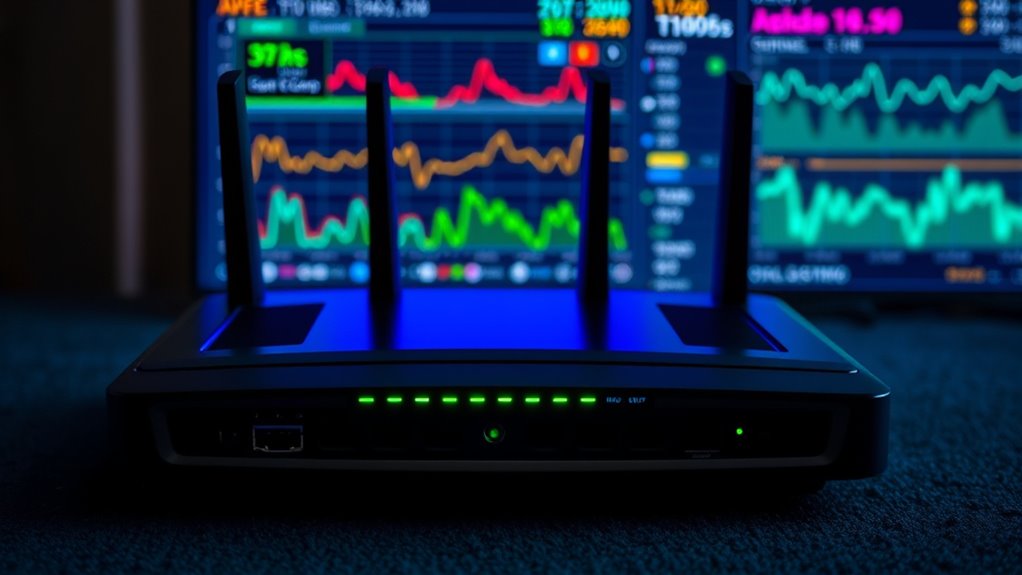
DFS channels can give your Wi-Fi a significant speed boost by accessing less congested 5 GHz frequencies that most devices ignore. These channels help reduce interference from other networks and radar systems, leading to faster, more stable connections. This is especially useful in crowded areas like apartment complexes or offices. If you want to discover how to access these benefits and optimize your connection, there’s more useful info ahead.

Get the latest gadgets delivered free — and shop member deals
- Fast, free delivery on millions of items
- Access to Prime Big Deal Days deals on October 6–7
- Prime Video, Amazon Music and more included
Key Takeaways
- DFS channels offer access to less congested frequencies, reducing interference and improving Wi-Fi speeds.
- Routers automatically switch channels upon radar detection, maintaining stable and fast connections.
- Using DFS channels can decrease latency and buffering, especially in crowded environments.
- Support for DFS enhances network performance by enabling devices to utilize broader spectrum options.
- Ensuring your router and device support DFS mode can unlock faster, more reliable Wi-Fi performance.

DFS channels, or Dynamic Frequency Selection channels, are specialized frequency bands used in Wi-Fi networks to minimize interference with radar systems. These channels operate within the 5 GHz spectrum, which offers more bandwidth and less congestion compared to the 2.4 GHz band. The key advantage of DFS channels is their ability to utilize parts of the spectrum that are typically reserved for radar, allowing your Wi-Fi to access a less crowded and more reliable connection. When your router detects radar activity on a DFS channel, it automatically switches to a different frequency to avoid interference, a process known as interference mitigation. This dynamic spectrum management ensures your Wi-Fi signal remains stable and fast, even in environments with a lot of wireless traffic.
Using DFS channels can considerably enhance your network performance because they provide access to a broader range of frequencies. This broader access means less competition from other Wi-Fi networks, which often overcrowd the 2.4 GHz band, leading to slower speeds and more dropped connections. With DFS, your router can hop onto these less congested channels, giving you a more consistent and faster connection. However, the trade-off is that because DFS channels are shared with radar systems, your router must constantly monitor the spectrum for radar signals. If detected, it must vacate the channel promptly, which might cause brief interruptions. Still, these interruptions are usually minimal and worth the benefits of reduced interference and higher throughput.
Additionally, European regulations often influence the availability and use of DFS channels, ensuring compliance with regional wireless standards. Many modern routers and access points support DFS channels, but not all devices automatically utilize them. You might need to enable DFS mode in your router’s settings or update your firmware. Once enabled, your device will leverage the dynamic spectrum to optimize performance, especially in crowded areas like apartment complexes, offices, or public Wi-Fi zones. This proactive interference mitigation helps maintain a cleaner, more stable signal, reducing latency and buffering issues during streaming, gaming, or video calls.
Frequently Asked Questions
Are DFS Channels Available on All Wi-Fi Routers?
Not all Wi-Fi routers support DFS channels. You need to check your router compatibility to see if it handles these channels, which are often used for less crowded, faster connections. If your router supports DFS, you’ll benefit from better interference management and improved speeds. Otherwise, you might miss out on these advantages. So, review your router specifications or firmware updates to verify DFS is enabled and available.
How Do I Enable DFS Channels on My Device?
Did you know only about 20% of routers are configured to use DFS channels? To enable DFS channels on your device, first check your router’s settings through its admin panel. You might need to adjust antenna placement for better signal, and make sure your firmware is up to date to access all features, including DFS. Once enabled, you’ll experience less interference and faster Wi-Fi speeds.
Do DFS Channels Cause More Interference Than Non-Dfs Channels?
No, DFS channels don’t necessarily cause more interference than non-DFS channels. They include interference mitigation features like radar detection, which helps your device avoid disrupting radar signals and reduces interference from other devices. While radar detection might cause your device to temporarily disconnect if it detects radar, it ultimately improves overall performance and stability. So, enabling DFS channels can provide faster speeds with minimized interference, especially in crowded wireless environments.
Can I Manually Select DFS Channels When Setting up My Wi-Fi?
Yes, you can manually select DFS channels during your Wi-Fi setup. By choosing specific channels, you gain greater control over your connection, reducing interference and improving speed. Keep in mind, DFS channels use frequency hopping to avoid interference with radar, which can affect stability. If your router allows, access your settings and pick a DFS channel to enhance your network’s performance, but be prepared for potential interruptions during channel switching.
Are There Legal Restrictions on Using DFS Channels in Certain Countries?
Yes, there are legal restrictions on using DFS channels in some countries. You need to be aware of regulatory restrictions and country-specific rules that govern DFS usage. These rules vary, so check your local regulations before enabling DFS channels. Ignoring these restrictions could lead to interference issues or legal penalties. Always verify your Wi-Fi setup complies with your country’s specific rules to avoid problems and optimize your network performance.
Conclusion
By enabling DFS channels, you could see a Wi-Fi speed boost of up to 30%, especially in crowded areas. Imagine your network running smoothly while neighbors struggle with interference—like having a secret highway for your data. Don’t ignore these channels; they could dramatically improve your connection. With more than half of routers overlooking DFS options, you’re missing out on a faster, more reliable Wi-Fi experience. Take a moment to explore this hidden gem and upgrade your home network today.
Halloween Picks
halloween
As an affiliate, we earn on qualifying purchases.