
When choosing between Cat5e, Cat6, Cat6a, and Cat7 Ethernet cables, consider your current and future needs. Cat5e offers basic speeds up to 1 Gbps, while Cat6 improves performance with speeds up to 10 Gbps over shorter distances. Cat6a extends 10 Gbps to 100 meters, and Cat7 provides high stability at even higher speeds and longer distances, especially in noisy environments. Keep exploring to find the best fit for your network setup and future-proofing.

Get the latest gadgets delivered free — and shop member deals
- Fast, free delivery on millions of items
- Access to Prime Big Deal Days deals on October 6–7
- Prime Video, Amazon Music and more included
Key Takeaways
- Cat5e supports up to 1 Gbps at 100 meters, suitable for basic networks, while Cat6 offers 10 Gbps at shorter distances.
- Cat6a enhances shielding, allowing 10 Gbps over 100 meters, making it ideal for high-performance and interference-prone environments.
- Cat7 provides superior shielding and supports high-speed data transfer beyond 10 Gbps, suitable for demanding setups and data centers.
- Higher categories (Cat6a, Cat7) are thicker, less flexible, and more expensive but offer better future-proofing and interference reduction.
- Choice depends on network needs, budget, and environment, with higher categories suited for advanced or high-speed requirements.
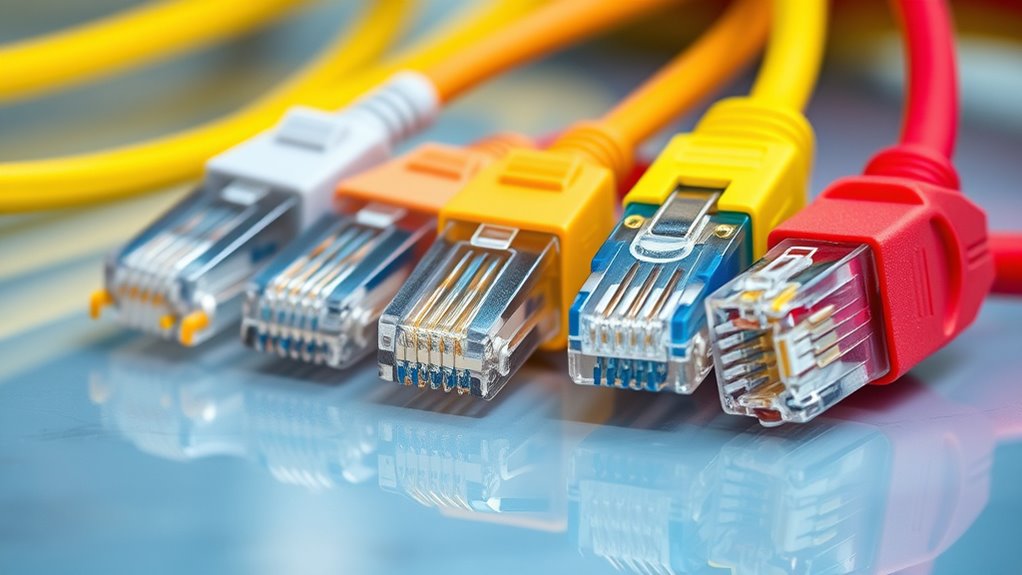
Ethernet cables are the backbone of wired networking, connecting your devices to the internet and ensuring reliable data transfer. But if you’re exploring options, you might wonder about wireless alternatives. While Wi-Fi offers convenience, Ethernet still provides unmatched stability and speed, especially for gaming, streaming, or work-from-home setups. To get the most out of your wired connection, understanding the different Ethernet cable categories is essential, and choosing the right one depends on your needs and setup.
Starting with Cat5e, it’s the most common and affordable option, capable of supporting speeds up to 1 Gbps over distances of 100 meters. If you’re on a tight budget or have basic internet needs, Cat5e might suffice, but keep in mind that it’s less future-proof compared to newer standards. Moving up, Cat6 cables improve on this with better insulation and reduced crosstalk, allowing for speeds up to 10 Gbps at shorter distances, typically 55 meters. If you’re setting up a home office or gaming station, Cat6 offers a solid balance of performance and cost efficiency.
Next, Cat6a doubles down on speed and bandwidth, supporting 10 Gbps over 100 meters, making it ideal for heavy data transfer, smart home hubs, or small business networks. It’s thicker and less flexible than Cat6 but provides better shielding, which reduces interference. If your environment has a lot of electronic noise, Cat6a will help maintain stable connections. Additionally, network infrastructure standards are evolving to support even higher data rates and more reliable connections, making Cat6a a future-proof choice for many users. Finally, Cat7 takes it further with even higher shielding and solid performance at 10 Gbps or more over longer distances, making it suitable for high-end setups, data centers, or future-proofing your network.
When considering your installation, keep in mind that wiring can be a bit tricky, and proper installation tips can make a big difference. For example, avoid tight bends and kinks, as they can impair signal quality. Use high-quality connectors and keep cables away from sources of interference like power lines or fluorescent lights. If running cables through walls or ceilings, plan your route carefully, ensuring minimal exposure to potential damage and interference.
While wired connections remain the gold standard for speed and reliability, wireless alternatives continue to improve with the latest Wi-Fi standards, offering more flexibility. Still, for critical tasks, wired Ethernet is often the best choice. Whether you’re upgrading your current setup or planning a new one, understanding these categories helps you select the right cable for your needs, ensuring your network remains fast, stable, and ready for the future.
Frequently Asked Questions
How Do Cable Lengths Affect Network Speed and Performance?
Cable lengths critically impact your network speed and performance. When cables exceed their length limitations, signal attenuation occurs, weakening the data signal and causing slower speeds or data loss. For maximum performance, keep Ethernet cables within recommended lengths—typically up to 100 meters for most categories. Longer runs increase the risk of degraded signals, so consider using switches or repeaters to maintain speed and reduce signal attenuation over extended distances.
Are There Environmental Factors That Impact Cable Durability?
Did you know that exposure to extreme temperatures can reduce cable lifespan by up to 30%? Environmental impact considerably influences cable durability. Factors like moisture, UV rays, and physical stress can degrade insulation and connectors, shortening cable longevity. To guarantee ideal performance and durability, you should protect cables from harsh conditions, use weather-resistant types in outdoor settings, and regularly inspect them for signs of wear and tear.
Can Older Devices Support Higher-Category Ethernet Cables?
Older devices often lack legacy compatibility with higher-category Ethernet cables like Cat6 or Cat7. You’ll likely need adapter requirements to connect these cables to your outdated hardware. While some newer ports support higher speeds, your device’s network interface might not fully utilize these capabilities. Check your device specifications to determine compatibility, and consider adapters or upgraded hardware if you want to take advantage of the improved performance offered by recent cable categories.
What Are the Safety Considerations for High-Speed Ethernet Cables?
Imagine your cables as the veins of your network; safety is their lifeblood. You should guarantee fire safety by avoiding damage or overheating, and keep cables away from heat sources. Proper shielding reduces electromagnetic interference, preventing signal disruption. Use quality connectors and avoid crushing or bending cables excessively. These precautions help protect your equipment, maintain network performance, and ensure safety, turning your setup into a secure, interference-free environment.
How Do Connectors and Shielding Influence Overall Cable Performance?
You’ll notice that fiber shielding and connector types markedly impact your cable’s performance. Shielding, like foil or braided, reduces interference, ensuring a stable connection, especially over longer distances. Choosing the right connector type, such as RJ45 or specialized connectors, guarantees proper contact and minimizes signal loss. When you match shielding with suitable connectors, you optimize data transfer speeds and overall reliability, making your network faster and more dependable.
Conclusion
Now that you’ve unraveled the differences between Cat5e, Cat6, Cat6a, and Cat7, you’re ready to choose the perfect cable for your needs. Think of it like picking a trusty steed for your digital journey—each has its own strengths, from speed to shielding. So, whether you’re building a home network or upgrading your office, you’re now armed with the knowledge to make a wise decision. The internet’s your oyster—go conquer it!
Halloween Picks
halloween
As an affiliate, we earn on qualifying purchases.