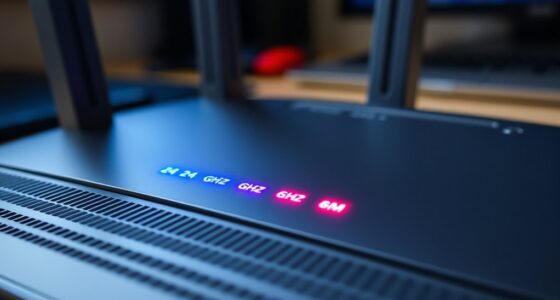
When your ISP gives you a device, it could be a modem, a router, or a gateway. A modem connects your home to the internet by translating signals. A router manages your local network and Wi-Fi. A gateway combines both functions into one device for simplicity. Knowing which device you have helps you optimize your setup. Keep exploring to find out how each piece works together and what might suit your needs better.
Key Takeaways
- A modem connects your home to the ISP and translates signals for internet access.
- A router manages local network traffic, creates Wi-Fi, and assigns IP addresses.
- A gateway combines modem and router functions into a single device for simplified setup.
- ISPs often provide gateways for convenience, but separate devices can offer better performance and customization.
- Modern security features like WPA3 are available on routers and gateways to protect your network.
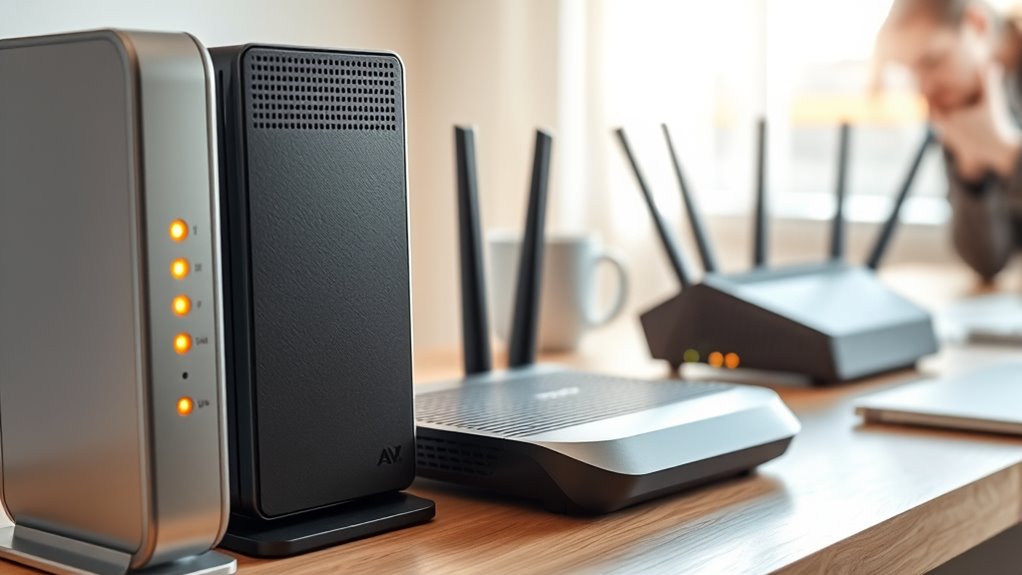
When setting up your internet connection, understanding the difference between a modem, a router, and a gateway is essential. Each device plays a unique role in how your home accesses and manages the internet. The modem is the device that connects you to your internet service provider (ISP). It translates signals from your ISP into a form your devices can understand. Think of it as the bridge that links your home network to the larger internet. When choosing a modem, it’s important to consider compatibility with your ISP and support for current wireless standards. Wireless standards, like 802.11ac or Wi-Fi 6, determine the speed and reliability of your wireless connection. If your modem supports the latest standards, you’ll enjoy faster, more stable Wi-Fi, which enhances your browsing experience and supports multiple devices simultaneously.
A router, on the other hand, manages your local network by directing traffic between your devices and the internet. It assigns IP addresses, manages data flow, and creates your Wi-Fi network. Many modern routers also support the latest wireless standards, ensuring compatibility with new devices and faster speeds. A good router enhances your network security by offering features such as WPA3 encryption, guest networks, and firewalls. These tools protect your devices from unauthorized access and cyber threats. When setting up your Wi-Fi, you should choose a router that supports current security protocols and wireless standards to keep your network safe and future-proof. Additionally, choosing a router with advanced security features can significantly bolster your home network’s defenses against cyber threats.
A gateway combines the functions of a modem and a router into a single device. ISPs often provide gateways because they simplify installation and reduce clutter. Using a gateway, you get your internet connection and a Wi-Fi network in one box. However, some users prefer separate devices for better performance and customization. Whether you choose a gateway or separate modem and router, understanding their roles helps you optimize your setup. If you opt for a gateway, make sure it supports the latest wireless standards and security features to ensure your home network remains fast and safe.
Top picks for "modem router gateway"
Open Amazon search results for this keyword.
As an affiliate, we earn on qualifying purchases.
Frequently Asked Questions
Can I Use a Third-Party Device Instead of What My ISP Provided?
Yes, you can use third-party devices instead of what your ISP provided. Just make certain your third-party modem or router is compatible with your ISP’s network, as compatibility concerns can arise. Check your ISP’s specifications and confirm that the device supports your connection type. Using approved third-party devices often gives you better features, performance, and control over your network, making it a worthwhile upgrade.
Do Gateways Always Include Both Modem and Router Functionalities?
You might be surprised, but gateways often include both modem and router functionalities. This device compatibility simplifies setup, but it’s essential to check if the gateway’s firmware updates support your needs. Some gateways may lack advanced features or customization options, so if you need specific capabilities, consider whether a standalone router or modem might be better. Always verify that the device meets your requirements before replacing your current setup.
How Do I Know if I Need a Modem, Router, or Gateway?
You need a modem if your device compatibility requires connecting directly to your ISP’s network, especially for internet access. Opt for a router if you want network customization, better Wi-Fi coverage, or to connect multiple devices. A gateway combines both functions, ideal if you prefer a simplified setup. Consider your internet plan and device needs to decide which device suits your setup best, ensuring seamless connectivity and tailored network control.
Are There Compatibility Issues Between Different Brands of Modems and Routers?
Think of your devices as a dance troupe—they need perfect harmony. Brand compatibility can sometimes be a tricky partner, causing firmware issues or connection hiccups. While many modems and routers play nicely together, certain brands may clash, leading to compatibility issues. Before pairing, check your devices’ specifications and make certain they’re designed to work together. Doing so keeps your network performance smooth as a well-choreographed dance.
What Are the Security Implications of Using Isp-Provided Devices?
Using ISP-provided devices can pose security risks because they often have firmware vulnerabilities and come with default passwords. If you don’t update the firmware regularly, hackers could exploit known flaws to access your network. Default passwords are easy for attackers to guess, so it’s vital to change them immediately. These security gaps make your network more vulnerable, so consider replacing or properly securing your ISP devices for better protection.
Conclusion
Understanding the difference between a modem, router, and gateway is like revealing the secret layers of your digital kingdom. Think of the modem as the gatekeeper to the internet, the router as the traffic cop guiding data through your castle, and the gateway as the wise old wizard combining both roles. Knowing who does what helps you wield your network tools like a pro. Now, you’re ready to tame your connection and command your digital domain with confidence.