To balance your gimbal quickly, start by securing the camera and accessories as you would during filming. Power it on and use auto-calibration if available, or manually adjust each axis—tilt, pan, and roll—by loosening the motors and making small adjustments until the camera stays level and steady. make certain all axes are balanced before tightening the motors. For more tips on perfecting your setup and maintaining smooth performance, keep exploring these step-by-step techniques.
Key Takeaways
- Mount the camera securely on the gimbal and power it on to initiate stabilization.
- Use auto-calibration features or manually balance each axis starting with the tilt.
- Adjust the tilt, pan, and roll axes separately until the camera remains level and steady.
- Tighten motor screws once balanced, ensuring smooth movement without drifting.
- Perform quick visual checks and minor tweaks for precise balance, then store the gimbal properly.
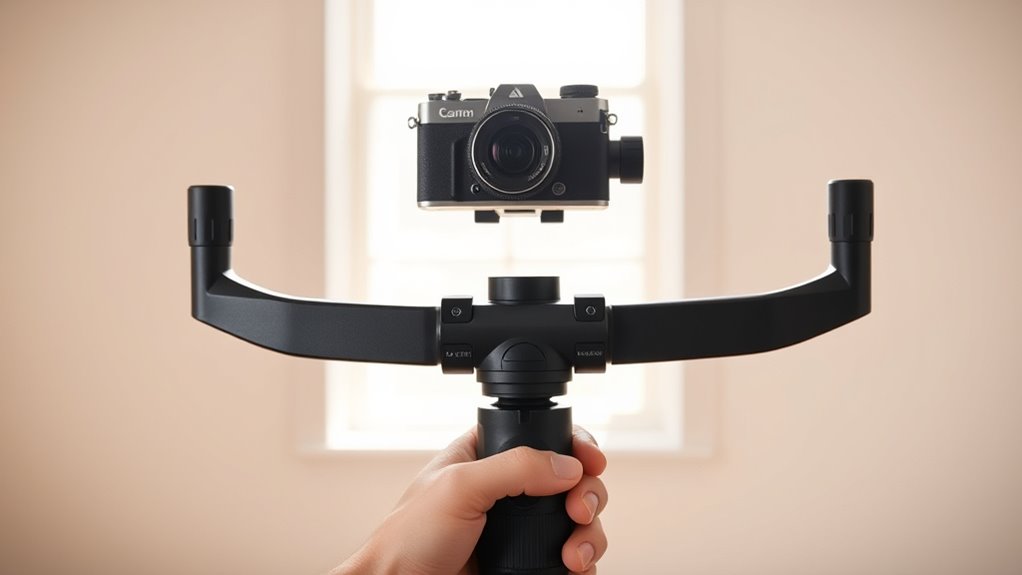
Ever wondered how to quickly and easily balance a gimbal? The secret lies in mastering simple calibration techniques and keeping up with reliable maintenance tips. When your gimbal isn’t properly balanced, your footage can look shaky and unprofessional, but with a few straightforward steps, you can fix this in minutes. First, ensure your camera is securely mounted on the gimbal. Check that the battery is fully charged and that all accessories are attached as they would be during filming. This way, you’re balancing the gimbal exactly as you would use it in real scenarios.
Master simple calibration and maintenance to quickly balance your gimbal for smooth, professional footage.
Next, power on your gimbal and let it stabilize. Many models have auto-calibration features that help streamline the process, but if yours doesn’t, manual calibration is still quick and effective. Start by balancing the camera along the tilt axis. Loosen the tilt motor, then gently adjust the camera forward and backward until it stays level when you let go. Once stable, tighten the motor. Repeat this process for the pan and roll axes, making small adjustments until the camera holds its position without drifting. Using calibration techniques like this ensures your gimbal is properly aligned, reducing strain on motors and improving smoothness.
Regular maintenance tips are essential to keep your gimbal performing at its best. Clean the motors and axes using a soft brush or cloth to remove dust and debris, which can interfere with calibration accuracy. Check the gimbal’s firmware updates often; manufacturers frequently release updates that improve stability and calibration procedures. Lubricate moving parts with recommended oils or greases to prevent stiffness, which can throw off balance. Also, inspect the mounting plate and quick-release system for wear or damage—any looseness can compromise your calibration and overall footage quality. Additionally, understanding the importance of color accuracy in your gear can help ensure your footage looks vibrant and true to life.
In addition, store your gimbal in a protective case when not in use, avoiding exposure to extreme temperatures or humidity that could affect its mechanical parts. When setting up for a shoot, always double-check the balance after attaching your camera, especially if you’ve changed lenses or accessories. This habit ensures consistent results and prolongs the lifespan of your gear. By combining solid calibration techniques with diligent maintenance tips, you’ll find balancing your gimbal becomes a swift, straightforward task. It not only guarantees smoother footage but also extends the life of your equipment. With a little practice, you’ll be able to get your gimbal perfectly balanced in just minutes, making your filming process more efficient and enjoyable.

EVEO Screen Cleaner Spray - Large Screen Cleaner Bottle - TV Screen Cleaner, Computer Screen Cleaner, for Laptop, Phone, Ipad - Computer Cleaning kit Electronic Cleaner (1 Pack)
Screen Cleaner is Your Screen’s New Bestfriend! - EVEO is proud to present a screen cleaner that’s perfectly...
As an affiliate, we earn on qualifying purchases.
Frequently Asked Questions
Can I Balance My Gimbal With One Hand?
Yes, you can balance your gimbal with one hand using single-handed balancing techniques. Focus on quick adjustment techniques by loosening and tightening the axis locks while holding the gimbal steady. Make small, precise movements to align the camera smoothly. With practice, you’ll master quick adjustments, making single-handed balancing efficient and convenient, especially when you’re on the go or need to set up quickly.
Does Balancing Vary Between Different Gimbal Brands?
Yes, balancing varies between different gimbal brands due to design differences and brand consistency. You’ll notice some models require more precise adjustments, while others are more straightforward. Always refer to your gimbal’s manual for specific instructions, as each brand may have unique features affecting balancing. Paying close attention to these differences ensures smooth operation and peak performance, no matter which brand you choose.
How Often Should I Check Gimbal Calibration?
You should check your gimbal calibration regularly, ideally every few weeks or after significant impacts or extended use, to guarantee peak performance. Incorporate calibration checks into your maintenance schedule to catch any drift early. Regular calibration maintains smooth footage and prevents issues down the line. Remember, staying proactive with your calibration frequency helps keep your gimbal functioning perfectly, saving you time and effort in the long run.
What Tools Are Recommended for Precise Balancing?
You should use a calibration kit or a precision screwdriver for precise balancing, ensuring compatibility with your gimbal’s accessories. Calibration techniques often involve using a bubble level or smartphone apps that help fine-tune the balance. Check accessory compatibilities beforehand to avoid mismatched weights. These tools and methods make balancing quick and accurate, preventing vibrations and ensuring smooth footage. Regular use of these tools keeps your gimbal performing at its best.
Is Balancing Necessary After Every Use or Only During Setup?
Balancing your gimbal isn’t necessary after every use, but it’s important during setup and troubleshooting balancing issues. Regular gimbal maintenance helps ensure smooth performance, so check balance whenever you notice jitters or instability. If your footage seems shaky or the gimbal isn’t responding properly, troubleshoot balancing first. Properly maintaining and balancing your gimbal reduces wear and tear, extending its lifespan and ensuring consistently professional results.

iO CLEAN Screen Cleaner Spray (16oz - 473ml) – Best Large Cleaning Kit
Screen cleaner spray and cloth. Screen cleaner spray and cloth are designed for high-end devices and work flawlessly...
As an affiliate, we earn on qualifying purchases.
Conclusion
Balancing your gimbal takes just minutes, yet it unlocks smooth, professional shots that feel effortless. It’s a simple task that might seem tedious but offers incredible results, transforming shaky footage into cinematic quality. Think of it as the quiet foundation supporting your creative vision—easy to overlook yet essential. When you master this quick process, you’ll find your footage sharper and your confidence higher, proving that sometimes, the smallest effort yields the biggest impact.

Screen Mom Screen Cleaner Spray 16oz Bottle for TV, Car, Laptop & Computer
STREAK FREE FORMULA FOR CRYSTAL CLEAR SCREENS: Screen Mom tv cleaner spray and cloth advanced streak-free screen cleaner...
As an affiliate, we earn on qualifying purchases.

ZEISS Screen Cleaning Combo Kit for Computers, Phones, Televisions and More
Dependable: ZEISS lens cleaner and microfiber cleaning cloth work together to provide a streak-free finish suitable for everyday...
As an affiliate, we earn on qualifying purchases.