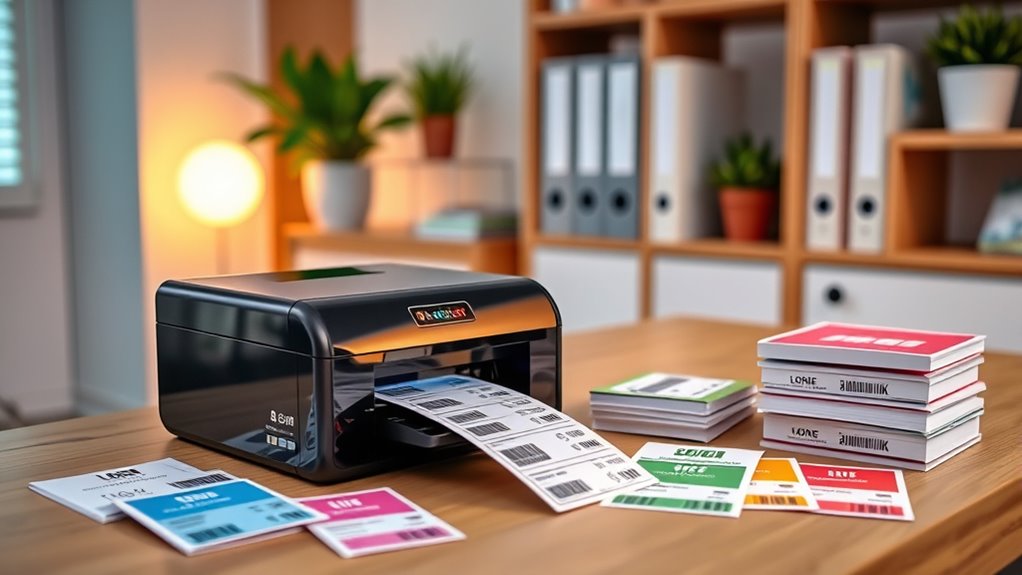
If you’re looking to organize your home office like a pro in 2025, I recommend checking out top label printers that are fast, portable, and easy to use. From Bluetooth options suitable for smartphones to label makers with adjustable templates, there’s a device for every need. Many models don’t require ink, saving you money. Keep exploring to find the best fit for your workspace and discover tips on choosing the perfect printer for you.
Key Takeaways
- Wireless Bluetooth and Wi-Fi options enable versatile, clutter-free label printing from multiple devices in your home office.
- Compact, portable designs make these printers easy to fit on desks or move around for on-the-go labeling needs.
- Thermal technology eliminates ink or toner costs, providing fast, durable labels perfect for shipping, organization, and inventory.
- Compatibility with popular platforms like Amazon, eBay, Shopify, and mobile apps streamlines label creation and customization.
- Support for various label sizes and templates helps you efficiently organize files, supplies, and home spaces like a professional.
MUNBYN Bluetooth Thermal Label Printer for Shipping Labels
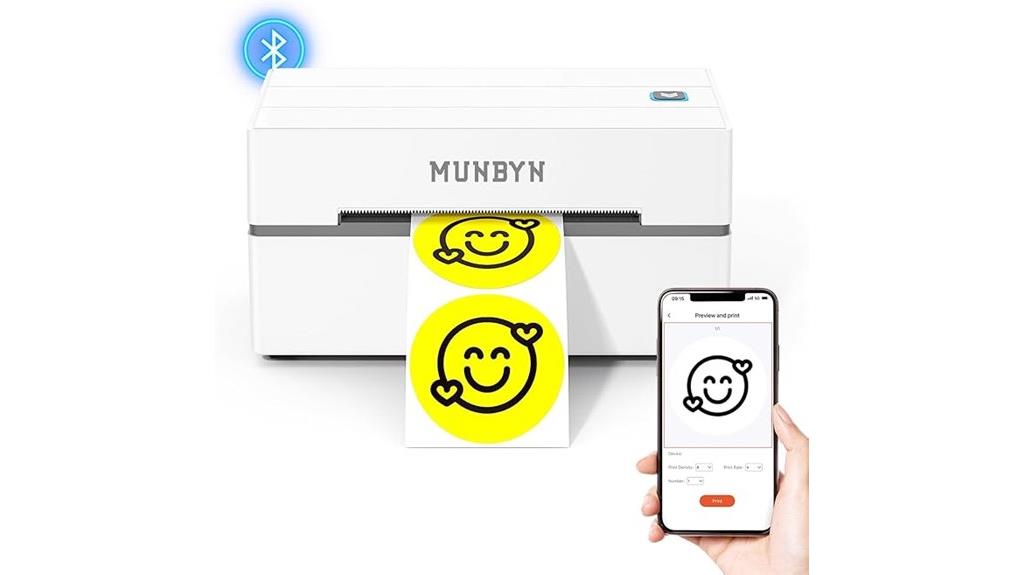
If you’re looking for a reliable and easy-to-use label printer for your home office, the MUNBYN Bluetooth Thermal Label Printer 130B is an excellent choice. It offers wireless printing compatible with iPhone, Android, Windows, macOS, and Chrome, making setup straightforward. Designed for shipping labels from major carriers like FedEx, UPS, and USPS, it also works with online platforms such as Amazon and eBay. Supporting labels from 1.57 to 4.3 inches wide, it delivers crisp, smudge-resistant prints at 72 pages per minute. Whether for shipping, branding, or organizing, this printer simplifies your workflow and saves costs on ink and outsourcing.
Best For: small business owners, home office users, and entrepreneurs seeking an easy, wireless solution for shipping and organizational labels.
Pros:
- Wireless Bluetooth connectivity compatible with multiple devices and platforms
- Supports a wide range of label sizes and specialty labels for versatile use
- Fast printing at 72 pages per minute with high-resolution 203dpi for crisp results
Cons:
- Some issues reported with UPS thermal paper, recommending Munbyn labels for optimal performance
- Requires app or web setup, which may be challenging for less tech-savvy users
- Limited to labels from 1.57 to 4.3 inches wide, which may not suit all labeling needs
Nelko Bluetooth Label Maker with Tape
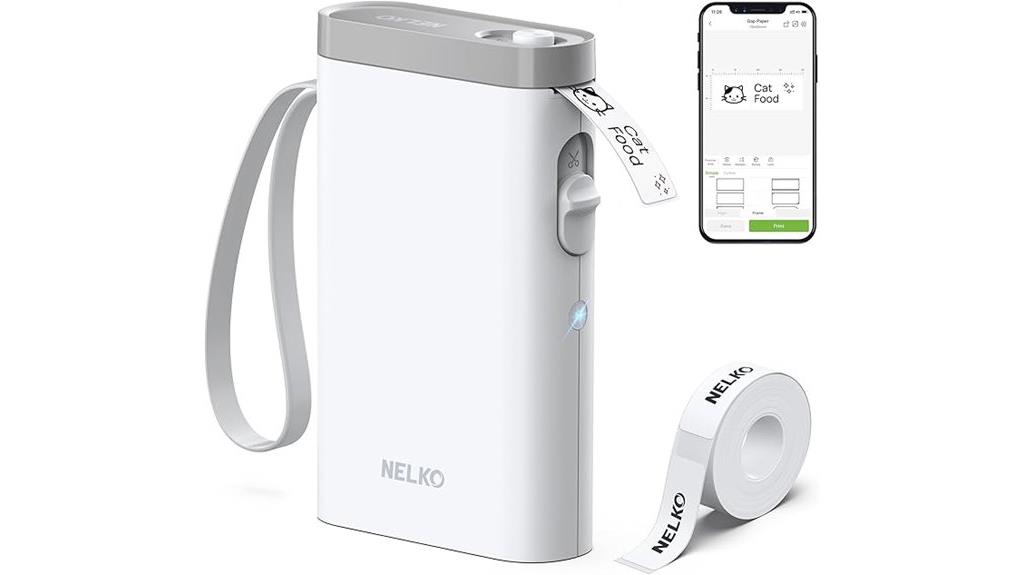
The Nelko Bluetooth Label Maker with Tape stands out as an ideal choice for anyone who needs a portable, easy-to-use labeling solution for their home office. Its compact, lightweight design makes it perfect for printing labels on the go, whether at home, school, or the office. With high-quality monochrome printing using BPA-Free Direct Thermal Technology, it offers sharp, durable labels without ink or toner. Connecting via Bluetooth to iOS or Android devices, it’s simple to operate with the Nelko app. Supporting over 90 fonts and multiple templates, it’s versatile for organizing everything from files to food. Just remember, it’s designed for mobile use only.
Best For: individuals seeking a portable, user-friendly Bluetooth label maker for home, school, or office organization.
Pros:
- Compact and lightweight design for easy portability and on-the-go printing.
- High-quality monochrome labels with BPA-Free Direct Thermal Technology, no ink needed.
- Compatible with both iOS and Android devices, supporting a wide range of fonts and templates.
Cons:
- Not compatible with computers; designed solely for mobile device use.
- Does not include a charging adapter and is not compatible with fast charging adapters.
- Limited to fixed label sizes and cannot print continuous labels or tear-off green stickers on the back.
Bluetooth Shipping Label Printer 4×6 for Small Business and Office
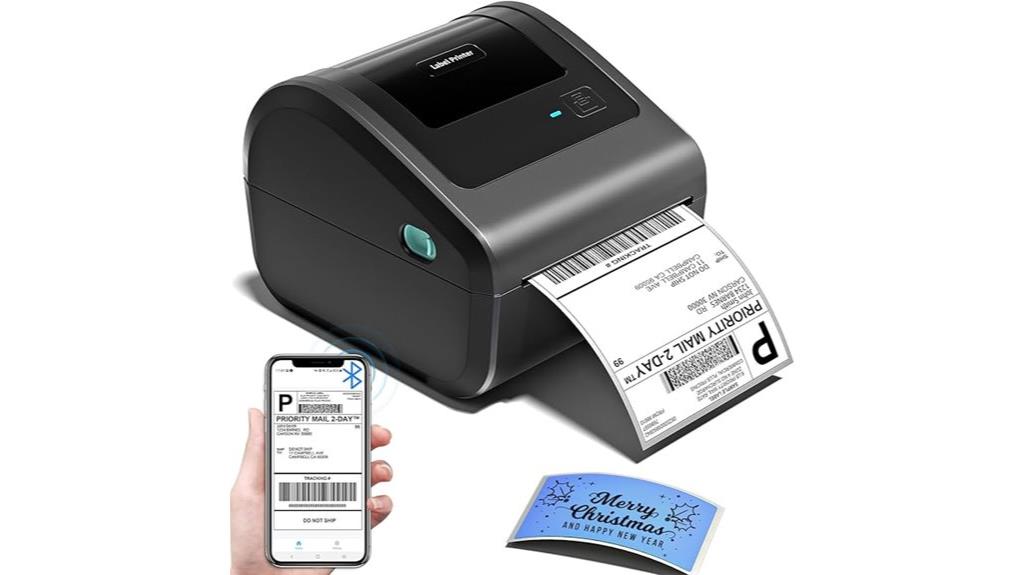
A Bluetooth shipping label printer 4×6 stands out as an ideal choice for small businesses and home offices seeking a compact, wireless solution. Its space-saving design measures just 7.2 x 6.3 x 5.3 inches and features an internal label bin that supports up to 250 labels, making it easy to load and operate. It supports label widths from 1 to 4.6 inches, perfect for shipping, mailing, and barcode labels. With advanced Bluetooth and USB connectivity, I can print wirelessly from any device or directly from my computer. No ink or toner is needed, reducing costs and simplifying maintenance. It’s versatile and perfect for streamlining small business logistics.
Best For: small business owners, home office users, and e-commerce sellers seeking a compact, wireless shipping label printer.
Pros:
- Space-saving design that fits easily into small workspaces
- Wireless Bluetooth and USB connectivity for flexible printing options
- No ink or toner needed, reducing ongoing costs and maintenance
Cons:
- Requires a compatible app for Bluetooth setup, which may add a step to the process
- Limited to label widths up to 4.6 inches, not suitable for larger labels
- May need initial configuration for optimal automatic label positioning
Brother P-Touch PTD210 Label Maker Bundle (4 Tapes Included)
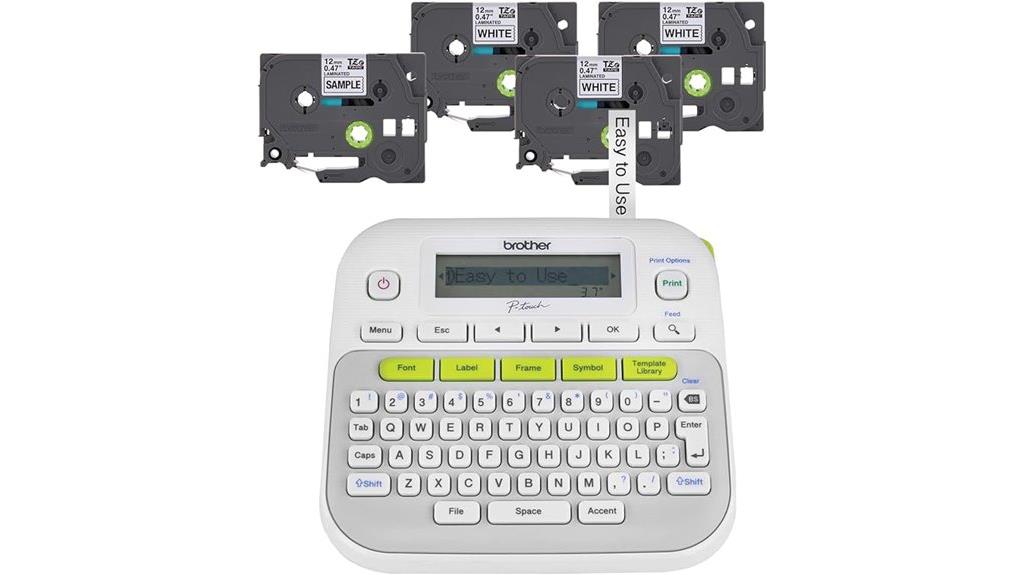
Designed for anyone who needs quick, professional labels at home or on the go, the Brother P-Touch PTD210 Label Maker Bundle offers excellent value with four included tapes. It’s easy to operate, with one-touch keys for fonts, symbols, and templates, plus a preview display to ensure perfect results. Its compact, lightweight design makes it ideal for portability and desk use, powered by batteries or an optional AC adapter. Supporting multiple tape widths and featuring durable, water- and fade-resistant tapes, it handles diverse labeling needs. The bundle’s included tapes jump-start your organization, making it a versatile, user-friendly choice for home, office, or on-the-move labeling projects.
Best For: individuals and professionals seeking a portable, easy-to-use label maker for organizing home, office, or on-the-go labeling projects.
Pros:
- User-friendly with one-touch keys for quick customization
- Supports multiple tape widths and uses durable, water- and fade-resistant tapes
- Compact, lightweight design ideal for portability and desk use
Cons:
- Requires six AAA batteries (sold separately) or an optional AC adapter for power
- Limited to laminated tapes, which may not suit all specialty labeling needs
- Basic display and features might be limiting for advanced labeling requirements
NIIMBOT B21 Label Maker, Thermal Label Printer (White)
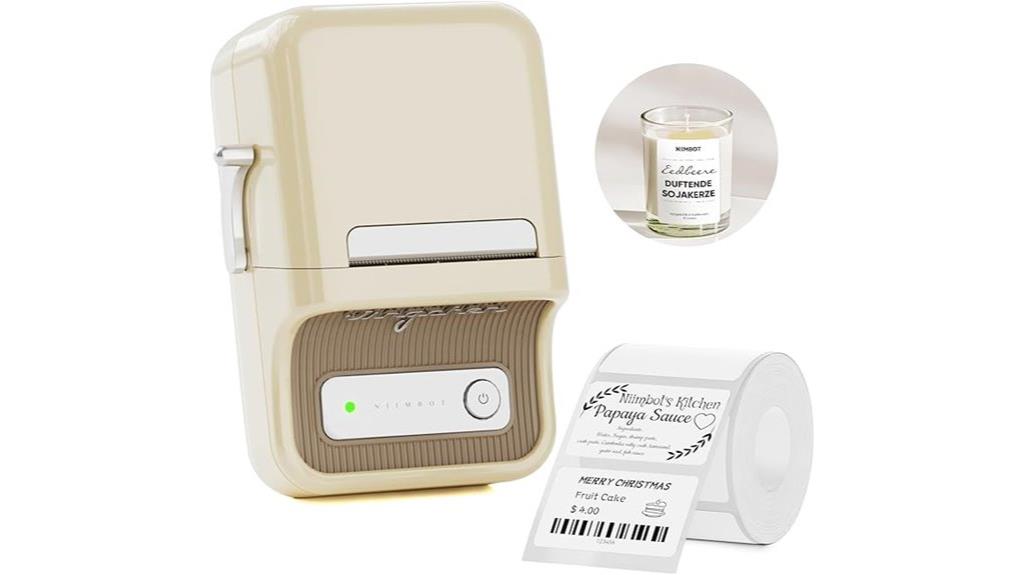
If you’re looking for a compact, inkless label printer that easily connects to your smartphone, the NIIMBOT B21 is an excellent choice for your home office. It’s portable, with Bluetooth compatibility for iOS and Android devices, and offers quick, automatic labeling with a printing speed of 2.4 labels per second. The device uses thermal technology, so no ink is needed, and it produces waterproof, durable labels suitable for organizing everything from files to storage bins. With the free NIIMBOT app, you can customize labels with fonts, icons, QR codes, and images. It’s user-friendly, making labeling quick and efficient for home or small business use.
Best For: individuals and small businesses seeking a portable, inkless label printer that easily connects to smartphones for quick and customizable labeling.
Pros:
- Wireless Bluetooth connectivity compatible with iOS and Android devices for seamless printing
- Fast printing speed of 2.4 labels per second, ideal for quick labeling tasks
- Produces durable, waterproof, and tear-resistant labels without the need for ink
Cons:
- Not compatible with iPad or PC without additional driver downloads
- Limited to label widths between 0.8 to 2 inches, restricting some larger labeling needs
- Not suitable for shipping labels, limiting its use for certain applications
DYMO LabelWriter 450 Twin Turbo Thermal Printer for Home & Office
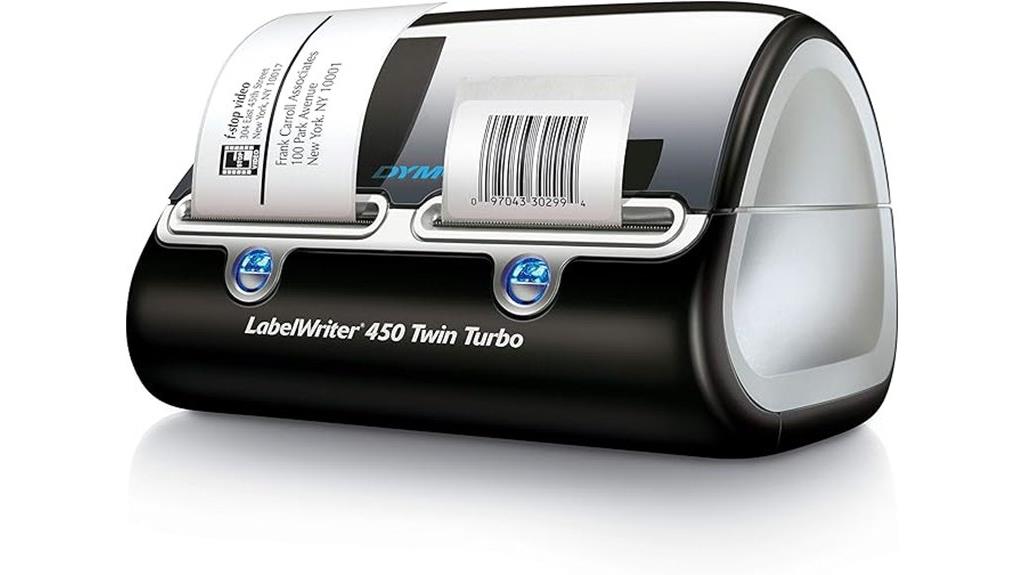
The DYMO LabelWriter 450 Twin Turbo Thermal Printer stands out for its dual roll printing capability, making it perfect for busy home offices that handle a variety of labeling tasks. You can quickly switch between two label rolls, boosting efficiency without stopping to change supplies. Its thermal technology eliminates ink and toner costs, saving money while delivering crisp, professional labels. The printer offers fast, reliable performance, ideal for high-volume tasks like shipping, mailing, filing, and barcode labeling. Plus, it integrates seamlessly with Microsoft Office and Google Contacts, allowing easy customization. Using genuine DYMO labels ensures maximum results every time.
Best For: home offices, small businesses, and busy environments that require efficient, cost-effective dual roll label printing.
Pros:
- Dual roll printing increases efficiency by allowing quick switching between label types.
- Cost-saving thermal technology eliminates ink and toner expenses.
- Compatible with popular software like Microsoft Office and Google Contacts for easy customization.
Cons:
- Requires authentic DYMO labels for optimal performance and clear results.
- Limited to thermal labels, restricting use with other label types that need ink.
- May have a learning curve for users unfamiliar with thermal or label printing technology.
SUPVAN T50M Pro Bluetooth Label Maker with 3 Tapes
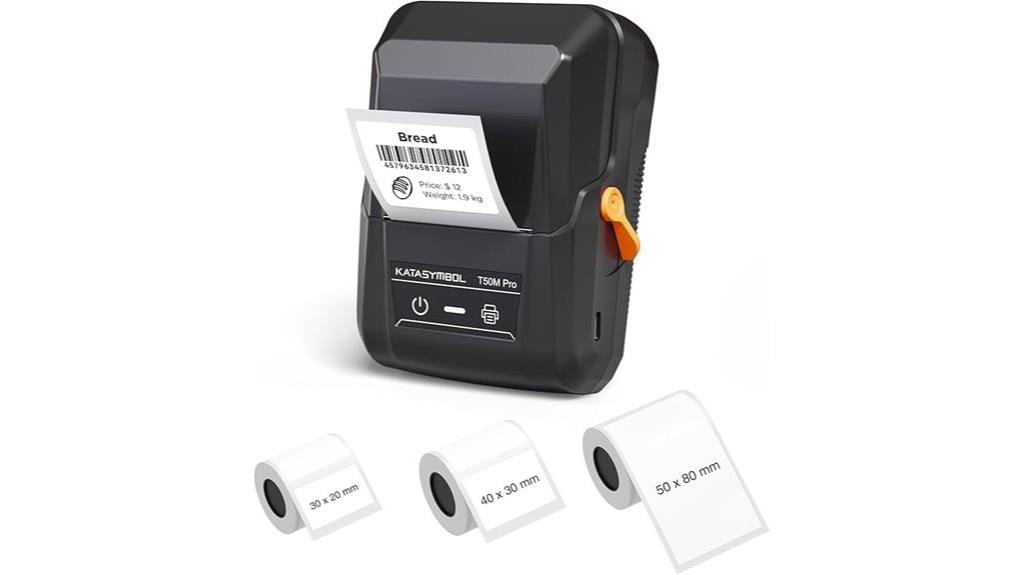
The SUPVAN T50M Pro Bluetooth Label Maker stands out as an excellent choice for home office users who need versatile, reliable labeling tools. It comes with three tapes, supporting labels from 3/4 to 2 inches wide, perfect for organizing storage, jars, or shipping labels. Its waterproof, inkless labels guarantee durability without mess. The device works with a free app, allowing me to customize labels with fonts, icons, and images easily. Auto size recognition makes printing quick and effortless. Whether for home, school, or small business, this label maker simplifies organization and adds a professional touch to all my labeling needs.
Best For: home office users, small business owners, and organizational enthusiasts seeking versatile, reliable labeling solutions.
Pros:
- Supports a wide range of label sizes from 3/4 to 2 inches, ideal for various applications
- Waterproof, inkless labels ensure durability and mess-free operation
- Free app with customizable fonts, icons, and images simplifies label creation and enhances professional appearance
Cons:
- Requires a Bluetooth connection, which may be less convenient in low-signal areas
- Limited to the included tapes; additional tapes must be purchased separately
- The device’s size and design may be less portable for on-the-go labeling needs
Nelko Bluetooth Thermal Shipping Label Printer
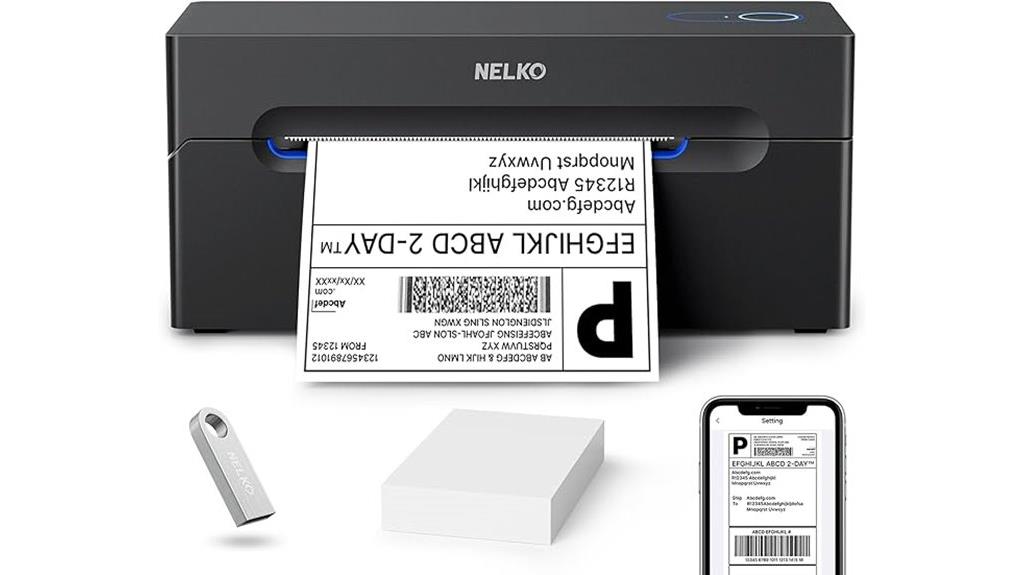
For those seeking a compact, cost-effective label printer for their home office, the Nelko Bluetooth Thermal Shipping Label Printer stands out with its wireless connectivity and versatile compatibility. It connects via Bluetooth to iOS 13+ and Android devices through the NELKO app, and supports Windows 7+ and Mac M1/M2 computers with Bluetooth. USB is also available for Windows, Mac, and Chrome OS. It uses thermal direct technology, printing up to 72 labels per minute at 203 DPI. Compatible with a wide range of label sizes and types, it’s perfect for shipping, warehouse, and product labels. Its small footprint and quick setup make it ideal for efficient, clutter-free home office organization.
Best For: home office users and small businesses seeking a compact, wireless, and cost-effective label printer for shipping, warehouse, and product labeling needs.
Pros:
- Wireless Bluetooth connectivity compatible with iOS, Android, Windows, and Mac devices for versatile use
- Fast printing speed of 150 mm/s with up to 72 labels per minute, ensuring efficiency
- Compact and easy to set up, with a quick one-minute installation process and helpful tutorials
Cons:
- Bluetooth pairing does not support direct device pairing; all connections require the NELKO app
- Limited to thermal direct technology, so no options for color or font customization
- Label width compatibility ranges from 1.54 to 4.1 inches, which may not suit very large or specialized labels
NIIMBOT B1 Label Maker with Tape (3 Rolls)
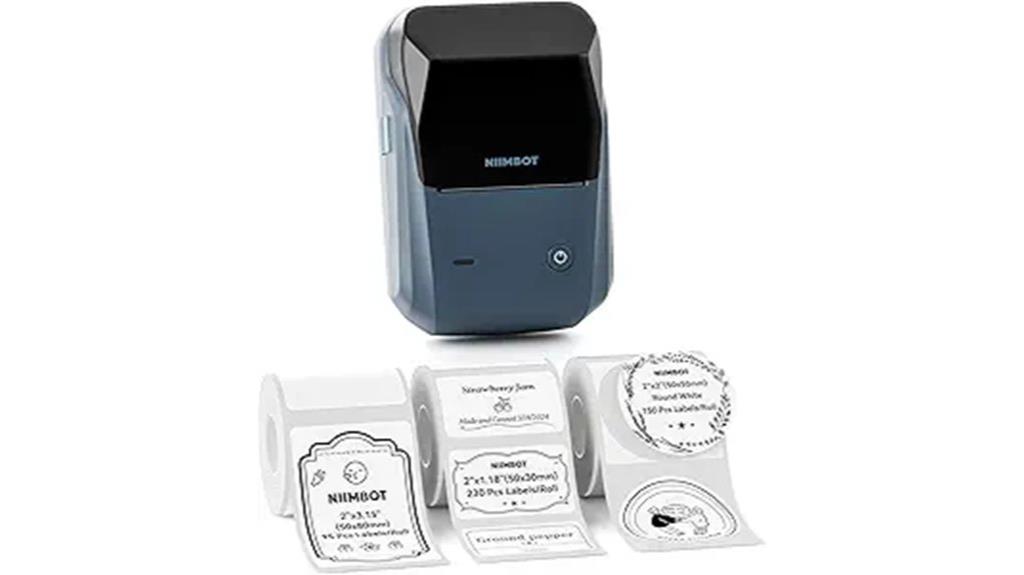
If you’re looking for an easy-to-use label maker that streamlines your home organization, the NIIMBOT B1 with three rolls of tape is an excellent choice. It comes with the device and three rolls of white labels in different sizes—50x30mm, 50x80mm, and 50x50mm round labels—making it versatile for various tasks. Connecting via Bluetooth to your iOS or Android device is simple, and the app supports over 30 fonts, 100 borders, and 1500 symbols. The auto-identify feature makes printing quick and effortless. Crafted from durable ABS, it’s both portable and reliable, perfect for labeling shelves, files, or products around your home.
Best For: home organizers, small business owners, and students seeking an easy, versatile label maker for everyday labeling tasks.
Pros:
- Supports multiple label sizes and shapes for diverse labeling needs
- Easy Bluetooth connectivity with intuitive app features including fonts, borders, and symbols
- Durable ABS construction makes it portable and long-lasting
Cons:
- Not compatible with tablets or larger screen devices
- Power source details are unspecified, potentially limiting usage without batteries or charging info
- Requires app download and Bluetooth pairing, which may be cumbersome for some users
NIIMBOT B21 Label Maker Thermal Printer
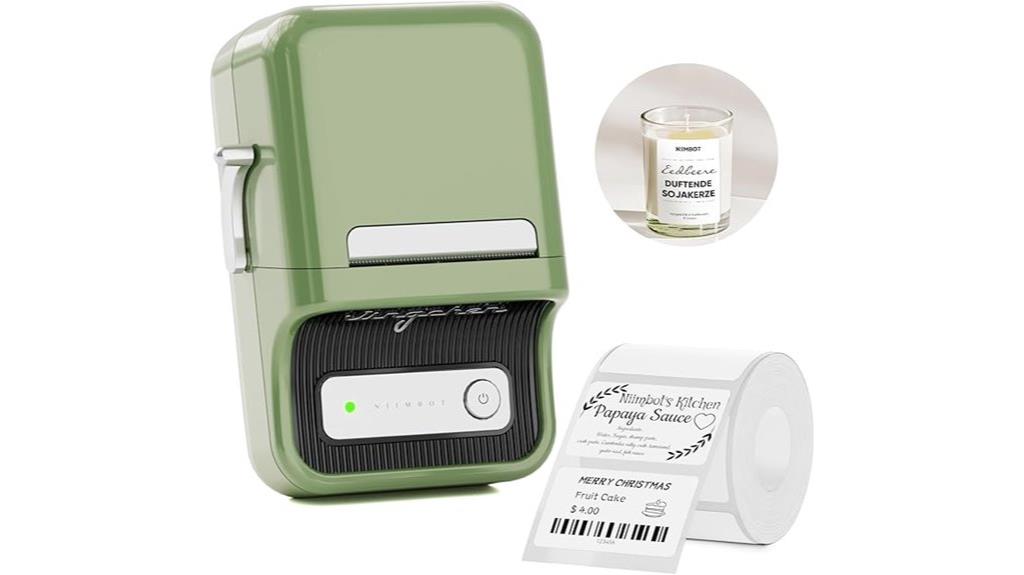
With its automatic sticker size recognition and batch printing capabilities, the NIIMBOT B21 Label Maker Thermal Printer stands out as an excellent choice for busy home offices and small businesses. It’s portable, measuring just 5×3.7×2.4 inches and weighing only 0.66 lbs, making it easy to move around. The device supports various label sizes, automatically detects sticker dimensions, and offers extensive customization through the NIIMBOT app, which includes over 30 fonts, 100 borders, and 1500 symbols. With a built-in rechargeable battery lasting up to two weeks, it’s reliable for daily use. Compatible with Android and iOS, it’s perfect for organizing, gifting, or retail labeling.
Best For: busy home offices, small businesses, and retail stores seeking portable, customizable label printing solutions.
Pros:
- Automatic sticker size recognition and batch printing streamline workflow
- Compact, lightweight design for easy portability and storage
- Extensive customization options via the NIIMBOT app with numerous fonts, borders, and symbols
Cons:
- Not compatible with iPad, limiting device options for some users
- Requires app installation and USB connection for PC use, which may be less convenient for some
- Limited to thermal label printing without options for different types of labels or inks
Brother P-Touch PT-D410 Label Maker (USB, White)
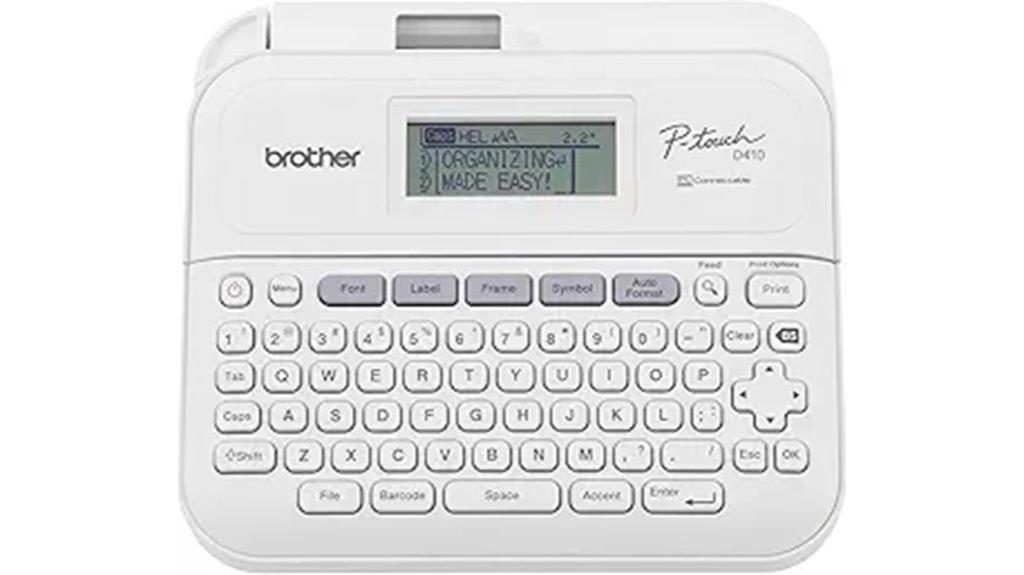
The Brother P-Touch PT-D410 Label Maker stands out as an excellent choice for home office users who need versatile and professional labeling solutions. With USB connectivity, it easily links to your PC or Mac, streamlining label creation. It supports TZe tapes up to ¾ inch wide, perfect for labeling files, cables, and shelves with options for durable and colorful tapes. Its user-friendly QWERTY keyboard, combined with built-in design tools, allows you to create up to five lines of text with various fonts, styles, and symbols. Whether organizing workspaces or inventories, this label maker provides a clean, professional look with minimal effort.
Best For: home office users and small businesses seeking versatile, professional labeling solutions with easy PC or Mac connectivity.
Pros:
- Supports a wide variety of TZe tapes, including durable and colorful options for different labeling needs
- User-friendly QWERTY keyboard and built-in design tools facilitate quick and customizable label creation
- Allows up to five lines of text with numerous fonts, styles, and symbols for versatile labeling designs
Cons:
- Limited to labels up to approximately 3/4 inch (18mm) wide, which may be insufficient for larger labeling projects
- Requires USB connection to a PC or Mac, so it cannot be operated independently without a computer
- Lacks wireless connectivity options, potentially limiting convenience in some setups
Label Maker Machine with Tapes, Barcode Printer, Bluetooth Printer for Small Business and Home
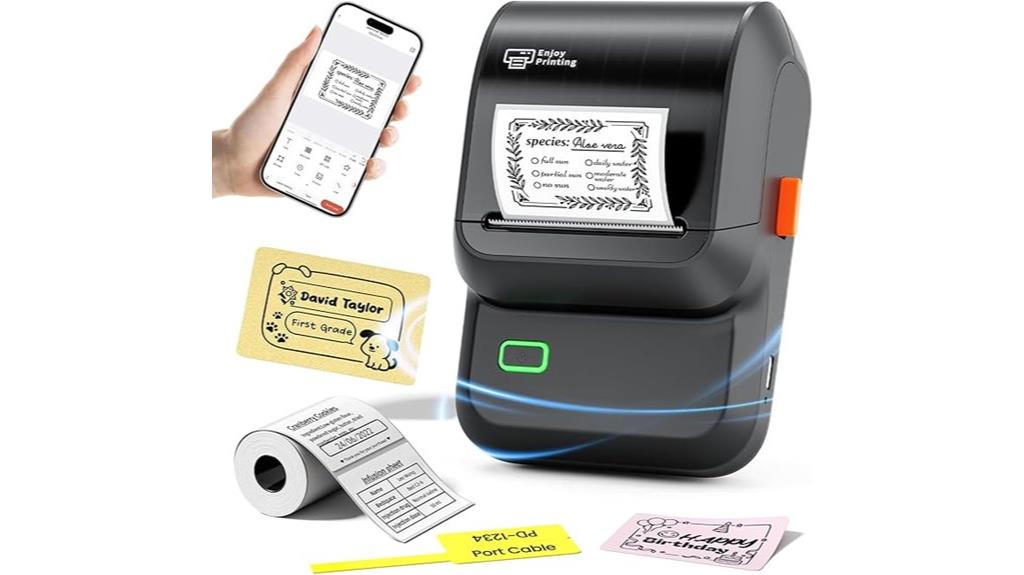
For anyone seeking a versatile and portable labeling solution, the Ponek M100 label maker stands out thanks to its seamless Bluetooth connectivity and wide range of customization options. It connects easily to Android and iOS devices via the Print Master app, or to a PC with USB using the Labelife app—no complicated setup needed. The device uses direct thermal technology for fast, inkless printing at 20mm/sec, producing up to 4,200 labels per charge. With support for over 5,000 icons, 300+ templates, and various fonts, it’s perfect for creating professional labels, barcodes, QR codes, and more for home and small business use. Its lightweight design ensures portability wherever I need it.
Best For: small business owners, home organizers, and educators seeking a portable, customizable, and inkless label printing solution.
Pros:
- Seamless Bluetooth connectivity compatible with Android, iOS, and PC via USB, enabling versatile device pairing.
- Fast, inkless printing technology at 20mm/sec with high-resolution labels up to 4,200 per charge.
- Extensive customization options with over 5,000 icons, 300+ templates, and multiple fonts for professional-looking labels.
Cons:
- Limited to printing labels within 0.78 to 2 inches wide, which may not suit very large labeling needs.
- Comes with a small set of 100 labels, requiring additional purchase for larger labeling projects.
- Requires a smartphone or PC with the appropriate app for full functionality, which may be a barrier for some users.
Brother P-Touch PTD220 Label Maker for Home and Office
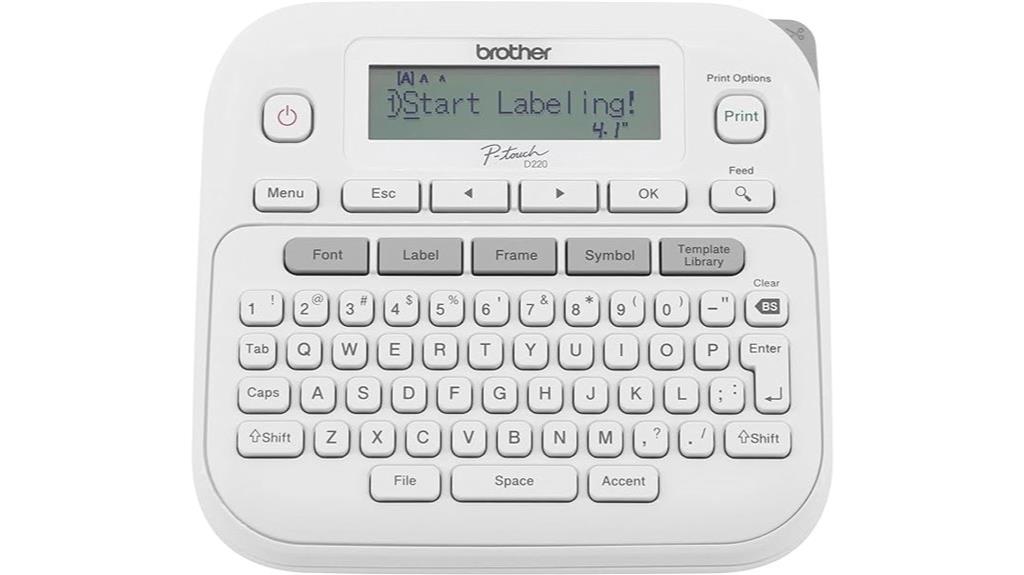
If you’re setting up a neat and organized home or small office, the Brother P-Touch PTD220 Label Maker is an excellent choice because it combines portability with versatile labeling options. This compact device runs on 6 AAA batteries or an optional AC adapter, making it easy to use anywhere. It prints durable, laminated labels using Brother’s genuine TZe tapes, which come in various finishes and colors. With support for 14 fonts, 11 styles, and over 600 symbols, it offers plenty of customization. The built-in memory stores up to 30 labels, and 25 pre-set templates help create professional results quickly. It’s perfect for all your home and workspace organization needs.
Best For: home and small office users seeking a portable, customizable, and easy-to-use label maker for organization and labeling tasks.
Pros:
- Compact and portable design powered by 6 AAA batteries or optional AC adapter for flexible use.
- Wide range of customization options with 14 fonts, 11 styles, and over 600 symbols for personalized labels.
- Built-in memory stores up to 30 labels and includes 25 pre-set templates for quick, professional results.
Cons:
- Limited to approximately 1/2 inch (12mm) wide TZe label tapes, which may not suit larger labeling needs.
- Requires purchasing additional accessories like the AC adapter separately.
- Printing only 1 or 2 lines of text, which may be restrictive for more complex labeling projects.
NIIMBOT B1 Label Maker with Tape

Looking for a reliable label maker that’s perfect for home offices or small businesses? The NIIMBOT B1 Label Maker with Tape is a compact, durable device made from high-quality ABS material, ideal for various organizational tasks. It comes with two white label rolls (2″ x 1.18″) and uses inkless thermal printing, so there’s no mess or ink to worry about. Connecting via Bluetooth to iOS and Android devices is seamless through the NIIMBOT app, which offers over 30 fonts, 100+ borders, and 1500+ symbols for customization. Its rechargeable battery and simple interface make labeling quick, efficient, and versatile for everything from wire organization to product tagging.
Best For: small business owners, home organizers, and office users seeking a compact, easy-to-use label maker for versatile labeling needs.
Pros:
- Compact and durable design made from high-quality ABS material, suitable for various environments.
- Inkless thermal printing technology ensures clean, mess-free labels with crisp clarity.
- Extensive customization options via the app, including over 30 fonts, 100+ borders, and 1500+ symbols.
Cons:
- Not compatible with tablets or iPads, limiting device connectivity options.
- Requires Bluetooth connection to iOS or Android devices, which may be a barrier in some environments.
- Limited to the supplied label roll size (2″ x 1.18″), which may not suit all labeling needs.
Factors to Consider When Choosing Label Printers for Home Office
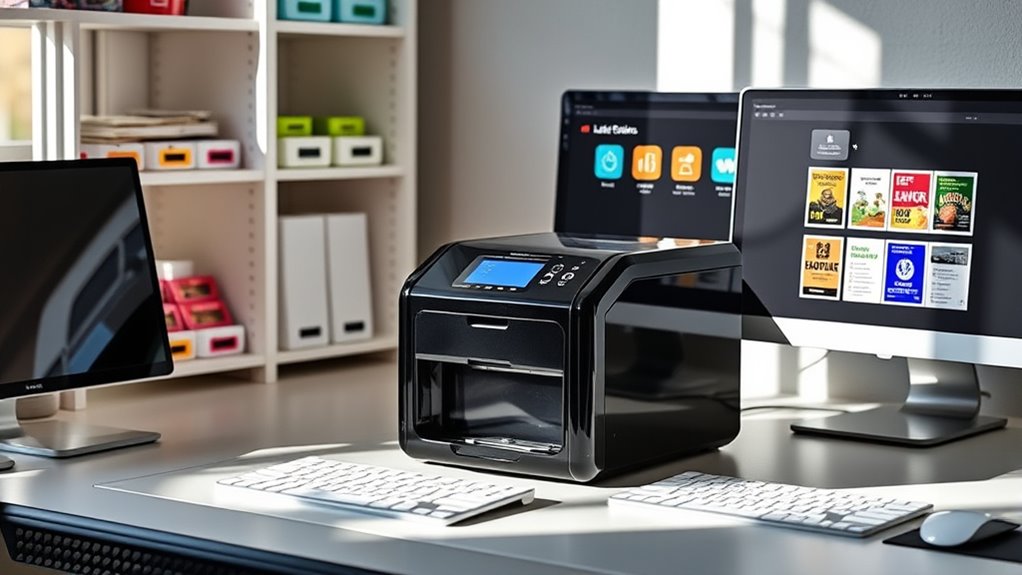
When selecting a label printer for my home office, I consider how well it works with my devices and the types of labels I need. I also look at connectivity options, print quality, speed, and the overall cost of supplies. These factors help me find a printer that’s efficient, compatible, and budget-friendly.
Compatibility With Devices
Choosing a label printer that works seamlessly with your devices is essential for a smooth home office setup. You’ll want to guarantee the printer is compatible with your operating systems, whether that’s Windows, macOS, iOS, or Android, to prevent connection issues. Wireless options like Bluetooth or Wi-Fi are convenient for printing from smartphones and tablets, making your workflow more flexible. If you prefer wired connections, check if the printer supports USB or Ethernet for direct, reliable communication with your computer. Also, consider the availability of dedicated apps or software from the manufacturer, which simplifies label design and printing. Confirm that the printer aligns with your device’s hardware specifications and OS to avoid compatibility headaches and ensure smooth operation.
Label Size Flexibility
A key aspect to contemplate is a label printer’s ability to handle various label sizes. I look for models that support widths from 1.57 inches up to 4.3 inches, ensuring I can tackle different labeling tasks. Compatibility with multiple label series, including specialty options like multicolor or decorative labels, adds creative flexibility. Adjustable label length and custom size settings are also essential, allowing me to tailor labels for specific organizational needs. I prefer printers that support both roll and fanfold labels, offering versatility for diverse projects. Additionally, software or app features that enable easy resizing and formatting streamline my workflow and help me manage multiple label sizes efficiently. Flexibility in label sizing makes a printer more adaptable and useful for my home office.
Connectivity Options Available
Selecting the right label printer means considering its connectivity options to match my workspace setup. Bluetooth-enabled printers are great for wireless printing from smartphones and tablets, making them portable and easy to use. Wi-Fi connectivity allows me to share the printer across multiple devices within my home network, which is perfect for multi-user households. USB connections offer a reliable way to print directly from my computer without relying on Wi-Fi, ideal for static workstations. Some models support multiple connectivity methods, giving me flexibility depending on my needs. If I want to print from various devices or move the printer around easily, choosing a model with versatile options ensures seamless operation and smooth workflow. Considering these options helps me select a printer that fits my home office perfectly.
Print Quality and Speed
When considering connectivity options, I also need to pay attention to print quality and speed, as these factors directly impact my workflow and the professionalism of my labels. High-resolution printing, like 203 DPI or higher, ensures my labels look sharp and clear, which is vital for barcodes, QR codes, and detailed text. Faster printing speeds, such as 72 labels per minute, help me keep up with high-volume tasks without delays. Consistent print quality across different label sizes and materials reduces errors and reprints, saving time and money. Thermal printing technology offers crisp results without ink or toner, making labels durable and easy to read. Producing clear, detailed labels is essential for reliable machine readability and an organized home office.
Cost of Supplies
The ongoing cost of supplies plays a essential role in choosing the right label printer for my home office, as it directly impacts my long-term expenses. Thermal printers are appealing because they eliminate ink and toner costs, reducing overall supply expenses compared to inkjet or laser models. However, the price and availability of thermal labels or tapes are crucial factors—genuine supplies usually offer clearer, more durable labels but come at a higher cost than third-party options. The size and type of labels I need also influence how often I’ll need to restock supplies and how much it will cost. Some printers support refillable or reusable cartridges, which can lower expenses over time but may require a higher upfront investment. Balancing these factors helps me manage my budget effectively.
Ease of Use
Ease of use is a key factor that can make or break the experience of managing a home office label printer. I look for models with an intuitive interface, like a clear display or simple buttons, to keep setup straightforward. Compatibility with popular mobile apps or web tools helps me create labels quickly, even if I’m not tech-savvy. Wireless options such as Bluetooth or Wi-Fi are game-changers—they let me print directly from my phone or tablet without hassle. Support for various label sizes and templates means I can customize for different projects easily, without fiddling with settings. Finally, clear instructions and simple calibration or loading procedures prevent frustration, ensuring I get consistent, hassle-free results every time I print.
Versatile Label Types
Choosing a label printer that supports multiple label sizes and types is essential for versatile organization. I look for models that handle rectangular, round, and specialty labels to meet various needs, from file folders to storage bins. Flexible printing options are a must—I want to print text, barcodes, QR codes, and even images for a professional touch. It’s also important that the printer can work with different materials like paper, vinyl, or waterproof labels, so my labels withstand the environment. Customizable templates and fonts help me create personalized, polished labels effortlessly. Additionally, printers with automatic label recognition and adjustable print lengths streamline the process, reduce errors, and save time. Versatility in label types ensures I stay organized and adaptable in my home office.
Frequently Asked Questions
What Are the Key Differences Between Thermal and Ink-Based Label Printers?
Thermal printers use heat to create images on special labels, so they don’t need ink or toner and are great for quick, durable labels. Ink-based printers, on the other hand, rely on liquid ink to produce vibrant, customizable labels, but they can be messier and require more maintenance. I prefer thermal for efficiency and longevity, especially for frequent labeling, while ink-based is better for colorful or detailed designs.
How Does Connectivity (Bluetooth, USB) Impact Label Printer Usability?
Imagine your label printer as a bridge connecting your ideas to reality. Connectivity like Bluetooth and USB makes this bridge seamless, boosting usability. Bluetooth lets you print from anywhere in your home, freeing you from cords, while USB guarantees a reliable, quick connection for detailed tasks. These options make printing effortless and flexible, turning a simple device into an indispensable tool that adapts to your workflow, not the other way around.
Can Label Printers Handle Custom Label Sizes and Shapes?
Yes, many label printers can handle custom label sizes and shapes. I’ve found that models with flexible software options let me easily create unique labels tailored to my needs. Some printers even support printable sheets or roll labels that can be resized and shaped differently. This flexibility really helps me stay organized, whether I’m labeling storage bins, files, or small products.
What Is the Typical Cost Range for High-Quality Home Office Label Printers?
I’ve found that high-quality home office label printers usually cost between $150 and $400. I’ve tested models in this range, and they offer great features and reliable performance. Investing within this range guarantees you get a durable, versatile printer that handles custom sizes and shapes. While cheaper options might seem tempting, they often lack the precision and longevity you need for consistent labeling work.
How Important Is Label Tape Durability for Home Office Organization?
Label tape durability is super important for my home office organization. I want labels that last through daily handling, spills, or temperature changes, so my organization stays intact. If the tape isn’t durable, labels fade, peel, or tear, which defeats the purpose of keeping things tidy. I always opt for high-quality tapes that resist wear and tear, ensuring my labels stay clear and professional-looking for the long haul.
Conclusion
Imagine transforming your cluttered chaos into a perfectly organized oasis with just one incredible label printer! These top picks will turn your home office into a powerhouse of efficiency, making messes vanish faster than you can say “organized.” Whether you’re labeling files, shelves, or jars, these printers will make you feel like a professional organizer in just minutes. Get ready to conquer clutter and feel unstoppable—your dream workspace is just a label away!