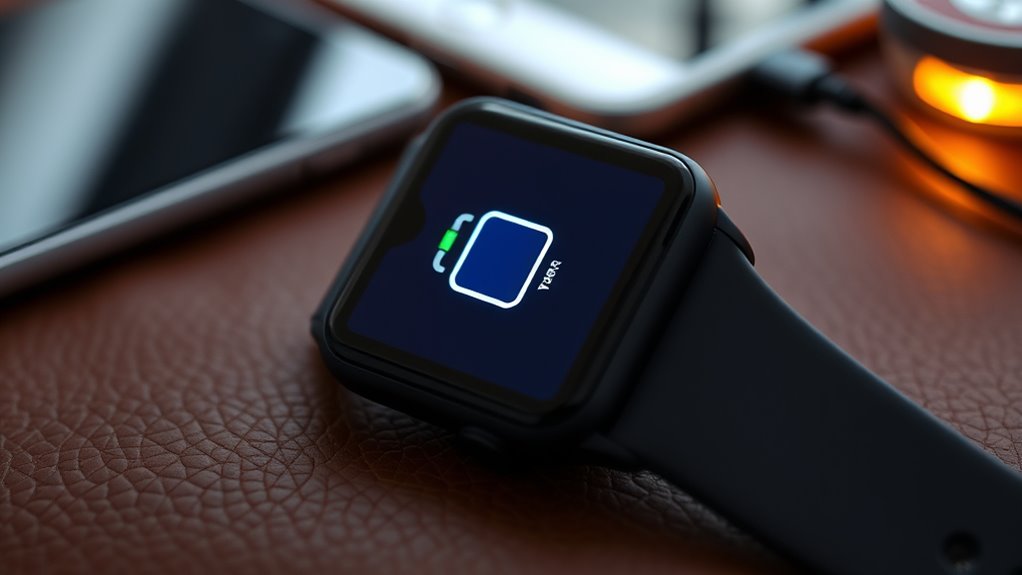

Your smartwatch’s battery dies quickly often because you use high screen brightness, continuous sensors, and frequent data syncing. Active connectivity features like Bluetooth and GPS also drain power, especially in small batteries with limited capacity. Software and background processes can push energy usage further, and environmental factors like heat or cold impact performance. If you want more tips to extend your watch’s battery life, keep exploring, and you’ll find some effective solutions.
Key Takeaways
- Continuous sensor activity like heart rate monitoring significantly increases battery drain.
- Frequent data syncing and background app activity consume substantial power.
- High display brightness and refresh rates reduce overall device battery life.
- Constant use of Bluetooth, Wi-Fi, and GPS accelerates energy consumption.
- Environmental factors and small battery capacity limit overall usage time between charges.
The Impact of Screen Brightness and Display Settings
Adjusting your wearable’s screen brightness and display settings can substantially impact its battery life. When you lower brightness, your device uses less power, extending its overall lifespan. Proper screen calibration ensures colors appear accurate without unnecessary energy drain. Additionally, optimizing display refresh rates can make a difference; reducing the refresh rate from high settings to a lower one cuts down on power consumption during everyday use. Many wearables allow you to customize these settings, so take advantage of that. By fine-tuning screen calibration and choosing an appropriate display refresh rate, you minimize energy use without sacrificing usability. These small adjustments can add up, helping your device last longer between charges and improving your overall experience. Paying attention to power management settings further enhances battery longevity, ensuring your wearable stays functional when you need it most. For example, enabling adaptive brightness can automatically adjust screen settings based on your environment, conserving battery life without manual intervention. Additionally, exploring advanced display options can help you find a balance between visibility and energy efficiency tailored to your needs.
Power Consumption of Sensors and Continuous Monitoring
Your wearable’s sensors use varying amounts of power depending on how active they are and how often they transmit data. Continuous heart rate monitoring, for example, can drain the battery faster if it’s running constantly. Managing sensor activity levels and data transmission helps extend your device’s battery life efficiently. Utilizing modern energy-efficient designs can further optimize power consumption. Additionally, understanding the role of contrast ratio and how it influences display efficiency can help in choosing devices with better battery performance. Incorporating advanced power management features in device hardware and software can also significantly reduce unnecessary energy use. Implementing local automation and intelligent routines allows devices to minimize sensor activity during periods of low use, further conserving battery life. Choosing devices with optimized hardware can provide long-term benefits for battery longevity.
Sensor Activity Levels
Sensors in wearable devices continuously track essential signs and activity levels, but this ongoing monitoring considerably impacts battery life. Higher sensor activity, like frequent heart rate checks or ambient light adjustments, increases power use. Proper sensor calibration minimizes unnecessary readings, conserving energy. Ambient light sensors, for example, adjust display brightness based on surroundings, but constant updates drain the battery. To optimize, you can reduce monitoring frequency or turn off non-essential sensors when possible. Understanding sensor activity levels helps you extend device usage without sacrificing performance. Effective sensor management involves balancing necessary data collection with energy efficiency to prolong battery life. For instance, adjusting the sensor refresh rate can significantly reduce power consumption. Additionally, selecting power-efficient sensor settings can further optimize battery longevity. Here’s a quick overview:
| Sensor Type | Calibration Needs | Power Consumption |
|---|---|---|
| Heart Rate Sensor | Regular calibration | Moderate to high |
| Ambient Light | Automatic adjustment | Low to moderate |
| Accelerometer | Periodic calibration | Varies based on activity |
Data Transmission Frequency
Have you ever wondered how frequently data is transmitted from your wearable device and how that affects battery life? Every time your smartwatch sends data to your phone or cloud, it consumes power. Higher transmission frequency means your device works harder, draining the battery faster. To extend battery life, manufacturers often optimize data transfer rates, balancing accuracy with power savings. Wireless charging can help keep your device powered up during frequent transmissions, reducing the need for battery recycling or replacements. Some devices even limit data syncs to conserve energy. By managing how often data is sent, you help prolong your device’s battery life, ensuring it stays functional longer between charges. Additionally, employing smart data management techniques allows for customized sync schedules and further conservation of battery resources. Adjusting transmission intervals based on usage patterns can also significantly improve overall battery longevity. Implementing power-efficient sensors can further reduce energy consumption during continuous monitoring, especially when paired with adaptive data transmission strategies that dynamically adjust transfer rates depending on activity levels. Moreover, optimizing sensor calibration can enhance data accuracy while minimizing unnecessary energy expenditure.
Continuous Heart Rate Monitoring
Ever wondered how continuous heart rate monitoring impacts your wearable’s battery life? It’s a significant factor because sensors constantly draw power, affecting overall battery longevity. The key lies in how your device manages power and the battery chemistry it uses. Here’s what happens:
- The sensors run nonstop, consuming energy based on their power management efficiency.
- Different battery chemistries, like lithium-ion, influence how long sensors can operate before needing a recharge.
- To optimize battery life, manufacturers implement power management techniques, such as adjustable sampling rates or temporary deactivation during inactivity.
- Smart battery management strategies can significantly improve the device’s overall endurance by reducing unnecessary sensor activity and optimizing power draw.
- Additionally, sensor efficiency improvements can help decrease power consumption during continuous monitoring, extending usage time.
- Advances in battery technology are also contributing to longer-lasting wearables, enabling more extensive health features without sacrificing battery life, especially when combined with power-saving algorithms.
- Furthermore, adopting energy-efficient components can help maximize battery performance and extend device usability over longer periods.
Background Apps and Data Syncing Processes
Background apps and data syncing processes continuously run in the background, often consuming significant battery power without your immediate knowledge. These background apps stay active, checking for updates, notifications, and syncing data with your phone or cloud. This constant activity drains your smartwatch’s battery faster than you might think. To visualize this, think of the following:
| App Type | Activity | Power Usage |
|---|---|---|
| Fitness Tracker | Syncs workout data | Moderate |
| Messaging App | Checks for new messages | Low |
| Weather App | Updates forecast info | Low |
Each process, especially data syncing, keeps your device awake longer, reducing overall battery life. Managing background apps and limiting unnecessary data syncing helps conserve power, extending your smartwatch’s usage time between charges. Additionally, background activity management can further optimize battery performance, making it an essential part of battery preservation strategies.
Connectivity Features and Their Energy Demands

Did you know that the connectivity features on your smartwatch, like Bluetooth, Wi-Fi, and GPS, are among the biggest energy consumers? These features keep your device linked to your phone or the internet but drain your battery quickly. To minimize this, you can:
- Turn off Bluetooth connectivity when you don’t need it, especially since it constantly searches for devices.
- Use Wi-Fi only when necessary, avoiding it in low-signal areas to prevent unnecessary power use.
- Take advantage of wireless charging to keep your device powered without frequent recharging, reducing the need for constant connection management.
Reducing reliance on these features extends your battery life, especially during long days. Being mindful of when and how you use connectivity options helps your smartwatch last longer.
Limitations of Battery Technology in Small Devices
You’re limited by the energy density of small batteries, which can’t store as much power as larger ones. Size constraints also prevent increasing capacity, so your devices often run out of juice faster. These factors make it challenging to improve battery life in wearables without sacrificing size or performance.
Limited Energy Density
Limited energy density remains one of the biggest challenges for wearable devices, as small batteries simply can’t store as much power as larger ones. This limits your device’s energy storage capacity, reducing how long it can run between charges. The low power density means each cell can’t deliver high bursts of energy when needed. To improve battery life, manufacturers focus on three key factors:
- Optimizing energy storage by using advanced materials to pack more energy into tiny spaces.
- Enhancing power density to allow batteries to supply power quickly without overheating or degrading.
- Balancing safety and performance to prevent issues like overheating or swelling, which are common in high-energy-density batteries. Advances in battery chemistry continue to drive improvements, but significant hurdles remain in achieving long-lasting, safe wearable batteries.
These constraints keep wearable devices from achieving longer battery life, forcing trade-offs between size, weight, and performance.
Size Constraints Hinder Capacity
Because of their small size, wearable device batteries face significant capacity limitations that hinder longer usage times. Miniature batteries must fit into tiny spaces, which restricts their energy storage capacity. This size constraint forces designers to make tough trade-offs between battery size and device features. To keep wearables slim and lightweight, manufacturers often sacrifice battery capacity, leading to shorter battery life. These design trade-offs mean you need to recharge your device more frequently, especially if it runs power-intensive functions. While advances in battery technology continue, the physical limits of miniaturization pose ongoing challenges. Ultimately, balancing size and capacity remains a core issue, making it difficult to develop batteries that are both compact and long-lasting in wearable devices.
How Software Optimization Affects Battery Life
Software optimization plays a crucial role in extending the battery life of wearables by making efficient use of hardware resources. When your device’s software is streamlined, it reduces unnecessary processing, conserving power. This directly impacts the user interface and overall user experience, making interactions smoother and more responsive. To optimize effectively, developers focus on:
Optimized software reduces processing, conserves power, and enhances user experience on wearables.
- Minimizing background processes that drain power without your knowledge
- Creating a simple, efficient user interface that requires less processing power
- Adjusting display settings, like brightness and refresh rate, to balance visibility and energy use
The Role of Notifications and Alerts in Draining Power
Notifications and alerts are key features that keep you connected, but they can also be significant power drains on your wearable device. When your watch constantly buzzes or lights up, it increases alert frequency and causes notification overload, which quickly drains your battery. Managing alert settings can help conserve power; turning off non-essential notifications reduces unnecessary wake-ups. Here’s how different alert types impact power consumption:
| Notification Type | Frequency Impact | Power Drain Level |
|---|---|---|
| Text Messages | High | Significant |
| App Alerts | Moderate | Moderate |
| Social Media | High | Significant |
| Calendar Reminders | Low | Minimal |
| Weather Updates | Moderate | Moderate |
Limiting alert frequency and choosing critical notifications help extend your device’s battery life.
Environmental Factors and Their Effect on Battery Efficiency
Environmental conditions play a crucial role in determining your wearable device’s battery efficiency. Solar interference can disrupt signals and cause your device to work harder, draining the battery faster. Temperature fluctuations also impact performance; extreme heat can degrade battery cells, while cold temperatures reduce their capacity. To minimize these effects, keep your wearable in stable environments. Specifically:
- Avoid exposing your device to direct sunlight for prolonged periods to prevent solar interference.
- Maintain a consistent temperature, ideally between 20°C and 25°C, to protect battery health.
- Store your device in a cool, dry place when not in use, especially during extreme weather conditions.
Being mindful of these environmental factors helps extend your wearable’s battery life and overall longevity.
Practical Tips to Maximize Battery Longevity

To make the most of your wearable’s battery life, adopting practical habits can considerably extend its longevity. Focus on proper battery maintenance by avoiding complete discharges and not overcharging your device. Instead, charge it when the battery drops to around 20-30%, and unplug once it reaches 80-90%. Consistent, moderate charging habits help preserve battery health over time. Additionally, turn off unnecessary features like Bluetooth, GPS, or notifications when not needed, as these drain power. Keep your device updated with the latest firmware, which often includes power optimization improvements. Store your wearable in cool, dry places when not in use for extended periods. By practicing mindful charging habits and maintaining your device properly, you’ll ensure your wearable’s battery stays healthier longer.
Frequently Asked Questions
Can Software Updates Improve Battery Life in Wearables?
Yes, software optimization and firmware updates can improve your wearable’s battery life. Developers often release updates that enhance efficiency, reduce power consumption, and fix bugs that drain the battery. By installing these updates promptly, you help your device run more smoothly and last longer between charges. So, stay on top of firmware updates to guarantee your smartwatch operates at its best and conserves battery more effectively.
How Does Temperature Impact Wearable Battery Performance?
Temperature affects your wearable’s battery performance through thermal effects. When it’s too hot or cold, the battery’s chemistry struggles, causing faster drain or reduced capacity. To maintain ideal performance, you should guarantee proper temperature regulation by avoiding extreme temperatures and keeping your device in a cool, dry place. This helps preserve battery health, ensuring your smartwatch lasts longer and functions reliably regardless of the weather.
Do Different Smartwatch Brands Have Varying Battery Efficiencies?
Yes, different smartwatch brands have varying battery efficiencies. When you compare brands, you’ll notice differences in battery longevity, often due to design and software optimization. Some brands prioritize longer battery life, while others focus on advanced features that consume more power. You should consider brand comparison carefully, especially if battery longevity is your top priority. Choosing a brand with efficient power management can help your smartwatch last longer between charges.
Is It Better to Keep Wearables Charged or Let Them Deplete Completely?
It’s better to keep your wearables charged rather than letting them deplete completely. Regular charging habits help maintain battery calibration, preventing capacity loss over time. Avoid letting your device’s battery drop to zero often, as deep discharges can shorten its lifespan. Instead, aim to keep your smartwatch between 20% and 80% for ideal battery health. Consistent, moderate charging supports longer-lasting battery performance.
How Do Battery Capacities Compare Across Various Wearable Device Models?
You might think all wearables have similar battery capacities, but they vary widely. Higher battery capacity generally means better device longevity, allowing your device to last longer between charges. For example, flagship smartwatches often boast capacities around 300-500mAh, while fitness bands may have smaller ones, around 100-150mAh. Keep in mind, factors like display size and features influence actual battery life, so compare models to find the right balance for your needs.
Conclusion
To make your smartwatch’s battery last longer, think of it as tending a delicate garden—you need to prune and nurture it carefully. Adjust settings wisely, limit background activities, and stay mindful of environmental influences. With a little attention, you can keep your device humming like a well-tuned orchestra, turning fleeting power into a steady rhythm that keeps you connected without constantly chasing the next charge. Your patience transforms into a lasting, harmonious bond with your wearable.