
Not all USB-C ports in cars support fast charging because their capabilities depend on the underlying standards and hardware, not just the connector itself. Some ports are designed mainly for data transfer or basic charging and don’t include the fast-charging protocols like USB Power Delivery (USB PD). To get quick charging speeds, you need a port and cable that support these standards. If you want to learn how to maximize your charging speed, keep exploring further.
Key Takeaways
- Not all car USB-C ports support fast-charging protocols like USB Power Delivery.
- Port hardware and standards determine if fast-charging is possible, not just physical connection.
- Some ports are limited to USB 2.0 speeds, preventing fast-charging despite having a USB-C connector.
- Using incompatible cables or mismatched port and device standards can prevent fast-charging.
- Checking vehicle specifications helps confirm which ports support fast-charging features.
As smartphones become central to our daily lives, more car manufacturers are adopting USB-C ports to keep your devices charged and connected seamlessly. However, not all USB-C ports in cars support fast-charging, which can be frustrating if you’re expecting your device to power up quickly. The reason often lies in the differences in charging standards and port compatibility. Not every USB-C port is created equal, and understanding these differences can help you make better use of your vehicle’s charging capabilities.
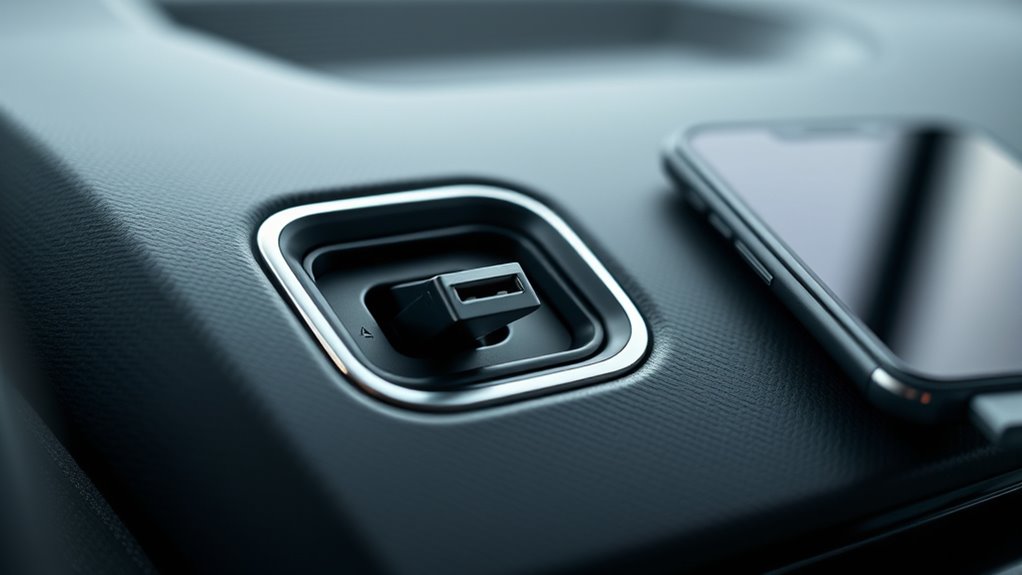
Charging standards play a vital role in determining whether your device charges quickly or slowly. USB-C is just a connector type, but the actual charging speed depends on the technology behind it. Some ports support USB Power Delivery (USB PD), which allows for higher wattage transfer, enabling fast charging for compatible devices. Others may only support basic charging, which means your phone may take much longer to reach full capacity. If your car’s USB-C port isn’t supporting USB PD or similar standards, you’ll notice slower charging speeds, even if the port physically fits your device.
USB-C port speed depends on supporting standards like USB Power Delivery, not just the connector itself.
Port compatibility is another key factor. Even if your car has a USB-C port, it may not be compatible with all devices or chargers. Certain ports are designed primarily for data transfer or basic charging, and they may lack the hardware needed for fast-charging protocols. Additionally, some ports might only support USB 2.0 speeds, which limits data and power transfer, while others support newer, faster standards like USB 3.1 or 3.2. When you connect your device, if the port isn’t compatible with the device’s fast-charging requirements, it’ll default to slower charging speeds.
To maximize charging speed, you need to guarantee both the port and the cable support the same high standards. For instance, using a USB-C cable that’s compatible with USB PD and a port that also supports it will provide the fastest charge possible. Without this compatibility, your device may still charge, but it’ll do so at a much slower rate. Some vehicles may have multiple USB-C ports with different capabilities, so check your vehicle’s specifications or consult the manufacturer if fast-charging is a priority. Additionally, detecting passive voice in your writing can help ensure clarity and directness, especially when explaining technical concepts like charging standards.
Top picks for "cars some port"
Open Amazon search results for this keyword.
As an affiliate, we earn on qualifying purchases.
Frequently Asked Questions
Can All USB-C Ports in Cars Support Fast-Charging Simultaneously?
Not all USB‑C ports in cars support fast-charging simultaneously. Charging speed depends on port compatibility and the car’s power output. If your vehicle has multiple ports, some may prioritize data transfer or standard charging, limiting fast-charging capabilities. To guarantee quick charge, check each port’s specifications and compatibility. Using a compatible cable and device also helps maximize charging speed across all USB‑C ports in your car.
How Does Cable Quality Affect Fast-Charging Capabilities in Vehicles?
Think of your cable as a loyal messenger, carrying vital energy swiftly and safely. If it’s poorly made, it’s like sending a fragile courier—prone to breaking or losing power. High-quality cables, built to manufacturer standards, guarantee durability and proper power transfer, so your fast-charging works smoothly. Using inferior cables risks slower charges or damage, making it essential to choose cables that meet strict standards for optimal performance.
Are There Specific Car Brands With Universally Compatible USB-C Fast-Charging?
Some car brands are more universally compatible with USB-C fast-charging because they follow common charging standards like Power Delivery (PD) or Qualcomm Quick Charge. Brands like Tesla, BMW, and Audi often support these standards across their models, making it easier for you to charge your devices quickly. However, always verify the vehicle’s specifications for brand compatibility and supported charging standards to guarantee maximum fast-charging efficiency.
What Are the Safety Considerations for Fast-Charging via Car USB-C Ports?
When fast-charging via car USB-C ports, you should prioritize electrical safety and follow user precautions. Always use compatible chargers and cables, as incompatible ones can cause overheating or short circuits. Avoid charging damaged devices, and don’t leave your phone unattended while charging. Keep the port clean and dry, and follow the manufacturer’s guidelines to prevent potential risks like electrical faults or fire hazards, ensuring a safe charging experience.
How Do Software Updates Influence USB-C Port Performance in Vehicles?
Did you know that over 60% of vehicle owners experience improved USB-C performance after firmware updates? Software updates play a vital role in enhancing port performance by fixing bugs and optimizing hardware compatibility. When you install firmware updates, they guarantee your car’s USB-C ports work smoothly with various devices, enabling faster charging and data transfer. Regular updates help maintain compatibility and prevent issues, keeping your charging experience reliable and efficient.
Conclusion
So, next time you plug in your device and it doesn’t charge as fast as you hoped, remember—your USB-C port might be a sleepy giant, not ready to release its full power. Not all ports are created equal, and many are content to be slow and steady rather than lightning-fast. Keep an eye on your car’s charging capabilities, and don’t let a sluggish port turn your road trip into a waiting game.