
Most people don’t need as much RAM as they think to run their computers smoothly. For everyday tasks like browsing, streaming, and document editing, 8GB is usually enough. Gamers may get by with 16GB, while content creators and professionals might benefit from 16 to 32GB for demanding workloads. Upgrading beyond that often offers little gain unless you do heavy multitasking or run intensive apps. If you want to understand the best RAM amount for your needs, keep exploring.
Key Takeaways
- Most everyday tasks like browsing and streaming require only 8GB of RAM for smooth performance.
- Gaming typically runs well with 16GB, providing a good balance between cost and responsiveness.
- Professional work and content creation often need at least 16GB, with 32GB for demanding applications.
- Upgrading beyond 32GB offers minimal benefits unless multitasking or using intensive software.
- Proper system assessment and compatibility checks prevent overspending on unnecessary RAM upgrades.
Understanding RAM and Its Role in Your Computer
RAM, or random access memory, is a crucial component that temporarily stores data your computer needs to access quickly. When your RAM is insufficient, you may encounter RAM bottlenecks, slowing down your system’s performance. These bottlenecks happen because the CPU struggles to access data fast enough, especially if memory bandwidth is limited. Memory bandwidth refers to how much data can flow between RAM and the processor at a given time. When bandwidth is low, even enough RAM can’t prevent slowdowns. Your computer relies on RAM to handle active tasks efficiently, ensuring smooth multitasking and quick load times. Understanding how RAM functions helps you recognize the importance of balancing capacity and bandwidth to avoid performance issues. Additionally, European cloud innovation promotes the development of energy-efficient and sustainable data solutions that can enhance overall system performance. Being aware of RAM capacity needs based on your typical usage can help optimize your system’s speed and responsiveness. Recognizing the impact of bandwidth on data transfer speeds can further improve your computer’s performance in demanding applications. Moreover, choosing the right combination of RAM and memory bandwidth can significantly influence your computer’s ability to handle complex tasks smoothly.
How Different Tasks Use RAM
Ever wonder how different tasks impact your computer’s memory needs? Virtual reality and machine learning are prime examples. VR demands significant RAM to run immersive environments smoothly, often requiring 16GB or more for seamless experiences. Machine learning applications process large datasets, needing ample memory to train models efficiently. Other tasks include:
Different demanding tasks like VR and machine learning require substantial RAM for smooth performance.
- Video editing, which buffers high-resolution files
- Gaming, especially modern titles with complex graphics
- Web browsing with multiple tabs open
- Running virtual machines for testing or development
While basic tasks like document editing need minimal RAM, demanding activities like VR and machine learning push your system’s limits. Understanding these differences helps you choose the right amount of RAM for your specific needs, avoiding over- or under-investing in memory. Memory requirements are affected by the complexity and scale of the tasks you perform, making it essential to match your hardware to your usage patterns. Modern kitchen technology continues to advance, making computing more efficient and tailored to diverse tasks. Additionally, staying aware of system performance can help you optimize your setup for both current and future needs.
The Myth of “More RAM Is Always Better”
Many assume more RAM always improves performance, but that’s not true beyond a certain point. You’ll see diminishing returns quickly, and your specific tasks determine how much you really need. Overspending on extra RAM can just waste money without boosting your system’s capabilities. Additionally, understanding net worth and income sources helps illustrate how resources are allocated effectively. Recognizing hardware limitations is also crucial to making informed upgrades that truly benefit your system. Being aware of designer aesthetics can also help in choosing components that not only perform well but also match your overall setup. For example, choosing the right amount of RAM depends on your hardware configuration, the type of applications you run regularly, and your system’s compatibility requirements.
Diminishing Returns Quickly
While it might seem intuitive that adding more RAM will always boost your computer’s performance, the truth is that benefits quickly plateau beyond a certain point. Once you reach that threshold, increasing RAM offers minimal gains, and you may not see a noticeable difference. Factors like RAM compatibility and RAM speed become more critical at this stage. Upgrading beyond your system’s needs can lead to unnecessary costs without improving performance. Remember, your system’s bottleneck might be elsewhere, such as the CPU or storage speed. To maximize efficiency, consider these points:
- Upgrading RAM beyond your system’s capacity yields diminishing returns
- RAM speed can influence performance more than the amount of RAM
- Compatibility issues may limit gains from larger modules
- System performance depends on balanced hardware upgrades
- Over-investing in RAM ignores other bottlenecks
- Understanding cryptid mysteries can provide insight into elusive phenomena that defy conventional science.
Task-Specific Needs Matter
Although having more RAM can improve performance in some cases, it’s important to recognize that different tasks have specific memory requirements. For example, tasks like cloud computing or video editing need more RAM, while basic browsing or document editing do not. Upgrading RAM without considering hardware compatibility or the actual workload can be unnecessary. Here’s a quick overview:
| Task Type | Typical RAM Needs | Note |
|---|---|---|
| Cloud Computing | 8-16 GB | Depends on workload |
| Gaming | 8-16 GB | Often sufficient |
| Basic Tasks | 4-8 GB | Usually enough |
Understanding your specific needs guarantees you don’t waste money on overkill RAM or encounter compatibility issues.
Overkill Wastes Money
Buying more RAM than your tasks require doesn’t boost performance and often wastes money. Excess RAM doesn’t make your system faster; it just sits idle, relying on virtual memory when needed. Higher ram speed can improve responsiveness, but only up to a point—beyond that, gains are minimal. Overspending on RAM often ignores your actual needs and the diminishing returns of extra memory. Additionally, understanding common financial terms and jargon can help you make more informed decisions about hardware investments. Recognizing how performance metrics relate to real-world use can prevent unnecessary spending and optimize your setup. Considering your typical workload and hardware specifications can further ensure you’re investing wisely. Being aware of diminishing returns helps you avoid overspending on hardware upgrades that won’t improve your daily experience.
Recommended RAM for Everyday Browsing and Streaming

For everyday browsing and streaming, 8GB of RAM is generally sufficient to guarantee smooth performance. When choosing RAM, ensure good RAM compatibility with your system to avoid issues. Most modern laptops and desktops support 8GB modules, making upgrades straightforward. RAM speed also matters; faster RAM can improve responsiveness, especially when multitasking or running multiple tabs. Aim for a speed of at least 2400MHz or higher if your system supports it. However, beyond a certain point, increasing RAM speed yields diminishing returns for basic tasks. Overall, 8GB strikes a balance between affordability and performance, letting you browse, stream videos, and use common applications without bottlenecks. Just confirm your system’s specifications to select compatible, appropriately fast RAM. Additionally, understanding RAM compatibility can help prevent potential issues during upgrades. Ensuring your RAM is correctly installed can also optimize system stability and performance, especially as technology advances and new motherboard standards emerge. Being aware of system requirements can further guide effective upgrades and prevent compatibility problems.
Gaming RAM Needs: What’s Actually Necessary
When it comes to gaming, the right amount of RAM can make a big difference in performance. Most gamers find 16GB to be enough, but some titles demand more for smooth gameplay. Understanding ideal RAM amounts and how other factors affect gaming performance helps you determine what’s truly necessary.
Optimal RAM Amounts
While the amount of RAM you need for gaming varies depending on the titles you play and your system setup, most gamers find that 16GB strikes the right balance between performance and cost. This amount allows smooth gameplay while providing enough headroom for virtual memory if needed. To optimize your gaming experience, consider factors like ram latency, which impacts how quickly your system accesses data. Higher latency can slow down performance, especially in demanding titles. Here are key points to keep in mind:
- 16GB is sufficient for most modern games
- Lower ram latency improves responsiveness
- Excess RAM offers diminishing returns for gaming
- Virtual memory helps handle background processes
- Upgrading to 32GB is unnecessary unless multitasking heavily
- System capabilities also play a crucial role in determining optimal RAM needs.
Choosing the right amount depends on your specific needs and system capabilities.
Gaming Performance Factors
Understanding the key factors that influence gaming performance can help you determine how much RAM you actually need. While RAM capacity matters, RAM compatibility and RAM speed are equally important. If your RAM isn’t compatible with your motherboard or CPU, it won’t run efficiently, limiting your gaming experience. Faster RAM can improve load times and overall responsiveness, especially in CPU-dependent games. However, beyond a certain point, increasing RAM speed yields diminishing returns. For most gamers, 16GB of compatible RAM with a decent speed (around 3000-3600 MHz) is sufficient for smooth gameplay. Prioritizing RAM compatibility ensures stability, while choosing the appropriate RAM speed optimizes performance. Balancing these factors helps you get the best gaming experience without overspending on unnecessary specifications. Home Charging principles like safe installation and compatibility are crucial even when upgrading your gaming PC to ensure optimal performance. Additionally, understanding RAM compatibility can prevent potential bottlenecks and system issues.
Content Creation and Professional Workstation Requirements
For content creators and professionals working with demanding applications, having sufficient RAM is essential to guarantee smooth performance and efficient workflow. When handling large files or multitasking, your system relies heavily on virtual memory and RAM compression to optimize resources. Insufficient RAM can cause lag, crashes, or prolonged rendering times. To mitigate this, consider these factors:
- Minimum 16 GB for basic editing; 32 GB for intensive tasks
- Use of RAM compression to extend available memory
- Virtual memory settings to enhance performance during heavy loads
- RAM speed and latency impacting workflow fluidity
- Upgrading RAM for future-proofing demanding applications
Understanding tool compatibility and how RAM interacts with other hardware components can help you make more informed upgrade decisions. Balancing these elements ensures your workstation remains responsive, allowing you to focus on creative output without technical hindrance.
How Operating Systems Affect RAM Usage
Your operating system plays a crucial role in how efficiently RAM is utilized, as it manages memory allocation and prioritization for running applications. It uses virtual memory to extend RAM capacity by temporarily transferring data to your storage drive, which helps prevent system slowdowns when RAM is full. Additionally, your OS employs cache optimization techniques to speed up access to frequently used data, reducing the need for constant memory reads and writes. Proper cache management ensures that active processes run smoothly without overloading RAM. These mechanisms work together to balance performance and resource use, often making your system feel more responsive. Understanding how virtual memory and cache optimization influence RAM usage can help you make smarter decisions about your system’s memory needs.
Upgrading RAM: When Is It Worth It?
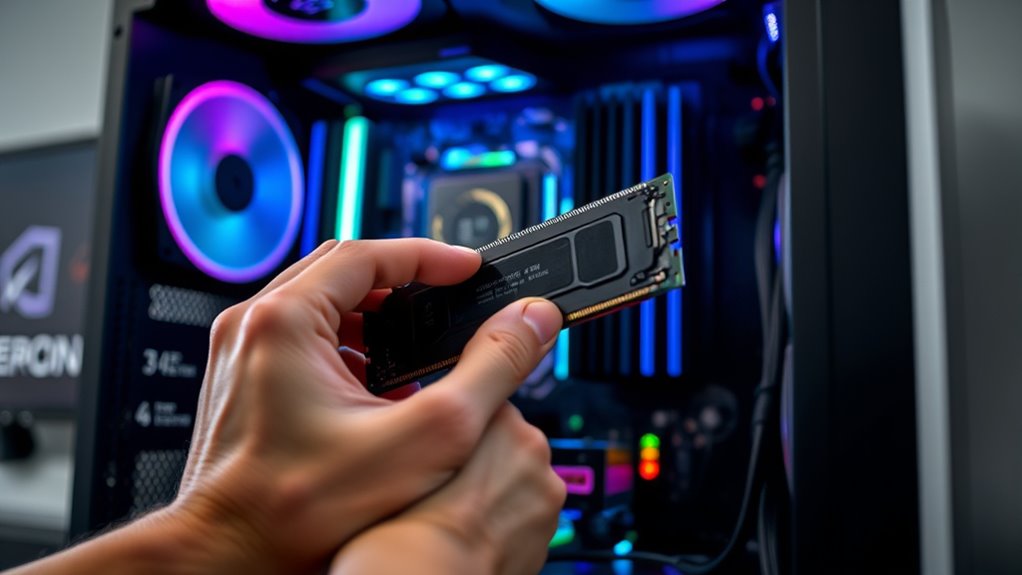
Upgrading your RAM becomes worthwhile when your system consistently struggles with slowdowns, freezes, or high memory usage during demanding tasks. Before upgrading, check hardware compatibility to guarantee your new RAM matches your motherboard’s specifications. Proper ram installation is vital; incorrect installation can cause boot issues or system instability. Consider these indicators for an upgrade:
- Running multiple applications simultaneously
- Using memory-intensive software like video editors
- Experiencing frequent system crashes
- Noticing sluggish performance during gaming
- Seeing high RAM utilization in task manager
If these issues persist despite optimizing your system, upgrading RAM can improve responsiveness. Make sure to verify the type, speed, and capacity recommended for your device to maximize benefits and avoid compatibility issues.
Tips for Optimizing Your RAM Usage
To make the most of your RAM, start by identifying and closing unnecessary background applications that consume memory. This simple step frees up resources and improves performance. Ensuring hardware compatibility is vital; mismatched RAM modules or incompatible systems can hinder efficiency. Adjusting your RAM frequency within supported limits can also optimize speed without risking stability.
Here’s a quick guide:
| Tip | Action | Benefit |
|---|---|---|
| Close background apps | Use task manager or activity monitor | Free up RAM quickly |
| Check hardware compatibility | Verify specifications before upgrades | Prevent issues, maximize use |
| Adjust RAM frequency | Use BIOS settings or software tools | Improve speed safely |
| Manage startup programs | Disable unnecessary auto-start apps | Faster boot, better RAM use |
Applying these tips helps optimize RAM use effectively.
Frequently Asked Questions
How Much RAM Is Needed for Typical Office Work?
For typical office work, 8GB of RAM usually suffices, but upgrading to 16GB can prevent a memory bottleneck during multitasking. If you notice slowdowns or frequent program crashes, a RAM upgrade might be necessary. More RAM ensures smoother performance, especially when running multiple applications simultaneously. Don’t overlook the importance of adequate memory; it keeps your system responsive and helps avoid the frustration of a memory bottleneck.
Can Too Much RAM Slow Down My Computer?
Imagine your computer as a busy kitchen—more RAM isn’t always better if it doesn’t fit the recipe. Too much RAM can slow your system if it’s incompatible or overclocked improperly, causing instability. When RAM compatibility isn’t checked or you push it beyond its limits, your PC struggles to perform. Instead, focus on balanced RAM that matches your system’s specs, ensuring smooth operation without unnecessary slowdowns.
Is Integrated Graphics Affected by RAM Size?
Integrated graphics are indeed affected by RAM size because they share system memory through RAM allocation. When you have more RAM, your integrated graphics can access additional memory, improving graphics performance for tasks like gaming or video editing. Conversely, if RAM is limited, integrated graphics may struggle, resulting in lower resolution or slower rendering. So, increasing RAM generally benefits integrated graphics by providing more memory for better visual performance.
Do Operating System Updates Increase RAM Requirements?
Yes, operating system updates can increase your RAM requirements. Updates often introduce new features and security enhancements that demand more active memory. You might notice your system using more virtual memory, which can slow things down if your RAM isn’t sufficient. In such cases, a RAM upgrade helps improve performance, especially if you’re running multiple applications or heavy-duty tasks. Keep an eye on your system’s memory usage to stay smooth.
How Can I Tell if My RAM Is Causing Performance Issues?
If your computer slows down during multitasking, RAM might be your culprit—studies show 80% of performance issues relate to memory. To check, monitor your virtual memory usage and see if it’s maxed out. Also, slow RAM speed can cause lags. Use tools like Task Manager or Resource Monitor to identify if your RAM is maxed out, so you know whether upgrading can fix your performance issues.
Conclusion
You don’t need as much RAM as you might think—most users can get by with 8 to 16 GB. Did you know that, on average, Windows 10 uses around 4 GB of RAM just idling? Upgrading only makes sense if you’re running demanding apps or multitasking heavily. So, assess your needs carefully, optimize your current setup, and avoid overspending—more RAM isn’t always the answer to better performance.