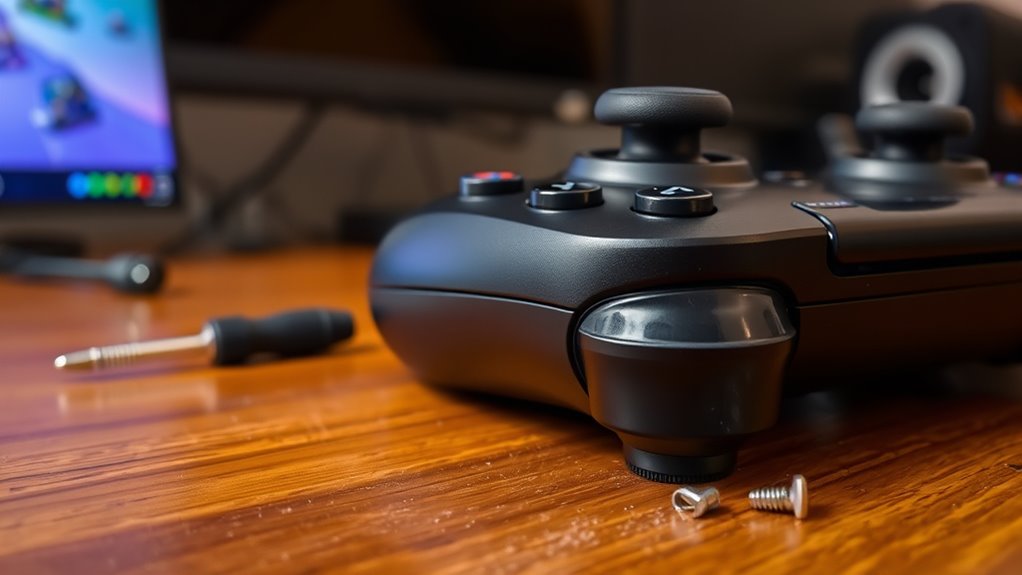

Controller drift happens when your joystick sensors misalign or wear out over time, causing characters to move without input. Common causes include calibration issues, dirt buildup, and mechanical wear inside the controller. To fix it, try recalibrating your controller, cleaning around the joystick, or updating the firmware. If these don’t work, replacing parts might be necessary. To keep things smooth and avoid frustration, exploring more tips and solutions can help prevent future drift.
Key Takeaways
- Controller drift often results from sensor misalignment, calibration issues, or firmware glitches.
- Environmental factors like magnetic interference and temperature can disrupt sensor accuracy.
- Cleaning joystick mechanisms and updating firmware can resolve minor drift problems easily.
- Recalibrating controllers through console or PC settings helps restore proper function.
- Persistent drift may require hardware repairs or replacing the joystick module for a lasting fix.
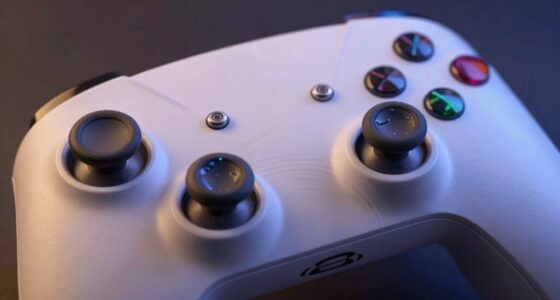
If you’ve noticed your gaming controller behaving unpredictably or your characters moving when you’re not touching the joystick, you’re likely experiencing controller drift. This common issue can make gaming frustrating, especially if it causes your on-screen avatar to veer off course without any input. One of the less obvious side effects of controller drift is motion sickness, which can occur if your character’s movements become erratic or uncontrollable. While it’s tempting to blame the game or your hardware entirely, drift often results from calibration issues or hardware wear over time. Understanding these causes can help you address the problem quickly and get back to smooth gameplay. Additionally, European cloud servers are increasingly used to support remote diagnostics and firmware updates that can help resolve hardware or software issues related to controller drift. Calibration issues are a primary culprit behind controller drift. Over time, the sensors inside your controller can lose their accuracy or become misaligned. When this happens, the controller may register slight, unintended movements even when you’re not actively pushing the joystick. Calibration problems can also develop if the controller’s firmware becomes outdated or if there’s a temporary glitch. This misalignment leads to the controller sending false signals to your gaming console or PC, resulting in your character moving without your input. It’s a common problem, especially with wireless controllers, which rely on delicate sensors that are sensitive to environmental factors like temperature or magnetic interference. Hardware wear and tear also contribute considerably to drift. The joystick mechanisms can become loose or develop dirt and debris inside, which interferes with their proper functioning. As the internal components degrade, even gentle touches can produce exaggerated or unintended signals. If you’ve been gaming extensively, this is often the reason behind persistent drift. In some cases, the issue is compounded by calibration issues, where the internal sensors are no longer aligned correctly due to mechanical wear. This combination makes it even more important to perform maintenance or consider replacements when necessary. Fixing controller drift is often straightforward. First, try recalibrating your controller — many consoles and gaming PCs have built-in calibration tools accessible through settings. Cleaning the joystick area with compressed air or a soft brush can remove dust or debris that might be causing inaccurate readings. If calibration doesn’t help, updating your controller’s firmware can resolve software glitches contributing to drift. For hardware issues, replacing the joystick module or entire controller might be the best solution. Keep in mind that persistent drift can lead to motion sickness during gameplay, so addressing it promptly not only improves your gaming experience but also helps prevent discomfort. By understanding the causes—calibration issues, hardware wear, and environmental factors—you can take the right steps to fix or mitigate controller drift effectively.
Frequently Asked Questions
Can Controller Drift Happen on All Gaming Consoles?
Yes, controller drift can happen on all gaming consoles, regardless of controller compatibility. It occurs when the analog sticks register movement without input, often due to wear or debris. To prevent drift, keep your controllers clean and avoid excessive force. Regularly updating firmware and using drift prevention techniques can also help. No matter your console, staying proactive helps maintain smooth gameplay and reduces the chances of experiencing controller drift.
How Often Should I Calibrate My Controller to Prevent Drift?
Imagine you’re about to start your favorite game when you notice your controller drifting. You should calibrate your controller every few months or whenever you notice inconsistent movements. Regular controller maintenance and sticking to a calibration schedule help prevent drift. Don’t wait until it’s obvious—proactively calibrate to keep your gaming smooth. Consistent calibration keeps your controller in top shape, ensuring precise control and minimizing drift issues over time.
Does Controller Drift Affect Online Gameplay Performance?
Yes, controller drift can influence your online gameplay performance. When drift occurs, your controller’s sensitivity may become inconsistent, causing your character or cursor to move unexpectedly. This can lead to missed shots or incorrect actions, especially if you’re dealing with online lag. To minimize this, regularly calibrate your controller and adjust sensitivity settings. Staying proactive helps ensure your gameplay remains smooth and responsive, even during intense online matches.
Are There Warranties That Cover Controller Repair for Drift?
Think of your controller as a trusty steed; if it starts to falter with drift, warranties are like your royal decree—covering repairs if damage occurs. Many manufacturers offer warranty coverage and repair policies that include controller drift, but check your specific warranty terms. Some warranties last a year or more, ensuring you won’t ride alone. Always review the warranty details to see if repair costs are included for drift issues.
Can Third-Party Controllers Experience Less Drift Than Official Ones?
You might find that third-party controllers experience less drift than official ones, mainly because they often prioritize durability and build quality. However, this isn’t guaranteed, so check reviews before buying. Keep in mind, official warranties typically cover drift issues, but third-party controllers may have different warranty terms. Ultimately, choosing a reputable brand can help guarantee better durability and support if you encounter drift problems.
Conclusion
So, next time your controller drifts unexpectedly, remember it’s more than just a malfunction—sometimes, it’s a gentle reminder to pause and recalibrate. Just like life, tech needs occasional adjustments to stay on course. A simple fix can restore your game and your focus, showing that even in glitches, there’s a chance to find balance. After all, sometimes the smallest tweaks reveal the bigger picture, guiding you back to where you need to be.