If you mostly use your computer for casual browsing, streaming, or office tasks, integrated graphics should meet your needs and help save power. But if you play demanding games, do content creation, or run high-end design software, a dedicated graphics card offers better performance and visual quality. Your choice depends on your priorities for speed, efficiency, and budget. To find out more about making the right decision, keep exploring the key differences.
Key Takeaways
- Choose integrated graphics for basic tasks, casual gaming, and power efficiency; opt for dedicated graphics for demanding gaming and creative work.
- Integrated graphics share system RAM, making them suitable for everyday use, while dedicated GPUs have their own VRAM for better performance.
- Dedicated graphics deliver higher frame rates and visual quality but consume more power and generate more heat.
- For light use and energy savings, integrated graphics suffice; for high-performance needs, a dedicated GPU is essential.
- Assess your primary activities and performance requirements to determine whether integrated or dedicated graphics best meet your needs.
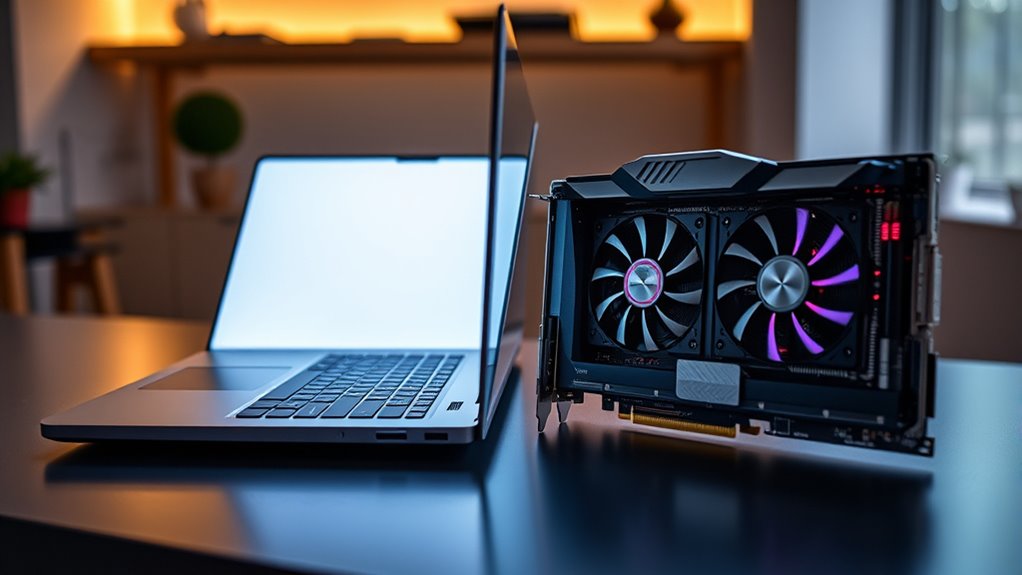
When choosing a graphics solution for your computer, understanding the difference between integrated and dedicated graphics is essential. Both options serve the purpose of rendering visuals, but they do so in fundamentally different ways that can markedly impact your experience, especially depending on what you use your PC for. If gaming performance is a priority, your choice will be guided by how each type handles demanding graphics and how much power they consume. Integrated graphics are built into your CPU or motherboard and share system resources like RAM. They’re designed to be efficient, offering decent performance for everyday tasks like browsing, streaming, and office work. However, when it comes to gaming, integrated graphics tend to fall short. They struggle with high-quality graphics and demanding titles because they lack the dedicated processing power that modern games require. This results in lower frame rates, reduced detail settings, and an overall less smooth experience. But they shine in their low power consumption, making them ideal for lightweight use and for extending battery life on laptops. Dedicated graphics cards, on the other hand, are separate components installed in your computer. They feature their own dedicated VRAM, which allows them to handle complex graphics more effectively. This makes them a better choice for gaming, especially if you want to play latest titles at higher resolutions and settings. You’ll notice a substantial boost in gaming performance with a dedicated GPU, with smoother gameplay, higher frame rates, and better visual fidelity. The trade-off is that dedicated graphics generally consume more power, leading to increased energy use and heat generation. If you’re gaming on a laptop, this might mean shorter battery life, unless the device is equipped with power management features. For desktops, power consumption isn’t as much of a concern, but the added energy use can translate into higher electricity bills over time. Thus, your decision hinges on what matters most—if you prioritize gaming performance and visual quality, a dedicated graphics card is the way to go. But if you need a machine that balances basic tasks with energy efficiency, integrated graphics could suffice. Remember, the right choice depends on your specific needs and usage patterns. For casual gaming or general use, integrated graphics might be enough, especially if you’re conscious of power consumption. For serious gaming, content creation, or 3D rendering, investing in a dedicated GPU will provide the performance edge you’re looking for, despite its higher power draw. Ultimately, understanding these differences helps you make an informed decision that aligns with your priorities and ensures your computer does exactly what you need it to do. Additionally, performance fundamentals play a crucial role in determining how well your graphics solution will handle your workload.
Top picks for "integrat dedicat graphic"
Open Amazon search results for this keyword.
As an affiliate, we earn on qualifying purchases.
Frequently Asked Questions
How Do Integrated and Dedicated Graphics Impact Battery Life?
Integrated graphics tend to use less power, helping you extend battery life, while dedicated graphics consume more power due to higher performance demands. This increased power consumption can lead to shorter battery life and more heat, requiring better thermal management. If you mainly browse or work with light apps, integrated graphics are ideal. But for gaming or graphic-intensive tasks, dedicated graphics can drain your battery faster and generate more heat.
Can Integrated Graphics Handle High-End Gaming?
Integrated graphics can handle high-end gaming, but your gaming performance and graphics quality will be limited. You might experience lower frame rates, reduced detail, and occasional lag on demanding titles. If you want smooth gameplay and high-quality visuals, dedicated graphics are the better choice. They provide more power and better graphics quality, ensuring you enjoy modern games without compromise. So, for serious gaming, dedicated graphics are usually necessary.
Are There Compatibility Issues Between Integrated and Dedicated GPUS?
You might think compatibility issues between integrated and dedicated GPUs are rare, but they can happen. Coincidentally, ensuring proper GPU cooling and updating drivers regularly helps prevent conflicts. Most motherboards support both, but conflicts can arise if BIOS settings aren’t correct or if driver updates clash. To avoid problems, keep your drivers current and monitor your GPU temperatures, making sure both GPUs work harmoniously without causing system instability.
How Do Graphics Options Affect Laptop Portability?
Graphics options impact your laptop’s portability and weight. Integrated graphics keep your device lightweight and slim, making it easier to carry around. Dedicated GPUs tend to add bulk and weight due to larger cooling systems and more powerful components, reducing portability. If you prioritize design flexibility, choose a laptop with integrated graphics for a more portable, lightweight setup. However, for high-performance tasks, dedicated graphics may be worth the extra weight.
What Are the Maintenance Differences Between Integrated and Dedicated Graphics?
Think of maintaining your graphics like tending a garden. Dedicated graphics need more attention, with regular driver updates and careful cooling to prevent overheating. Integrated graphics are simpler, requiring fewer updates and less cooling, making maintenance easier. You’ll spend less time fussing over them. So, if you want low-maintenance performance, integrated graphics are your best bet; for high power, be ready for more upkeep with dedicated graphics.
Conclusion
Choosing between integrated and dedicated graphics depends on your needs. If you’re gaming or doing demanding tasks, dedicated graphics can boost performance. However, for everyday use, integrated graphics are sufficient and save you money. Did you know that over 70% of laptops sold worldwide rely on integrated graphics? This shows most users prioritize affordability and efficiency over high-end gaming, highlighting that your choice should align with your specific use case rather than just hardware specs.