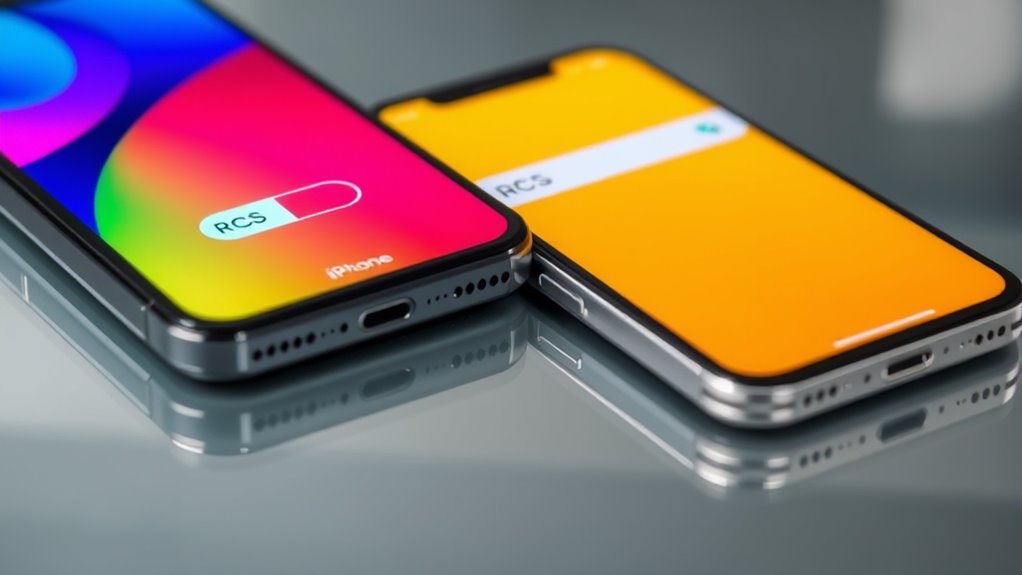

To enable RCS features on your Android device, make sure your carrier supports RCS, update your messaging app to the latest version, and turn on RCS in your chat settings. For iPhones, RCS isn’t available, but iMessage provides similar features within Apple’s ecosystem. If you want to learn how to make the most of these messaging options and overcome compatibility hurdles, there’s more to discover below.
Key Takeaways
- RCS is natively supported on Android devices via Google Messages, requiring carrier support and enabling chat features in settings.
- iPhones do not support RCS; they rely on iMessage for similar features within the Apple ecosystem.
- To activate RCS on Android, update Google Messages, ensure carrier support, and enable “Chat features” in settings.
- RCS offers features like read receipts, typing indicators, and improved group chats on supported Android devices.
- For cross-platform messaging, iPhone users depend on iMessage, while Android users with RCS enjoy broader compatibility.

While Rich Communication Services (RCS) has become a popular upgrade for messaging on Android devices, many iPhone users wonder why the same features aren’t available on their phones. RCS offers advanced capabilities like high-quality photo sharing, read receipts, typing indicators, and, importantly, enhanced group chat features. These group chat features make conversations more seamless, allowing you to add or remove participants easily, see who’s typing, and keep the chat organized. However, on iPhones, these capabilities are generally limited or unavailable because Apple has chosen not to adopt RCS in its messaging ecosystem. Instead, Apple relies on iMessage, which provides similar features but isn’t compatible with Android devices. This lack of cross-platform support can be frustrating if you frequently communicate with friends or colleagues who use Android phones.
iPhone’s iMessage offers similar features but lacks RCS cross-platform support with Android.
One of the key concerns for many users considering the switch to RCS is message encryption. On Android, RCS supports end-to-end encryption, which ensures that only you and the person you’re chatting with can read the message. However, the implementation of encryption varies depending on the messaging app and carrier. For instance, Google Messages, the default RCS app on many Android phones, has been rolling out end-to-end encryption for one-on-one chats, but group chats may still lack this level of security. Meanwhile, iMessage by Apple encrypts messages end-to-end by default, providing a high level of security that many users trust. This difference in encryption methods can influence your decision, especially if privacy is a top priority.
Getting RCS features on your Android device involves ensuring that your carrier supports RCS and that you have the latest version of your messaging app. Typically, you activate RCS within the app’s settings, where you can enable features like read receipts, typing indicators, and improved group chat options. Keep in mind, though, that even with RCS turned on, your experience may vary depending on your carrier and device compatibility. For iPhone users, the closest equivalent remains iMessage, which offers encrypted messaging, group chats, and multimedia sharing, but it’s only available between Apple devices. This limitation means that if you want RCS-like features on your iPhone, you’ll need to rely on third-party apps or switch to Android.
Additionally, as a European cloud innovation initiative, many carriers and app developers are working towards more secure and sustainable messaging solutions, which could influence the future adoption of cross-platform messaging standards.
In short, while RCS enhances messaging on Android with better group chat and encryption features, iPhone users don’t have access to the same ecosystem. Instead, they depend on iMessage’s encryption and features, which work well within the Apple environment but don’t extend cross-platform. If seamless, secure, and feature-rich messaging across devices is important to you, understanding these differences helps you decide the best way to communicate.
Frequently Asked Questions
Can I Use RCS Without a Wi-Fi or Mobile Data Connection?
You can’t use RCS without a Wi-Fi or mobile data connection because it relies on internet access. Without Wi-Fi dependency or data usage, RCS won’t work, as it needs an active connection to send and receive messages. If you’re offline, your messages will revert to traditional SMS. To enjoy RCS features, guarantee your device stays connected to Wi-Fi or mobile data, especially when messaging with others.
Does RCS Work Internationally Across Different Carriers?
You might think RCS works seamlessly internationally, but that’s not always true. It depends on carrier compatibility and whether both countries support RCS. Some carriers have limited international messaging features, so your messages may revert to SMS or MMS when crossing borders. To guarantee smooth international messaging, verify that your carrier supports RCS internationally and that your recipient’s carrier does too. Otherwise, expect some hiccups.
Are There Privacy Concerns With RCS Messaging?
Yes, there are privacy concerns with RCS messaging. Unlike traditional SMS, RCS doesn’t always offer end-to-end encryption, which means your messages could be accessed by carriers or third parties. You should be aware that this impacts data privacy, especially for sensitive conversations. To protect yourself, check if your RCS app supports end-to-end encryption and consider using additional security measures for private messages.
How Do I Troubleshoot RCS Activation Issues?
To troubleshoot RCS activation issues, start by checking your device settings to make certain RCS messaging is enabled. Next, verify network compatibility; your carrier and phone must support RCS. Restart your device, and if it still doesn’t work, update your messaging app and carrier settings. If problems persist, contact your carrier’s support team to confirm your account is properly provisioned for RCS.
Will RCS Replace Traditional SMS Fully?
Don’t count your chickens before they hatch—RCS won’t fully replace traditional SMS yet. While it offers enhanced features like chat encryption and improved message formatting, it’s still evolving. You’ll need to keep both options available, as some devices and carriers may not support RCS universally. Think of RCS as a step forward, but not a complete replacement, ensuring you stay connected with the best communication tools available.
Conclusion
Now that you’ve turned on RCS, your messages become vibrant threads weaving through a seamless digital tapestry. Imagine your conversations flowing effortlessly, like a clear stream cutting through a lush forest, free of interruptions. With RCS, you’re not just sending texts; you’re opening a door to richer, more connected interactions. Embrace this upgrade, and watch your messages bloom into a vibrant garden where every word paints a vivid picture, making your communication truly alive.