
To safely use port forwarding without exposing your network, start by limiting access with firewalls that restrict ports to trusted IPs. Always configure your router’s settings carefully and close ports when not in use. Strengthening security further, implement a VPN to encrypt traffic and prevent direct exposure of open ports. Combining these measures markedly reduces risks. Keep in mind, applying layered security strategies can help protect your network—learn more ways to stay secure as you continue.
Key Takeaways
- Use VPNs to encrypt remote access, ensuring secure connections without exposing open ports directly.
- Configure firewalls to restrict port access to trusted IP addresses and only open necessary ports.
- Enable port forwarding only when needed, and close ports immediately after use to minimize risk.
- Choose high, non-standard port numbers to obscure services from port scans and reduce targeted attacks.
- Regularly review and update port forwarding and firewall rules to maintain security and prevent vulnerabilities.
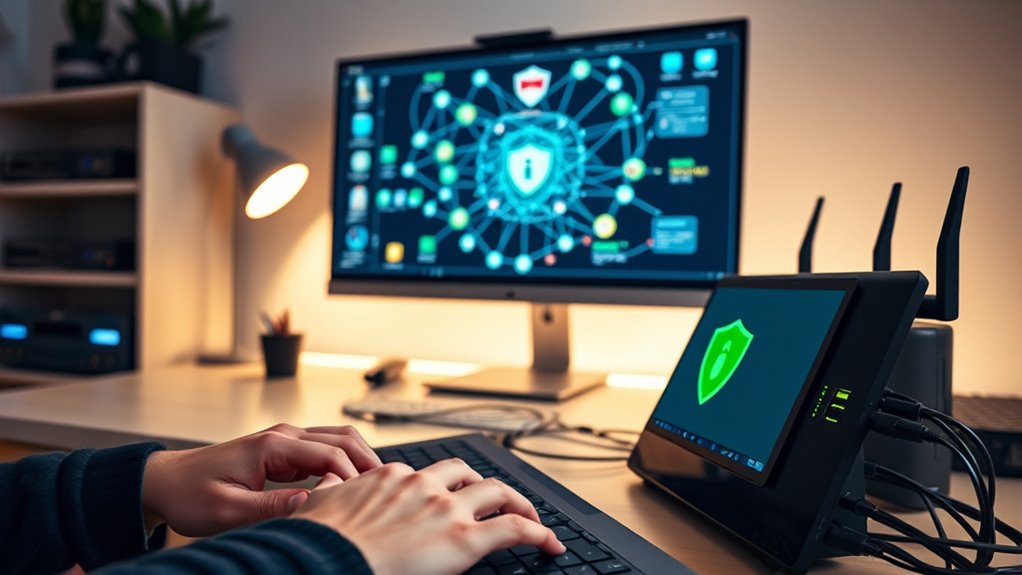
Port forwarding can be a useful tool for accessing your home network remotely, but it also comes with security risks if not done carefully. When you open specific ports on your router, you’re effectively creating gateways into your network, which can be exploited by malicious actors if not properly secured. To minimize these risks, you need to pay attention to VPN security and firewall configuration. Using a Virtual Private Network (VPN) adds a layer of encryption that keeps your data safe as it travels across the internet. Setting up a VPN server on your network ensures that only authorized users can connect, making it much harder for intruders to access your devices even if you’ve forwarded ports.
Before enabling port forwarding, double-check your firewall settings. Your firewall acts as a barrier, controlling incoming and outgoing traffic based on rules you set. Proper firewall configuration is essential because it allows you to restrict access to only necessary ports and IP addresses. For example, if you’re forwarding a port for remote desktop access, ensure that only trusted IP addresses can connect. This way, even if someone scans your network, they won’t find open doors to your most sensitive data.
Another key point is to avoid leaving ports open longer than necessary. Once you’ve finished your remote session or task, close those ports promptly. This reduces the window of opportunity for attackers who might be scanning for vulnerabilities. Additionally, choose high, non-standard port numbers instead of the default ones. This simple step makes it less obvious for hackers to identify open ports and attempt brute-force attacks.
When configuring your firewall, consider using rules that only allow traffic from specific IP addresses or ranges. Many routers support this level of control, which adds an extra layer of security. Combine this with VPN security by requiring users to authenticate through a VPN connection before any port forwarding rules are applied. This way, even if the port is open, it’s only accessible to verified users through a secured VPN tunnel. Remember that proper network segmentation can further limit potential damage if an attacker does gain access.
Top picks for "port forward safely"
Open Amazon search results for this keyword.
As an affiliate, we earn on qualifying purchases.
Frequently Asked Questions
Can Port Forwarding Be Used for Gaming Without Risking Security?
Yes, you can use port forwarding for gaming securely by adjusting your firewall configuration to limit access only to trusted devices. Network segmentation helps protect your main network from potential threats, reducing exposure. Make certain you forward only necessary ports and disable port forwarding when not gaming. Regularly update your router firmware and monitor connected devices, so you enjoy smooth gaming without compromising your network’s security.
What Are the Alternatives to Port Forwarding for Remote Access?
Remote access methods are like secret passages in a castle, offering safer alternatives to port forwarding. You can use VPN alternatives like remote desktop services, cloud-based solutions, or SSH tunneling to connect securely. These methods encrypt your data, keeping your network safe while providing easy access. By choosing these options, you avoid exposing your network to unnecessary risks, ensuring your remote access remains both convenient and protected.
How Often Should I Update My Router’s Firmware for Safety?
You should update your router’s firmware regularly—at least once every few months—to guarantee firmware security. Keep an eye out for manufacturer notifications or security advisories, and install updates promptly. Router updates fix vulnerabilities, improve performance, and keep your network protected. Don’t ignore firmware security updates, as they’re vital for safeguarding your devices from potential threats. Staying current with firmware helps maintain a safe, reliable connection without exposing your network unnecessarily.
Is It Safe to Use UPNP for Automatic Port Forwarding?
Using UPnP for automatic port forwarding can be risky because of UPnP vulnerabilities that expose your network. It allows devices to automatically configure port forwarding, which simplifies setup but can open security gaps if malicious apps exploit it. If you choose to use UPnP, make certain your router has the latest firmware updates, and consider disabling UPnP when not needed. Regularly review your network’s device and port activity for added security.
Can VPNS Replace Port Forwarding for Secure Remote Connections?
Yes, VPNs can replace port forwarding for secure remote connections. VPN security encrypts your data and creates a secure tunnel, eliminating the need to open specific ports like port forwarding does. This reduces exposure to potential threats and keeps your network safer. Instead of exposing your network through port forwarding, using a VPN offers a more secure, private way to access your resources remotely without risking unnecessary vulnerabilities.
Conclusion
By following these safety tips, you can set up port forwarding without opening Pandora’s box. Keep your network secure while enjoying the benefits of remote access. Remember, it’s better to be safe than sorry—don’t put all your eggs in one basket. Stay vigilant, update your settings regularly, and use strong credentials. With these precautions, you’ll keep your network protected and avoid giving hackers a free pass. Play it smart and keep your digital doors locked tight.