To protect your smart home from hackers, regularly update device software and firmware to fix security flaws. Use strong, unique passwords for each device and enable two-factor authentication whenever possible. Segment your network by isolating smart devices from your main computers and monitor it for suspicious activity. Disable unnecessary features and services, and choose reputable brands that prioritize security settings. Keep these tips in mind to better defend your home—more helpful steps await as you continue.
Key Takeaways
- Regularly update device firmware and software to patch security vulnerabilities.
- Use strong, unique passwords and enable two-factor authentication for all devices and accounts.
- Segment your network by creating separate Wi-Fi networks or VLANs for smart devices.
- Disable unused features, remote access, and voice assistants to minimize attack surfaces.
- Choose reputable brands with secure default settings and keep device configurations updated.
Keep Your Software and Firmware Up to Date

Keeping your software and firmware up to date is essential for protecting your smart home from hackers. Firmware updates fix security vulnerabilities that hackers often exploit, making your devices less vulnerable to attack. Regularly check for software patches and install them promptly to guarantee your system remains secure. These updates often include important security enhancements and bug fixes that prevent malicious actors from gaining unauthorized access. Ignoring updates leaves your devices exposed to known threats, increasing the risk of hacking. Make it a habit to verify updates for all connected devices—smart thermostats, security cameras, and hubs—to stay ahead of potential breaches. Staying current with firmware updates and software patches is one of the simplest yet most effective ways to safeguard your smart home. Additionally, understanding the role of software updates in maintaining device security can help you stay proactive. Enabling automatic update settings can further streamline this process and reduce the chances of missing critical patches, especially as many devices support automatic security updates to enhance ongoing protection. Incorporating regular security assessments can also help identify vulnerabilities before they are exploited.
Use Strong, Unique Passwords for All Devices
While updating your device software is essential, strong, unique passwords provide an additional layer of protection. Effective password management guarantees you create and store different passwords for each device, reducing the risk if one gets compromised. Avoid using common or easily guessable passwords like “password123” or your birthday. Instead, opt for complex combinations of letters, numbers, and symbols. Remember, each device needs its own unique password to prevent a breach on one from spreading to others. Using a password manager can simplify this process, securely storing your credentials and generating strong passwords automatically. Prioritizing device password uniqueness in your passwords makes it considerably harder for hackers to access your smart home, giving you peace of mind and enhanced security. Understanding password best practices is key to maintaining a secure smart home environment, especially when considering network security fundamentals that help protect your entire system. Additionally, employing multi-factor authentication adds an extra safeguard by requiring multiple verification methods during login, which is an effective security layer to prevent unauthorized access.
Enable Two-Factor Authentication Whenever Possible

Enabling two-factor authentication (2FA) adds an extra security layer by requiring a second form of verification beyond just your password. This considerably reduces the risk of unauthorized access to your smart home accounts. Whenever possible, activate 2FA on your device accounts to enhance security. Consider options like biometric authentication, which uses fingerprint or facial recognition, for quick, secure access. Always ensure physical device security by keeping backup codes safe and updating recovery options. Here are some tips:
Enabling 2FA with biometric options and secure backups boosts your smart home security significantly.
- Use biometric authentication where available
- Enable 2FA on your smart home app accounts
- Keep backup codes in a secure location
- Regularly review account activity logs
- Avoid sharing verification codes with others
Implementing multi-factor authentication can significantly strengthen your overall security posture against potential breaches. This approach makes it harder for hackers to compromise your smart home system, even if they obtain your password. Be aware that account security measures are essential for protecting connected devices in your home. Strengthening your home network protection can further prevent unauthorized access, especially by understanding how water-related vulnerabilities might be exploited if connected water systems are not secured properly.
Segment Your Network to Isolate Smart Devices
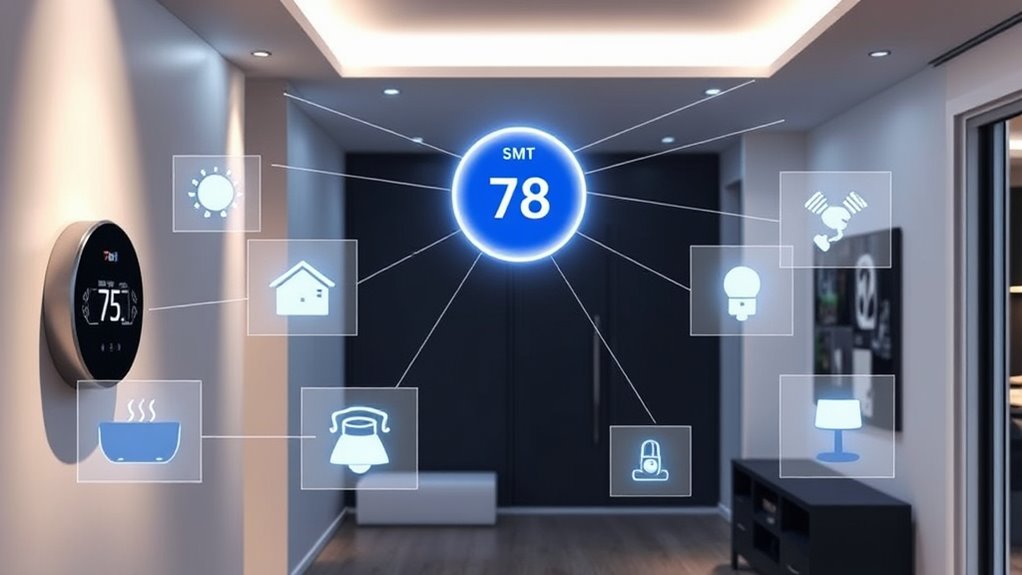
Securing your smart home begins with controlling how devices connect to your network. Implement network segmentation to separate your smart devices from your main computers and personal data. By creating a dedicated network for your smart home gadgets, you reduce the risk of a hacker gaining access to sensitive information if a device is compromised. Device isolation ensures that even if a smart device is hacked, it can’t easily access other parts of your network. Use your router’s settings to set up a separate Wi-Fi network or VLAN for your smart devices. This way, you contain potential threats and make it harder for cybercriminals to move laterally within your network. Proper segmentation is a critical step in strengthening your smart home’s defenses. For added security, consider the power of electric bikes and their advanced features to understand how modern technology can enhance safety and efficiency in various domains. Additionally, regularly updating device firmware and changing default passwords are essential cybersecurity practices to protect your network from emerging threats. Incorporating strong network security protocols and regular network audits can further fortify your smart home against cyber attacks. Implementing network segmentation not only isolates devices but also simplifies monitoring and managing your network’s security.
Disable Unnecessary Features and Services on Devices

To keep your smart home secure, you should turn off any features or functions you don’t use. Disabling unnecessary network access prevents hackers from exploiting those services. Taking these simple steps reduces your devices’ attack surface and strengthens your overall security. Incorporating security best practices can help you better understand how to safeguard your entire outdoor and home environment. Additionally, regularly updating your device firmware and understanding network segmentation can further enhance your home’s defenses against cyber threats. For example, creating separate network zones for different device types limits potential access points for attackers. Understanding pool hydraulics and proper device placement can also reduce vulnerabilities by minimizing unnecessary network communication.
Turn Off Unused Functions
Many smart home devices come with a variety of features and services that you might not need, but leaving them active can open unnecessary security gaps. To protect your network, turn off unused functions like disabling voice assistants when not in use, and turning off remote access if you don’t need it. This reduces potential entry points for hackers.
Consider taking these actions:
- Disable voice assistants on devices you don’t use for voice commands
- Turn off remote access features to prevent external control
- Deactivate unused Bluetooth or Wi-Fi capabilities
- Disable auto-updates if unnecessary
- Turn off any extra sensors or integrations not essential for daily use
Removing these functions minimizes vulnerabilities and keeps your smart home safer.
Disable Unnecessary Network Access
Disabling unnecessary network access on your devices helps close security gaps that hackers often exploit. Turn off guest access features on your smart devices when not in use, as they can provide an entry point for intruders. Also, disable remote management options unless you actively need them; leaving remote access enabled can allow hackers to control your devices remotely. Review your device settings and turn off any services that aren’t essential for daily use. This prevents unauthorized users from connecting to your network or accessing sensitive data. Regularly update your device firmware to patch vulnerabilities associated with these features. By limiting network access to only what’s necessary, you reduce the risk of hacking attempts and keep your smart home more secure.
Regularly Monitor Your Network for Unusual Activity
You should regularly check your network for any unfamiliar devices that may have connected without your permission. Setting up network alerts can help you spot unusual activity instantly. Performing routine security checks guarantees your smart home stays protected from potential threats.
Detect Unauthorized Devices
How can you tell if someone unauthorized has gained access to your smart home network? You should regularly perform unauthorized device detection and network anomaly identification. Keep an eye out for unfamiliar devices connected to your Wi-Fi, especially those you didn’t set up. Use your router’s admin interface to review connected devices frequently. Look for these signs:
- Unknown devices with unfamiliar names or MAC addresses
- Devices that appear and disappear unexpectedly
- Unusual activity during off-hours
- Multiple new device connections in a short period
- Devices using high data loads without reason
Use Network Alerts
Regularly monitoring your network for unusual activity is essential to catch potential security breaches early. Set up network alerts to notify you of any suspicious behavior, such as unexpected device connections or data transfers. These alerts can help detect signs of a network intrusion before it causes significant damage. Ascertain your smart home devices have strong device encryption, which adds an extra layer of protection by making intercepted data unreadable. By keeping an eye on your network alerts, you can quickly identify and respond to anomalies, preventing hackers from exploiting vulnerabilities. Regular monitoring empowers you to stay one step ahead of cyber threats, maintaining your smart home’s security and safeguarding your personal information from unauthorized access.
Regular Security Checks
Keeping an eye on your network for unusual activity is a key step in maintaining your smart home’s security. Regular security checks help detect potential breaches early. To do this effectively:
- Monitor device connections for unfamiliar or unauthorized gadgets
- Check for suspicious activity or data spikes
- Update firmware and security settings promptly
- Educate all users about safe device usage and potential scams
- Strengthen physical security by securing routers and smart hubs
Choose Reputable Brands and Secure Default Settings

Choosing reputable brands for your smart home devices is essential because trusted manufacturers are more likely to prioritize security and provide regular updates. A strong brand reputation indicates they take security seriously, reducing the risk of vulnerabilities. When setting up new devices, always review and adjust default settings to enhance security. Default passwords and configurations are often easy targets for hackers, so change them immediately. Opt for brands known for timely firmware updates and robust security features. Avoid lesser-known or cheap alternatives that may lack ongoing support or have weak default security. By selecting reputable brands and customizing default settings, you considerably lower your risk of unauthorized access and ensure your smart home stays safer.
Frequently Asked Questions
How Can I Detect if My Smart Home Has Been Hacked?
You can detect if your smart home has been hacked by monitoring for network anomalies, such as unusual data traffic or unexpected device activity. Check for unauthorized device detection—devices you don’t recognize or didn’t install. Regularly review your connected devices and network logs. If you notice anything suspicious, disconnect affected devices and change your Wi-Fi passwords immediately to prevent further intrusion.
What Are the Most Common Vulnerabilities in Smart Home Devices?
You might have a vulnerability if your smart thermostat’s device firmware isn’t regularly updated, leaving it open to hackers. Many smart devices overlook network segmentation, making it easier for intruders to access your entire smart home. For example, a hacker exploited outdated firmware on a smart camera. Keep firmware current and use network segmentation to isolate devices, reducing the risk of cyberattacks and protecting your home.
Are There Specific Cybersecurity Tools Recommended for Smart Homes?
You should consider cybersecurity tools that prioritize strong encryption protocols and device authentication to secure your smart home. Use a reputable network security system that offers real-time monitoring and intrusion detection, and enable two-factor authentication on all devices. Regularly update firmware and change default passwords. These tools and practices help prevent unauthorized access, ensuring your smart home remains safe from hackers.
How Often Should I Reset My Smart Home Passwords?
You should reset your smart home passwords at least every three to six months. Regular password management and updating your passwords help prevent unauthorized access. If you notice suspicious activity or a breach, change your passwords immediately. Using strong, unique passwords for each device enhances security. Consistent update frequency keeps your smart home protected against emerging threats, ensuring your devices and personal information stay safe from hackers.
Can Hackers Access My Smart Home Through Third-Party Apps?
Yes, hackers can access your smart home through third-party apps if you’re not careful. Third-party risks are real, especially if app permissions are too broad or outdated. Always review permissions before installing new apps, keep them updated, and only use trusted sources. Regularly check app access settings on your devices to prevent unauthorized control, ensuring your smart home stays secure from potential breaches.
Conclusion
To keep your smart home safe, think of it like locking your doors and windows. Regularly update your devices, use strong passwords, and monitor activity—these steps act like a security guard. Imagine your network as a fortress: segmenting your devices creates walls, making it harder for intruders. By choosing reputable brands with secure defaults, you’re reinforcing your defenses. Protecting your smart home isn’t just a theory; it’s about taking practical steps to stay one step ahead of hackers.