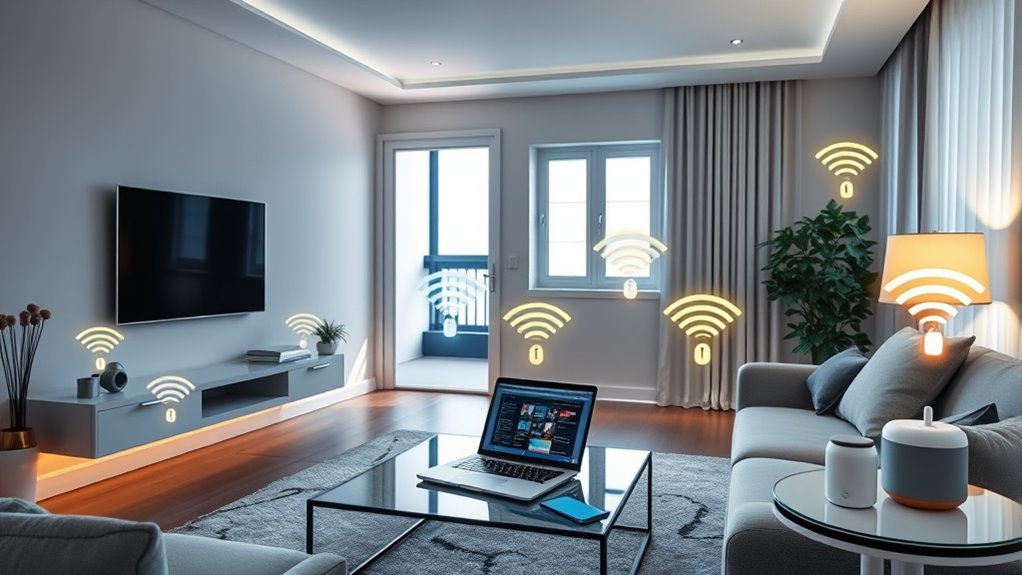

To secure your smart home devices from hackers, start by changing default passwords to strong, unique ones, and enable two-factor authentication where possible. Keep your device firmware and software up to date to patch vulnerabilities. Segment your network by creating separate Wi-Fi networks for smart devices and your main devices to prevent lateral movement. Disable unnecessary features and services, and use secure Wi-Fi with strong encryption like WPA3. Regularly monitor activity logs for suspicious activity—these steps will help you lock down your smart home effectively.
Key Takeaways
- Change default passwords to strong, unique credentials and enable two-factor authentication for all device accounts.
- Keep firmware and software updated regularly to patch security vulnerabilities.
- Segment your network using VLANs or separate Wi-Fi networks for smart devices and critical data.
- Disable unnecessary features like remote access, voice control, and cloud backups to minimize entry points.
- Monitor device activity logs for suspicious behavior and respond promptly to security threats.
Top picks for "secure smart home"
Open Amazon search results for this keyword.
As an affiliate, we earn on qualifying purchases.
Change Default Credentials and Use Strong Passwords

Changing default credentials is a crucial first step in securing your smart home devices because many manufacturers set simple, common passwords that hackers can easily exploit. When you set up your devices, replace default credentials with strong passwords that are unique and difficult to guess. Avoid using easily accessible information like birthdays or common words. Instead, create complex passwords with a mix of uppercase and lowercase letters, numbers, and symbols. This password complexity helps prevent brute-force attacks and unauthorized access. Creating robust passwords is essential for maintaining your device security. This makes it harder for attackers to gain access to your devices. Remember, default credentials are one of the easiest entry points for hackers, so changing them promptly greatly enhances your security. Using strong passwords ensures that your smart home remains protected against unauthorized access and potential cyber threats. Additionally, regularly updating your device firmware can patch security vulnerabilities and enhance overall security. Properly managing your network’s security settings further strengthens your smart home defenses.
Keep Firmware and Software Up to Date

Keeping your devices up to date is vital for security. Set a regular update schedule, enable auto-updates when available, and always verify that firmware comes from trusted sources. Doing so helps protect your smart home from known vulnerabilities and threats. Additionally, choosing energy-efficient cloud solutions can enhance overall security by reducing reliance on less secure legacy systems. Regularly reviewing security protocols and ensuring your devices are compatible with the latest standards further fortify your defenses. For example, understanding the horsepower of electric dirt bikes can help you recognize the importance of performance standards in electronic systems. Incorporating natural pool filtration techniques can also reduce the exposure to chemical vulnerabilities through traditional pool chemicals. Moreover, implementing software updates promptly ensures that your devices are safeguarded against emerging cybersecurity threats.
Regular Update Schedule
To guarantee your smart home devices remain secure, you should regularly update their firmware and software. Consistently applying updates patches vulnerabilities that hackers might exploit, making it harder for them to access your network. During updates, review your password management practices—use strong, unique passwords for each device—and ensure device authentication settings are secure. A regular update schedule minimizes the risk of outdated security protocols, reducing chances for unauthorized access. Set reminders or use automatic updates when available, so you don’t forget. Keeping devices current not only fixes bugs but also enhances security features. Staying proactive with updates creates a stronger barrier against cyber threats, safeguarding your smart home environment. Incorporating holistic SEO approach principles, such as continuous learning and adaptation, can help you stay ahead of emerging vulnerabilities. Additionally, understanding security best practices for connected devices is essential in maintaining a resilient smart home network. Regularly reviewing firmware updates and security notifications from device manufacturers further strengthens your defenses against evolving cyber threats. Implementing regular vulnerability scans can also identify potential security gaps before they are exploited by malicious actors. Moreover, enabling multi-factor authentication adds an extra layer of security, making unauthorized access significantly more difficult.
Enable Auto-Updates Feature
Enabling auto-updates guarantees your smart home devices stay current without requiring manual intervention. This feature ensures your firmware and software are automatically refreshed, providing firmware automation that minimizes security vulnerabilities. The auto update benefits include patching known security flaws swiftly, improving device performance, and reducing your maintenance effort. When auto updates are enabled, you stay protected against new hacking techniques and exploits. Additionally, total-cost clarity can help you understand the long-term savings and benefits of automated updates.
Verify Firmware Sources
Verifying the sources of your firmware confirms that your devices only install updates from trusted providers. This process, known as source authentication, ensures you’re not vulnerable to malicious firmware disguised as legitimate updates. To do this, check that firmware verification is in place before updating. Always download updates directly from official websites or through the device’s built-in update features. Avoid third-party sources or links sent via email or messaging apps. Authentic firmware will be digitally signed, providing proof of its legitimacy. Regularly verify firmware sources to prevent tampering and ensure your devices stay secure. Additionally, some devices may support firmware signing to verify update authenticity automatically. By prioritizing source authentication and confirming firmware integrity, you reduce the risk of hackers exploiting outdated or compromised software. Keep your smart home safe by verifying firmware sources before applying any updates, and consider enabling automatic updates if available to stay current with security patches. Staying informed about software vulnerabilities can also help you respond quickly to emerging threats. Ensuring your devices use trusted sources is a crucial step in maintaining overall smart home security. Regularly reviewing your device security settings and employing multi-factor authentication can further enhance protection against unauthorized access.
Segment Your Network for Enhanced Security

You should separate your smart home devices from your main network to reduce security risks. Using virtual LANs makes it easier to isolate devices and control access. This segregation helps prevent network breaches from spreading across your entire system. This way, if one device is compromised, it won’t affect your entire network. Regular network inspections can help detect vulnerabilities and ensure your segmentation remains effective. Additionally, implementing security protocols can further strengthen your network defenses. Employing device authentication adds an extra layer of security by verifying device identities and preventing unauthorized access.
Separate Devices on Network
To protect your smart home devices from potential security threats, it’s vital to divide them into separate segments on your network. This device isolation prevents hackers from moving laterally if they gain access to one device. By implementing network segmentation, you keep your main devices, like computers and smartphones, separate from your smart gadgets. This setup limits exposure and reduces risk. Consider these tips:
- Create a dedicated network for smart devices
- Use different Wi-Fi passwords for each segment
- Disable unused network services on IoT devices
- Regularly update firmware and security settings
- Monitor network traffic for unusual activity
Segmenting your network ensures that even if one device is compromised, the rest stay protected. It’s a simple but effective way to enhance your overall smart home security.
Use Virtual LANs
Have you considered using Virtual LANs (VLANs) to strengthen your smart home security? A virtual lan allows you to create separate network segments, effectively isolating your smart devices from other devices and your main network. This network segmentation helps prevent hackers from moving laterally if they compromise one device. By placing your smart home devices on a dedicated VLAN, you limit their exposure and reduce potential vulnerabilities. Configuring VLANs might sound technical, but many modern routers support easy setup. With this approach, even if a hacker gains access to your smart device, they won’t easily reach critical data or other connected devices. Using VLANs is a proactive way to enhance your overall network security and keep your smart home safer.
Enable Two-Factor Authentication Whenever Possible

Enabling two-factor authentication (2FA) adds an essential layer of security to your smart home devices, making it considerably harder for unauthorized users to gain access. When you activate 2FA, even if someone guesses your password, they still need a second form of verification. This could include biometric authentication, a temporary code sent to your phone, or a security key. By doing so, you strengthen your physical security and reduce vulnerabilities. Always choose 2FA options that suit your lifestyle and device compatibility. Remember, the goal is to keep intruders out without creating hassle for yourself. Incorporate these practices for maximum protection:
- Use biometric authentication when available
- Enable 2FA on all your smart device accounts
- Keep backup codes in a secure location
- Regularly review your device access logs
- Update your authentication methods as needed
Disable Unnecessary Features and Services
Once you’ve set up two-factor authentication, the next step is to review your smart home devices for unnecessary features and services. Disabling unnecessary features helps reduce potential entry points for hackers. Turn off unused services like remote access, voice control, or cloud backups if you don’t need them. These features can introduce vulnerabilities if left active. Check your device settings and disable anything that isn’t essential for your daily use. This minimizes the attack surface and makes it harder for malicious actors to exploit your devices. Regularly reviewing and turning off unused services ensures your smart home remains secure. Keeping only necessary features active is a simple but effective way to protect your digital environment from potential threats.
Use Secure Wi-Fi Networks With Strong Encryption
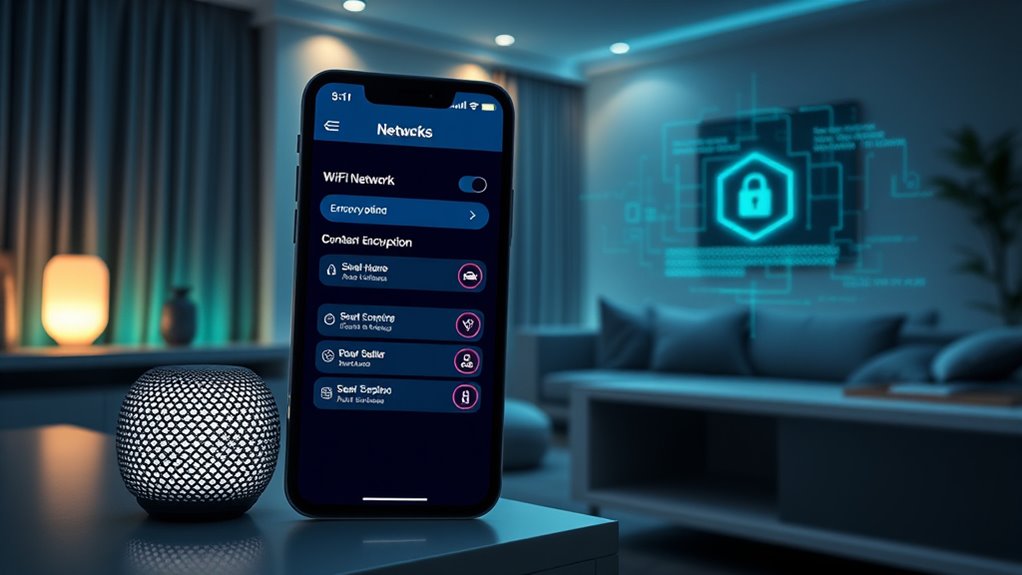
Securing your Wi-Fi network is essential to protecting your smart home devices from unauthorized access. Use strong Wi-Fi encryption, like WPA3, to prevent hackers from intercepting your data. Enable network segmentation by creating separate networks for your smart devices and personal computers, limiting potential breaches. Change default passwords on your router to strengthen security. Regularly update your router’s firmware to patch vulnerabilities. Consider disabling WPS and guest networks if you don’t need them, reducing attack points. These steps ensure your smart home stays safe from intruders. Here’s what to do:
Secure your smart home with strong Wi-Fi encryption, network segmentation, and regular firmware updates.
- Use WPA3 or WPA2 encryption
- Create separate networks for devices
- Change default router passwords
- Regularly update firmware
- Disable unnecessary features like WPS
Regularly Monitor Device Activity and Access Logs

Regularly monitoring your smart home devices’ activity and access logs is essential for detecting unauthorized access and unusual behavior early. By performing consistent user access auditing, you can identify suspicious login attempts or unfamiliar device connections. Keeping an eye on device logs helps you spot anomalies that could indicate hacking attempts or compromised devices. Implement device anomaly detection tools or review logs manually to catch irregular patterns promptly. This proactive approach allows you to respond quickly, update passwords, or disable compromised devices before damage occurs. Regular monitoring also informs you about legitimate user activity, ensuring your smart home remains secure. Staying vigilant with access logs and activity reports is a critical step in maintaining a safe, hack-proof smart home environment.
Frequently Asked Questions
How Can I Identify if My Smart Home Devices Have Been Hacked?
You can identify if your smart home devices have been hacked by checking for unusual network activity, like unexpected data transfers or devices communicating at odd times. Make certain your firmware updates are current, as outdated software can be a vulnerability. If you notice strange behavior or persistent issues despite updates, it might indicate hacking. Regularly monitor your devices and network to catch suspicious activity early and keep everything secure.
What Are the Best Practices for Backing up Device Configurations Securely?
To back up your device configurations securely, always create encrypted backups to safeguard your data. Store these backups in secure locations, like encrypted cloud services or offline storage devices with strong passwords. Regularly update your backups, and make sure only trusted individuals have access. By doing this, you minimize risks and keep your smart home configurations safe from unauthorized access or potential breaches.
Are There Specific Brands That Are More Secure for Smart Home Devices?
While no brand is completely immune, you’ll find that reputable brands like Google, Amazon, and Apple prioritize security features and have strong brand reputations. They regularly update firmware, implement encryption, and offer user-friendly security options. You might think cheaper options are fine, but investing in trusted brands guarantees better protection. Always research their security track records and choose devices that prioritize privacy, giving you peace of mind in your smart home.
How Do I Securely Reset Compromised Smart Home Devices?
To securely reset a compromised smart home device, start by performing a factory reset through the device’s settings or physical reset button. Afterward, update the device firmware to patch vulnerabilities. Change default passwords and enable strong, unique ones to prevent unauthorized access. If needed, use password recovery options to create new credentials. This process guarantees your device is clean and secure, reducing future hacking risks.
What Legal Protections Exist if My Smart Home Devices Are Hacked?
If your smart home devices get hacked, you have legal recourse through consumer protection laws that safeguard your rights. You can file complaints with agencies like the FTC or pursue damages if manufacturers fail to provide adequate security or warn you of risks. These protections aim to hold companies accountable, ensuring they improve their security measures. Stay informed about your rights to take effective action and seek compensation if necessary.
Conclusion
Think of your smart home like a fortress guarding precious treasures. By changing default keys, updating defenses, and watching for intruders, you strengthen your walls. Segment your castle to keep threats at bay, lock doors with two-factor locks, and disable unnecessary gates. Use a secure moat—your encrypted Wi-Fi—and regularly check the watchtowers for signs of intrusion. With these steps, you create a safe haven where your digital treasures remain protected behind unwavering walls.