
Airplane mode disables your device’s wireless signals like cellular, Wi-Fi, and Bluetooth to prevent interference with aircraft systems, but it does much more. It can help conserve battery life, improve privacy, and reduce distractions during work or rest. While some signals like NFC and certain peripherals may stay active, it mainly limits communication functions. Curious about how else it impacts your device? Keep exploring to uncover other surprising benefits and uses.
Key Takeaways
- Airplane mode disables cellular, Wi-Fi, and Bluetooth signals to prevent interference with aircraft systems and ensure safety.
- It conserves battery life by stopping background processes like network searching and data syncing.
- Wireless security features remain active, protecting data and privacy even when signals are turned off.
- It allows for device use without network connectivity, such as reading offline content or using local apps.
- Beyond flights, it helps manage digital focus, reduce distractions, and improve device longevity in everyday use.
How Airplane Mode Works on Your Devices
When you turn on Airplane Mode, your device stops transmitting radio signals like cellular, Wi-Fi, and Bluetooth to prevent interference with aircraft systems. This disables the wireless protocols responsible for communication, ensuring your device doesn’t send or receive signals during the flight. Despite this, many devices still allow you to enable Wi-Fi and Bluetooth separately, so you can use wireless accessories or connect to networks without disrupting the plane’s systems. Airplane Mode also affects device synchronization, stopping automatic updates and data transfers that rely on active wireless connections. By disabling these signals, your device conserves battery life and avoids unintended disruptions. Additionally, understanding how wireless protocols operate can help you make informed decisions about wireless safety and energy efficiency. Recognizing how energy-efficient technologies work can further enhance your device management and reduce unnecessary power consumption. For instance, some devices use advanced power management features to extend battery life during periods of reduced connectivity. Moreover, this mode supports device security by limiting potential vulnerabilities when wireless functions are disabled. Overall, Airplane Mode creates a safe environment by temporarily halting wireless protocols involved in communication and device synchronization.
Disabling Wireless Communications
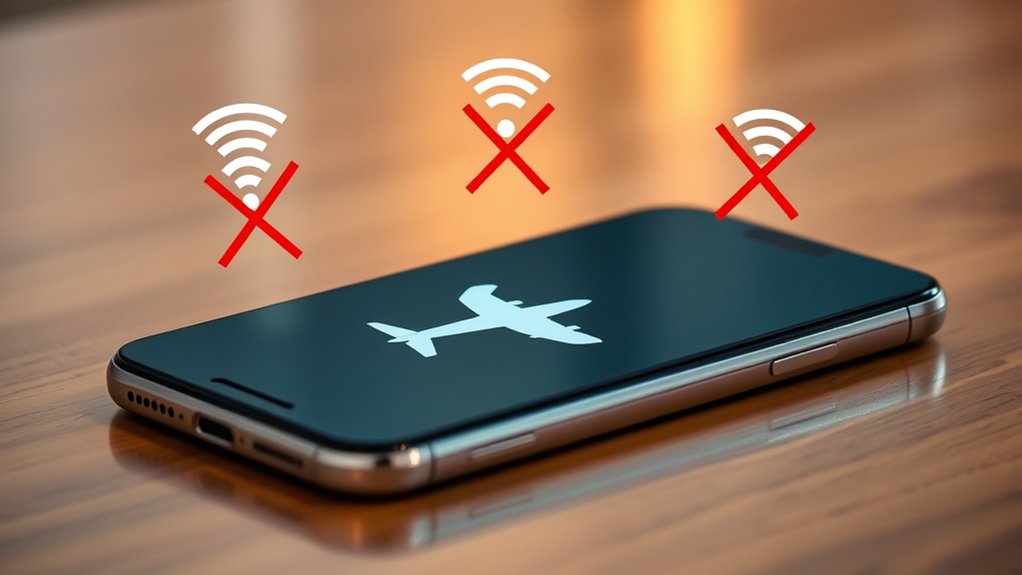
Have you ever wondered how disabling wireless communications keeps your device safe during a flight? When you turn on airplane mode, wireless disabling occurs, cutting off all cellular, Wi-Fi, and Bluetooth signals. This process creates device isolation, preventing your device from transmitting or receiving radio signals. By doing so, it reduces the risk of interference with the airplane’s navigation and communication systems. Wireless disabling guarantees your device doesn’t accidentally send signals that could disrupt critical equipment. It’s a simple yet effective way to safeguard the aircraft’s electronic environment. Additionally, wireless signal disruption helps maintain the stability of onboard systems, giving you peace of mind that your device isn’t interfering with essential aircraft operations during the flight. Properly managing wireless communications is crucial for ensuring flight safety and compliance with aviation regulations. This practice is supported by regulations that require the deactivation of wireless functions during flights to prevent potential interference. Understanding how digital literacy plays a role in device safety can further enhance passengers’ awareness of technology’s impact on flight safety. Moreover, ensuring the use of properly maintained electrical equipment can further reduce risks associated with electronic devices onboard.
Impact on Cellular and Wi-Fi Signals
When you turn on airplane mode, it prevents signal interference that can disrupt aircraft systems. This also means your cellular and Wi-Fi connections are temporarily disabled, risking connectivity loss. Understanding how this impacts signal quality helps you decide when to use airplane mode effectively. Additionally, activating airplane mode can sometimes help reset your device’s wireless connections, improving overall network performance. Turning airplane mode on can also be useful for reducing electromagnetic interference, which may benefit certain sensitive electronic devices.
Signal Interference Prevention
Activating airplane mode effectively reduces signal interference by disabling cellular and Wi-Fi transmissions, preventing them from disrupting aircraft navigation systems. This device isolation minimizes the risk of signals from your device interfering with sensitive equipment onboard. When signals are turned off, your device no longer emits radio waves that could cause static or disruptions in aircraft instruments. This helps guarantee a safer flying environment and maintains the integrity of navigation and communication systems. By isolating your device’s signals, airplane mode creates a controlled environment that reduces potential interference, making it a vital safety feature during flights. Even if you’re not on a plane, this signal suppression can help reduce overall electromagnetic noise in areas where signal stability is important.
Connectivity Disruption Risks
While airplane mode effectively prevents signal interference, it can also disrupt your cellular and Wi-Fi connections, sometimes leaving you temporarily disconnected from important networks. This disruption poses risks to interference mitigation, as your device isn’t transmitting or receiving signals, which might affect ongoing processes or data transfers. In situations where quick access to emergency communication is crucial, being in airplane mode could delay your ability to contact help or receive alerts. Additionally, if you rely on Wi-Fi for critical tasks, disconnecting may hinder your productivity or access to essential information. Although airplane mode is useful for reducing interference, it’s essential to remember that it temporarily cuts off your device’s connection to cellular and Wi-Fi networks, which can impact emergency communication and connectivity-dependent activities. Understanding device connectivity is key to managing these risks effectively.
What Happens to Bluetooth and NFC

Although airplane mode disables cellular signals, it often leaves Bluetooth and NFC active by default. These wireless protocols allow your device to connect to accessories, headphones, or contactless payment systems without interruption. Bluetooth NFC operate independently of cellular networks, so turning on airplane mode doesn’t automatically deactivate them. This means you can still use wireless peripherals or tap to share information with other NFC-enabled devices. However, if you want to verify all wireless connections are off, you’ll need to manually disable Bluetooth and NFC settings. This is especially useful if you’re trying to conserve power or comply with specific regulations. Remember, airplane mode mainly targets cellular signals, but it doesn’t inherently disable every wireless protocol your device supports.
Battery Life Benefits of Using Airplane Mode
Using airplane mode helps reduce your device’s power drain by turning off unnecessary wireless functions. This not only conserves your battery but also extends your device’s overall lifespan. When you activate airplane mode, you keep your device running longer between charges.
Reduces Power Drain
When your device is in airplane mode, it stops constantly searching for cellular signals and connecting to networks, which are major sources of battery drain. This markedly enhances power conservation by preventing your phone from using energy to maintain network connections. This benefit makes it a practical choice when you need to extend your device’s battery life on the go, without sacrificing essential functions like offline apps or local storage. Understanding network dependency, which involves the device’s reliance on network signals for updates and notifications, can help users make informed decisions about when to enable airplane mode for maximum battery efficiency. Additionally, sound vibrations are believed to enhance cellular regeneration and overall health, highlighting the fascinating ways in which energy and health are interconnected. This network reliance varies depending on the device and environment, influencing how much power saving is achieved. Recognizing how device environment impacts signal strength can further optimize power saving strategies.
Extends Device Longevity
By turning on airplane mode, you not only save battery in the short term but also help extend your device’s overall lifespan. Constantly searching for signals, syncing data, and background processes strain your device’s components, accelerating wear and tear. Using airplane mode reduces this unnecessary activity, promoting better device optimization. When you conserve energy by limiting background task activity, you’re effectively decreasing stress on your battery and internal hardware. This practice minimizes heat generation and reduces battery cycling, which are key factors in prolonging your device’s longevity. Regularly activating airplane mode when connectivity isn’t needed helps maintain your device’s performance over time. Additionally, minimizing electromagnetic interference can enhance device longevity, as it reduces potential stress on delicate electronic components. In summary, it’s a simple yet effective way to promote energy conservation and keep your device running smoothly longer.
Airplane Mode and Device Connectivity

Airplane Mode temporarily disables your device’s wireless connections, including cellular, Wi-Fi, and Bluetooth, to prevent interference with aircraft systems. When you turn it on, your device stops communicating with cell towers, Wi-Fi networks, and Bluetooth devices, which can briefly interrupt device synchronization. This means any ongoing data transfers or updates may pause until you turn wireless connections back on. While in Airplane Mode, your device’s wireless security features remain active, protecting your data from unauthorized access. If you need to update apps or sync files, you can manually re-enable Wi-Fi or Bluetooth without turning off Airplane Mode entirely. This control allows you to manage connectivity while ensuring your device stays secure and synchronized when needed. Additionally, some devices support Support Breakfast features that help optimize connectivity and device performance even when certain wireless functions are disabled. Understanding wireless communication can help you better manage your device’s connectivity options in various situations. Being aware of how device connectivity is affected can improve your overall experience and prevent unexpected disruptions. Recognizing the importance of security features during connectivity management can further enhance your device’s safety in different environments. Moreover, many smart home devices utilize local automation to maintain functionality even when wireless connections are momentarily disabled, ensuring seamless operation.
Myths and Misconceptions About Airplane Mode

Many people believe that turning on airplane mode stops all signals from your device, but that’s not entirely true. It’s often thought to be only for flights, yet it serves other purposes too. Understanding what airplane mode does can help you use it more effectively.
Airplane Mode Stops All Signals
A common misconception is that turning on airplane mode stops all signals from your device, but that’s not entirely accurate. While airplane mode disables cellular, Wi-Fi, and Bluetooth connections, it doesn’t eliminate all signals immediately. Some devices may still emit minimal signals, which can affect wireless security and signal privacy. This means your device isn’t completely silent or isolated; it might still be detectable by certain sensors or tracking methods. The main purpose of airplane mode is to prevent signals that could interfere with aircraft systems, not to block every possible signal from your device. So, if you’re concerned about wireless security or signal privacy, remember that airplane mode reduces exposure but doesn’t guarantee total invisibility.
It’s Not Just for Flights
Although airplane mode is often associated solely with air travel, it actually serves a variety of purposes beyond airplanes. You might use it to improve device synchronization, preventing notifications from interrupting your focus or sleep. It’s also handy during emergencies, allowing you to disable distractions while keeping your device ready for quick communication if needed. Many believe it’s only for flights, but it’s a powerful tool for everyday control over your device’s signals.
| Myths | Truth |
|---|---|
| It stops all device functions | It only disables wireless signals |
| It’s only for airplanes | It’s useful anytime, anywhere |
| It prevents emergency calls | It can still allow emergency contact |
When to Use Airplane Mode Outside of Travel
Have you ever considered using airplane mode outside of travel to improve your focus or protect your privacy? Activating airplane mode helps you block notifications and calls, allowing you to customize your device settings without interruptions. It’s especially useful when you need uninterrupted work time or want to avoid distractions during meetings. Additionally, airplane mode can enhance emergency preparedness by quickly disabling connectivity if you need to conserve battery or avoid potential cyber threats. Using it strategically outside of travel gives you control over your device’s communication features, helping you stay present and manage your digital environment better. Moreover, understanding device connectivity can empower you to make informed decisions about when to enable airplane mode for optimal safety and efficiency. Whether you’re working, studying, or seeking privacy, airplane mode offers a simple yet effective way to optimize your device’s functionality when needed most. It also allows you to manage digital clutter, reducing unnecessary interruptions and helping you maintain a healthier digital balance.
Airplane Mode and Privacy Protection
Using airplane mode can be an effective way to protect your privacy when you want to prevent others from accessing your device or tracking your activity. When enabled, it disables wireless signals, blocking potential privacy breaches. It’s especially useful for activating privacy safeguards like data encryption, ensuring sensitive information remains secure. However, it’s important to understand that airplane mode alone doesn’t guarantee complete privacy; physical device security and app permissions also matter.
| Privacy Safeguards | Data Encryption | Device Security |
|---|---|---|
| Prevents unauthorized access | Protects data in transit | Locks device access |
| Stops location tracking | Secures stored info | Adds passcodes |
| Shields from remote hacks | Keeps info confidential | Enables biometric locks |
Future Developments and Enhancements

Future developments in airplane mode technology aim to enhance both privacy and connectivity. You can expect smarter features that improve device security while maintaining signal stability, even in low-coverage areas. Manufacturers are working on seamless switching between airplane mode and other network states, reducing connection drops. Enhanced encryption protocols may also protect your data when reactivating wireless functions, boosting privacy. Additionally, future updates might allow selective disabling of certain sensors or radios without fully activating airplane mode, giving you more control. Improved hardware and software integration could lead to faster toggling, better battery efficiency, and more reliable security measures. These advancements aim to make airplane mode more versatile, ensuring your device stays secure and connected when needed.
Frequently Asked Questions
Can Enabling Airplane Mode Improve Device Security?
Enabling airplane mode can improve your device security by blocking wireless signals, which enhances your privacy and reduces vulnerability to hacking or unauthorized access. When you turn on airplane mode, it disables cellular, Wi-Fi, and Bluetooth connections, preventing potential wireless security breaches. This simple step offers privacy enhancements, especially in sensitive situations, and helps keep your personal data safe from remote threats.
Does Airplane Mode Affect Device Updates or App Downloads?
Enabling airplane mode temporarily pauses device updates and app downloads because it disables Wi-Fi and Bluetooth connections, which are essential for downloading and updating apps. When you turn it on, Wi-Fi restrictions prevent your device from connecting to the internet, stopping updates, and Bluetooth limitations block data transfer via Bluetooth. To resume updates or downloads, you’ll need to manually reconnect to Wi-Fi or Bluetooth once airplane mode is turned off.
How Does Airplane Mode Influence Device GPS Functionality?
Ever wondered if airplane mode affects your GPS accuracy? When you enable it, your device’s GPS continues to work, but signal interference from cellular and Wi-Fi connections drops, which can impact location precision. Without these signals, your device relies solely on satellite data, making GPS less accurate or slower to update. So, while your device still tracks location, expect some hiccups in accuracy or responsiveness without network signals.
Are There Risks of Data Loss When Toggling Airplane Mode?
Toggling airplane mode generally doesn’t risk data loss if you’ve saved your files. When you switch it off, your device re-establishes Bluetooth pairing and Wi-Fi connectivity, which might temporarily interrupt data transfers. To avoid issues, make sure you save any unsaved work before toggling. Restarting your device after turning airplane mode off can help reconnect Bluetooth and Wi-Fi smoothly, reducing the risk of losing important data or connections.
Can Airplane Mode Be Customized for Specific Wireless Features?
Yes, you can customize airplane mode for specific wireless features through wireless customization and feature toggling. Many devices let you turn off Wi-Fi, Bluetooth, or cellular data individually while keeping other functions active. This way, you control which wireless features are enabled, allowing for tailored use cases like keeping Bluetooth on for headphones but disabling cellular data for battery saving. It’s a handy way to manage connectivity without fully disabling airplane mode.
Conclusion
Now that you know what airplane mode does beyond flights, you can confidently control your device’s connectivity. Whether you’re conserving energy, shielding your privacy, or seeking seamless focus, this simple switch serves many purposes. Use it wisely, whether on a plane or in a peaceful pocket of productivity. Remember, mastering the mechanics of airplane mode means smarter, safer, and more strategic device use every day. So, switch, save, and stay savvy!