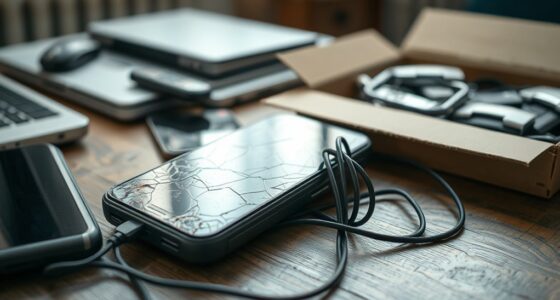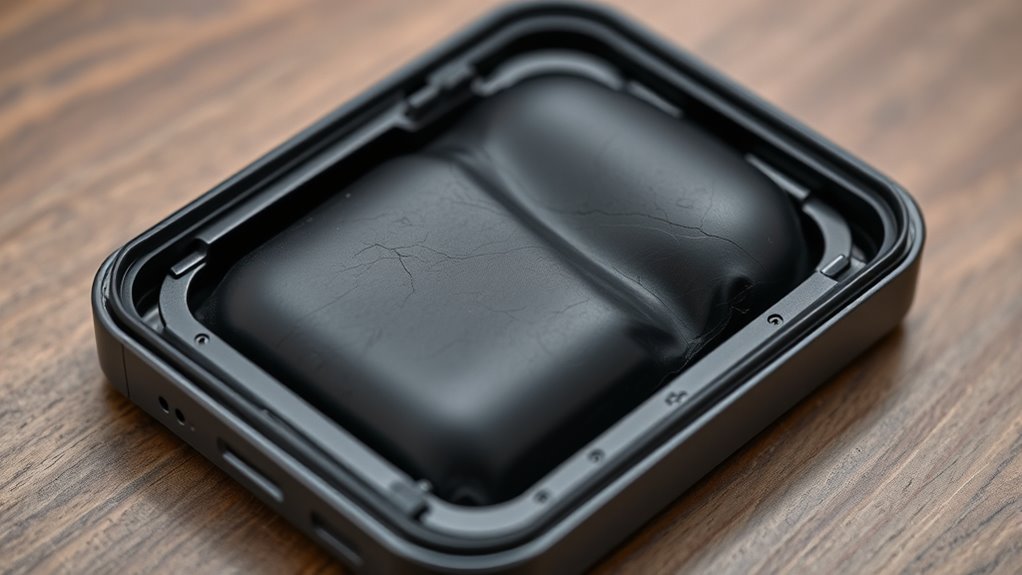

If you notice your device’s battery is bulging, misshapen, or causing the casing to puff out, it’s a sign of swelling. Other warning signs include unexpected warmth, strange odors, or device overheating. Regularly inspecting for leaks, chemical smells, or physical deformities helps catch issues early. Avoid using swollen batteries and handle them with care. Knowing what to look for can keep you safe—continue exploring to learn more about protecting yourself and your devices.
Key Takeaways
- Look for visible casing bulges, deformities, or cracks indicating battery swelling.
- Be alert to unusual device warmth, overheating, or strange odors suggesting chemical leaks.
- Notice if devices become difficult to close or operate normally due to swelling.
- Regularly inspect batteries for leaks, chemical residues, or physical damage.
- Seek immediate professional help if you detect swelling, leaks, or chemical odors to prevent hazards.
Recognizing Physical Signs of a Swollen Battery

A swollen battery often reveals itself through noticeable physical changes. You might see the battery casing bulge or appear distorted, signaling internal issues. Physical deformation is a common sign of a swollen battery, as the internal chemicals expand and push outward. The casing may look puffed up, rounded, or misshapen compared to its usual form. Sometimes, you can spot small bulges or cracks, which indicate the pressure building inside. These physical signs are clear warnings that the battery is compromised and could potentially rupture or leak. Always pay close attention to any irregularities in the battery’s appearance. Recognizing these signs early can prevent dangerous situations, allowing you to safely replace the battery before it causes harm or damage. Additionally, understanding battery safety and proper handling is crucial to prevent accidents related to swollen batteries. Being aware of warning signs can help you take prompt action to mitigate risks and avoid hazardous situations, especially since preventive measures can reduce the likelihood of battery failure. Regularly inspecting batteries for physical damage and abnormal swelling can further enhance safety and reduce the risk of accidents.
Common Devices Prone to Battery Expansion

You’re most likely to notice battery swelling in devices like smartphones and tablets, which often have small, powerful batteries. Laptops and notebooks can also experience expansion, especially if they’re used heavily or age. Power banks and chargers are prone too, since their batteries frequently undergo multiple charging cycles. High refresh rates in devices can sometimes contribute to increased battery strain, potentially affecting battery longevity and swelling risk. Additionally, thermal stress from overheating can accelerate the swelling process and compromise battery safety. Regularly monitoring battery health status can help identify early signs of deterioration before swelling becomes dangerous. Moreover, understanding battery chemistry can aid in recognizing factors that influence expansion and safety concerns. Proper charging practices are essential to minimize stress on batteries and prevent swelling over time.
Smartphones and Tablets
Have you ever noticed your smartphone or tablet feeling warmer or swelling unexpectedly? This could be a sign of battery expansion, which is common in these devices due to their compact design and frequent use. To prevent dangerous situations, you need to prioritize proper battery maintenance and follow safety protocols. Avoid exposing your device to extreme temperatures or charging it overnight unattended. If you spot any swelling, stop using the device immediately and handle it with care. Do not puncture or try to flatten the swollen battery, as this can cause leaks or fires. Regularly check your device for signs of battery issues, and replace batteries from reputable sources. Being vigilant helps prevent accidents and ensures your device’s safety and longevity. Battery safety is essential for avoiding potential hazards associated with swollen batteries. Understanding battery chemistry can further help you recognize early warning signs of battery failure. Additionally, awareness of European cloud innovation emphasizes the importance of secure and sustainable technology practices that can also include safe device management. Maintaining awareness of battery health can aid in early detection and prevention of battery-related problems. Moreover, incorporating AI-driven diagnostics into maintenance routines could enhance early detection of battery issues before they become dangerous.
Laptops and Notebooks
Laptops and notebooks are especially vulnerable to battery expansion because their compact design and frequent mobility expose batteries to varying temperatures and usage stresses. The battery chemistry inside these devices can produce gas buildup when overheated or degraded, causing swelling. Poor thermal management accelerates this process, making it more likely for the battery to swell unnoticed. Visualize these warning signs:
- Bulging or warping of the device’s casing
- Keyboard or trackpad feeling uneven or raised
- Unusual overheating during use or charging
Additionally, inadequate thermal regulation can significantly increase the risk of battery swelling over time, especially when combined with poor device ventilation or external heat sources. Ensuring proper battery maintenance and monitoring battery health can help detect early signs of deterioration before dangerous swelling occurs. Regularly checking for early warning signs allows you to address potential issues promptly and prevent safety hazards.
Power Banks and Chargers
Power banks and chargers are also susceptible to battery swelling, especially given their frequent use and exposure to varying environments. Poor battery safety can lead to swelling if devices are left in extreme heat, damaged, or overused. Your charging habits play a vital role; overcharging or using incompatible chargers increases the risk of expansion. Always use recommended chargers and avoid leaving power banks plugged in longer than necessary. Regularly inspect your devices for signs of bulging or leaks. Swollen batteries pose safety hazards, including potential fires or chemical leaks. Proper storage and handling are crucial to prevent battery damage, which can contribute to swelling. Implementing proper lease negotiation practices, such as understanding lease terms and inspection procedures, can help you manage potential issues more effectively. Maintaining the correct battery safety practices and mindful charging habits can significantly reduce the risk of battery swelling. Staying vigilant helps prevent dangerous situations and prolongs your device’s lifespan, especially by following recommended storage guidelines to keep batteries safe during periods of inactivity.
How to Conduct a Visual Inspection Safely
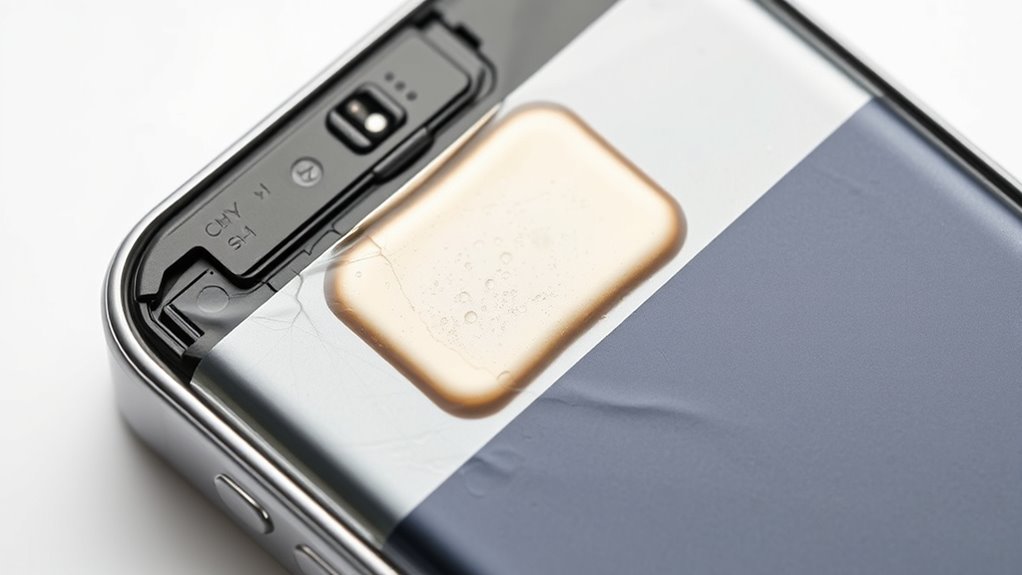
Before inspecting a swollen battery, it’s essential to guarantee your safety by wearing protective gloves and eye protection. This prevents contact with harmful chemicals and prevents injury from potential leaks. When conducting a visual check, focus on these key signs:
- Bulging or warping of the battery case, indicating internal pressure build-up from chemical reactions related to battery chemistry.
- Discoloration or corrosion around terminals, which may signal degradation affecting battery lifespan.
- Leaks or residue on the surface, suggesting chemical breakdown and potential hazards.
- Remember that understanding the key traits of successful quality assurance engineers such as attention to detail can help in thoroughly assessing battery damage and safety risks. Additionally, recognizing battery chemistry signs can be crucial in evaluating the severity of swelling and potential hazards.
Always handle the battery gently to avoid puncturing or further damage. Remember, a swollen battery’s condition reflects its chemical stability and overall health, impacting both safety and longevity.
Changes in Device Performance Indicating Battery Issues
A swollen battery often signals underlying issues that can affect your device’s performance. You might notice your device draining faster than usual, or it might shut down unexpectedly, even when the battery shows some charge remaining. Reduced battery lifespan is a common sign, as the battery’s capacity diminishes with damage. You may also experience longer charging times or overheating during charging sessions. Changes in device responsiveness, such as lagging or freezing, can be linked to battery problems. Poor charging habits, like overcharging or using incompatible chargers, accelerate battery deterioration. If you observe these signs, it’s vital to take action before the battery swells further, risking damage or safety hazards. Regularly monitoring your device’s performance helps catch these issues early.
Unusual Odors and Their Significance

You might notice strange odors coming from your device, which can signal chemical emissions from the battery. Changes in these smells often indicate that the battery is deteriorating or leaking. Recognizing these odor cues helps you understand the severity of the issue and when to seek professional help.
Detecting Chemical Emissions
Detecting chemical emissions from a swelling battery is essential because unusual odors can indicate the release of hazardous gases. If you notice a strange smell, it could be a sign of chemical leakages or dangerous emissions. To identify these emissions, pay attention to specific indicators:
- A pungent, acrid smell that seems out of place near the device.
- A sweet, rotten odor hinting at thermal runaway or electrolyte leaks.
- A sharp, chemical-like scent that lingers in the air, signaling possible gas release.
These odors are crucial clues during emission detection. Ignoring them could lead to dangerous buildup of gases, risking fire or explosion. Always prioritize safety by ventilating the area and consulting professionals if you detect any unusual chemical odors from a swollen battery.
Interpreting Odor Changes
Interpreting odor changes from a swollen battery can reveal critical safety information about its condition. Odor detection is a key indicator of internal issues, as chemical emissions often produce distinctive smells. A sour, rotten, or sulfur-like odor may signal leaking or venting of hazardous gases, which increases the risk of fire or explosion. If you notice any unusual odors near your device, don’t ignore them—these scent changes are warning signs of chemical emissions that require immediate attention. Always ventilate the area and disconnect the device if safe to do so. Recognizing these odor cues helps you assess the severity of the battery’s swelling and prevents potential dangers before they escalate. Trust your sense of smell as an essential tool in battery safety.
Impact of Swelling on Device Functionality
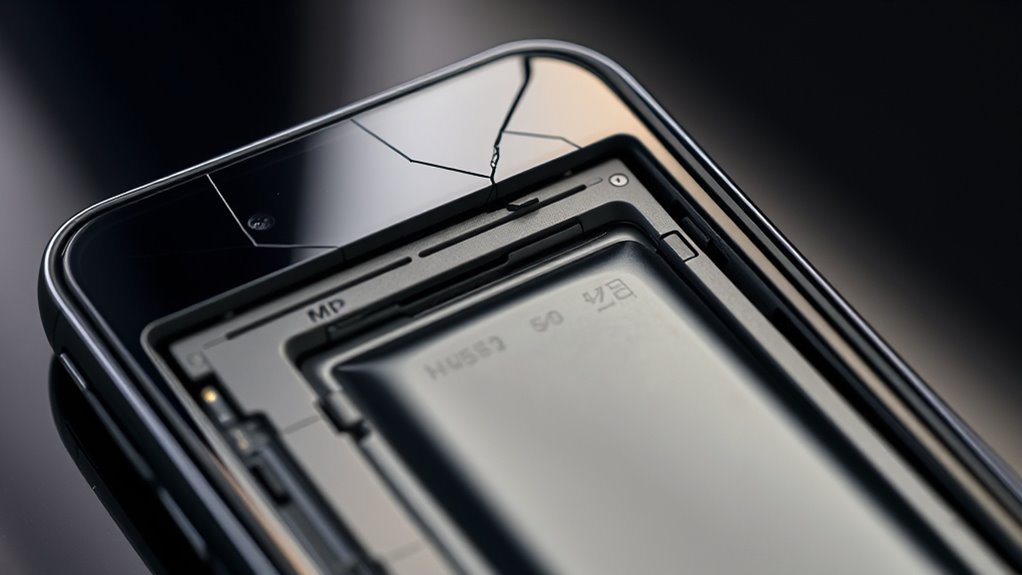
When a battery begins to swell, it can markedly impair your device’s performance. The changes in battery chemistry and swelling causes disrupt normal function, leading to several issues. First, your device might experience slower response times, making it lag or freeze during use. Second, unexpected shutdowns may occur as the swollen battery struggles to supply consistent power. Third, the screen could distort or lift, affecting touch sensitivity and visual clarity. Swelling alters the physical structure, putting pressure on internal components and causing connections to loosen or break. This not only affects performance but also risks further damage. Recognizing these signs early helps prevent irreversible harm. Remember, swelling caused by faulty battery chemistry or other swelling causes directly impacts device reliability and safety.
Precautions to Take When Handling a Swollen Battery
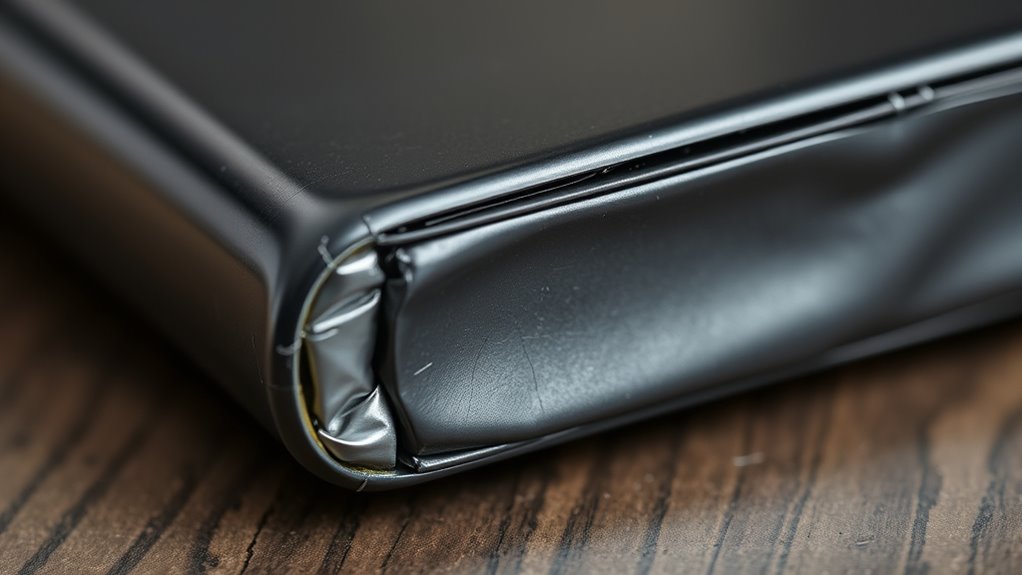
When handling a swollen battery, you should always handle it with care to prevent damage or leaks. Make sure to use proper disposal methods to avoid environmental harm or safety risks. Taking these precautions helps protect you and others from potential hazards.
Handle With Care
Handling a swollen battery requires caution because it can be dangerous if not managed properly. Always wear protective gloves and eye protection before touching or moving the battery. Avoid puncturing or applying pressure, as this can cause leaks or fires. Keep the battery on a non-flammable surface away from heat sources, and verify the area is well-ventilated. Remember, poor storage conditions and subpar battery manufacturing can increase risks, so handle with extra care. Visualize these steps:
- Imagine yourself gently lifting the swollen battery, avoiding any squeeze or twist.
- Picture placing it carefully on a fire-resistant surface, away from children or pets.
- Envision storing it in a cool, dry place until proper disposal or replacement. Always treat swollen batteries as hazardous, respecting safety guidelines to prevent accidents.
Proper Disposal Methods
Since swollen batteries pose significant safety risks, it’s essential to dispose of them properly to prevent accidents. First, avoid handling or puncturing the battery, as this can cause leaks or fires. Follow proper battery maintenance by storing the swollen battery in a non-conductive, fireproof container until disposal. Check your local recycling guidelines—many areas have specific drop-off points or collection events for hazardous waste. Never throw a swollen battery in the trash or recycling bin, as this can lead to environmental contamination or fires. Contact your local waste management authority for guidance on safe disposal methods. Proper disposal not only protects your safety but also supports responsible recycling and minimizes environmental impact. Always prioritize safety and adhere to recommended disposal procedures.
Steps to Safely Dispose of a Swollen Battery

A swollen battery can pose serious safety risks, so it’s essential to dispose of it properly and promptly. First, carefully place the swollen battery in a non-conductive, fireproof container to prevent leaks or fires. Second, find a nearby battery recycling center that accepts damaged batteries—this guarantees safe disposal and environmental protection. Third, store the battery in a cool, dry, and safe location away from flammable materials until you can transport it. Never throw a swollen battery in the trash or water, as this can cause leaks or fires. Always prioritize safe storage and proper disposal methods to minimize hazards. Contact your local waste management authority for specific guidelines on battery recycling in your area.
Preventative Measures to Minimize Battery Swelling
Preventing battery swelling starts with adopting proper usage and storage habits. Regular battery maintenance helps prevent issues, so avoid overcharging or discharging completely. Use your device within recommended temperature ranges, and always follow manufacturer guidelines. Storage techniques are equally important; store batteries in a cool, dry place away from direct sunlight and heat sources. If you’re not using a device for a long time, remove the battery or store it at around 50% charge. Proper handling reduces the risk of swelling and extends battery lifespan. Here’s a quick guide:
| Practice | Do’s | Don’ts |
|---|---|---|
| Charging | Use original chargers | Use incompatible chargers |
| Storage | Keep in cool, dry area | Store near heat or sunlight |
| Usage | Avoid extreme temps | Expose to high temps |
| Maintenance | Regularly check for damage | Ignore swelling signs |
| Disposal | Follow proper disposal rules | Discard damaged batteries |
When to Seek Professional Assistance

Knowing when to seek professional help is essential if you notice signs of battery swelling, such as bulging, leaks, or unusual device behavior. Ignoring these signs can lead to dangerous situations. If your device’s battery exhibits any of these, don’t delay:
- Imagine a swollen battery pushing against your device’s casing, risking cracks or ruptures.
- Visualize a leak seeping out, releasing hazardous chemicals.
- Feel your device’s unexpected overheating or strange odors, indicating internal damage.
These issues often stem from flaws in battery manufacturing or improper use, highlighting the importance of consumer awareness. When you observe these signs, it’s critical to seek professional assistance immediately. Proper handling prevents further damage and keeps you safe from potential hazards.
Frequently Asked Questions
Can a Swollen Battery Cause Device Overheating?
Yes, a swollen battery can cause your device to overheat. When the battery’s chemistry is compromised, it releases excess heat, especially if your charging habits push it beyond recommended limits. The swelling indicates internal damage, which can disrupt normal heat dissipation. To prevent overheating, stop using the device immediately, avoid charging it further, and have the battery replaced by a professional. Proper charging habits help avoid such dangerous situations.
Are Certain Battery Types More Prone to Swelling?
Some battery types are more prone to swelling, like lithium-ion batteries, which are popular but often sensitive. You should know that battery chemistry plays a vital role; certain chemistries are more reactive and prone to swelling. Manufacturing defects can also increase this risk. If you notice any signs, treat the device with care. Swollen batteries are like balloons ready to pop, so address issues promptly for your safety.
How Long Does It Take for a Battery to Swell Visibly?
You might notice battery swelling within months to a year, depending on its lifespan and usage. The swelling timeline varies based on how often you charge and the battery type. Usually, you’ll see visible signs like bulging or cracks before serious danger occurs. To stay safe, check your device regularly, especially as it approaches the end of its battery lifespan, and replace it if you notice any swelling.
Does Temperature Affect Battery Swelling Risk?
Yes, temperature markedly affects battery swelling risk. When temperatures rise, thermal expansion occurs, increasing internal pressure. This accelerates chemical reactions inside the battery, leading to gas buildup and swelling. Studies show that batteries exposed to temperatures above 35°C are three times more likely to swell prematurely. To prevent this, avoid leaving devices in hot environments and store batteries at recommended temperatures to reduce swelling risks effectively.
Can Swelling Occur Without Noticeable External Signs?
Swelling can occur without noticeable external signs because internal damage causes battery expansion before it shows outwardly. You might not see any bulges or deformation, but the internal damage can still be happening, risking safety. It is crucial to handle batteries carefully and check for subtle changes like increased heat or reduced performance, which could indicate hidden internal damage despite the lack of visible swelling. Always exercise caution with suspect batteries.
Conclusion
If you notice signs of a swollen battery, don’t ignore them—your safety depends on it. Some believe that swollen batteries might just be a minor issue, but research shows they can cause fires or explosions if left unchecked. By staying vigilant and acting quickly, you can prevent potential disasters. Trust your instincts, inspect devices regularly, and seek professional help when in doubt. Protect yourself and those around you by taking battery swelling seriously.