
Setting your tablet to travel mode allows you to download maps, shows, and books before your trip, ensuring you stay connected even without Wi-Fi or data. You can save detailed regional maps for offline navigation, access entertainment during long journeys, and keep important travel guides on hand without relying on internet. This prepares your device for any remote or busy location, making your travels smoother. Keep exploring to discover more ways to optimize your tablet for travel.
Key Takeaways
- Enable downloading maps, shows, and books for offline access during travel.
- Use travel apps to save guides, transit info, and points of interest offline.
- Download entertainment content like shows and music for flights or remote areas.
- Ensure device readiness with pre-downloaded content to avoid connectivity issues.
- Synchronize data across devices for seamless access to downloaded travel resources.
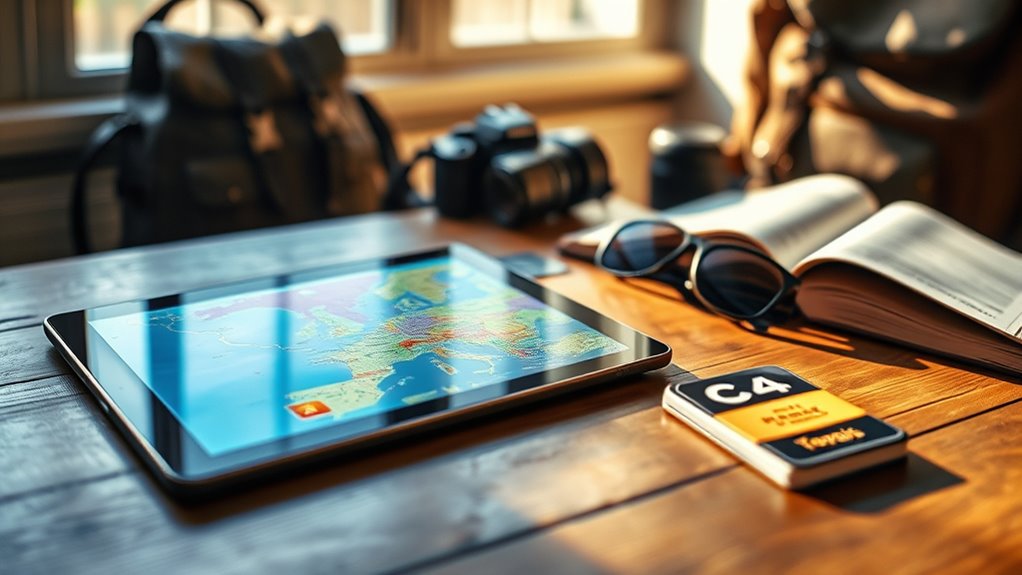
Have you ever wondered how to make the most of your tablet while traveling? One of the best ways is by utilizing travel mode features that let you download maps, shows, and books before you hit the road. This way, you can stay connected to your favorite content without worrying about unreliable Wi-Fi or expensive data charges. By preparing your device in advance, you ensure seamless access to essential tools, entertainment, and information wherever your journey takes you.
Offline navigation is a game-changer, especially when exploring unfamiliar cities or remote areas. Many navigation apps allow you to download detailed maps of specific regions, so you aren’t dependent on an internet connection. With offline navigation, you can confidently navigate busy streets, hiking trails, or rural roads without interruptions. Just select the area you’ll be visiting, download the maps beforehand, and your tablet becomes a reliable GPS device. This feature not only saves data but also helps you avoid unexpected charges and connectivity issues. Plus, it provides peace of mind, knowing that even if you lose signal, your navigation remains uninterrupted.
Offline maps ensure reliable navigation in remote areas without Internet dependency.
Travel app features extend beyond maps. Many apps now offer integrated travel guides, public transportation schedules, and points of interest, all accessible offline once downloaded. These features make it easier to plan your day, find restaurants, or locate attractions without needing to be constantly online. For example, some apps let you bookmark your favorite spots or create custom itineraries, which you can access anytime. This ensures you won’t miss out on must-see sights because of a lack of internet. Additionally, some travel apps sync your data across devices, so your saved routes and preferences stay with you no matter which device you use.
Downloading content like shows and books also enhances your travel experience. Streaming media usually requires an internet connection, but many streaming services offer offline download options, so you can watch movies or listen to music without Wi-Fi. Similarly, eBook apps let you save entire digital libraries directly onto your device, giving you access to endless reading material during long flights or train rides. This approach not only keeps your tablet fully loaded with entertainment, but also takes advantage of high-resolution displays to enjoy crisp visuals and detailed images during your trips.
Top picks for "travel mode tablet"
Open Amazon search results for this keyword.
As an affiliate, we earn on qualifying purchases.
Frequently Asked Questions
How Much Storage Space Do Downloaded Maps Typically Require?
Downloaded maps usually require between 50MB and 500MB of storage space, depending on their map file sizes and detail levels. If you’re planning to download multiple regions or countries, consider your tablet’s storage requirements and free up space as needed. Keep in mind that high-resolution maps or detailed city maps tend to have larger map file sizes, so plan accordingly to avoid running out of storage during your travels.
Can Travel Mode Be Activated Automatically When Entering Offline Areas?
When stepping into offline areas, travel mode can activate automatically like a loyal guide sensing your arrival. Thanks to location detection, your device recognizes when you’re in a no-network zone and switches on travel mode seamlessly. This automatic activation guarantees you’re never lost in the digital wilderness, allowing you to navigate maps, shows, and books without interruption. Stay immersed in your adventure while your device quietly adapts, like a trusted companion.
Are There Specific Tablet Models Better Suited for Travel Mode?
Some tablet models are better suited for travel mode, especially those with strong device compatibility and customizable settings. If you prefer a larger screen size for easier navigation and viewing offline content, opt for tablets with bigger displays. Choose devices with good battery life and storage options to support downloads. Brands like Apple iPad, Samsung Galaxy Tab, and Amazon Fire are popular choices, offering versatile travel mode features to enhance your offline experience.
How Do Updates Work for Downloaded Travel Content?
Updates for your downloaded travel content happen through content synchronization with the app or device provider. You’ll receive notifications when updates are available, and you can manually check for them. The update frequency varies depending on the content type and provider, but regular syncs ensure you have the latest maps, shows, and books. Keep your device connected to Wi-Fi to facilitate updates and enjoy seamless access to current travel information.
Is There a Way to Share Downloaded Maps With Other Devices?
Yes, you can share downloaded maps with other devices through map sharing options offered by your app or platform. To do this effectively, guarantee device synchronization is enabled, which allows you to transfer maps easily between devices. You may need to use cloud services or direct transfer methods like Bluetooth or Wi-Fi. This way, your maps stay consistent across all your devices, making travel planning more seamless.
Conclusion
Travel mode on your tablet is like a trusted compass guiding you through uncharted adventures. With maps, shows, and books at your fingertips, you carry a lantern that lights your way, turning every journey into a story worth telling. Embrace this digital vessel, and let it be your steady sail through new horizons. Your tablet transforms into a symbol of discovery, reminding you that every trip begins with a simple tap and a spirit enthusiastic to explore.