
If you’re looking to boost your productivity with a 27-inch monitor in 2025, I recommend exploring options that offer high resolution, great color accuracy, and ergonomic features. Monitors with IPS panels, adjustable stands, and multiple connectivity ports make a big difference for office work. Whether you prefer Full HD, QHD, or 4K, there’s something for every need. Keep watching to discover the top models that combine performance, comfort, and smart features for your workspace.
Key Takeaways
- High-resolution 27-inch IPS and VA panels deliver sharp visuals, vibrant colors, and wide viewing angles for enhanced productivity.
- Connectivity options like HDMI, DisplayPort, and USB-C enable seamless device integration and streamlined workspace setups.
- Ergonomic features such as height, tilt, and swivel adjustments ensure comfortable, customizable working positions.
- Eye-care technologies including flicker-free screens and blue light filters reduce fatigue during long office hours.
- Features like high contrast ratios, wide color gamuts, and certifications promote accurate, vivid visuals essential for professional tasks.
Acer SB273 G0bi 27″ IPS Full HD Gaming Monitor with FreeSync
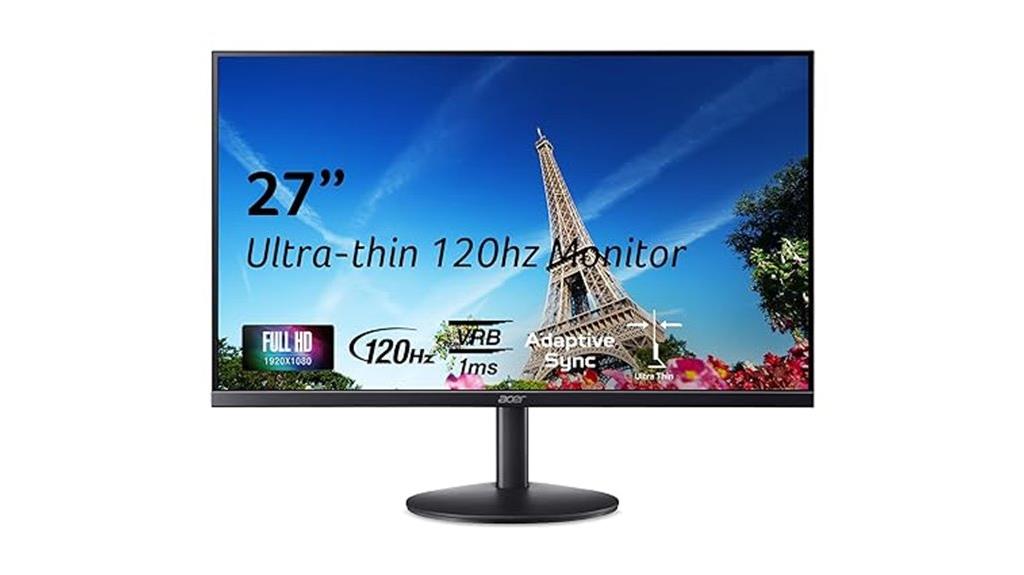
If you’re looking for a versatile monitor that handles both office tasks and casual gaming, the Acer SB273 G0bi 27″ IPS Full HD monitor is a great choice. It features a 27-inch IPS panel with sharp 1920×1080 resolution, delivering vibrant images and wide viewing angles. The 120Hz refresh rate and 1ms response time ensure smooth motion, perfect for gaming or fast-paced videos. Plus, its FreeSync support reduces tearing and stuttering, providing seamless visuals. With HDMI and VGA ports, it’s easy to connect multiple devices. The zero-frame design maximizes screen space, making it ideal for productivity and entertainment alike.
Best For: casual gamers, office workers, and multimedia enthusiasts seeking a versatile 27-inch IPS monitor with smooth visuals and multiple connectivity options.
Pros:
- 120Hz refresh rate delivers smooth motion for gaming and videos
- 1ms response time reduces motion blur and input lag
- FreeSync support minimizes screen tearing and stuttering
Cons:
- Brightness of 250 nits may be insufficient in very bright environments
- Limited to Full HD resolution, which might be less sharp for high-end gaming or professional design work
- Lacks built-in speakers, requiring external audio solutions
Dell S2725HS 27-Inch FHD Monitor
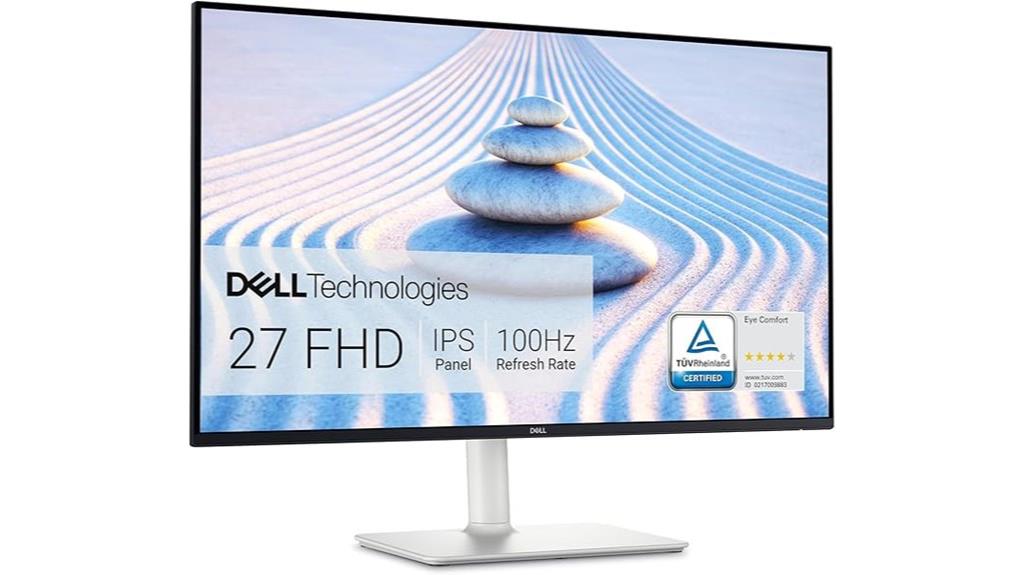
The Dell S2725HS 27-Inch FHD Monitor stands out as an excellent choice for professionals who prioritize accurate color and comfortable viewing during long work hours. Its 27-inch IPS display covers 99% sRGB, ensuring vibrant, consistent colors, while the 1500:1 contrast ratio delivers deep blacks and bright whites. The 100Hz refresh rate keeps motion smooth, ideal for multitasking. With a TÜV Rheinland Eye Comfort rating and an adjustable stand, it minimizes eye strain and offers personalized ergonomics. Built-in dual HDMI ports and integrated speakers make connectivity and audio simple. Its sleek, modern design in ash white completes a well-rounded package perfect for work and entertainment.
Best For: professionals and casual users seeking a vibrant, comfortable, and versatile monitor for work, entertainment, and gaming.
Pros:
- Vibrant 99% sRGB color coverage ensures accurate and consistent colors
- Adjustable ergonomic stand for personalized viewing comfort
- Built-in dual HDMI ports and integrated speakers enhance connectivity and audio experience
Cons:
- Full HD resolution may be less ideal for detailed creative work compared to higher resolutions
- Limited to 100Hz refresh rate, which is adequate but not optimal for high-end gaming
- No USB-C or DisplayPort options, potentially limiting future connectivity choices
Samsung 27″ Essential Monitor (S30GD) with IPS Panel

For professionals seeking a reliable, visually stunning monitor for daily office tasks, the Samsung 27″ Essential Monitor (S30GD) with IPS panel stands out. It delivers vivid, consistent colors from any angle, thanks to its IPS technology. The sleek, super-slim design with ultra-thin bezels adds a modern touch to any setup. With a 100Hz refresh rate, it provides smooth visuals during video calls or light creative work. The monitor reduces blue light and flicker, protecting your eyes during long sessions. Multiple ports ensure easy connectivity, while the tilt-only stand offers ergonomic positioning. This monitor balances style, performance, and comfort perfectly for everyday office use.
Best For: professionals seeking a reliable, visually stunning monitor with smooth performance and ergonomic comfort for daily office tasks.
Pros:
- Vivid, consistent colors from any angle thanks to IPS panel technology
- Sleek, modern design with ultra-thin bezels enhances aesthetic appeal
- 100Hz refresh rate provides smooth visuals for video calls and light creative work
Cons:
- Tilt-only stand limits ergonomic adjustments
- Limited to basic connectivity options without advanced ports
- Not suitable for high-end gaming or intensive creative tasks
Samsung 27″ Essential S3 Curved Computer Monitor (LS27D366GANXZA)
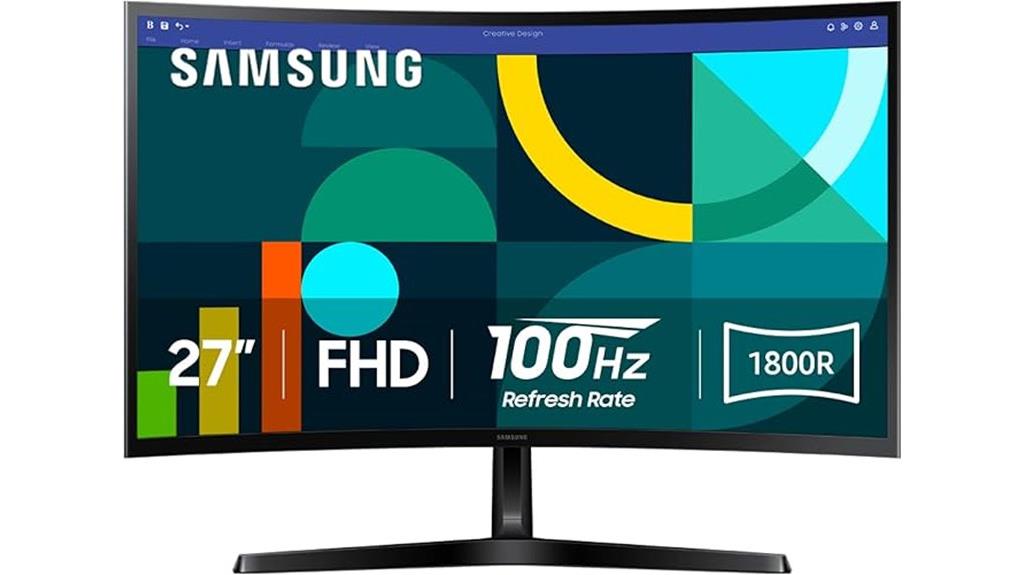
Designed with office work in mind, the Samsung 27″ Essential S3 Curved Computer Monitor offers an immersive viewing experience that boosts productivity. Its curved design wraps around your field of vision, creating a wider view that enhances depth perception and reduces peripheral distractions. The 100Hz refresh rate ensures smooth, lag-free content, ideal for multitasking and fast-paced activities. With versatile connectivity options like HDMI and D-sub ports, it’s easy to connect your devices. Plus, advanced eye comfort technology minimizes blue light and flicker, allowing for comfortable long work sessions. Whether for general office tasks or creative projects, this monitor combines performance, comfort, and versatility.
Best For: professionals and multitaskers seeking an immersive, comfortable, and versatile monitor for office work, creative tasks, and fast-paced activities.
Pros:
- Curved 27″ display enhances engagement and reduces peripheral distractions
- 100Hz refresh rate delivers smooth, lag-free visuals perfect for multitasking and quick movements
- Advanced eye comfort technology minimizes blue light and flicker for comfortable long sessions
Cons:
- Limited to HDMI and D-sub ports, which may restrict connectivity options for some users
- Not specifically designed for high-end gaming or professional color accuracy
- Curved design may not suit users who prefer traditional flat monitors or have specific ergonomic needs
Dell S2725DS Monitor (27 Inch, QHD, 100Hz, Built-in Speakers, Adjustable, Ash White)

If you’re looking for a monitor that combines crisp visuals with versatile adjustability, the Dell S2725DS is an excellent choice for office work. Its 27-inch QHD display delivers sharp images with 1.77 times more detail than Full HD, while the 1500:1 contrast ratio adds depth. The 100Hz refresh rate ensures smooth motion, perfect for multitasking. Built-in dual 5W speakers provide rich audio, and the TÜV Rheinland 4-star certification helps diminish eye fatigue. Plus, the adjustable stand—with height, tilt, swivel, and pivot features—lets you customize your workspace for comfort and ergonomics.
Best For: professionals and office workers seeking a high-resolution, adjustable monitor with excellent eye comfort features and built-in audio for enhanced productivity and comfort.
Pros:
- Crisp 27-inch QHD display with detailed visuals and vibrant colors
- Fully adjustable stand (height, tilt, swivel, pivot) for ergonomic customization
- TÜV Rheinland 4-star eye comfort certification reduces eye fatigue during long use
Cons:
- Limited to 100Hz refresh rate, which may not suit high-end gaming needs
- Built-in speakers, while adequate, may not replace dedicated audio systems for audiophiles
- Ash White color may not match all workspace aesthetics
Philips 27-inch Full HD Monitor with HDMI and VGA
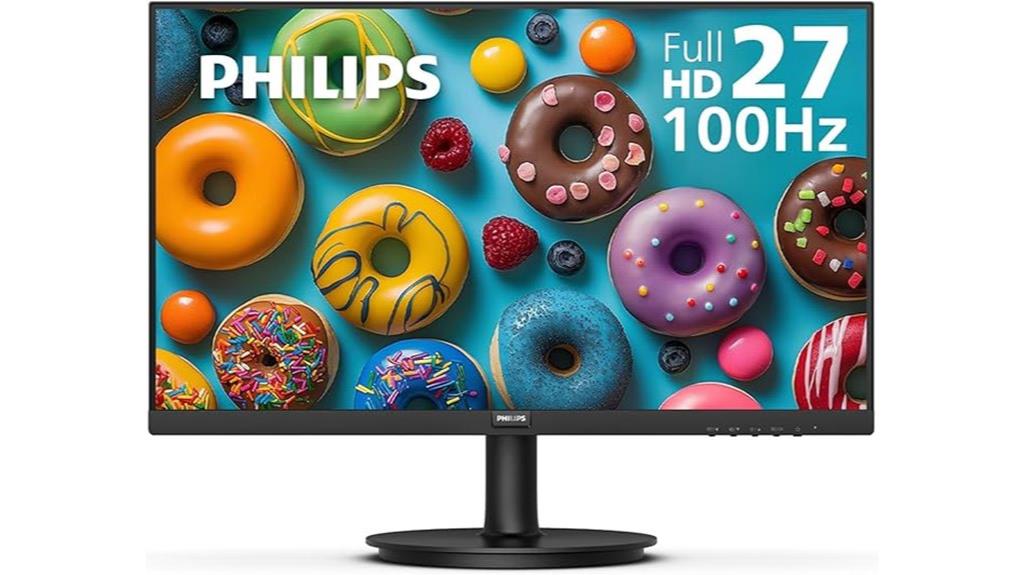
Looking for a reliable monitor that delivers crisp visuals and seamless connectivity for everyday office tasks? The Philips 27-inch Full HD monitor is a great choice. It features a 1920×1080 resolution on a VA panel, providing bright whites, deep blacks, and true-to-life colors with 16.7 million shades. Its 178/178-degree wide viewing angles keep visuals consistent from any perspective. The sleek, virtually bezel-free design makes multi-monitor setups effortless. With HDMI and VGA ports, VESA compatibility, and eye care features, it’s built for comfort and convenience. Plus, the 4-year Advance Replacement Warranty gives extra peace of mind for long-term use.
Best For: professionals and office users seeking a reliable, high-quality monitor with excellent color accuracy and easy multi-monitor setup.
Pros:
- Crisp Full HD visuals with vibrant colors and high contrast thanks to VA panel technology
- Wide 178/178-degree viewing angles maintain color accuracy from multiple perspectives
- Seamless, virtually bezel-free design ideal for multi-monitor configurations
Cons:
- Limited to HDMI and VGA ports without additional connectivity options
- No built-in speakers or USB ports for added convenience
- May be less suitable for high-end gaming or graphic-intensive tasks due to its standard resolution and panel type
LG 27US500-W 27-Inch 4K UHD Monitor
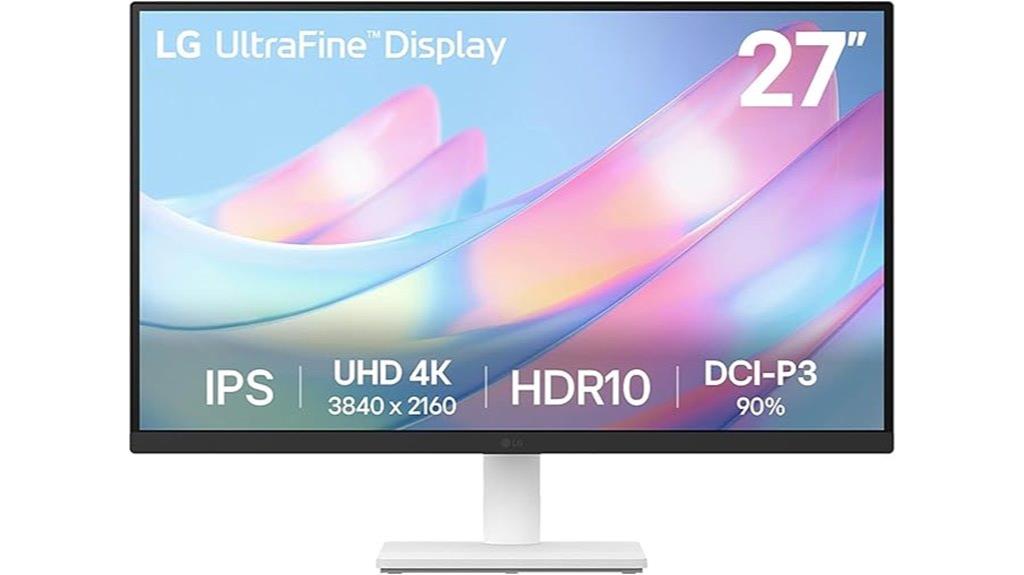
The LG 27US500-W 27-Inch 4K UHD Monitor stands out as an excellent choice for professionals who need crisp, detailed visuals to boost productivity. Its 3840×2160 resolution with HDR10 support delivers stunning, lifelike images, while the 1000:1 contrast ratio provides deep blacks and vibrant colors. Wide viewing angles ensure consistent clarity from any position. The Onscreen Control makes workspace customization simple, and Flicker Safe technology reduces eye strain during long hours. The borderless IPS panel, combined with an adjustable ergonomic stand, offers both style and comfort. Overall, this monitor combines impressive visuals with user-friendly features, making it ideal for demanding office tasks.
Best For: professionals and digital creators seeking sharp, vibrant visuals and customizable workspace options on a stylish, ergonomic monitor.
Pros:
- 4K UHD resolution with HDR10 support delivers crisp, lifelike images.
- Wide viewing angles and high color accuracy with DCI-P3 90% gamut enhance visual consistency.
- Onscreen Control and ergonomic stand improve usability and comfort during extended use.
Cons:
- May be priced higher than standard Full HD monitors.
- No built-in speakers included.
- Limited to HDMI connection options without additional ports like DisplayPort.
Dell 27 Plus 4K Monitor (S2725QS)
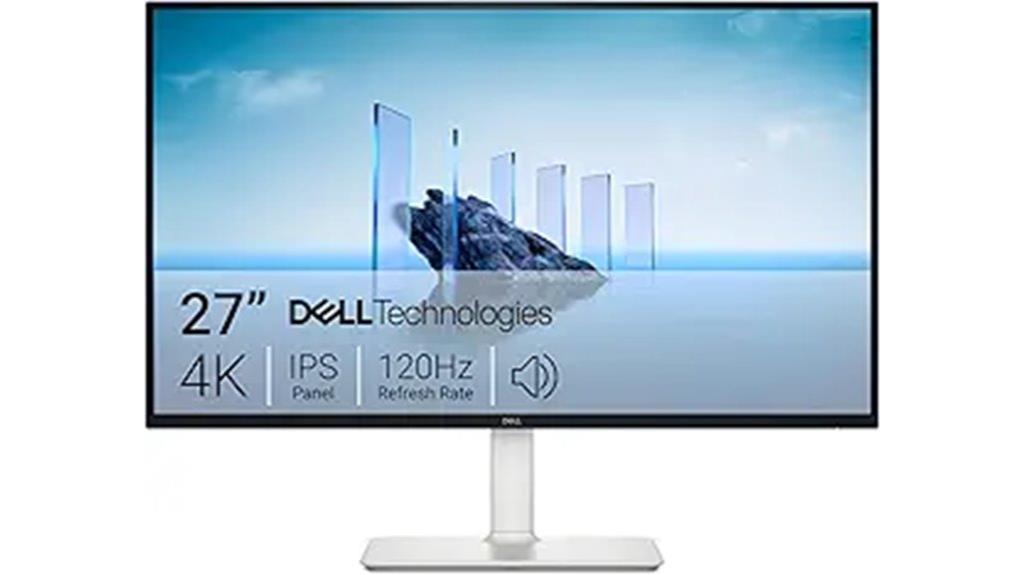
The Dell 27 Plus 4K Monitor (S2725QS) stands out as an excellent choice for professionals who need crisp visuals and vibrant colors during long work sessions. Its 27-inch 4K IPS panel with a 120Hz refresh rate delivers sharp, smooth images, while 99% sRGB coverage guarantees accurate, lively colors. HDR support adds depth and detail, and the high contrast ratio enhances image richness. Comfort features like BlueLight Plus reduce blue light emissions, allowing all-day use without eye strain. With AMD FreeSync Premium and an ultra-low response time, it also offers smooth visuals for multitasking and light gaming. Its sleek, minimalist design complements any workspace.
Best For: professionals and creatives seeking a high-resolution monitor with vibrant colors, smooth visuals, and eye comfort for extended work or multimedia use.
Pros:
- 27-inch 4K IPS display with sharp, detailed images and 120Hz refresh rate for fluid visuals
- 99% sRGB coverage and HDR support ensure accurate colors and enhanced depth
- BlueLight Plus and ultra-thin bezel design promote comfort and a sleek aesthetic
Cons:
- Higher price point compared to standard monitors with similar specs
- Limited gaming features beyond AMD FreeSync Premium, no G-Sync support
- May require a powerful graphics card to fully utilize 4K resolution at high refresh rates
Sceptre 27-inch Gaming Monitor with 100Hz 1ms DisplayPort HDMI x2 and AMD FreeSync

If you need a monitor that balances immersive visuals with smooth performance, the Sceptre 27-inch gaming monitor is an excellent choice—even for office work. It offers vibrant, naturalistic colors thanks to its 100% sRGB color gamut, making text and images pop with clarity. The 100Hz refresh rate and 1ms response time ensure smooth motion, ideal for multitasking and video calls. With two HDMI ports, a DisplayPort, and built-in speakers, it provides versatile connectivity and audio options. Blue Light Shift technology helps reduce eye strain during long work sessions, while the frameless design maximizes desk space and immersion.
Best For: users seeking a versatile monitor that combines immersive visuals, smooth performance, and eye comfort for gaming, graphic design, and office work.
Pros:
- Vibrant, naturalistic colors with 100% sRGB color gamut for accurate visuals
- Fast 1ms response time and 100Hz refresh rate for smooth motion during gaming and multitasking
- Multiple connectivity options including HDMI, DisplayPort, and built-in speakers for convenience
Cons:
- Frameless design may require careful cable management to avoid clutter
- Limited to a 27-inch size, which might be small for some ultra-wide or multi-monitor setups
- No built-in USB hub, which could limit peripheral connectivity options
HP Series 3 27 Inch FHD Monitor
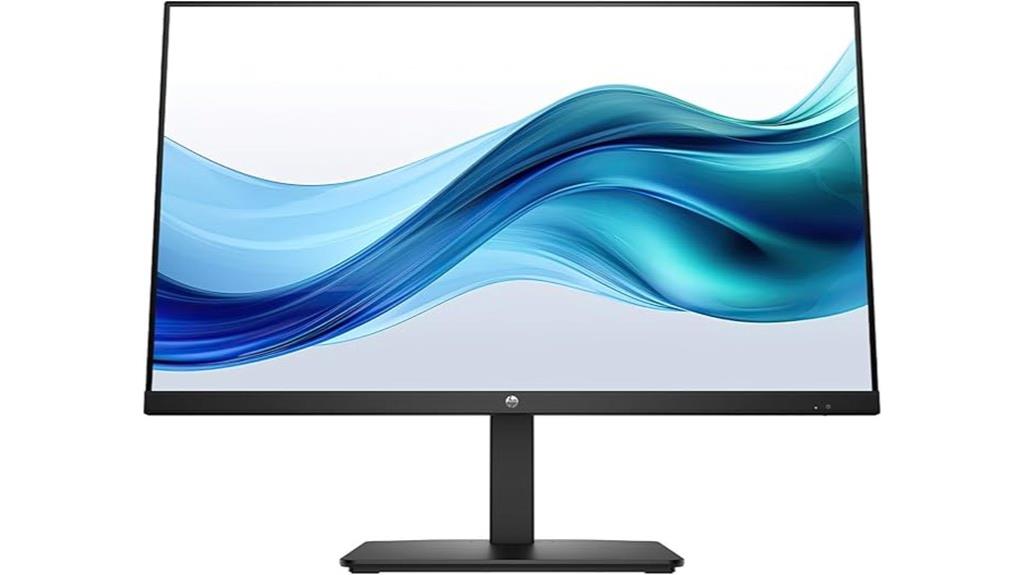
For professionals seeking a reliable and visually crisp monitor for daily office tasks, the HP Series 3 27 Inch FHD Monitor stands out with its vibrant 1920×1080 IPS display and wide 178° viewing angles. Its 1300:1 contrast ratio brings out nuanced shadows and highlights, while the 100Hz refresh rate ensures smooth motion during fast-paced activities. The Eye Ease feature with Eyesafe certification reduces eye strain during long work sessions. With adjustable tilt, ergonomic setup options, and versatile connectivity—including HDMI, DisplayPort, and VGA—it’s designed for comfort and efficiency. Plus, its sleek, borderless design maximizes workspace, making it an excellent choice for modern offices.
Best For: professionals and office workers seeking a reliable, visually crisp monitor with versatile connectivity and ergonomic features for daily tasks.
Pros:
- Vibrant 1920×1080 IPS display with wide 178° viewing angles for consistent color and clarity.
- Adjustable tilt, height, swivel, and pivot for personalized ergonomic comfort.
- Eco-friendly design utilizing recycled plastics and glass, supporting sustainability efforts.
Cons:
- Limited to a 100Hz refresh rate, which may not satisfy high-end gamers seeking higher refresh rates.
- Built-in speakers are 2W, which might not provide sufficient audio quality for all users.
- Only three ports (VGA, HDMI, DisplayPort), which may limit connectivity options for some setups.
Dell S2722DC Monitor – 27-inch WQHD (2560×1440) 75Hz Display

Designed with office professionals in mind, the Dell S2722DC offers a sharp 27-inch WQHD display that balances screen real estate with crisp image quality. Its 2560×1440 resolution provides clear text and detailed visuals, perfect for multitasking. The 75Hz refresh rate and 4ms response time ensure smooth motion, while AMD FreeSync reduces tearing during extended work or light gaming. Connectivity is simplified with a USB-C port that delivers 65W power and data transfer, and a USB 3.2 port for peripherals. The adjustable stand, tilt, swivel, and pivot features enhance comfort, making this monitor a versatile and efficient choice for your workspace.
Best For: office professionals and multitaskers seeking a high-resolution display with versatile connectivity and ergonomic features.
Pros:
- Sharp 27-inch WQHD (2560×1440) display offers clear text and detailed visuals
- Adjustable stand with tilt, swivel, and pivot for personalized comfort
- USB-C port with 65W power delivery simplifies connectivity by combining power, video, and data transfer
Cons:
- 75Hz refresh rate may be less suitable for high-end gaming compared to higher refresh rate monitors
- Built-in speakers may offer basic audio quality, not suitable for audiophiles
- Shipping times and service depend on location, potentially affecting quick replacement needs
Dell 27 Monitor SE2725HM 27-inch Full HD Display

The Dell 27 Monitor SE2725HM stands out as an excellent choice for office workers who need a reliable, high-quality display for daily tasks. Its 27-inch Full HD IPS panel delivers sharp images and vibrant colors, making multitasking smooth with a 16:9 aspect ratio. The anti-glare coating reduces reflections, keeping your workspace comfortable. With a 100Hz refresh rate, motion appears seamless, perfect for scrolling and quick updates. ComfortView Plus minimizes blue light exposure without sacrificing color accuracy, protecting your eyes during long hours. Its simple design includes HDMI and VGA ports, adjustable tilt, and VESA compatibility, enhancing workspace flexibility and organization.
Best For: office workers and professionals seeking a reliable, eye-friendly monitor for daily multitasking and extended use.
Pros:
- Sharp 27-inch Full HD IPS display with vibrant colors and wide viewing angles
- 100Hz refresh rate ensures smooth motion and seamless scrolling
- Adjustable tilt and VESA compatibility for customizable ergonomic setup
Cons:
- Limited connectivity options with only HDMI and VGA ports
- No built-in speakers or USB ports for additional peripherals
- Basic design without advanced features like touchscreen or high-resolution options
KTC 27 Inch QHD Computer Monitor with IPS Panel

If you’re looking for a monitor that combines sharp visuals with versatile connectivity, the KTC 27 Inch QHD Computer Monitor with IPS Panel is an excellent choice. It offers a 2560×1440 resolution with an IPS panel, ensuring vibrant colors and precise details. The 100Hz refresh rate and HDR support make images smooth and lively, perfect for work and multimedia. With 123% sRGB coverage and calibrated color presets, colors stay true-to-life. Plus, it features multiple ports—including HDMI, DisplayPort, and an earphone jack—along with eye care tech like Anti-Blue Light, making long hours comfortable and efficient.
Best For: professionals, gamers, and creatives seeking a high-quality monitor with vibrant visuals and versatile connectivity for both work and entertainment.
Pros:
- Sharp 2560×1440 resolution with IPS panel for vibrant, accurate colors and crisp details
- Supports FreeSync and G-Sync for smooth gaming performance and reduced screen tearing
- Multiple connectivity options including HDMI, DisplayPort, and earphone jack, along with eye care features like Anti-Blue Light technology
Cons:
- Slightly bulkier design may take up more space on your desk
- 100Hz refresh rate, while good, may not satisfy competitive gamers requiring higher rates
- Limited to a 3-year manufacturer’s warranty, which may be shorter than some competitors
Acer 27″ IPS Full HD Gaming Office Monitor with FreeSync

For those who need a versatile monitor that combines sharp visuals with smooth performance, the Acer 27″ IPS Full HD Gaming Office Monitor with FreeSync is an excellent choice. Its 27-inch IPS panel delivers vivid, detailed images at 1920 x 1080 resolution, perfect for work and entertainment. The ultra-thin, zero-frame design maximizes edge-to-edge visibility, creating an immersive experience. With support for FreeSync and up to 120Hz refresh rate, it ensures tear-free, responsive visuals during fast-paced tasks or gaming. The adjustable stand offers tilt, swivel, and height options, making it easy to customize your setup for comfort and productivity.
Best For: users seeking a versatile, high-performance monitor for gaming, office work, and multimedia with crisp visuals and smooth motion.
Pros:
- Vibrant 27-inch IPS display with full HD resolution for sharp, detailed images
- Supports FreeSync and up to 120Hz refresh rate for tear-free, fluid visuals
- Adjustable stand with tilt, swivel, and height options for personalized comfort
Cons:
- Limited to 1080p resolution, which may be less ideal for ultra-high-definition needs
- No built-in speakers or USB hub for additional connectivity options
- The ultra-thin design might require careful handling to avoid damage
SAMSUNG 27″ ViewFinity S8 (S80D) 4K UHD Computer Monitor

Designed with professionals who demand precise visuals and versatile connectivity, the Samsung 27″ ViewFinity S8 (S80D) 4K UHD monitor stands out as an excellent choice for office work. Its 3840×2160 resolution delivers sharp detail, while HDR10 ensures vibrant, true-to-life colors and deep contrast. Multiple ports—including HDMI, DisplayPort, and USB options—make connecting peripherals effortless, boosting productivity. The ergonomic stand allows height adjustment, tilts, swivels, and pivots for personalized comfort. Additionally, features like automatic brightness, blue light reduction, and flicker-free technology mitigate eye strain. With a 3-year warranty, this monitor combines visual excellence and user comfort for demanding office tasks.
Best For: professionals and creatives needing high-resolution visuals, versatile connectivity, and ergonomic comfort for demanding office tasks.
Pros:
- 4K UHD resolution with HDR10 for sharp, vibrant, and true-to-life images
- Multiple ports including HDMI, DisplayPort, and USB for seamless device connectivity
- Ergonomic stand with height adjustment, tilting, swiveling, and pivoting for personalized comfort
Cons:
- Higher price point compared to standard monitors with lower resolutions
- May require compatible high-performance hardware to fully utilize 4K capabilities
- Limited to office and professional use, less ideal for gaming or casual multimedia consumption
Factors to Consider When Choosing 27-Inch Monitors for Office Work
When selecting a 27-inch monitor for office work, I focus on key factors like resolution and clarity to guarantee sharp visuals, along with ergonomic adjustments for comfort during long hours. Connectivity options are also vital, so I look for versatile ports that match my devices, while color accuracy supports tasks like design or document editing. Finally, I consider refresh rate and response time to keep everything smooth and responsive, especially when multitasking.
Screen Resolution and Clarity
Choosing the right screen resolution is essential because it directly impacts the clarity and sharpness of the images and text you see. Higher resolutions like 4K or QHD deliver sharper visuals and more detail, which can boost your productivity by making it easier to read and analyze data. For most office tasks, Full HD (1920×1080) provides clear and crisp images, suitable for multitasking without straining your eyes. The pixel density, measured in PPI, plays a key role in image clarity—higher PPI means more detailed text and graphics. Monitors with IPS panels also improve clarity by offering better color accuracy and wider viewing angles, ensuring consistent image quality from different positions. Adequate resolution reduces eye strain, making long hours at your desk more comfortable.
Ergonomic Adjustments Options
Selecting a monitor with flexible ergonomic adjustments can make a significant difference in your comfort during long work hours. Look for models that offer tilt, swivel, height adjustment, and pivot options so you can customize your viewing angle and reduce strain. An adjustable stand supporting ergonomic positions helps promote proper posture, minimizing neck and back discomfort. Monitors with multiple adjustable features also enable switching between sitting and standing modes, boosting comfort and productivity. Make sure these adjustments are easy to operate and stay stable once set. Additionally, consider monitors with ergonomic certifications like TÜV Rheinland Eye Comfort, which indicates the stand and display are designed to lessen eye and musculoskeletal strain. Prioritizing these features ensures you’ll create a healthier, more comfortable workspace.
Connectivity Flexibility
To guarantee your 27-inch monitor integrates smoothly with your existing devices, it’s important to pay attention to connectivity options. Make certain the monitor has multiple input ports like HDMI, DisplayPort, and VGA so you can connect various devices easily. Look for USB-C ports that support data transfer, video output, and charging—this simplifies cable management and reduces clutter. Built-in speakers or audio output options add multimedia convenience without needing extra peripherals. Check if the monitor is compatible with docking stations and hubs to expand connectivity further, especially if you use multiple devices. Additionally, VESA mount compatibility offers flexible mounting solutions, helping you optimize desk space and create a clean, organized workspace. Prioritizing these features makes your setup more versatile and efficient.
Color Accuracy and Gamut
Since accurate color representation can greatly influence your work quality, it’s vital to take into account a monitor’s color accuracy and gamut coverage. A wide color gamut, such as sRGB 99% or Adobe RGB coverage, ensures more vibrant, lifelike colors and greater precision, which is essential for tasks like graphic design, photo editing, or any work requiring color fidelity. Monitors with high color accuracy reduce color shifts and inconsistencies, helping you trust what you see on screen. When choosing a 27-inch monitor for office work, look for those that specify broad color gamut support. This not only improves visual clarity but also enhances your overall productivity by providing a more accurate and reliable display for your daily tasks.
Refresh Rate and Response Time
A monitor’s refresh rate and response time play a crucial role in ensuring smooth visuals and reducing eye strain during long work sessions. A higher refresh rate, like 100Hz or 120Hz, makes scrolling and video playback smoother, which can lessen fatigue. Response time, measured in milliseconds, shows how quickly pixels change color; lower response times (such as 1ms or 4ms) reduce motion blur and ghosting, especially in fast-paced tasks. While most office work doesn’t demand ultra-high refresh rates, choosing a monitor with a good balance—say 75Hz to 100Hz with a quick response time—can improve overall fluidity. Remember, a high refresh rate combined with a slow response time may cause motion artifacts, so aim for a harmonious combination for peak performance.
Built-in Audio Features
Built-in audio features like integrated speakers can considerably enhance your office experience by providing clear sound without extra equipment. Monitors with dual 5W speakers deliver convenient audio for video calls, presentations, and multimedia tasks, reducing the need for external speakers. High-quality integrated speakers offer rich, spacious sound, making conversations and media consumption more enjoyable. Some monitors include advanced audio technology, such as deeper frequency response and increased decibel range, for a more immersive experience. Built-in audio also helps keep your desk tidy by eliminating clutter from separate speakers. Additionally, features like audio input and headphone jacks give you versatile listening options, whether you prefer private audio or audio customization. Overall, good built-in audio adds convenience and improves your office setup.
Screen Size and Bezel
Choosing the right screen size and bezel design can markedly impact your productivity and workspace aesthetics. A 27-inch monitor offers ample space for multitasking and detailed work, helping me stay efficient. When it comes to bezel design, ultra-thin or zero-bezel models maximize visible display area, creating a more immersive experience. Thin bezels also reduce visual gaps in multi-monitor setups, making smooth transitions and the workspace more seamless. Additionally, edge-to-edge displays with minimal bezels give a sleek, modern look and minimize distractions. Keep in mind that bezel thickness affects the monitor’s overall size and weight, which can influence portability and desk organization. Selecting the right combination guarantees a comfortable, productive, and visually appealing workspace.
Eye Care Technologies
Since prolonged screen time can cause significant eye strain, selecting monitors with effective eye care technologies is essential for comfortable office work. Features like blue light reduction and flicker-free displays help minimize eye fatigue during long hours. Look for monitors with TÜV Rheinland certification, as it indicates they meet specific safety standards for blue light safety and flicker reduction. Technologies like ComfortView Plus dynamically adjust color temperature to reduce blue light emission while maintaining color accuracy. Anti-blue light filters and low-blue light modes are also effective in decreasing digital eye strain without sacrificing display quality. Additionally, adjustable brightness and ergonomic stands support comfortable viewing angles, reducing eye fatigue over extended periods. Prioritizing these eye care features helps protect your eyes and enhances your overall productivity.
Frequently Asked Questions
How Does a Monitor’s Refresh Rate Impact Office Productivity?
A monitor’s refresh rate directly impacts my office productivity by making everything on the screen look smoother and more responsive. When I have a higher refresh rate, I experience less eye strain and fewer lag issues, especially during multitasking or when scrolling through documents. It helps me work more efficiently because I can focus without distractions caused by choppy visuals or lag. Overall, a better refresh rate keeps my workflow seamless.
What Ergonomic Features Are Essential for 27-Inch Office Monitors?
When choosing a 27-inch office monitor, I find ergonomic features like adjustable height, tilt, and swivel essential—they let me customize my setup for comfort. An ergonomic stand, along with a flicker-free display and blue light filter, helps reduce eye strain and neck pain during long work sessions. I always look for monitors that promote healthy posture, making my workday more comfortable and productive.
Which Connectivity Options Are Most Versatile for Office Setups?
I find that having multiple connectivity options really boosts my productivity. Look for monitors with HDMI, DisplayPort, and USB-C ports; USB-C especially is great for quick connections and charging devices. An Ethernet port or built-in Wi-Fi can also be handy. I prefer versatile setups that let me connect easily to various devices without hassle. This way, I can switch between work laptops, peripherals, and even mobile devices seamlessly.
How Does Screen Resolution Affect Multitasking Efficiency?
Ever wondered how much a sharper screen can boost your productivity? Higher screen resolutions allow me to see more details at once, making multitasking smoother and less cluttered. I can have multiple windows open without constantly toggling between tabs, saving time. It’s like expanding my workspace without needing physical extra monitors. So, yes, a better resolution directly improves my efficiency and focus during busy workdays.
Are Curved Monitors Beneficial for Long Hours of Office Work?
Curved monitors are definitely beneficial for long hours of office work. They help reduce eye strain by matching the natural curvature of your eyes, creating a more immersive viewing experience. I find that they also minimize glare and distortions, making it easier to focus for extended periods. If you spend a lot of time at your desk, a curved monitor can boost comfort and productivity, making your workday more pleasant.
Conclusion
Choosing the right 27-inch monitor can boost your productivity and make your work more comfortable. Did you know that dual monitor setups can increase productivity by up to 40%? Investing in a quality display tailored to your needs is worth it. Whether you prefer crisp visuals, curved screens, or high resolution, there’s a perfect monitor out there for you. Upgrade today and experience the difference in your daily workflow!