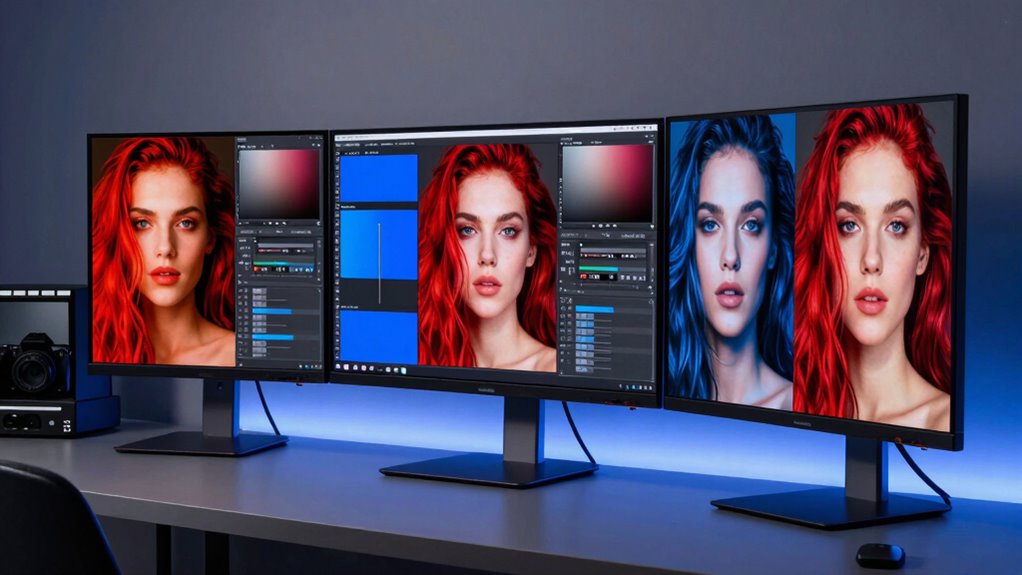

If you’re looking for the best color-accurate monitors for photo editing in 2026, I recommend considering models like the ASUS ProArt series, LG 27US500-W, and ViewSonic’s UHD IPS displays. These monitors boast high resolutions, wide color gamuts like Adobe RGB and DCI-P3, and factory calibration with certifications such as Calman Verified. They also feature excellent connectivity and ergonomic design to guarantee precision and comfort. Keep exploring; you’ll find even more options tailored for professional workflows.
Key Takeaways
- Look for monitors with high-resolution displays (4K, 5K) and wide color gamuts like DCI-P3, Adobe RGB, and sRGB for accurate color reproduction.
- Prioritize models with factory calibration, Calman Verified certification, and Delta E<2 for minimal color deviation and reliable accuracy.
- Ensure monitors support 10-bit or higher color depth to render seamless gradients and subtle color transitions essential for professional editing.
- Opt for displays with extensive connectivity options, including USB-C with Power Delivery and ergonomic features for long, comfortable editing sessions.
- Consider professional-grade features like HDR support, robust build quality, and comprehensive calibration tools to maintain long-term color fidelity.
ASUS ProArt 27” WQHD Monitor with Calibration
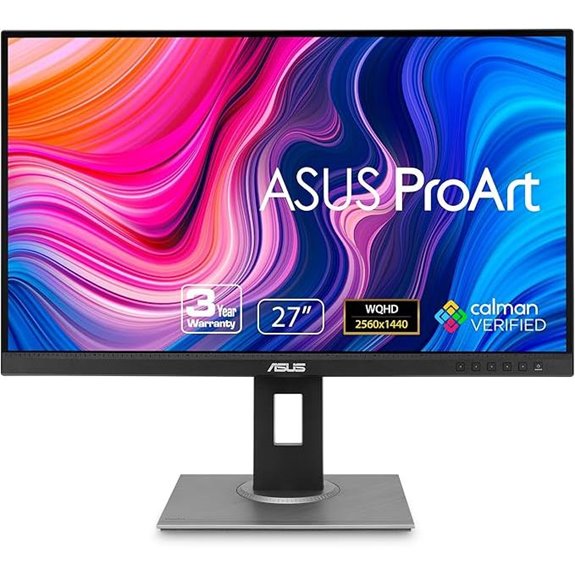
If you’re a professional photographer or designer who demands precise color reproduction, the ASUS ProArt 27” WQHD Monitor is an excellent choice. Its 27-inch IPS display offers a sharp 2560 x 1440 resolution with a frameless design and anti-glare coating, perfect for detailed editing. With 100% sRGB and Rec. 709 coverage, plus Calman verification and a Delta E below 2, it guarantees accurate colors out of the box. The monitor’s adjustable stand ensures ergonomic comfort, while extensive connectivity options, including USB 3.0 ports and multiple video inputs, make it highly versatile. Plus, a free Adobe Creative Cloud subscription adds extra value for creative professionals.
ASUS ProArt 27” 4K HDR Professional Monitor
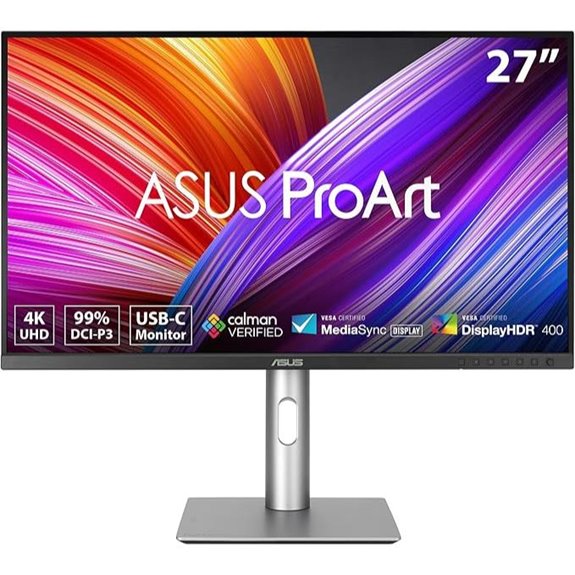
The ASUS ProArt 27” 4K HDR Professional Monitor stands out as an ideal choice for serious photo editors who demand top-tier color accuracy. Its 27-inch 4K UHD IPS display offers wide viewing angles and vibrant HDR visuals, perfect for detailed editing. Factory pre-calibrated and Calman Verified with a Delta E under 2, it guarantees precise colors out of the box. Covering 99% DCI-P3 and Adobe RGB, it ensures extensive color fidelity. With versatile connectivity options like DisplayPort, HDMI, and USB-C with 96W Power Delivery, along with an ergonomic design and a 3-year warranty, it’s a robust, professional-grade tool.
ASUS ProArt 27″ Monitor WQHD, IPS, USB-C, Adjustable
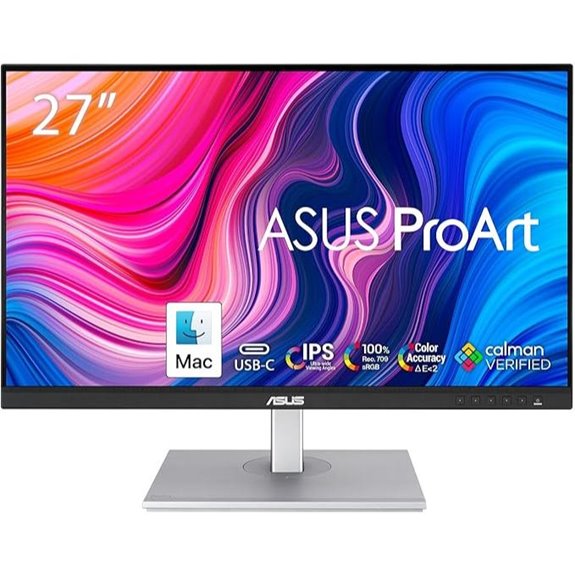
For professionals seeking precise color reproduction, the ASUS ProArt 27″ Monitor WQHD stands out as an ideal choice. It features a 27-inch IPS panel with a 2560 x 1440 resolution and 178° wide viewing angles, supporting 100% sRGB and Rec. 709 color spaces. Factory-calibrated with a Delta E below 2, it guarantees high accuracy for photo editing. The monitor includes USB-C with 65W Power Delivery, multiple connectivity options, and ergonomic adjustments like height adjustment. With a 75Hz refresh rate and Adaptive-Sync, it offers smooth visuals. Its combination of color accuracy, versatility, and user comfort makes it a top contender for professional editing workflows.
ASUS ProArt 27” 5K HDR Professional Monitor

Professional photo editors who demand exceptional color accuracy will find the ASUS ProArt 27” 5K HDR Professional Monitor to be an excellent choice. Its stunning 5120×2880 resolution and IPS panel deliver crisp, detailed images with 178° wide viewing angles. Supporting 99% DCI-P3, 100% sRGB, and 95% Adobe RGB, it covers extensive color gamuts for true-to-life editing. Factory calibrated with Delta E<2, it guarantees precise colors right out of the box. Features like ambient light sensors and USB-C PD 96W charging enhance workflow efficiency. With Calman verification and a 3-year warranty, this monitor is tailored for professionals prioritizing accuracy and consistency.
LG 27US500-W 27-Inch 4K UHD HDR Monitor
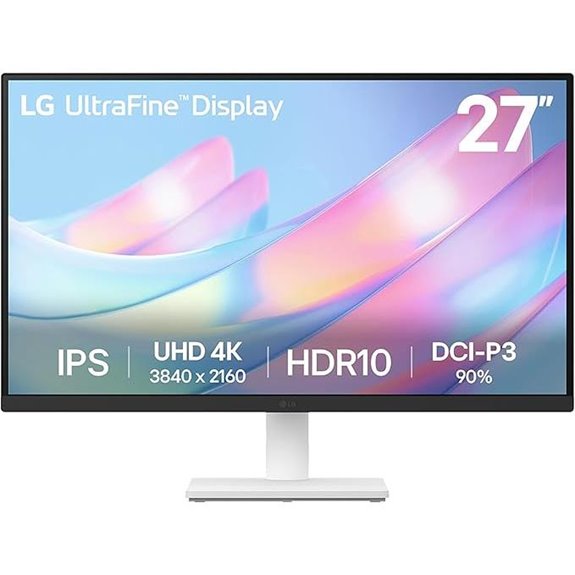
If you’re looking for a reliable monitor that combines stunning 4K resolution with vibrant color accuracy, the LG 27US500-W is an excellent choice. Its 27-inch 4K UHD display delivers sharp, detailed images, while the 1000:1 contrast ratio guarantees deep blacks and vivid colors. Supporting HDR10 with up to 90% DCI-P3, it displays true-to-life, vibrant visuals. Connectivity options include HDMI and DisplayPort, and the Onscreen Control makes workspace customization simple. The borderless IPS panel offers wide viewing angles, and the ergonomic stand provides flexible tilt adjustments. Its sleek white design fits well into modern workspaces, making it a versatile and color-accurate monitor for photo editing.
ASUS ProArt 24.1” WUXGA Monitor with Adjustable Stand
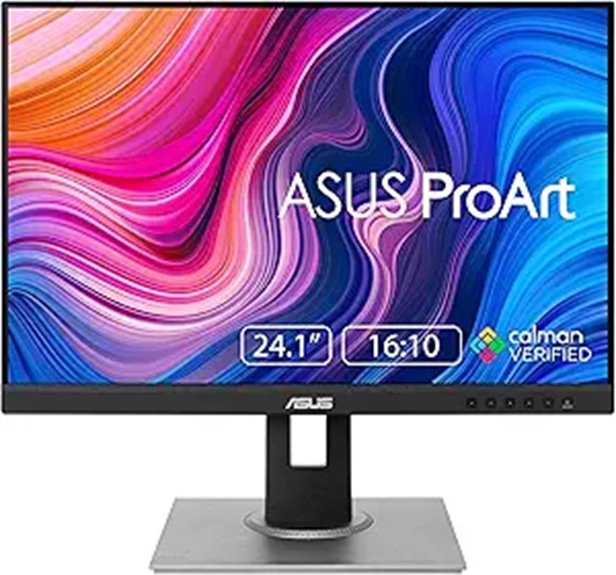
The ASUS ProArt 24.1” WUXGA Monitor stands out with its exceptional color accuracy, making it an ideal choice for creatives who demand precise and consistent hues. Its IPS panel offers wide viewing angles and excellent color consistency, covering 100% sRGB and Rec.709 color spaces. With a DeltaE below 2, it guarantees true-to-life color reproduction, verified by Calman. The monitor also features an anti-glare coating and ergonomic adjustments—tilt, pivot, swivel, and height—to optimize comfort and viewing. Out of the box, it delivers vivid, sharp images, making it perfect for professional photo editing, design, and creative workflows.
INNOCN 27″ 4K HDR Monitor with USB-C and Speakers

For photo editors seeking a reliable, high-resolution display, the INNOCN 27″ 4K HDR monitor stands out with its real 4K UHD resolution and 1000:1 contrast ratio, delivering sharp images and vibrant colors. Its advanced IPS panel ensures wide 178° viewing angles and excellent color accuracy with ∆E<2. Additionally, HDR400 support enhances contrast and color depth for more realistic visuals. The monitor’s versatile connectivity options, including USB-C with 65W power delivery, DisplayPort, and HDMI, make it easy to connect to various devices. Its ergonomic stand offers multiple adjustments, making it comfortable for extended editing sessions, while built-in speakers add convenience.
ASUS ProArt 32” 4K HDR Monitor with USB-C
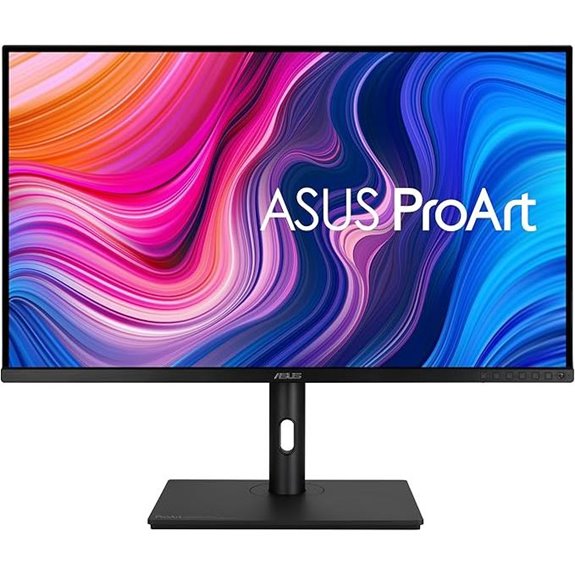
Photographers and designers seeking precise color accuracy will find the ASUS ProArt 32” 4K HDR Monitor with USB-C an excellent choice, thanks to its factory-calibrated display that achieves a Delta E < 2. It features UHD resolution with an IPS panel, 178° wide viewing angles, and supports 10-bit color, 100% sRGB, and Rec. 709 gamuts. The monitor provides high brightness at 400 cd/㎡ and HDR-10 support, ensuring vibrant, true-to-life images. Its versatile connectivity includes USB-C with Power Delivery, HDMI, DisplayPort, and USB 3.1 hub. Adjustable height and ergonomic features make it ideal for professional workflows and color-critical tasks.
24-Inch 4K UHD IPS Monitor with HDR and Speakers

If you’re looking for a compact monitor that doesn’t compromise on image quality, this 24-inch 4K UHD IPS display with HDR and built-in speakers is an excellent choice. It offers a sharp 3840 x 2160 resolution with a high pixel density of 185 PPI, producing crisp, detailed images. The IPS panel provides natural colors and wide 178° viewing angles, supported by 100% DCI-P3 coverage and HDR10 for vibrant visuals. Its ergonomic stand allows height and tilt adjustments, ensuring comfort during long editing sessions. Plus, the built-in dual 2W speakers reduce desk clutter, making it a versatile, space-efficient option for photo and video professionals alike.
ASUS ProArt 34” Ultrawide HDR Curved Monitor
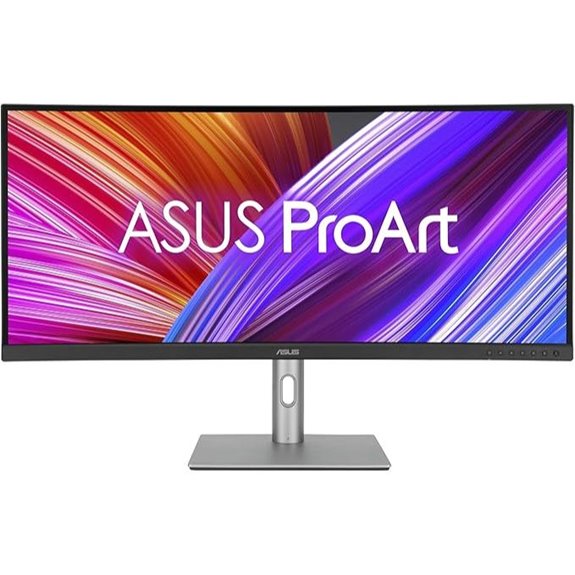
The ASUS ProArt 34” Ultrawide HDR Curved Monitor stands out as an excellent choice for professionals who need precise color accuracy and expansive screen real estate. Its 34.1-inch ultra-wide curved IPS display offers a sharp 3440×1440 resolution, ideal for detailed video editing. Factory pre-calibrated with Delta E<2 and Calman Verified, it guarantees true-to-life colors supporting 100% sRGB and Rec.709. The ergonomic design ensures comfortable use with tilt, swivel, and height adjustments. Connectivity is extensive, including USB-C with 96W Power Delivery, HDMI, and a USB hub. Weighing 23.8 pounds, it’s a reliable, feature-rich monitor tailored for demanding creative workflows.
INNOCN 27″ 4K Monitor for Mac & PC with HDR
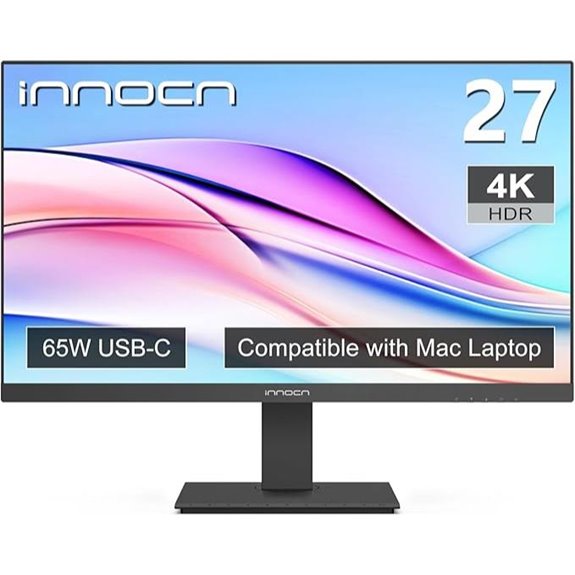
For those seeking a reliable monitor that combines 4K resolution with accurate color reproduction, the INNOCN 27″ 4K Monitor with HDR stands out as a top choice. It features true 4K UHD resolution (3840×2160) and an advanced IPS panel, ensuring vibrant, precise colors with a ∆E<2 rating. The HDR400 support enhances contrast and visual depth, making images pop. Its multiple ports—including USB-C with 65W power delivery—offer seamless connectivity to Mac and PC devices. The ergonomic stand allows for easy adjustments, and built-in speakers add convenience. Overall, it’s a versatile, high-quality monitor perfect for photo editing and creative work.
ViewSonic VP3268A-4K 32″ UHD IPS Monitor
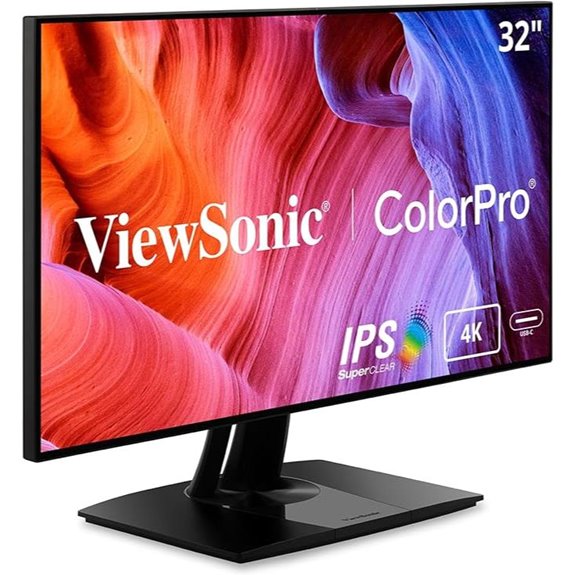
With its 32-inch 4K UHD IPS panel and factory-calibrated color accuracy, the ViewSonic VP3268A-4K stands out as an ideal choice for professional photographers and designers who demand precise and consistent colors. It offers HDR10 support, a 60Hz refresh rate, and broad color coverage including 100% sRGB and Rec. 709. The monitor’s hardware calibration report ensures Delta E<2 accuracy, while its versatile connectivity options—USB-C, HDMI, DisplayPort, Ethernet—support seamless integration with various devices. Ergonomics are well-covered with tilt, swivel, pivot, and height adjustments. Its sleek, frameless design makes it perfect for multi-monitor setups, delivering reliable, high-quality performance for creative work.
ViewSonic 27″ 4K IPS Monitor with Color Calibration
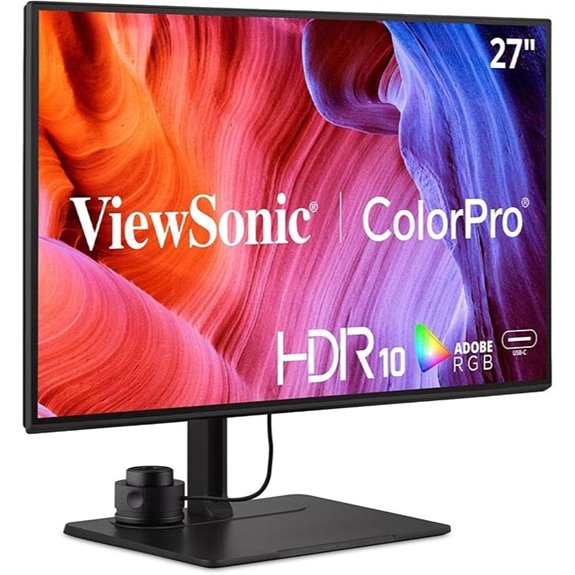
If you need a monitor that delivers exceptional color accuracy for professional photo editing, the ViewSonic 27″ 4K IPS Monitor with Color Calibration is an excellent choice. It features a sharp 3840x2160p resolution with wide color gamuts—100% Adobe RGB, 98% DCI-P3, and Rec. 709—ensuring precise color reproduction. The Delta E<2 rating further guarantees minimal color deviation. The integrated ColorPro Wheel lets me easily fine-tune colors, while the magnetic hood reduces glare for more accurate viewing. With versatile connectivity options like USB-C supporting 90W charging, it’s compatible with most devices. Its sleek design and professional features make it ideal for demanding editing tasks.
Factors to Consider When Choosing Color-Accurate Monitors for Photo Editing
When choosing a color-accurate monitor for photo editing, I focus on essential factors like color gamut coverage and factory calibration standards to guarantee true-to-life colors. Display resolution clarity and accurate color depth also matter because they affect detail and tonal accuracy in my work. Finally, I consider connectivity options to make sure the monitor fits seamlessly into my workflow.
Color Gamut Coverage
A wider color gamut, such as 99% DCI-P3 or Adobe RGB, is crucial for accurate photo editing because it enables the monitor to display a broader spectrum of colors. This ensures I can see all the nuances in my images, making color adjustments more precise. Covering 100% of sRGB and Rec. 709 is also essential, as these standards ensure my work appears consistent across digital and broadcast platforms. I look for monitors with verified factory calibration and certifications like Calman Verified, which guarantee reliable color reproduction. High-quality color gamut support allows me to visualize how my edits will look across various devices and media formats, preventing color clipping and ensuring vibrant, true-to-life images throughout my workflow.
Factory Calibration Standards
Factory calibration guarantees that monitors display accurate colors right out of the box, saving you time and effort in manual adjustments. Monitors calibrated to standards like Calman Verified and Delta E less than 2 meet strict color accuracy requirements essential for professional photo editing. This calibration involves measuring and fine-tuning the display’s color performance to guarantee consistency across units of the same model. A factory calibration report provides documentation of this accuracy, giving you confidence that the monitor will meet your critical editing needs. High-quality factory calibration is essential for true-to-life color reproduction, which is indispensable for professional photo editing and color grading. When selecting a monitor, check for reputable calibration standards and certification to assure reliable, consistent performance from the start.
Display Resolution Clarity
Choosing a monitor with high display resolution is vital for ensuring sharp, detailed images in photo editing. Resolutions like 4K or 5K deliver crisp, clear visuals that help you see every detail accurately. A minimum of 2560×1440 (QHD) is recommended for professional work, providing enough clarity for precise pixel representation. The pixel density, measured in PPI, also matters—higher PPI means finer detail and better image accuracy. Monitors supporting true 4K or higher resolutions minimize pixelation, making zooming and editing fine details much easier. It’s imperative that the monitor natively supports your desired resolution to avoid scaling issues, which can compromise clarity. Ultimately, a high-resolution display ensures you see your photos as accurately and sharply as possible during every stage of editing.
Accurate Color Depth
When selecting a monitor for photo editing, color depth plays a pivotal role in ensuring your images display with accurate and smooth color shifts. A high color depth, like 10-bit or higher, enables the monitor to display over a billion colors, creating seamless gradients and precise color progressions. Monitors with 8-bit color depth rely on dithering to simulate additional colors, which can cause subtle banding in gradients—something you want to avoid. True 10-bit support, often achieved through specialized hardware calibration, is essential for maintaining color fidelity in professional workflows. It allows for fine color variations, critical for accurate color matching and editing. Additionally, ensuring your monitor supports international color standards and calibration tools helps maintain consistent, reliable color accuracy across your projects.
Connectivity Options Flexibility
Having a monitor with versatile connectivity options is essential for a smooth and efficient photo editing workflow. I look for models that include HDMI, DisplayPort, USB-C, and DVI-D, ensuring compatibility with various devices and setups. USB-C with Power Delivery is particularly valuable, as it allows me to connect a single cable for video, data, and charging, reducing clutter. Support for daisy-chaining multiple monitors via DisplayPort helps expand my workspace without complex cabling. Additionally, extra ports like USB hubs and audio jacks add convenience for peripherals and audio devices. Compatibility with both Windows and Mac systems is also indispensable, enabling seamless integration across my different operating environments. Overall, flexible connectivity options help create a streamlined, clutter-free editing environment.
Ergonomic Adjustability Features
Ergonomic adjustability features are essential for creating a comfortable and efficient photo editing environment. Adjustable height, tilt, pivot, and swivel functions let you position your monitor for ideal viewing, reducing strain during long editing sessions. A monitor stand that’s customizable helps you maintain proper posture, which can decrease neck, shoulder, and eye fatigue, boosting both comfort and productivity. When the monitor allows precise ergonomic adjustments, it easily aligns with your unique workspace setup, ensuring consistent color accuracy and comfort. Proper ergonomic features also help mitigate the effects of extended screen time, supporting your focus and reducing the risk of repetitive strain injuries. Prioritizing these features is key to protecting your health and maintaining peak visual performance throughout your editing workflow.
Calibration and Maintenance
Choosing a monitor with reliable calibration and easy maintenance options is key to maintaining consistent color accuracy over time. Regular calibration with hardware tools ensures that colors stay true, preventing drift that can compromise editing precision. Look for factory-calibrated monitors with a Delta E less than 2, indicating minimal color deviation. Monitors certified as Calman Verified have been tested for high color fidelity, reducing the need for frequent adjustments. To preserve calibration, avoid physical shocks and extreme temperature changes during use. Periodic recalibration is also recommended, especially after software updates or extended use, to keep colors accurate. Proper maintenance extends your monitor’s lifespan and ensures your photo editing remains precise and consistent, providing confidence in your work over the long term.
Frequently Asked Questions
How Do Ambient Lighting Conditions Affect Monitor Color Accuracy?
Ambient lighting considerably impacts monitor color accuracy because it influences how we perceive colors on the screen. Bright or uneven lighting can cause glare or reflections, making colors appear different than they truly are. I always recommend working in a consistent, neutral lighting environment to guarantee your monitor displays colors accurately. Adjusting your monitor’s brightness and contrast to match ambient conditions also helps maintain color fidelity during editing.
What Is the Typical Lifespan of Color Calibration in Professional Monitors?
The typical lifespan of color calibration in professional monitors usually ranges from six months to a year, but it can feel like forever when your colors start drifting! I recommend recalibrating regularly, especially if you’re working on critical projects. Factors like usage intensity and monitor quality influence this, so staying vigilant helps maintain stunning accuracy. Trust me, consistent calibration saves tons of time and keeps your work impeccable.
Are There Specific Color Spaces That Are More Compatible With Certain Monitors?
Yes, certain monitors work better with specific color spaces. For example, Adobe RGB monitors excel in photography work, offering a wider color gamut, while sRGB monitors are more compatible with web and general use. I recommend checking your workflow needs and selecting a monitor that supports the color space you’ll be most often working in. This guarantees color accuracy and consistency across your projects.
How Often Should I Recalibrate a High-End Photo Editing Monitor?
Ever wonder how often you should recalibrate your high-end monitor? I recommend doing it at least once a month to maintain color accuracy, especially if you use your monitor daily. Changes in ambient lighting and monitor aging can affect color consistency. Regular calibration guarantees your edits stay true across different devices and prints. Trust me, consistent calibration keeps your work looking professional and saves you from surprises later.
Can Software Calibration Fully Replace Hardware Calibration for Accuracy?
Software calibration can improve your monitor’s color accuracy, but it doesn’t fully replace hardware calibration. Hardware calibrators adjust the monitor’s internal settings directly, resulting in more precise and consistent colors. Software solutions are convenient and often good enough for casual editing, but for professional work where color accuracy is critical, I recommend investing in a hardware calibrator. It’s a small cost for markedly better results.
Conclusion
Choosing the right color-accurate monitor can elevate your photo editing game markedly. Did you know that professional editors report up to 30% faster workflow with monitors that offer true color precision? Investing in one of these top-rated options ensures your edits are consistent and stunning across devices. Remember, your monitor is the foundation of your creativity—so pick wisely and bring your vision to life with confidence!