
If you’re looking for the best ultrawide monitors for video editing and multitasking in 2025, I recommend considering models with high resolution, excellent color accuracy, and adjustable ergonomics. Features like 3440×1440 or 3840×1600 screens, wide color gamuts, HDR support, and fast response times really make a difference. Size and curvature also enhance comfort, vital for long editing sessions. Stay with me, and you’ll discover the top picks tailored for your workflow needs.
Key Takeaways
- Prioritize monitors with high resolution (3440×1440 or higher) for sharp visuals and detailed editing workflows.
- Select models with wide color gamut coverage (99% sRGB or DCI-P3) for accurate color reproduction.
- Opt for ultrawide screens with high refresh rates (120Hz+) and low response times for smooth multitasking and editing.
- Ensure ergonomic features like height, tilt, and VESA mount support for comfortable extended use.
- Consider connectivity options such as USB-C with Power Delivery and multiple ports for versatile device integration.

Sceptre 34-Inch Curved Ultrawide WQHD Monitor (3440 × 1440), R1500, up to 180Hz/165Hz, DisplayPort x2, 99% sRGB, 1ms, Built-in Speakers, Machine Black, 2025 (C345B-QUT168)
1ms MPRT: Colors fade and illuminate instantly with a 1ms response time, eliminating ghosting and piecing together precise...
As an affiliate, we earn on qualifying purchases.
Sceptre 34-Inch Curved Ultrawide WQHD Monitor (C345B-QUT168)
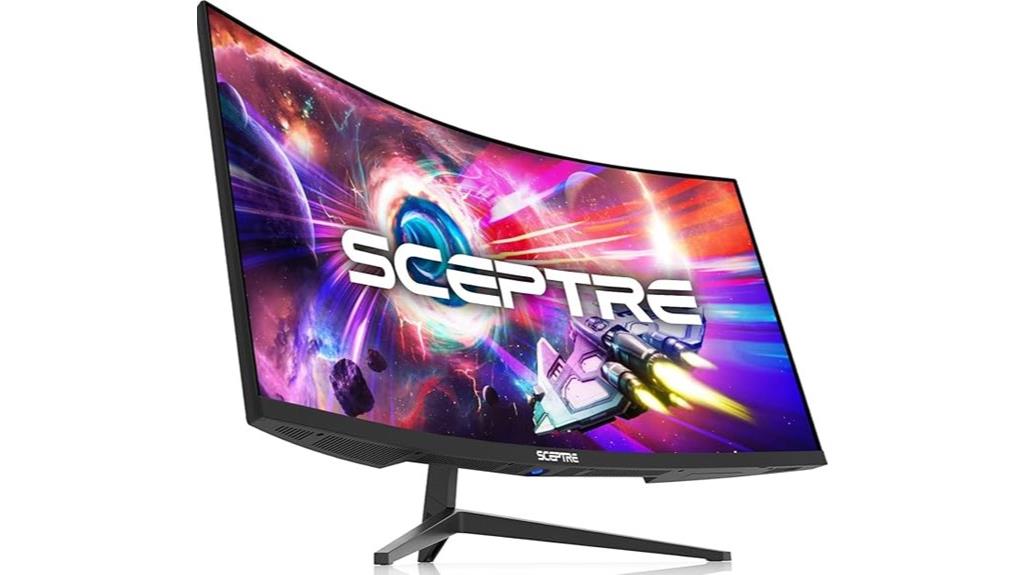
If you’re looking for a monitor that maximizes screen space and delivers vibrant, accurate colors, the Sceptre 34-Inch Curved Ultrawide WQHD Monitor (C345B-QUT168) is an excellent choice. Its 34-inch curved display with a 3440 x 1440 resolution provides 30% more viewing area than standard monitors, perfect for multitasking and editing. The 99% sRGB color gamut ensures precise, vivid colors, vital for video work. With a high refresh rate of up to 180Hz and a 1ms response time, it offers smooth visuals and minimal ghosting. The sleek, modern design with built-in LED lights makes it both functional and stylish.
Best For: users seeking an expansive, immersive ultrawide display with vibrant color accuracy for gaming, professional work, and multimedia.
Pros:
- Large 34-inch curved ultrawide screen enhances multitasking and immersive viewing experience
- 99% sRGB color gamut delivers accurate and vibrant colors suitable for creative work
- High refresh rate up to 180Hz and 1ms response time ensure smooth visuals and minimal ghosting
Cons:
- Expected release in 2025, so not immediately available for purchase
- May require high-performance hardware to fully utilize high refresh rates and resolution
- Built-in LED backcover lights, while stylish, may not appeal to all users seeking a minimalist design

Philips 34E1C5600HE 34" UltraWide QHD 21:9 Monitor with Built-in Windows Hello Webcam & Noise Canceling Mic, USB-C Docking, Stereo Speakers, 100Hz, 4-Year Advance Replacement,Black
EXPAND YOUR HORIZONS: 3440 x1440 UltraWide QHD (WQHD) resolution with 21:9 aspect ratio for efficient productivity
As an affiliate, we earn on qualifying purchases.
Philips 34E1C5600HE 34″ UltraWide QHD Monitor
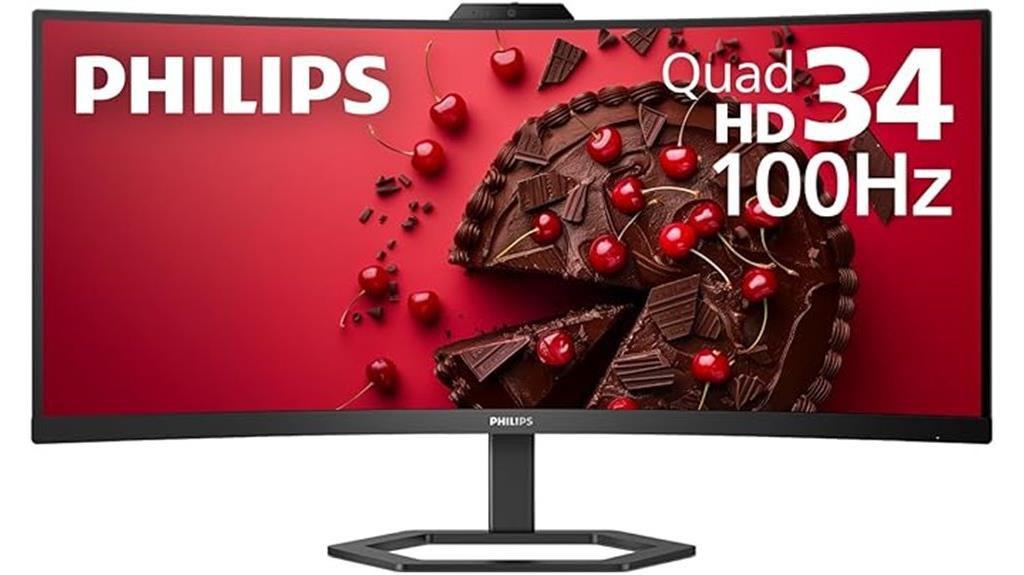
The Philips 34E1C5600HE 34″ UltraWide QHD Monitor stands out as an excellent choice for professionals who need immersive visuals and precise color accuracy. Its 3440 x 1440 resolution and 21:9 aspect ratio boost productivity and multitasking. The curved VA panel with a 1500R radius offers an engaging viewing experience while reducing eye strain. With Ultra Wide-Color technology, it delivers vibrant, true-to-life images, covering over 123% sRGB and nearly 100% NTSC. The built-in 5MP Windows Hello webcam, noise-canceling mic, and stereo speakers enhance remote work. Plus, a single USB-C cable simplifies connectivity, making it a versatile, all-in-one solution.
Best For: professionals and remote workers who require an immersive, high-quality display with efficient multitasking capabilities and integrated webcam for seamless virtual meetings.
Pros:
- Immersive 34″ UltraWide QHD (3440 x 1440) resolution with curved VA panel for enhanced viewing experience.
- Vibrant color accuracy with Ultra Wide-Color technology covering over 123% sRGB and nearly 100% NTSC.
- Convenient all-in-one connectivity with a single USB-C cable supporting data, 4K video, and up to 65W Power Delivery.
Cons:
- 100Hz refresh rate may be limiting for high-end gaming enthusiasts.
- The curved design might not suit users preferring flat screens for certain tasks.
- Limited information on adjustability; may lack extensive ergonomic features.
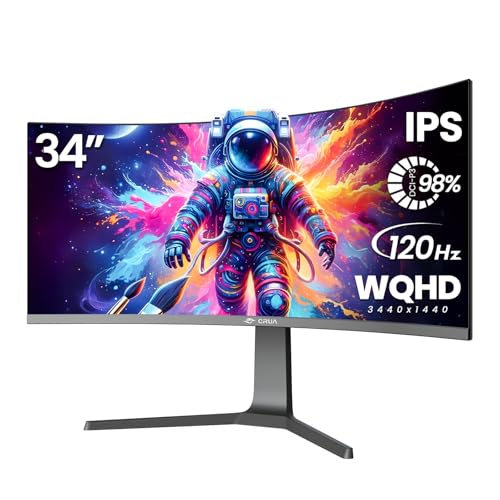
CRUA 34" Curved Gaming Monitor, IPS WQHD(3440x1440P) 120Hz 1900R 21:9 UltraWide PC Display, 130% sRGB, AMD FreeSync, Blue Light Filter, HDMI/DP Ports, Wall Mountable Installs– Black
34Inch Curved Gaming Monitor: The 34 ultra-wide monitor features a 3440x1440 WQHD resolution 1900R curvature and a 178°...
As an affiliate, we earn on qualifying purchases.
CRUA 34″ Curved Gaming Monitor with IPS WQHD (3440×1440) 120Hz 21:9 UltraWide Display

For video editors and multitaskers who need a wide, immersive workspace, the CRUA 34″ curved monitor offers an exceptional solution. Its 34-inch ultra-wide curved screen with 3440×1440 resolution and 1900R curvature delivers deep contrast and wide viewing angles, perfect for multitasking and media consumption. The IPS panel covers 98% DCI-P3 and 130% sRGB, ensuring vibrant, accurate colors ideal for creative work. With a 120Hz refresh rate and AMD FreeSync support, it provides smooth visuals and reduces tearing during fast-paced tasks. Connectivity options and eye-comfort features make this monitor versatile and comfortable for long editing sessions.
Best For: video editors, multitaskers, and creative professionals seeking an immersive, color-accurate ultra-wide monitor for editing, media consumption, and multitasking.
Pros:
- Vibrant color coverage with 98% DCI-P3 and 130% sRGB for accurate color representation
- Ultra-wide 34-inch curved display with high resolution and 120Hz refresh rate for smooth visuals
- Flexible connectivity options including HDMI 2.0 and DisplayPort 1.4, plus VESA mount compatibility
Cons:
- No built-in speakers, requiring external audio devices for sound
- Limited to HDMI 2.0, which may restrict some high-bandwidth features on newer systems
- No mention of USB-C or additional ports, potentially limiting peripheral connectivity

Samsung 34' Odyssey G5 Ultra-Wide Gaming Monitor with 1000R Curved Screen, 165Hz, 1ms, FreeSync Premium, Large Display, Eye Comfort, Multiple Ports, WQHD, LC34G55TWWNXZA, Black
OPTIMAL CURVE, TRUE IMMERSION: The all-encompassing 1000R display fills every part of your peripheral vision and draws you...
As an affiliate, we earn on qualifying purchases.
Samsung 34″ Odyssey G5 Ultra-Wide Gaming Monitor
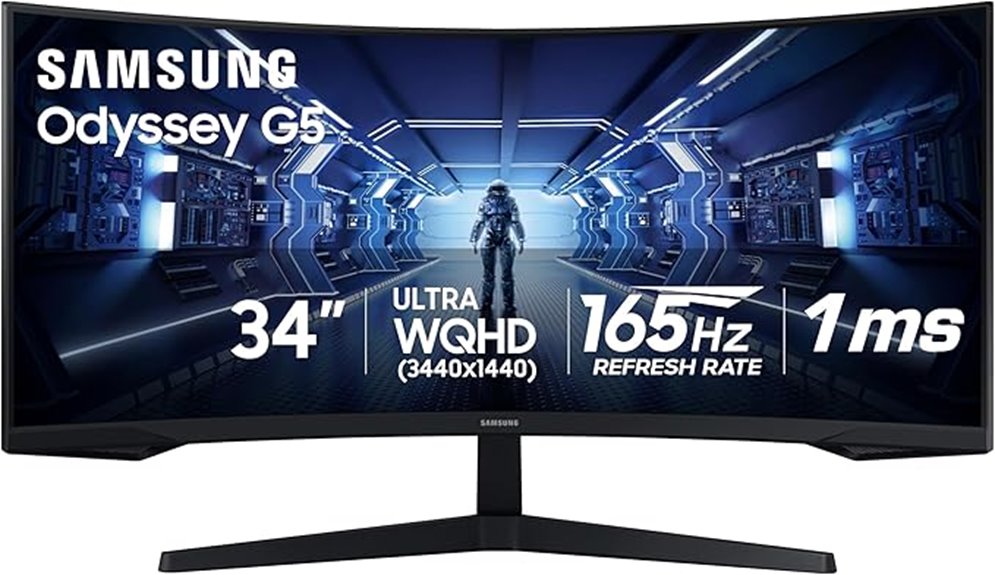
With its expansive 34-inch curved display and ultra-wide 1000R curvature, the Samsung Odyssey G5 is ideal for gamers and multitaskers who crave immersive visuals and smooth performance. The WQHD resolution delivers sharp, detailed images that enhance productivity and gaming alike. HDR10 support guarantees vibrant, true-to-life colors, while the VA panel offers excellent contrast for dark and bright scenes. The 165Hz refresh rate and 1ms response time reduce motion blur and input lag, providing fluid gameplay. Adaptive Sync technology minimizes tearing and stuttering, ensuring seamless experiences. Designed with eye comfort in mind, it’s perfect for long sessions without fatigue.
Best For: gamers and multitaskers seeking an immersive, high-performance ultra-wide monitor with smooth visuals and comfortable viewing for extended sessions.
Pros:
- Ultra-wide 34-inch curved display with 1000R curvature for immersive gaming and multitasking
- High 165Hz refresh rate and 1ms response time for smooth, responsive gameplay
- HDR10 support and VA panel provide vibrant colors and excellent contrast
Cons:
- Large size may require significant desk space and setup considerations
- Limited to black design, which may not suit all aesthetic preferences
- May be more expensive compared to standard monitors with lower specs
LG 34-inch QHD Curved Smart Monitor
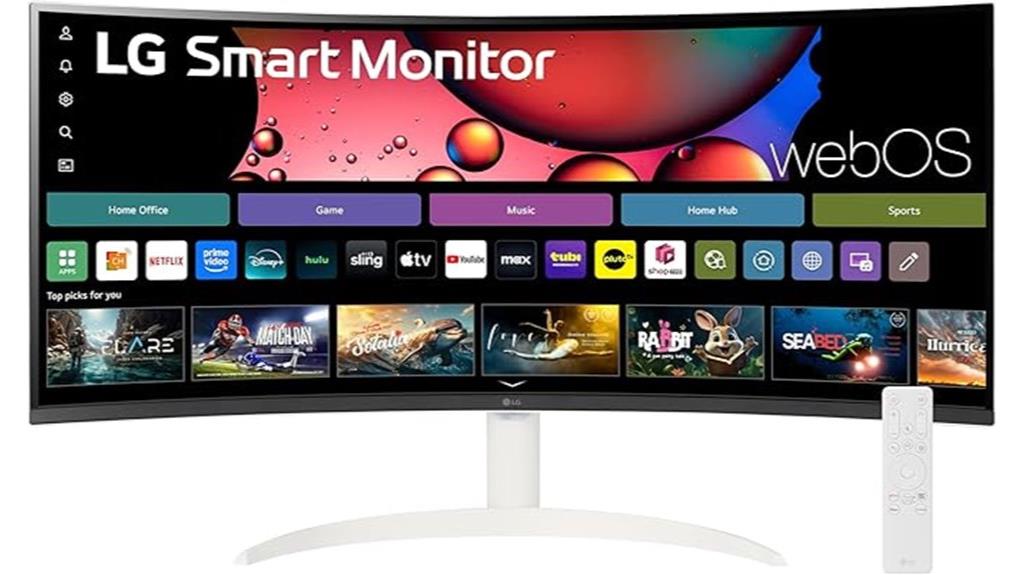
If you’re looking to elevate your multitasking and video editing experience, the LG 34-inch QHD Curved Smart Monitor stands out thanks to its immersive 34-inch ultrawide display. With a 3440×1440 resolution and 1800R curve, it delivers vibrant, accurate colors and enhanced contrast through HDR10, making editing and content creation more precise. Its nearly frameless design offers a sleek look, while built-in speakers and a Magic Remote simplify navigation. Multiple ports, wireless casting, and compatibility with Apple’s AirPlay 2 make connecting devices effortless. The 100Hz refresh rate ensures smooth visuals, making this monitor a versatile choice for both work and entertainment.
Best For: professionals and enthusiasts seeking an immersive, versatile monitor for multitasking, video editing, and entertainment with seamless device connectivity.
Pros:
- Ultra-wide 34-inch QHD curved display provides an expansive, immersive viewing experience.
- HDR10 support and 99% sRGB color gamut ensure vibrant, accurate visuals ideal for creative work.
- Built-in speakers, webOS23 platform, and wireless connectivity options enhance multimedia and smart features.
Cons:
- The large size may require significant desk space and setup considerations.
- Limited to 100Hz refresh rate, which may not satisfy high-end gaming enthusiasts seeking higher refresh rates.
- Requires compatible devices for full wireless casting and smart features, which may involve additional setup.
CRUA 30-Inch Ultrawide Curved Monitor (2560x1080P, 120Hz, Supports FreeSync)
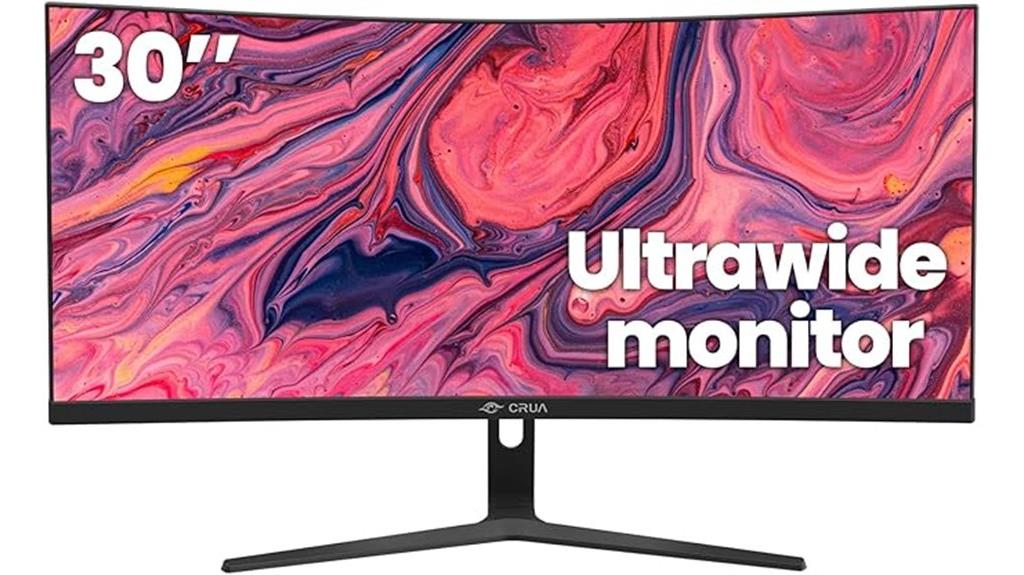
The CRUA 30-Inch Ultrawide Curved Monitor stands out for its immersive 21:9 aspect ratio combined with a curved design, making it an excellent choice for multitaskers and video editors alike. Its 2560x1080P WFHD resolution, paired with a VA panel, delivers vibrant colors—covering 120% of sRGB—and high contrast for sharp visuals. The 1500R curvature enhances immersion, while the 120Hz refresh rate and FreeSync support guarantee smooth, tear-free playback. Adjustable tilt and wall-mount compatibility add ergonomic flexibility. With multiple input options and low blue light mode, this monitor accommodates extended use, boosting productivity and visual comfort in various creative and professional tasks.
Best For: multitaskers, video editors, and professionals seeking an immersive ultrawide curved display for enhanced productivity and visual detail.
Pros:
- Wide 21:9 aspect ratio and curved design provide immersive viewing and reduce head movement
- Supports FreeSync and 120Hz refresh rate for smooth, tear-free gaming and video playback
- Versatile connectivity options including HDMI 2.0 and DisplayPort 1.4
Cons:
- Lower resolution (2560x1080P) may not match 4K standards for ultra-high detail tasks
- Limited tilt adjustment (-5° to 15°), which might not suit all ergonomic preferences
- No built-in speakers, requiring external audio solutions
SANSUI 34-Inch Curved Gaming Monitor (UWQHD 3440×1440, 165Hz, HDR, FreeSync)

For serious multitaskers and gamers alike, the SANSUI 34-Inch Curved Gaming Monitor stands out thanks to its expansive UWQHD 3440×1440 resolution and ultra-smooth 165Hz refresh rate. The 1500R curvature enhances immersion and reduces eye strain during long sessions. Its vibrant color coverage—125% sRGB and 95% DCI-P3—delivers stunning visuals, supported by HDR and flicker-free technology. With multiple connectivity options, including DisplayPort 1.4 and HDMI, it offers flexible setup. The ergonomic stand allows tilt adjustment, and VESA compatibility ensures versatile mounting. Overall, this monitor balances performance and comfort for both gaming and detailed video editing tasks.
Best For: gamers and multitaskers seeking an immersive ultrawide display with high refresh rates and vibrant visuals for gaming, video editing, and productivity.
Pros:
- Ultra-wide UWQHD 3440×1440 resolution offers expansive viewing area and detailed visuals
- 165Hz refresh rate with 1ms response time ensures smooth, responsive gaming experience
- Wide color coverage (125% sRGB, 95% DCI-P3) and HDR support deliver vivid, accurate colors and stunning image quality
Cons:
- No built-in speakers, requiring external audio devices for sound
- Limited HDMI refresh rate (up to 100Hz), which may not fully utilize the monitor’s capabilities via HDMI
- Slightly bulky design with a 1500R curvature may not suit all desk setups or preferences
LG 34-inch UltraWide Curved Computer Monitor

The LG 34-inch UltraWide Curved Computer Monitor stands out for its wide 21:9 aspect ratio and high-resolution WQHD display, making it an excellent choice for multitasking and video editing. Its curved design enhances immersion, while HDR10 support and 99% sRGB coverage deliver vibrant, accurate colors. The 100Hz refresh rate and 5ms response time ensure smooth visuals for streaming and gaming. With a three-sided borderless setup and versatile connectivity—including USB-C with 65W power delivery—it’s easy to connect multiple devices. The monitor’s adjustable stand and OnScreen Control software provide customizable comfort and workspace organization, making it a versatile, user-friendly option for demanding workflows.
Best For: professionals and enthusiasts seeking a wide, high-quality display for multitasking, gaming, streaming, and creative work.
Pros:
- UltraWide 34-inch WQHD curved screen provides immersive viewing and ample workspace.
- Supports HDR10 and 99% sRGB for vibrant, accurate colors ideal for content creation and media consumption.
- Versatile connectivity options, including USB-C with 65W power delivery, simplify device management.
Cons:
- Larger size may require substantial desk space and ergonomic adjustments.
- Curved monitor might not be suitable for all users or work environments.
- Premium features can come at a higher price point compared to standard monitors.
INNOCN 40C1R Ultrawide Monitor (40″ WQHD, 3440×1440, 144Hz, HDR400, 21:9, IPS, USB Type-C, HDMI, Adjustable Mount)

If you’re looking to maximize productivity and enjoy immersive visuals, the INNOCN 40C1R Ultrawide Monitor is an excellent choice, especially for video editors and multitaskers. Its 40-inch WQHD display with a 21:9 aspect ratio provides 3440×1440 resolution, offering ample space for multitasking and detailed editing. The high refresh rate of 144Hz, HDR400 support, and 95% DCI-P3 color gamut guarantee smooth visuals and vibrant color accuracy. With adjustable tilt, swivel, and height, plus multiple connectivity options like USB Type-C and HDMI, this monitor combines ergonomic comfort with versatile compatibility, making it a powerful tool for creative workflows.
Best For: creative professionals, video editors, and multitaskers seeking an expansive, high-resolution ultrawide display with vibrant colors and ergonomic adjustability.
Pros:
- Large 40-inch ultrawide screen with 3440×1440 resolution enhances multitasking and detailed editing.
- Supports HDR400 and 95% DCI-P3 color gamut for vivid, true-to-life visuals.
- Multiple connectivity options including USB Type-C and HDMI, with adjustable stand for ergonomic comfort.
Cons:
- Larger size may require more desk space and specific mounting considerations.
- Higher power consumption typical of high-brightness, high-resolution monitors.
- Premium features and specifications may come at a higher price point compared to standard monitors.
Dell 34 Plus USB-C Curved Monitor (S3425DW)
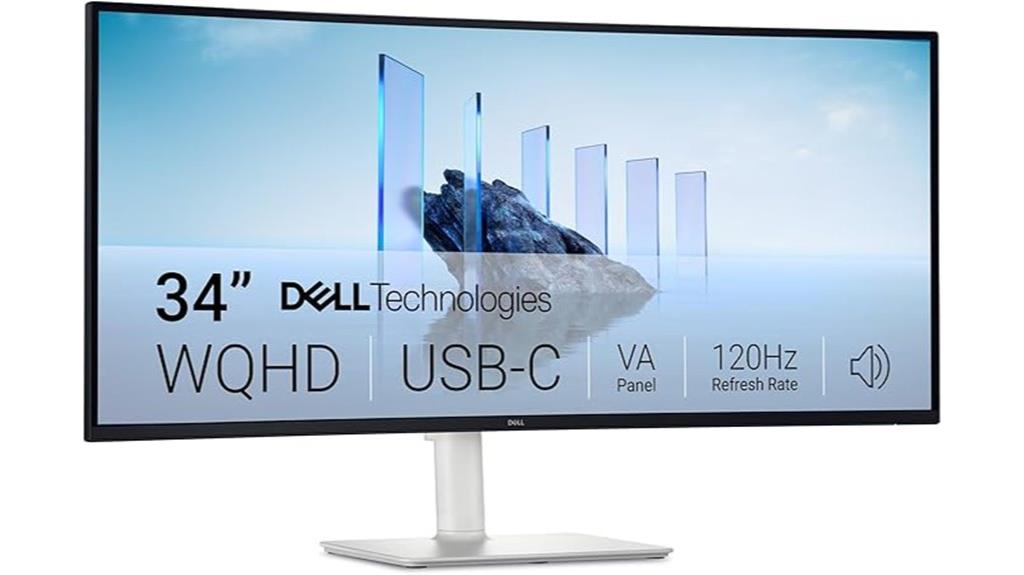
The Dell 34 Plus USB-C Curved Monitor (S3425DW) stands out as a top choice for professionals who need immersive visuals and sleek connectivity. Its 34-inch curved VA panel delivers sharp 3440×1440 resolution and vibrant colors with 99% sRGB and 95% DCI-P3 coverage. The 120Hz refresh rate with AMD FreeSync ensures smooth motion, ideal for video editing and multitasking. The monitor features HDR readiness, a high contrast ratio of 3000:1, and blue light reduction for comfort during long sessions. Its single USB-C port provides up to 65W power delivery, keeping your desk clutter-free. Overall, it balances performance, design, and eye comfort effectively.
Best For: professionals seeking an immersive, color-accurate monitor with smooth visuals for gaming, video editing, and multitasking.
Pros:
- Vibrant color coverage with 99% sRGB and 95% DCI-P3 for true-to-life visuals
- Smooth 120Hz refresh rate with AMD FreeSync Premium for fluid motion
- Clutter-free connectivity via a single USB-C port with 65W power delivery
Cons:
- Larger footprint may require ample desk space
- Only one USB-C port could limit peripheral connections
- Premium features may come at a higher price point
Factors to Consider When Choosing Ultrawide Monitors for Video Editing and Multitasking
When choosing an ultrawide monitor for video editing and multitasking, I focus on key factors like resolution, color accuracy, and screen size to guarantee crisp visuals and precise work. I also consider refresh rates and response times for smooth performance, along with connectivity options that match my workflow. Understanding these points helps me pick a monitor that meets my needs without compromise.
Screen Resolution and Clarity
Choosing an ultrawide monitor with high screen resolution considerably enhances your video editing and multitasking experience. A resolution like 3440 x 1440 WQHD delivers higher pixel density, resulting in sharper, more detailed images that are essential for precise editing. The increased pixel count reduces the need for zooming or panning, streamlining your workflow. Clarity is vital for tasks like color grading and fine detail work, which demand accurate visuals. Monitors with 5 million or more pixels provide refined visuals, minimizing artifacts and boosting overall fidelity. Additionally, support for HDR and wide color gamuts like sRGB or DCI-P3 ensures that colors are represented accurately and vividly. Prioritizing resolution and clarity helps create a more efficient, visually true editing environment.
Color Accuracy Standards
Since accurate color reproduction is essential for professional video editing, I pay close attention to monitors that meet strict color accuracy standards. A key metric is sRGB coverage, ideally 99% or higher, ensuring vibrant, true-to-life colors. Many top ultrawide monitors also target at least 95% DCI-P3 coverage, which is crucial for HDR content and wider color gamuts. Calibration reports showing a Delta E (ΔE) below 2 are vital, as they indicate precise color matching and consistency. Additionally, standards like Rec. 709 and Rec. 2020 serve as benchmarks for color performance in video production. High-quality monitors often include hardware or factory calibration to maintain accurate colors over time, making them reliable tools for professional editing and multitasking.
Screen Size and Curve
Ever wonder how screen size and curvature influence your editing and multitasking experience? Larger screens, like 34 inches or more, offer more workspace, making it easier to handle multiple windows or detailed editing tasks simultaneously. Curved monitors with a radius of 1500R to 1800R improve immersion and reduce distortion at the edges, which helps prevent eye fatigue during long sessions. A curve that closely matches your natural field of view, around 1800R to 1500R, minimizes eye strain and creates a more comfortable viewing experience. Ultrawide screens with a 21:9 aspect ratio increase horizontal space, allowing you to view timelines or multiple windows without overlap. Ultimately, the right size and curve depend on your workflow and preference for comfort versus immersion.
Refresh Rate and Response Time
When selecting an ultrawide monitor for video editing and multitasking, the refresh rate and response time play a significant role in your overall experience. A higher refresh rate, like 120Hz or above, ensures smoother motion, which is especially helpful when working with fast shifts, animations, or high frame rate footage. Response time, ideally 1ms or lower, reduces motion blur and ghosting, making it easier to see fine details and get accurate previews during editing. Fast response times improve real-time playback clarity, vital for tasks like color grading and effects adjustments. Additionally, a higher refresh rate helps maintain smooth cursor movement and window shifts across large screens, enhancing overall multitasking efficiency. These factors directly impact the precision and fluidity of your editing and workflow.
Connectivity Options
Choosing the right connectivity options is essential for maximizing your ultrawide monitor’s versatility in video editing and multitasking. I recommend selecting a monitor with multiple input ports like HDMI, DisplayPort, and USB-C to connect various devices simultaneously, ensuring seamless workflow. Look for high-bandwidth connections such as USB-C with Power Delivery, which can reduce cable clutter and allow charging your laptop directly from the monitor. Additional features like built-in USB hubs or audio jacks expand peripheral options without needing extra adapters. Confirm that the ports support your existing equipment’s resolution and refresh rate requirements to avoid compatibility issues. Ultimately, consider monitors with VESA mount compatibility for flexible positioning and integration into your workspace, enhancing both functionality and ergonomics.
Ergonomic Adjustability
Ergonomic adjustability is essential for creating a comfortable and productive workspace, especially during long video editing sessions. Features like height, tilt, swivel, and pivot allow me to customize the monitor’s position for maximum comfort, reducing strain on my neck, back, and eyes. Monitors with adjustable stands and VESA compatibility make it easy to align the display perfectly with my seating setup, supporting better posture and health. Flexibility in positioning lets me organize multiple screens efficiently, streamlining my workflow. These adjustments are crucial for accommodating different work environments and personal preferences, helping me stay comfortable over extended periods. Ultimately, ergonomic adjustability ensures I can work longer with less fatigue, boosting both productivity and well-being.
Price and Warranty
Price and warranty are key factors to consider alongside ergonomic features when selecting an ultrawide monitor for video editing and multitasking. It’s important to choose a model that fits your budget without sacrificing performance. Keep an eye on the price range, as higher-end monitors often include extended warranties and extra support options, adding value to your investment. Check the warranty period and coverage details—longer warranties, such as 3 to 5 years, offer peace of mind, especially for professional setups. Some monitors come with advanced services like overnight replacement or on-site repairs, reducing downtime during issues. Balancing cost with warranty benefits ensures you get a reliable monitor that supports your demanding work, providing both financial protection and confidence in your purchase.
Frequently Asked Questions
How Does Curved vs. Flat Ultrawide Impact Editing Accuracy?
Curved ultrawide monitors often improve editing accuracy by providing a more immersive view and reducing distortion at the edges, helping me see details more clearly. Flat screens offer consistent image quality across the entire surface, which is great for precise pixel work. I find curved monitors ideal for multitasking and creative workflows, while flat screens are better for tasks requiring absolute accuracy. It ultimately depends on your editing style and preferences.
What Are the Best Connectivity Options for Professional Workflows?
For professional workflows, I prioritize monitors with multiple connectivity options like Thunderbolt 3 or 4, USB-C, HDMI, and DisplayPort. These guarantee seamless connection to my laptop, external drives, and peripherals. I also look for daisy-chaining capabilities to keep my workspace tidy. Having versatile ports means I can switch devices easily without hassle, keeping my editing process smooth and efficient.
How Do Different Panel Types Affect Color Accuracy and Consistency?
Different panel types impact color accuracy and consistency markedly. IPS panels are my go-to because they offer better color reproduction and wider viewing angles, making my edits look consistent from various perspectives. VA panels excel in contrast, but can sometimes struggle with color accuracy. TN panels are faster but less precise with colors. I recommend IPS for professional work, ensuring reliable, true-to-life colors every time.
Are Higher Refresh Rates Beneficial for Video Editing?
Higher refresh rates aren’t crucial for video editing since they mainly benefit smooth motion in gaming or fast-paced visuals. I find that focus on color accuracy, resolution, and calibration matters more for editing work. However, a higher refresh rate can make your workflow feel smoother, especially when multitasking or moving through timelines. So, while not essential, it can enhance overall user experience, but prioritize other specs for editing precision.
What Ergonomic Features Are Essential for Long Editing Sessions?
For long editing sessions, ergonomic features are essential—think adjustable height, tilt, and swivel options, like a trusted ergonomic chair. These features prevent strain, unlike static monitors that leave you sore and uncomfortable. I always prioritize a monitor with a height adjuster and good screen positioning, so I stay comfortable and productive. Remember, investing in ergonomics isn’t just about comfort; it’s about maintaining focus and health during those marathon editing days.
Conclusion
Choosing an ultrawide monitor in 2025 is like having a Swiss Army knife for your workspace—versatile, efficient, and built for the modern video editor. Whether you’re juggling multiple projects or diving deep into detailed edits, these options ensure you stay ahead of the curve, no matter if you’re in the early days of digital or still dreaming of the future like a sci-fi flick. Trust me, these screens will keep you sharp and prepared for whatever’s next.