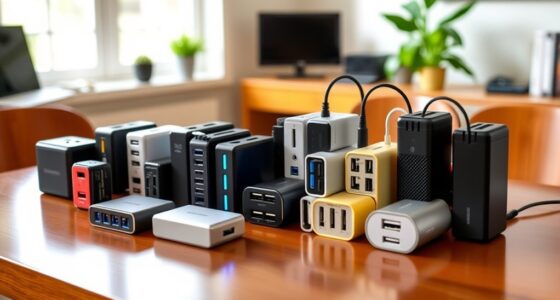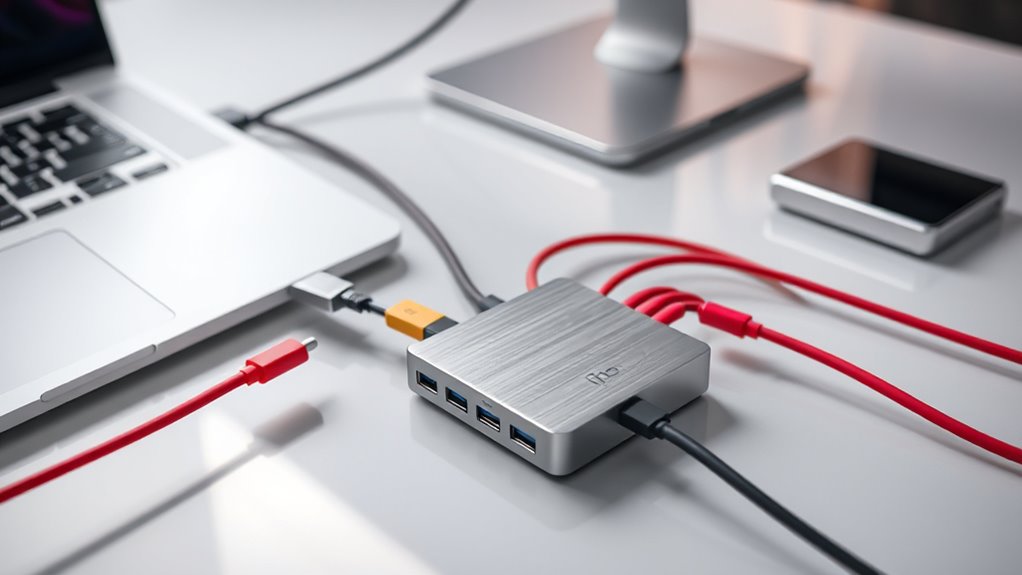

If you’re looking to upgrade your MacBook’s connectivity in 2025, I recommend checking out the top USB-C hubs from brands like Anker and Belkin. These models offer a mix of HDMI, USB-A/C, SD card slots, and power pass-through, ensuring you can connect multiple devices effortlessly. Many support high resolutions and fast data transfer, perfect for work or entertainment. Keep exploring, and I’ll share some expert tips to help you pick the best hub for your needs.
Key Takeaways
- Compatibility with MacBook models, supporting high-resolution video, fast data transfer, and pass-through charging for versatile use.
- Diverse port options including HDMI, USB-A, USB-C, SD/microSD, and Ethernet for comprehensive connectivity.
- Support for dual 4K or 5K displays, enabling efficient multi-monitor setups in 2025.
- High-speed data transfer rates up to 40 Gb/s and power delivery up to 100W for fast performance and charging.
- Durable, portable designs with safety features, ideal for professionals, students, and travelers.
Anker USB C Hub, 5-in-1 USBC to HDMI & USB Ports

If you’re looking for a versatile hub that simplifies connectivity without sacrificing performance, the Anker USB C Hub is a great choice, especially for users who need reliable video and data transfer. It features five ports: a 4K HDMI for high-quality video, two USB-A 3.0 ports, a USB-C data port, and a USB-C 100W PD-IN for charging. It supports up to 85W pass-through charging, ideal for keeping your MacBook powered during use. Transfer speeds reach 5 Gbps, and the HDMI streams in 4K@30Hz. Compatible with MacBook, Windows, and ChromeOS, it’s a reliable, all-in-one solution for expanding your device’s capabilities.
Best For: users who need a reliable, multi-port hub to expand their laptop or tablet’s connectivity for video, data transfer, and charging.
Pros:
- Supports 4K HDMI output at 30Hz for high-quality video streaming.
- Provides up to 85W pass-through charging to keep devices powered.
- Compatible with multiple operating systems including macOS, Windows, and ChromeOS.
Cons:
- USB-C 100W port is only for charging, not data transfer.
- Does not support video output via USB-C or HDMI ports simultaneously.
- Requires an external charger (not included) for full charging capabilities.
Anker USB C Hub for MacBook (7-in-2 with HDMI)

The Anker USB C Hub for MacBook stands out as a top choice for users who need reliable, high-speed connectivity without sacrificing portability. It offers a 7-in-2 design, including HDMI, USB-C, USB-A, SD, and microSD ports, all compactly arranged to avoid blocking the MagSafe port. The hub supports 100W charging, 40 Gb/s data transfer, and high-resolution displays—up to 5K@60Hz. Perfect for multitasking, it enables dual-monitor setups (though only single external display on M1/M2). With an 18-month warranty and solid build quality, it’s a versatile, efficient companion for enhancing your MacBook’s connectivity.
Best For: users seeking a compact, high-speed USB-C hub with multiple ports to expand their MacBook’s connectivity and support high-resolution displays.
Pros:
- Supports 100W power delivery and 40 Gb/s data transfer for fast, efficient performance
- Includes a variety of ports (HDMI, USB-A, USB-C, SD/microSD) for versatile connectivity
- Compact design engineered to avoid blocking MacBook MagSafe ports, ideal for portability
Cons:
- M1 and M2 MacBooks do not support dual external displays, limiting multi-monitor setup options
- May require additional adapters or cables for specific devices or older peripherals
- The hub’s compact size might limit the overall port layout or accessibility for some users
Belkin 4 Port USB C Hub with 4 USB C 3.2 Ports

For professionals and content creators who need fast, reliable data transfer, the Belkin 4 Port USB C Hub with 4 USB C 3.2 Ports stands out as an excellent choice. It features four USB-C 3.2 Gen 2 ports, each supporting up to 10G transfer speeds, perfect for streaming, gaming, or transferring large files quickly. Its slim, portable design makes it easy to carry anywhere. The hub also supports pass-through charging up to 100W, keeping your devices powered while in use. Compatible with MacBook, iPad, and PCs, Belkin’s build quality emphasizes durability and performance, ensuring seamless connectivity for demanding workflows.
Best For: professionals and content creators who require fast, reliable data transfer and seamless connectivity for their devices.
Pros:
- Supports up to 10G transfer speeds per port for quick file transfers and streaming
- Pass-through charging up to 100W keeps devices powered during use
- Slim, portable design enhances mobility and ease of use
Cons:
- Limited to four USB-C ports, which may require additional hubs for multiple peripherals
- May not be compatible with all older or non-USB-C devices without adapters
- High-speed performance depends on the quality of connected cables and devices
Anker 555 USB-C Hub (8-in-1) with 85W Power Delivery

When it comes to versatile connectivity and reliable power delivery, the Anker 555 USB-C Hub (8-in-1) stands out as an excellent choice for MacBook users seeking an all-encompassing expansion solution. It offers multiple ports, including HDMI supporting 4K at 60Hz, USB-C and USB-A data transfer up to 10Gbps, Ethernet, and microSD/SD card readers. With 85W Power Delivery, it can charge your MacBook quickly, provided you use a 100W charger. Designed for compatibility with macOS and Windows, this hub simplifies connecting various devices from a single USB-C port, making it perfect for both work and entertainment needs.
Best For: MacBook users and professionals seeking a comprehensive, reliable hub for seamless connectivity, fast data transfer, and high-quality video output.
Pros:
- Supports 4K 60Hz HDMI output for crisp, high-resolution video
- Provides up to 85W Power Delivery for fast charging with compatible chargers
- Multiple ports including USB-C, USB-A, Ethernet, and SD/microSD card readers for versatile device connectivity
Cons:
- Requires a 100W PD charger and cable for optimal charging performance
- Not compatible with Linux operating systems
- HDMI port handles video only, with USB-C port being data-only
Anker 7-in-1 USB C Hub Multi-Port Adapter

If you’re looking for a versatile and reliable USB-C hub that seamlessly expands your MacBook’s connectivity, the Anker 7-in-1 Multi-Port Adapter is an excellent choice. Its sleek, compact design offers multiple ports, including HDMI, USB-A, USB-C, and SD card slots, making it perfect for work and entertainment. The 4K@60Hz HDMI port ensures crisp visuals for presentations and movies, while the USB-A ports support fast data transfer at 5Gbps. Plus, with up to 85W power delivery, you can charge your MacBook quickly without interruption. It’s a dependable, all-in-one solution backed by Anker’s reputation and an 18-month warranty.
Best For: users seeking a compact, reliable USB-C hub to expand their MacBook’s connectivity for work, entertainment, and fast data transfer.
Pros:
- Sleek, lightweight design that easily fits into a bag or pocket
- Supports 4K@60Hz HDMI output for high-quality video and smooth visuals
- Provides up to 85W power delivery for fast charging of compatible devices
Cons:
- Does not include a power adapter, requiring separate charging solution
- Only the HDMI port supports video output, limiting multi-display options
- USB-C port is dedicated to data transfer and does not support video output
Ugreen USB C Hub 5-in-1 Multiport Adapter

The Ugreen USB C Hub 5-in-1 Multiport Adapter stands out as an excellent choice for anyone seeking a versatile and reliable accessory for their MacBook in 2025. It offers a 4K HDMI port, a 100W USB C PD port for fast charging, a USB A 3.0 port, and two USB A 2.0 ports, making it perfect for multiple devices. I appreciate its plug-and-play setup and broad compatibility across Windows, macOS, and Linux. Supporting media display up to 4K 30Hz and charging while in use, it’s ideal for seamless multitasking. Just remember to avoid unplugging the charger during data transfers to prevent data or image loss.
Best For: users seeking a versatile, reliable multiport adapter for their MacBook or other USB-C devices to enhance connectivity and display capabilities.
Pros:
- Supports 4K 30Hz media display for vivid visuals.
- Compatible with multiple operating systems including Windows, macOS, and Linux with plug-and-play ease.
- Offers multiple ports (HDMI, USB C PD, USB A 3.0, USB A 2.0) for various peripherals and charging.
Cons:
- Avoid unplugging the charger during data transfer or screencasting to prevent data loss.
- Power delivery supports up to 95W, with 5W reserved for interface operation, which may limit charging speed for some devices.
- Requires host device’s USB-C port to support video output for full 4K display functionality.
13-in-1 USB C Docking Station with Dual Monitors and Multiple Ports

A 13-in-1 USB-C docking station is an excellent choice for users who need versatile connectivity in a single device, especially those working with multiple monitors and a variety of peripherals. It supports triple display setups with dual 4K HDMI ports, DisplayPort, and MST/SST modes (Windows only). The dock offers fast data transfer with 10Gbps USB 3.1 and multiple USB ports, plus 100W Power Delivery for quick charging. Gigabit Ethernet ensures reliable internet, and a 3.5mm audio jack adds audio options. With plug-and-play convenience and an 18-month warranty, this docking station simplifies your workspace and boosts productivity.
Best For: professionals and power users who require multiple monitor setups, high-speed data transfer, and versatile connectivity options in a single docking station.
Pros:
- Supports triple display with dual 4K HDMI ports, DisplayPort, and MST/SST modes (Windows only) for extensive multitasking.
- Offers fast data transfer (10Gbps USB 3.1) and 100W Power Delivery for quick device charging and efficient workflow.
- Equipped with Gigabit Ethernet and multiple USB ports, including USB 3.1, 3.0, and 2.0, providing broad peripheral compatibility.
Cons:
- Limited to extending multiple monitors at 4K@60Hz only on Windows, with Mac OS supporting only one 4K monitor.
- May require specific system compatibility or drivers for optimal performance, especially for MST/SST modes.
- The dock’s power consumption reduces the available 87W charging capacity, which might be insufficient for some high-power laptops.
Hiearcool USB C Hub Ethernet and Multi-Port Adapter

For those who need a reliable, all-in-one connectivity solution, the Hiearcool USB C Hub Ethernet and Multi-Port Adapter stands out as an excellent choice. It’s designed specifically for the Apple ecosystem, supporting MacBook Pro, Air, and iPad Pro. It offers a 4K HDMI output at 60Hz, ensuring crisp visuals for work or entertainment, plus Gigabit Ethernet for stable internet. The hub also features three USB 3.0 ports, TF/SD card slots, and a 100W PD charging port for fast power delivery. Built with safety in mind, it’s equipped with a GL823K chip, providing device protection and temperature control. Trusted by Hiearcool, it comes with a two-year warranty and 24/7 support.
Best For: professionals and creatives who need a reliable, all-in-one connectivity hub for their Apple devices, supporting high-quality displays, stable internet, and fast charging.
Pros:
- Supports 4K HDMI output at 60Hz for crisp, high-quality visuals
- Includes Gigabit Ethernet for stable, high-speed internet connection
- Equipped with multiple USB 3.0 ports, TF/SD card slots, and 100W PD charging for versatile connectivity
Cons:
- Requires Thunderbolt 3 or USB-C 3.1 Gen 2/1 with DisplayPort for full compatibility
- Limited to Apple ecosystem devices such as MacBook Pro, Air, and iPad Pro
- May generate some heat during extended use despite safety features
Anker 5-in-1 USB C Hub with 4K HDMI, Power Delivery, and Data Ports

If you need a compact hub that combines multiple connection options, the Anker 5-in-1 USB-C Hub is an excellent choice for MacBook users. It offers a 4K HDMI port, two USB-A 2.0 ports, one USB-A 3.0 port, and a USB-C Power Delivery input, all in a small, lightweight design. It supports 90W pass-through charging with a total input of 100W, ensuring your laptop stays powered. The hub also features quick data transfer speeds—up to 5Gbps on USB 3.0 and 480Mbps on USB 2.0. Plus, it delivers crisp 4K video output at 30Hz, boosting your productivity and entertainment.
Best For: users seeking a compact, versatile hub to expand their laptop’s connectivity with high-quality video, fast data transfer, and reliable charging capabilities.
Pros:
- Supports 4K HDMI output at 30Hz for crisp, clear visuals
- Provides 90W pass-through charging to keep laptops powered during use
- Includes multiple ports: USB-A 2.0, USB-A 3.0, and USB-C Power Delivery for versatile device connectivity
Cons:
- Not compatible with Linux operating systems
- Does not include an external wall charger; requires a separate purchase
- Limited to 4K resolution at 30Hz, which may not suit high-frame-rate needs
Acer 10 Gbps USB C Hub with 4 USB C 3.2 Ports and 100W PD Port

The Acer 10 Gbps USB C Hub stands out for users who need fast data transfer and reliable power delivery in a compact design. It supports transfer speeds up to 10Gbps, letting you move large files in seconds. With four USB-C 3.2 Gen 2 ports, it’s perfect for connecting multiple high-speed devices simultaneously. The 100W Power Delivery port keeps your laptop charged while working on demanding tasks. Its sleek aluminum build ensures durability and heat dissipation. Compatible with MacBooks, tablets, and smartphones, it’s easy to use with plug-and-play setup. This hub is ideal for those who want seamless connectivity on the go.
Best For: professionals and travelers who need high-speed data transfer, reliable power delivery, and versatile connectivity in a portable, durable design.
Pros:
- Supports ultra-fast 10Gbps data transfer speeds for quick file movement
- Includes 100W Power Delivery port to keep devices charged during use
- Compact, stylish aluminum alloy build for durability and heat dissipation
Cons:
- Does not support video output functionalities
- Limited to connecting external drives or SSDs for optimal performance, which may require careful device management
- Compatibility may vary with certain older devices or software environments
Hiearcool USB C Hub for MacBook (7-in-1 USBC Adapter)

When searching for a versatile and portable hub to expand your MacBook’s capabilities, the Hiearcool USB C Hub (7-in-1 USBC Adapter) stands out thanks to its extensive set of features. It’s compatible with various USB-C laptops, including Dell, HP, Lenovo, and Asus, and boasts an aluminum build that helps with heat dissipation. Its compact design is perfect for travel, work, or school. The hub offers HDMI, USB 3.0, SD/TF card readers, and a PD charging port, supporting 4K video output and 100W power delivery—making multitasking and presentations seamless and efficient.
Best For: professionals, students, and content creators seeking a portable, versatile hub to expand their USB-C laptops’ connectivity for work, entertainment, and travel.
Pros:
- Compatible with a wide range of USB-C laptops including MacBook, Dell, HP, Lenovo, Microsoft, and Asus
- Supports 4K HDMI output at 30Hz for high-quality video streaming and presentations
- Includes 100W Power Delivery to charge devices while multitasking without performance loss
Cons:
- 4K HDMI output is limited to 30Hz, which may not be ideal for fast-paced video editing or gaming
- USB 3.0 ports support speeds up to 5Gbps, which might be slower than newer USB standards
- The hub’s compact design may limit the number of simultaneous connections for heavy users
USB C Hub HDMI Adapter for MacBook Pro/Air, 7-in-1 USB-C Dongle

Looking for a versatile hub that simplifies connecting your MacBook Pro or Air to multiple devices? The USB C Hub HDMI Adapter for MacBook Pro/Air is perfect. It’s a 7-in-1 dongle that supports 4K UHD at 60Hz via HDMI, making it great for presentations or streaming. It includes SD/TF card readers for quick file transfers, two USB 3.0 ports, and a USB-C data port. Plus, it offers 100W PD charging with safe power output to keep your laptop charged while in use. Compatible with MacBooks, iPads, and other USB-C devices, it’s a reliable all-in-one solution to enhance your connectivity.
Best For: professionals, photographers, and students who need reliable, multi-device connectivity with high-quality video output and fast data transfer capabilities.
Pros:
- Supports 4K UHD resolution at 60Hz via HDMI for crisp visuals during presentations or media streaming.
- Includes SD/TF card readers and USB 3.0 ports for quick, versatile data transfer.
- Provides 100W PD charging with safe power output to keep laptops charged during use.
Cons:
- Limited to one HDD/SSD connection at a time, which may inconvenience users with multiple drives.
- Does not support Apple USB SuperDrive, limiting optical media options.
- Compatibility may vary with some non-USB-C devices or older hardware.
USB C Hub HDMI Adapter for MacBook Pro/Air and More

If you need a versatile solution to connect your MacBook Pro or Air to external displays and peripherals, a USB C Hub HDMI Adapter is an excellent choice. This 7-in-1 adapter works with MacBooks, iPads, Dell XPS, Surface, and more. It offers a 4K@60Hz HDMI port for crisp visuals, SD/TF card readers for quick data transfer, and two USB 3.0 ports for accessories. Plus, with 100W PD charging, you can keep your laptop powered during use. The USB C data port also guarantees fast file transfers, making this hub perfect for creative professionals and everyday users alike.
Best For: Creative professionals, students, and everyday users who need a versatile and reliable hub to connect their MacBook or other USB-C devices to external displays, peripherals, and power sources.
Pros:
- Supports 4K@60Hz HDMI output for high-quality visuals suitable for presentations, photo editing, and video work
- Includes multiple ports such as SD/TF card reader, USB 3.0, and USB C data port for fast data transfer and device connectivity
- Provides 100W PD charging to keep laptops powered during use without interruption
Cons:
- May have power limitations when connecting multiple high-power devices like external HDDs or SSDs
- Compatibility might vary with some non-USB-C devices or older hardware
- Slightly bulkier design compared to minimalist adapters, which could affect portability
USB C Hub Adapter for MacBook Pro/Air (2018-2025) with HDMI, Thunderbolt 3, USB C&A, SD/TF Reader

This USB-C hub adapter is an ideal choice for MacBook Pro and Air users who need a versatile, all-in-one solution for connecting multiple devices. Compatible with models from 2018 to 2025, it supports 4K HDMI output, Thunderbolt 3, USB C&A, and SD/TF card readers. It delivers 100W Power Delivery, ensuring fast charging, and offers high-speed data transfer up to 40Gbps via Thunderbolt 3. With multiple USB ports and card readers, you can easily connect peripherals, cameras, and storage devices. Keep in mind, dual monitor support is limited on M1 Macs, and some cases may interfere with fit.
Best For: MacBook Pro and Air users seeking a comprehensive hub to connect multiple peripherals, display devices, and charge their laptop efficiently.
Pros:
- Supports 4K HDMI output and Thunderbolt 3 with 5K @60Hz display, enhancing multimedia experience
- Delivers 100W Power Delivery for fast charging while in use
- Multiple USB ports and SD/TF card readers facilitate seamless connection of accessories and data transfer
Cons:
- Limited support for dual external monitors on M1 MacBooks, with potential display blackout issues
- May not fit if the MacBook has a bottom case or specific case designs interfere with connection
- Not compatible with high-power devices or Apple USB SuperDrive for stable operation
Anker Dual Monitor Laptop Docking Station (Charger Not Included)

The Anker Dual Monitor Laptop Docking Station is an excellent choice for professionals who need to connect multiple displays and peripherals from a single USB-C port. It supports dual 4K monitors at 30Hz each, with two HDMI ports, making it perfect for multitasking. The dock includes an Ethernet port, SD card reader, and multiple USB-A ports for your accessories. It offers up to 85W power delivery, but you’ll need a 100W charger and cable separately. Compatible with MacBook Pro, XPS, and other USB-C/Thunderbolt devices, it’s a versatile option—just remember, macOS mirrors displays, no extended desktop.
Best For: professionals and multitaskers who need to connect multiple 4K displays and peripherals via a single USB-C or Thunderbolt port.
Pros:
- Supports dual 4K monitors at 30Hz each, suitable for high-resolution multitasking.
- Includes essential ports such as Ethernet, SD card reader, and multiple USB-A ports for versatile connectivity.
- Offers up to 85W power delivery, enabling charging of compatible laptops during use.
Cons:
- Requires a separate 100W charger and USB-C cable for optimal charging performance.
- macOS displays are mirrored; no extended desktop functionality.
- Charger not included, so additional purchase may be necessary for power delivery.
Factors to Consider When Choosing Usb-C Hubs for Macbook

When choosing a USB-C hub for my MacBook, I focus on compatibility, port options, and power support to meet my needs. I also consider video output features and data transfer speeds to guarantee smooth performance. These factors help me pick a hub that’s reliable and fits my workflow perfectly.
Compatibility With Devices
Choosing the right USB-C hub for your MacBook starts with ensuring compatibility with your specific model and setup. First, check that the hub supports your MacBook’s model and year, like MacBook Air M1 or MacBook Pro 13-inch. Make sure it’s compatible with your macOS version, such as macOS 12+ or the M1/M2 chip architecture. Verify that the hub’s ports—HDMI, USB-A, SD/TF card slots, and Power Delivery—work seamlessly with your peripherals. It’s also vital that the hub supports the wattage your MacBook needs, typically 87W or 100W, for proper charging. Finally, confirm that it supports display output standards like 4K@60Hz or 5K@60Hz, ensuring your display setup functions smoothly without issues.
Number of Ports
Evaluating how many ports you need is crucial for selecting the right USB-C hub for your MacBook. You should consider the total number of ports required to connect all your devices, such as HDMI, USB-A, USB-C, SD card readers, and Ethernet. It’s also important to check if the hub provides enough USB ports—both Type-A and Type-C—to support multiple peripherals simultaneously without extra adapters. If you rely on external displays, ensure it includes dedicated video output ports like HDMI or DisplayPort. Your workflow will determine whether you need high-speed data transfer ports or multiple video outputs. Keep in mind, more ports often mean a larger, less portable hub, so balance your connectivity needs with your mobility preferences.
Power Delivery Support
Ensuring your USB-C hub supports at least 85W Power Delivery is vital for keeping your MacBook charged during demanding tasks. This level of wattage guarantees your device maintains full power and prevents slow or incomplete charging. Ideally, the hub’s Power Delivery port should be compatible with a 100W wall charger for maximum efficiency and faster charging times. It’s also essential that the Power Delivery support is pass-through, so you can charge your MacBook while using other connected devices without interruption. Additionally, look for hubs with proper power management features to prevent overheating or power surges, especially during intensive use. Keep in mind that some hubs offer only 60W, which might not fully charge larger MacBook models under heavy workloads.
Video Output Capabilities
When selecting a USB-C hub for your MacBook, it’s crucial to confirm that it supports high-resolution video output, such as 4K or higher, to deliver sharp and crisp visuals. Check the supported refresh rate, like 60Hz, to ensure smooth motion during video playback or gaming. Make sure the hub is compatible with your MacBook’s video standards, such as DisplayPort Alt Mode or Thunderbolt 3/4, for a reliable connection. If you plan to use multiple displays, verify whether the hub can support dual-monitor setups, as some MacBook models, especially with M1 and M2 chips, may only support one external display. Making sure these capabilities are met will give you a seamless, high-quality visual experience.
Port Speed and Data Transfer
Choosing a USB-C hub with fast data transfer speeds is vital for smooth file sharing and device synchronization. I recommend looking for hubs that support at least 5 Gbps to guarantee quick transfers. For even better performance, opt for hubs with multiple USB-C or USB-A ports that support up to 10 Gbps or more. It’s imperative to verify that the ports align with your devices’ standards, such as USB 3.1, 3.2, or Thunderbolt 3/4, for maximum compatibility and speed. Be mindful that some hubs prioritize charging or video output, which can limit data transfer capabilities. To avoid bottlenecks, choose a hub that supports high-speed data transfer across multiple ports simultaneously. This way, you’ll enjoy seamless connectivity without sacrificing performance.
Frequently Asked Questions
Do USB-C Hubs Work With All Macbook Models From 2018 to 2025?
Yes, USB-C hubs generally work with all MacBook models from 2018 to 2025. I’ve used hubs across different years, and most are compatible thanks to the universal USB-C standard. However, I recommend checking the hub’s specifications for compatibility details, especially for newer models or specific features. Sometimes, certain hubs may need firmware updates or specific ports, so it’s worth verifying before purchasing.
Can USB-C Hubs Support Dual 4K Monitors Simultaneously?
Absolutely, USB-C hubs can support dual 4K monitors simultaneously, turning your MacBook into a powerhouse of productivity. Think of it like adding extra lanes to a highway—your visuals flow smoothly without congestion. Just make sure the hub has Thunderbolt 3 or 4 support, and the right graphics capabilities. With the right setup, you’ll effortlessly expand your workspace and enjoy stunning, crisp visuals on both screens.
Are There Hubs With Built-In Ethernet and SD Card Readers?
Yes, there are hubs with built-in Ethernet and SD card readers. I’ve used some that combine these features seamlessly, making it easy to connect to wired networks and transfer photos or files from SD cards without extra adapters. These hubs are perfect if you want a compact solution that expands your MacBook’s connectivity, especially for work or creative projects on the go. Just make sure to check compatibility with your MacBook model.
What Is the Maximum Power Delivery Wattage Supported by These Hubs?
Most of these hubs support up to 85W or even 100W power delivery, which is enough to charge your MacBook comfortably while using other ports. I always check the specs before buying to guarantee the hub can handle my MacBook’s power needs, especially if I plan to connect multiple devices. Keep in mind, the higher the wattage, the better it can support fast charging and power-intensive peripherals.
Do All USB-C Hubs Require External Drivers or Software Installation?
Most USB-C hubs don’t require external drivers or software to work, especially those designed for MacBooks. I’ve found that plug-and-play is common, making setup quick and hassle-free. However, some advanced hubs with specialized features might need minimal software installation. Overall, for standard connectivity, you typically just plug in and start using, which is convenient and keeps your workflow smooth without extra steps.
Conclusion
So, are you ready to boost your MacBook’s connectivity and work smarter? With these top USB-C hubs, you’ll never run out of ports or miss out on essential connections again. Whether you need simple expansion or a powerful docking station, there’s a perfect match for you. Don’t settle for limited options—embrace the convenience and versatility these hubs offer. Ready to upgrade your setup and stay connected effortlessly? The choice is yours!