
If you’re looking for the best USB-C RAID enclosures of 2026, I’ve got you covered. These enclosures support high speeds like USB 3.2 Gen 2 and Thunderbolt, ensuring quick data transfers up to 1,016 MB/s. They feature durable aluminum builds, effective cooling with fans, and flexible setups for HDDs and SSDs up to 80TB per drive. With support for various RAID modes and hot-swapping, you’ll find options suited for professional and personal needs. Stick around to explore all the top choices in detail.
Key Takeaways
- Support for high-speed USB 3.2 Gen 2 and Thunderbolt 3/4 ensures rapid data transfer and optimal RAID performance.
- Compatibility with multiple drive sizes (2.5″ and 3.5″ SATA, NVMe) up to 80TB per drive maximizes storage capacity.
- Advanced cooling systems with dual fans and durable materials maintain optimal temperatures during intensive use.
- Flexible RAID options (0, 1, 5, JBOD) provide data redundancy, performance, and flexible storage management.
- Plug-and-play, hot-swappable drives with reinforced, tool-free trays simplify drive maintenance across various OS platforms.
| TERRAMASTER D2-320 USB RAID Enclosure |  | Best Overall | Drive Bays: 2 bays | Interface Type: USB 3.2 Gen 2 Type-C | RAID Support: RAID 0, 1, JBOD, Single | VIEW LATEST PRICE | See Our Full Breakdown |
| TERRAMASTER D4-320 4-Bay USB 3.2 External Enclosure | 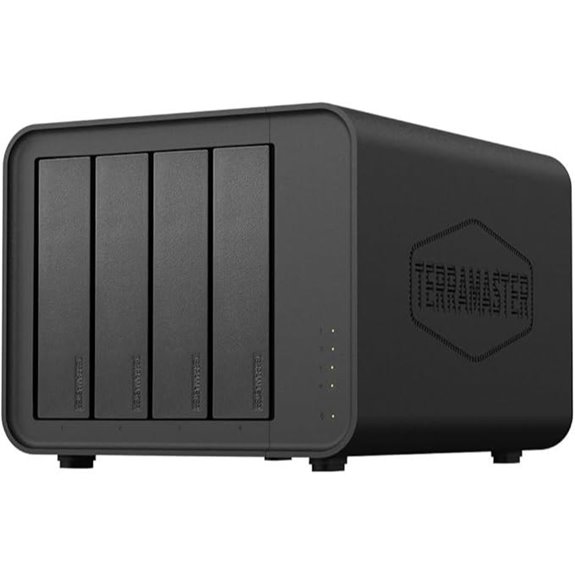 | High-Speed Performance | Drive Bays: 4 bays | Interface Type: USB 3.2 Gen 2 Type-C | RAID Support: No RAID (independent drives) | VIEW LATEST PRICE | See Our Full Breakdown |
| QNAP TR-004 4-Bay USB-C DAS with RAID |  | Enterprise Ready | Drive Bays: 4 bays | Interface Type: USB Type-C | RAID Support: Hardware RAID 0, 1, 5, JBOD | VIEW LATEST PRICE | See Our Full Breakdown |
| 4-Bay RAID Hard Drive Enclosure with Cooling Fan | 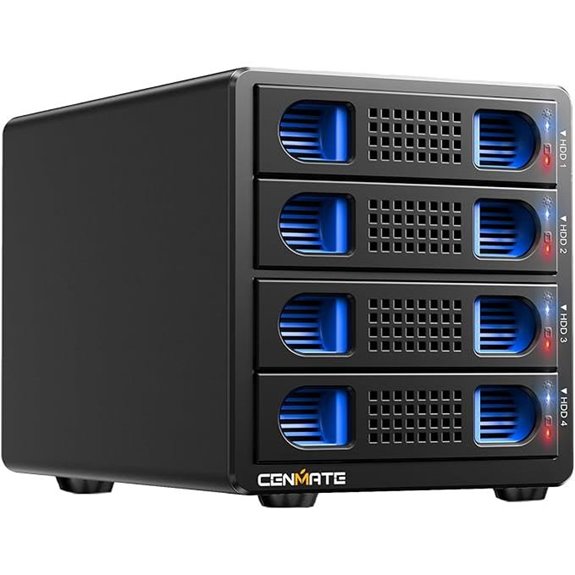 | Budget-Friendly | Drive Bays: 4 bays | Interface Type: USB 3.0/3.1/3.2, eSATA | RAID Support: RAID 0, 1, 3, 5, 10, Clone, Large | VIEW LATEST PRICE | See Our Full Breakdown |
| Yottamaster 5-Bay USB-C RAID Hard Drive Enclosure |  | Maximum Capacity | Drive Bays: 5 bays | Interface Type: USB 3.1 Gen 2 Type-C | RAID Support: RAID 0, 1, 3, 5, 10, JBOD, Clone | VIEW LATEST PRICE | See Our Full Breakdown |
| Aluminum Dual Bay RAID Hard Drive Enclosure |  | Quiet Operation | Drive Bays: 2 bays | Interface Type: USB 3.0 | RAID Support: RAID 0, 1, JBOD, Normal | VIEW LATEST PRICE | See Our Full Breakdown |
| Sabrent 5-Bay USB 3.2 SATA Docking Station | 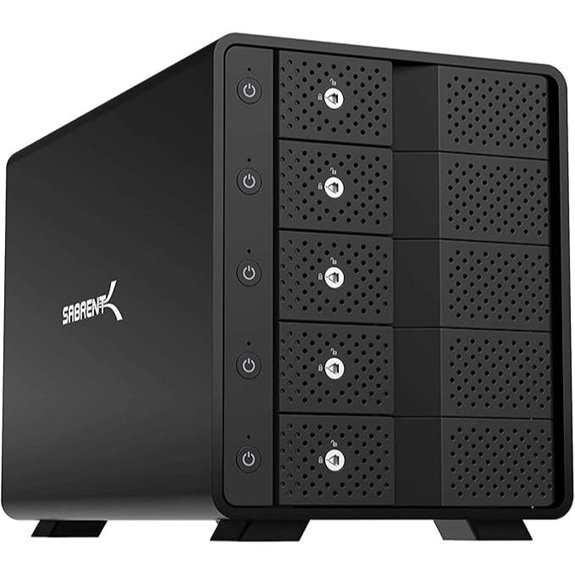 | Flexible RAID Options | Drive Bays: 5 bays | Interface Type: USB 3.2 Gen 2 Type-C | RAID Support: No RAID, individual drives | VIEW LATEST PRICE | See Our Full Breakdown |
| Dual Bay NVMe SSD Enclosure with Raid & Cloning | 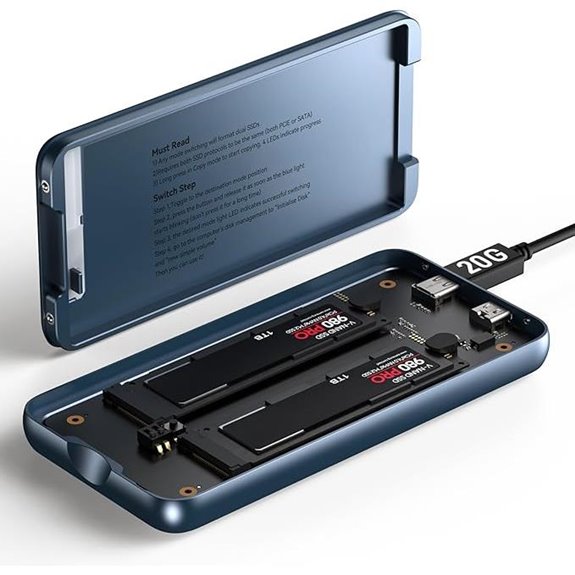 | Fast NVMe Support | Drive Bays: 2 bays | Interface Type: USB-C | RAID Support: RAID 0, 1, JBOD, Spanning | VIEW LATEST PRICE | See Our Full Breakdown |
| Mediasonic 4-Bay SATA HDD Enclosure with USB 3.2 C | 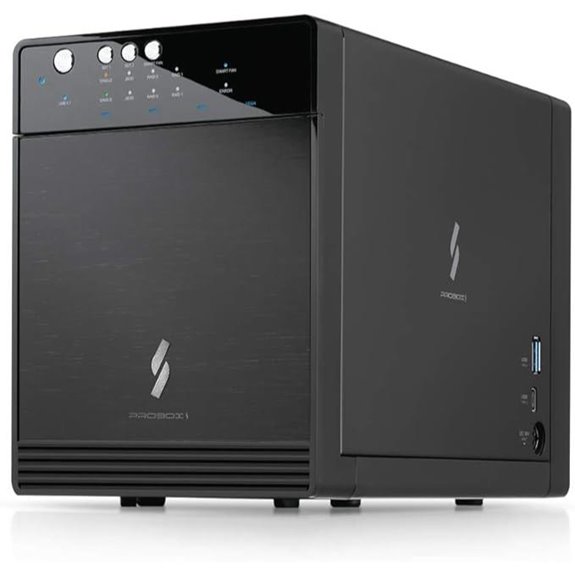 | Multi-Platform Compatibility | Drive Bays: 4 bays | Interface Type: USB 3.2 Gen 2 Type-C | RAID Support: RAID 0, 1, JBOD, BIG | VIEW LATEST PRICE | See Our Full Breakdown |
| MAIWO Dual Bay RAID Enclosure with Cooling Fan | 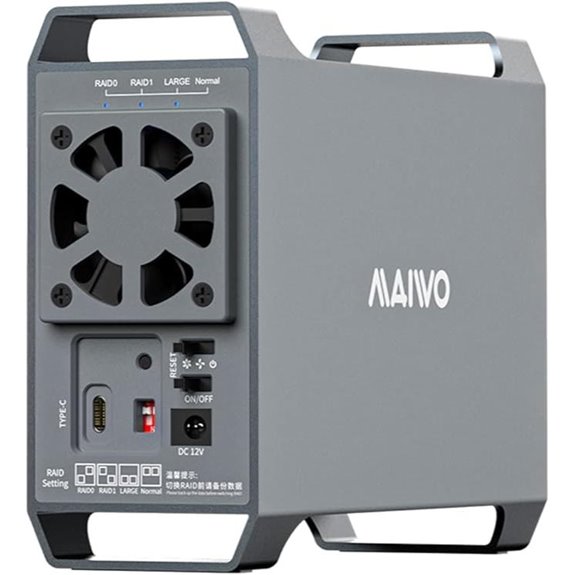 | Cooling Efficiency | Drive Bays: 2 bays | Interface Type: USB 3.1 Gen 1/2 Type-C | RAID Support: RAID 0, 1, 5, JBOD, Normal | VIEW LATEST PRICE | See Our Full Breakdown |
| Oyen Digital MiniPro RAID V4 USB-C (10Gbps) Dual Bay Enclosure | 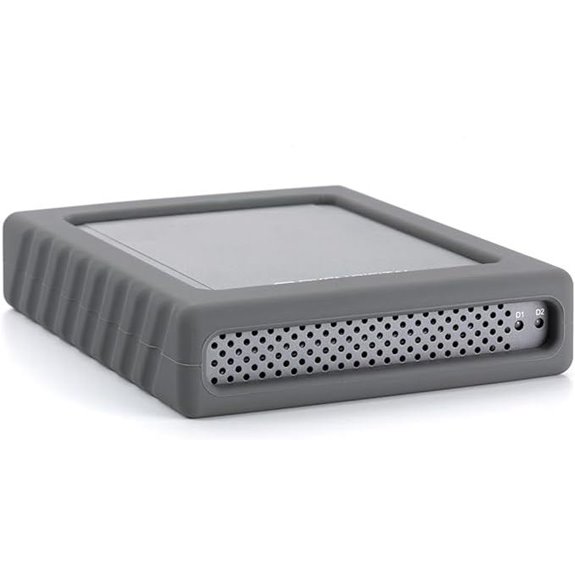 | Versatile Connectivity | Drive Bays: 2 bays | Interface Type: USB-C | RAID Support: JBOD, RAID 0, RAID 1 | VIEW LATEST PRICE | See Our Full Breakdown |
| Aluminum Dual Bay 10Gbps HDD/SSD Enclosure with Fan |  | Compact Design | Drive Bays: 2 bays | Interface Type: USB 3.2 Gen 2 Type-C | RAID Support: JBOD, RAID 0, 1, 10, Clone, Large | VIEW LATEST PRICE | See Our Full Breakdown |
| Aluminum Dual Bay HDD/SSD Enclosure with Cooling |  | Easy Maintenance | Drive Bays: 2 bays | Interface Type: USB 3.0 | RAID Support: RAID 0, 1, JBOD | VIEW LATEST PRICE | See Our Full Breakdown |
| ORICO Aluminum 4-Bay RAID Hard Drive Enclosure |  | Professional Quality | Drive Bays: 4 bays | Interface Type: USB 3.0 | RAID Support: RAID 0, 1, JBOD | VIEW LATEST PRICE | See Our Full Breakdown |
| MAIWO USB-C 4-Bay HDD RAID Enclosure with Cooling | 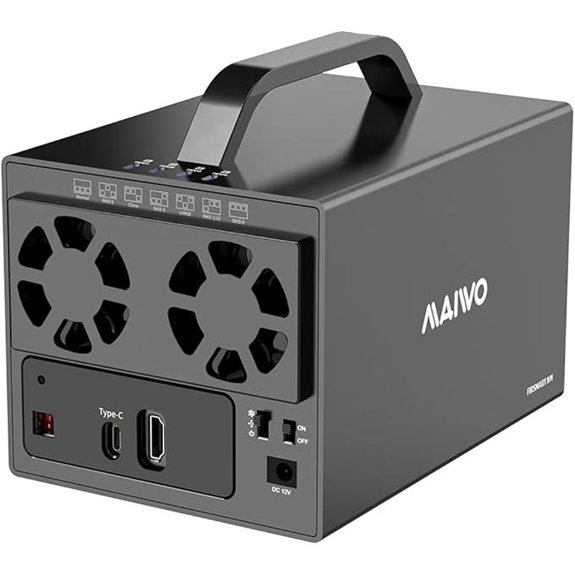 | Heavy-Duty Storage | Drive Bays: 4 bays | Interface Type: USB-C | RAID Support: RAID 0, 3, 5, 10, Normal, Clone | VIEW LATEST PRICE | See Our Full Breakdown |
More Details on Our Top Picks
TERRAMASTER D2-320 USB RAID Enclosure
Looking for a reliable and high-performance RAID enclosure that’s easy to set up? The TERRAMASTER D2-320 USB RAID Enclosure fits the bill perfectly. It supports USB 3.2 Gen 2 (10Gbps) and works with both HDDs and SSDs, offering flexible storage up to 44TB. With multiple RAID modes like RAID 0 and RAID 1, you get both speed and data protection. Its tool-free design and push-lock mechanism make installation straightforward, while the intelligent fan keeps everything cool and quiet. Whether you’re expanding your storage or safeguarding critical files, this enclosure combines speed, security, and convenience seamlessly.
- Drive Bays:2 bays
- Interface Type:USB 3.2 Gen 2 Type-C
- RAID Support:RAID 0, 1, JBOD, Single
- Max Capacity per Drive:Up to 22TB
- Cooling System:Temperature-controlled fan
- Compatibility (OS/Device):Windows, Mac, Linux
- Additional Feature:Tool-free drive trays
- Additional Feature:Push-lock drive mechanism
- Additional Feature:Temperature-controlled fan
TERRAMASTER D4-320 4-Bay USB 3.2 External Enclosure
The TERRAMASTER D4-320 is an excellent choice for professionals and power users who need fast, reliable external storage without sacrificing ease of use. Its USB 3.2 Gen2 protocol delivers speeds up to 10Gbps, with four drives reaching around 1,016 MB/s. Compatible with 3.5-inch and 2.5-inch SATA HDDs and SSDs, it supports up to 120TB total capacity and a single disk up to 30TB. The enclosure features hot-swappable drives, tool-free trays, and broad compatibility with USB-C, Thunderbolt, Mac, Windows, and Linux. Its intelligent cooling and noise-dampening guarantee quiet, efficient operation, making it a versatile, high-performance storage solution.
- Drive Bays:4 bays
- Interface Type:USB 3.2 Gen 2 Type-C
- RAID Support:No RAID (independent drives)
- Max Capacity per Drive:Up to 30TB
- Cooling System:Temperature-controlled fan, noise reduction
- Compatibility (OS/Device):Windows, Mac, Linux
- Additional Feature:Hot-swappable drives
- Additional Feature:Sound-absorbing panels
- Additional Feature:Vibrations damping
QNAP TR-004 4-Bay USB-C DAS with RAID
If you need a reliable external storage solution that offers hardware RAID support and seamless compatibility across Windows, macOS, and Linux, the QNAP TR-004 4-Bay USB-C DAS is an excellent choice. It features four SATA drive bays, supporting RAID 0, 1, and 5, as well as JBOD and individual disk modes for flexible data management. Compact and secure with a lockable design, it connects via USB-C and includes a Type-A cable for versatility. While it functions solely as an external drive—no NAS features—the TR-004 excels as a robust backup and expansion solution, making it ideal for users seeking fast, reliable, hardware-RAID-driven storage.
- Drive Bays:4 bays
- Interface Type:USB Type-C
- RAID Support:Hardware RAID 0, 1, 5, JBOD
- Max Capacity per Drive:3.5″ drives up to 30TB
- Cooling System:Heat dissipation fan
- Compatibility (OS/Device):Windows, Mac, Linux
- Additional Feature:Lockable drive bays
- Additional Feature:Support for multiple file systems
- Additional Feature:No NAS integration
4-Bay RAID Hard Drive Enclosure with Cooling Fan
A 4-bay RAID hard drive enclosure with a cooling fan is an excellent choice for professionals or power users who need reliable, high-capacity storage. It supports 2.5 and 3.5-inch SATA HDDs or SSDs, with a total capacity of up to 80TB. Compatible with Windows, Mac, and Linux, it offers plug-and-play setup via USB 3.0, USB-C, or eSATA. The aluminum alloy build and dual 2-inch fans ensure effective heat dissipation, maintaining performance and longevity. With support for multiple RAID configurations, it provides flexibility for data redundancy or speed. Despite some noise, its robust design and high capacity make it a versatile storage solution.
- Drive Bays:4 bays
- Interface Type:USB 3.0/3.1/3.2, eSATA
- RAID Support:RAID 0, 1, 3, 5, 10, Clone, Large
- Max Capacity per Drive:Up to 20TB
- Cooling System:Cooling fan, aluminum alloy
- Compatibility (OS/Device):Windows, Mac, Linux
- Additional Feature:Aluminum-alloy construction
- Additional Feature:Multiple RAID modes
- Additional Feature:High-speed data transfer
Yottamaster 5-Bay USB-C RAID Hard Drive Enclosure
For professionals managing large data volumes, the Yottamaster 5-Bay USB-C RAID Hard Drive Enclosure stands out as an ideal solution. It supports five SATA drives up to 18TB each, offering up to 80TB of storage—perfect for large files, backups, and multimedia. Its flexible RAID modes, including RAID 0, 1, 5, and JBOD, let me customize performance or redundancy based on my needs. Built with rugged aluminum and equipped with an intelligent cooling fan, it ensures drives stay cool and safe. With USB 3.1 Type-C compatibility and broad system support, it combines speed, capacity, and durability for demanding workflows.
- Drive Bays:5 bays
- Interface Type:USB 3.1 Gen 2 Type-C
- RAID Support:RAID 0, 1, 3, 5, 10, JBOD, Clone
- Max Capacity per Drive:Up to 18TB
- Cooling System:80mm intelligent fan
- Compatibility (OS/Device):Windows, Mac, Linux
- Additional Feature:Front/rear cooling holes
- Additional Feature:Removable drive trays
- Additional Feature:Supports hardware/software RAID
Aluminum Dual Bay RAID Hard Drive Enclosure
The Aluminum Dual Bay RAID Hard Drive Enclosure is an excellent choice for users who need reliable, high-capacity storage that’s both versatile and easy to manage. It supports 2.5″ and 3.5″ SATA HDD/SSD drives up to 20TB each, making it suitable for personal or enterprise use. Its aluminum construction helps keep temperatures down with an integrated 2-inch fan, ensuring hardware longevity. With support for RAID 0, RAID 1, JBOD, and Normal modes, it offers flexible data management. The plug-and-play USB 3.0 interface delivers speeds up to 5Gbps, compatible across Windows, Mac, and Linux systems.
- Drive Bays:2 bays
- Interface Type:USB 3.0
- RAID Support:RAID 0, 1, JBOD, Normal
- Max Capacity per Drive:Up to 20TB
- Cooling System:2-inch fan, aluminum body
- Compatibility (OS/Device):Windows, Mac, Linux
- Additional Feature:2-inch cooling fan
- Additional Feature:Wide OS compatibility
- Additional Feature:Reset button for RAID
Sabrent 5-Bay USB 3.2 SATA Docking Station
If you’re seeking a reliable and versatile storage solution for managing multiple drives, the Sabrent 5-Bay USB 3.2 SATA Docking Station stands out. It connects up to five 3.5” SATA HDDs or SSDs via USB-C, supporting transfer speeds up to 10Gbps. Its tray-less, hot-swap design with individual locking keys and a Kensington security slot makes drive management easy and secure. The rugged aluminum enclosure provides durability and active cooling with a built-in 120mm fan, ensuring long-term performance. With a total capacity of up to 110TB and independent drive controls, it’s perfect for backups, media editing, or large data libraries.
- Drive Bays:5 bays
- Interface Type:USB 3.2 Gen 2 Type-C
- RAID Support:No RAID, individual drives
- Max Capacity per Drive:Up to 8TB per drive
- Cooling System:Active cooling with fan
- Compatibility (OS/Device):Windows, Mac, Linux
- Additional Feature:Independent drive switches
- Additional Feature:Locking keys included
- Additional Feature:Active cooling fan
Dual Bay NVMe SSD Enclosure with Raid & Cloning
A dual bay NVMe SSD enclosure with RAID and cloning features is an ideal choice for professionals and power users who need reliable data protection combined with high-speed performance. It supports versatile RAID modes—RAID 0 for speed, RAID 1 for redundancy, JBOD for independent drives, and Clone mode for quick disk duplication. Compatible with PCIe NVMe M.2 SSDs, it offers data transfer speeds up to 20Gbps. The tool-free design makes installation and swapping easy, while the durable aluminum construction guarantees effective heat dissipation. With an extra USB-C port for external power, it’s perfect for managing high-capacity drives and demanding data tasks on the go.
- Drive Bays:2 bays
- Interface Type:USB-C
- RAID Support:RAID 0, 1, JBOD, Spanning
- Max Capacity per Drive:Up to 20TB
- Cooling System:Extra USB-C port (no fan)
- Compatibility (OS/Device):Windows, Mac, Linux
- Additional Feature:Cloning mode support
- Additional Feature:Extra USB-C power port
- Additional Feature:Compact, portable design
Mediasonic 4-Bay SATA HDD Enclosure with USB 3.2 C
For anyone seeking a reliable and high-capacity storage solution, the Mediasonic 4-Bay SATA HDD Enclosure with USB 3.2 C stands out thanks to its built-in hardware RAID controller. It offers one-button control supporting Single Drive, RAID 0, and RAID 1 modes, catering to different data protection needs. Capable of housing four 3.5” drives up to 30TB each or 2.5” SSDs with an additional bracket, it’s perfect for backups and media workflows. The USB 3.2 Gen 2 Type C interface delivers transfer speeds up to 10Gbps, and its built-in USB hub allows for easy expansion and daisy chaining, making it versatile and efficient.
- Drive Bays:4 bays
- Interface Type:USB 3.2 Gen 2 Type-C
- RAID Support:RAID 0, 1, JBOD, BIG
- Max Capacity per Drive:Up to 30TB
- Cooling System:Built-in fan, aluminum body
- Compatibility (OS/Device):Windows, Mac, Linux
- Additional Feature:USB hub expansion
- Additional Feature:Smart Fan control
- Additional Feature:Daisy chain support
MAIWO Dual Bay RAID Enclosure with Cooling Fan
The MAIWO Dual Bay RAID Enclosure with Cooling Fan is an excellent choice for users who need reliable, high-capacity storage with effective heat management. It supports both 2.5″ and 3.5″ SATA drives, with up to 48TB of total storage using 3.5″ disks. The enclosure offers four RAID modes—RAID 0, RAID 1, JBOD, and Normal—giving flexibility for data backup and performance. Its aluminum alloy body ensures good heat dissipation, complemented by an adjustable cooling fan to keep drives cool during intensive use. Powered by a 48W power supply, it provides stable operation and fast data transfer speeds up to 10Gbps with USB 3.1 Gen2.
- Drive Bays:2 bays
- Interface Type:USB 3.1 Gen 1/2 Type-C
- RAID Support:RAID 0, 1, 5, JBOD, Normal
- Max Capacity per Drive:Up to 24TB
- Cooling System:Cooling fan, aluminum alloy
- Compatibility (OS/Device):Windows, Mac, Linux
- Additional Feature:Adjustable cooling fan
- Additional Feature:48W power supply
- Additional Feature:Multiple RAID options
Oyen Digital MiniPro RAID V4 USB-C (10Gbps) Dual Bay Enclosure
If you’re seeking a reliable and high-speed dual bay enclosure, the Oyen Digital MiniPro RAID V4 USB-C (10Gbps) is an excellent choice, especially for professionals who need swift data transfers and flexible drive configurations. It features a USB Gen II Type-C interface compatible with Thunderbolt 3 & 4, supporting speeds up to 10Gbps. It holds two 2.5-inch SATA drives up to 15mm in height and offers multiple modes: JBOD, RAID 0, RAID 1, or BIG. No software is needed, and it can operate via bus power or an external adapter, which is included. Backed by a 3-year warranty, it’s a versatile, dependable option for demanding storage needs.
- Drive Bays:2 bays
- Interface Type:USB-C
- RAID Support:JBOD, RAID 0, RAID 1
- Max Capacity per Drive:Up to 15TB (max drive height 15mm)
- Cooling System:2-inch fan, aluminum body
- Compatibility (OS/Device):Windows, Mac, Linux
- Additional Feature:Support for 15mm drives
- Additional Feature:Bus-powered or external
- Additional Feature:3-year warranty
Aluminum Dual Bay 10Gbps HDD/SSD Enclosure with Fan
Designed for demanding users who need fast, reliable external storage, the Aluminum Dual Bay 10Gbps HDD/SSD Enclosure with Fan offers high-speed data transfer and excellent heat dissipation. Equipped with VL822+ASM235CM chips, it supports USB 3.2 Gen 2, enabling speeds up to 10Gbps—20 times faster than USB 2.0. It accommodates two HDDs or SSDs up to 20TB each, with read/write speeds around 500MB/s. Constructed from aluminum alloy, it features a 2-inch fan for cooling, maintaining ideal performance. Hot-swappable and compatible with multiple interfaces like USB-C, Thunderbolt 3, and 4, it’s perfect for both personal and professional use.
- Drive Bays:2 bays
- Interface Type:USB 3.2 Gen 2 Type-C
- RAID Support:JBOD, RAID 0, 1, 10, Clone, Large
- Max Capacity per Drive:Up to 20TB
- Cooling System:Fan and aluminum body
- Compatibility (OS/Device):Windows, Mac, Linux
- Additional Feature:Daisy chain expansion
- Additional Feature:Supports hot swapping
- Additional Feature:Wide device compatibility
Aluminum Dual Bay HDD/SSD Enclosure with Cooling
For users who need reliable and efficient data storage, the Aluminum Dual Bay HDD/SSD Enclosure with Cooling offers an excellent solution. It supports 2.5″ and 3.5″ SATA drives up to 20TB each, compatible with Windows, Mac, and Linux. The enclosure uses USB 3.0 with transfer speeds up to 5Gbps, making large file transfers quick and seamless. Its aluminum alloy construction and built-in 2-inch fan provide effective cooling, preventing overheating during intensive use. With hot swapping and a tool-free tray design, replacing drives is effortless. Plus, daisy chaining allows expanding your storage up to 120TB, making it perfect for both professional and personal setups.
- Drive Bays:2 bays
- Interface Type:USB 3.0
- RAID Support:RAID 0, 1, JBOD
- Max Capacity per Drive:Up to 20TB
- Cooling System:2-inch fan, aluminum alloy
- Compatibility (OS/Device):Windows, Mac, Linux
- Additional Feature:Tool-free tray design
- Additional Feature:Supports daisy chaining
- Additional Feature:Built-in cooling fan
ORICO Aluminum 4-Bay RAID Hard Drive Enclosure
The ORICO Aluminum 4-Bay RAID Hard Drive Enclosure stands out for its ability to support up to four 2.5-inch SATA SSDs or HDDs, making it an excellent choice for users who need reliable, high-capacity storage with fast data transfer speeds. Its compact aluminum design includes a built-in fan for cooling and independent ABS mounts for easy installation. With a transfer rate of up to 10 Gbps, it’s compatible with desktops, laptops, smartphones, and tablets. Supporting drives up to 8 TB each, it offers a versatile, high-performance solution for demanding storage needs, all while maintaining a sleek, durable build.
- Drive Bays:4 bays
- Interface Type:USB 3.0
- RAID Support:RAID 0, 1, JBOD
- Max Capacity per Drive:Up to 8TB per drive
- Cooling System:Built-in fan, aluminum
- Compatibility (OS/Device):Windows, Mac, Linux
- Additional Feature:Compact design
- Additional Feature:Built-in fan cooling
- Additional Feature:Versatile device support
MAIWO USB-C 4-Bay HDD RAID Enclosure with Cooling
If you’re looking for a reliable and versatile storage solution, the MAIWO USB-C 4-Bay HDD RAID Enclosure with Cooling is an excellent choice, especially for those managing large amounts of data. It supports seven RAID modes, accommodating both 2.5″ and 3.5″ drives with a capacity of up to 96TB. Its USB-C connection offers transfer speeds up to 5Gbps, ensuring quick data access. The enclosure’s unibody aluminum design and dual-level cooling fans prevent overheating, boosting drive longevity. Fully compatible with Windows, Linux, and Mac OS, it’s perfect for professional or personal use, offering robust performance and stability.
- Drive Bays:4 bays
- Interface Type:USB-C
- RAID Support:RAID 0, 3, 5, 10, Normal, Clone
- Max Capacity per Drive:Up to 96TB total with multiple drives
- Cooling System:Double heat dissipation, dual fans
- Compatibility (OS/Device):Windows, Mac, Linux
- Additional Feature:4K HD output
- Additional Feature:Dual heat dissipation
- Additional Feature:External 78W power supply
Factors to Consider When Choosing a USB-C RAID Enclosure

When selecting a USB-C RAID enclosure, I focus on how well it works with my devices and the variety of RAID modes it offers. I also consider cooling and noise levels to keep my drives running smoothly without distractions. Finally, I look at transfer speeds and build quality to guarantee durability and peak performance.
Compatibility With Devices
Choosing a USB-C RAID enclosure that works seamlessly with your devices depends on several key compatibility factors. First, make sure it supports your operating system—whether Windows, macOS, or Linux—to avoid headaches. Check that the USB-C interface aligns with the latest standards like USB 3.2 Gen 2 or Thunderbolt 3/4, ensuring fast data transfer speeds. Confirm that the enclosure’s RAID or JBOD modes are compatible with your device’s software or firmware. It’s also essential to verify physical connection options—whether you need USB-C to USB-A or Thunderbolt—so your existing cables and devices match. Lastly, consider power options: whether the enclosure is bus-powered or needs an external supply, and if that suits your device’s power needs and portability.
RAID Mode Options
Deciding on the right RAID mode for your USB-C enclosure depends on your priorities for speed, redundancy, and storage capacity. RAID 0 offers maximum speed and capacity by combining drives, but it’s risky since there’s no redundancy—if one drive fails, data is lost. RAID 1 mirrors data across two drives, providing safety at the cost of halving usable storage. For a balanced approach, RAID 5 and RAID 10 deliver both redundancy and performance, ideal for critical data. Some enclosures support both hardware and software RAID configurations; hardware RAID usually offers more reliable performance and easier management. Understanding these options helps you choose a setup that aligns with your needs, whether you’re prioritizing speed, safety, or a mix of both.
Cooling and Noise Levels
Effective cooling is essential for USB-C RAID enclosures to keep drives operating reliably over time. Overheating can lead to hardware failure and data loss, so good thermal management is vital. Many enclosures feature temperature-controlled fans that automatically adjust speed based on drive temperature, ensuring optimal cooling without excessive noise. Noise levels from these fans typically range between 40 and 50 decibels, so quieter models are better for noise-sensitive environments like offices or studios. Proper ventilation and heat-dissipating materials, such as aluminum alloys, help maintain stable operating temperatures during extended use. Balancing effective cooling with low noise levels is key; excessive noise or inadequate cooling can shorten hardware lifespan and impact overall performance. When choosing an enclosure, consider both cooling efficiency and noise levels to ensure reliable, quiet operation.
Transfer Speed Capabilities
When selecting a USB-C RAID enclosure, understanding its transfer speed capabilities is crucial, as these directly impact data transfer efficiency. Transfer speeds range from 5Gbps to 20Gbps, depending on the USB protocol and hardware setup. USB 3.2 Gen 2 offers up to 10Gbps, while USB 3.2 Gen 2×2 and Thunderbolt 3/4 can reach 20Gbps. RAID modes like RAID 0 can boost speeds by combining drives, but actual performance depends on drive types and system compatibility. The enclosure’s internal chipset, such as VL822+ASM235CM or GL3510+ASM1153E, also influences data movement rates. To maximize transfer speeds, use SSDs or high-performance HDDs and guarantee both the enclosure and connected system support the highest USB standards available.
Build Quality Durability
Choosing a USB-C RAID enclosure that’s built to last involves paying attention to its construction and materials. A high-quality enclosure often features aluminum or alloy bodies, which help with heat dissipation and withstand daily wear. Reinforced drive bays with tool-free trays and secure locking mechanisms protect drives from accidental disconnection and physical damage. Durable enclosures also incorporate seals and vibration damping components, reducing wear and maintaining data integrity over time. Using premium, corrosion-resistant materials guarantees longevity, even in challenging environments with temperature fluctuations or humidity. Additionally, reinforced port connectors and strain relief features prevent damage from frequent plugging and unplugging. Overall, these build quality factors contribute considerably to the enclosure’s durability, ensuring it remains reliable and functional for years to come.
Frequently Asked Questions
How Does RAID Configuration Affect Data Safety and Performance?
Raid configuration directly impacts my data safety and performance. For example, RAID 1 mirrors my data, providing security if one drive fails, but slightly reduces speed. RAID 0 boosts performance with striping, but risks data loss if one drive fails. I choose my setup based on whether I prioritize safety or speed. Properly configuring RAID guarantees I get the right balance for my storage needs.
Can These Enclosures Handle Hot-Swapping Drives Safely?
Yes, these enclosures can handle hot-swapping drives safely. Imagine swapping a failing drive in a RAID array without shutting down your system—I’ve done it myself with a well-designed enclosure. It’s vital to guarantee the enclosure supports hot-swapping and that you follow proper procedures. Most modern USB-C RAID enclosures are built with safety features, like drive locks and hot-swap bays, making it easy and secure to swap drives on the fly.
What Compatibility Issues Might Arise With Different Operating Systems?
Compatibility issues can pop up if your operating system doesn’t guarantee the RAID configuration or the enclosure’s file system. I’ve found that Windows, macOS, and Linux sometimes have different driver requirements or formatting limitations. To avoid headaches, I always check that my OS supports the enclosure’s features and file systems. Updating drivers and firmware regularly also helps ensure smooth operation across different platforms.
How Important Is Cooling for Maintaining Drive Longevity?
Cooling is really important for maintaining drive longevity. When drives overheat, they wear out faster and can even fail completely. I always look for enclosures with good ventilation or active cooling fans. Proper cooling helps keep temperatures down, ensuring your drives stay healthy longer and perform reliably. Don’t underestimate this—it’s a simple step that can save you from costly data loss and frequent replacements.
Do All Enclosures Support Multi-Drive RAID Levels Simultaneously?
Not all enclosures support multiple RAID levels simultaneously. I’ve found that many basic models only offer one or two configurations, like JBOD or RAID 0. If you want flexibility to switch between RAID levels, look for an enclosure explicitly designed for multi-RAID support. Always check the specs before buying, because support varies widely and can markedly impact your storage strategy.
Conclusion
In the world of storage, these USB-C RAID enclosures are my trusty ships, ready to navigate your data ocean with speed and safety. Whether you’re chasing thunderbolt-like performance or seeking a fortress for your precious files, there’s a perfect fit here. Think of them as your digital treasure chests—robust, versatile, and built to keep your data safe from storms. Plunge in and find the one that’ll make your storage journey smoother and more secure.