If you want the fastest, most reliable USB Wi-Fi adapters for your PC in 2026, I recommend models with WiFi 6, 6E, or 7 support, dual or tri-band options, and high-gain antennas for best coverage. Devices like the TP-Link Archer TXE50UH, NETGEAR A8000, and BrosTrend BE6500 stand out for speed and ease of use. Keep an eye on security features, compatibility, and setup convenience. Explore the options below to find the perfect fit for your needs.
Key Takeaways
- Look for adapters supporting the latest WiFi standards like WiFi 6, 6E, or 7 for maximum speed and future-proofing.
- Prioritize models with dual or tri-band capabilities and high-gain antennas for reliable, wide coverage.
- Ensure compatibility with your OS and easy setup features like plug-and-play or driver-free installation.
- Choose adapters with advanced security protocols such as WPA3 for secure, safe internet access.
- Consider portability and additional features like Bluetooth support or hotspot sharing for versatile device use.
| TP-Link WiFi 6 USB Adapter with Dual Band | 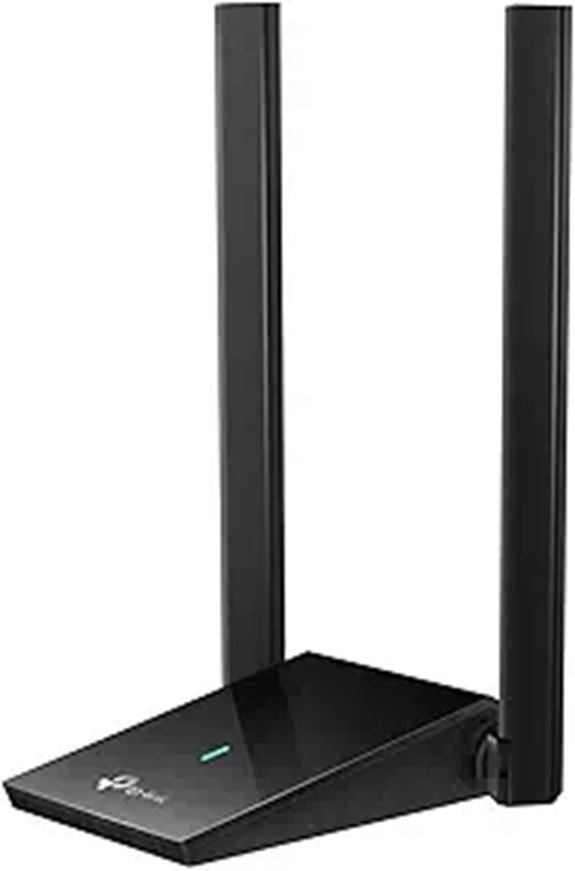 | High-Speed Gaming | Wireless Standard: WiFi 6 (AX1800) | Connectivity Type: Dual-band WiFi USB | Antenna Type: External antennas | VIEW LATEST PRICE | See Our Full Breakdown |
| USB WiFi 6 & Bluetooth 5.4 Adapter with Antenna |  | Best for Travel | Wireless Standard: WiFi 6 (802.11ax) | Connectivity Type: Dual-band WiFi + Bluetooth | Antenna Type: External antenna | VIEW LATEST PRICE | See Our Full Breakdown |
| BrosTrend BE6500 USB WiFi 7 Adapter for Gaming |  | Future-Ready Performance | Wireless Standard: WiFi 7 (WiFi 7) | Connectivity Type: Tri-band WiFi 7 USB | Antenna Type: External antennas | VIEW LATEST PRICE | See Our Full Breakdown |
| TP-Link AC600 Dual Band USB WiFi Adapter |  | Budget Performance | Wireless Standard: WiFi 5 (802.11ac) | Connectivity Type: Dual-band USB WiFi | Antenna Type: High-gain external antenna | VIEW LATEST PRICE | See Our Full Breakdown |
| NETGEAR Nighthawk WiFi 6E USB Adapter (A8000) | 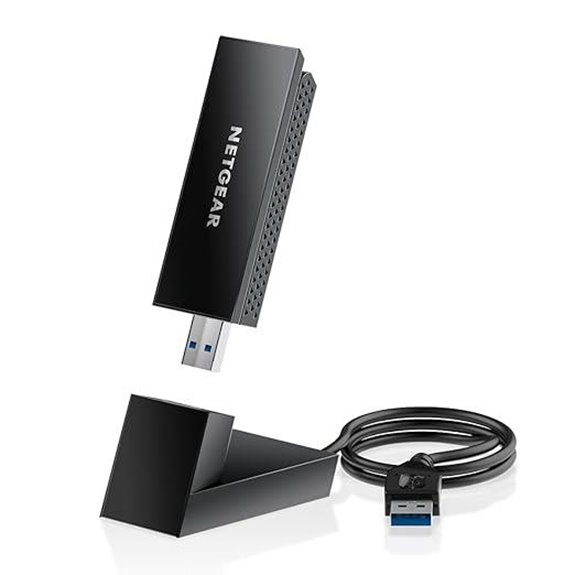 | Cutting-Edge Speed | Wireless Standard: WiFi 6E (AXE3000) | Connectivity Type: Tri-band WiFi 6E USB | Antenna Type: Flippable antenna | VIEW LATEST PRICE | See Our Full Breakdown |
| Nineplus Dual-Band WiFi Adapter for PC | 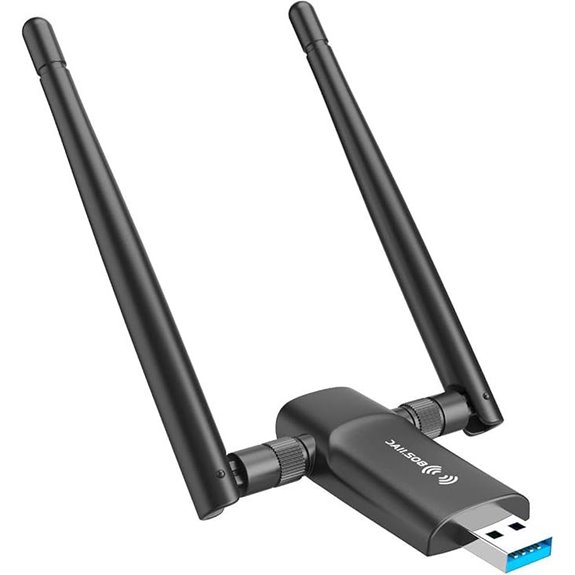 | Reliable Range | Wireless Standard: WiFi 5 (AC1300) | Connectivity Type: Dual-band WiFi USB | Antenna Type: Dual high-gain antennas | VIEW LATEST PRICE | See Our Full Breakdown |
| USB WiFi 6 Adapter with Bluetooth 5.3 900Mbps |  | Dual-Mode Convenience | Wireless Standard: WiFi 6 (WiFi 6) | Connectivity Type: Dual-band WiFi + Bluetooth | Antenna Type: Internal antenna | VIEW LATEST PRICE | See Our Full Breakdown |
| Nineplus USB WiFi Adapter for Desktop PC | 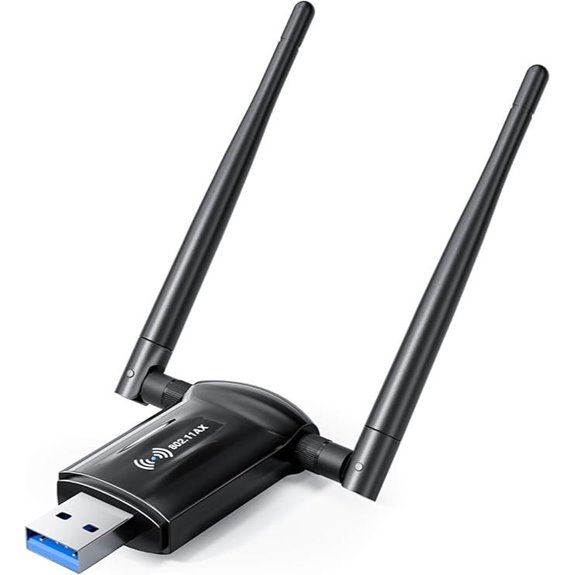 | Best for Desktops | Wireless Standard: WiFi 6 (AX1800) | Connectivity Type: Dual-band WiFi USB | Antenna Type: External antennas | VIEW LATEST PRICE | See Our Full Breakdown |
| TP-Link WiFi 6E USB Adapter (Archer TXE50UH) |  | 6E Network Powerhouse | Wireless Standard: WiFi 6E (WiFi 6E) | Connectivity Type: Dual-band WiFi 6E USB | Antenna Type: Tri-band antennas | VIEW LATEST PRICE | See Our Full Breakdown |
| TP-Link Nano USB WiFi Adapter for PC | 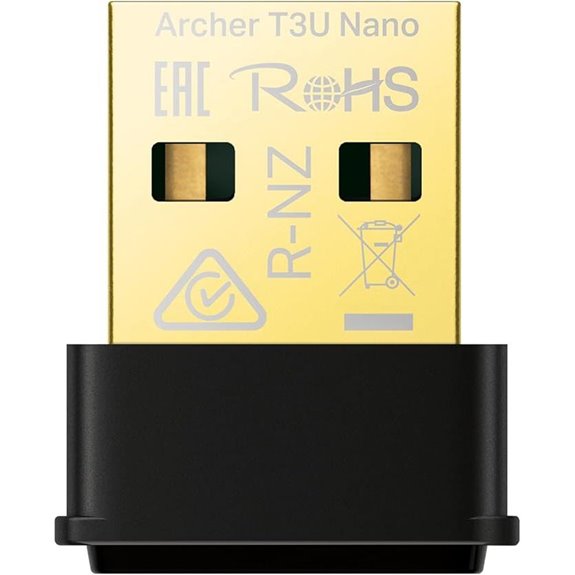 | Ultra-Compact Design | Wireless Standard: WiFi 5 (AC1300) | Connectivity Type: Dual-band WiFi USB | Antenna Type: Internal or external antenna options | VIEW LATEST PRICE | See Our Full Breakdown |
More Details on Our Top Picks
TP-Link WiFi 6 USB Adapter with Dual Band
If you’re looking to upgrade your PC’s wireless connection with faster speeds and better stability, the TP-Link WiFi 6 USB Adapter with Dual Band is an excellent choice. It leverages AX1800 wireless technology to deliver speeds up to 1201 Mbps on 5GHz and 574 Mbps on 2.4GHz, perfect for gaming, streaming, and downloads. Its dual-band support and high-gain beamforming antennas improve range and signal quality, while adjustable antennas allow customization for your setup. With WPA3 security, compatibility with Windows 10 and 11, and a flexible USB 3.0 cable, it offers reliable, high-performance connectivity tailored for high-demand activities.
- Wireless Standard:WiFi 6 (AX1800)
- Connectivity Type:Dual-band WiFi USB
- Antenna Type:External antennas
- Security Protocol:WPA3
- Compatibility:Windows 10/11
- Setup Method:Plug-and-play, driver support
- Additional Feature:Adjustable, multi-directional antennas
- Additional Feature:Includes 1.2m USB 3.0 cable
- Additional Feature:Supports MU-MIMO and OFDMA technologies
USB WiFi 6 & Bluetooth 5.4 Adapter with Antenna
The USB WiFi 6 & Bluetooth 5.4 Adapter with Antenna is an excellent choice for users seeking fast, reliable internet and seamless device connectivity on their PC. It supports WiFi 6, offering speeds up to 900Mbps across dual bands, perfect for gaming, streaming, and browsing. The built-in Bluetooth 5.4 allows easy connection to headphones, speakers, and peripherals without extra adapters. Its 5dBi external antenna boosts signal strength and coverage, especially in larger or obstacle-filled spaces. With plug-and-play setup on Windows, advanced security features like WPA3, and dual mode for hotspot sharing, this adapter combines speed, stability, and versatility effortlessly.
- Wireless Standard:WiFi 6 (802.11ax)
- Connectivity Type:Dual-band WiFi + Bluetooth
- Antenna Type:External antenna
- Security Protocol:WPA3
- Compatibility:Windows 7/10/11
- Setup Method:Plug-and-play, driver support
- Additional Feature:Supports AP mode for hotspot
- Additional Feature:External 5dBi antenna included
- Additional Feature:Compatible with Windows 7/10/11 only
BrosTrend BE6500 USB WiFi 7 Adapter for Gaming
For gamers and high-demand users seeking ultra-fast, reliable Wi-Fi connections, the BrosTrend BE6500 USB WiFi 7 Adapter stands out as an excellent choice. It’s a tri-band dongle supporting WiFi 7, with speeds up to 6.5 Gbps across the 6 GHz, 5 GHz, and 2.4 GHz bands. Its dual external antennas and beamforming technology provide strong, stable signals even through walls. Easy to set up with pre-loaded drivers, it’s compatible with Windows 11 and 10. Designed for gaming, streaming, and multitasking, this adapter is future-proof, delivering low latency and high performance for demanding applications. It’s compact, portable, and highly rated by users.
- Wireless Standard:WiFi 7 (WiFi 7)
- Connectivity Type:Tri-band WiFi 7 USB
- Antenna Type:External antennas
- Security Protocol:WPA3, 4K-QAM, OFDMA
- Compatibility:Windows 10/11
- Setup Method:Pre-loaded drivers, easy setup
- Additional Feature:Supports WiFi 7 features
- Additional Feature:Dual external antennas
- Additional Feature:Designed for ultra-fast gaming
TP-Link AC600 Dual Band USB WiFi Adapter
When I need reliable, high-speed Wi-Fi on my desktop or laptop, the TP-Link AC600 Dual Band USB WiFi Adapter stands out as an excellent choice. It supports Windows and Mac OS X, with easy driver installation from TP-Link’s website. The adapter delivers fast, long-range connections with speeds up to 200 Mbps on the 2.4 GHz band and 433 Mbps on the 5 GHz band, perfect for streaming, gaming, and browsing. Its high-gain, adjustable antenna improves signal strength and stability. Compact and portable, it offers flexible dual-band connectivity and robust security protocols, making it a versatile, reliable option for enhancing my wireless experience.
- Wireless Standard:WiFi 5 (802.11ac)
- Connectivity Type:Dual-band USB WiFi
- Antenna Type:High-gain external antenna
- Security Protocol:WEP, WPA/WPA2
- Compatibility:Windows 7/8.1/10/11, Mac OS X
- Setup Method:Easy setup, driver support
- Additional Feature:Supports 802.11ac standard
- Additional Feature:Adjustable high-gain antenna
- Additional Feature:Compatible with multiple OS versions
NETGEAR Nighthawk WiFi 6E USB Adapter (A8000)
If you’re seeking a high-performance USB Wi-Fi adapter that unleashes the full potential of WiFi 6E networks, the NETGEAR Nighthawk A8000 is an excellent choice. It’s compatible with WiFi 6E or WiFi 6 routers and connects easily via USB 3.0, with no extra network card needed. Supporting speeds up to 3Gbps and access to the exclusive 6GHz band, it’s perfect for HD streaming, gaming, and video calls. The flippable antenna and compact cradle help optimize signal strength and coverage. Overall, the A8000 delivers fast, stable, low-latency connections, making it ideal for users demanding top-tier wireless performance.
- Wireless Standard:WiFi 6E (AXE3000)
- Connectivity Type:Tri-band WiFi 6E USB
- Antenna Type:Flippable antenna
- Security Protocol:WPA3
- Compatibility:Windows 10/11
- Setup Method:Plug-and-play, no additional software
- Additional Feature:Access to WiFi 6E 6GHz band
- Additional Feature:Compact cradle for placement
- Additional Feature:Flippable antenna for coverage
Nineplus Dual-Band WiFi Adapter for PC
The Nineplus Dual-Band WiFi Adapter is an excellent choice for anyone seeking a reliable, high-speed connection over longer distances. It offers up to 1300Mbps speeds with dual 5dBi antennas, ensuring strong signal reception and stability. Compatible with most Windows systems, including Windows 11 and 10, it supports both 2.4GHz and 5GHz bands for versatile use—whether gaming, streaming, or working. Its plug-and-play setup simplifies installation, and the built-in high-gain antennas extend coverage considerably. With a 2-year support guarantee and fast data transfer via USB 3.0, this adapter is perfect for boosting WiFi performance in challenging environments.
- Wireless Standard:WiFi 5 (AC1300)
- Connectivity Type:Dual-band WiFi USB
- Antenna Type:Dual high-gain antennas
- Security Protocol:WPA3
- Compatibility:Windows 7/8.1/10/11
- Setup Method:Plug-and-play, driver support
- Additional Feature:Supports SuperSpeed USB 3.0
- Additional Feature:Equipped with high-gain dual antennas
- Additional Feature:2-year support guarantee
USB WiFi 6 Adapter with Bluetooth 5.3 900Mbps
For anyone seeking fast, reliable wireless connectivity along with Bluetooth capabilities, the USB WiFi 6 Adapter with Bluetooth 5.3 and 900Mbps is an excellent choice. Powered by the Realtek RTL8851BU chipset, it delivers stable, long-range connections with dual-band speeds: 600 Mbps on 5 GHz for streaming and quick transfers, and 287 Mbps on 2.4 GHz for steady coverage through barriers. Its dual mode supports both connecting to a router and creating hotspots, perfect for travel or emergencies. Plus, Bluetooth 5.3 allows connection to up to seven devices simultaneously, all in a compact, plug-and-play design for Windows 10 and 11.
- Wireless Standard:WiFi 6 (WiFi 6)
- Connectivity Type:Dual-band WiFi + Bluetooth
- Antenna Type:Internal antenna
- Security Protocol:WPA3
- Compatibility:Windows 10/11
- Setup Method:Plug-and-play, driver support
- Additional Feature:Supports dual mode (WiFi and hotspot)
- Additional Feature:Compact nano-sized design
- Additional Feature:Bluetooth 5.3 for multiple devices
Nineplus USB WiFi Adapter for Desktop PC
The Nineplus USB WiFi Adapter is ideal for anyone looking to upgrade their desktop’s internet connection with minimal hassle. It supports the AX1800 WiFi 6 standard, delivering speeds up to 1800Mbps—1201Mbps on 5GHz and 567Mbps on 2.4GHz—ensuring faster, more stable connections. The plug-and-play design works with Windows 11/10 via USB 3.0, with backward compatibility to USB 2.0. Equipped with high-gain antennas and beamforming technology, it boosts signal strength and range. Plus, its WPA3 security keeps your data safe. Overall, it’s a reliable, user-friendly upgrade for better streaming, gaming, and online work.
- Wireless Standard:WiFi 6 (AX1800)
- Connectivity Type:Dual-band WiFi USB
- Antenna Type:External antennas
- Security Protocol:WPA3
- Compatibility:Windows 10/11
- Setup Method:Plug-and-play, driver support
- Additional Feature:Supports beamforming technology
- Additional Feature:2x5dBi high-gain antennas
- Additional Feature:WPA3 security protocol
TP-Link WiFi 6E USB Adapter (Archer TXE50UH)
If you’re looking to upgrade your PC’s wireless connection with the latest technology, the TP-Link WiFi 6E USB Adapter (Archer TXE50UH) stands out as an excellent choice. It supports Wi-Fi 6E on the 6 GHz band, offering speeds up to 1.2 Gbps, with less interference and lower latency. Equipped with tri-band antennas and beamforming, it enhances signal quality and range. The USB 3.0 interface ensures fast data transfer, and its compatibility with Windows 10 and 11 makes setup straightforward. With MU-MIMO, OFDMA, and WPA3 security, it’s a reliable, high-performance option for any modern PC.
- Wireless Standard:WiFi 6E (WiFi 6E)
- Connectivity Type:Dual-band WiFi 6E USB
- Antenna Type:Tri-band antennas
- Security Protocol:WPA3
- Compatibility:Windows 10/11
- Setup Method:Plug-and-play, driver support
- Additional Feature:Supports MU-MIMO and OFDMA
- Additional Feature:Tri-band antennas with beamforming
- Additional Feature:1.2m USB 3.0 cable included
TP-Link Nano USB WiFi Adapter for PC
When you need a reliable and compact Wi-Fi solution for your PC or laptop, the TP-Link Nano USB WiFi Adapter (Archer T3U Nano) stands out. Its AC1300 dual-band transceiver delivers speeds of 867 Mbps on 5 GHz and 400 Mbps on 2.4 GHz, ensuring smooth, lag-free internet. The tiny, sleek design lets you leave it plugged in without obstruction, making it perfect for travel or desktop use. It supports Windows 11, 10, 8.1, 8, 7, and Mac OS 10.15 or earlier. Plus, with WPA3 security and MU-MIMO technology, it offers fast, secure, and efficient wireless connectivity.
- Wireless Standard:WiFi 5 (AC1300)
- Connectivity Type:Dual-band WiFi USB
- Antenna Type:Internal or external antenna options
- Security Protocol:WPA3
- Compatibility:Windows 7/8.1/10/11, Mac OS
- Setup Method:Plug-and-play, driver support
- Additional Feature:Compact, travel-sized design
- Additional Feature:Supports 256-QAM modulation
- Additional Feature:Suitable for permanent use
Factors to Consider When Choosing Usb Wi-Fi Adapters for Pc

When choosing a USB Wi-Fi adapter, I look at compatibility with my devices to make certain of seamless connection. I also consider the wireless speed, bands, and antenna type to get the best range and performance. Finally, I check security protocols and how easy it is to install, so I can set it up hassle-free.
Compatibility With Devices
Choosing a USB Wi-Fi adapter that’s compatible with your device involves careful consideration of several factors. First, make certain it works with your operating system, whether Windows 10, Windows 11, or Mac OS, to avoid compatibility issues. Next, check the connection type—USB 3.0 offers faster speeds than USB 2.0, so match it with your device’s available ports for maximum performance. Verify that the adapter supports your router’s wireless standards, like Wi-Fi 5, Wi-Fi 6, or Wi-Fi 6E, to ensure seamless connectivity and speed. Also, confirm whether the adapter includes the necessary drivers or supports driver-free setup for easy installation. Finally, consider the antenna design—internal or external—based on your coverage needs and device size constraints.
Wireless Speed and Bands
Are you getting the fastest possible Wi-Fi speeds from your USB adapter? If not, it’s worth checking the Wi-Fi standard it supports. WiFi 6, for example, can reach up to 9.6 Gbps under ideal conditions, notably faster than older standards. Dual-band adapters are a smart choice, operating on both 2.4 GHz and 5 GHz bands. The 2.4 GHz offers greater range but slower speeds, while 5 GHz delivers higher speeds with shorter coverage. Advanced standards like WiFi 6 and WiFi 6E also improve efficiency with technologies like MU-MIMO and OFDMA. Keep in mind, real-world speeds depend on factors like distance, interference, and network congestion. Choosing an adapter that supports higher speeds and dual bands helps guarantee a faster, more stable connection.
Antenna Type and Range
The antenna type and placement play a significant role in maximizing your Wi-Fi performance. External antennas with higher gain, like 5dBi or more, can extend the signal range and boost connection stability. Dual antennas enable MIMO technology, which increases data throughput and reduces lag, delivering smoother performance. The orientation and placement of antennas matter—a well-positioned, adjustable, or multi-directional antenna can optimize coverage. Beamforming technology also helps by focusing the Wi-Fi signal directly toward your device, enhancing both range and reliability. Additionally, the physical design—whether omnidirectional or directional—influences how well your adapter covers different areas. Choosing an antenna that suits your space and needs can make a noticeable difference in your overall Wi-Fi experience.
Security Protocols
When selecting a USB Wi-Fi adapter for your PC, security protocols are a crucial factor to take into account because they determine how well your network is protected from potential threats. Look for adapters supporting the latest standards like WPA3, which offers the strongest encryption and safeguards your data from unauthorized access. Compatibility with multiple security protocols such as WEP, WPA, WPA2, and WPA3 ensures your adapter works across various networks. Advanced security features help prevent cyber threats like eavesdropping, man-in-the-middle attacks, and data breaches. Upgrading to an adapter that supports WPA3 not only enhances password safety but also provides stronger encryption and individualized data protection. Overall, choosing an adapter with robust security protocols directly impacts your network’s privacy and integrity.
Installation Process Ease
Choosing a USB Wi-Fi adapter that’s easy to set up can save you time and frustration. Look for models with plug-and-play functionality, which automatically detects and installs drivers on compatible systems. These adapters minimize setup time and don’t require advanced technical skills. Compatibility with multiple operating systems like Windows 10, 11, and Mac OS also simplifies installation, as drivers are often readily available. Clear, step-by-step instructions or automated setup wizards further reduce effort and prevent mistakes. However, some systems may require manual driver installation or online updates, which can complicate the process. Overall, selecting an adapter with straightforward installation features guarantees a hassle-free experience, letting you connect quickly and focus on using your network rather than troubleshooting setup issues.
Price and Value
Are you getting the best value for your money when selecting a USB Wi-Fi adapter? Prices vary widely, from budget models under $20 to premium gaming or Wi-Fi 6E adapters over $50. When evaluating value, consider speed standards like AC1300 or Wi-Fi 6, which can greatly improve your internet experience for the price. Extra features such as external antennas, WPA3 security, and dual-band support justify higher costs by providing better coverage and security. Cheaper options often lack advanced technologies like MU-MIMO or OFDMA, which enhance network efficiency and transfer speeds. Investing in a more expensive, future-proof adapter might cost more upfront but saves money long-term by maintaining compatibility and reducing the need for frequent upgrades.
Frequently Asked Questions
How Do USB Wi-Fi Adapters Impact Overall PC Performance?
USB Wi-Fi adapters can substantially boost my PC’s performance by providing faster, more stable internet connections. They reduce lag and buffering, making online gaming, streaming, or working more seamless. I notice less downtime and smoother data transfers. Plus, they’re easy to install and upgrade, enhancing overall efficiency. For anyone needing reliable Wi-Fi, a good USB adapter is a simple way to improve your PC’s connectivity and performance.
Are USB Wi-Fi Adapters Compatible With All Operating Systems?
Like a universal key opening doors, USB Wi-Fi adapters are generally compatible with most operating systems, including Windows, macOS, and Linux. However, I recommend double-checking the specific model’s compatibility list before buying. Some older or specialized OS versions might need additional drivers or updates. Overall, most adapters are designed to work seamlessly across popular platforms, making connectivity easier no matter your system.
What Is the Typical Lifespan of a USB Wi-Fi Adapter?
A USB Wi-Fi adapter typically lasts around 3 to 5 years, depending on usage and quality. I’ve found that well-made adapters can sometimes work even longer if taken care of properly. Factors like frequent plugging and unplugging, exposure to static, and dust can shorten their lifespan. I recommend replacing yours if you notice slower speeds or connectivity issues, to keep your internet reliable and fast.
Can USB Wi-Fi Adapters Be Used for Network Sharing?
Yes, USB Wi-Fi adapters can be used for network sharing. I’ve set mine up to share my internet connection with other devices, turning my PC into a makeshift Wi-Fi hotspot. Most adapters support this feature, especially with Windows’ built-in hotspot options. Just make certain your adapter drivers are up to date, and you enable the hotspot feature in your network settings. It’s a simple way to extend internet access.
Do USB Wi-Fi Adapters Require Additional Drivers or Software?
They say, “Better safe than sorry,” and that’s true for USB Wi-Fi adapters too. Usually, they do require additional drivers or software to work properly. Most modern adapters are plug-and-play, making setup easy, but some older models or advanced features might need you to download drivers from the manufacturer’s website. I recommend checking the product details before buying to guarantee compatibility and a smooth setup process.
Conclusion
Choosing the right USB Wi-Fi adapter can transform your PC experience, much like upgrading from a dial-up to fiber optic. While some prioritize speed and gaming, others value portability and simplicity. Don’t settle for slow or unreliable connections—think of your adapter as the bridge to seamless streaming, gaming, and browsing. In a world demanding instant connectivity, your choice makes all the difference. Make the right pick and stay ahead in the digital race.