
If you suspect your webcam might be spying on you, look for signs like unexpected active indicator lights, slow system performance, or strange files. Hackers can access webcams through malware, phishing, or exploits, so it’s essential to check active processes and use security tools to detect unauthorized use. You can also physically cover your webcam or disable it in settings for added privacy. Keep exploring to learn more ways to protect your device and personal space.

Get the latest gadgets delivered free with Prime
- Fast, free delivery on millions of items
- Prime Video, Amazon Music and more included
- Member-only deals all year
Key Takeaways
- Regularly check for unexpected webcam activity, indicator lights, or unknown processes using system tools or security software.
- Cover your webcam physically with stickers or sliding covers when not in use to prevent unauthorized recordings.
- Review and restrict app permissions to prevent untrusted applications from accessing your camera.
- Keep your software, firmware, and security tools up to date to patch vulnerabilities hackers may exploit.
- Enable real-time alerts and monitor camera activity logs to detect and respond to suspicious webcam access.
Recognizing Signs That Your Webcam Might Be Compromised
If you notice your webcam turning on unexpectedly or see a green or red indicator light that stays on when you’re not using it, these could be signs your webcam has been compromised. Privacy breaches often involve unauthorized recordings, meaning someone might be watching or listening without your knowledge. Pay attention to odd behaviors, like your webcam activating randomly or files appearing that you didn’t create. You might also notice increased internet activity or unexplained system slowdowns, which can indicate malicious software. Always be cautious if you suspect unauthorized access, as hackers can exploit webcams to invade your privacy. Recognizing these signs early helps you take action to protect yourself from ongoing privacy breaches and potential harm. Additionally, understanding the importance of cookie categories can help you better manage your online privacy preferences and security settings, since cookie management plays a crucial role in safeguarding your digital footprint. Being aware of cybersecurity best practices can further enhance your ability to detect and prevent unauthorized access to your devices.
Common Techniques Hackers Use to Spy Through Webcams
Hackers employ various techniques to gain access to webcams and spy on their targets without detection. One common method involves phishing scams that trick you into revealing login details or downloading malicious links. Malware infections are another tactic, where malicious software secretly installs on your device, granting hackers remote access. Once inside, they can activate your webcam without your knowledge. Additionally, hackers may exploit software vulnerabilities to gain unauthorized control over your device and webcam.
How to Check if Your Webcam Is Active Without Your Permission
You should stay alert for any unusual indicators, like strange lights or noises from your webcam. Using your device’s built-in tools can help you quickly see if the camera is active without your permission. Additionally, checking active processes can reveal any suspicious applications running in the background. To enhance your privacy, consider employing smart‑home integrations that monitor device activity and alert you to potential threats. Understanding your network infrastructure can also help identify unauthorized devices attempting to access your system. Regularly updating your software and firmware is crucial to patch security vulnerabilities and protect against unauthorized access. Being aware of common manipulation tactics used by malicious actors can further strengthen your defenses against covert monitoring, including device vulnerabilities that hackers may exploit.
Recognize Unusual Indicators
Sometimes, your webcam might be active without your knowledge, signaling that someone else could be watching. Recognizing unusual indicators is essential for maintaining your privacy. Look for unexpected signs, like a lit webcam indicator light when you aren’t using it, or unusual activity on your device. Network vulnerabilities can also expose you to hacking attempts that activate your camera remotely. Stay alert to sudden slowdowns or strange pop-ups, which may suggest unauthorized access. Improving user awareness helps you spot these signs early. Regularly check your device’s running processes and permissions to identify unfamiliar apps or programs that might be controlling your webcam. Trust your instincts—if something seems off, take action to investigate and secure your device before your privacy is compromised. Additionally, air purifier maintenance tips, such as checking for unusual activity or ensuring filters are in good condition, can help protect your overall device security. Being proactive about device security measures can further minimize the risk of unauthorized access, especially when considering security vulnerabilities that could be exploited by hackers. Staying informed about the latest security zone info can help you recognize emerging threats and implement effective safeguards. Regularly reviewing your privacy settings can also prevent unauthorized access to your webcam and personal data.
Use Built-in Tools
Many operating systems include built-in tools that let you quickly check if your webcam is active without your permission. Start by reviewing your privacy settings to see which apps have access to your camera. Next, verify user permissions to ensure only trusted programs can activate your webcam. You can also look for indicator lights on your device—if the light is on unexpectedly, it’s a red flag. Additionally, some systems offer privacy dashboards that show active camera usage. These tools help you identify unauthorized access and give you control over which apps are allowed to use your webcam. Regularly checking these built-in features helps keep your privacy secure and prevents unwanted spying. Understanding modern security features can further enhance your ability to detect and prevent unauthorized camera access. Staying informed about camera security best practices is essential for maintaining your privacy in today’s digital environment.
Check Active Processes
Building on your knowledge of built-in privacy tools, checking active processes is an effective way to see if your webcam is being used without permission. You can perform process monitoring through your Task Manager or Activity Monitor to identify any unfamiliar applications running in the background. During system audits, look for processes related to webcam activity, such as camera or video services, especially if they’re active without your knowledge. If you notice suspicious processes, research their names to determine if they’re legitimate or malicious. Ending unknown or suspicious processes can temporarily disable unauthorized access. Regularly monitoring active processes helps you stay aware of what’s running on your device and ensures your webcam isn’t being covertly accessed. This proactive approach enhances your overall privacy security.
Essential Software and Tools to Detect Webcam Intrusions
To protect your privacy, you should use webcam access monitors and intrusion detection software that alert you to unauthorized activity. These tools give you real-time insights and help you catch intrusions early. Installing reliable software is a vital step in maintaining control over your webcam. Additionally, choosing trusted businesses and services ensures you get quality protection tailored to your needs. Implementing privacy-enhancing technologies can further strengthen your defenses against potential threats. Being aware of cybersecurity best practices also contributes to a more secure digital environment and reduces the risk of clandestine webcam spying. For example, understanding electric power generation with bike generators can inform how you secure your network against power-related vulnerabilities, enhancing your overall digital safety. Incorporating connected home security systems can provide an extra layer of protection against digital intrusions by monitoring network activity.
Webcam Access Monitors
Webcam access monitors are essential tools for detecting unauthorized camera activity and protecting your privacy. They help you stay aware of any suspicious webcam use, strengthening your camera privacy and overall webcam security. Here’s what to contemplate:
- Real-time alerts – Receive instant notifications when your webcam is activated unexpectedly. These alerts can be crucial for immediate response and prevention of potential spying.
- Camera activity logs – Track when and how your webcam is accessed to spot irregularities. Regularly reviewing logs can help identify unauthorized usage patterns or unfamiliar access times.
- Process monitoring – Identify which applications or processes are controlling your camera. This insight allows you to revoke permissions from suspicious or unnecessary programs.
- Permission management – Control which apps can access your webcam, reducing vulnerabilities. Limiting access ensures only trusted applications can use your camera.
- Understanding webcam security — Educating yourself about common threats and best practices enhances your ability to safeguard your device and privacy. Also, consider water safety practices to prevent water-related accidents around your devices, especially in environments near pools or water parks.
Using these tools, you can detect unauthorized access early and prevent potential spying. Webcam access monitors empower you to maintain control over your camera privacy and keep intruders at bay.
Intrusion Detection Software
Ever wonder if your webcam is being accessed without your knowledge? Intrusion detection software helps you spot unauthorized access caused by network breaches or phishing attacks. These tools monitor your system for suspicious activity, alerting you before any harm occurs. Use software that scans for unusual webcam activity or access attempts, providing real-time alerts. Additionally, incorporating timeless outdoor wisdom can enhance your overall security practices by combining modern technology with foundational safety principles. Here’s a quick comparison:
| Feature | Benefit |
|---|---|
| Real-time Monitoring | Detects unauthorized webcam access immediately |
| System Alerts | Warns you of potential threats from phishing or breaches |
Practical Steps to Disable or Cover Your Webcam for Privacy
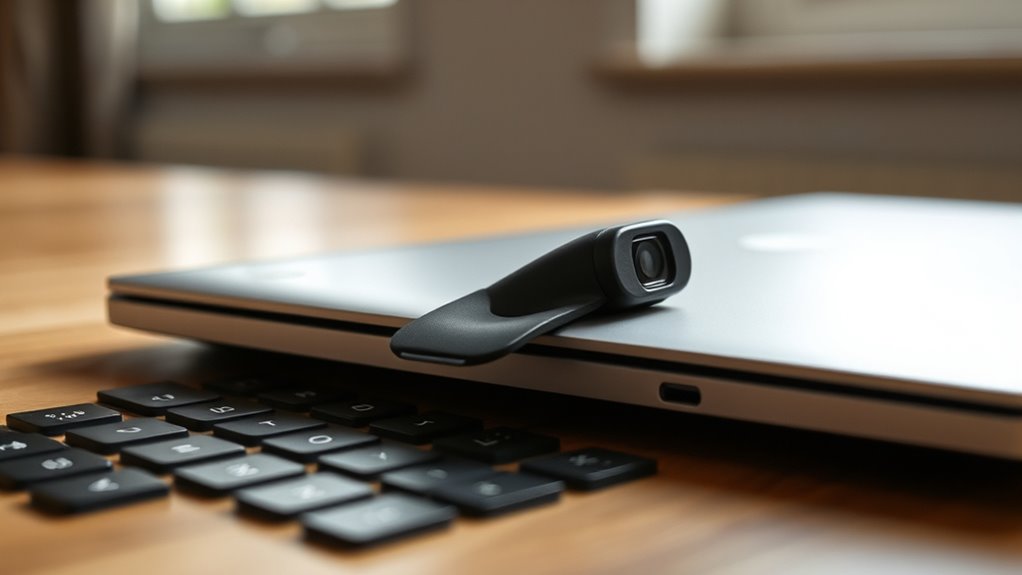
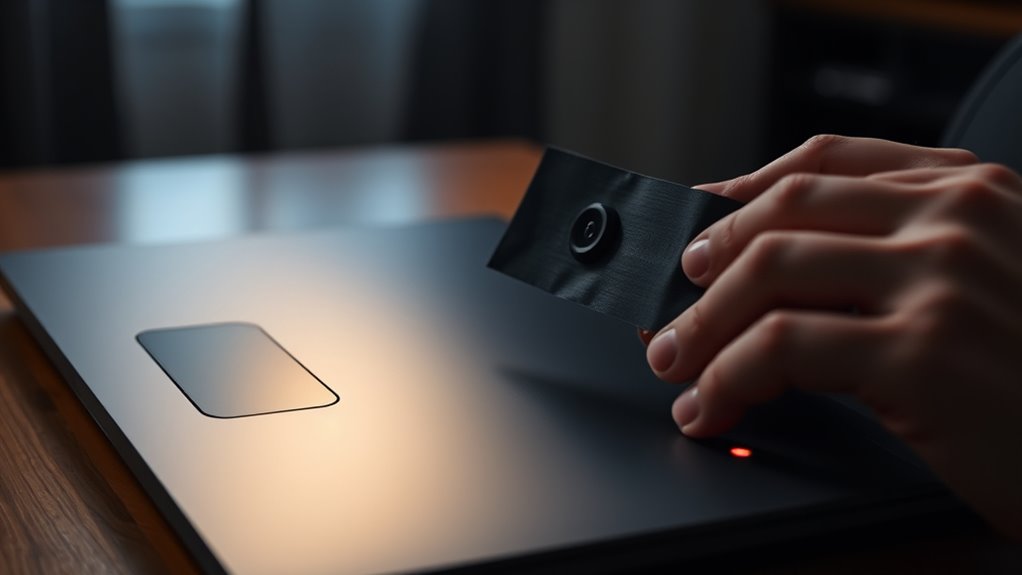
If you value your privacy, taking simple but effective steps to disable or cover your webcam can make a big difference. Covering techniques and privacy accessories are affordable and easy to use. First, physically cover your webcam with a sticker or a sliding cover to block the lens when not in use. Second, disable the camera in your device’s settings to prevent unauthorized access. Third, disconnect or unplug external webcams when you’re not using them. Fourth, consider using privacy accessories like webcam covers, which are thin and easy to slide open or shut. These simple measures give you control over your privacy and reduce the risk of unauthorized spying. Taking these steps is a proactive way to safeguard your personal space from unwanted surveillance.
Best Practices for Safeguarding Your Device Against Webcam Hacks
While physically covering your webcam is a great first step, safeguarding your device against hacks needs proactive measures. Keep your software updated to patch vulnerabilities and enhance webcam security. Use strong, unique passwords for your accounts and enable two-factor authentication when possible. Install reputable security software to detect malware that could compromise camera privacy. Be cautious of suspicious links and downloads, as these can introduce hacking tools. Regularly review app permissions to ensure only trusted programs access your webcam. Disable remote access features if you don’t need them.
| Security Tip | Description |
|---|---|
| Keep software updated | Fixes security flaws, improves webcam security |
| Use strong passwords | Prevent unauthorized access to accounts and devices |
| Enable 2FA | Adds extra layer of protection against hacks |
| Install security software | Detects malware attempting to access your webcam |
| Review app permissions | Limits which apps can access your camera privacy |
Frequently Asked Questions
Can Malware Secretly Activate My Webcam Without My Knowledge?
Yes, malware can secretly activate your webcam without your knowledge, especially if it’s designed for spyware detection evasion. To safeguard yourself, regularly check for hardware tampering and unusual activity. Cover your webcam when not in use, keep your software updated, and run security scans. These steps help prevent malicious programs from gaining access and ensure your privacy stays secure.
Are There Specific Signs Indicating a Webcam Has Been Physically Tampered With?
Yes, physical tampering can be detected by checking indicator lights and the webcam itself. If the indicator light stays on when you’re not using the webcam, or if you notice a loose or broken camera cover, these are signs of tampering. Regularly inspect your webcam for any unusual physical damage, and verify that the indicator lights function correctly to confirm your device hasn’t been compromised.
How Often Should I Update My Webcam Drivers for Security?
Like a shield that needs reforging, you should update your webcam drivers regularly—at least once a month or whenever security patches are released. Keeping drivers current guarantees you get the latest security patches, closing vulnerabilities that hackers might exploit. Regular updates help protect your privacy, making it harder for intruders to access your webcam unnoticed. Don’t wait for a breach—stay proactive and keep your device secure.
Is Using a VPN Effective in Preventing Webcam Spying?
Using a VPN can help protect your webcam privacy by encrypting your internet traffic, making it harder for hackers to access your device. However, VPN effectiveness alone isn’t enough to prevent webcam spying entirely. You should also cover your webcam when not in use, keep your software updated, and enable security features. Combining these measures offers stronger protection against unauthorized access and enhances your overall webcam privacy.
What Are the Legal Rights if My Webcam Is Hacked?
If your webcam gets hacked, your privacy rights are protected by privacy laws, and you can take legal action against the hacker. Hacking consequences can include criminal charges, fines, or even jail time for the offender. You should report the incident to authorities and your device’s manufacturer. Stay informed about your rights and consider consulting a legal expert to understand how privacy laws apply in your situation.
Conclusion
Taking steps to protect your webcam is like locking your door—it keeps unwanted visitors out. By staying vigilant, using the right tools, and covering your camera when not in use, you can keep your privacy safe. Remember, your webcam is a window to your world—make sure it’s only open when you want it to be. Stay cautious and proactive, so you don’t become an easy target for hackers lurking in the shadows.
Halloween Picks
halloween
As an affiliate, we earn on qualifying purchases.