📊 Full opportunity report: Best Quiet Case Fans + the Airflow Setup That Actually Works on ThorstenMeyerAI.com — validation score, market gap, and execution plan.
Listen free for 30 days with Audible
Thousands of audiobooks and originals — cancel anytime.
Start your free trialAs an affiliate, we earn on qualifying purchases.
TL;DR
This article identifies the best quiet case fans for 2026 and explains the airflow setup that maximizes cooling while minimizing noise. Proper fan selection and configuration are crucial for high-performance, quiet workstations.
The most effective approach to quiet, high-performance PC cooling in 2026 combines the selection of large, slow-moving fans with a carefully designed airflow setup that prioritizes moving air gently through the case.
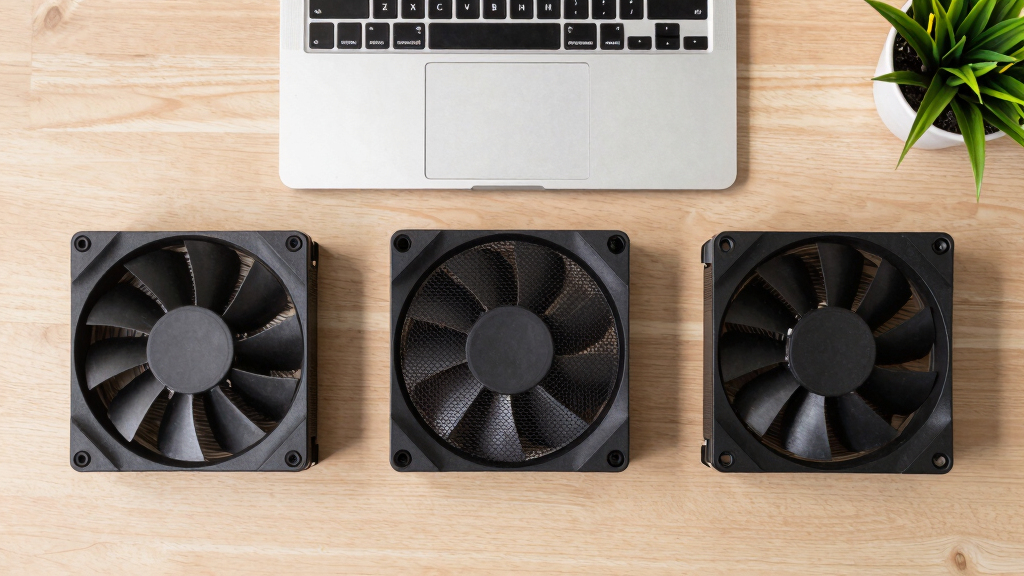
Recent testing and expert consensus highlight the Noctua NF-A12x25 and NF-A14 as the top-performing quiet fans, known for their low noise levels and high airflow. Arctic P12 Pro and P14 fans offer excellent value, delivering near-premium performance at a fraction of the cost, making them popular choices for budget builds. For those prioritizing silence, be quiet! Silent Wings 4 fans are engineered to operate at minimal noise levels, suitable for office environments or noise-sensitive settings. When using liquid cooling, static-pressure fans like Arctic P12 Pro and Noctua NF-F12 are recommended for radiators and dense heatsinks, ensuring efficient airflow through restrictive components. The core principle remains: larger fans spinning at lower RPMs produce less noise while maintaining effective cooling, especially when properly tuned with a flat fan curve.Experts emphasize that the key to quiet operation is not just fan choice but also airflow configuration. Intake and exhaust fans should be positioned to create a gentle, continuous flow of air, avoiding turbulence and hotspots. Using larger fans (140mm over 120mm) and running them at low speeds significantly reduces noise without sacrificing cooling performance, which is critical for high-power AI workstations and other demanding setups.
Best quiet case fans
+ the airflow that works.
The best fan won’t help if it’s pointed the wrong way. The whole recipe: big fans, running slowly, in a clean front-to-back path, with slightly more intake than exhaust. Build a config in Part 2 and watch the pressure balance respond.
How Proper Fan Choice and Setup Impact PC Noise and Cooling
Choosing the right fans and configuring airflow correctly can dramatically reduce noise levels in high-performance PCs without compromising cooling. This is especially important for AI workstations, where sustained high loads generate significant heat. Proper airflow setup ensures quieter operation, longer component lifespan, and a more comfortable working environment, making it a vital consideration for builders and users aiming for silent yet powerful systems.
As an affiliate, we earn on qualifying purchases.
Advances in Fan Technology and Cooling Strategies in 2026
Over recent years, fan engineering has focused on balancing airflow and noise, with brands like Noctua, Arctic, and be quiet! leading the way. The trend toward larger fans operating at lower RPMs has become standard practice, supported by improved bearing designs and aerodynamic blade shaping. This shift aligns with broader cooling strategies emphasizing positive case pressure and strategic fan placement. The current consensus is that moving large volumes of air slowly is more effective and quieter than high-speed small fans, especially for continuous workloads like AI training or 3D rendering. These developments reflect ongoing efforts to optimize thermal management while maintaining a quiet environment.
"Larger fans spinning at lower RPMs are the cornerstone of quiet, effective cooling in 2026. Proper airflow setup makes all the difference."
— Thorsten Meyer, cooling expert
best airflow setup for high-performance PC
As an affiliate, we earn on qualifying purchases.
As an affiliate, we earn on qualifying purchases.
Remaining Questions About Long-Term Fan Durability and Compatibility
While current testing confirms the high performance and low noise of these fans, long-term durability data, especially under continuous high loads typical of AI workloads, is still emerging. Compatibility issues may arise with certain case sizes or radiator configurations, and user preferences for noise levels can vary. Additionally, the optimal airflow configuration may differ based on specific hardware setups, requiring further testing in diverse environments.
As an affiliate, we earn on qualifying purchases.
Next Steps in Optimizing Quiet, High-Performance PC Cooling
Manufacturers are expected to release updated fan models with improved bearings and aerodynamic features. Future research will likely focus on adaptive fan curves and smarter airflow management systems. For users, the next step is to fine-tune fan curves and airflow paths based on specific workloads and case layouts, ensuring the best balance between cooling and noise. Monitoring tools and real-world testing will continue to refine best practices for quiet PC operation in 2026 and beyond.
static pressure fans for radiators
As an affiliate, we earn on qualifying purchases.
As an affiliate, we earn on qualifying purchases.
Key Questions
What are the best fans for a quiet gaming or workstation PC in 2026?
The Noctua NF-A12x25 and NF-A14 are top choices for their combination of low noise and high airflow. Arctic P12 Pro and P14 offer excellent value, while be quiet! Silent Wings 4 is ideal for ultra-quiet setups.
How should I configure my fans for optimal airflow and silence?
Use larger fans (140mm preferred) set to low RPM with a flat fan curve. Position intake fans at the front and exhaust at the rear, creating a gentle, continuous airflow that minimizes turbulence and hotspots.
Can I use these fans with my existing case and radiator?
Most modern cases support 120mm and 140mm fans. For radiators, static-pressure fans like Arctic P12 Pro or Noctua NF-F12 are recommended. Always verify fan compatibility with your case and radiator specifications.
Will these fans last for years of continuous operation?
Brands like Noctua and Arctic design fans with durable bearings and high-quality materials, promising long-term reliability. However, long-term data under continuous high loads is still being gathered, so monitoring performance over time is advised.
Source: ThorstenMeyerAI.com
Fall Picks
fall essentials
As an affiliate, we earn on qualifying purchases.