
The best digital signage displays balance visibility, content control, and installation needs. My best overall pick is the Samsung QM55R, a 55-inch 4K commercial screen that suits businesses seeking a familiar, established display format. For bright window-facing placements, the MWE 43-inch 1000-nit kiosk stands out, while the 65-inch touchscreen is a better fit for interactive spaces. The main tradeoffs are screen size versus placement flexibility, commercial-grade features versus simpler media playback, and touch capability versus a straightforward advertising screen. Read on for the full breakdown of what each type is best suited to and what to check before choosing.

Get the latest gadgets delivered free with Prime
- Fast, free delivery on millions of items
- Prime Video, Amazon Music and more included
- Member-only deals all year
Complete the kit



Key Takeaways
- The Samsung QM55R is the strongest all-round commercial fit in this lineup: it pairs 4K resolution with a 55-inch format and a three-year warranty, though it is not a touch kiosk.
- Brightness changes the shortlist for window use. The MWE 43-inch model lists 1000 nits, while the Samsung QET 43-inch lists 300 nits; the former is the more relevant candidate for brighter placements, subject to the actual lighting and installation.
- Touchscreen models are a different buying category, not automatic upgrades. The 65-inch touch display and floor-standing touch options make sense for interaction, but add kiosk-style setup needs that a passive advertising screen avoids.
- Small screens serve specific jobs better than general advertising. The 18.5-inch CMS display and Samsung 24-inch model suit counters or compact information points, while 43- and 55-inch screens are more suited to viewing from farther away.
- Content management varies as much as screen hardware. Several listings mention built-in CMS, Android, or MagicInfo Lite, but buyers should confirm scheduling, remote access, supported file formats, and any ongoing software requirements before choosing.



| digital signage display | Resolution | Display size | Brightness | Viewing angle |
|---|---|---|---|---|
| LG 32” 32SM5J-B Full HD Standa | 1920 × 1080 (Full HD) | 32 inches | 400 cd/m² | — |
| 65 inch Indoor Digital Signage | 3840 × 2160 (4K UHD) | 65 inches | 500 cd/m² | 178 degrees |
| 43 Inch Digital Signage Displa | 3840 × 2160 (4K UHD) | 43 inches | 800 nits | 178 degrees |
| 18.5-inch Digital Signage Disp | 1366 × 768 | 18.5 inches | 700 nits | 178 degrees |
| 50" Digital Signage Display 10 | 3840 × 2160 (4K UHD) | 50 inches | 1000 nits | 170 degrees |
| Samsung QM55R 55-Inch 4K UHD C | 3840 x 2160 (4K UHD) | 55 inches | 500 nits | — |
| 55-inch Touch Digital Signage | 3840 x 2160 (4K UHD) | 55 inches | 700 nits | 178 degrees |
| Samsung 24” Commercial UHD LED | Full HD | 24 inches | — | — |
| MWE 65 Inch 4K Digital Signage | 4K | 65 inches | — | 178 degrees |
| MWE 43 Inch Indoor Digital Sig | — | — | 1000 nits | — |
| MWE 32 Inch Indoor Digital Sig | 1920 x 1080 (Full HD) | 32 inches | — | 178 degrees |
| 32/43/55/65 Inch Digital Signa | 1920 x 1200 pixels | — | 600 nits | 178 degrees |
| Samsung 43" QET Series LFD Dis | 3840 x 2160 (4K UHD) | 43 inches | 300 cd/m² | 178 degrees |
More Details on Our Top Picks
LG 32” 32SM5J-B Full HD Standard Signage Display with webOS 6.0
I’d choose the LG 32SM5J-B for a compact business display that needs to stay on around the clock. Its stated 24/7 operation, webOS 6.0, and 8GB of internal memory make it a more signage-focused option than a general-purpose screen, while three HDMI inputs and LAN give installers room to connect players or manage the display over a network. The 32-inch Full HD IPS panel suits menus, notices, and promotions viewed from different positions, though its 400 cd/m² brightness is less suited to sunlit windows than the 43-inch Android model with 800 nits. Compared with the 18.5-inch display, the LG gives content more room and a higher resolution, but it lacks that model’s stated cloud CMS and desktop stand. I’d skip it if 4K detail or touch interaction is central to the setup.
Pros:- Rated for 24/7 commercial operation
- IPS Full HD panel supports broad viewing angles
- webOS 6.0 and 8GB internal memory support signage playback
- Three HDMI inputs plus LAN, USB, and RS232C provide useful installation connections
Cons:- 400 cd/m² brightness is less suitable for bright window-facing placement than the 43-inch 800-nit model
- Full HD resolution offers less detail than the 4K options in this roundup
- Mounting details and warranty information are not specified
Best for: Retailers, clinics, and offices that need a network-connected 32-inch display for scheduled, continuous indoor signage.
Not ideal for: Businesses placing screens in bright window locations or needing 4K imagery, touchscreen interaction, or a supplied desktop stand.
- Display size:32 inches
- Resolution:1920 × 1080 (Full HD)
- Panel:IPS LED
- Brightness:400 cd/m²
- Operating hours:24/7
- Platform and memory:webOS 6.0; 8GB internal memory
- Connections:3 HDMI, 1 USB, LAN (RJ45), RS232C, IR IN, audio out
- Power consumption:40 watts
Our verdict“Choose the LG for dependable, compact 24/7 indoor signage with integrated webOS, but choose a brighter 4K model for window advertising or sharper large-format content.”
65 inch Indoor Digital Signage 4K Touchscreen with CMS Software and Android OS
This 65-inch display is the lineup’s clearest fit for large, interactive indoor presentations: it combines a 4K IPS screen with touchscreen availability, Android, and stated remote-management support. The 178-degree viewing angle helps keep content visible across a lobby or showroom, and its two 5W speakers can handle basic playback without a separate audio system. Compared with the 50-inch 1000-nit model, this one prioritizes touch interaction and a larger canvas over brighter output and specified multi-zone display. Its 500 cd/m² brightness is better suited to indoor spaces than direct window exposure, while the 60kg weight calls for careful planning before installation. I’d also want clearer information about CMS functions and software updates before making it the core of a multi-location signage network.
Pros:- 65-inch 4K IPS screen provides a large, detailed interactive canvas
- Touchscreen version supports hands-on navigation
- Android and stated remote-management support suit centrally managed content
- Built-in 2 × 5W speakers support basic audio playback
Cons:- At 60kg, the display requires sturdy support and careful installation
- 500 cd/m² brightness is below the 50-inch model’s 1000 nits for bright environments
- CMS capabilities and software-update details are limited
Best for: Showrooms, visitor centers, and indoor venues that need a large touchscreen for interactive product information or presentations.
Not ideal for: Small businesses with limited installation support, bright window-facing locations, or buyers who need detailed, clearly documented CMS capabilities.
- Display size:65 inches
- Resolution:3840 × 2160 (4K UHD)
- Display type:LCD; IPS
- Brightness:500 cd/m²
- Viewing angle:178 degrees
- Operating system:Android
- Touchscreen:Available in touch and non-touch versions
- Connections:2 HDMI, 2 USB, component output, Wi-Fi
- Weight:60 kg
Our verdict“Pick this 65-inch model for large indoor touchscreen presentations, but choose the brighter 50-inch display for window-facing promotions or multi-zone content without touch.”
43 Inch Digital Signage Display with Android OS, Auto Ad Player, WiFi, HDMI, USB
The strongest reason to pick this 43-inch screen is its 800-nit brightness, which gives promotional content more visibility in bright indoor settings than the LG 32SM5J-B’s 400 cd/m² panel. Its 4K IPS display also combines crisp detail with a stated 178-degree viewing angle, making it a flexible fit for retail floors, exhibitions, and temporary campaigns. Android app control, Wi-Fi, and a built-in timer offer a straightforward path to remote adjustments and scheduled playback; the listed 14kg weight is more manageable than the 60kg 65-inch touchscreen. The tradeoff is incomplete operational detail: scheduling functions are not fully described, and no speakers or audio connections are specified. I’d choose it over the smaller 18.5-inch model when visibility and screen area matter more than a stated built-in cloud CMS.
Pros:- 800-nit brightness is well suited to bright indoor promotional areas
- 4K IPS panel combines fine detail with broad stated viewing angles
- Android app control, Wi-Fi, and a timer support remote and scheduled playback
- 14kg weight is easier to reposition than the 65-inch touchscreen
Cons:- Scheduling and CMS capabilities are not described in much detail
- Built-in speakers and audio support are not specified
- Wi-Fi features depend on an internet connection
Best for: Retail teams and event organizers needing a bright 4K display that can be repositioned and managed through Android and Wi-Fi.
Not ideal for: Buyers who need documented CMS scheduling features, built-in audio, or a fully specified connection set for a fixed installation.
- Display size:43 inches
- Resolution:3840 × 2160 (4K UHD)
- Display technology:IPS
- Brightness:800 nits
- Viewing angle:178 degrees
- Refresh rate:60 Hz
- Operating system:Android
- Connectivity:Wi-Fi, HDMI
- Weight and warranty:14 kg; 3 years
Our verdict“Choose this 43-inch model for bright, repositionable 4K promotions, but favor the LG for documented 24/7 operation or the 18.5-inch screen for stated cloud CMS.”
18.5-inch Digital Signage Display with 700 Nits Brightness and Built-in CMS
When signage needs to fit on a counter rather than dominate a wall, this 18.5-inch model offers a practical mix of compact size and built-in content management. Android 12 and the stated cloud CMS let teams update material remotely, with USB playback as another content route; the included desktop stand supports portrait or landscape placement. At 700 nits, it is brighter than the LG 32SM5J-B, although its 1366 × 768 resolution is far less detailed and its small screen cannot replace a larger 4K display for viewing across a room. The 3-year warranty is a useful stated detail, but no built-in speakers are listed. Compared with the 43-inch Android model, this is easier to place in a reception area or on a counter, while giving up screen size and 4K playback.
Pros:- 700-nit brightness supports visibility in bright indoor settings
- Android 12 with stated cloud CMS allows remote content management
- Desktop stand supports portrait and landscape placement
- Multiple USB ports, HDMI, LAN, and TF card support offer varied playback options
Cons:- 1366 × 768 resolution is a clear step down from the roundup’s 4K displays
- Small 18.5-inch screen is not suited to long viewing distances
- No built-in speakers are listed
Best for: Cafés, hotel desks, and small retail counters that need a bright, remotely updated screen with flexible tabletop orientation.
Not ideal for: Businesses showing detailed product imagery, reaching viewers across a large room, or relying on built-in audio.
- Display size:18.5 inches
- Resolution:1366 × 768
- Brightness:700 nits
- Contrast ratio:1500:1
- Viewing angle:178 degrees
- Operating system and CMS:Android 12; cloud CMS
- Connections:1 HDMI, 3 USB 2.0, 1 USB 3.0, TF card, LAN, DC
- Power consumption:55 watts
- Warranty:3 years
Our verdict“Choose this compact display for bright counter signage with cloud content updates, but opt for the 43-inch Android model when screen size and 4K detail matter more.”
50″ Digital Signage Display 1000-Nit 4K UHD Commercial Screen
For bright retail environments where a standard indoor screen may lose impact, this 50-inch model pairs 1000-nit brightness with 4K resolution and Android-based remote content control. That brightness is the standout distinction: it exceeds the 43-inch model’s 800 nits, while the larger screen gives window promotions and in-store campaigns more presence. Its multi-zone content support, 32GB storage, and 4GB RAM also give operators room to manage varied material on the display. The tradeoffs are a glossy finish, a 170-degree viewing angle that is narrower than the 178-degree figures on the 43-inch and 65-inch models, and a 20kg installation weight. At 60Hz, it is aimed at advertising and information rather than unusually fast motion. I’d pick it over the 65-inch touchscreen when brightness and multi-zone signage matter more than interaction.
Pros:- 1000-nit brightness is the highest specified in this five-product group
- 4K resolution and multi-zone support suit detailed, varied advertising
- Android, remote content control, 32GB storage, and 4GB RAM support signage playback
- Specified 50,000-hour lifespan gives buyers a stated longevity figure
Cons:- 20kg weight calls for a suitably rated mount and careful installation
- Glossy finish can produce reflections, and the 170-degree viewing angle is narrower than some alternatives
- 60Hz refresh rate and no specified touchscreen limit its fit for interactive or fast-motion use
Best for: Retailers and restaurants placing 4K promotional content in bright indoor areas or window-facing locations.
Not ideal for: Teams needing touchscreen interaction, lighter wall installation, wide-angle viewing from every position, or documented 24/7 operation.
- Display size:50 inches
- Resolution:3840 × 2160 (4K UHD)
- Brightness:1000 nits
- Contrast ratio:2000:1
- Viewing angle:170 degrees
- Operating system:Android
- Memory:32GB storage; 4GB RAM
- Connections:2 HDMI, 2 USB, 2 USB 3.0, component output
- Lifespan and weight:50,000 hours; 20 kg
Our verdict“Choose this model for bright, multi-zone 4K advertising, but select the 65-inch touchscreen for hands-on interaction or the lighter 43-inch model for easier repositioning.”
Samsung QM55R 55-Inch 4K UHD Commercial LED Display with HDMI, Wi-Fi, 3-Year Warranty
The Samsung QM55R is the strongest fit here for businesses that need a fixed display built to run around the clock. Its 4K resolution and 500-nit brightness support clear, detailed messaging, while the non-glare panel helps keep reflections from competing with content. Built-in Wi-Fi, Bluetooth, an embedded media player, and MagicInfo give it more signage-focused management options than the MWE 65-inch kiosk, which emphasizes a freestanding format and Android playback.
The tradeoff is flexibility: this Samsung is a commercial screen, not a wheeled, interactive kiosk, and its setup may take more planning than a simpler playback display. Its three-year warranty is also longer than the one-year coverage listed for the 55-inch touchscreen kiosk. I’d choose the QM55R for a permanent business installation, but skip it if touch interaction or easy relocation is central to the job.
Pros:- Designed for 24/7 commercial operation
- 4K resolution and 500-nit brightness support detailed, readable signage
- Built-in Wi-Fi, Bluetooth, embedded media player, and MagicInfo platform
- Three-year warranty and non-glare panel
Cons:- Does not provide the touchscreen interaction and wheeled mobility of the 55-inch kiosk
- Commercial setup and content management may require more configuration
- Its professional signage focus makes it less suited to general home viewing
Best for: Businesses needing a wall-mounted 55-inch display for continuous, centrally managed promotions or information.
Not ideal for: Retailers seeking a movable touchscreen kiosk or buyers who want a display primarily for home entertainment.
- Display size:55 inches
- Resolution:3840 x 2160 (4K UHD)
- Brightness:500 nits
- Contrast ratio:4000:1
- Connectivity:HDMI, Wi-Fi, Bluetooth, DisplayPort
- VESA mount:200 x 200 mm
- Weight:39.9 pounds
- Warranty:3 years
Our verdict“Choose the QM55R for a permanent, always-on commercial screen with built-in wireless content tools rather than an interactive or mobile kiosk.”
55-inch Touch Digital Signage Display Kiosk Floor Stand Advertising
Unlike the wall-oriented Samsung QM55R, this 55-inch kiosk is designed to bring signage into the room: its floor stand and four wheels make it easier to reposition promotions around a shop, lobby, or event space. The 4K IPS panel has a 178-degree viewing angle, and its listed 700-nit brightness gives it more headroom than the Samsung’s 500 nits for bright indoor settings. Android 14, 4GB of RAM, 32GB of storage, and Wi-Fi support offer several routes for running and managing content.
The main compromise is the kiosk format itself. At 60 pounds, it is not effortless to move, and its one-year warranty is shorter than the Samsung QM55R’s three-year coverage. The product is described as a touchscreen, but the available details do not specify touch performance or software-update support. I’d pick it for adaptable, customer-facing placements, not a fixed installation requiring well-documented long-term support.
Pros:- 4K IPS display with a 178-degree viewing angle
- 700-nit brightness is higher than the Samsung QM55R’s listed 500 nits
- Wheeled floor stand supports repositioning
- Android 14, Wi-Fi, HDMI, Bluetooth, and USB playback options
Cons:- 60-pound weight can make relocation a two-person task
- One-year warranty is shorter than the Samsung QM55R’s three years
- Touch sensitivity and software-update details are not specified
Best for: Retail and event teams that want a large indoor display they can reposition and use for customer interaction.
Not ideal for: Businesses seeking a fixed commercial screen with a clearly specified long-term support package or outdoor-rated construction.
- Display size:55 inches
- Resolution:3840 x 2160 (4K UHD)
- Display technology:IPS LCD
- Brightness:700 nits
- Viewing angle:178 degrees
- Operating system:Android 14.0
- Memory and storage:4GB RAM + 32GB storage
- Weight:60 pounds
- Warranty:1 year
Our verdict“Pick this kiosk when mobile placement and interactive-style presentation matter more than a lighter, fixed commercial screen.”
Samsung 24” Commercial UHD LED LCD Display Sign, Full HD Resolution, Compact Design, Home UI, LH24QBCEBGCXZA
This Samsung is the space-saving choice in a lineup otherwise heavy on large-format screens. At 24 inches, it can fit a counter, narrow wall, or smaller information point where the 55-inch Samsung QM55R would dominate the space. Full HD resolution suits close-up menus and concise notices, while built-in Wi-Fi and Home UI provide a route to remote content management without adding a separate playback device. Its IP5X rating also makes it a more appealing option for dusty commercial settings than the indoor-only MWE kiosk models, though that rating should not be read as outdoor protection.
Size is both its advantage and its limit: it cannot deliver the broad visibility of the 43-inch MWE high-brightness kiosk or the large 4K screens. The product information lists Full HD despite the “UHD” wording in the title, so I’d base the choice on the stated resolution rather than that label. Choose it for compact messaging, not distant viewing or elaborate visual content.
Pros:- Compact 24-inch format fits tight commercial spaces
- Full HD resolution is suited to readable close-range messaging
- Built-in Wi-Fi supports remote content management
- IP5X rating is useful in dusty indoor environments
Cons:- Small screen is less visible across larger rooms than the 43-inch or 55-inch options
- Full HD has less detail than the 4K Samsung QM55R
- No touchscreen capability is listed
Best for: Small shops, counters, and service areas that need a wall-mounted screen for close-range messages in limited space.
Not ideal for: Venues needing long-distance visibility, a large promotional image, or a specified touchscreen interface.
- Display size:24 inches
- Resolution:Full HD
- Display type:LED
- Connectivity:Built-in Wi-Fi
- User interface:Home UI
- Mounting type:Wall mount
- Orientation:Landscape
Our verdict“Choose this Samsung when space is limited and clear, close-range commercial messaging matters more than screen size.”
MWE 65 Inch 4K Digital Signage Display Kiosk, Indoor Floor Standing Advertising Poster, Android System
The MWE makes sense when the message needs to command attention from across a lobby, showroom, or waiting area. Its 65-inch 4K IPS screen is the largest display in this batch, and the 178-degree viewing angle helps keep content visible to people approaching from the side. A floor-standing format, Android system, and remote-management support make it a more self-contained presentation option than the wall-mounted Samsung QM55R, which is better suited to a permanent screen installation.
That scale comes with practical costs beyond the footprint: the listed dimensions reach 81.1 inches high, and the glossy finish may reflect nearby lighting. Its 1200:1 contrast ratio is specified, but brightness and environmental durability are not, so I would not assume it can handle strong ambient light or rough conditions as well as the 1000-nit MWE 43-inch kiosk. This is a better fit for spacious indoor venues than compact shops.
Pros:- 65-inch 4K IPS screen provides a large canvas for signage
- 178-degree viewing angle supports visibility from different approaches
- Android system and remote-management support enable flexible playback
- Three-year warranty
Cons:- Large floor-standing dimensions need substantial placement space
- Glossy finish may reflect lights or windows
- Brightness and harsh-environment durability details are not provided
Best for: Businesses with generous indoor floor space that need a large 4K screen for advertising, wayfinding, or public information.
Not ideal for: Small venues, bright window-facing placements, or buyers who need stated brightness and rugged-environment specifications.
- Display size:65 inches
- Resolution:4K
- Display technology:LCD IPS
- Contrast ratio:1200:1
- Viewing angle:178 degrees
- Color gamut:99%
- Screen finish:Glossy
- Dimensions:33.23″D x 17.72″W x 81.1″H
- Warranty:3 years
Our verdict“Choose the MWE 65-inch kiosk for large indoor spaces where screen scale matters more than a compact footprint or specified high-brightness performance.”
MWE 43 Inch Indoor Digital Signage Display, 1000 Nits Window Advertising Kiosk, Custom Logo, Support Floor Standing or Ceiling Mount
For indoor signage near bright windows, the MWE 43-inch stands out for its listed 1000-nit brightness, which gives it a clearer specification for well-lit placements than the Samsung QM55R’s 500 nits. Its 43-inch screen is also easier to fit into a shopfront or promotional area than the 65-inch MWE floor kiosk. Content can be managed through a mobile app, USB, or built-in memory, and split-screen playback lets a business show more than one message without installing a second display.
Installation is unusually flexible for this group: the unit supports floor-standing or ceiling-mounted setups. But the product is specified for indoor use only, so the brightness claim does not make it an outdoor display. The available details also omit resolution, panel technology, and connectivity specifics, making it harder to compare image detail with the 4K Samsung models. I’d choose it when placement flexibility and brightness lead the decision, not when detailed picture specifications are a priority.
Pros:- 1000-nit brightness is suited to well-lit indoor placements
- Supports floor-standing or ceiling-mounted installation
- Mobile app, USB, and built-in-memory content options
- Split-screen playback can present multiple messages at once
Cons:- Indoor-only design is not specified for outdoor exposure
- Resolution and display technology are not provided
- Technical setup may be needed to configure playback and installation
Best for: Retailers placing promotions inside bright storefronts who need flexible floor or ceiling installation and multiple playback methods.
Not ideal for: Businesses needing outdoor-rated signage or buyers who require confirmed resolution and panel specifications before purchase.
- Screen size:43 inches
- Brightness:1000 nits
- Installation options:Floor standing or ceiling mounted
- Content management:Mobile app, USB, or built-in memory
- Playback:Split-screen and multi-format playback
- Use:Indoor
- Warranty:2 years
Our verdict“Choose this MWE for bright indoor window advertising and flexible mounting, but not for outdoor use or buyers who need fully specified image performance.”
MWE 32 Inch Indoor Digital Signage Display Monitor, LCD Kiosk with Auto Media Player, HDMI/USB
The MWE suits businesses that need a freestanding screen they can reposition for changing promotions, events, or information points. Its foldable design and wheels make it more adaptable than a fixed commercial panel such as the Samsung 43-inch QET Series, though its listed weight of 21.55 kg means moving it still takes care. The Full HD IPS display and 178-degree viewing angle help keep messages legible to people approaching from different directions, while USB and HDMI support give staff straightforward playback options. Remote updates through a CMS can reduce trips to the screen, but the product details do not specify the software’s capabilities. This is a practical placement-first pick, not a resolution leader: the Samsung offers 4K detail, and the MWE has no stated built-in speakers.
Pros:- Foldable design and wheels support repositioning between indoor locations.
- Full HD IPS panel with a 178-degree viewing angle suits shared viewing areas.
- HDMI and two USB ports provide flexible options for connected devices and media.
- CMS support allows remote content updates.
Cons:- At 21.55 kg, setup and transport may require help.
- Full HD resolution has less detail than the Samsung 43-inch QET Series 4K screen.
- Built-in speakers are not specified, and CMS software details are limited.
Best for: Retailers, event venues, and reception teams that need a wheeled, freestanding display they can move between indoor promotion or information areas.
Not ideal for: Businesses prioritizing 4K detail, audio from the display itself, or a lightweight kiosk that one person can easily lift and reposition.
- Display size:32 inches
- Resolution:1920 x 1080 (Full HD)
- Display technology:LCD
- Viewing angle:178 degrees
- Refresh rate:60 Hz
- Ports:1 HDMI, 2 USB
- Weight:21.55 kg
- Warranty:3 years
Our verdict“Choose the MWE if mobility and remote updates matter more than 4K resolution or a lighter setup.”
32/43/55/65 Inch Digital Signage Display LCD Screen Advertising Kiosk with Touch, Android OS, USB/HDMI/WiFi
This Android kiosk is the clearest choice here for businesses that want visitors to tap, browse, or interact rather than only view a looping message. Its touchscreen, Wi-Fi, and split-screen support give it more interactive scope than the MWE 32-inch Indoor Digital Signage Display, which focuses on mobile placement and conventional media playback. The 600-nit brightness is also higher than the Samsung 43-inch QET Series’ listed 300 nits, a useful distinction in bright indoor settings. Buyers can select among 32-, 43-, 55-, and 65-inch sizes, but the supplied dimensions describe a very large freestanding unit, so site measurements matter. The listing does not explain software customization in detail, and the combination of a large kiosk and interactive setup may call for professional installation.
Pros:- Touch panel supports interactive content rather than passive message playback.
- 600-nit brightness is higher than the Samsung 43-inch QET Series’ listed 300 nits.
- Android, Wi-Fi, HDMI, and USB provide several ways to run or connect content.
- Multiple screen-size options accommodate different display needs.
Cons:- The freestanding kiosk dimensions may demand substantial floor space.
- Software customization and CMS capabilities are not clearly detailed.
- Setup may be complex enough to require professional assistance.
Best for: Malls, airports, and visitor centers seeking a high-brightness touchscreen for wayfinding, product browsing, or other public-facing interactions.
Not ideal for: Small shops or offices with limited floor space, or buyers who need a clearly documented content-management platform and installation process.
- Available display sizes:32, 43, 55, and 65 inches
- Resolution:1920 x 1200 pixels
- Brightness:600 nits
- Touch panel:Yes
- Operating system:Android
- Connectivity:Wi-Fi, HDMI, USB
- Viewing angle:178 degrees
- Warranty:3 years
Our verdict“Pick this Android kiosk when touchscreen engagement and brighter output outweigh limited software detail and a large installation footprint.”
Samsung 43″ QET Series LFD Display with MagicInfo Lite Player, 4K UHD, 8ms Response, 300 nits, Built-in Speakers
The Samsung QET Series is the strongest fit when fine image detail matters more than touch interaction or a freestanding kiosk format. Its 43-inch 4K UHD panel and integrated MagicInfo Lite Player make it a more polished choice for product visuals and scheduled business content than the Full HD MWE 32-inch display. It also supports 16/7 operation, aligning it with extended daily signage schedules. The tradeoff is brightness: at 300 cd/m², it falls below the Android touchscreen kiosk’s 600 nits, making that model a better fit for brighter indoor locations. This Samsung has built-in speakers, but no built-in Wi-Fi is specified, and its fixed 43-inch size offers less flexibility than the multi-size Android option.
Pros:- 4K UHD resolution delivers more image detail than the Full HD MWE 32-inch display.
- Integrated MagicInfo Lite Player supports content playback and management.
- Rated for 16/7 operation to match extended business schedules.
- Built-in speakers support audio playback without a separately listed speaker system.
Cons:- Listed brightness of 300 cd/m² is lower than the Android kiosk’s 600 nits.
- Only a 43-inch size is specified, with no touchscreen listed.
- Built-in Wi-Fi is not specified, and the listed response time is 8 milliseconds.
Best for: Businesses that want a fixed 43-inch commercial screen for detailed 4K product imagery and scheduled content during long daily operating hours.
Not ideal for: Bright public spaces needing higher listed brightness, interactive touchscreen use, or buyers who require built-in Wi-Fi.
- Display size:43 inches
- Resolution:3840 x 2160 (4K UHD)
- Brightness:300 cd/m²
- Contrast ratio:4000:1
- Viewing angle:178 degrees
- Response time:8 milliseconds
- Ports:2 HDMI, 1 USB
- Operating schedule:16/7
Our verdict“Choose the Samsung for detailed 4K signage and extended daily operation, but look elsewhere for touch or brighter output.”
How We Picked
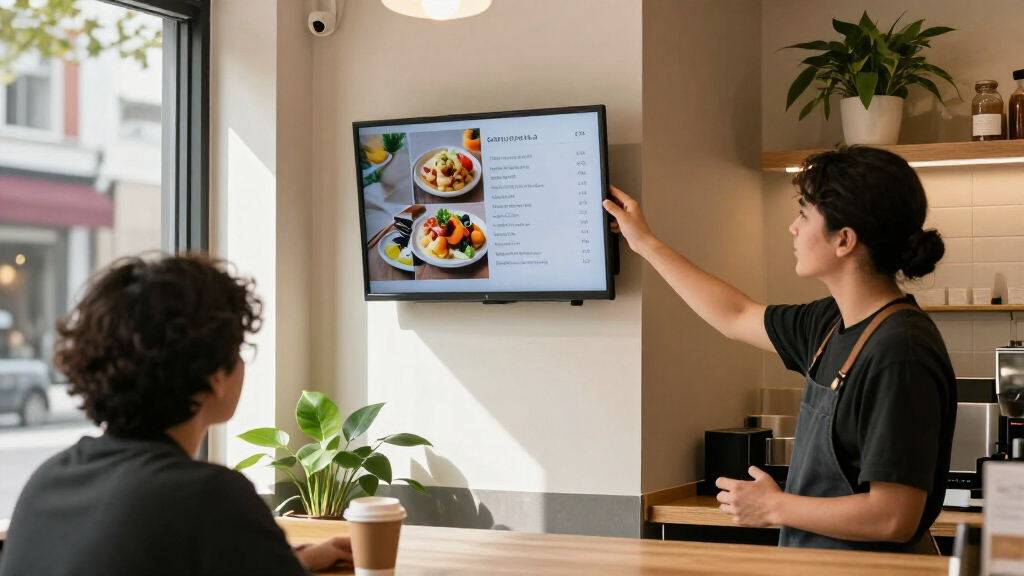
I compared the 13 options by how well their stated features match real signage jobs: storefront advertising, indoor menus, wayfinding, interactive kiosks, and compact counter displays. The main criteria were screen size and resolution, stated brightness where provided, touch support, content playback or CMS features, mounting and kiosk format, and commercial-use details such as warranty information. I gave more weight to combinations that have a clear use case than to a long feature list without a defined advantage.
The ranking reflects versatility and clarity of fit, not a claim that every model is directly comparable or independently tested. The Samsung QM55R leads as a conventional commercial display with 4K, a useful mid-to-large size, and a stated three-year warranty. Brightness-focused and touchscreen kiosks rank highly for their specific settings, while compact and simpler media-player models are better niche picks. Where listings leave key details unclear—such as CMS terms, operating schedule, or installation hardware—I treat that uncertainty as a buying drawback and recommend confirming it before purchase.
Factors to Consider When Choosing Best Digital Signage Displays
Choosing a signage screen starts with the job it must do, not the largest resolution or most features on the listing. I would work through these factors before settling on a model, because placement, content workflow, and installation can change which display is the practical choice.
Match Brightness to the Viewing Environment
Brightness matters most when ambient light competes with the screen, especially near windows or in sunlit entrances. A high-nit specification can help content remain visible, but it does not make every screen suitable for direct sunlight; glass, reflections, viewing angle, and time of day also matter. For indoor corridors or a dimmer restaurant, a lower-brightness screen may be adequate and can avoid paying for capacity the space does not need. Check whether the manufacturer states a commercial operating schedule alongside brightness, since signage may run longer than a household television. Before ordering, view the intended location at the time customers will see the content and note glare sources. A bright display mounted opposite a reflective window can still be hard to read.
Choose the Screen Size From Viewing Distance
Start with the farthest point from which a customer needs to read the message, then choose screen size and layout around that distance. A compact 18.5- or 24-inch screen can work at a counter, reception desk, or close-range information point, but small text and detailed menus become difficult to read across a room. A 43- or 55-inch display gives more room for larger type and visual hierarchy; a 65-inch model may suit a broad lobby or kiosk but needs space and a safe mounting plan. Consider portrait orientation and content design as well as diagonal size, since a screen used for posters may need a different layout from a landscape menu. Avoid buying extra screen area before checking sightlines, wall capacity, and nearby obstructions. Readability at the actual viewing distance is more useful than resolution alone.
Decide Whether Touch Adds Enough Value
Touch makes sense when viewers need to choose options, search information, or move through a menu without staff help. For a looping promotion or menu board, touch adds cost and interaction hardware without changing the core job. Interactive screens also need a usable interface, accessible placement, and a plan for cleaning the contact surface; a large touchscreen placed too high or in a narrow walkway can frustrate users. Ask whether the display supports the software and input method required by the intended interaction, rather than assuming Android alone provides a finished kiosk experience. A passive screen is usually easier to manage for fixed messaging. Select touch only when a real customer task benefits from it.
Check the Content Workflow Before Buying
A display’s CMS or media player determines how content gets onto the screen and how easily it can be changed. A USB auto-player may suit one location with infrequent updates, while multiple sites or changing schedules call for remote publishing, permissions, and reliable scheduling. Product descriptions that mention CMS, Android, or MagicInfo Lite do not automatically answer whether software is included, which file types work, or whether features require an account or network connection. Ask for a demonstration or written details of the publishing workflow, including what happens after a power loss or internet outage. Also check who will create and update the content; a powerful system can become a burden without an assigned operator. Choose the simplest platform that supports the update frequency and number of screens you actually have.
Plan Mounting, Power, and Ongoing Operation
Wall displays, counter screens, and freestanding kiosks create different installation requirements. Confirm the screen’s orientation support, mounting pattern, included stand or bracket, cable routing, and the load-bearing capacity of the chosen surface. A floor-standing unit may save wall work but occupy valuable floor space and need protection from tipping or accidental contact. For ceiling or window placements, verify that the model supports the required mounting method rather than relying on a product photo. Ask about operating hours, ventilation, warranty coverage, and access for maintenance before placing a screen in a hard-to-reach location. Installation and service needs can outweigh small differences in display specifications.
Pay for Commercial Features You Will Use
Commercial signage features earn their keep when a screen runs for long periods, needs centralized control, or must present content consistently to customers. A stated warranty, commercial operating guidance, and managed content tools can be more useful than a higher resolution that viewers will not notice at normal distance. For a single screen showing a static schedule, a simpler model with USB playback may be the sensible choice. For several locations, the time saved by remote updates and scheduling can justify a more capable platform. Compare the total setup, including mounts, software, network access, service, and replacement planning—not only the panel. When a listing is vague about support or included software, get those details in writing before committing.
Frequently Asked Questions
Can I use a regular television instead of a commercial signage display?
A television can work for occasional, short-duration messaging in a controlled space, but it may not be suited to long daily operating hours or centralized signage management. Commercial displays often provide features such as business-oriented playback, deployment options, or support terms that are more relevant to public-facing use. Compare the manufacturer’s operating guidance and warranty conditions before using a TV for continuous playback. Also consider whether you need portrait orientation, scheduled content, or remote updates. If the screen is a central customer-facing tool, a commercial model is generally the safer match.
Is a 1000-nit display necessary for a storefront window?
Not for every window: the need depends on direct light, reflections, window direction, and how far away people will view the content. A brighter screen can improve visibility in challenging conditions, but high brightness alone cannot solve glare or poor placement. Check the display’s brightness specification and commercial-use guidance, then assess the location during the brightest part of the day. If possible, test a sample screen or get advice based on the window’s exposure before purchasing. For a shaded interior-facing storefront, a lower-brightness commercial display may be enough.
Should I choose built-in CMS software or USB playback?
USB playback is a straightforward fit when one person updates one screen occasionally and the content can run as a simple loop. A CMS is more useful when you need schedules, remote changes, multiple screens, or different messages by location. Product labels alone do not confirm which management features are included, so ask about licensing, connectivity, supported media, and what happens if the network goes down. Consider how often content will change and who will manage it. The best choice is the one your team can maintain reliably, not the one with the longest feature list.
When is a touchscreen kiosk worth choosing over a standard display?
A touchscreen kiosk is worth choosing when customers need to complete an action, such as browsing options, checking information, or selecting a service. It is less useful for passive promotions that people view while walking past. Along with the display, plan for kiosk software, accessible screen height, cleaning, and a layout that guides users through a short task. Confirm that the touchscreen model supports the operating system and applications your workflow needs. If staff still need to explain how to use it, a non-touch display with clearer messaging may serve the space better.
What should I verify before buying a display for multiple locations?
Confirm that the content platform can manage all locations from one account and can assign different playlists or schedules to each screen. Ask about user permissions, network requirements, offline playback, software costs, and support for the formats your team already produces. Check warranty coverage and service arrangements across every location, not just the purchasing address. Also make sure each site has suitable mounting, power, ventilation, and internet access. A consistent model can simplify maintenance, but only if its brightness and installation format suit every venue.
Conclusion
For most businesses seeking a conventional commercial screen, I would start with the Samsung QM55R as the best overall because its 55-inch 4K format and stated warranty make it the most balanced general-purpose pick in this group. The best premium-style fit for bright window advertising is the MWE 43-inch 1000-nit kiosk, provided its mounting and software details suit the site; for a larger interactive setup, consider the 65-inch touchscreen instead. The best value in a simpler, compact format is the MWE 32-inch monitor for straightforward media playback, while the best option for beginners is a model whose playback workflow matches the team’s skills—USB or auto-player simplicity may be easier than adopting a CMS. Choose the Samsung 24-inch or 18.5-inch display for close-range, space-constrained messaging, and pick a touchscreen kiosk only when viewers need to interact. Before ordering any model, confirm content-management terms, mounting hardware, and operating guidance for your exact installation.
Halloween Picks
halloween
As an affiliate, we earn on qualifying purchases.