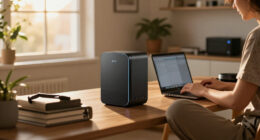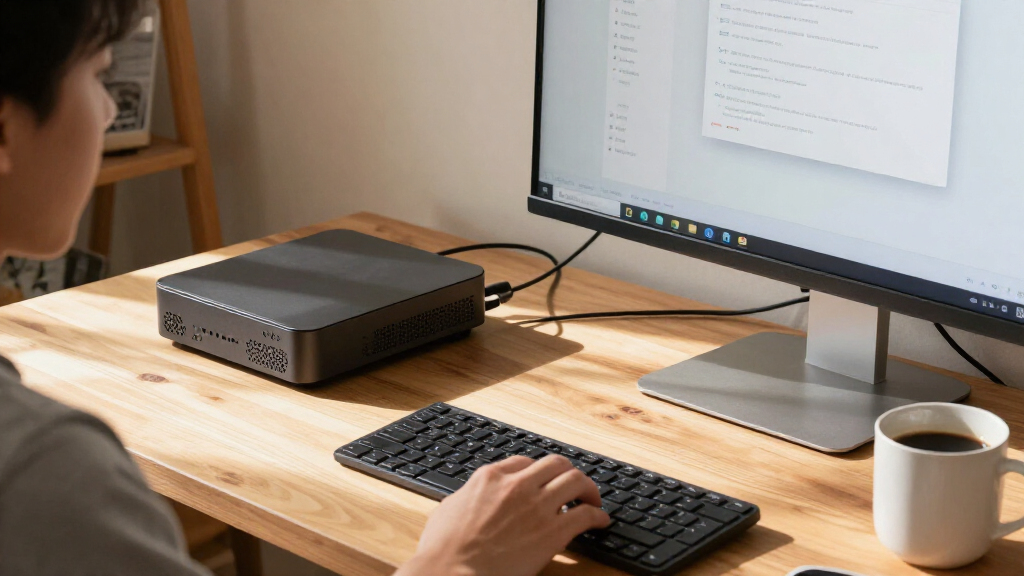
The best compact AI PCs balance useful AI performance with a small footprint, enough memory, and room for the work you actually plan to run. My best overall pick is the NIMO AI Mini PC with Ryzen AI Max+ 388, 64GB RAM, and 2TB SSD, a strong all-round configuration among the high-memory options. The reComputer Mini J5012 is the standout for edge-AI projects built around NVIDIA Jetson, while the Dell Pro Micro Plus QBM1250 suits managed office environments that favor a business desktop platform. The main tradeoffs are compute capacity versus size and power needs, and whether you need a dedicated AI platform or simply a capable everyday PC. Read on for the full comparison, the limits of each configuration, and guidance on choosing the right compact system.

Get the latest gadgets delivered free with Prime
- Fast, free delivery on millions of items
- Prime Video, Amazon Music and more included
- Member-only deals all year
Complete the kit



Key Takeaways
- NIMO’s Ryzen AI Max+ 388 systems lead this group for high-memory, integrated-graphics configurations; capacity and SSD size distinguish the variants more than their shared processor.
- The reComputer Mini J5012 serves a different purpose from the mini PCs: its Jetson AGX Orin platform is aimed at edge-AI development and deployment, not general office use.
- Dell’s Core Ultra 7 QBM1250 options target business computing; the two listings have closely matched specifications, so confirm the exact model and configuration before buying.
- FANPEEC’s Ryzen 7 7840HS models offer a more accessible performance tier; the 32GB version gives demanding multitasking more headroom than the 16GB version.
- GEEKOM’s Ryzen 7 7730U A5 is the everyday compact-PC choice here, not the strongest local-AI workstation; its 256GB and 500GB configurations call for different storage plans.
| NIMO AI Mini PC with AMD Ryzen AI Max+ 388, 64GB RAM, 2TB SSD |  | Best Overall | Processor: AMD Ryzen AI Max+ 388, up to 5.0GHz | Graphics: Radeon 8060S, 40 compute units | Memory: 64GB LPDDR5X, 8000MHz | VIEW LATEST PRICE | See Our Full Breakdown |
| NIMO AI Mini PC with AMD Ryzen AI Max+ 388, 64GB LPDDR5X RAM, and Radeon 8060S Graphics | | Best for Flexible Expansion | Processor: AMD Ryzen AI Max+ 388, up to 5.0GHz | Graphics: Radeon 8060S, 40 compute units | Memory: 64GB, listed as LPDDR5X at 8000MT/s; product details also refer to DDR5 | VIEW LATEST PRICE | See Our Full Breakdown |
| FANPEEC Mini PC with AMD Ryzen 7 7840HS, 16GB DDR5, and 512GB NVMe SSD |  | Best for Expandable Networking Setups | Processor: AMD Ryzen 7 7840HS, 8 cores and 16 threads, up to 5.1GHz | AI acceleration: Integrated Ryzen AI NPU, 10 TOPS | Memory: 16GB DDR5; two SO-DIMM slots, up to 64GB at 5600MHz | VIEW LATEST PRICE | See Our Full Breakdown |
| NIMO AI Mini PC with AMD Ryzen AI Max+ 388, 64GB RAM, and 4TB SSD | | Best for Large Local Storage | Processor: AMD Ryzen AI Max+ 388, up to 5.0GHz | Graphics: Radeon 8060S, 40 compute units | Memory: 64GB LPDDR5X, 8000MHz | VIEW LATEST PRICE | See Our Full Breakdown |
| Dell Pro Micro Plus QBM1250 Desktop, Intel Core Ultra 7 265, 16GB RAM, 512GB SSD |  | Best for Business Desks | Processor: Intel Core Ultra 7 265 | Graphics: Integrated Intel Graphics | Memory: 16GB DDR5 | VIEW LATEST PRICE | See Our Full Breakdown |
| GEEKOM A5 Mini PC, AMD Ryzen 7 7730U, 16GB RAM, 256GB NVMe SSD |  | Best for Multi-Monitor Work | Processor: AMD Ryzen 7 7730U, 8 cores and 16 threads | Memory: 16GB DDR4, expandable to 64GB | Storage: 256GB PCIe NVMe SSD | VIEW LATEST PRICE | See Our Full Breakdown |
| reComputer Mini J5012 with GMSL and NVIDIA Jetson AGX Orin 64GB |  | Best for Robotics and Edge AI | Processor: NVIDIA Jetson AGX Orin 64GB | AI performance: Up to 275 TOPS | Memory: 64GB LPDDR5 | VIEW LATEST PRICE | See Our Full Breakdown |
| Dell Pro Micro Plus QBM1250 Mini Desktop, Intel Core Ultra 7 265, 16GB DDR5 RAM, 512GB SSD | | Best for Business Desks | Processor: Intel Core Ultra 7 265 | Graphics: Integrated Intel Graphics | Memory: 16GB DDR5 at 5600 MHz; maximum 64GB | VIEW LATEST PRICE | See Our Full Breakdown |
| Dell Pro Micro QCM1250 Mini PC, Intel Core Ultra 5 235T, 16GB DDR5, 1TB SSD |  | Best for Ready-to-Use Office Setups | Processor: Intel Core Ultra 5 235T, 14 cores, up to 5 GHz | Memory: 16GB DDR5 SO-DIMM at 4800 MHz; maximum 64GB | Storage: 1TB M.2 2230 PCIe SSD | VIEW LATEST PRICE | See Our Full Breakdown |
| FANPEEC Mini PC with AMD Ryzen 7 7840HS, 32GB DDR5 RAM, and 512GB NVMe SSD | | Best for Local AI and Performance | Processor: AMD Ryzen 7 7840HS, 8 cores and 16 threads, up to 5.1 GHz | AI engine: 10 TOPS NPU | Memory: 32GB DDR5 at 5600 MHz; expandable to 64GB | VIEW LATEST PRICE | See Our Full Breakdown |
| NIMO AI Mini PC with AMD Ryzen AI Max+ 388, 64GB LPDDR5X RAM, 1TB SSD, and Radeon 8060S Graphics | | Best Compact AI Powerhouse | Processor: AMD Ryzen AI Max+ 388, up to 5.0GHz | Graphics: Integrated Radeon 8060S, 40 compute units | Memory: 64GB LPDDR5X, 8000MHz; not expandable | VIEW LATEST PRICE | See Our Full Breakdown |
| GEEKOM A5 Mini PC with AMD Ryzen 7 7730U, 16GB RAM, 500GB SSD |  | Best for Expandable Everyday Work | Processor: AMD Ryzen 7 7730U, 8 cores and 16 threads, up to 4.5GHz | Graphics: AMD Radeon Vega 8 | Memory: 16GB DDR4, expandable up to 64GB | VIEW LATEST PRICE | See Our Full Breakdown |
| compact AI PC | Processor | Memory | Storage | Graphics |
|---|---|---|---|---|
| NIMO AI Mini PC with AMD Ryzen | AMD Ryzen AI Max+ 388, up to 5.0GHz | 64GB LPDDR5X, 8000MHz | 2TB SSD | Radeon 8060S, 40 compute units |
| NIMO AI Mini PC with AMD Ryzen | AMD Ryzen AI Max+ 388, up to 5.0GHz | 64GB, listed as LPDDR5X at 8000MT/s; product details also refer to DDR5 | SSD; capacity not specified | Radeon 8060S, 40 compute units |
| FANPEEC Mini PC with AMD Ryzen | AMD Ryzen 7 7840HS, 8 cores and 16 threads, up to 5.1GHz | 16GB DDR5; two SO-DIMM slots, up to 64GB at 5600MHz | 512GB NVMe SSD; two M.2 2280 slots, up to 4TB total | — |
| NIMO AI Mini PC with AMD Ryzen | AMD Ryzen AI Max+ 388, up to 5.0GHz | 64GB LPDDR5X, 8000MHz | 4TB SSD | Radeon 8060S, 40 compute units |
| Dell Pro Micro Plus QBM1250 De | Intel Core Ultra 7 265 | 16GB DDR5 | 512GB M.2 NVMe SSD | Integrated Intel Graphics |
| GEEKOM A5 Mini PC | AMD Ryzen 7 7730U, 8 cores and 16 threads | 16GB DDR4, expandable to 64GB | 256GB PCIe NVMe SSD | — |
| reComputer Mini J5012 with GMS | NVIDIA Jetson AGX Orin 64GB | 64GB LPDDR5 | — | — |
| Dell Pro Micro Plus QBM1250 Mi | Intel Core Ultra 7 265 | 16GB DDR5 at 5600 MHz; maximum 64GB | 512GB M.2 NVMe SSD | Integrated Intel Graphics |
| Dell Pro Micro QCM1250 Mini PC | Intel Core Ultra 5 235T, 14 cores, up to 5 GHz | 16GB DDR5 SO-DIMM at 4800 MHz; maximum 64GB | 1TB M.2 2230 PCIe SSD | Integrated graphics |
| FANPEEC Mini PC with AMD Ryzen | AMD Ryzen 7 7840HS, 8 cores and 16 threads, up to 5.1 GHz | 32GB DDR5 at 5600 MHz; expandable to 64GB | 512GB NVMe SSD; dual M.2 slots support up to 4TB total | — |
| NIMO AI Mini PC with AMD Ryzen | AMD Ryzen AI Max+ 388, up to 5.0GHz | 64GB LPDDR5X, 8000MHz; not expandable | 1TB SSD | Integrated Radeon 8060S, 40 compute units |
| GEEKOM A5 Mini PC with AMD Ryz | AMD Ryzen 7 7730U, 8 cores and 16 threads, up to 4.5GHz | 16GB DDR4, expandable up to 64GB | 500GB M.2 2280 PCIe Gen4×4 NVMe SSD | AMD Radeon Vega 8 |
More Details on Our Top Picks
NIMO AI Mini PC with AMD Ryzen AI Max+ 388, 64GB RAM, 2TB SSD
I rank this NIMO first because it combines a strong AI-focused processor, Radeon 8060S graphics, and a useful 2TB SSD in a genuinely compact 1L case. Its 64GB of fast LPDDR5X memory gives demanding multitasking and local AI work more room than the 16GB Dell Pro Micro Plus QBM1250, while the Dell is a more business-oriented fit with Windows 11 Pro and clearly stated support for three 4K displays. Here, USB4, OCuLink, and 2.5GbE offer flexible peripheral, expansion, and wired-network options. The tradeoff is fixed memory: 64GB is the stated maximum, with no upgrade headroom. The listing also does not specify the number of supported displays, so buyers planning a multi-monitor desk should confirm compatibility before choosing it.
Pros:- 64GB LPDDR5X memory supports demanding multitasking and local AI workloads.
- Radeon 8060S graphics with 40 compute units is better suited to graphics-heavy work than the Dell Pro Micro Plus QBM1250’s integrated graphics.
- The 2TB SSD provides substantial built-in storage for projects and files.
- USB4, OCuLink, and 2.5GbE cover fast peripherals, expansion, and wired networking.
Cons:- The 64GB LPDDR5X memory is listed as the maximum, with no upgrade headroom.
- The product details do not specify how many displays it supports.
Best for: Creators and local-AI users who want 64GB of memory, a roomy 2TB drive, and a small desktop for demanding work.
Not ideal for: Buyers who need upgradeable memory or published multi-display limits, or who prefer a business desktop with Windows 11 Pro and explicit monitor support.
- Processor:AMD Ryzen AI Max+ 388, up to 5.0GHz
- Graphics:Radeon 8060S, 40 compute units
- Memory:64GB LPDDR5X, 8000MHz
- Storage:2TB SSD
- Operating system:Windows 11
- Connectivity:USB4, OCuLink, 2.5GbE Ethernet
- Dimensions:6.3 x 6.3 x 1.85 inches
- Weight:3.3 pounds
Our verdict“Choose this NIMO for a compact, well-equipped AI and creative workstation with 2TB built in, but skip it if you need memory upgrades or confirmed display limits.”
NIMO AI Mini PC with AMD Ryzen AI Max+ 388, 64GB LPDDR5X RAM, and Radeon 8060S Graphics
This NIMO shares the 1L footprint and high-end core hardware of the 2TB NIMO, making its USB4, OCuLink, and 2.5GbE combination the main reason to choose it for an adaptable desk or lab setup. The listed HDMI, USB-C, and USB 3.2 Gen 2 ports add connection options, while Radeon 8060S graphics and 64GB of LPDDR5X memory suit demanding creative and local-AI tasks. Compared with the FANPEEC Ryzen 7 7840HS, this model offers a higher stated memory capacity and stronger listed graphics hardware; the FANPEEC instead provides two 2.5GbE ports, expandable SO-DIMM memory, and detailed three-display support. The NIMO’s key weakness is uncertainty: SSD capacity is not specified, and its memory type is described inconsistently in the product details. I would verify both before buying.
Pros:- 64GB LPDDR5X memory and Radeon 8060S graphics suit demanding multitasking and creative workloads.
- USB4 and OCuLink provide flexible high-speed peripheral and expansion connections.
- 2.5GbE networking supports faster wired connections than standard gigabit Ethernet.
- The 1L chassis takes up little desk space.
Cons:- SSD capacity is not specified, making it difficult to judge included storage.
- The product details conflict on the memory type, describing it as LPDDR5X and DDR5.
- The listing does not state a supported display count.
Best for: Developers and advanced PC users who prioritize fast graphics, 64GB memory, and varied expansion connections in a 1L system.
Not ideal for: Buyers who need a confirmed storage capacity, upgradeable memory, or a clearly documented multi-monitor configuration.
- Processor:AMD Ryzen AI Max+ 388, up to 5.0GHz
- Graphics:Radeon 8060S, 40 compute units
- Memory:64GB, listed as LPDDR5X at 8000MT/s; product details also refer to DDR5
- Storage:SSD; capacity not specified
- Operating system:Windows 11
- Networking:2.5GbE
- Connectivity:USB4, OCuLink, HDMI, USB 3.2 Gen 2, USB Type-C
- Dimensions:6.3 x 6.3 x 1.85 inches
Our verdict“Pick this NIMO if its expansion options matter more than a confirmed SSD size, but verify the memory and storage details before ordering.”
FANPEEC Mini PC with AMD Ryzen 7 7840HS, 16GB DDR5, and 512GB NVMe SSD
The FANPEEC takes a different route from the NIMO AI Max+ 388 models: it starts with 16GB of replaceable DDR5 rather than 64GB of fixed LPDDR5X, then offers two SO-DIMM slots and two M.2 slots for later upgrades. That makes it a practical choice for a home server, network appliance, or workstation that can grow over time. Its dual 2.5GbE ports are a standout advantage over the NIMO systems’ single listed 2.5GbE connection, and the product specifies three 4K display outputs. The Ryzen 7 7840HS includes a 10-TOPS NPU, but this is not the same class of graphics setup as the NIMO’s Radeon 8060S. The tradeoff is immediate capacity: 16GB RAM and a 512GB SSD may need upgrading sooner, and the AI acceleration is less substantial on paper.
Pros:- Two SO-DIMM slots allow memory upgrades up to 64GB.
- Dual 2.5GbE ports suit network appliances and multi-network setups.
- Three specified 4K display outputs support a multi-monitor workstation.
- Two M.2 slots allow storage expansion up to 4TB total.
Cons:- The included 16GB RAM and 512GB SSD are more limited than the higher-capacity NIMO configurations.
- Its 10-TOPS Ryzen AI NPU and graphics setup are less compelling for demanding local-AI or graphics-heavy work than the NIMO AI Max+ 388 systems.
- Reaching the stated maximum memory and storage requires separate upgrades.
Best for: Home-server builders, network users, and workstation owners who want dual 2.5GbE, clear display support, and upgradeable memory and storage.
Not ideal for: Local-AI and graphics-heavy users who want 64GB memory and Radeon 8060S graphics out of the box.
- Processor:AMD Ryzen 7 7840HS, 8 cores and 16 threads, up to 5.1GHz
- AI acceleration:Integrated Ryzen AI NPU, 10 TOPS
- Memory:16GB DDR5; two SO-DIMM slots, up to 64GB at 5600MHz
- Storage:512GB NVMe SSD; two M.2 2280 slots, up to 4TB total
- Networking:2 × 2.5GbE
- Display outputs:HDMI 2.0 up to 4K@60Hz; DP 1.4 and USB-C up to 4K@120Hz
- Cooling:Copper vapor chamber, phase-change thermal pad, and turbo fan
- Dimensions:135 × 125 × 52mm
- Mounting:VESA 75/100mm
Our verdict“Choose the FANPEEC for a compact, upgradeable network or workstation build, not for the strongest ready-to-use graphics and AI configuration.”
NIMO AI Mini PC with AMD Ryzen AI Max+ 388, 64GB RAM, and 4TB SSD
This configuration earns its place for buyers who want substantial onboard storage without giving up the Radeon 8060S and 64GB LPDDR5X platform. Its 4TB SSD doubles the listed capacity of the 2TB NIMO Best Overall pick, leaving more room for large project files, media libraries, or local-AI assets. Both use the same 1L silver chassis and list USB4, OCuLink, and 2.5GbE, so the choice comes down mainly to storage needs rather than a different size or connection set. Against the FANPEEC Ryzen 7 7840HS, this NIMO offers more memory and higher-end listed graphics, while the FANPEEC has upgradeable RAM and more clearly documented display outputs. The main limitation is that the NIMO’s 64GB memory is fixed at its stated maximum; the product details also do not specify display support.
Pros:- The 4TB SSD offers the largest stated storage capacity among these NIMO configurations.
- 64GB LPDDR5X memory supports demanding multitasking and creative workloads.
- Radeon 8060S graphics with 40 compute units suit graphics-intensive tasks.
- USB4, OCuLink, and 2.5GbE provide useful expansion and networking options.
Cons:- The 64GB LPDDR5X memory is listed as the maximum, leaving no upgrade headroom.
- The product details do not state a supported number of displays.
- The 4TB configuration may be unnecessary for buyers with modest local storage needs.
Best for: Creators and local-AI users who need a compact system with 4TB of built-in storage and high-capacity memory.
Not ideal for: Buyers who need upgradeable RAM, defined multi-monitor support, or a smaller storage configuration that better matches their needs.
- Processor:AMD Ryzen AI Max+ 388, up to 5.0GHz
- Graphics:Radeon 8060S, 40 compute units
- Memory:64GB LPDDR5X, 8000MHz
- Storage:4TB SSD
- Operating system:Windows 11
- Connectivity:USB4, OCuLink, 2.5GbE Ethernet
- Dimensions:6.3 x 6.3 x 1.85 inches
- Weight:3.3 pounds
Our verdict“Choose this NIMO over the 2TB model when you need the extra built-in space, and skip it if upgradeable memory matters more than capacity.”
Dell Pro Micro Plus QBM1250 Desktop, Intel Core Ultra 7 265, 16GB RAM, 512GB SSD
Dell’s Pro Micro Plus is the business-first choice here: it pairs an Intel Core Ultra 7 265 with Windows 11 Pro, Wi-Fi 6E, and stated support for three 4K monitors in a 2.71-pound chassis. That makes its display and office-software setup easier to plan than the NIMO AI Max+ 388 models, whose product details do not give a display count. It also has a broad selection of USB ports and business security and management features, which suit managed workspaces better than the more performance-focused NIMO minis. The tradeoff is graphics: integrated Intel Graphics are less suited to demanding creative work than the NIMO’s Radeon 8060S. Its 16GB RAM and 512GB SSD are also modest beside the NIMO’s 64GB memory and larger storage configurations, and the listed support period runs through June 2029.
Pros:- Windows 11 Pro and business security and management features suit workplace deployment.
- Supports up to three external monitors at up to 4K and 60Hz.
- Wi-Fi 6E, Bluetooth, Ethernet, two USB-C ports, and six USB-A ports offer broad connectivity.
- The 2.71-pound design fits space-constrained desks.
Cons:- Integrated Intel Graphics are less suited to graphics-heavy tasks than the NIMO models’ Radeon 8060S.
- The included 16GB RAM and 512GB SSD are more limited than the high-capacity NIMO configurations.
- Listed support through June 2029 may not suit buyers seeking a longer stated support period.
Best for: Office teams and business users who need Windows 11 Pro, three 4K display support, and a compact managed desktop.
Not ideal for: Local-AI users, creators, and graphics-focused buyers who need stronger listed graphics or more memory and storage capacity.
- Processor:Intel Core Ultra 7 265
- Graphics:Integrated Intel Graphics
- Memory:16GB DDR5
- Storage:512GB M.2 NVMe SSD
- Operating system:Windows 11 Pro 64-bit
- Ports:2 USB-C, 6 USB-A, 3 DisplayPort, headset jack, Ethernet
- Wireless connectivity:Wi-Fi 6E, Bluetooth
- Monitor support:Up to 3 external monitors; up to 4K at 60Hz
- Weight:2.71 lbs
Our verdict“Choose the Dell for a compact, multi-monitor business workstation with Windows 11 Pro, but pick a NIMO for stronger listed graphics and higher memory capacity.”
GEEKOM A5 Mini PC, AMD Ryzen 7 7730U, 16GB RAM, 256GB NVMe SSD
I’d choose this GEEKOM A5 for a compact workstation that needs more screens than its modest starting configuration suggests. Its eight-core Ryzen 7 7730U and support for up to four displays suit office work, dashboards, and multitasking, while expandable memory and storage leave room to grow. Compared with the Dell Pro Micro QCM1250, it offers another display connection, but the Dell starts with a larger 1TB SSD and Windows 11 Pro. The A5’s included 256GB NVMe drive can fill quickly, and the product information gives differing maximum storage figures, so I wouldn’t rely on a specific upgrade ceiling without checking. Its Wi-Fi 6, 2.5GbE, and three-year limited warranty add practical appeal, though this is a general-purpose mini PC rather than a dedicated AI accelerator.
Pros:- Supports up to four displays, useful for multi-screen desk setups.
- Memory is expandable to 64GB.
- Includes 2.5GbE, Wi-Fi 6, and Bluetooth 5.4.
- Comes with a three-year limited warranty.
Cons:- The listed configuration has just 16GB RAM and a 256GB SSD.
- Product information gives conflicting maximum storage figures.
- The Ryzen 7 7730U is a general-purpose processor, not a dedicated AI accelerator.
Best for: Office users and small-business operators who need a compact workstation for several monitors and may upgrade memory or storage later.
Not ideal for: Buyers who need a large SSD out of the box, a dedicated AI accelerator, or a confirmed maximum storage capacity.
- Processor:AMD Ryzen 7 7730U, 8 cores and 16 threads
- Memory:16GB DDR4, expandable to 64GB
- Storage:256GB PCIe NVMe SSD
- Display support:Up to four displays; USB-C output up to 8K
- Networking:Wi-Fi 6, Bluetooth 5.4, and 2.5GbE
- Dimensions and weight:8.94 x 6.92 x 5.27 inches; 1 kg
- Warranty:3-year limited warranty
Our verdict“Choose the GEEKOM A5 if multi-monitor support and future upgrades matter more than plentiful storage or dedicated AI hardware.”
reComputer Mini J5012 with GMSL and NVIDIA Jetson AGX Orin 64GB
This is the specialist pick in this group: I’d shortlist the reComputer Mini J5012 for robotics, machine vision, or edge inference rather than everyday desktop use. The Jetson AGX Orin 64GB delivers up to 275 TOPS, and support for eight GMSL2 cameras makes it better suited to multi-camera systems than the desktop-oriented FANPEEC Ryzen 7 7840HS. Its compact 119 x 119 mm footprint also helps when a project has little room for compute hardware. The tradeoff is a narrower software and setup path: it runs JetPack 5.x and Linux distributions listed in the product information, not a standard Windows desktop environment. CAN, RS-485, and GPIO connections serve embedded projects, but are unnecessary complexity for office buyers. I’d pick it only when those AI and robotics connections match the job.
Pros:- Jetson AGX Orin provides up to 275 TOPS for edge AI workloads.
- Supports up to eight GMSL2 cameras.
- Small 119 x 119 mm footprint suits embedded installations.
- Includes CAN, RS-485, GPIO, and 10G Ethernet connectivity.
Cons:- Linux and JetPack focus makes it less suitable as a conventional Windows desktop.
- The listed software support centers on JetPack 5.x and Ubuntu 20.04 LTS.
- Its specialized camera and industrial connections offer little value for routine office use.
Best for: Robotics developers and computer-vision teams building compact, multi-camera edge systems.
Not ideal for: Home-office buyers seeking a conventional Windows mini desktop, simple setup, or general-purpose productivity PC.
- Processor:NVIDIA Jetson AGX Orin 64GB
- AI performance:Up to 275 TOPS
- Memory:64GB LPDDR5
- Camera support:Up to 8 GMSL2 cameras
- Connectivity:USB, 10G Ethernet, 1G Ethernet, CAN, RS-485, GPI, GPO, and I2S
- Dimensions:119 x 119 mm footprint
- Operating systems:JetPack 5.x, Linux, and Ubuntu 20.04 LTS
- Warranty:2 years
Our verdict“Choose the reComputer Mini J5012 for robotics and camera-heavy edge AI projects, not as a general desktop replacement.”
Dell Pro Micro Plus QBM1250 Mini Desktop, Intel Core Ultra 7 265, 16GB DDR5 RAM, 512GB SSD
I’d favor the Dell Pro Micro Plus for a managed office desk where Windows 11 Pro, several monitors, and a broad port selection matter more than graphics power. Its Core Ultra 7 265, 16GB DDR5, and three DisplayPorts support a capable productivity setup, while support through June 2029 gives organizations a stated service horizon. Compared with the Dell Pro Micro QCM1250, this model has the stronger Core Ultra 7 processor and three DisplayPorts; the QCM1250 instead includes a 1TB SSD and keyboard and mouse. The Plus’s 512GB SSD is a more modest starting point, and integrated graphics limit its fit for demanding visual workloads. I’d also weigh the fact that this unit was resealed for a system upgrade: buyers who want an untouched configuration may prefer another option.
Pros:- Core Ultra 7 265 processor paired with 16GB DDR5 memory.
- Three DisplayPorts support up to three external monitors.
- Windows 11 Pro and Wi-Fi 6E suit managed office environments.
- Dell support is listed through June 2029.
Cons:- The system has been resealed for a system upgrade.
- Integrated graphics are not suited to demanding graphics workloads.
- The 512GB SSD is smaller than the 1TB drive in the Dell Pro Micro QCM1250.
Best for: Business users who need Windows 11 Pro, multiple wired displays, and a compact desktop with a stated Dell support period.
Not ideal for: Buyers who require a factory-sealed unit, discrete graphics, or more than 512GB of included storage.
- Processor:Intel Core Ultra 7 265
- Graphics:Integrated Intel Graphics
- Memory:16GB DDR5 at 5600 MHz; maximum 64GB
- Storage:512GB M.2 NVMe SSD
- Operating system:Windows 11 Pro 64-bit
- Ports:2 USB-C, 6 USB-A, 3 DisplayPorts, headset jack, and Ethernet
- Monitor support:Up to 3 external monitors; up to 4K at 60Hz
- Condition and support:Resealed for a system upgrade; Dell support until June 2029
Our verdict“Choose this Dell for a multi-monitor business desk and Windows Pro, provided the resealed condition and integrated graphics fit your needs.”
Dell Pro Micro QCM1250 Mini PC, Intel Core Ultra 5 235T, 16GB DDR5, 1TB SSD
The Dell Pro Micro QCM1250 is the straightforward office choice here: it pairs Windows 11 Pro with a 1TB SSD and includes a keyboard and mouse, so the basic desk setup needs fewer extra purchases. Its Core Ultra 5 235T and 16GB DDR5 are geared toward everyday productivity, not graphics-heavy work. Compared with the Dell Pro Micro Plus QBM1250, this model gives you twice the listed SSD capacity and bundled peripherals, while the Plus steps up to a Core Ultra 7 and adds a third DisplayPort. The QCM1250’s HDMI 2.1, DisplayPort, and USB-C cover common display and accessory needs, but its integrated graphics are a limit for demanding visual tasks. The listing also contains conflicting memory capacity details, so I’d verify the configuration before buying.
Pros:- Includes a 1TB PCIe SSD for applications and local files.
- Windows 11 Pro and Wi-Fi 6E support a practical office setup.
- HDMI 2.1, DisplayPort, and USB-C offer multiple display connections.
- USB keyboard and mouse are included.
Cons:- Integrated graphics limit demanding graphics and GPU workloads.
- The listing contains conflicting memory capacity details.
- It has fewer DisplayPorts than the Dell Pro Micro Plus QBM1250.
Best for: Small-business and home-office users who want Windows Pro, a roomy system drive, and included keyboard and mouse.
Not ideal for: Users who need discrete graphics, three DisplayPort monitors, or a listing with unambiguous memory details.
- Processor:Intel Core Ultra 5 235T, 14 cores, up to 5 GHz
- Memory:16GB DDR5 SO-DIMM at 4800 MHz; maximum 64GB
- Storage:1TB M.2 2230 PCIe SSD
- Operating system:Windows 11 Pro 64-bit
- Graphics:Integrated graphics
- Connectivity:Wi-Fi 6E, Bluetooth 5.4, and RJ-45 Ethernet
- Ports:HDMI 2.1, DisplayPort, USB-C, USB-A, USB 2.0, and headphone/microphone combo jack
- Included accessories:USB keyboard and mouse
Our verdict“Choose the QCM1250 for a ready-to-use office PC with a 1TB SSD, but confirm its memory configuration and skip it for graphics-heavy work.”
FANPEEC Mini PC with AMD Ryzen 7 7840HS, 32GB DDR5 RAM, and 512GB NVMe SSD
Among these general-purpose mini PCs, I’d pick the FANPEEC when a mix of strong CPU performance, more starting memory, and local AI features matters. The Ryzen 7 7840HS has eight cores and 16 threads, and its 10 TOPS NPU gives compatible local AI tasks dedicated acceleration that the GEEKOM A5’s Ryzen 7 7730U does not list. Starting with 32GB DDR5 also leaves more room for demanding multitasking than the 16GB configurations in the Dell systems. Triple 4K outputs and dual 2.5Gb Ethernet add flexibility for multi-screen or network-heavy setups. The tradeoffs are a 512GB SSD and upgrades required to reach the listed memory and storage ceilings. Its vapor-chamber cooling and turbo fan support the performance package, but this is still a compact PC with integrated graphics, not a substitute for a powerful discrete GPU.
Pros:- Eight-core Ryzen 7 7840HS and 32GB DDR5 provide a strong starting configuration.
- Built-in 10 TOPS NPU can accelerate compatible local AI workloads.
- Supports three 4K displays and dual 2.5Gb Ethernet.
- Dual M.2 slots, memory expansion, and VESA mounting add flexibility.
Cons:- The included 512GB SSD may be limiting for large local datasets.
- Reaching 64GB memory or the stated 4TB storage capacity requires upgrades.
- Integrated graphics are not a replacement for a discrete GPU in demanding visual workloads.
Best for: Power users and developers who want a compact Windows or Linux machine for multitasking, compatible local AI tasks, and several 4K displays.
Not ideal for: Buyers who need a discrete GPU, high-capacity storage immediately, or a specialist edge-AI platform with extensive camera and robotics connections.
- Processor:AMD Ryzen 7 7840HS, 8 cores and 16 threads, up to 5.1 GHz
- AI engine:10 TOPS NPU
- Memory:32GB DDR5 at 5600 MHz; expandable to 64GB
- Storage:512GB NVMe SSD; dual M.2 slots support up to 4TB total
- Display outputs:HDMI 2.0 at 4K/60Hz, DisplayPort 1.4 at 4K/120Hz, and USB-C at 4K/120Hz
- Networking:Dual 2.5Gb Ethernet
- Cooling:Copper vapor chamber, phase-change thermal pad, and turbo fan
- Dimensions and weight:135 x 125 x 52 mm; 0.8 kg
- Operating systems and mounting:Windows 10, Windows 11, and Linux; VESA 75/100 mm
Our verdict“Choose the FANPEEC for a capable compact PC with an NPU and 32GB RAM, but budget for storage upgrades if your AI workloads use large local files.”
NIMO AI Mini PC with AMD Ryzen AI Max+ 388, 64GB LPDDR5X RAM, 1TB SSD, and Radeon 8060S Graphics
This NIMO stands out for putting 64GB of fast LPDDR5X memory and Radeon 8060S graphics in a 1L chassis, giving developers and creative users more headroom for demanding desktop work and local AI projects than the GEEKOM A5’s 16GB configuration and Vega 8 graphics. Its USB4, OCuLink, and 2.5GbE connections also make it easier to build a flexible desk setup, connect fast storage, or use compatible external hardware. The tradeoff is that the installed memory is not expandable, so buyers need to be comfortable with 64GB as their long-term limit. Its 1TB SSD is practical, though NIMO’s similar 2TB and 4TB configurations suit users who need more room for datasets and large project files. I’d choose this version for capable compact performance, not upgrade flexibility.
Pros:- 64GB of 8000MHz LPDDR5X memory supports demanding multitasking and development workloads.
- Radeon 8060S integrated graphics provide more graphics capability than the GEEKOM A5’s Vega 8.
- USB4, OCuLink, and 2.5GbE give it flexible options for peripherals, networking, and compatible external hardware.
- Compact 1L chassis fits a small desk or workspace.
Cons:- Memory is fixed at 64GB and cannot be expanded.
- The 1TB SSD offers less capacity than NIMO’s 2TB and 4TB configurations.
- The compact integrated design is less suited to buyers who want conventional desktop component upgrades.
Best for: Developers and creative professionals who want a small Windows PC with substantial memory, capable integrated graphics, and fast connectivity for local AI and multitasking.
Not ideal for: Buyers who expect to upgrade memory later or need several terabytes of internal storage for large datasets and media projects.
- Processor:AMD Ryzen AI Max+ 388, up to 5.0GHz
- Graphics:Integrated Radeon 8060S, 40 compute units
- Memory:64GB LPDDR5X, 8000MHz; not expandable
- Storage:1TB SSD
- Connectivity:USB4, OCuLink, 2.5GbE Ethernet
- Operating system:Windows 11
- Dimensions and weight:6.3 x 6.3 x 1.85 inches; 3.3 pounds
Our verdict“Choose this NIMO if you want a compact AI-capable PC with 64GB of fast memory and strong connectivity, and can live with fixed RAM and 1TB of storage.”
GEEKOM A5 Mini PC with AMD Ryzen 7 7730U, 16GB RAM, 500GB SSD
The GEEKOM A5 is the more approachable everyday desktop here: its Ryzen 7 7730U, 16GB of RAM, and 500GB SSD are suited to office work, browsing, and a multi-display setup, while the memory and storage can be upgraded as needs change. That flexibility separates it from the higher-powered NIMO AI Mini PC, whose 64GB LPDDR5X memory is fixed. The A5 also supports up to four displays, with up to 8K output via USB-C, and includes Wi-Fi 6, Bluetooth 5.4, and 2.5GbE. But its Radeon Vega 8 graphics and 15W processor make it a less compelling choice for intensive graphics work or local AI workloads than the NIMO. I’d pick it for a compact general-purpose Windows PC with room to grow, rather than a performance-focused AI workstation.
Pros:- Memory is expandable from the included 16GB up to 64GB.
- Storage can be expanded through additional M.2 and 2.5-inch SATA options.
- Supports up to four displays, including up to 8K output via USB-C.
- Includes Wi-Fi 6, Bluetooth 5.4, 2.5GbE LAN, and a three-year limited warranty.
Cons:- Radeon Vega 8 graphics are less suited to demanding graphics workloads than the NIMO AI Mini PC’s Radeon 8060S.
- The included 16GB RAM and 500GB SSD may require upgrades for heavier multitasking or large files.
- The 15W processor is aimed at everyday computing rather than high-performance AI and creative workloads.
Best for: Home-office users and small-business buyers who want a compact Windows desktop for everyday work, multiple displays, and future memory or storage upgrades.
Not ideal for: People running demanding graphics applications or local AI workloads who need stronger integrated graphics and more memory from the start.
- Processor:AMD Ryzen 7 7730U, 8 cores and 16 threads, up to 4.5GHz
- Graphics:AMD Radeon Vega 8
- Memory:16GB DDR4, expandable up to 64GB
- Storage:500GB M.2 2280 PCIe Gen4×4 NVMe SSD
- Storage expansion:M.2 2242 SATA III slot and 2.5-inch SATA bay; up to 10TB total
- Display support:Up to four displays; up to 8K output via USB-C
- Connectivity:Wi-Fi 6, Bluetooth 5.4, 2.5GbE LAN
- Operating system and warranty:Windows 11; 3-year limited warranty
Our verdict“Pick the GEEKOM A5 for everyday desktop work, extensive display support, and upgrade flexibility, but choose the NIMO for more demanding AI or graphics tasks.”
How We Picked
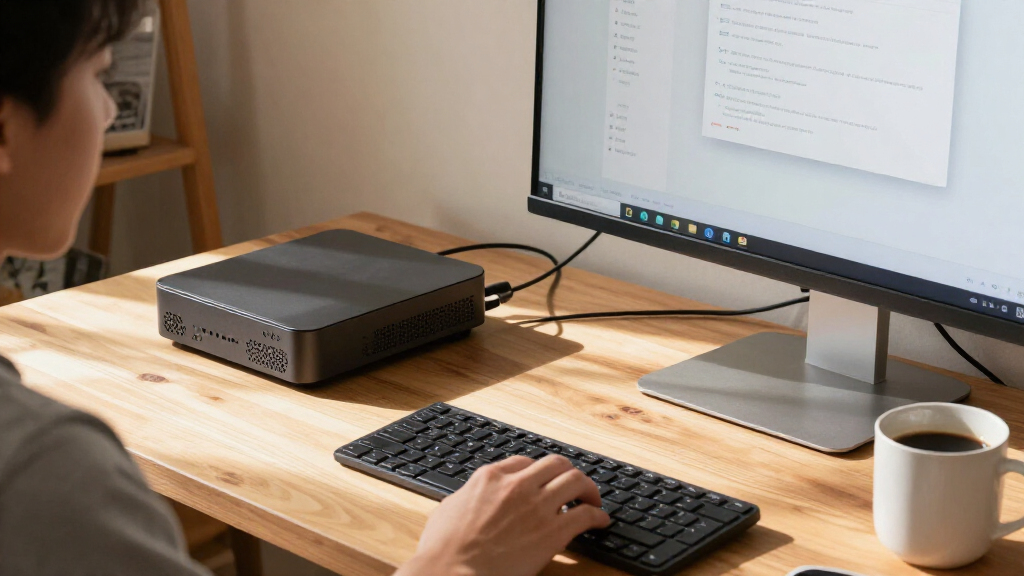
I ranked these systems around what makes a compact AI PC useful: processor and graphics capability, memory capacity, storage, practical fit, and the intended workload. A high-memory Ryzen AI Max+ configuration can suit users running demanding local workloads, while a Jetson system belongs higher for edge-AI development than for ordinary desktop tasks. Business manageability and familiar office use count in the Dell models’ favor; the more modest Ryzen 7 7730U models are judged as everyday compact PCs rather than AI compute leaders.
Configurations with the same processor are separated by memory and SSD capacity, not treated as entirely different performance classes. I also account for model overlap and listing ambiguity: the two Dell QBM1250 entries appear closely matched, and the NIMO listings share a processor family while varying in memory description and storage. The ranking favors versatility for the broadest range of compact-PC buyers, then moves toward specialized edge use, business deployment, or routine desktop work. None is a universal winner: buyers should match the system to their software, AI workload, and expansion needs.
| compact AI PC | Graphics | Operating system | Connectivity |
|---|---|---|---|
| NIMO AI Mini PC with AMD Ryzen | Radeon 8060S, 40 compute units | Windows 11 | USB4, OCuLink, 2.5GbE Ethernet |
| NIMO AI Mini PC with AMD Ryzen | Radeon 8060S, 40 compute units | Windows 11 | USB4, OCuLink, HDMI, USB 3.2 Gen 2, USB Type-C |
| FANPEEC Mini PC with AMD Ryzen | — | — | — |
| NIMO AI Mini PC with AMD Ryzen | Radeon 8060S, 40 compute units | Windows 11 | USB4, OCuLink, 2.5GbE Ethernet |
| Dell Pro Micro Plus QBM1250 De | Integrated Intel Graphics | Windows 11 Pro 64-bit | — |
| GEEKOM A5 Mini PC | — | — | — |
| reComputer Mini J5012 with GMS | — | — | USB, 10G Ethernet, 1G Ethernet, CAN, RS-485, GPI, GPO, and I2S |
| Dell Pro Micro Plus QBM1250 Mi | Integrated Intel Graphics | Windows 11 Pro 64-bit | — |
| Dell Pro Micro QCM1250 Mini PC | Integrated graphics | Windows 11 Pro 64-bit | Wi-Fi 6E, Bluetooth 5.4, and RJ-45 Ethernet |
| FANPEEC Mini PC with AMD Ryzen | — | — | — |
| NIMO AI Mini PC with AMD Ryzen | Integrated Radeon 8060S, 40 compute units | Windows 11 | USB4, OCuLink, 2.5GbE Ethernet |
| GEEKOM A5 Mini PC with AMD Ryz | AMD Radeon Vega 8 | — | Wi-Fi 6, Bluetooth 5.4, 2.5GbE LAN |
Factors to Consider When Choosing Best Compact AI PCs
Before choosing a compact AI PC, pin down the kind of AI work you expect it to handle. Marketing labels alone do not tell you whether a system suits local model experiments, camera-based edge processing, or everyday applications that use on-device AI features. These factors help separate genuine workload fit from a specification sheet that merely sounds impressive.
Match AI Hardware to the Workload
Start with the software and models you expect to run, then check which processor, graphics engine, or accelerator that software supports. General AI features in everyday applications can work well on a standard compact desktop, while local inference or vision workloads may call for more memory bandwidth or a purpose-built platform. A dedicated edge-AI board is not automatically a faster office PC, and a powerful integrated GPU does not guarantee compatibility with every AI framework. Check operating-system and toolchain support before treating an AI-related processor label as proof of fit. If your workload is still vague, favor versatility over a specialized system. That keeps you from paying for capabilities your applications cannot use.
Choose Memory for the Models and Apps You Run
Memory capacity can determine whether a local workload runs comfortably, shares space with other applications, or cannot fit at all. Graphics that use system memory compete with the operating system and programs, so nominal RAM is not all available to a model. Check whether memory is soldered or replaceable before purchase; compact systems often limit later upgrades. Do not assume two PCs with the same processor can handle the same workload if their memory configurations differ. For AI experimentation, leave headroom for the model, supporting software, and normal multitasking. For office work, that capacity may matter less than reliable support and a suitable storage setup.
Plan Storage Around Models, Data, and Backups
AI models, datasets, project files, and application caches can consume storage faster than a typical office workload. Think about both capacity and how you will move or back up data, particularly if the PC will process camera footage or local datasets. A larger internal SSD reduces immediate juggling, but it does not replace a separate backup. Verify whether the drive can be upgraded and whether the system has an accessible expansion slot rather than assuming every mini PC offers one. Buyers choosing a smaller drive should budget time and space for external storage or a network location. Storage needs are often easier to underestimate than processor needs because model and dataset sizes vary widely.
Check Cooling, Noise, and Sustained Performance
A compact case saves desk space, but it also leaves less room to move heat away from the processor. Short bursts of work and long inference or rendering sessions place different demands on cooling, so look for information about sustained performance rather than relying only on peak processor specifications. Fan noise can matter in a shared office, recording setup, or quiet room. Leave room around vents and avoid hiding a mini PC inside an enclosed cabinet where heat can build up. If your workload runs for hours, cooling behavior and power needs may matter more than a small difference in processor class. A system that fits physically but throttles under sustained load can be the wrong kind of compact.
Separate Business Management from Raw Compute
For a workplace fleet, remote management, security features, warranty support, and straightforward deployment may be more valuable than the strongest graphics configuration. A business-focused desktop can make sense even when a consumer mini PC appears more capable on paper, especially when IT teams need consistent administration. Individual buyers should avoid paying for enterprise-oriented features they will not use. Conversely, do not assume a consumer mini PC will meet organizational policies just because it runs the same applications. Ask who will maintain the system, how updates will be handled, and what support is available. Those answers often decide whether a compact PC is practical after it reaches the desk.
Check Connectivity and Upgrade Limits Before Buying
Compact PCs can have very different port layouts, networking options, display support, and expansion paths even when their cases look similar. List the devices you need to connect, including monitors, external drives, cameras, and wired network equipment, then compare that list with the exact configuration. Edge deployments may also require specialized camera interfaces or reliable connections that a standard office mini PC does not provide. Confirm whether RAM, SSD, wireless modules, or other parts are replaceable, and check the precise model number because similar product names can hide configuration differences. A dock or adapter can solve some port gaps, but it adds clutter and another component to maintain. Buying for the complete setup is safer than choosing from processor names alone.
Frequently Asked Questions
Can a compact AI PC run local AI models without an internet connection?
Yes, if the model and software support local execution and the PC has enough memory and compute for the task. Internet access may still be needed to download models, install updates, or use cloud-connected features. A local system can help with offline access and keeping data on-device, but it does not make every model practical to run. Check the software’s hardware requirements and supported acceleration before choosing a PC. For larger workloads, memory capacity and graphics performance can matter more than a general AI feature label.
Should I choose a Jetson system or a regular mini PC for an AI project?
Choose based on where and how the project will run. A Jetson-based system is aimed at edge-AI development and deployment, especially when the project depends on its software ecosystem or connected sensors. A conventional mini PC is usually the more natural fit for desktop applications, general-purpose operating systems, and mixed office workloads. Check framework support, camera or sensor connections, and deployment requirements before deciding. If the project needs both development flexibility and a particular edge platform, confirm that your code and dependencies run on that platform first.
Is 16GB of RAM enough for a compact AI PC?
It can be enough for everyday desktop work and lighter AI-enabled applications, but it leaves less room for local models, heavy multitasking, or graphics that share system memory. A 16GB system may run some smaller workloads, but software, model size, and operating-system overhead all affect the usable capacity. Before choosing, check the RAM requirements for the exact applications you plan to use and whether memory can be upgraded. If it is soldered, the original capacity is a longer-term decision. Buyers who expect to experiment with local AI should favor more headroom when their budget and workload justify it.
How much storage should I choose for local models and datasets?
There is no single capacity that fits every workload: model files, datasets, recordings, and project versions can add up quickly. A smaller SSD may suit office work or a system that stores files on a server, while local experimentation benefits from more room. Check whether the SSD is replaceable or whether an additional drive can be installed, then compare that with your backup plan. External storage can extend capacity but may add cable clutter and slower transfers depending on the connection. Keep a separate backup for data you cannot afford to lose, regardless of internal drive size.
Why do two listings with the same compact PC name differ, and how do I avoid ordering the wrong one?
Listings may describe different memory or storage configurations, use slightly different model names, or repeat a product with inconsistent specification details. This roundup includes closely matched Dell QBM1250 listings and multiple NIMO and GEEKOM configurations, so the exact configuration matters. Verify the full model number, processor, memory type and capacity, SSD size, and included graphics description on the seller’s product page. Do not rely on a family name or a headline alone when choosing between variants. If a specification is unclear, confirm it with the seller before placing an order.
Conclusion
For the broadest mix of high-memory capacity, integrated graphics, and storage, my best overall choice is the NIMO Ryzen AI Max+ 388 with 64GB RAM and a 2TB SSD. The best value depends on the workload: the FANPEEC Ryzen 7 7840HS with 32GB RAM is the more sensible step-up for multitasking, while the GEEKOM A5 fits buyers who mainly need a compact everyday PC. For a best premium pick, choose the NIMO 4TB configuration when local files and models make that extra storage useful; the best for beginners is the straightforward Dell Pro Micro option for familiar business and desktop work. For specific edge-AI needs, the reComputer Mini J5012 is the specialist choice, not a general-purpose substitute. Match the system to your software, memory demands, and deployment setting, and verify the exact configuration before buying.
Halloween Picks
halloween
As an affiliate, we earn on qualifying purchases.