
TL;DR

Get the latest gadgets delivered free with Prime
- Fast, free delivery on millions of items
- Prime Video, Amazon Music and more included
- Member-only deals all year
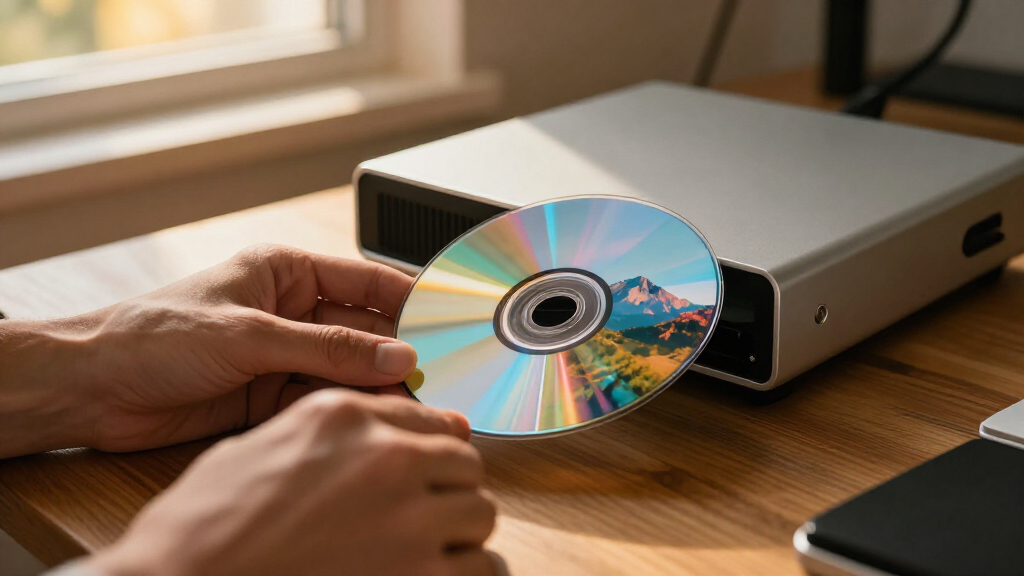
DiscImageStudio is a GitHub-hosted, GPL-licensed tool for turning images into data patterns that can appear as visible artwork on CDs, DVDs and single-layer 25 GB BD-R discs. Its Windows app supports designing and burning, while Linux and macOS have experimental command-line tools for generating images; direct burning is also marked experimental.
DiscImageStudio, a software project published on GitHub, generates CD, DVD and single-layer Blu-ray data intended to make visible artwork appear on a disc’s surface after burning. Its Windows desktop app combines image layout, preview and burning features, while experimental Linux and macOS command-line builds can generate disc images offline.
The project says users can choose a disc format, import an image, arrange it with layers and adjust tonal settings such as dithering, gamma, brightness and grayscale levels. A preview shows the projected disc surface before export. The software can create ISO, RAW or WAV+CUE output, depending on format, or send generated data directly to a compatible burner using its experimental real-time writing feature.
Support differs by medium. The project describes CD output as audio tracks in WAV+CUE or RAW form, DVD output as ISO images, and Blu-ray output as single-layer BD-R, 25 GB. The Blu-ray module can also include a UDF 2.01 file system. The project says CD, DVD and Blu-ray designs can reserve areas for files stored alongside the artwork, with those regions marked in previews.
The Windows release is listed for Windows 10 version 2004 or later, and Windows 11, and includes its .NET runtime. Linux and macOS packages are experimental CLI releases; they generate images locally, while users must use separate compatible software to burn those outputs. The project identifies its license as GPL-3.0-or-later.
Artwork With Disc Data
The tool applies image processing and optical-disc encoding to a medium that is usually treated as a storage surface rather than a display. For people who still use recordable discs, it offers a way to create a visible design without relying on a separate label or printable coating. Its file-area options also allow artwork and stored files to share a disc, according to the project documentation.
That capability comes with practical limits. The project says the finished appearance depends on the disc, burner, firmware and writing strategy, so results are not guaranteed to look identical across equipment. Its direct-burning feature remains experimental, and the maintainers advise using test discs that can be discarded. This makes the project relevant both as a creative utility and as a specialized experiment whose results need hardware testing.
Products Worth Considering

Bose SoundLink Flex Bluetooth Speaker (2nd Gen), Waterproof, Dustproof, USB‑C, Up to 12 hr Battery, Black

Logitech MX Mechanical Wireless Illuminated Keyboard, Tactile Quiet, Graphite

Bose S1 Pro+ All-in-One PA Speaker
As an affiliate, we earn on qualifying purchases.
Formats, Platforms and Limits
DiscImageStudio is presented as more than a single image-to-disc converter: the repository lists a Windows graphical interface, a shared command-line interface and separate CD, DVD and Blu-ray modules. It also includes image preprocessing and dithering tools, disc presets, calibration utilities, and documentation on its physical models and encoding methods. The project says it uses published optical-disc standards as references for its implementations.
The platform distinction matters. The Windows app supports design and burning, using Windows’ built-in IMAPI2 burning interface, according to the repository. On Linux and macOS, the listed command-line builds generate files offline but do not provide the same described direct-burning workflow. For Blu-ray, the documented scope is limited to single-layer BD-R; dual-layer discs are not supported.
The repository credits the CDImage project as an influence on its CD artwork approach and says part of its CD interleaving implementation was ported and modified from that project. The GitHub description does not provide a dated launch announcement, adoption figures or independent test results, so the development is best described as the availability of a project and its stated capabilities rather than a verified commercial release.
Burning Results Still Vary
The repository does not specify a release date or version in the supplied project description, and it gives no independent evaluation of image quality or compatibility. It reports some real-disc feedback for immediate burning, but says testing across devices, media and burning methods remains limited. The maintainers also warn that an interruption, power loss or insufficient generation speed can ruin a disc; interrupted BD-R sequential writing may leave the same disc unusable.
It is not clear from the supplied material which specific burner models or media have been validated, how frequently users can expect a successful burn, or what image detail is reliably visible under ordinary viewing conditions. The project’s documentation describes capabilities and implementation, not a guarantee of results. Its claims about calibration precision and physical modeling are project-reported and are not independently verified here.
Test Media Before Burning
Users interested in trying the software can consult the repository’s release packages and format-specific instructions, first checking that their operating system and disc type are supported. The project recommends discardable blank media for experimental direct burning; users who prefer a separate workflow can export an image or audio-track file and burn it with compatible software.
The project’s documentation points to calibration guidance, validation notes and compatibility instructions for users troubleshooting output. Further clarity would come from dated release notes, broader published tests across burners and media, and reports documenting the appearance of completed discs. Until then, direct burning should be treated as an experimental option rather than a dependable production process.
Key Questions
What does DiscImageStudio do?
It converts an image into data for CD, DVD or supported single-layer Blu-ray discs, with the aim of making a visible pattern appear on the disc after burning. The Windows app also provides design, preview and burning features.
Which Blu-ray discs does it support?
The project documents support for single-layer 25 GB BD-R. It says dual-layer Blu-ray discs are not currently supported.
Can Linux and macOS users burn discs with it?
The experimental Linux and macOS command-line tools can generate disc images offline. According to the project, users can then use other compatible burning software; the described direct-burning feature is part of the Windows app.
Is direct burning ready for everyday use?
The project labels immediate burning experimental and says testing across devices and media is limited. It advises using blank test discs that can be discarded because interruptions or other problems may waste the medium.
Is DiscImageStudio free and open source?
The repository identifies the project as licensed under GPL-3.0-or-later. Users distributing binaries or modified versions should consult the project’s license and third-party notices for the applicable requirements.
Source: github.com