
The best Echo Show smart displays balance screen size, useful Alexa features, and a design that suits the room. I’d put the Echo Show 11 (2025 Release) with Adjustable Stand first for its Full HD screen and flexible placement; the Echo Show 8 (2025 Release) is a better fit when counter space matters, while the Echo Show 21 suits buyers who want a large, shared screen. The main tradeoff is straightforward: larger displays offer more room for video and household information but take up more space, while compact models fit smaller rooms yet feel less suited to group viewing. Bundles can add useful accessories, but the included extras should match a real need. Read on for the full comparison and my picks by buyer type.

Get the latest gadgets delivered free with Prime
- Fast, free delivery on millions of items
- Prime Video, Amazon Music and more included
- Member-only deals all year
Complete the kit



Key Takeaways
- The Echo Show 11 sits between compact and oversized: its Full HD screen gives it more shared-viewing appeal than the Show 8 without the wall-space commitment of the Show 21.
- The Echo Show 21 is a room-first choice: its large display is best suited to kitchens or shared spaces, while a stand or decorative-frame bundle changes how it can be placed and styled.
- Screen size matters more than bundle count: choose a bulb, plug, camera, or glasses bundle only if that accessory fits a planned use; it does not change the display’s core capabilities.
- Fire TV separates entertainment-focused options: the Show 16 and Show 21 Fire TV models are stronger candidates for video viewing than buyers seeking a simple compact smart display.
- The Show 5 remains the small-room pick: its compact footprint suits bedside or desk use, but its screen is less appropriate for shared viewing than the Show 8, Show 11, or Show 21.
| Echo Show 21 (2024 Release) with Amazon Premium Adjustable Stand |  | Best Large-Screen Pick | Display: 21 inches, 1920 × 1080 resolution | Dimensions: 21.4 × 13.2 × 1.5 inches | Weight: 10.7 lb | VIEW LATEST PRICE | See Our Full Breakdown |
| Echo Show 21 with Amazon Basics Smart Bulb |  | Best for Starting a Smart-Lighting Setup | Display size: 21 inches | Bulb color options: 16 million colors | Controls: Touch and voice | VIEW LATEST PRICE | See Our Full Breakdown |
| Amazon Echo Show 16 (Newest Model) with Built-In Fire TV and Night Vision Camera |  | Best Wall-Mounted Household Hub | Display: 16 inches | Entertainment: Built-in Fire TV | Camera: Built-in camera with night vision | VIEW LATEST PRICE | See Our Full Breakdown |
| Echo Show 8 (2023) – Charcoal with Alexa Emergency Assist Bundle |  | Best for Emergency Support | Screen size: 8 inches | Resolution: HD | Camera: 13 MP | VIEW LATEST PRICE | See Our Full Breakdown |
| Amazon Echo Show 8 with Carrera Smart Glasses Bundle, Graphite and Sprinter Black |  | Best Alexa Bundle for On-the-Go Use | Display: 8.7-inch HD touchscreen | Smart display features: Built-in smart home hub, AZ3 Pro chip, and Omnisense technology | Display audio: Spatial audio | VIEW LATEST PRICE | See Our Full Breakdown |
| Amazon Echo Show 8 (2025 Release) with Adjustable Stand, Graphite |  | Best for Flexible Placement | Display: 8.7-inch HD touchscreen, 800 x 1340 resolution | Camera: 13 MP with auto framing | Audio: 1 x 2.8-inch woofer and 2 full-range drivers | VIEW LATEST PRICE | See Our Full Breakdown |
| Amazon Echo Show 5 Smart Display with Alexa, Charcoal |  | Best Compact Pick | Display: 5.5-inch touchscreen | Camera: 2 MP with built-in shutter | Speaker: 1.75-inch full-range built-in speaker | VIEW LATEST PRICE | See Our Full Breakdown |
| Echo Show 5 (3rd Gen) Smart Display Bundle with Tapo 2K Pan/Tilt Indoor Security Camera |  | Best for Entryway Monitoring | Echo Show display: 5.5 inches | Tapo camera resolution: 2K | Camera coverage: 360° horizontal and 114° vertical | VIEW LATEST PRICE | See Our Full Breakdown |
| Amazon Echo Show 8 (Newest Model) 8.7-Inch HD Smart Display with Spatial Audio and Amazon Smart Plug |  | Best Value Bundle | Display: 8.7-inch HD touchscreen | Processor: AZ3 Pro | Camera: Centered auto-framing camera with 3.3x zoom and noise reduction | VIEW LATEST PRICE | See Our Full Breakdown |
| Amazon Echo Show 11 Smart Display with Full HD Touchscreen and Spatial Audio, Graphite |  | Best Large-Screen Pick | Display: 10.95-inch Full HD touchscreen, 1920 x 1200 resolution | Camera: 13 MP with auto framing | Audio: 1 x 2.8-inch woofer and 2 full-range drivers | VIEW LATEST PRICE | See Our Full Breakdown |
| Amazon Echo Show 11 (2025 Release) with Adjustable Stand, Graphite |  | Best Mid-Size Display for Smart Home Control | Display: 10.95-inch Full HD touchscreen, 1920 x 1200 | Processor: AZ3 Pro with AI Accelerator | Camera: 13 MP with auto framing | VIEW LATEST PRICE | See Our Full Breakdown |
| Amazon Echo Show 21 Full HD Smart Display with Fire TV and Alexa |  | Best for Wall-Sized Entertainment and Household Hub Use | Display: 21-inch Full HD, 1920 x 1080 | Dimensions: 21.4 x 13.2 x 1.5 inches | Weight: 10.7 lb | VIEW LATEST PRICE | See Our Full Breakdown |
| Amazon Echo Show 21 Smart Display Bundle with Decorative Frame, Light Brown |  | Best for a Coordinated, Frame-Style Setup | Display: 21-inch Full HD (1080p) | Smart assistant: Alexa | Streaming: Built-in Fire TV | VIEW LATEST PRICE | See Our Full Breakdown |
| Echo Show smart display | Display | Camera | Audio |
|---|---|---|---|
| Echo Show 21 | 21 inches, 1920 × 1080 resolution | 13 MP with shutter | Two 2-inch woofers and two 0.6-inch tweeters |
| Echo Show 21 with Amazon Basic | — | — | — |
| Amazon Echo Show 16 | 16 inches | Built-in camera with night vision | — |
| Echo Show 8 | — | 13 MP | Spatial audio |
| Amazon Echo Show 8 with Carrer | 8.7-inch HD touchscreen | — | — |
| Amazon Echo Show 8 | 8.7-inch HD touchscreen, 800 x 1340 resolution | 13 MP with auto framing | 1 x 2.8-inch woofer and 2 full-range drivers |
| Amazon Echo Show 5 Smart Displ | 5.5-inch touchscreen | 2 MP with built-in shutter | — |
| Echo Show 5 | — | — | — |
| Amazon Echo Show 8 | 8.7-inch HD touchscreen | Centered auto-framing camera with 3.3x zoom and noise reduction | Spatial audio with up to 2x bass versus Echo Show 8 (2023 release) |
| Amazon Echo Show 11 Smart Disp | 10.95-inch Full HD touchscreen, 1920 x 1200 resolution | 13 MP with auto framing | 1 x 2.8-inch woofer and 2 full-range drivers |
| Amazon Echo Show 11 | 10.95-inch Full HD touchscreen, 1920 x 1200 | 13 MP with auto framing | 1 x 2.8-inch woofer and 2 full-range drivers |
| Amazon Echo Show 21 Full HD Sm | 21-inch Full HD, 1920 x 1080 | 13 MP with privacy shutter | Two 2-inch woofers and two 0.6-inch tweeters |
| Amazon Echo Show 21 Smart Disp | 21-inch Full HD (1080p) | — | — |
More Details on Our Top Picks
Echo Show 21 (2024 Release) with Amazon Premium Adjustable Stand
The Echo Show 21 with adjustable stand makes the most sense when you want one display to handle household controls, video calls, and streaming from a prominent spot. Its 21-inch Full HD screen and built-in Fire TV give it a stronger entertainment role than the smaller Echo Show 8, while the included stand adds 360-degree swivel and 30-degree tilt for adjusting the view without repositioning the whole device. Wi-Fi 6E and a hub for Zigbee, Matter, and Thread also make it a capable smart-home control point. The tradeoff is scale: at over 21 inches wide, it needs far more counter or wall space than an Echo Show 16. I’d choose this version over the standalone Echo Show 21 when flexible positioning matters, but skip it for a crowded kitchen.
Pros:- 21-inch Full HD screen pairs household information with built-in Fire TV
- Included stand swivels 360 degrees and tilts up to 30 degrees
- Built-in Zigbee, Matter, and Thread support can reduce the need for separate smart-home hubs
- 13 MP camera has a physical shutter for added privacy
Cons:- Large footprint limits placement options in smaller kitchens and rooms
- At 10.7 lb, it is a substantial device to move between locations
- Some apps, skills, and services may require subscriptions or additional fees
Best for: Households with generous counter or desk space that want a large screen for Fire TV, video calls, and smart-home controls
Not ideal for: People with limited counter space or those who want a compact display for a bedside table
- Display:21 inches, 1920 × 1080 resolution
- Dimensions:21.4 × 13.2 × 1.5 inches
- Weight:10.7 lb
- Camera:13 MP with shutter
- Audio:Two 2-inch woofers and two 0.6-inch tweeters
- Wi-Fi:Wi-Fi 6E; tri-band, dual-antenna
- Smart home hub:Zigbee, Matter, and Thread Border Router
- Stand:Anodized aluminum; 360-degree swivel and 30-degree tilt
- Orientation:Landscape or portrait
Our verdict“Choose this Echo Show 21 if you have room for a large, adjustable Fire TV and smart-home hub; choose the Echo Show 16 if a smaller footprint matters more.”
Echo Show 21 with Amazon Basics Smart Bulb
This bundle is for buyers who want a large Alexa display and a first step into voice- and touch-controlled lighting in one package. The Echo Show 21 provides room for smart-home controls alongside streaming, recipes, and video calls, while the included color bulb adds a simple way to adjust lighting through Alexa. Compared with the Echo Show 21 with the adjustable stand, this bundle puts the emphasis on a lighting accessory rather than flexible screen positioning. That distinction matters: the bulb may be useful right away, but the supplied details do not state its brightness or compatibility specifics. The 21-inch display still demands substantial space, so this is not the better fit for a small counter. I’d pick it over the Echo Show 8 Emergency Assist bundle when a large control screen and color lighting matter more than emergency services.
Pros:- Combines a 21-inch Echo Show with an Amazon Basics smart color bulb
- Bulb supports voice and touch control
- Offers 16 million bulb color options
- Large screen can serve as a hub for lighting controls, streaming, and video calls
Cons:- The 21-inch display requires substantial counter or wall space
- Bulb brightness and compatibility details are not specified
- The bundle prioritizes lighting over the adjustable stand included with another Echo Show 21 option
Best for: Alexa users setting up a larger shared-room display who also want to add color lighting with the included bulb
Not ideal for: Buyers with limited space or shoppers who need confirmed bulb brightness and compatibility details before choosing
- Display size:21 inches
- Bulb color options:16 million colors
- Controls:Touch and voice
- Bundle includes:Echo Show 21 and Amazon Basics Smart Color Bulb
- Display uses:Streaming, recipes, video calls, and smart-home controls
- Lighting controls:Lighting previews and color adjustments
Our verdict“Choose this bundle if you want a large Echo Show and a color bulb to start controlling lights with Alexa, but look elsewhere if space or bulb specifications are limiting factors.”
Amazon Echo Show 16 (Newest Model) with Built-In Fire TV and Night Vision Camera
The Echo Show 16 is a strong choice for a shared household screen when you want Fire TV and home monitoring without going as large as the Echo Show 21. Its 16-inch display supports calendars, recipes, entertainment, and smart-home controls, and the included wall mount helps keep a counter clear. A night vision camera adds a monitoring role that is not specified for the Echo Show 21 in this lineup, although buyers should weigh that against their privacy preferences; this model includes microphone and camera disable controls. Compared with the Echo Show 8 (2023), it gives household information and video more room, but it is less suited to a small bedside or desk setup. Alexa+ and some smart-home functions depend on membership, compatible devices, or apps, so not every feature is available in every setup.
Pros:- 16-inch screen combines household organization with built-in Fire TV
- Included wall mount can free up counter space
- Night vision camera supports home monitoring
- Microphone and camera disable button plus camera controls on the device and in the app
Cons:- Larger than the Echo Show 8 and less suited to compact spaces
- Some Alexa+ access depends on a Prime membership
- Some smart-home features require compatible devices or apps
Best for: Households that want a wall-mounted shared display for calendars, Fire TV, smart-home controls, and camera monitoring
Not ideal for: Buyers who need a compact countertop or bedside device, or who do not want a camera-equipped household display
- Display:16 inches
- Entertainment:Built-in Fire TV
- Camera:Built-in camera with night vision
- Included accessory:Wall mount
- Voice assistant:Alexa+
- Privacy controls:Microphone and camera disable button; dedicated camera controls on device and in app
Our verdict“Choose the Echo Show 16 for a wall-mounted household hub with entertainment and night vision, but pick the Echo Show 8 if compact placement is the priority.”
Echo Show 8 (2023) – Charcoal with Alexa Emergency Assist Bundle
This Echo Show 8 bundle stands apart from the larger Echo Show 16 and Echo Show 21 by pairing a more manageable 8-inch HD screen with Alexa Emergency Assist. The subscription provides 24/7 access to trained professionals who can notify contacts and share health information during emergencies, making this a more specific choice than a standard smart display. For everyday use, its 13 MP camera and spatial audio support video calls and entertainment, while Zigbee, Matter, and Thread compatibility lets it control a range of smart-home devices without a separate hub. The main tradeoff is ongoing cost for Emergency Assist, and some buyers may prefer not to have microphones and a camera in a shared room. Choose it over the Carrera glasses bundle if emergency support is the priority, not wearable Alexa access.
Pros:- Alexa Emergency Assist provides 24/7 access to trained professionals
- 13 MP camera supports video calls
- Spatial audio adds an entertainment feature in a compact format
- Zigbee, Matter, and Thread support reduces reliance on a separate smart-home hub
Cons:- Emergency Assist requires an ongoing monthly subscription
- Microphones and camera may not suit privacy-sensitive households
- 8-inch HD screen offers less viewing area than the Echo Show 16 and Echo Show 21
Best for: People who want a compact Alexa display with a dedicated emergency-support service and built-in smart-home hub
Not ideal for: Buyers who do not want an ongoing Emergency Assist subscription or prefer a display without a camera and microphones
- Screen size:8 inches
- Resolution:HD
- Camera:13 MP
- Audio:Spatial audio
- Smart home hub compatibility:Zigbee, Matter, Thread, Bluetooth, and Wi-Fi
- Color:Charcoal
- Recycled material content:29% of device
- Packaging material:99% wood fiber-based
Our verdict“Choose this Echo Show 8 if emergency access and smart-home control matter more than a larger screen or avoiding a recurring service subscription.”
Amazon Echo Show 8 with Carrera Smart Glasses Bundle, Graphite and Sprinter Black
This bundle is for someone who wants Alexa both at home and while out, pairing an Echo Show 8 with Carrera Smart Glasses. The display handles recipes, calendars, streaming, spatial audio, and smart-home controls, while the glasses add open-ear audio, hands-free calls, and Alexa access away from the screen. That makes it a more mobile-minded choice than the Echo Show 8 Emergency Assist bundle, which centers on a home display and emergency service. The glasses are the differentiator, but they also add a privacy tradeoff: open-ear sound is less private than closed headphones in shared places. The supplied information also does not give detailed fit or battery specifications, which may matter for everyday wear. Choose this bundle if wearable Alexa access is genuinely useful; otherwise, a display-only Echo Show 8 avoids paying for an accessory you may not use.
Pros:- Combines an Echo Show 8 with Alexa-enabled Carrera Smart Glasses
- Glasses support hands-free calling and open-ear audio
- Display supports streaming, recipes, calendars, and smart-home controls
- Built-in hub, AZ3 Pro chip, and Omnisense technology are included
Cons:- Open-ear audio can be less private than closed headphones
- Bundle adds smart glasses that may be unnecessary for buyers who only want a display
- Some smart-home features depend on compatible Alexa devices or services
Best for: Alexa users who want a home display and wearable hands-free audio and calling for use away from the screen
Not ideal for: Buyers seeking only a smart display, or people who need private listening in shared or quiet settings
- Display:8.7-inch HD touchscreen
- Smart display features:Built-in smart home hub, AZ3 Pro chip, and Omnisense technology
- Display audio:Spatial audio
- Glasses audio:Open-ear speakers
- Glasses features:Hands-free calling and Alexa access
- Smart home control:Compatible Alexa devices, lights, thermostats, and cameras
- Bundle colors:Graphite and Sprinter Black
Our verdict“Choose this bundle if you will use Alexa-enabled glasses away from home as well as an Echo Show 8, but skip it if a display alone fits your needs.”
Amazon Echo Show 8 (2025 Release) with Adjustable Stand, Graphite
This bundle makes the Echo Show 8 (2025 Release) easier to position for calls, recipes, or checking a room from different angles. Its stand tilts 40 degrees and swivels 360 degrees, a practical advantage over the Echo Show 5, whose compact design is better for tight spaces but offers less screen area. The 8.7-inch HD display, 13 MP auto-framing camera, and spatial audio also make this a stronger shared-room screen for video calls and everyday viewing. A built-in hub with Zigbee, Matter, and Thread support lets it manage compatible devices directly. The tradeoff is its larger footprint and added stand; buyers who do not need angle adjustment may prefer the Echo Show 8 bundle with a Smart Plug. Some services may also require subscriptions, and PIN-dependent Bluetooth speakers are unsupported.
Pros:- Stand swivels 360 degrees and tilts 40 degrees for flexible viewing.
- 8.7-inch HD touchscreen gives calls and on-screen information more room than the Echo Show 5.
- Built-in Zigbee, Matter, and Thread hub supports a broad range of compatible smart-home devices.
- 13 MP auto-framing camera and spatial audio suit calls and shared-room entertainment.
Cons:- Larger and heavier than the Echo Show 5, so it takes more counter or shelf space.
- Some skills and services may require subscriptions or extra fees.
- Does not support Bluetooth speakers that require a PIN code.
Best for: Households that move their Echo Show between cooking, video calls, and shared-room viewing and want a built-in smart home hub.
Not ideal for: Nightstands and narrow counters where the Echo Show 5’s smaller footprint is a better fit, or buyers who do not need an adjustable stand.
- Display:8.7-inch HD touchscreen, 800 x 1340 resolution
- Camera:13 MP with auto framing
- Audio:1 x 2.8-inch woofer and 2 full-range drivers
- Wi-Fi:Wi-Fi 6E
- Smart home hub:Zigbee, Matter, and Thread Border Router
- Processor:AZ3 Pro with AI Accelerator
- Stand adjustment:40° tilt and 360° swivel
- Dimensions and weight:8.2 x 5 x 5.9 inches; 37 oz
Our verdict“Choose this bundle if you want an adaptable Echo Show 8 with strong calling and smart-home features, and have room for its stand.”
Amazon Echo Show 5 Smart Display with Alexa, Charcoal
The Echo Show 5 is the space-saving choice in this group: its 5.5-inch screen and small footprint fit a bedside table or crowded desk better than either Echo Show 8 or Echo Show 11. It can handle alarms, weather, photo slideshows, compatible smart-home controls, and video calls, while the camera shutter and microphone/camera-off button give privacy-conscious buyers direct controls. The compromise is a modest 2 MP camera and a single 1.75-inch speaker, so it is less suited to group calls or room-filling audio than the larger displays. Its screen also leaves less room for calendars and camera feeds. I would pick it for quick, close-up interactions rather than as a household’s main entertainment or smart-home control screen. Some services may require subscriptions, and it does not support ad-hoc Wi-Fi networks.
Pros:- Compact dimensions fit spaces where the Echo Show 8 and Echo Show 11 may be awkward.
- Camera shutter and microphone/camera-off button provide straightforward privacy controls.
- Supports Alexa voice control, compatible smart-home devices, streaming, and photo slideshows.
- Built-in camera supports video calls without adding a separate device.
Cons:- 5.5-inch display gives less room for calendars, video, and camera feeds than larger Echo Show models.
- 2 MP camera and single 1.75-inch speaker are limited for group calls and room-filling audio.
- Does not support ad-hoc Wi-Fi networks, and some skills or services may require subscriptions.
Best for: People who want an Alexa display for a bedside table or small desk, especially for alarms, brief video calls, and at-a-glance updates.
Not ideal for: Families who need a large shared screen, stronger audio, or a higher-resolution camera for frequent video calls.
- Display:5.5-inch touchscreen
- Camera:2 MP with built-in shutter
- Speaker:1.75-inch full-range built-in speaker
- Wi-Fi:Dual-band 802.11a/b/g/n/ac
- Bluetooth:A2DP and AVRCP support
- Processor:MediaTek MT 8169
- Dimensions and weight:5.8 x 3.6 x 3.2 inches; 16.1 oz
- Color:Charcoal
Our verdict“Pick the Echo Show 5 when a small bedside or desk display matters more than a larger screen, sharper calls, or richer sound.”
Echo Show 5 (3rd Gen) Smart Display Bundle with Tapo 2K Pan/Tilt Indoor Security Camera
This bundle pairs the compact Echo Show 5 with a separate Tapo 2K pan-and-tilt camera, making it a more focused home-monitoring option than the standalone Echo Show 5. The camera’s 360-degree horizontal and 114-degree vertical coverage can survey more of a room than a fixed view, while the display gives you a nearby screen for Alexa controls and household updates. Unlike the Echo Show 8 bundles in this roundup, this package centers on a dedicated indoor camera rather than a larger display with a built-in smart-home hub. That distinction matters: it suits buyers who want camera coverage, not a major upgrade to screen size or audio. Local recording needs a microSD card, which is not included; cloud video history requires a Tapo Care subscription. The Echo Show 5 itself remains small, so it is not the best main-room screen.
Pros:- Combines an Echo Show 5 display with a dedicated indoor security camera.
- Tapo camera records in 2K and covers 360° horizontally and 114° vertically.
- Supports local microSD recording as well as optional cloud storage.
- Echo Show voice controls can manage alarms, routines, and compatible smart-home devices.
Cons:- MicroSD card for local recording is not included.
- 30-day cloud video history requires an optional Tapo Care subscription.
- The 5.5-inch Echo Show 5 remains less suited to shared viewing than the Echo Show 8 or Echo Show 11.
Best for: People who want an Alexa-enabled compact display alongside a pan-and-tilt camera for monitoring a pet, nursery, or entryway.
Not ideal for: Buyers seeking a large-screen Echo Show or a camera bundle with included local storage or subscription-free cloud history.
- Echo Show display:5.5 inches
- Tapo camera resolution:2K
- Camera coverage:360° horizontal and 114° vertical
- Local storage:Up to 512 GB microSD card; card not included
- Cloud storage:Optional Tapo Care subscription with 30-day video history
- Voice control:Alexa controls for alarms, routines, and compatible smart-home devices
Our verdict“Choose this bundle if indoor camera coverage is the priority and a compact Echo Show is enough for your everyday screen needs.”
Amazon Echo Show 8 (Newest Model) 8.7-Inch HD Smart Display with Spatial Audio and Amazon Smart Plug
This Echo Show 8 bundle is the straightforward choice for buyers who want a capable mid-size display plus a simple way to automate one appliance. The 8.7-inch HD screen, built-in hub, and centered auto-framing camera make it more versatile for shared spaces than the Echo Show 5; the included Amazon Smart Plug adds schedules and Alexa routines without needing a separate hub. Compared with the adjustable-stand Echo Show 8 bundle, this package trades flexible screen positioning for a plug that can switch compatible devices on a schedule. Its spatial audio and enhanced bass also give it a stronger entertainment role than the compact model. The Smart Plug does require Alexa app setup, and the supplied details do not specify the display’s camera resolution or Wi-Fi standard. Choose this version when the plug is useful; otherwise, the adjustable stand may matter more.
Pros:- 8.7-inch HD touchscreen offers more viewing space than the Echo Show 5.
- Built-in smart-home hub can control compatible devices without a separate hub.
- Included Amazon Smart Plug supports Alexa schedules and routines.
- Centered auto-framing camera includes 3.3x zoom and noise reduction.
Cons:- Smart Plug requires the Alexa app for setup.
- Unlike the other Echo Show 8 bundle here, it does not include an adjustable stand.
- Some skills and services may require subscriptions or additional fees.
Best for: Buyers setting up an Echo Show 8 in a shared room who want to automate a compatible lamp or appliance with the included Smart Plug.
Not ideal for: People who need a swiveling screen, a fully specified camera or connectivity setup, or a bundle accessory they will not use.
- Display:8.7-inch HD touchscreen
- Processor:AZ3 Pro
- Camera:Centered auto-framing camera with 3.3x zoom and noise reduction
- Audio:Spatial audio with up to 2x bass versus Echo Show 8 (2023 release)
- Smart home hub:Built in
- Included accessory:Amazon Smart Plug
- Smart Plug hub requirement:No separate smart-home hub required
Our verdict“Pick this Echo Show 8 bundle if you will use the included Smart Plug and prefer automation over an adjustable stand.”
Amazon Echo Show 11 Smart Display with Full HD Touchscreen and Spatial Audio, Graphite
The Echo Show 11 is the display to choose when a bigger, sharper screen matters more than keeping the device compact. Its 10.95-inch Full HD panel gives recipes, calendars, photos, and camera feeds more room than the 8.7-inch Echo Show 8, making it better suited to a kitchen or shared household space. A 13 MP auto-framing camera and spatial audio support calls and media, while the Zigbee, Matter, and Thread hub brings compatible smart-home control into the same device. It is not simply a larger Echo Show 5: it also adds a more capable hub and higher-resolution calling hardware. The tradeoff is its larger, heavier body, which is less at home on a bedside table. Buyers who want flexible positioning can compare it with the adjustable-stand Echo Show 8 bundle; this model’s listing does not include that stand.
Pros:- 10.95-inch Full HD touchscreen provides more detail and viewing area than the Echo Show 8.
- 13 MP auto-framing camera supports clear, hands-free video calls.
- Built-in Zigbee, Matter, and Thread Border Router supports compatible smart-home devices.
- Spatial audio and physical microphone and camera controls balance entertainment with privacy.
Cons:- Larger and heavier than the Echo Show 8 and Echo Show 5, requiring more room.
- No adjustable stand is listed, unlike the Echo Show 8 bundle with a tilt-and-swivel stand.
- Sidewalk is enabled by default unless it was previously turned off, and PIN-dependent Bluetooth speakers are unsupported.
Best for: Households that want a large, sharp screen for kitchen tasks, shared calendars, camera feeds, and video calls, plus a built-in smart-home hub.
Not ideal for: People with limited counter space or anyone who wants a small bedside display like the Echo Show 5.
- Display:10.95-inch Full HD touchscreen, 1920 x 1200 resolution
- Camera:13 MP with auto framing
- Audio:1 x 2.8-inch woofer and 2 full-range drivers
- Wi-Fi:Wi-Fi 6E (IEEE 802.11ax)
- Smart home hub:Zigbee, Matter, and Thread Border Router
- Processor:AZ3 Pro with AI Accelerator
- Sensors:Ambient temperature, ambient light, presence detection, and camera
- Dimensions and weight:10 x 5 x 7.2 inches; 45.92 oz
Our verdict“Choose the Echo Show 11 if you want a large Full HD household display and can give up the Echo Show 8’s smaller footprint.”
Amazon Echo Show 11 (2025 Release) with Adjustable Stand, Graphite
The Echo Show 11 suits buyers who want more screen than an Echo Show 8 without giving a 21-inch display a permanent place in the room. Its 10.95-inch Full HD screen gives widgets and video calls more room, while the adjustable stand tilts and swivels to suit different viewing positions. Compared with the Echo Show 21, it takes up less space and is easier to place on a desk or kitchen counter, though its screen is less suited to shared viewing across a large room. The Zigbee, Matter, and Thread hub also lets it serve as a central point for compatible smart-home devices. Its 13 MP camera adds auto framing for calls, but Alexa features or services may involve extra fees, and the larger body is still less compact than the Show 8.
Pros:- Full HD screen provides more room for calls, widgets, and video than a compact Echo Show.
- Built-in Zigbee, Matter, and Thread support adds broad compatibility for smart-home devices.
- Included stand adjusts through 40° of tilt and 360° of swivel.
- 13 MP camera with auto framing helps keep callers in view.
Cons:- The 10.95-inch screen is much smaller than the Echo Show 21 for shared viewing or entertainment.
- Some Alexa skills and services may require subscriptions or additional fees.
- Its larger footprint and weight make it less convenient to move than an Echo Show 8.
Best for: Households wanting a versatile counter or desk display with built-in support for multiple smart-home standards and a stand that adjusts for calls or recipes.
Not ideal for: Buyers with limited counter space, or households wanting a wall-filling screen for group viewing and streaming.
- Display:10.95-inch Full HD touchscreen, 1920 x 1200
- Processor:AZ3 Pro with AI Accelerator
- Camera:13 MP with auto framing
- Audio:1 x 2.8-inch woofer and 2 full-range drivers
- Wi-Fi:Wi-Fi 6E
- Smart home hub:Zigbee, Matter, and Thread Border Router
- Stand adjustment:40° tilt and 360° swivel
- Dimensions and weight:10 x 5 x 7.2 inches; 45.92 oz
Our verdict“Choose the Echo Show 11 if you want a capable smart-home hub and a flexible Full HD screen without committing to the Echo Show 21’s size.”
Amazon Echo Show 21 Full HD Smart Display with Fire TV and Alexa
The Echo Show 21 is the choice when a smart display needs to be visible across a room, not tucked beside a sink or laptop. Its 21-inch Full HD screen gives Fire TV, household widgets, and video calls far more viewing area than the Echo Show 11. It can sit in landscape or portrait orientation, and the included Fire TV remote makes streaming feel more like using a television than relying on touch or voice alone. The built-in hub supports Zigbee, Matter, and Thread, matching the Show 11’s broad smart-home compatibility. That scale comes with real placement costs: at 10.7 pounds, it needs a sturdy surface or suitable mounting plan, and its screen may be excessive for a small kitchen. The physical camera shutter is a useful privacy control, but subscriptions may still be needed for some services.
Pros:- Large 21-inch Full HD screen is easier to share across a room than the Echo Show 11’s display.
- Built-in Fire TV and included remote support a familiar streaming setup.
- Landscape and portrait orientations allow more flexible placement and widget layouts.
- 13 MP camera has a physical privacy shutter, and the smart-home hub supports Zigbee, Matter, and Thread.
Cons:- Its 10.7-pound weight and large dimensions require substantial, stable placement space.
- The screen may be oversized for compact kitchens, desks, or bedside use.
- Some apps, Alexa skills, and services may require subscriptions or extra fees.
Best for: Households seeking a large shared display for Fire TV, family calendars, video calls, and smart-home controls in a spacious kitchen or common room.
Not ideal for: People with limited counter or wall space, or buyers who want a lightweight display they can move between rooms.
- Display:21-inch Full HD, 1920 x 1080
- Dimensions:21.4 x 13.2 x 1.5 inches
- Weight:10.7 lb
- Camera:13 MP with privacy shutter
- Audio:Two 2-inch woofers and two 0.6-inch tweeters
- Wi-Fi:Wi-Fi 6E; tri-band, dual-antenna MIMO
- Smart home hub:Zigbee, Matter, and Thread Border Router
- Orientation and accessory:Landscape or portrait; Fire TV remote included
Our verdict“Pick the Echo Show 21 when you want a shared, TV-like Alexa display and have the space to accommodate its substantial size.”
Amazon Echo Show 21 Smart Display Bundle with Decorative Frame, Light Brown
This Echo Show 21 bundle is best for buyers who want a large Alexa screen that feels more finished in the room. It keeps the 21-inch Full HD display and built-in Fire TV found on the Echo Show 21, then adds a tool-free light brown frame that snaps on for a more decorative look. Like the smaller Echo Show 11, it can handle household controls and video calls, but its much larger screen is better suited to shared viewing and prominent placement than a desk or crowded counter. The frame is a visual addition, not a fix for the Show 21’s space demands: the display still needs substantial room. The product details also give less camera and smart-home hub detail than the standalone Echo Show 21 listing, so buyers focused on those specifics may prefer that listing’s clearly stated features.
Pros:- 21-inch Full HD screen offers a large surface for streaming and household widgets.
- Built-in Fire TV and Alexa combine entertainment with voice-controlled tasks.
- Light brown frame snaps on without tools for a more decorative appearance.
- Video calling is supported, with a stated 3.3x zoom and wide field of view.
Cons:- The 21-inch display calls for substantial counter or wall space.
- Some streaming services may require a subscription.
- The bundle description provides fewer camera and smart-home hub specifications than the standalone Echo Show 21 listing.
Best for: Buyers furnishing a spacious kitchen or common room who want a large Fire TV and Alexa display with a coordinating light brown frame.
Not ideal for: Small-room households or shoppers who prioritize a compact display, and buyers who want detailed listed specifications for the camera and smart-home hub.
- Display:21-inch Full HD (1080p)
- Smart assistant:Alexa
- Streaming:Built-in Fire TV
- Video calling:3.3x zoom and wide field of view
- Included accessories:Fire TV remote and light brown decorative plastic frame
- Frame installation:Tool-free, snap-on
Our verdict“Choose this bundle over the standalone Echo Show 21 if the included light brown frame suits your room and you have space for a 21-inch display.”
How We Picked
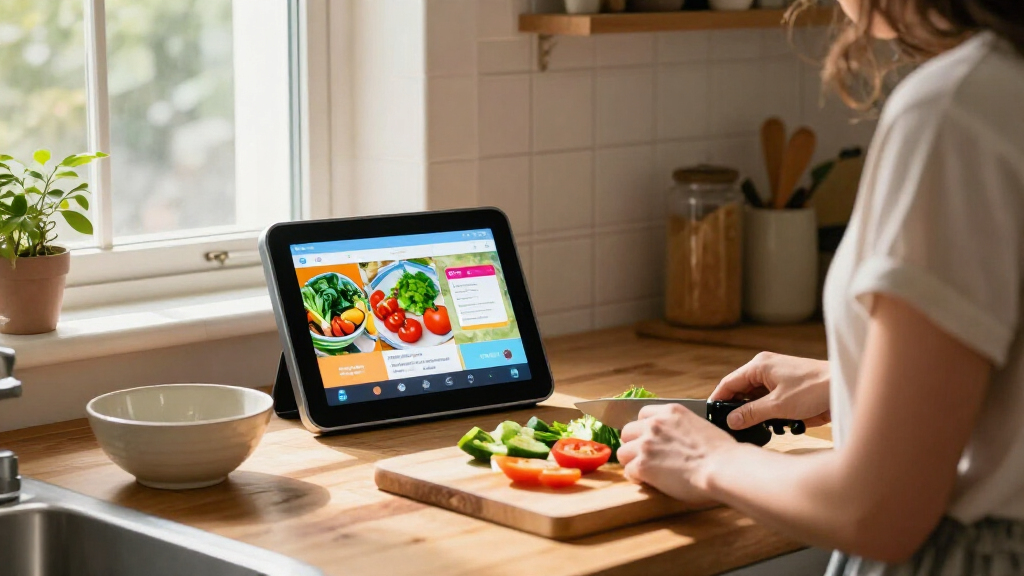
I compared the 13 listings by the factors that change day-to-day usefulness: screen size and resolution, placement flexibility, camera and privacy-related features, entertainment functions, and the role of any bundled accessory. I treated base models and bundles as distinct listings only where the included stand, frame, smart-home device, camera, glasses, or service could affect a buyer’s setup. A bundle does not rank higher just because it contains more items; its extra value depends on whether the included accessory has a clear use.
The ranking favors displays with a strong balance of viewing comfort, versatility, and practical placement for the widest range of homes. Larger Show 21 options rank well for shared viewing and entertainment, but their space demands keep them from being the default choice for everyone. The Show 11 and Show 8 options offer a more manageable balance, while Show 5 models are aimed at compact spaces. I also distinguish similarly named generations and bundles rather than assuming that a newer label or an extra accessory automatically makes one listing the better buy.
Factors to Consider When Choosing Best Echo Show Smart Displays
Before choosing, I’d match the display to the room and the job it needs to do. A smart display used for quick timers has different requirements from one used for recipes, video calls, or watching shows with other people.
Match Screen Size to Viewing Distance and Room
Pick a screen based on where you will stand or sit, not just the largest size that fits your budget or counter. A compact display can work well beside a bed, but text and video are harder to share across a kitchen. A mid-size model is often more flexible for recipes, calls, and casual viewing without taking over the room. A large model makes sense when several people need to see the screen or when video is a regular use. Measure the surface or wall and check nearby cabinets, outlets, and sightlines before choosing. A common mistake is buying for screen size alone and discovering the device blocks workspace or sits too far away to use comfortably.
Decide Whether You Need Fire TV or Mostly Alexa
Think about how often the display will serve as an entertainment screen. Fire TV support can make a Show 16 or Show 21 more appealing for streaming, while a smaller display may be enough for timers, weather, smart-home controls, and short clips. Streaming is only enjoyable if the screen’s placement and viewing angle suit the room. If the device will live in a busy kitchen, quick interactions may matter more than a large entertainment interface. Check which services and content you actually use rather than assuming a smart display will replace a dedicated television. Paying for a larger entertainment-focused model is harder to justify when video is an occasional extra.
Treat Stand and Frame Bundles as Placement Choices
An adjustable stand can help position a display on a counter or table, while a decorative frame can make a large screen fit a room’s style. Those extras are useful only if they solve a placement or appearance problem you already have. A stand also needs enough surface area and a suitable power route; an accessory cannot make a large device compact. If you plan to mount a display, check the listing and installation requirements rather than assuming a stand bundle is relevant. Compare bundled listings by the accessory you will use, not by the number of items in the box. This avoids paying attention to extras that may end up stored away.
Choose Camera Features for a Specific Household Job
Camera-related features can support video calls or home monitoring, but those uses raise different questions. Consider who can access camera feeds, where the display will sit, and whether the household is comfortable with a camera in that room. A built-in camera and a separate bundled security camera are not interchangeable: one is part of the display, while the other may offer its own placement and viewing capabilities. Night vision may matter for monitoring a dim room, but it is not a reason to buy a camera bundle if you have no monitoring plan. Check the included camera’s app, placement needs, and privacy controls before treating it as added value. Buyers who want a display without camera use should give physical placement and available camera controls extra attention.
Separate Display Value From Bundle Value
Bundles in this lineup pair displays with items such as smart bulbs, plugs, a security camera, glasses, or an emergency-assistance service. These additions can simplify a planned setup, but they do not necessarily improve the screen itself. Check that the accessory works with the devices and routines you already use, and consider whether you would choose it separately. A smart plug or bulb is most useful when you have a clear light or appliance to control. A service bundle deserves closer attention to its terms and the needs of the household. Compare the underlying Echo Show model first, then let a relevant extra break a tie.
Check Generation and Listing Details Before Buying
This roundup includes models with similar names across different release years, plus listings that pair a display with accessories. Do not assume two products labeled Echo Show 8 or Echo Show 21 share the same screen, features, or included hardware. Confirm the release version, stated display specifications, camera details, and bundle contents on the product listing. This is especially useful when comparing a newest-model listing with an older generation or a bundle using a different model description. Also verify compatibility with your existing smart-home devices and preferred services. A quick specification check can prevent choosing a familiar model name that does not match the setup you intended.
Frequently Asked Questions
Should I choose the Echo Show 11 or the Echo Show 21?
I’d choose the Echo Show 11 if you want a larger viewing area than a compact display but still need a manageable footprint. The Echo Show 21 is a better match for a shared space where people will watch video or check information from farther away. Before deciding, measure the intended location and think about whether the display will sit on a stand or be mounted. A larger screen is less useful if it crowds the counter or is awkward to view from the usual spot. Choose the Show 21 for room presence and shared viewing; choose the Show 11 for a more flexible middle ground.
Is an Echo Show 5 large enough for everyday use?
The Echo Show 5 can suit everyday tasks that happen close by, such as checking the time, setting timers, or using Alexa from a bedside table. Its compact size is also helpful where a larger display would take up needed space. It is a weaker fit for watching video with other people, following a recipe from across a kitchen, or using the screen as a shared household hub. Think about how far you will usually be from it and whether reading small on-screen details matters to you. If the display will serve more than one person at a time, I’d compare it with a Show 8.
Does a Fire TV Echo Show make sense if I already own a television?
It can, if you want a convenient screen for a kitchen, bedroom, or other room without a television. The Fire TV-equipped Show 16 and Show 21 options also combine video viewing with Alexa and smart-home functions in one device. If your existing television already covers every place you watch, the larger display may not add enough entertainment value to justify its space. Consider whether you will use streaming often and whether the intended location offers a comfortable viewing angle. For mostly voice commands and quick information, a smaller Echo Show may be a better fit.
Are Echo Show bundles a better choice than buying the display alone?
A bundle is a better fit when its included accessory solves a specific need, such as adding a smart plug to a planned routine or a camera for a defined monitoring area. It is not automatically a better display: the core screen and capabilities still depend on the Echo Show model inside the package. Compare the listing’s exact model and bundle contents, especially when similar product names refer to different generations. Also check whether you already own a compatible accessory or would prefer a different one. If the extra item would go unused, choose based on the display rather than the bundle label.
Which Echo Show should I choose for a kitchen?
For a kitchen, start with the available counter or wall space and the distance from your usual prep area. A Show 8 can fit where a larger screen would crowd the workspace, while a Show 11 or Show 21 can be easier to read when several people use the display or view it from farther away. A stand may help adjust the angle, but it still needs a stable surface and a convenient power connection. If you expect to watch video, check that the display will not be blocked by cabinets or other objects. Prioritize a clear sightline and usable workspace over choosing the biggest screen in the lineup.
Conclusion
For the best balance of screen size and everyday flexibility, I recommend the Echo Show 11 (2025 Release) with Adjustable Stand as the best overall pick. The Echo Show 8 is my best value direction for buyers who want a capable mid-size display without stepping up to a large shared-screen setup; compare its 2025 and newest-model listings by their stated features and included accessories. For a premium, room-filling screen with entertainment appeal, choose an Echo Show 21, with the Fire TV model suited to streaming and the stand or frame bundle suited to your placement needs. Beginners and buyers with limited space should start with the Echo Show 5 for simple, close-up Alexa use. For specific needs, choose the Show 16 or Fire TV Show 21 for a larger entertainment screen, a camera bundle only for planned monitoring, or a smart-home bundle only when its included device fits your setup.