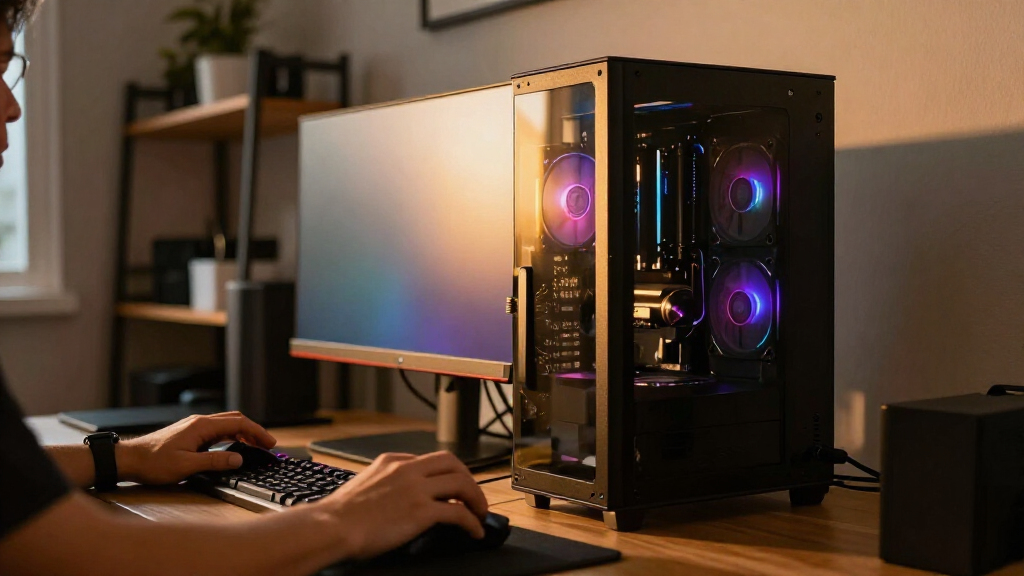

Choosing the best gaming computers in 2027 requires balancing raw power with thermal efficiency and long-term upgradeability. My top pick for most enthusiasts is the MSI Vision ZS Gaming Desktop because it pairs the high-cache Ryzen 7 9800X3D with an RTX 5070, delivering exceptional frame rates in CPU-bound titles without the premium price tag of flagship Intel chips. For those prioritizing portability, the ASUS ROG Strix G16 stands out by fitting a capable RTX 5060 into a chassis that remains manageable to carry, though it sacrifices some thermal headroom compared to desktops. The primary tradeoff you face is between initial cost and future-proofing: cheaper builds often lock you into proprietary parts or older platforms like DDR4, limiting longevity. Read on to see how these fifteen options stack up against each other in real-world scenarios.

Get the latest gadgets delivered free with Prime
- Fast, free delivery on millions of items
- Prime Video, Amazon Music and more included
- Member-only deals all year
Complete the kit



Key Takeaways
- The shift to DDR5 memory is now standard in mid-range and high-end builds, making DDR4 systems like the ZYNEEX S5 a budget-only option with limited upgrade paths.
- AMD’s X3D cache technology (seen in the MSI Vision ZS and Skytech) provides a measurable advantage in simulation and strategy games over equivalent Intel Core Ultra chips.
- NVIDIA’s RTX 50-series GPUs offer better ray tracing performance than previous generations, but entry-level variants like the RTX 5060 struggle at 4K resolution in demanding AAA titles.
- Proprietary power supplies and motherboard layouts in brands like HP OMEN can restrict component swaps, whereas CyberPowerPC and MSI typically use standard ATX parts.
- Laptops like the ASUS ROG Strix G16 now achieve near-desktop performance in 1080p/1440p gaming, but they run hotter and louder under sustained loads than any desktop in this list.
| Gaming Desktop PC with Ryzen 7 4700LE, GeForce RTX 5060, 16GB RAM, and 1TB NVMe SSD |  | Best for Current-Generation Graphics | Processor: AMD Ryzen 7 4700LE, 8 cores, up to 4.2 GHz | Graphics: GeForce RTX 5060, 8GB GDDR7 | Memory: 16GB DDR4 in one module; supports up to 64GB | VIEW LATEST PRICE | See Our Full Breakdown |
| HP OMEN 25L Gaming Desktop, AMD Ryzen 7 5700X, 32GB RAM, 1TB SSD |  | Best for Multitasking on a Legacy GPU | Processor: AMD Ryzen 7 5700X, 8 cores, 16 threads, up to 4.60 GHz | Graphics: NVIDIA GeForce GTX 1660 SUPER with GDDR6 memory | Memory: 32GB DDR4 | VIEW LATEST PRICE | See Our Full Breakdown |
| MSI Vision ZS Gaming Desktop, AMD Ryzen 7 9800X3D, NVIDIA GeForce RTX 5070, 32GB DDR5, 2TB NVMe SSD |  | Best Premium Gaming Desktop | Processor: AMD Ryzen 7 9800X3D, 8 cores, up to 5.2 GHz | Graphics: NVIDIA GeForce RTX 5070, 12GB GDDR7 | Memory: 32GB DDR5, 6000 MHz; maximum 96GB | VIEW LATEST PRICE | See Our Full Breakdown |
| HP OMEN 45L Gaming Desktop, Ryzen 7 5700X, RTX 3060 Ti, 32GB RAM, 1TB SSD |  | Best for Cooling and Upgrade Headroom | Processor: AMD Ryzen 7 5700X, 8 cores and 16 threads, 3.4–4.6 GHz | Graphics: NVIDIA GeForce RTX 3060 Ti, 8GB GDDR6 | Memory: 32GB DDR4 | VIEW LATEST PRICE | See Our Full Breakdown |
| ZYNEEX S5 Gaming Desktop PC, Ryzen 5 5500, RTX 3050 6GB, 16GB DDR4 RAM, 1TB NVMe SSD |  | Best Entry-Level Gaming Pick | Processor: AMD Ryzen 5 5500, 6 cores and 12 threads, up to 4.2 GHz | Graphics: GeForce RTX 3050, 6GB GDDR6 | Memory: 16GB DDR4-3200; maximum 64GB | VIEW LATEST PRICE | See Our Full Breakdown |
| HP OMEN 45L Gaming Desktop, Ryzen 7 5700X, GeForce RTX 3060 Ti, 32GB RAM, 1TB SSD |  | Best for Cooling and Connectivity | Processor: AMD Ryzen 7 5700X, 8 cores, 16 threads, up to 4.60 GHz | Graphics: GeForce RTX 3060 Ti, 8GB GDDR6 | Memory: 32GB DDR4 | VIEW LATEST PRICE | See Our Full Breakdown |
| CyberPowerPC Gamer Xtreme Gaming Desktop, Intel Core i7-14700F, GeForce RTX 5060 Ti 8GB |  | Best for CPU-Heavy Gaming and Multitasking | Processor: Intel Core i7-14700F, 20 cores | Graphics: NVIDIA GeForce RTX 5060 Ti, 8GB | Memory: 16GB DDR5, 4800 MHz | VIEW LATEST PRICE | See Our Full Breakdown |
| CyberPowerPC Gamer Master Gaming Desktop, AMD Ryzen 7 8700F, GeForce RTX 5060 Ti 8GB, 16GB DDR5, 1TB SSD |  | Best AMD-Based Starter Gaming Desktop | Processor: AMD Ryzen 7 8700F, 8 cores, 4.1 GHz | Graphics: NVIDIA GeForce RTX 5060 Ti, 8GB | Memory: 16GB DDR5, 4800 MHz | VIEW LATEST PRICE | See Our Full Breakdown |
| Alienware Aurora Gaming Desktop with Intel Core Ultra 7 265KF and NVIDIA GeForce RTX 5070 |  | Best Premium Gaming Desktop | Processor: Intel Core Ultra 7 265KF | Graphics: NVIDIA GeForce RTX 5070, 12GB GDDR7 | Memory: 32GB DDR5 | VIEW LATEST PRICE | See Our Full Breakdown |
| MSI Codex Z2 Gaming Desktop, AMD Ryzen 7 8700F, GeForce RTX 5070, 32GB DDR5, 2TB SSD |  | Best RTX 5070 Value Configuration | Processor: AMD Ryzen 7 8700F, 8 cores, 16 threads, up to 5.0 GHz | Graphics: NVIDIA GeForce RTX 5070 | Memory: 32GB DDR5, 6000 MHz | VIEW LATEST PRICE | See Our Full Breakdown |
| YAWYORE Gaming Desktop PC with AMD Ryzen 7 5700X and GeForce RTX 5060 |  | Best 1080p Desktop Balance | Processor: AMD Ryzen 7 5700X, 8 cores and 16 threads, up to 4.6 GHz | Graphics: GeForce RTX 5060, 8GB GDDR7; brand may vary | Memory: 32GB DDR4 3200MHz (2 x 16GB) | VIEW LATEST PRICE | See Our Full Breakdown |
| ASUS ROG Strix G16 (2025) 16-Inch Gaming Laptop, Intel Core i7-14650HX, NVIDIA GeForce RTX 5060, 16GB DDR5, 1TB SSD |  | Best Gaming Laptop for High-Refresh Play | Processor: Intel Core i7-14650HX | Graphics: NVIDIA GeForce RTX 5060 Laptop GPU, 8GB | Memory: 16GB DDR5-5600 | VIEW LATEST PRICE | See Our Full Breakdown |
| Skytech Gaming PC Desktop, Ryzen 7 9850X3D, RX 9070 XT, 32GB RAM, 2TB SSD |  | Best for High-Resolution Gaming | Processor: AMD Ryzen 7 9850X3D, 8 cores, 4.7 GHz base and up to 5.6 GHz | Graphics: AMD Radeon RX 9070 XT, 16GB GDDR6; brand may vary | Memory: 32GB DDR5-5600 | VIEW LATEST PRICE | See Our Full Breakdown |
| Horizon Autherium Dragon Gaming Desktop PC, Intel Core i9, RTX 5070 OC, 64GB RAM, 5TB Storage, Windows 11 Pro |  | Best for Gaming and Heavy Multitasking | Processor: Unlocked Intel Core i9, up to 5.4 GHz | Graphics: Factory-overclocked NVIDIA GeForce RTX 5070, 12GB GDDR7 | Memory: 64GB RAM | VIEW LATEST PRICE | See Our Full Breakdown |
| HP OMEN 25L Gaming Desktop PC |  | Best Starter Gaming Desktop | Processor: AMD Ryzen 7 5700X, 8 cores and 16 threads, up to 4.60 GHz | Graphics: NVIDIA GeForce GTX 1660 SUPER | Memory: 16GB DDR4 RAM | VIEW LATEST PRICE | See Our Full Breakdown |
| gaming computer | Processor | Graphics | Memory | Storage |
|---|---|---|---|---|
| Gaming Desktop PC with Ryzen 7 | AMD Ryzen 7 4700LE, 8 cores, up to 4.2 GHz | GeForce RTX 5060, 8GB GDDR7 | 16GB DDR4 in one module; supports up to 64GB | 1TB NVMe SSD |
| HP OMEN 25L Gaming Desktop | AMD Ryzen 7 5700X, 8 cores, 16 threads, up to 4.60 GHz | NVIDIA GeForce GTX 1660 SUPER with GDDR6 memory | 32GB DDR4 | 1TB PCIe NVMe M.2 SSD |
| MSI Vision ZS Gaming Desktop | AMD Ryzen 7 9800X3D, 8 cores, up to 5.2 GHz | NVIDIA GeForce RTX 5070, 12GB GDDR7 | 32GB DDR5, 6000 MHz; maximum 96GB | 2TB NVMe SSD |
| HP OMEN 45L Gaming Desktop | AMD Ryzen 7 5700X, 8 cores and 16 threads, 3.4–4.6 GHz | NVIDIA GeForce RTX 3060 Ti, 8GB GDDR6 | 32GB DDR4 | 1TB PCIe NVMe M.2 SSD |
| ZYNEEX S5 Gaming Desktop PC | AMD Ryzen 5 5500, 6 cores and 12 threads, up to 4.2 GHz | GeForce RTX 3050, 6GB GDDR6 | 16GB DDR4-3200; maximum 64GB | 1TB NVMe SSD |
| HP OMEN 45L Gaming Desktop | AMD Ryzen 7 5700X, 8 cores, 16 threads, up to 4.60 GHz | GeForce RTX 3060 Ti, 8GB GDDR6 | 32GB DDR4 | 1TB PCIe NVMe M.2 SSD |
| CyberPowerPC Gamer Xtreme Gami | Intel Core i7-14700F, 20 cores | NVIDIA GeForce RTX 5060 Ti, 8GB | 16GB DDR5, 4800 MHz | 1TB PCIe 4.0 NVMe SSD |
| CyberPowerPC Gamer Master Gami | AMD Ryzen 7 8700F, 8 cores, 4.1 GHz | NVIDIA GeForce RTX 5060 Ti, 8GB | 16GB DDR5, 4800 MHz | 1TB PCIe 4.0 NVMe SSD |
| Alienware Aurora Gaming Deskto | Intel Core Ultra 7 265KF | NVIDIA GeForce RTX 5070, 12GB GDDR7 | 32GB DDR5 | 2TB SSD |
| MSI Codex Z2 Gaming Desktop | AMD Ryzen 7 8700F, 8 cores, 16 threads, up to 5.0 GHz | NVIDIA GeForce RTX 5070 | 32GB DDR5, 6000 MHz | 2TB M.2 NVMe SSD |
| YAWYORE Gaming Desktop PC with | AMD Ryzen 7 5700X, 8 cores and 16 threads, up to 4.6 GHz | GeForce RTX 5060, 8GB GDDR7; brand may vary | 32GB DDR4 3200MHz (2 x 16GB) | 1TB M.2 NVMe PCIe SSD |
| ASUS ROG Strix G16 | Intel Core i7-14650HX | NVIDIA GeForce RTX 5060 Laptop GPU, 8GB | 16GB DDR5-5600 | 1TB PCIe Gen 4 SSD |
| Skytech Gaming PC Desktop | AMD Ryzen 7 9850X3D, 8 cores, 4.7 GHz base and up to 5.6 GHz | AMD Radeon RX 9070 XT, 16GB GDDR6; brand may vary | 32GB DDR5-5600 | 2TB Gen4 NVMe M.2 SSD |
| Horizon Autherium Dragon Gamin | Unlocked Intel Core i9, up to 5.4 GHz | Factory-overclocked NVIDIA GeForce RTX 5070, 12GB GDDR7 | 64GB RAM | 5TB total: 1TB M.2 NVMe SSD and 4TB 7200 RPM HDD |
| HP OMEN 25L Gaming Desktop PC | AMD Ryzen 7 5700X, 8 cores and 16 threads, up to 4.60 GHz | NVIDIA GeForce GTX 1660 SUPER | 16GB DDR4 RAM | 512GB PCIe NVMe M.2 SSD |
More Details on Our Top Picks
Gaming Desktop PC with Ryzen 7 4700LE, GeForce RTX 5060, 16GB RAM, and 1TB NVMe SSD
I’d shortlist this white tower for buyers who want a GeForce RTX 5060 with 8GB of GDDR7 without stepping up to the MSI Vision ZS’s RTX 5070. That newer graphics card makes this a more current gaming option than the HP OMEN 25L, whose GTX 1660 SUPER is an older design, while the 8-core Ryzen 7 gives room for streaming and everyday multitasking. Liquid CPU cooling, Wi-Fi 6, and included keyboard and mouse add convenience for a ready-to-use setup. The main compromise is memory: its 16GB sits in a single module, so a second module is a sensible upgrade for heavier games and multitasking. There’s also just one M.2 slot, already occupied by the supplied SSD, which limits easy high-speed storage expansion.
Pros:- GeForce RTX 5060 with 8GB GDDR7 offers newer graphics hardware than the HP OMEN 25L’s GTX 1660 SUPER.
- Eight-core Ryzen 7 processor suits gaming alongside streaming and other tasks.
- Liquid CPU cooling and ARGB lighting are included.
- Wi-Fi 6, Bluetooth 5.4, and an RGB keyboard and mouse are supplied.
Cons:- 16GB of RAM is installed as one module rather than a matched pair.
- The only M.2 slot is occupied by the included SSD.
- The Ryzen 7 4700LE is an older-generation processor than the MSI Vision ZS’s Ryzen 7 9800X3D.
Best for: PC gamers who want an RTX 5060-based desktop with a capable multi-core processor and plan to expand the memory later.
Not ideal for: Buyers who want 32GB of memory out of the box or expect to add multiple M.2 SSDs; the installed RAM is one module and the sole M.2 slot is occupied.
- Processor:AMD Ryzen 7 4700LE, 8 cores, up to 4.2 GHz
- Graphics:GeForce RTX 5060, 8GB GDDR7
- Memory:16GB DDR4 in one module; supports up to 64GB
- Storage:1TB NVMe SSD
- Cooling:Liquid CPU cooling
- Operating system:Windows 11
- Wireless:Wi-Fi 6 and Bluetooth 5.4
- Video outputs:1 HDMI and 3 DisplayPort
Our verdict“Choose this tower for current-generation RTX 5060 graphics and a strong upgrade path for memory, but skip it if you need 32GB or extra M.2 storage immediately.”
HP OMEN 25L Gaming Desktop, AMD Ryzen 7 5700X, 32GB RAM, 1TB SSD
The HP OMEN 25L puts more emphasis on memory and processor capacity than gaming graphics. Its Ryzen 7 5700X and 32GB of DDR4 are a useful combination for players who keep several applications open or do light creative work, but the GTX 1660 SUPER is the limiting part for demanding modern games. Compared with the Ryzen 7 4700LE desktop, this OMEN doubles the installed memory, yet that other tower’s RTX 5060 is a much newer graphics option. The 1TB NVMe SSD and included wired peripherals help make setup straightforward. Networking is less convenient: Wi-Fi comes through a USB adapter rather than being built in, and the 500W power supply and older GPU make this a less compelling base for major graphics upgrades.
Pros:- Ryzen 7 5700X has 8 cores and 16 threads for gaming and concurrent workloads.
- 32GB of DDR4 is more memory than the 16GB configurations in the RTX 5060 desktops listed here.
- 1TB PCIe NVMe SSD provides fast storage.
- Wired keyboard, mouse, and USB Wi-Fi adapter are included.
Cons:- GTX 1660 SUPER is an older graphics card than the RTX 5060 in the Ryzen 7 4700LE desktop.
- Wi-Fi depends on the included USB adapter rather than built-in wireless.
- The 500W power supply may constrain some graphics-card upgrade plans.
Best for: Players who prioritize 32GB of RAM and an eight-core CPU for multitasking, lighter gaming, and general desktop work.
Not ideal for: Gamers focused on demanding current releases or a newer graphics platform; the GTX 1660 SUPER is older than the RTX 5060 in the Ryzen 7 4700LE desktop.
- Processor:AMD Ryzen 7 5700X, 8 cores, 16 threads, up to 4.60 GHz
- Graphics:NVIDIA GeForce GTX 1660 SUPER with GDDR6 memory
- Memory:32GB DDR4
- Storage:1TB PCIe NVMe M.2 SSD
- Operating system:Windows 11 Home
- Networking:Gigabit Ethernet; USB Wi-Fi adapter included
- Power supply:500W
- Dimensions:6.50 × 15.59 × 17.64 in (W × D × H, with foot)
Our verdict“Pick the OMEN 25L if its 32GB of RAM and Ryzen 7 matter more to you than modern gaming graphics.”
MSI Vision ZS Gaming Desktop, AMD Ryzen 7 9800X3D, NVIDIA GeForce RTX 5070, 32GB DDR5, 2TB NVMe SSD
This MSI is the performance-focused choice in this group: the Ryzen 7 9800X3D and RTX 5070 put it a tier above the RTX 5060 and RTX 3060 Ti systems for demanding gaming. The RTX 5070’s 12GB of GDDR7, paired with 32GB of fast DDR5, also gives more headroom for higher-detail play and graphics-heavy workloads than the HP OMEN 45L’s 8GB RTX 3060 Ti. A 2TB SSD means more room for a game library before adding storage, and the 360mm liquid cooler is suited to a powerful processor. This setup comes with practical costs beyond performance: it is a large, 46.8-pound tower, and the listed AM4 socket conflicts with the Ryzen 7 9800X3D specification, so buyers should verify platform details before planning upgrades.
Pros:- Ryzen 7 9800X3D and RTX 5070 make it the strongest gaming combination among these five desktops.
- RTX 5070 has 12GB GDDR7, compared with the 8GB graphics memory in the HP OMEN 45L.
- 32GB DDR5-6000 and a 2TB NVMe SSD support demanding games and a larger installed library.
- 360mm AIO cooling and Wi-Fi 6E are included.
Cons:- At 46.8 pounds and 18.56 × 12 × 19.5 inches, it needs substantial space and is cumbersome to move.
- The listed AM4 socket conflicts with the listed Ryzen 7 9800X3D processor, making platform details unclear.
- Its premium-tier graphics and processor may be unnecessary for buyers focused on lighter gaming.
Best for: Enthusiast gamers who want an RTX 5070, a high-end gaming processor, 32GB DDR5, and 2TB of included storage.
Not ideal for: Buyers with limited desk or floor space, frequent movers, or anyone who needs clear, verified platform details before choosing a future CPU upgrade.
- Processor:AMD Ryzen 7 9800X3D, 8 cores, up to 5.2 GHz
- Graphics:NVIDIA GeForce RTX 5070, 12GB GDDR7
- Memory:32GB DDR5, 6000 MHz; maximum 96GB
- Storage:2TB NVMe SSD
- Cooling:360mm AIO liquid cooling
- Operating system:Windows 11 Home
- Connectivity:Wi-Fi 6E, Bluetooth, and Ethernet
- Dimensions and weight:18.56 × 12 × 19.5 in; 46.8 lb
Our verdict“Choose the MSI for the strongest gaming hardware and larger SSD in this batch, after confirming the listed platform details.”
HP OMEN 45L Gaming Desktop, Ryzen 7 5700X, RTX 3060 Ti, 32GB RAM, 1TB SSD
The HP OMEN 45L balances 32GB of RAM, an eight-core Ryzen 7, and an RTX 3060 Ti for buyers who want a capable gaming desktop without moving to the MSI Vision ZS’s RTX 5070 tier. Its 240mm liquid cooler, three front ARGB fans, and 800W 80 Plus Gold power supply give it a more substantial cooling and power foundation than the HP OMEN 25L, whose listed supply is 500W. That makes the 45L the more appealing starting point for upgrades, though the graphics card remains an older 8GB model beside the RTX 5060 in the Ryzen 7 4700LE tower. The other practical drawback is its bulk: at nearly 50 pounds, it is better treated as a stationary setup. Wi-Fi also requires the supplied USB adapter.
Pros:- Ryzen 7 5700X and 32GB DDR4 provide a strong base for gaming and multitasking.
- 240mm liquid cooling and three front ARGB fans support active cooling.
- 800W 80 Plus Gold power supply offers more power capacity than the OMEN 25L’s 500W unit.
- Includes USB-C, HDMI, DisplayPort, and Gigabit Ethernet.
Cons:- RTX 3060 Ti has 8GB GDDR6 and is older than the RTX 5060 in the Ryzen 7 4700LE desktop.
- At 49.82 pounds, it is difficult to move.
- Wireless networking requires the included USB Wi-Fi adapter.
Best for: Desktop gamers who want 32GB of memory, liquid cooling, and a higher-capacity power supply for a stationary system with room to grow.
Not ideal for: Buyers who need a lightweight tower, built-in Wi-Fi, or newer graphics hardware than the RTX 3060 Ti.
- Processor:AMD Ryzen 7 5700X, 8 cores and 16 threads, 3.4–4.6 GHz
- Graphics:NVIDIA GeForce RTX 3060 Ti, 8GB GDDR6
- Memory:32GB DDR4
- Storage:1TB PCIe NVMe M.2 SSD
- Cooling:240mm AIO liquid cooler and 3 × 120mm ARGB front fans
- Power supply:800W, 80 Plus Gold certified
- Networking:Gigabit Ethernet; wireless USB Wi-Fi adapter included
- Dimensions and weight:8.03 × 18.50 × 21.85 in; 49.82 lb
Our verdict“Choose the OMEN 45L for its cooling and 800W power-supply headroom, but look elsewhere for newer graphics or built-in Wi-Fi.”
ZYNEEX S5 Gaming Desktop PC, Ryzen 5 5500, RTX 3050 6GB, 16GB DDR4 RAM, 1TB NVMe SSD
The ZYNEEX S5 is the straightforward entry point here: its six-core Ryzen 5 5500 and RTX 3050 6GB are aimed at 1080p gaming, and the product lists a maximum display resolution of 1920 × 1080. That makes it a more modest choice than the Ryzen 7 4700LE desktop with RTX 5060, but it still offers a dedicated graphics card, a 1TB NVMe SSD, and 16GB of DDR4-3200 for a usable starting setup. Unlike that Ryzen 7 tower, it lists both Wi-Fi and Bluetooth, and its memory can expand to 64GB. The tradeoffs are the lower graphics ceiling and air cooling, which may become audible during long gaming sessions. Choose it for a 1080p-focused build, not for high-resolution gaming ambitions.
Pros:- Ryzen 5 5500 and RTX 3050 provide a dedicated-graphics starting point for 1080p gaming.
- 1TB NVMe SSD offers fast storage and room for games.
- Memory supports expansion up to 64GB.
- Wi-Fi, Bluetooth, and DisplayPort, HDMI, and DVI outputs are included.
Cons:- The listed maximum display resolution is 1920 × 1080.
- RTX 3050 6GB is less capable than the RTX 5060 in the Ryzen 7 4700LE desktop.
- Air cooling may produce noticeable noise during extended gaming sessions.
Best for: First-time desktop gamers who want a 1080p-focused system with Wi-Fi, Bluetooth, and memory that can be expanded later.
Not ideal for: Players targeting higher-resolution gaming or graphics-heavy performance; the listed maximum display resolution is 1920 × 1080 and its RTX 3050 is below the RTX 5060 in the Ryzen 7 4700LE desktop.
- Processor:AMD Ryzen 5 5500, 6 cores and 12 threads, up to 4.2 GHz
- Graphics:GeForce RTX 3050, 6GB GDDR6
- Memory:16GB DDR4-3200; maximum 64GB
- Storage:1TB NVMe SSD
- Operating system:Windows 11 Home
- Cooling:ARGB air cooling with multiple fans
- Wireless:Wi-Fi and Bluetooth
- Maximum listed display resolution:1920 × 1080
Our verdict“Choose the ZYNEEX S5 for entry-level 1080p gaming and straightforward connectivity, but not for higher-resolution play.”
HP OMEN 45L Gaming Desktop, Ryzen 7 5700X, GeForce RTX 3060 Ti, 32GB RAM, 1TB SSD
The HP OMEN 45L suits buyers who want a well-equipped gaming tower with a clear cooling setup and plenty of connections. Its RTX 3060 Ti and 32GB of RAM make it a more ready-to-go choice for multitasking than the CyberPowerPC Gamer Xtreme, which includes 16GB. The 240mm liquid cooler and three front fans give this large case a substantial airflow arrangement, while the USB-C ports and three DisplayPort outputs offer flexibility for accessories and multiple displays.
The tradeoff is its age and footprint: the RTX 3060 Ti has 8GB of video memory, while the newer RTX 5060 Ti systems in this roundup offer a more current graphics generation. At nearly 50 pounds, the 45L chassis also needs generous space. I’d choose it for its memory, cooling, and ports—not for a compact setup or the newest graphics hardware.
Pros:- 32GB of RAM is included, providing more headroom for multitasking than the 16GB CyberPowerPC Gamer Xtreme.
- 240mm liquid cooler and three front fans provide a substantial cooling setup.
- Eight USB-A ports, two USB-C ports, and three DisplayPort outputs support a range of peripherals and displays.
- Tempered glass front and customizable ARGB lighting give the large case a distinctive look.
Cons:- The 45L tower weighs 49.82 pounds and takes considerable room.
- RTX 3060 Ti graphics with 8GB GDDR6 are an older generation than the RTX 5060 Ti options in this roundup.
- Wireless networking relies on a bundled USB adapter rather than built-in Wi-Fi.
Best for: PC gamers who want 32GB of memory, liquid cooling, and broad wired port and display connectivity in a roomy desktop.
Not ideal for: Buyers with limited desk space or those prioritizing a newer graphics generation over cooling and connectivity.
- Processor:AMD Ryzen 7 5700X, 8 cores, 16 threads, up to 4.60 GHz
- Graphics:GeForce RTX 3060 Ti, 8GB GDDR6
- Memory:32GB DDR4
- Storage:1TB PCIe NVMe M.2 SSD
- Cooling:240mm AIO liquid cooler; three 120mm front ARGB fans
- Power supply:800W, 80 Plus Gold certified
- Networking:Gigabit Ethernet; bundled USB Wi-Fi adapter
- Chassis and weight:45L black tower with tempered glass front; 49.82 lb
Our verdict“Choose the OMEN 45L if you value 32GB of memory, liquid cooling, and extensive ports more than a smaller case or newer graphics.”
CyberPowerPC Gamer Xtreme Gaming Desktop, Intel Core i7-14700F, GeForce RTX 5060 Ti 8GB
The Gamer Xtreme pairs a 20-core Core i7-14700F with an RTX 5060 Ti, making it a compelling fit for players who also run demanding applications or keep many tasks open. Its newer graphics generation gives it an advantage over the HP OMEN 45L’s RTX 3060 Ti, while Wi-Fi 6, Bluetooth 5.3, and a bundled keyboard and mouse make setup straightforward. The white case and RGB lighting also give it a different look from the black towers elsewhere in the group.
There’s a practical catch: it ships with only 16GB of DDR5, despite supporting much more, so buyers with memory-heavy workloads may want to plan an upgrade. The RTX 5060 Ti has 8GB of graphics memory, and the supplied display resolution information lists 1920 × 1080. Compared with the Ryzen-based CyberPowerPC Gamer Master, this model emphasizes a higher-core-count Intel CPU rather than matching its AMD platform.
Pros:- 20-core Intel Core i7-14700F supports demanding multitasking alongside gaming.
- RTX 5060 Ti graphics are a newer-generation option than the RTX 3060 Ti in the HP OMEN 45L.
- Wi-Fi 6 and Bluetooth 5.3 provide built-in wireless connectivity.
- Keyboard and mouse are included, along with a tempered glass panel and RGB lighting.
Cons:- The included 16GB of DDR5 may be limiting for memory-intensive games and creative workloads.
- RTX 5060 Ti graphics include 8GB of memory.
- The listed display resolution is 1920 × 1080, which may not match expectations for higher-resolution gaming.
Best for: Gamers who multitask or use CPU-heavy applications and want a current-generation graphics card, built-in wireless, and included peripherals.
Not ideal for: Buyers who want 32GB of RAM out of the box or need more than 8GB of graphics memory.
- Processor:Intel Core i7-14700F, 20 cores
- Graphics:NVIDIA GeForce RTX 5060 Ti, 8GB
- Memory:16GB DDR5, 4800 MHz
- Maximum supported memory:192GB
- Storage:1TB PCIe 4.0 NVMe SSD
- Wireless:Wi-Fi 6 and Bluetooth 5.3
- Ports:USB-C 3.2, USB-A 3.2 and 2.0, HDMI, DisplayPort, LAN
- Operating system and accessories:Windows 11 Home; keyboard and mouse included
Our verdict“Pick the Gamer Xtreme if a high-core-count Intel processor and built-in wireless matter more than having 32GB of memory from the start.”
CyberPowerPC Gamer Master Gaming Desktop, AMD Ryzen 7 8700F, GeForce RTX 5060 Ti 8GB, 16GB DDR5, 1TB SSD
The Gamer Master is a sensible entry into current-generation desktop gaming for buyers who want an AMD Ryzen 7 8700F and RTX 5060 Ti without assembling a system themselves. It shares the 8GB RTX 5060 Ti and 16GB DDR5 configuration of the Intel-based CyberPowerPC Gamer Xtreme, but swaps that model’s 20-core Intel processor for an eight-core AMD chip. That makes the choice less about a clear graphics difference and more about platform preference and the rest of the setup. Wi-Fi 6, Bluetooth 5.3, a keyboard, and a mouse simplify getting started.
Its 16GB of RAM is the main compromise against the 32GB HP OMEN 45L and the RTX 5070-equipped systems in this group. The listed support for up to 192GB leaves room to expand, though buyers may need to budget for that change. I’d favor the Gamer Master over the Xtreme if I specifically wanted its AMD configuration, but not if I needed more memory immediately or greater graphics-memory capacity.
Pros:- Ryzen 7 8700F and RTX 5060 Ti provide a capable current-generation gaming foundation.
- Wi-Fi 6 and Bluetooth 5.3 are built in.
- Keyboard and mouse are included for a simpler initial setup.
- Memory capacity is listed as expandable up to 192GB.
Cons:- The included 16GB DDR5 is less than the 32GB supplied with the HP OMEN 45L and RTX 5070 desktops.
- RTX 5060 Ti has 8GB of graphics memory.
- Its 1TB SSD offers less storage than the 2TB drives in the Alienware Aurora and MSI Codex Z2.
Best for: First-time desktop gaming buyers who want an AMD Ryzen 7 platform, an RTX 5060 Ti, and included wireless and peripherals.
Not ideal for: Players who run memory-heavy games or workloads right away, or who want an RTX 5070-class GPU and more graphics memory.
- Processor:AMD Ryzen 7 8700F, 8 cores, 4.1 GHz
- Graphics:NVIDIA GeForce RTX 5060 Ti, 8GB
- Memory:16GB DDR5, 4800 MHz
- Maximum memory:192GB
- Storage:1TB PCIe 4.0 NVMe SSD
- Wireless:Wi-Fi 6 and Bluetooth 5.3
- Ports:USB-C 3.2, USB-A 3.2 and 2.0, HDMI, DisplayPort, LAN
- Operating system and accessories:Windows 11 Home; keyboard, mouse, and power cord included
Our verdict“Choose the Gamer Master as an AMD-based starting point if you’re comfortable with 16GB of RAM and 8GB graphics memory.”
Alienware Aurora Gaming Desktop with Intel Core Ultra 7 265KF and NVIDIA GeForce RTX 5070
The Alienware Aurora is the premium pick here for buyers who want a stronger graphics tier and generous memory and storage in one package. Its RTX 5070 with 12GB GDDR7 has more graphics memory than the 8GB RTX 5060 Ti cards in both CyberPowerPC systems, while 32GB DDR5 and a 2TB SSD reduce the need for immediate upgrades. AlienFX lighting and a chassis designed around airflow and reduced acoustics give it a more polished identity than the more utilitarian HP OMEN 45L.
The Aurora’s tradeoffs are tied to its design and cooling details. It weighs 33.9 pounds, and the listing describes a 240mm heat exchanger as optional, so buyers should check the specific cooling configuration rather than assume that setup is included. The MSI Codex Z2 also offers an RTX 5070, 32GB of DDR5, and 2TB of storage, but specifies four system fans and air cooling. I’d pick the Alienware for its design and service offering, not as the only route to these core specs.
Pros:- RTX 5070 with 12GB GDDR7 offers more graphics memory than the 8GB RTX 5060 Ti options.
- 32GB DDR5 and a 2TB SSD provide more room for games and multitasking than the CyberPowerPC systems.
- Customizable AlienFX lighting and a chassis designed to balance airflow and acoustics.
- One year of onsite service is included.
Cons:- The tower weighs 33.9 pounds.
- A 240mm heat exchanger is listed as optional, leaving the exact cooling configuration unclear.
- The MSI Codex Z2 offers the same listed RTX 5070, 32GB DDR5, and 2TB storage combination with a specified four-fan air-cooling setup.
Best for: Gamers who want RTX 5070 graphics with 12GB of memory, 32GB DDR5, 2TB of storage, and Alienware lighting and service.
Not ideal for: Buyers who prioritize a lighter tower, want the cooling configuration fully specified, or prefer a less brand-focused design.
- Processor:Intel Core Ultra 7 265KF
- Graphics:NVIDIA GeForce RTX 5070, 12GB GDDR7
- Memory:32GB DDR5
- Storage:2TB SSD
- Cooling:Water cooling; optional 240mm heat exchanger
- Connectivity:Wi-Fi 802.11ax, Bluetooth, Ethernet
- Chassis dimensions and weight:18.05 × 7.76 × 16.46 in; 33.9 lb
- Warranty:One year of onsite service
Our verdict“Choose the Aurora if you want RTX 5070 graphics with 12GB of memory and value Alienware’s styling and onsite service.”
MSI Codex Z2 Gaming Desktop, AMD Ryzen 7 8700F, GeForce RTX 5070, 32GB DDR5, 2TB SSD
The MSI Codex Z2 stands out for putting an RTX 5070, 32GB of DDR5-6000, and a 2TB NVMe SSD together with an eight-core Ryzen 7 8700F. That ready-to-play balance makes it a stronger fit for buyers who want a current graphics tier without adding memory or storage right away. It closely matches the Alienware Aurora on graphics class, memory, and capacity, but the MSI specifies four system fans and air cooling rather than emphasizing Alienware’s quieter-chassis design and onsite service.
Air cooling is a real distinction, not just a spec-sheet detail: buyers who prefer liquid cooling or are especially sensitive to fan noise may favor the Aurora, though its 240mm heat exchanger is optional. The Codex Z2’s memory limit of 96GB across two slots is also lower than the 192GB listed for the CyberPowerPC Gamer Xtreme and Gamer Master. For most gaming-focused buyers, its supplied 32GB and 2TB are the more immediate advantages; for major future memory expansion, it is less flexible.
Pros:- RTX 5070 graphics place it in the same graphics tier as the Alienware Aurora.
- 32GB DDR5-6000 and a 2TB NVMe SSD provide strong out-of-box capacity.
- Four system fans provide a specified air-cooling arrangement.
- Wi-Fi 6, Bluetooth, Ethernet, HDMI, DisplayPort, and USB Type-C are listed.
Cons:- Air cooling may not suit buyers who prefer a liquid-cooled CPU setup.
- Memory expansion is limited to 96GB across two slots, below the listed maximum for the CyberPowerPC systems.
- Its four-fan air-cooling approach may be less appealing to buyers drawn to the Alienware Aurora’s quieter-acoustics design.
Best for: Gamers who want RTX 5070 graphics, 32GB of fast DDR5, and 2TB of storage ready to go in a single desktop.
Not ideal for: Buyers seeking liquid cooling, a particularly quiet-focused design, or memory expansion beyond 96GB.
- Processor:AMD Ryzen 7 8700F, 8 cores, 16 threads, up to 5.0 GHz
- Graphics:NVIDIA GeForce RTX 5070
- Memory:32GB DDR5, 6000 MHz
- Maximum memory:96GB
- Storage:2TB M.2 NVMe SSD
- Cooling:Air cooler with four system fans
- Connectivity:Wi-Fi 6, Bluetooth, Ethernet, HDMI, DisplayPort, USB Type-C
- Dimensions and weight:16 × 8.38 × 19 in; 21.3 lb
Our verdict“Pick the Codex Z2 if you want an RTX 5070 gaming desktop with 32GB of fast memory and 2TB of storage, and air cooling suits your priorities.”
YAWYORE Gaming Desktop PC with AMD Ryzen 7 5700X and GeForce RTX 5060
I’d shortlist this YAWYORE for a desktop setup centered on 1080p gaming: its RTX 5060, 32GB of memory, and 1TB NVMe SSD make for a more ready-to-play configuration than the 16GB, 512GB HP OMEN 25L. The Ryzen 7 5700X also provides eight cores and 16 threads, useful when gaming alongside streaming or other applications. Wi-Fi and Bluetooth are built in, and the ARGB air cooling adds adjustable lighting without a liquid-cooling system. The tradeoff is that the listed maximum display resolution is 1920 x 1080, so this isn’t the right pick for a higher-resolution gaming goal. The graphics card’s manufacturer may vary, too. I’d choose it for a straightforward 1080p desktop, not for a premium display or a specified GPU brand.
Pros:- RTX 5060 graphics with 8GB GDDR7 and support for DLSS 4 and ray tracing
- 32GB DDR4 memory is ample for gaming alongside everyday multitasking
- 1TB NVMe SSD offers room for games and quick storage access
- Built-in Wi-Fi and Bluetooth avoid the need for separate wireless adapters
Cons:- Listed maximum display resolution is 1920 x 1080
- Graphics card brand may vary
- 650W 80 Plus Bronze power supply offers less headroom than a higher-capacity unit
Best for: Desktop gamers targeting 1080p who want 32GB of RAM, built-in wireless connectivity, and a substantial game library drive.
Not ideal for: Buyers planning to game above 1080p or who need a guaranteed graphics-card manufacturer.
- Processor:AMD Ryzen 7 5700X, 8 cores and 16 threads, up to 4.6 GHz
- Graphics:GeForce RTX 5060, 8GB GDDR7; brand may vary
- Memory:32GB DDR4 3200MHz (2 x 16GB)
- Storage:1TB M.2 NVMe PCIe SSD
- Motherboard:MSI B550M-A PRO
- Power supply:650W, 80 Plus Bronze
- Operating system:Windows 11
- Cooling and connectivity:Air cooling with ARGB fans and remote control; Wi-Fi and Bluetooth
- Maximum listed display resolution:1920 x 1080
Our verdict“Choose this YAWYORE for a 1080p desktop with 32GB of RAM, but skip it if you want a listed higher-resolution target or fixed GPU branding.”
ASUS ROG Strix G16 (2025) 16-Inch Gaming Laptop, Intel Core i7-14650HX, NVIDIA GeForce RTX 5060, 16GB DDR5, 1TB SSD
The ROG Strix G16 is the portable alternative in this group, pairing an RTX 5060 Laptop GPU with a 16-inch, 165Hz display. That refresh rate can make fast-moving games look smoother than the 1080p desktop-focused YAWYORE’s listed display target, while the 1920 x 1200 resolution gives a little more vertical workspace. ASUS also supplies a vapor chamber and tri-fan cooling, plus tool-free access to memory and storage for easier upgrades. The compromise is memory capacity: 16GB DDR5 is less than the 32GB in the YAWYORE or Skytech desktop, and laptop graphics hardware isn’t the same as a desktop RTX 5060. Its listed battery life is just two hours, so I’d treat it as a movable setup that usually needs an outlet, not an all-day gaming machine.
Pros:- 16-inch 165Hz display supports smooth-feeling fast-paced gameplay
- RTX 5060 Laptop GPU with 8GB graphics memory
- Vapor chamber and tri-fan cooling system
- Tool-free access to RAM and SSD simplifies upgrades
Cons:- Listed battery life is two hours
- 16GB RAM is less than the 32GB configurations in several desktop alternatives
- 1920 x 1200 display resolution is below higher-resolution desktop gaming targets
Best for: Students or frequent travelers who want a gaming-capable laptop with a high-refresh screen and accessible RAM and SSD upgrades.
Not ideal for: Buyers who prioritize long unplugged gaming sessions, 32GB of memory out of the box, or desktop-class upgrade flexibility.
- Processor:Intel Core i7-14650HX
- Graphics:NVIDIA GeForce RTX 5060 Laptop GPU, 8GB
- Memory:16GB DDR5-5600
- Storage:1TB PCIe Gen 4 SSD
- Display:16-inch FHD+ LED, 1920 x 1200, 165Hz
- Cooling:Vapor chamber, tri-fan technology, and Conductonaut Extreme liquid metal
- Wireless:Wi-Fi 7
- Battery:90Wh lithium-ion; listed battery life is 2 hours
- Weight:2.65 kg
Our verdict“Pick the ROG Strix G16 if portability and a 165Hz screen matter more than long battery life or desktop-level memory capacity.”
Skytech Gaming PC Desktop, Ryzen 7 9850X3D, RX 9070 XT, 32GB RAM, 2TB SSD
This Skytech is the lineup’s clearest choice for buyers who want to put more emphasis on graphics than the RTX 5060 systems can offer. Its Radeon RX 9070 XT with 16GB GDDR6 and 32GB DDR5 are a stronger fit for demanding, high-resolution gaming than the YAWYORE’s RTX 5060 and listed 1080p ceiling. A 2TB Gen4 NVMe SSD also doubles the storage listed for that YAWYORE, while the 360mm liquid cooler is suited to a high-performance desktop build. Those parts make this a substantial gaming-first machine, but the graphics card brand may vary, and its 802.11ac wireless is older than the Wi-Fi 7 listed for the ASUS ROG Strix G16. I’d favor it as a fixed tower for demanding play, not as a compact or easily moved system.
Pros:- Radeon RX 9070 XT includes 16GB GDDR6 graphics memory
- Ryzen 7 9850X3D processor paired with 32GB DDR5-5600
- 2TB Gen4 NVMe SSD provides generous fast storage
- 360mm AIO liquid cooler with ARGB fans
Cons:- Graphics card manufacturer may vary
- 802.11ac wireless is older than the Wi-Fi 7 in the ASUS ROG Strix G16
- Desktop tower is not suited to buyers who need a portable gaming system
Best for: Desktop players seeking a high-performance graphics card, 32GB DDR5, and 2TB of fast storage for demanding games.
Not ideal for: Buyers who need a laptop, prefer a specified graphics-card brand, or want newer Wi-Fi standards than 802.11ac.
- Processor:AMD Ryzen 7 9850X3D, 8 cores, 4.7 GHz base and up to 5.6 GHz
- Graphics:AMD Radeon RX 9070 XT, 16GB GDDR6; brand may vary
- Memory:32GB DDR5-5600
- Storage:2TB Gen4 NVMe M.2 SSD
- Cooling:360mm AIO liquid CPU cooler with ARGB fans
- Operating system:Windows 11 Home
- Wireless:802.11ac Wi-Fi
- Case dimensions:17.2 x 9.1 x 17.8 inches
Our verdict“Choose the Skytech if high-resolution desktop gaming and 2TB of fast storage take priority over portability and newer wireless connectivity.”
Horizon Autherium Dragon Gaming Desktop PC, Intel Core i9, RTX 5070 OC, 64GB RAM, 5TB Storage, Windows 11 Pro
Horizon’s Autherium Dragon is built for buyers who want a desktop to handle gaming alongside memory-heavy work and a large local library. Its 64GB of RAM exceeds the 32GB in the Skytech and YAWYORE, while the RTX 5070 OC and 12GB of GDDR7 provide a more capable graphics configuration than the RTX 5060 options here. The 5TB storage total is also unusually roomy, though only 1TB is a fast NVMe SSD; the remaining 4TB is a mechanical hard drive, so games stored there won’t load like those on the SSD. Windows 11 Pro, an 850W Gold power supply, and extended parts and labor coverage round out a feature-rich setup. Compared with the Skytech, this is the better fit for broad storage and multitasking, but it’s a heavy, sizeable tower.
Pros:- RTX 5070 OC with 12GB GDDR7 and support for ray tracing and DLSS 4.0
- 64GB of RAM suits demanding multitasking and memory-heavy applications
- 5TB combined storage includes a 1TB NVMe SSD and 4TB HDD
- 360mm liquid cooling and an 850W 80+ Gold power supply
Cons:- The 4TB hard drive is slower than an SSD for game loading
- At 35 pounds and 17 x 18 x 18 inches, the tower is bulky to move
- Large 64GB memory and storage configuration may exceed the needs of gaming-only buyers
Best for: Gamers who also run memory-intensive creative or productivity workloads and want ample storage for a large game and media library.
Not ideal for: Buyers who need a compact tower or want every game stored on fast solid-state storage.
- Processor:Unlocked Intel Core i9, up to 5.4 GHz
- Graphics:Factory-overclocked NVIDIA GeForce RTX 5070, 12GB GDDR7
- Memory:64GB RAM
- Storage:5TB total: 1TB M.2 NVMe SSD and 4TB 7200 RPM HDD
- Operating system:Windows 11 Pro
- Cooling:360mm liquid cooling with 11 total fans
- Power supply:850W 80+ Gold
- Ports:1 USB-C 3.2, 8 USB 3, 1 HDMI, and 3 DisplayPort
- Dimensions and weight:17 x 18 x 18 inches; 35 pounds
Our verdict“Choose the Horizon if you want a powerful gaming desktop with substantial multitasking memory and storage, and can accommodate its large case.”
HP OMEN 25L Gaming Desktop PC
The HP OMEN 25L is the entry-level pick here for buyers who want a ready-to-use desktop for lighter gaming, everyday tasks, and a first step into PC gaming. Its Ryzen 7 5700X offers eight cores and 16 threads, but the GTX 1660 SUPER is much less suited to demanding modern graphics than the RTX 5060 in the YAWYORE. That distinction matters more for game settings and visual effects than the processor name alone might suggest. The 16GB RAM and 512GB SSD are also modest beside the YAWYORE’s 32GB and 1TB drive, so expect less headroom for a large library. HP includes a keyboard, mouse, Wi-Fi adapter, and Windows 11, which helps new buyers get started. I’d skip it for high-end gaming or major GPU upgrades, particularly with its 500W power supply.
Pros:- Ryzen 7 5700X with 8 cores and 16 threads supports multitasking
- 512GB NVMe SSD enables quick boot and application loading
- Keyboard, mouse, and Wi-Fi adapter are included
- Tempered-glass side panel and customizable RGB lighting
Cons:- GTX 1660 SUPER is less suitable for demanding modern gaming than the YAWYORE’s RTX 5060
- 16GB RAM and 512GB SSD offer less capacity than several desktop alternatives
- 500W power supply may limit upgrades to higher-power components
Best for: First-time PC gamers who want a complete desktop setup for lighter gaming, general use, and learning the PC ecosystem.
Not ideal for: Players targeting demanding modern games at high settings, buyers with a large game library, or anyone planning a high-power graphics upgrade.
- Processor:AMD Ryzen 7 5700X, 8 cores and 16 threads, up to 4.60 GHz
- Graphics:NVIDIA GeForce GTX 1660 SUPER
- Memory:16GB DDR4 RAM
- Storage:512GB PCIe NVMe M.2 SSD
- Operating system:Windows 11 Home
- Power supply:500W
- Connectivity:USB-C, HDMI 2.0, DisplayPort 1.4, DVI, and wireless USB Wi-Fi adapter
- Dimensions:6.50 x 15.59 x 17.64 inches
- Weight:30.45 pounds
Our verdict“Pick the OMEN 25L as a starter desktop for lighter gaming and everyday use, not as a system for high-end graphics or expansive game storage.”

How We Picked
I evaluated these fifteen systems based on a strict hierarchy of performance-per-dollar and component compatibility. First, I filtered for machines equipped with current-generation silicon, specifically AMD Ryzen 7000/9000 series or Intel Core Ultra processors paired with RTX 40/50-series or RX 7000/9000-series graphics cards. Legacy platforms were excluded unless they offered a specific, unbeatable value proposition for entry-level buyers. Second, I scrutinized the build quality and thermal design. A powerful GPU is useless if it throttles due to poor airflow, so I prioritized cases with proven ventilation patterns and liquid cooling options for high-TDP components. Finally, I assessed upgradeability. Systems that use standard ATX motherboards, accessible RAM slots, and non-proprietary power supplies ranked higher because they offer a longer usable lifespan. This ranking logic ensures that the top picks are not just fast today, but remain viable for several years.
| gaming computer | Operating system |
|---|---|
| Gaming Desktop PC with Ryzen 7 | Windows 11 |
| HP OMEN 25L Gaming Desktop | Windows 11 Home |
| MSI Vision ZS Gaming Desktop | Windows 11 Home |
| HP OMEN 45L Gaming Desktop | — |
| ZYNEEX S5 Gaming Desktop PC | Windows 11 Home |
| HP OMEN 45L Gaming Desktop | — |
| CyberPowerPC Gamer Xtreme Gami | — |
| CyberPowerPC Gamer Master Gami | — |
| Alienware Aurora Gaming Deskto | — |
| MSI Codex Z2 Gaming Desktop | — |
| YAWYORE Gaming Desktop PC with | Windows 11 |
| ASUS ROG Strix G16 | — |
| Skytech Gaming PC Desktop | Windows 11 Home |
| Horizon Autherium Dragon Gamin | Windows 11 Pro |
| HP OMEN 25L Gaming Desktop PC | Windows 11 Home |
Factors to Consider When Choosing Best Gaming Computers
Selecting a gaming computer is rarely about finding the single ‘fastest’ machine. It is about matching the hardware to your monitor, your game library, and your tolerance for maintenance.Match GPU Power to Your Display Resolution
Many buyers overspend on graphics cards they cannot fully utilize. If you play on a 1080p monitor, an RTX 5060 or RTX 4060 is often sufficient for high refresh rates in most titles. However, if you target 1440p, you need at least an RTX 5070 or RX 7800 XT to maintain stable frame rates in modern AAA games. Investing in an RTX 5080 or higher is generally reserved for 4K gaming or heavy ray tracing workloads. Buying a high-end GPU for a 1080p screen is a common mistake that wastes budget that could have gone toward a better CPU or more storage. Always align your GPU choice with the monitor you plan to use for the next three to five years.
Understand the CPU Bottleneck in Competitive Gaming
While the GPU handles graphics, the CPU dictates physics calculations and frame pacing, especially in competitive shooters and simulation games. An Intel Core i7 or AMD Ryzen 7 is the sweet spot for most gamers. However, if you play titles like Microsoft Flight Simulator or Civilization, the massive L3 cache on AMD’s X3D processors (like the Ryzen 7 9800X3D) provides a distinct advantage over standard chips. Conversely, pure productivity users might prefer Intel’s higher core counts for rendering. Do not assume that a faster CPU will always yield higher FPS in GPU-bound single-player games. In those scenarios, saving money on the CPU and upgrading the GPU yields a better return on investment.
Prioritize RAM Capacity and Speed
Modern gaming has shifted the baseline from 16GB to 32GB of RAM. Many current titles, such as Hogwarts Legacy or Star Citizen, can consume more than 16GB when running with high-resolution textures or mods. Furthermore, the type of RAM matters. DDR5 offers higher bandwidth, which benefits Ryzen 7000/9000 series processors specifically. Buying a system with 16GB of DDR4 might seem like a bargain now, but it creates a hard ceiling for future upgrades. If you choose a system with 16GB, verify that the motherboard has empty slots to allow for a simple expansion later. Otherwise, you may face the cost and hassle of replacing existing modules entirely.
Evaluate Upgradeability vs. Proprietary Designs
Pre-built computers fall into two categories: those built with standard ATX components and those using proprietary parts. Brands like CyberPowerPC and Skytech typically use off-the-shelf parts, meaning you can replace the power supply, motherboard, or case five years from now without hunting for rare replacements. In contrast, some OEMs like HP OMEN or Alienware often use custom motherboards and power connectors. While these proprietary systems can offer sleek aesthetics and optimized airflow, they limit your ability to repair or upgrade the machine independently. If you plan to tinker or extend the life of your PC beyond the warranty period, prioritize systems with standard component layouts.
Thermal Management and Acoustic Noise
High-performance components generate heat, and how that heat is managed affects both performance and user experience. Look for systems with liquid cooling for high-TDP CPUs or GPUs, as air coolers may struggle in compact cases. However, liquid cooling introduces potential maintenance concerns and pump noise. Air-cooled systems are generally more reliable and easier to clean but may run louder under load. Check reviews for thermal throttling data; a system that drops clocks by 10% or more after ten minutes of gaming is poorly tuned. A quieter, slightly slower system is often more enjoyable for daily use than a loud machine that maintains peak clocks.
Frequently Asked Questions
Is it better to buy a pre-built gaming computer or build one myself?
Building your own PC usually offers better value per dollar and complete control over component selection, but it requires time, research, and technical comfort. Pre-builts like those from CyberPowerPC or HP OMEN save you the assembly hassle and often come with a single point of contact for warranty support. For beginners, a pre-built removes the risk of damaging components during assembly. However, if you want maximum performance for a specific budget and don’t mind troubleshooting, building remains the superior financial choice. Consider pre-builts for convenience and reliability, and custom builds for precision and cost-efficiency.Do I really need 32GB of RAM for gaming in 2027?
For competitive esports titles like League of Legends or Counter-Strike, 16GB is still adequate. However, for AAA open-world games, modded experiences, or if you multitask with Discord, browsers, and streaming software, 32GB has become the practical standard. Many modern games are beginning to stutter when memory usage exceeds 16GB, forcing the system to use slower virtual memory. While you can start with 16GB, buying a system that supports easy expansion to 32GB is a wise safeguard. If the price difference is minimal, opting for 32GB upfront eliminates the need for a future upgrade and ensures smoother multitasking.How does the RTX 5060 compare to the RTX 4070 for future games?
The RTX 5060 represents the new generation of mid-range cards, offering architectural improvements in ray tracing and AI-driven frame generation (DLSS 4) that the older RTX 4070 lacks. While the RTX 4070 may have more raw rasterization power in some scenarios, the RTX 5060’s support for newer software features and potentially better power efficiency makes it a better long-term bet for new buyers. If you are buying a new system, prioritize the 50-series for its longevity and feature set. The 4070 is only a better choice if you find it at a significantly lower price on the used or clearance market.Are gaming laptops a viable replacement for desktops?
Gaming laptops like the ASUS ROG Strix G16 have closed the performance gap significantly, offering excellent 1080p and 1440p performance. However, they always compromise on thermal headroom, battery life, and upgradability. Desktops offer better cooling, which allows components to sustain higher boost clocks for longer periods, resulting in more stable frame rates. Laptops are ideal if you need portability for school or work, but they depreciate faster and are harder to repair. If you have a dedicated desk space and do not need to move your computer, a desktop provides better performance and longevity for the same price.What should I look for in the warranty and support of a gaming PC?
The warranty length is less important than the service model. Look for brands that offer on-site service or next-business-day replacement parts, as shipping a massive tower for repair can leave you without a computer for weeks. Brands like Alienware and HP often provide premium support tiers, while smaller assemblers may require you to mail in the unit. Also, check if the warranty covers labor for repairs, not just parts. A clear, accessible support channel is vital for peace of mind, especially with complex systems. Always verify the return policy for dead-on-arrival units, which can happen with any pre-built.Conclusion
Choosing the best gaming computers depends entirely on your specific use case and budget. For most users seeking a balanced blend of performance and price, the MSI Vision ZS Gaming Desktop is the strongest recommendation due to its superior CPU cache and modern GPU. If you are on a tighter budget and prioritize entry-level accessibility, the ZYNEEX S5 offers a functional starting point, though you must accept its limited upgrade path. For those who demand the absolute best build quality and aesthetic, the Alienware Aurora or HP OMEN 45L provide premium designs and robust support, albeit at a higher cost. Beginners who need portability should look at the ASUS ROG Strix G16, but be aware of the thermal limitations. Ultimately, match your GPU to your monitor and prioritize standard components if you plan to upgrade later.
Black Friday Picks

Sonos Roam Portable Bluetooth and Wi-Fi Speaker, Black
As an affiliate, we earn on qualifying purchases.