To create custom routines with Alexa or Google, open the respective app and navigate to the routines section. From there, you can set up personalized sequences triggered by specific commands, times, or locations. Add actions like adjusting lights, playing music, or controlling thermostats, and assign simple, natural voice commands for ease. By customizing these routines, you’ll streamline daily tasks and enjoy a more intuitive smart home experience. Keep exploring to reveal even more automation possibilities.
Key Takeaways
- Access and set up routines via the Alexa or Google Home app, customizing sequences triggered by voice, time, or location.
- Use simple, natural voice commands that are easy to remember and clearly linked to specific routines.
- Ensure all compatible smart devices are integrated into your chosen platform for seamless automation.
- Combine multiple tasks like lighting, news, and appliances into a single routine for comprehensive control.
- Test and refine routines regularly to optimize home responsiveness and maximize convenience.

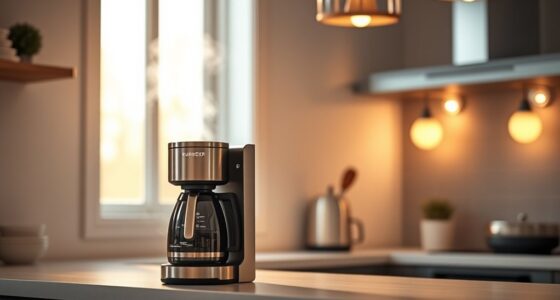
Creating custom routines with Alexa or Google can simplify your daily life by automating multiple tasks with a single command. Imagine waking up, and with just a simple voice command, your smart home springs into action—lights turn on, your favorite news plays, and the coffee maker starts brewing. That’s the power of customized routines, giving you control over your smart home environment through simple voice commands. Setting up these routines is straightforward, and once configured, they save you time and effort, making your home smarter and more responsive to your needs.
Simplify your life with custom routines that automate tasks through simple voice commands.
To get started, you’ll want to access the routines feature in either Alexa or Google Home app. Both platforms allow you to create personalized sequences of actions triggered by specific voice commands. Think about what tasks you do regularly—turning off lights when you leave, adjusting the thermostat before bedtime, or playing music during dinner—and then combine these into routines. When you craft these, you’ll set a voice command that naturally fits your lifestyle, like “Good morning” or “I’m leaving,” which then prompts the smart home devices to perform multiple actions simultaneously. This eliminates the need to manually control each device individually.
Creating effective routines involves choosing the right voice commands that feel intuitive to you. For instance, you might say, “Start my evening routine,” and have your smart home lock the doors, lower the blinds, and turn on ambient lighting. The key is to keep commands simple and memorable. Additionally, you can assign routines to specific times of day or locations, so your smart home reacts automatically—for example, lowering the thermostat at night or turning on outdoor lights at sunset. These automation options help you maintain a seamless and efficient living environment, all with minimal effort.
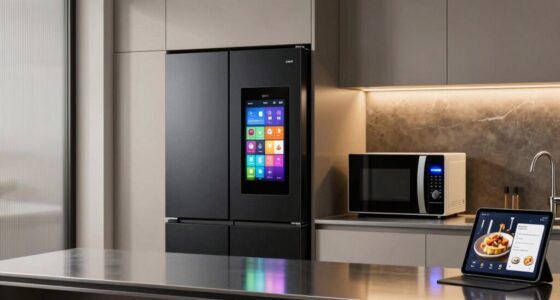
As you set up routines, you’ll find that integrating various smart home devices works best when they’re compatible with your chosen platform. Alexa and Google Home both support a wide range of smart devices, from lights and thermostats to security cameras and speakers. Once your routines are configured, you don’t have to think twice about controlling each device separately. Instead, you activate a single voice command, and your smart home takes care of the rest. This not only enhances convenience but also improves energy efficiency and security, since your home responds proactively to your routines.
In the end, creating custom routines with Alexa or Google transforms your living space into a highly responsive environment. It’s about making technology work for you, streamlining daily tasks, and freeing up your time for what matters most. High refresh rates and low input lag are crucial for a smooth experience, especially when controlling your smart home devices through voice commands. With a few simple steps, you’ll enjoy a smarter, more efficient home where your voice commands *release* a world of automation and comfort.
Amazon Alexa compatible smart lights
As an affiliate, we earn on qualifying purchases.
As an affiliate, we earn on qualifying purchases.
Frequently Asked Questions
Can I Create Routines That Work Across Multiple Smart Devices?
Yes, you can create routines that work across multiple smart devices, thanks to voice command customization and device compatibility. You simply set up routines in your app, linking devices from different brands that support your voice assistant. When you activate the routine, all compatible devices respond simultaneously. Keep in mind that some devices might have limitations, but overall, this setup offers seamless control and convenience across your smart home ecosystem.
How Do I Troubleshoot Routine Execution Failures?
When your routines fail to execute, start with routine troubleshooting tips like checking your voice command customization to make certain commands are clear and accurate. Verify your device connections and Wi-Fi stability, as these often cause issues. Restart your devices and update the app or firmware if needed. Also, reconfigure your routine if necessary. Regularly reviewing these steps helps you identify and fix routine execution failures quickly, keeping your smart home running smoothly.
Are There Privacy Concerns With Custom Routines?
Did you know 81% of Americans worry about their privacy online? Custom routines can pose privacy risks, as they often collect data like voice commands and device usage. While these devices take data security seriously, you should be aware of potential privacy concerns. Always review privacy settings, limit data sharing, and stay updated on security practices to protect your personal information when creating routines with Alexa or Google.
Can Routines Be Shared Between Different User Accounts?
Yes, routines can be shared between different user accounts, but it depends on the platform. With routine sharing, you can grant access through user account permissions, allowing others to trigger or modify routines. Keep in mind, some devices or apps may have restrictions. To guarantee smooth sharing, check the specific platform’s settings for user account permissions and follow the instructions to enable routine sharing securely.
How Can I Schedule Routines for Specific Days or Times?
Imagine waking up to your morning routine, perfectly timed. You can schedule routines for specific days or times by accessing routine customization options in your app. With scheduling flexibility, you set routines to activate on weekdays at 7 a.m. or weekends at 8 a.m., ensuring your smart home fits your lifestyle. Simply choose the desired days and times, then save to make your routines automatically run whenever you want.
Google Home compatible thermostats
As an affiliate, we earn on qualifying purchases.
As an affiliate, we earn on qualifying purchases.
Conclusion
Now that you know how to create custom routines with Alexa or Google, you’re well on your way to making your daily life smoother. With a little setup, you can automate tasks and enjoy ultimate convenience. Remember, “The early bird catches the worm,” so start customizing today and reap the benefits of a smarter home. Embrace the power of automation, and watch your routines become effortless and efficient.
smart home routines automation devices
As an affiliate, we earn on qualifying purchases.
As an affiliate, we earn on qualifying purchases.
voice-controlled smart home devices
As an affiliate, we earn on qualifying purchases.
As an affiliate, we earn on qualifying purchases.