
To prevent leaking sensitive data between apps, it is crucial to understand that your clipboard temporarily stores info that could be accessed by malicious or untrusted apps. Using encryption and app sandboxing can protect your data, while practicing cautious copying habits and clearing your clipboard after use adds extra security. Keep your device updated and avoid sharing sensitive details unless you’re sure they’re protected. Continuing with this guide will show you how to better safeguard your information and maintain your privacy.
Key Takeaways
- Use app sandboxing to restrict clipboard access and prevent unauthorized data sharing between apps.
- Encrypt sensitive clipboard data to scramble information and protect it from malicious apps.
- Limit copying of private information and clear clipboard contents immediately after use.
- Keep device software updated to benefit from enhanced security features and vulnerabilities fixes.
- Practice cautious data handling, avoiding untrusted apps and secure data transfer practices for added privacy.
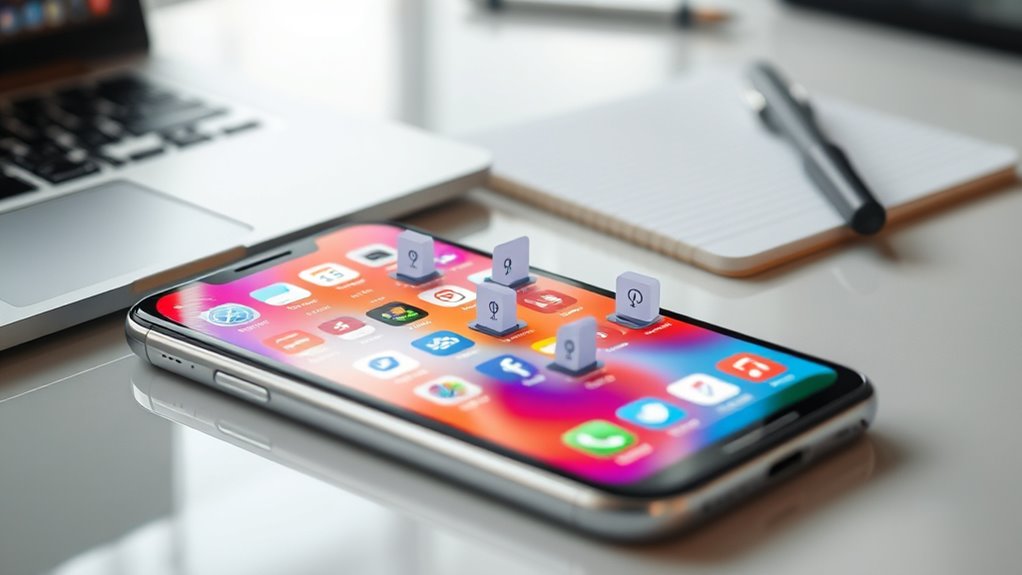
Have you ever considered what happens to the information you copy to your clipboard? When you hit copy on a piece of text, an image, or a password, it’s stored temporarily in your device’s memory. But this process isn’t as private as you might think. Your clipboard can be a vulnerable point where sensitive data leaks between apps if not properly protected. Some operating systems now implement clipboard encryption, which is a pivotal step in safeguarding your information. Clipboard encryption ensures that the data stored temporarily is scrambled and unreadable to anyone who might try to access it without proper authorization. This means that even if malicious apps or malware attempt to peek into your clipboard, they’ll only see encrypted gibberish, not your actual data. It’s an essential feature for maintaining privacy, especially when handling sensitive information like passwords, banking details, or personal messages.
Your clipboard stores temporary data that can leak sensitive information if not protected properly.
However, encryption alone isn’t enough. App sandboxing plays a significant role in protecting your clipboard data. Sandboxing isolates apps from each other, creating a controlled environment where each app operates within its own confined space. This separation prevents one app from accessing data from another without explicit permission, effectively reducing the risk of data leaks via clipboard sharing. When apps are sandboxed, they can’t freely read or write to your clipboard unless explicitly allowed, which adds an extra layer of security. Combined with clipboard encryption, sandboxing creates a robust barrier against unintended data exposure, making it much harder for malicious apps to steal your information or for malware to exploit clipboard vulnerabilities. Additionally, secure data transfer protocols help ensure that data remains protected during interactions between apps and services.
While these security measures are increasingly common, it’s still essential to be mindful of your habits. Avoid copying sensitive information unless you’re sure the app handling it uses secure methods like clipboard encryption and app sandboxing. Be cautious about what you copy and where you paste it, especially if you’re switching between untrusted apps or public networks. Always keep your device’s software updated, as newer versions often include improved security features for clipboard management. Remember that your clipboard isn’t just a temporary storage spot; it’s a potential gateway for your private data. By understanding how clipboard encryption and app sandboxing work together, you can better protect yourself from accidental leaks and malicious attacks.
In the end, safeguarding your clipboard isn’t just about relying on technology but also about being aware of how your data is handled. With encryption securing your content and sandboxing limiting access, you gain stronger control over your privacy. Stay informed about these protections and practice good habits—such as clearing your clipboard after use—to keep your sensitive data safe from prying eyes.

EVEO Screen Cleaner Spray - Large Screen Cleaner Bottle - TV Screen Cleaner, Computer Screen Cleaner, for Laptop, Phone, Ipad - Computer Cleaning kit Electronic Cleaner (1 Pack)
- Versatile Screen Cleaning: Suitable for TVs, laptops, phones, and tablets
- Effective Streak-Free Cleaning: Removes dust, fingerprints, and smudges
- Gentle on Sensitive Screens: Safe for LCD, LED, OLED, CRT screens
As an affiliate, we earn on qualifying purchases.
Frequently Asked Questions
How Do Different Operating Systems Handle Clipboard Security?
You’ll find that different operating systems handle clipboard security with varying methods. Some monitor clipboard activity to prevent unauthorized access, while others use data encryption to protect what you copy. For example, Windows and macOS implement clipboard monitoring and encryption to safeguard your data, but the level of security can differ. Always stay aware of how your OS manages clipboard privacy, especially if you handle sensitive information.
Can Clipboard Data Be Recovered After a Device Reboot?
Did you know that about 80% of people don’t realize clipboard data can sometimes be recovered after a reboot? Generally, clipboard persistence depends on your device’s OS and whether clipboard data is stored temporarily or permanently. Usually, once you reboot, clipboard data is wiped, making data recovery unlikely. However, some advanced tools might recover residual data, so it’s best to clear sensitive info before restarting your device.
Are There Third-Party Apps That Enhance Clipboard Privacy?
Yes, there are third-party apps that enhance clipboard privacy by implementing clipboard encryption and app sandboxing. These tools secure your clipboard data, preventing unauthorized access or leaks when switching between apps. By encrypting your clipboard content and isolating apps in their own sandboxes, they ensure your sensitive information stays private. You can confidently use these apps to boost your privacy and keep your data protected from potential leaks.
How Does Clipboard Access Differ Between Mobile and Desktop Devices?
On mobile devices, clipboard permissions are usually limited, requiring apps to request access explicitly, and clipboard history is often restricted to prevent data leaks. On desktops, you have more control; permissions are managed through system settings, and clipboard data is accessible across apps unless privacy measures are in place. Always check your device’s settings to manage clipboard privacy and prevent unintended data sharing between apps.
What Are the Legal Implications of Clipboard Data Leaks?
Oh, the glorious world of clipboard leaks—where your data becomes everyone’s business! Legally, you could face hefty fines under privacy regulations if sensitive info is leaked, and data breach liabilities could skyrocket. You’re responsible for protecting user data, so neglecting clipboard security might land you in court. Stay compliant, implement safeguards, and avoid turning your app into a privacy nightmare, or you’ll pay the price.

iO CLEAN Screen Cleaner Spray (16oz - 473ml) – Best Large Cleaning Kit
- Versatile Device Compatibility: Works on all electronic screens and devices
- Gentle, Scratch-Free Formula: Removes dust and grime without scratching
- Protective, Anti-Static Coating: Repels dirt and reduces static electricity
As an affiliate, we earn on qualifying purchases.
Conclusion
To protect your data, treat your clipboard like a fragile glass—handle it with care and avoid unnecessary leaks. Always be mindful of what you copy and where you paste, because one careless slip can open a Pandora’s box of privacy issues. Remember, your clipboard isn’t just a temporary storage box; it’s a gateway that can reveal more than you intend. Guard it diligently, and your digital privacy will stay intact like a fortress behind a moat.