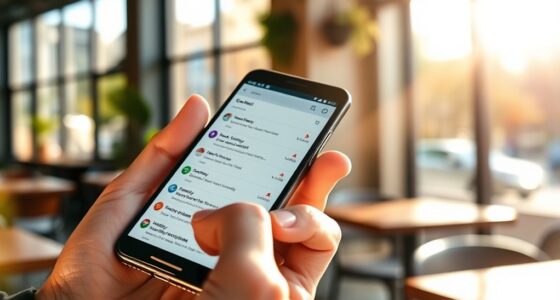
You can easily turn your lock screen into a personalized dashboard using live activities and widgets. These tools let you display real-time updates like weather, sports scores, or calendar events without *unlatching* your phone. You can customize what shows, how it looks, and where to place it for quick access. This boosts your efficiency and keeps important info at your fingertips. Keep exploring to discover how to optimize your lock screen experience further.
Key Takeaways
- Live Activities and widgets enable real-time updates on your lock screen without opening apps.
- Customize widget size, style, and data sources to create a personalized dashboard.
- Easily set up and configure widgets using native OS features like iOS or Android.
- Use widgets to track sports scores, weather, calendars, and deliveries instantly.
- Transform your lock screen into a dynamic, information-rich hub, improving efficiency and connectivity.
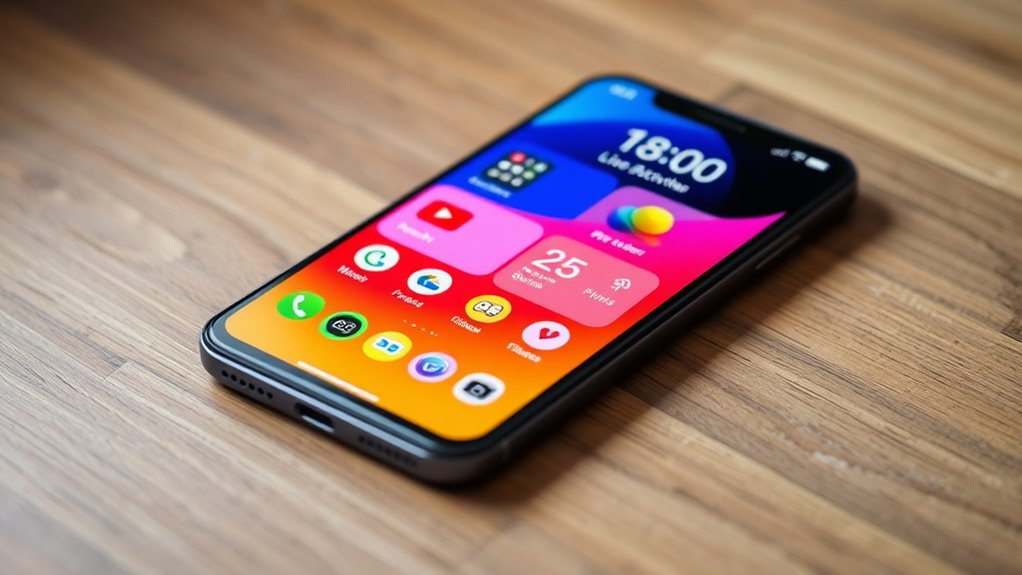
Have you ever wished your smartphone could display real-time updates without opening an app? With live activities and widgets, that’s now feasible. These tools transform your lock screen into a dynamic dashboard, giving you quick access to essential information at a glance. Whether you’re tracking your fitness progress, checking the weather, or monitoring ongoing deliveries, live activities keep everything current and visible without extra taps. The key advantage is the ability to see real-time updates seamlessly, so you stay informed without interrupting whatever you’re doing. No more digging through multiple apps — just glance at your lock screen for the latest info, making your device smarter and more efficient.
Easily see real-time updates on your lock screen without opening apps.
One of the standout features of live widgets is their extensive customization options. You can tailor what information appears and how it looks, ensuring it fits your lifestyle. For example, if you’re a sports enthusiast, you can set a live score widget that updates automatically with game results. If productivity is your focus, a calendar or task manager widget can provide real-time reminders and deadlines. The customization options enable you to choose the size, style, and data sources for each widget, creating a personalized dashboard that’s both functional and visually appealing. This level of control makes your lock screen more than just a passive display — it becomes an active hub tailored to your needs. Additionally, integration with operating systems allows for smoother setup and more reliable updates, enhancing the overall experience.
Getting started is straightforward. Many smartphones now offer built-in support for live activities and widgets, often through their native operating systems like iOS or Android. You can select which widgets to display, position them on your lock screen, and configure their settings according to your preferences. Some apps also provide their own widgets, integrating directly into your lock screen for quick access. The process typically involves a few taps, and once set up, your lock screen automatically updates with the latest information, saving you time and effort.
The real-time updates provided by these widgets mean you’re always in the loop. Whether it’s live sports scores, traffic conditions, or upcoming calendar events, you have instant access without opening multiple apps. This instant visibility keeps you more organized and less distracted, as you can quickly make decisions based on the latest data. Plus, the ability to customize each widget ensures your lock screen reflects your priorities, making your device truly yours. These features combine to turn your lock screen into a powerful, personalized dashboard that keeps you connected, informed, and efficient throughout your day.
Top picks for "live activity widget"
Open Amazon search results for this keyword.
As an affiliate, we earn on qualifying purchases.
Frequently Asked Questions
How Do I Customize Widgets on My Lock Screen?
To customize widgets on your lock screen, start by long-pressing it until the options appear. You can then adjust widget placement by dragging them to your preferred spots. Access customization options through the edit button, where you can choose which widgets to display and their sizes. Experiment with different arrangements to create a personalized dashboard, making sure your most-used widgets are easily accessible and visually appealing.
Are Live Activities Available on All Devices?
Live Activities aren’t available on all devices. You need device compatibility with iOS 16 or later, which supports these dynamic widgets. Keep in mind, there are widget limitations—only certain apps and data types work with Live Activities. If your device doesn’t meet these requirements, you won’t see this feature. Check your device’s software version and settings to guarantee it supports Live Activities, and consider updates if needed.
Can I Add Multiple Widgets to My Lock Screen?
Yes, you can add multiple widgets to your lock screen. You have control over widget arrangement, allowing you to customize which widgets appear and their order. However, there are widget limitations depending on your device and iOS version, so you might not be able to add as many as you’d like. To optimize your lock screen, experiment with different widget setups to find what works best for you.
How Do I Update Widget Content in Real Time?
You can update widget content in real time by enabling widget notifications, which keep your widgets current with live data. To do this, make sure your app supports real-time updates and that notifications are turned on for that app. When new information is available, your widget refreshes automatically, providing you with instant updates. This way, you stay informed without needing to open the app, keeping your lock screen dashboard always up-to-date.
Is There a Way to Prioritize Certain Widgets?
Yes, you can prioritize certain widgets by adjusting their widget arrangement in your widget management settings. To do this, tap and hold a widget to enter edit mode, then drag your preferred widgets to the top or to the most visible positions. This way, you guarantee your most important widgets stay front and center, making your lock screen more efficient and tailored to your needs.
Conclusion
By transforming your lock screen into a dynamic dashboard with Live Activities and Widgets, you stay effortlessly connected and informed. Did you know that users who customize their device interfaces are 30% more likely to engage daily? Embracing these features means you’ll not only save time but also enhance your digital experience. So go ahead—personalize your lock screen and enjoy a more efficient, interactive smartphone every day.