
For effective speech-to-text on any device, speak clearly and at a steady pace, enunciating each word. Use a quiet environment with minimal background noise, and invest in a good microphone or headset. Take time to train the software and correct errors to improve accuracy over time. Use voice commands for punctuation and formatting, and practice pauses between sentences. Keep these tips in mind, and you’ll discover even more ways to optimize your dictation skills.
Key Takeaways
- Speak clearly, enunciate words, and maintain a steady pace for better transcription accuracy.
- Use a quiet environment and a quality microphone to minimize background noise and improve voice capture.
- Train and customize the voice recognition system to adapt to your speech patterns over time.
- Incorporate voice commands for punctuation and formatting to streamline dictation.
- Regularly review and correct transcriptions to enhance system learning and overall accuracy.
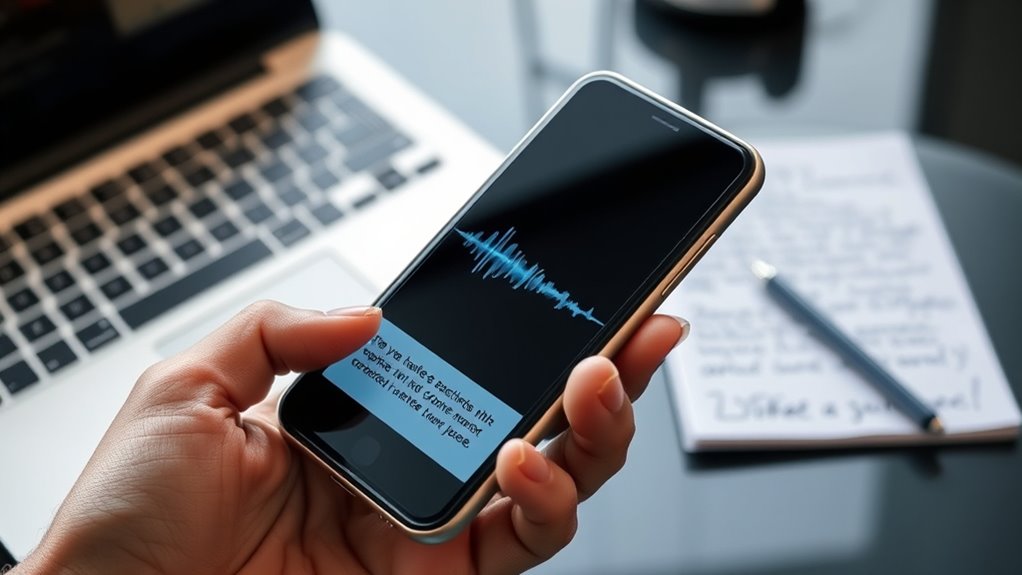
Speech-to-text dictation can be a powerful tool for boosting your productivity, but getting the most accurate results requires some know-how. The key to successful dictation lies in understanding how voice recognition technology works and how to optimize your setup for the best transcription accuracy. When you speak clearly and at a steady pace, voice recognition software can interpret your words more precisely, reducing errors and the need for extensive editing afterward. Remember, the more precise your initial speech input, the higher your transcription accuracy will be, saving you valuable time.
Clear speech at a steady pace improves transcription accuracy and boosts productivity.
To improve voice recognition performance, consider your environment. Find a quiet space free from background noise or interruptions. Microphone quality also plays a crucial role—using a good-quality microphone can considerably enhance transcription accuracy by capturing your voice more clearly. If you’re on a laptop or mobile device, invest in a noise-canceling microphone or headset, which can help your device better distinguish your voice from ambient sounds. Speaking directly into the microphone with a consistent, moderate pace ensures the software can better understand your speech, reducing misinterpretations.
Another tip is to enunciate your words clearly. Avoid speaking too quickly or slurring your speech, as this can cause voice recognition systems to misinterpret words, leading to errors in transcription. Pausing slightly between sentences allows the software to process your thoughts better and improves overall accuracy. Additionally, many voice recognition tools allow you to train the system to better understand your voice. Take a few moments to go through training exercises if available, which can greatly boost transcription accuracy over time. This way, the software adapts to your unique pronunciation and speech patterns.
Finally, familiarize yourself with the specific voice recognition features of your device or software. Use commands to insert punctuation, start new paragraphs, or correct mistakes on the fly. This hands-free control minimizes interruptions and streamlines the dictation process. Regularly reviewing and editing your transcriptions also helps the software learn your preferences, further enhancing voice recognition and transcription accuracy over time. Understanding voice recognition technology is essential for optimizing your dictation workflow and achieving better results.
Frequently Asked Questions
How Accurate Is Speech-To-Text Technology Across Different Accents?
Speech-to-text technology varies in accuracy across different accents because of accent variability and language support limitations. You might find it works well with some accents, but struggles with others, especially if the tech isn’t optimized for your specific dialect. To improve accuracy, choose tools with broad language support and accents included in their training data. Regularly update your software and speak clearly to help the system better understand your speech.
Can Speech-To-Text Work Offline Without an Internet Connection?
Yes, speech-to-text can work offline, but it depends on your device and app. Many devices offer offline capabilities, allowing you to use dictation without internet access. Check your device’s compatibility and verify you’ve downloaded the necessary language packs or software updates. This way, you can enjoy seamless offline dictation, whether you’re on a smartphone, tablet, or computer, making your workflow more flexible and efficient.
What Are the Privacy Concerns With Voice Data Collection?
Your voice data might be more vulnerable than a fortress, raising serious privacy concerns. When companies collect voice data, it could be stored, shared, or even hacked, jeopardizing your user privacy policies. You need to be vigilant about voice data security and read privacy policies carefully. Always ask if your voice recordings are anonymized or deleted regularly, so you stay in control of your personal information and protect your privacy.
How Do Background Noises Impact Dictation Accuracy?
Background noises can considerably reduce dictation accuracy. To improve results, use noise suppression features on your device, which filter out unwanted sounds. Also, investing in a high-quality microphone helps capture your voice clearly, even in noisy environments. Keep your environment as quiet as possible, and speak directly into the microphone. These steps ensure your speech-to-text system understands you better, making dictation more accurate and efficient.
Are There Specific Devices Better Suited for Speech-To-Text Tasks?
Devices designed for speech-to-text often outperform others, thanks to better device compatibility and user interface. You’ll find that high-end smartphones and tablets, like iPads or premium Android phones, typically boast superior microphones and intuitive interfaces that make dictation smoother. These devices are built to handle speech recognition, reducing errors and enhancing accuracy. So, for the best experience, choose devices specifically crafted for speech-to-text tasks, ensuring seamless, simple, and satisfying dictation.
Conclusion
So, now you’re a speech-to-text pro—well, almost. Just remember, your voice is your superpower, even if it occasionally turns “schedule” into “skedule.” With these tips, you’ll confidently conquer any device, turning your rambling thoughts into perfect prose—no more finger cramps or typos. Just speak, relax, and watch the magic happen. Who knew that talking could be the easiest part of your day? Happy dictating!