
Choosing between 8-bit and 10-bit video depends on your needs. If you focus on professional editing, high-quality color grading, and smoother gradients, 10-bit is better because it offers more color depth and reduces banding. However, if you prioritize compatibility with common devices and simple playback, 8-bit may suffice. To understand how these differences impact your projects and which suits you best, explore the details ahead.

Get the latest gadgets delivered free — and shop member deals
- Fast, free delivery on millions of items
- Access to Prime Big Deal Days deals on October 6–7
- Prime Video, Amazon Music and more included
Key Takeaways
- 10-bit video offers smoother gradients and reduces banding, making it better for color grading and professional editing.
- 8-bit videos are more compatible with most consumer devices and platforms, ensuring broad playback support.
- 10-bit files are larger and require higher bandwidth, but they retain more detail during compression and editing.
- For casual viewing or simple projects, 8-bit is sufficient, but for high-fidelity or professional work, 10-bit is advantageous.
- The importance depends on your equipment, intended use, and whether you prioritize quality or compatibility.
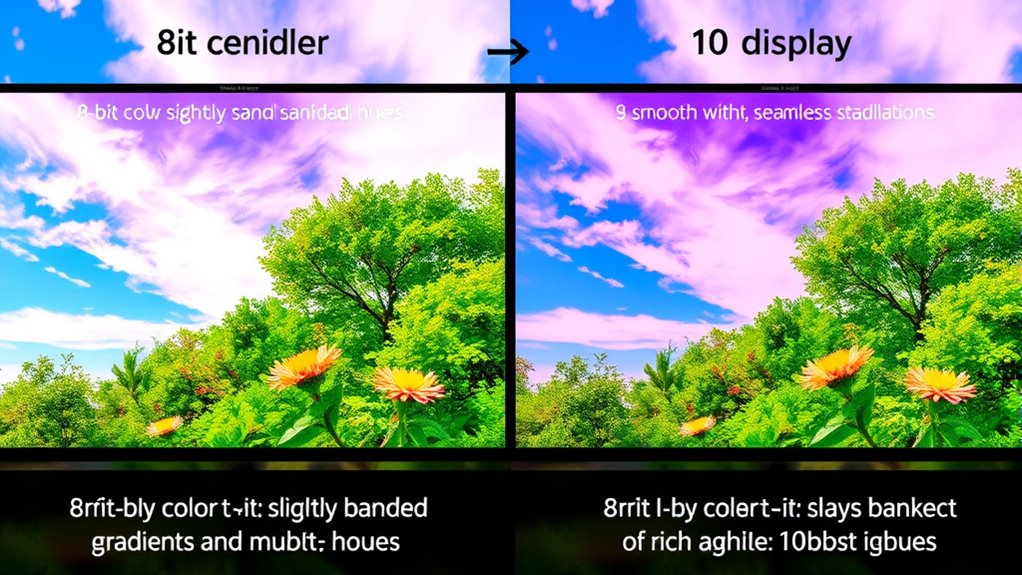
When choosing between 8-bit and 10-bit video, understanding the key differences can substantially impact your viewing experience. 8-bit video, which is more common, offers 256 levels per color channel, often resulting in limited color depth and potential banding in smooth gradients. This limitation becomes especially noticeable during color grading, where finer color adjustments can lead to posterization or banding if the original footage isn’t of high enough bit depth. If you’re editing footage or watching content with subtle color transitions, 8-bit may struggle to deliver the smooth, natural look you desire. Additionally, 8-bit videos are more susceptible to compression artifacts because lower bit depth means less information to preserve detail during compression. These artifacts can manifest as blockiness or color shifts, especially in scenes with complex color variations or rapid motion.
On the other hand, 10-bit video provides a much broader color palette, offering over 1,000 shades per channel—more than four times the range of 8-bit. This increased color depth allows for smoother gradients and more precise color grading, which is particularly valuable for professional video editing or high-quality streaming. With 10-bit footage, you’re less likely to see banding or posterization when adjusting colors in post-production. The extra bits also help mitigate compression artifacts because the additional data allows codecs to retain more detail, resulting in cleaner, more faithful images even under compression. If you’re someone who values high-fidelity visuals or plans to do extensive color correction, 10-bit is worth considering, especially now that many modern cameras and displays support this bit depth. Moreover, the adoption of European cloud servers with advanced processing capabilities can facilitate handling these larger files efficiently, ensuring high-quality playback and editing without compromising performance.
However, it’s important to recognize that not all playback devices or streaming platforms support 10-bit video. Some screens may not display the extra color information correctly, making the benefits less noticeable. Also, 10-bit files tend to be larger, requiring more storage and higher bandwidth for streaming. If you’re just watching casual content on a typical consumer device, the differences may be negligible. But if you’re engaged in professional work, or if you want the best possible image quality with minimal compression issues, opting for 10-bit video can make a significant difference. Ultimately, the choice depends on your use case, equipment, and whether you prioritize color accuracy and detail over file size and compatibility.
8-bit vs 10-bit video editing monitor
As an affiliate, we earn on qualifying purchases.
As an affiliate, we earn on qualifying purchases.
Frequently Asked Questions
How Does Bit Depth Affect Video Editing Workflows?
Bit depth considerably impacts your video editing workflow by enhancing color accuracy and editing flexibility. With higher bit depth, you can achieve smoother gradients and more precise color corrections, reducing banding and artifacts. This means you can fine-tune your footage more effectively without sacrificing quality. If you work on detailed color grading or professional projects, opting for higher bit depth makes your workflow smoother and results more polished.
Can 8-Bit Videos Be Effectively Color Graded?
Yes, you can effectively color grade 8-bit videos, but you’ll face some limitations. 8-bit videos have color grading restrictions due to their lower color depth, which can cause banding and reduce dynamic range potential. These limitations make it harder to achieve smooth color progressions and detailed adjustments, especially in high-contrast scenes. If you want more flexibility and better quality, 10-bit footage offers a wider dynamic range and smoother grading options.
What Hardware Is Needed to Support 10-Bit Video Playback?
Think of your setup as a race car needing the right engine. To support 10-bit video playback, you need hardware compatibility like a compatible GPU, a high-quality 10-bit capable monitor, and proper display calibration. Guarantee your graphics card and display work together smoothly, or you’ll hit a speed bump. Upgrading these components guarantees vibrant colors and seamless playback, making your viewing experience feel like a perfectly tuned racecar on the track.
Is There a Noticeable Difference in Gaming Visuals Between 8-Bit and 10-Bit?
You might notice a difference in gaming visuals between 8-bit and 10-bit, especially if you play games with smooth gradients. With 8-bit, you could see color banding and visual artifacts, making scenes look less natural. Switching to 10-bit reduces these issues, providing more detailed and vibrant images. If your hardware supports it, upgrading enhances immersion by delivering richer colors and fewer distracting imperfections.
How Does Bit Depth Influence Video Compression and File Size?
Bit depth influences video compression and file size impact because higher bit depths, like 10-bit, contain more color information, which can lead to larger files. When you use greater bit depth, compression algorithms need to work harder to preserve detail, often increasing file sizes. Conversely, lower bit depths reduce data, making files smaller but potentially sacrificing color accuracy. So, your choice affects both quality and storage needs.
professional 10-bit video editing software
As an affiliate, we earn on qualifying purchases.
As an affiliate, we earn on qualifying purchases.
Conclusion
In the battle between 8-bit and 10-bit video, understanding the difference could revolutionize your viewing experience—like upgrading from a bicycle to a spaceship. While 8-bit might suffice for casual watching, 10-bit opens a universe of richer colors and smoother gradients that can elevate your visuals to cinematic heights. Don’t settle for mediocrity when the future of vibrant, lifelike imagery is within your grasp. Embrace the 10-bit revolution and see your world in a whole new light.
As an affiliate, we earn on qualifying purchases.
As an affiliate, we earn on qualifying purchases.
Fall Picks
fall essentials
As an affiliate, we earn on qualifying purchases.