Pro photographers shoot in RAW because it preserves maximum image quality, offers vast post-processing flexibility, and captures more detail and dynamic range. JPEG files are compressed, which reduces data and limits editing options. If you want professional results or more control over your images, shooting in RAW is the smarter choice. To understand how mastering RAW can elevate your photography, explore further—you’ll find valuable tips that could change how you shoot.
Key Takeaways
- Raw files retain maximum image data, allowing professional-level editing and color correction for optimal results.
- Shooting in Raw offers broader dynamic range, making highlight and shadow recovery more effective in challenging lighting.
- Raw provides higher image quality with less compression artifacts, essential for large prints and detailed work.
- Raw files support non-destructive edits, preserving original data for flexible post-processing without quality loss.
- Professionals choose Raw for precise control over exposure, color, and detail, ensuring the highest possible image fidelity.
Understanding the Fundamentals of Raw and JPEG Formats
Raw and JPEG are two common image formats that serve different purposes in photography. When you shoot in Raw, your camera sensor captures all the data from the scene without applying compression or processing. This results in larger files that retain maximum detail and dynamic range, giving you more flexibility during editing. Additionally, the dynamic range of Raw files allows for better preservation of highlight and shadow details, which is critical for professional editing. JPEG, on the other hand, uses image compression to reduce file size by discarding some image data. This compression simplifies the image, making it more convenient for quick sharing and storage. While JPEG files are smaller and easier to work with straight out of the camera, they sacrifice some quality and detail. Understanding these fundamental differences helps you choose the right format based on your shooting needs and post-processing plans. Additionally, the contrast ratio of a projector significantly impacts image quality, especially in dark scenes, making it an important consideration for cinematography. Moreover, selecting the appropriate format can also influence your workflow efficiency and storage management over time.
Image Quality and Detail Preservation
When it comes to image quality, RAW files offer richer color depth and a broader dynamic range, helping your photos retain more detail. JPEGs compress data, which can lead to a loss of fine details and color nuances. This compression often results in loss of image quality, especially in areas with subtle color transitions. Choosing RAW can give your images a sharper, more vibrant look, especially in challenging lighting conditions. Additionally, understanding how image quality impacts your photos can empower you to make better decisions when capturing outdoor moments. Properly processing RAW files allows for adjustments that preserve detail preservation, ensuring your images look their best in any setting. Recognizing the importance of file flexibility can further enhance your editing capabilities and overall photographic results.
Rich Color Depth
While JPEG images often compress colors to reduce file size, RAW files retain a much richer and more accurate color depth, capturing subtle gradations and nuances. This results in exceptional color richness, allowing you to see a broader spectrum of hues and shades. This color richness can be especially noticeable in scenes with complex color palettes, making your images more realistic. The tonal depth in RAW files provides smoother progressions between colors, preventing banding and posterization that can occur with compressed images. With RAW, you gain control over these delicate details during editing, preserving the integrity of the original scene. This enhanced color fidelity makes your images more vibrant and true to life. Additionally, color depth is a crucial factor in achieving professional-grade images, especially when making large prints or detailed edits. Recognizing how dynamic range can vary with image format highlights the importance of capturing the full tonal spectrum for high-quality results.
Greater Dynamic Range
Greater dynamic range allows you to capture more detail in both the brightest highlights and the darkest shadows, preventing loss of information in high-contrast scenes. This means your images retain clarity and depth, even in challenging lighting conditions. With RAW files, you benefit from increased sensor sensitivity, which enhances your ability to record subtle tonal variations. Additionally, the superior color accuracy preserves the richness of your scene, ensuring vibrant, true-to-life hues. Properly managing post-processing techniques can further maximize these benefits, allowing you to fine-tune your images for optimal results. Consider these advantages:
- Preserve details in highlights and shadows, avoiding blown-out or crushed areas.
- Achieve more natural, accurate colors that reflect the scene’s true essence.
- Flexibility in post-processing to recover and enhance subtle tones.
- Create impactful images that truly convey your vision, regardless of lighting complexities.
Fine Detail Retention
Capturing fine details is essential for producing sharp, high-quality images, and RAW files excel in this area. Unlike JPEGs, RAW preserves more image information, reducing compression artifacts that can blur or distort details. This extra data allows you to retain subtle textures and sharp lines, especially in high-res images. Additionally, RAW files give you greater control over color profiling, ensuring accurate color reproduction without sacrificing detail. JPEG compression often compresses fine details to save space, which can lead to a loss of clarity and slight blurriness. By shooting in RAW, you keep your options open for precise adjustments, resulting in crisper, more detailed images that stand out with clarity and richness. Understanding image fidelity is crucial for photographers aiming to maximize detail retention.
Dynamic Range and Exposure Flexibility
When it comes to dynamic range and exposure flexibility, shooting in RAW gives you a significant advantage over JPEG. RAW files capture a wider range of sensor sensitivity, allowing you to recover details in shadows and highlights that would be lost with JPEG. This flexibility minimizes the need for aggressive noise reduction, keeping your images cleaner when adjusting exposure. With RAW, you’re empowered to correct exposure errors without sacrificing image quality.
Consider these benefits:
- Preserve details in extreme lighting conditions.
- Adjust exposure without introducing noise.
- Recover highlight and shadow information effortlessly.
- Maintain control over sensor sensitivity settings for ideal results.
This control ensures your images are more adaptable to challenging lighting, giving you confidence in every shot.
Post-Processing and Editing Advantages
When you shoot in RAW, you gain greater editing flexibility that allows you to adjust exposure and details without losing quality. This format also makes color correction easier, giving you more control over hues and tones. Plus, it helps preserve image quality during post-processing, ensuring your photos stay sharp and vibrant. Additionally, understanding sleep hygiene can improve your overall rest, just as selecting the right file format enhances your photographic results. Focusing on proper technique during shooting can further maximize the benefits of RAW files by capturing the most accurate image data possible. Recognizing the importance of passive voice detection in editing can also lead to clearer, more direct writing in your post-processing notes. Moreover, utilizing proper workflow strategies can streamline your editing process and maintain the integrity of your images throughout editing stages. Incorporating website performance metrics can help you analyze your editing efficiency and improve your overall post-processing experience.
Greater Editing Flexibility
Unlike JPEGs, RAW files offer considerably greater flexibility for editing because they contain more detailed and unprocessed image data. This means you can fine-tune aspects like exposure, shadows, and highlights without sacrificing quality. You gain control over color grading, allowing you to craft mood and atmosphere precisely. Plus, RAW files give you more options for printing, ensuring your images look sharp and vibrant across different formats. Here’s what you can achieve with RAW:
- Perfectly balance tones without losing detail
- Apply subtle adjustments to enhance overall mood
- Customize color grading for creative impact
- Optimize images for various printing options
This flexibility empowers you to produce professional results, making RAW the ideal choice for those serious about quality and control.
Enhanced Color Correction
Enhanced color correction is one of the key advantages of shooting in RAW, as it gives you precise control over color balance, saturation, and hue during post-processing. With RAW files, you can fine-tune colors to match your vision, ensuring accurate color management across different devices. This flexibility helps you correct subtle shifts in lighting or mixed color temperatures without damaging image quality. Plus, RAW files offer better file compatibility with editing software, making color adjustments smoother and more reliable. Imagine adjusting a scene’s warmth or cooling tones, as if painting with digital brushes. To visualize, consider this table:
| Scene Type | Color Adjustment Focus | Outcome |
|---|---|---|
| Sunset | Warmth & saturation | Vivid, realistic sunset hues |
| Indoor lighting | White balance & tint | Natural skin tones |
| Landscape | Vibrancy & contrast | Rich, balanced colors |
This control empowers you to perfect every shot. Additionally, mastering color correction techniques can significantly elevate your photographic work by ensuring consistent and visually appealing results across various projects.
Preserving Image Quality
Preserving image quality during post-processing is one of the main advantages of shooting in RAW format. It allows you to fine-tune your images with greater control, maintaining the integrity of details and tones. Here’s why RAW excels:
- You can perform precise sensor calibration to correct any camera inconsistencies, ensuring accurate colors.
- Adjustments to color profiles become seamless, giving you the power to create consistent, vibrant images.
- You retain more dynamic range, preventing loss of detail in highlights and shadows.
- Non-destructive editing means your original data stays untouched, so you can revisit and refine your edits anytime.
These benefits guarantee your final images are sharp, true to life, and professionally polished—something JPEG simply can’t match.
File Size and Storage Considerations
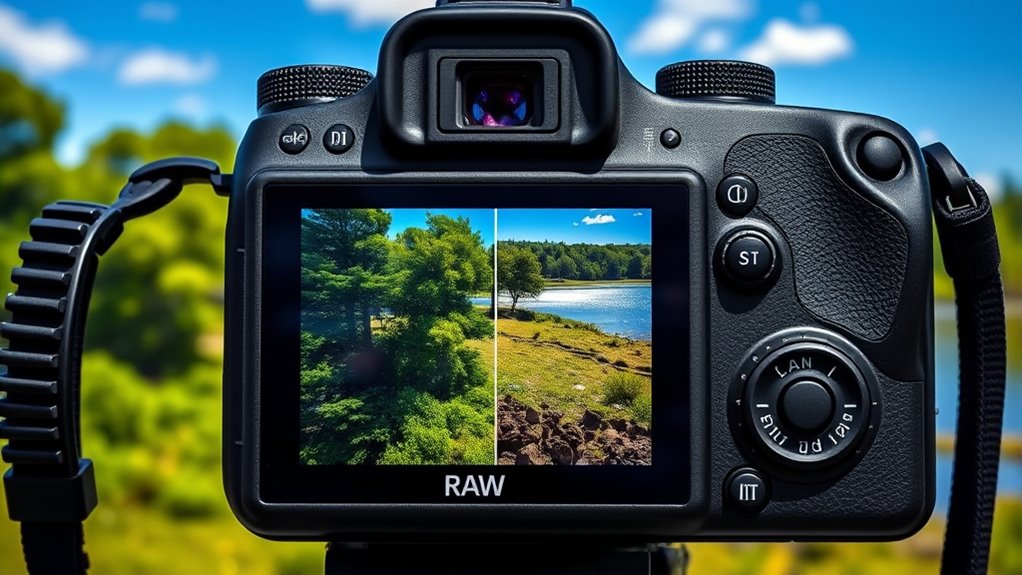
When choosing between RAW and JPEG files, understanding their file sizes is essential because it directly impacts your storage considerations. RAW files are considerably larger, often 20-30 MB per image, which means you’ll need more storage space for your collection. JPEG files are compressed, usually around 2-6 MB, making them easier to manage but at a potential cost to image quality. Consider this table:
| File Type | Average Size | Storage Impact |
|---|---|---|
| RAW | 20-30 MB | Requires ample storage |
| JPEG | 2-6 MB | Easier to store and transfer |
Choosing the right format depends on your workflow and storage capacity. Larger RAW files demand more storage but provide flexibility, while JPEGs save space but limit editing options. Additionally, for photographers working with digital tools, integrating technological solutions like advanced image processing software can help optimize storage and editing workflows. It’s also important to consider file management strategies to efficiently organize and back up your images.
Workflow Efficiency and Speed
Choosing between RAW and JPEG files can substantially impact your workflow efficiency and speed. RAW files require more time for processing, but they offer superior color accuracy and detailed editing, which can streamline your workflow in the long run. Conversely, JPEGs load faster and save storage space, letting you deliver quick results. Additionally, understanding file format differences can help you select the best option for your specific needs. Consider these points:
- You save time with JPEGs for fast turnarounds, but may sacrifice color accuracy.
- RAW files demand more editing but guarantee higher printing quality.
- Faster processing with JPEGs can boost productivity during tight deadlines.
- RAW files allow precise adjustments, reducing rework and enhancing final output.
- Proper file management is essential to maintaining an efficient workflow and making the most of your camera’s capabilities. Efficient file organization can help prevent lost images and simplify editing.
- Developing a standardized workflow can further improve your editing speed and consistency, especially when handling large volumes of images. Implementing consistent naming conventions and structured folders can also help streamline your editing process.
Balancing speed and quality is key to optimizing your workflow without compromising your professional standards.
Suitability for Different Photography Scenarios
Different photography scenarios demand different file formats to achieve ideal results. For portrait photography, shooting in RAW allows you to capture subtle details and achieve perfect skin tones during post-processing. It gives you more control over exposure, color balance, and sharpness, ensuring your portraits look polished. In fast-paced shooting situations, JPEG can be advantageous because of its smaller file size and quicker processing times, allowing you to shoot more rapidly without overwhelming storage. However, if detail retention and post-editing flexibility matter most, RAW is the better choice. Ultimately, for controlled, detail-rich projects like portraits, RAW is preferable. For dynamic, quick-action situations, JPEG’s speed and efficiency can be more suitable, but it may sacrifice some image quality and editing latitude.
Cost and Equipment Requirements
- High-capacity storage: RAW files are larger, requiring more expensive memory cards and drives.
- Powerful hardware: Editing RAW images demands a faster, more capable computer setup.
- Quality lenses: To fully benefit from RAW’s potential, investing in quality lenses becomes essential.
- Software upgrades: You may need specialized editing software, which can add to your expenses.
These factors can considerably increase your initial setup costs, making RAW a more substantial investment upfront. But remember, this investment can pay off in the quality and flexibility of your final images.
Making the Choice: Is RAW Right for You?
Deciding whether to shoot in RAW depends on your photography goals and workflow. If you value maximum control over color profiles and want to avoid compression artifacts, RAW is your best choice. However, if you prefer quick edits and smaller files, JPEG might suffice. Consider your editing skills and storage capacity before deciding. Here’s a quick comparison:
| Aspect | RAW | JPEG |
|---|---|---|
| Compression Artifacts | Minimal, preserves quality | Can introduce artifacts |
| Color Profiles | Fully adjustable, high fidelity | Limited, baked-in profiles |
| File Size | Larger, requires more storage | Smaller, easier sharing |
If you need detailed edits and superior color accuracy, RAW offers advantages. For simple snapshots, JPEG might be enough.
Frequently Asked Questions
Can Beginners Easily Learn to Shoot in RAW?
Yes, beginners can learn to shoot in RAW, but expect some challenges along the way. The learning curve involves understanding how to properly expose, process, and edit RAW files, which can seem overwhelming at first. However, with practice and patience, you’ll find it rewarding. Start by experimenting with your camera settings, using tutorials, and gradually mastering the basics to improve your skills and confidence in shooting RAW.
How Does Shooting RAW Affect Battery Life During Shoots?
Shooting in RAW slightly increases your camera’s battery drain, especially during long shoots. As you capture high-quality images, your camera works harder to process larger files, which can slow down performance and shorten battery life. Imagine your camera as a marathon runner; demanding tasks like RAW shooting cause it to tire faster. To conserve battery, carry extra batteries or optimize settings, ensuring your performance stays steady throughout your shoot.
Are There Privacy Concerns With Storing RAW Files?
Yes, there are privacy risks with storing RAW files, especially if they contain sensitive or personal information. You need to prioritize data security by using encrypted storage and secure backups to protect against unauthorized access. Be aware that RAW files can reveal details you might not want publicly available, so handle and share them cautiously. Implementing strong security measures guarantees your images stay private and reduces potential privacy concerns.
Can RAW Files Be Converted to JPEG Without Quality Loss?
Yes, you can convert RAW files to JPEG without quality loss if you use reliable conversion software. Think of it like translating a detailed book into a summarized version—if done carefully, the core story remains intact. Just make certain you choose a high-quality software that preserves image details during conversion. This way, your file format change doesn’t compromise the image quality, keeping your photos sharp and vibrant.
Is Professional Printing Compatible With RAW Files Directly?
No, professional printing isn’t directly compatible with raw files. You’ll need to process your raw images first, adjusting exposure, color, and sharpness through raw processing software. Once you’ve optimized the image, export it as a high-quality JPEG or TIFF to guarantee print compatibility. This step assures your colors and details transfer accurately, giving you professional results. Always check your printer’s specifications to confirm the preferred file format for the best quality.
Conclusion
Choosing between RAW and JPEG is like picking your paintbrush; RAW offers you a blank canvas with endless possibilities, while JPEG is a finished masterpiece. If you want to truly harness your camera’s potential and craft images that tell your story, shooting RAW is your trusted companion. Embrace the depth and detail it provides, and watch your photography blossom into something extraordinary. Your creative journey begins with the right choice—make it count.