
📊 Full opportunity report: How to Reduce Heat and Noise in a High-Power AI Workstation on ThorstenMeyerAI.com — validation score, market gap, and execution plan.

Get the latest gadgets delivered free — and shop member deals
- Fast, free delivery on millions of items
- Access to Prime Big Deal Days deals on October 6–7
- Prime Video, Amazon Music and more included
TL;DR
High-power AI workstations generate significant heat and noise due to sustained GPU loads. Key methods include undervolting GPUs, optimizing airflow, and managing power limits to improve cooling and reduce noise levels.
High-power AI workstations produce excessive heat and noise due to continuous GPU loads, which can turn a quiet home office into a noisy, warm environment. This article details confirmed methods to mitigate these issues, including undervolting GPUs, optimizing airflow, and managing power consumption, providing practical guidance for AI practitioners and enthusiasts.
AI workstations operating under sustained loads generate more heat and noise than gaming PCs because they run GPUs at or near full capacity continuously. The primary source of heat and noise is the GPU itself, which often accounts for over 70% of thermal output. Fans spin at high speeds to dissipate this heat, producing loud noise, while power draw from multiple GPUs can exceed 800W, further increasing thermal and acoustic stress.
One of the most effective confirmed strategies is undervolting the GPU, which reduces power consumption and heat without significantly impacting inference performance. Adjusting power limits and enabling thermal caps further decrease thermal output and noise. Proper case airflow is also crucial; ensuring that hot air is efficiently expelled prevents recirculation and temperature buildup. Additional measures include selecting quality power supplies and managing VRMs to prevent excess heat from secondary components.
An AI workstation isn’t a gaming PC —
and that’s why it runs hot.
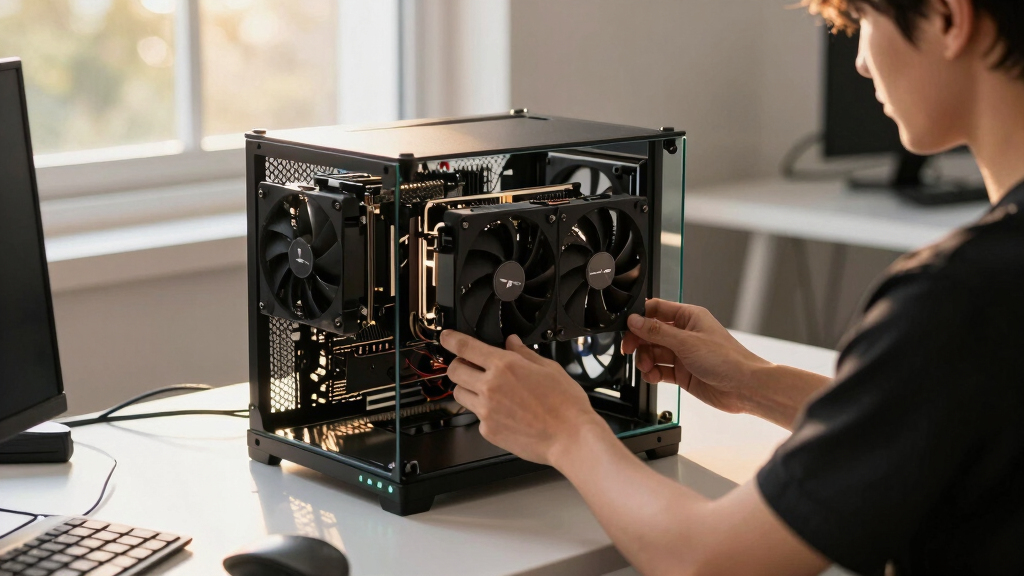
Local inference is a sustained load: the GPU sits near full power for hours with no loading screens, so the heat never dissipates and the fans never get a break. Here’s where the heat comes from — and the five levers that reduce it.
Why Managing Heat and Noise Matters for AI Workstations
Reducing heat and noise in high-power AI workstations enhances operational stability, prolongs hardware lifespan, and improves user comfort. For AI practitioners, quieter and cooler systems enable longer, uninterrupted work sessions and reduce the need for aggressive cooling solutions that can be costly or complex. Effective thermal management also prevents throttling, maintaining maximum inference speeds and overall productivity.
As an affiliate, we earn on qualifying purchases.
Key Factors Behind Heat and Noise in AI Rigs
Unlike gaming PCs, AI workstations run GPUs at high load levels continuously during inference tasks, leading to sustained thermal output. The GPU is the main heat source, but CPUs, power supplies, VRMs, and case airflow also influence overall thermal and acoustic performance. Many users overlook secondary heat sources like VRMs and power supplies, which can contribute significantly to noise levels. Proper cooling design, component choice, and workload management are critical to mitigating these issues.
“Undervolting GPUs and optimizing airflow are the most cost-effective ways to significantly cut heat and noise in high-power AI workstations.”
— Thorsten Meyer, AI hardware expert
high airflow PC case for AI workstation
As an affiliate, we earn on qualifying purchases.
As an affiliate, we earn on qualifying purchases.
What Aspects of Heat and Noise Reduction Are Still Unclear
While undervolting and airflow improvements are proven, the optimal settings for different GPU models and workloads vary, and the long-term effects of aggressive undervolting are still being studied. The impact of liquid cooling versus air cooling in reducing noise for high-power AI workstations remains a topic of ongoing debate, with limited comprehensive data available. Additionally, the effects of newer GPU architectures on thermal management strategies are still emerging.
quiet power supply for high wattage PC
As an affiliate, we earn on qualifying purchases.
As an affiliate, we earn on qualifying purchases.
Next Steps for Optimizing AI Workstation Cooling and Noise
Future developments include more refined undervolting profiles tailored to specific GPUs and workloads, as well as advanced case designs that improve airflow. Hardware manufacturers are also expected to release more energy-efficient GPUs, reducing the thermal and acoustic burden. Users should monitor ongoing research and updates from hardware vendors to adopt the most effective cooling strategies as they evolve.
GPU thermal management accessories
As an affiliate, we earn on qualifying purchases.
As an affiliate, we earn on qualifying purchases.
Key Questions
Can undervolting reduce GPU performance?
In most cases, undervolting reduces power consumption and heat without significantly impacting inference speed, especially for memory-bound workloads. However, aggressive undervolting may cause instability, so it should be tested carefully.
What cooling method is best for a high-power AI workstation?
Both air cooling with high-quality fans and liquid cooling can be effective. Liquid cooling often provides lower noise levels and better thermal performance but at higher cost and complexity. The choice depends on budget, space, and noise requirements.
How much can I realistically reduce noise with these methods?
Implementing undervolting and optimizing airflow can cut fan noise by 30-50%, making the system significantly quieter during sustained workloads. Complete silence may require specialized cooling solutions and further modifications.
Are there risks to undervolting or modifying cooling systems?
Yes, improper undervolting can cause instability or crashes, and poorly designed cooling can lead to overheating. It’s important to follow manufacturer guidelines and test configurations carefully.
Source: ThorstenMeyerAI.com
Fall Picks
fall essentials
As an affiliate, we earn on qualifying purchases.