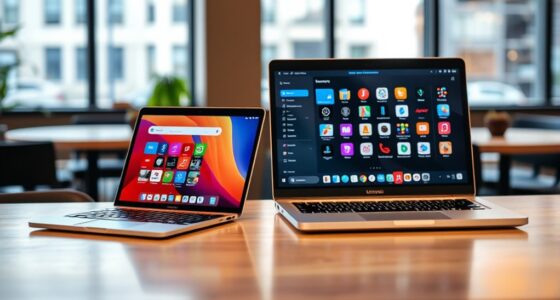

If you compare MacBooks with M1 or M2 chips to Intel-based PCs, you’ll notice that Apple’s chips offer remarkable battery life, lasting over 15 hours on a single charge, thanks to their efficient ARM architecture. They also run cool and quiet, allowing for slimmer designs and all-day portability. While some software compatibility issues remain, Apple’s ecosystem is growing rapidly. Keep exploring to discover how these chips are changing how we use laptops every day.
Key Takeaways
- M1/M2 MacBooks offer superior battery life, lasting over 15 hours on a single charge due to efficient ARM architecture.
- Apple Silicon chips deliver high performance with less heat, enabling thinner, quieter, and more portable laptop designs.
- Transition to Apple Silicon has introduced compatibility layers like Rosetta 2, gradually expanding native app support.
- macOS on M1/M2 provides optimized software and better integration with Apple’s ecosystem, enhancing user experience.
- Intel PCs may still be needed for specific legacy software, but Apple’s chips significantly improve power efficiency and thermal management.
When choosing a laptop, you might wonder whether to go for a MacBook with the latest M1 or M2 chip or stick with an Intel-based PC. This decision often hinges on several factors, but two key considerations are battery life and software compatibility. Apple’s chips have revolutionized the laptop experience, especially in these areas, making them a compelling choice for many users.
Battery life is one of the most noticeable improvements with M1 and M2 MacBooks. Thanks to their ARM-based architecture, these chips are incredibly power-efficient. You’ll find that MacBooks with M1 or M2 chips can last well over 15 hours on a single charge, often surpassing many Intel-powered laptops. This means less worry about finding a power outlet during long flights or busy workdays. The efficiency isn’t just about longevity; it also generates less heat, allowing for thinner designs and quieter operation. If you rely on your laptop for work or entertainment on the go, the enhanced battery life of these MacBooks can be a game changer.
MacBooks with M1 or M2 chips offer over 15 hours of battery life, surpassing many Intel laptops and enabling all-day portability.
Software compatibility, however, remains a consideration, especially if you depend on specialized or legacy applications. Historically, Macs ran into issues with certain Windows-only programs, but Apple’s shift to M1 and M2 chips introduces a new dynamic. These chips use a different architecture, meaning some software designed solely for Intel processors needed updates or alternative solutions. Apple’s Rosetta 2 translation layer has been remarkably effective, allowing most Intel-based apps to run smoothly on M1 and M2 Macs. Still, you might encounter some compatibility hiccups with niche or older software, which can be frustrating if your workflow depends heavily on specific applications. That said, many developers are updating their software to be natively compatible with Apple Silicon, reducing these issues over time. Additionally, the increasing adoption of e‑mobility solutions is encouraging developers to optimize their applications for ARM-based chips.
In addition, the software ecosystem on macOS has expanded substantially, and Apple’s own software takes full advantage of the new chips’ capabilities. For users who primarily use Apple’s suite of apps or web-based tools, the transition is seamless. For those needing Windows or Linux software, options like virtualization or Boot Camp aren’t available on newer MacBooks with M1 or M2, making Intel-based PCs potentially more versatile for certain workflows.
Ultimately, the choice depends on your priorities. If long battery life and efficient performance are your top concerns, the M1 or M2 MacBooks are hard to beat. But if you rely on specific software that’s incompatible or less optimized for Apple Silicon, an Intel-based PC might still hold some appeal.
Frequently Asked Questions
How Do M1/M2 Chips Affect Macbook Battery Life?
You’ll notice that M1 and M2 chips markedly boost your MacBook’s battery life through improved battery efficiency and smarter power management. These chips optimize performance while consuming less energy, allowing you to work longer without needing a charge. As a result, your MacBook stays powered up longer, making it perfect for on-the-go use. You’ll enjoy seamless multitasking and extended battery life thanks to Apple’s innovative chip design.
Are M1/M2 Macbooks More Upgradeable Than Intel Models?
They say, “You can’t teach an old dog new tricks,” but with M1/M2 MacBooks, upgrade potential is limited. Unlike Intel models, which allow RAM and storage upgrades, Apple’s hardware limitations mean you’re mostly stuck with what you buy. So, if you want a machine you can upgrade later, Intel might be better. M1/M2 chips make for sleek, powerful devices, but they’re less flexible for future upgrades.
What Software Compatibility Issues Exist With M1/M2 Macs?
You might encounter software limitations and compatibility challenges with M1/M2 Macs, especially with older or specialized apps that were designed for Intel processors. Some programs may not run natively and require Rosetta 2 translation, which can impact performance. While most mainstream software now supports Apple Silicon, you should check compatibility before switching to guarantee your essential tools work smoothly without issues.
How Do M1/M2 Chips Impact Gaming Performance?
Imagine your gaming experience as a high-speed race; M1/M2 chips turbocharge your performance, making graphics smoother and more immersive. Their integrated architecture boosts graphics performance and enhances gaming optimization, meaning faster load times and better visuals. You’ll notice less lag and more fluid gameplay, even on demanding titles. These chips turn your Mac into a capable gaming machine, proving that power and efficiency can go hand in hand for serious gamers.
Can M1/M2 Macbooks Run Windows Natively?
You can’t run Windows natively on M1/M2 MacBooks through Boot Camp because Apple didn’t include Boot Camp support for these chips. Instead, you can use virtualization software like Parallels or UTM to run Windows on your Mac. These tools emulate the Windows environment, allowing you to use Windows applications, but performance may vary compared to native installations, especially with graphics-intensive tasks.
Conclusion
So, as you hold these sleek MacBooks with M1 and M2 chips, you’re holding the future in your hands—like a rocket ready to launch. Apple’s chips aren’t just upgrades; they’re a revolution, turning your everyday tasks into a smooth, powerful dance. Say goodbye to the old grind, and hello to a new era where speed, efficiency, and innovation collide in perfect harmony. Your next device isn’t just a tool; it’s a game-changing partner in your digital journey.