
TL;DR
Wireless gaming headsets use a 2.4 GHz USB transmitter, Bluetooth, or both. A 2.4 GHz dongle usually offers lower latency for games, while Bluetooth adds convenience for phones and other devices; comfort, microphone quality, battery life, and platform compatibility matter just as much as sound features. Check independent results and your exact console before you buy.
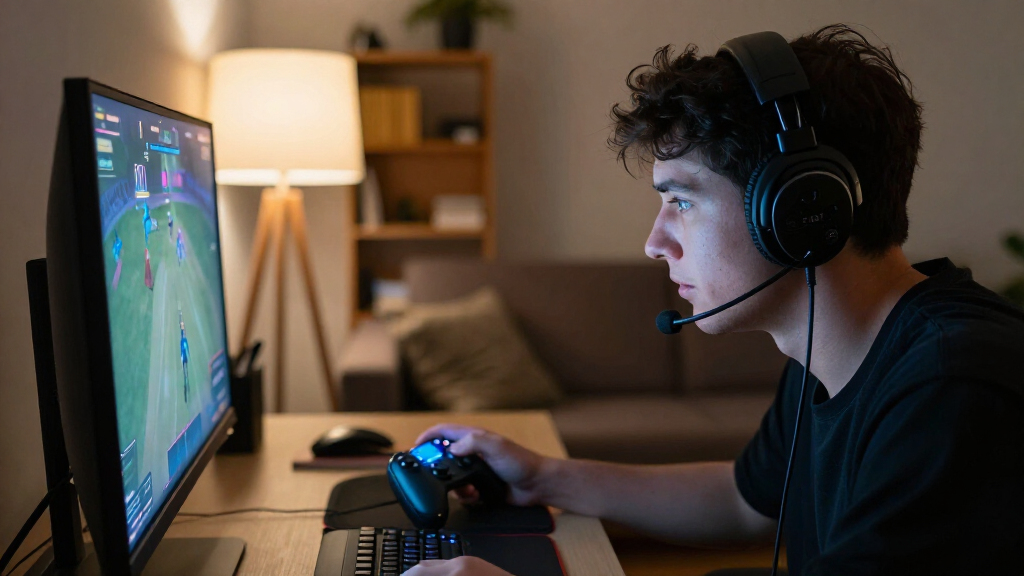
A split-second audio delay can make a rhythm game feel slightly off, even when your fingers are right on the beat. That is why choosing wireless gaming headsets takes more than picking a color and checking the battery number on the box.

Get the latest gadgets delivered free with Prime
- Fast, free delivery on millions of items
- Prime Video, Amazon Music and more included
- Member-only deals all year
You need a connection that fits your games, a microphone your teammates can understand, and ear cups you can wear through a long session without turning hot and uncomfortable. You also need to know whether the headset works with your actual console, since compatibility can change by platform and model.
This guide walks through the tradeoffs in plain terms: 2.4 GHz versus Bluetooth, sound and microphone claims, comfort, battery life, and durability. You’ll get a practical checklist for matching a headset to your setup, whether you play on a PC at a desk or jump between a console and a phone.
Use a 2.4 GHz USB transmitter for responsive game audio when your platform supports it; use Bluetooth for convenient phone and laptop listening.
Confirm exact console compatibility, including Xbox support, voice chat, transmitter, controls, and app requirements.
Test microphone clarity and comfort in realistic play sessions; a detachable mic and surround badge do not prove performance.
Compare battery tests only when their volume and active features resemble your own use.
Check replacement parts and dongle availability before buying an expensive headset.
Choose 2.4 GHz for responsive game audio, Bluetooth for convenience
A 2.4 GHz USB dongle is usually the better connection for responsive game audio because gaming headsets design it for low delay and a steady link. Bluetooth is handy for music, calls, and phones, but its delay depends on the headset, codec, and the device receiving the signal.
The practical difference depends on what you’re playing. In a rhythm game or a competitive match, sound that arrives after the on-screen action can make timing or directional cues feel less trustworthy. In a slower story game, the same delay may be hard to notice. This doesn’t mean a 2.4 GHz connection automatically improves aim or skill; it reduces one possible source of mismatch. The headset, transmitter, console or computer, and game still contribute to the total delay.
| Connection | Best fit | Tradeoff |
|---|---|---|
| 2.4 GHz USB transmitter | Gaming on a supported PC or console | Needs a compatible port and transmitter |
| Bluetooth | Phones, laptops, music, and calls | Delay and codec support vary |
| Both at once | Game audio plus a phone call | Only some headsets support simultaneous use |
For example, a player might use 2.4 GHz for a console match while hearing a call from a phone over Bluetooth. That convenience matters if you often switch devices, but simultaneous audio may add setup limits or drain the battery faster. Check that the model supports both connections at the same time; some let you switch between them instead. If a review gives latency figures, look for the test setup and method. Measurements are useful for comparing models tested the same way, but they don’t guarantee the same result on every platform.
Products Worth Considering

LG 27GR83Q-B 27-inch Ultragear QHD IPS Gaming Monitor
DJI Mini 5 Pro Fly More Combo with DJI RC 2, 1-Inch CMOS

Apple Watch SE 3 GPS 40mm Smartwatch
As an affiliate, we earn on qualifying purchases.
Check console support before you fall for the feature list
Wireless gaming headsets do not all work the same way across PC, PlayStation, Xbox, Switch, and mobile. Compatibility determines more than whether sound comes through: it can affect voice chat, controls, microphone monitoring, and access to sound settings. Before buying, check the exact model’s compatibility with your platform, the included transmitter, and the features you plan to use.
A headset that connects to a PC with a USB dongle may not offer all its features on a console. Xbox often needs Xbox-specific wireless support or a transmitter made for Xbox. A companion app may also run only on PC, leaving console players without access to EQ, sidetone, or spatial audio adjustments. That matters if the feature is part of why you chose the headset: you could own the hardware but be unable to tune it from your regular setup.
Use this quick check before you order:
- Match the model to the platform. Read the maker’s compatibility list for your precise console version or device.
- Check the connection you’ll use. Confirm that the transmitter fits your ports and that you do not need a separate adapter.
- Verify chat and controls. Look for working voice chat, mute controls, and microphone monitoring on your platform.
- Check app limits. Confirm whether software features are available on console or require a PC.
- Confirm what comes in the box. Make sure the transmitter and charging cable you need are included.
Imagine buying a headset for a shared PC and console setup, then finding that its EQ settings need Windows software you cannot install on your console. A compatibility list can catch that mismatch before you open the packaging. Consider which device you use most and which features you would miss without the app; support and prices change, so verify current model details when you buy.
Judge sound and microphone quality in the games you play
Wireless gaming headsets can make dialogue and effects easier to follow when their sound profile stays balanced and their microphone sends a clear voice. A detachable or retractable mic tells you how it moves; it does not tell you how you’ll sound in team chat.
Audio is personal, and game design matters. A bright sound profile may bring out footsteps in one shooter but make sharp effects tiring over a long evening. That emphasis can help you notice certain cues while making dialogue or music less natural, so “more detail” isn’t automatically better. Virtual surround or spatial audio can change where sounds seem to come from, but it often uses software processing with ordinary stereo drivers, not multiple physical speakers in each ear cup. Processing may help you distinguish directions in some games, but it can also make familiar audio sound less clear.
Try the headset with familiar material. In a co-op match, ask a teammate whether your speech stays clear when the game gets loud. Then play a section with quiet dialogue and a sudden effect. This gives you a more useful impression than a feature list alone; noise reduction may lower keyboard clicks, but aggressive processing can make voices sound thin or unnatural. If you can’t try it yourself, look for reviews that describe both what the mic removes and how much it changes the voice.
A surround-sound badge describes a feature, not a guaranteed advantage. Compare the headset’s stereo sound with its spatial mode in the games you play, and keep whichever makes audio easier for you to understand.
Look for reviews that test game audio and voice chat directly. If you stream or play in a noisy room, mic clarity and monitoring may matter more to you than extra sound modes. If you mostly play solo, those priorities may flip. In either case, judge sound by whether it helps you follow the game comfortably, rather than by the number of modes listed.
Test fit and heat before trusting the comfort specs
The headset you can wear comfortably through a long session is a better match than one with impressive specifications that pinches your ears. Weight, clamp force, cup size, padding, and heat all change how a headset feels, and no single number captures the fit for every person. A lighter headset can reduce pressure over time, but its shape and balance still matter; weight alone doesn’t predict comfort.
Picture a three-hour weekend session: the first match feels fine, but by the third, the headband presses on the top of your head and warm ear pads make you shift in your chair. Small pressure points can build as you wear a headset, while heat may be more noticeable in a warm room or during an intense game. Those effects depend on head shape, glasses, and whether you take breaks. Comfort is personal, so treat return policies and in-person try-ons as part of your decision.
Check what reviewers say about pressure over time, not just the material name. Soft pads can feel pleasant at first and still trap warmth. Larger ear cups might suit one player and feel loose on another. If you wear glasses, look for notes about whether the pads press on the frames; that pressure can become uncomfortable even when the headset feels fine without them.
One practical approach is to test the headset at home for a full session, with your glasses on if you use them. Notice pressure around your temples, the top of your head, and your ears after an hour, then again later. Good fit should fade into the background, like a familiar chair; constant adjustment is a sign that the shape or clamp force may not suit you. If the fit only becomes uncomfortable after a long stretch, shorter sessions and breaks may help, but they won’t change a headset that consistently presses in the wrong places.
Compare battery claims with your real weekly routine
Battery life depends on how you use the headset, so a manufacturer’s headline figure may not match a week of real play. Volume, microphone use, lighting, active noise cancellation, and simultaneous Bluetooth can all affect how long a charge lasts. A longer stated runtime is useful only if it means fewer interruptions in your routine.
Say the box promises a long runtime, but you play with the lights on and take phone calls over Bluetooth. Your results may differ from a test done at lower volume with those features off. Battery figures are hard to compare unless reviews explain their settings, so look for independent tests that describe how they measured runtime. The test conditions help you judge whether the result is relevant; they don’t predict your exact battery life, but they reveal which features make a meaningful difference.
Check the practical details, too: does the headset work while charging, how does it show remaining battery, and how long does a quick charge provide? A player who can plug in during a break may value charging behavior more than someone who needs several long sessions away from an outlet. A clear warning also gives you time to pause or charge, while an imprecise indicator can leave you guessing mid-match.
Before buying, look for tested runtime with the features you plan to use, a clear battery indicator, and confirmation that the headset can operate while charging if that matters to you. USB-C charging and transmitters are becoming more common, but included ports and cables still differ. Match the tested runtime to the length of your sessions and how often you can charge; that’s more useful than choosing by the biggest number on the box.
Look for replaceable parts before wear sets the end date
Replaceable ear pads, batteries, and transmitters can extend a headset’s useful life, while weak hinges or unavailable parts can turn a small fault into a replacement purchase. Durability is about both the materials and what the maker will let you repair. A sturdy headset can still be costly to keep if parts are proprietary or hard to find.
Ear pads take regular contact and can flatten or peel. Hinges and headbands see stress each time you take the headset off, and a lost dongle can leave a wireless model hard to use. Imagine the headset still sounds great after a year, but its pads have worn thin: a reasonably priced replacement pair can save you from replacing the whole set. If the pads are not sold separately, the same wear may turn an otherwise working headset into an unwanted expense.
Look up replacement parts before you buy, especially for a premium model. Check whether the maker sells pads and transmitters, whether the battery can be serviced, and whether the headset has a warranty that covers defects. A long feature list will not help if one missing transmitter makes the headset unusable on your main device. Availability also affects how practical a repair is, so check the price and where you can buy the part, not just whether it exists.
Price the full setup, not just the headset. A premium model may add better materials, app controls, or multi-device support, but those extras only create value when they fit your routine. If a simpler headset has the right connection, clear mic, and available replacement pads, it may serve you better for less. Reliability and repair options often matter more than a feature you’ll try once and forget; they can determine how long the purchase remains useful after the original pads or transmitter wear out.
Frequently Asked Questions
Is 2.4 GHz or Bluetooth better for gaming?
2.4 GHz is usually better for game audio because gaming headsets design it for lower delay. Bluetooth is convenient for phones and general listening, though latency depends on the headset, codec, and device.
Will a wireless gaming headset work with my console?
It depends on the exact headset and console. Check the maker’s compatibility list and confirm transmitter support, voice chat, controls, and whether Xbox-specific wireless support is needed.
Can I connect to my phone and console at the same time?
Some models support simultaneous 2.4 GHz and Bluetooth, so you can hear game audio and take a phone call. Others only let you switch connections, so check the manual for the specific model.
How long does a wireless headset battery really last?
Runtime changes with volume, lighting, noise cancellation, and Bluetooth use. Prefer independent tests that explain their settings, and check whether the headset works while charging.
Are virtual surround sound and spatial audio worth using?
They can change how audio seems to come from around you, but the result varies by game, platform, and listener. Compare the mode with regular stereo in games you know; a surround label does not guarantee better performance.
Can I replace a battery, ear pads, or wireless dongle?
Replacement options vary by model. Check whether the maker sells pads, batteries, and transmitters before buying, especially if you’re paying a premium for a headset you hope to keep for years.
Conclusion
Pick your headset in the order you’ll feel its tradeoffs: platform fit, connection, comfort, and clear chat. Extra modes and long battery claims only help when they work with your devices and your routine.
Think back to that rhythm game: a reliable connection keeps each hit close to the beat, while a comfortable fit lets you keep playing without noticing the headset. Choose for the hours you’ll actually wear it, and let the feature list come second.