High refresh rates make your gaming feel smoother and more responsive by increasing screen updates per second, which reduces motion blur and clarifies fast-moving objects. They also lower input lag, so your reactions feel more immediate. Frame interpolation and motion blur reduction further enhance visuals, creating a natural, seamless experience. These features work together to make gameplay more immersive and lifelike. If you want to understand how to optimize your setup, there’s more to explore.

Get the latest gadgets delivered free with Prime
- Fast, free delivery on millions of items
- Prime Video, Amazon Music and more included
- Member-only deals all year
Key Takeaways
- Higher refresh rates deliver smoother, more fluid motion, reducing motion blur and making fast movements clearer.
- Reduced input lag enables more immediate responses, enhancing gameplay responsiveness.
- Frame interpolation can create ultra-smooth visuals, though it may introduce artifacts or unnatural motion.
- Motion blur reduction technology improves visual clarity during quick actions, aiding target tracking.
- Combining high refresh rates with motion technology creates a more immersive and realistic gaming experience.

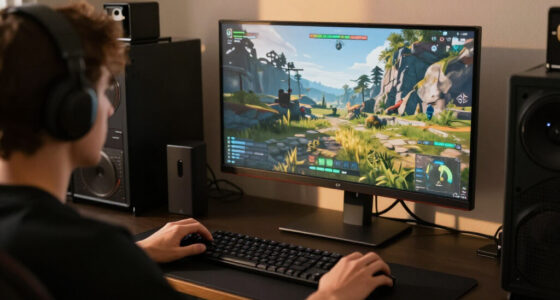
When you play games on a high refresh rate display, everything feels smoother and more responsive, making your gaming experience noticeably better. The higher the refresh rate, the more frames your screen updates per second, which translates into crisper motion and a more immediate connection between your actions and what you see. One key feature that enhances this experience is frame interpolation. Although commonly associated with movies, in gaming, it can sometimes be used to generate intermediate frames, creating an illusion of even smoother motion. However, many gamers prefer to disable this feature because it can introduce artifacts or make gameplay feel less natural. Still, understanding how frame interpolation interacts with high refresh rates helps you appreciate the potential for ultra-smooth visuals. Additionally, high refresh rates can help reduce input lag, making your reactions more instantaneous during fast-paced gameplay.
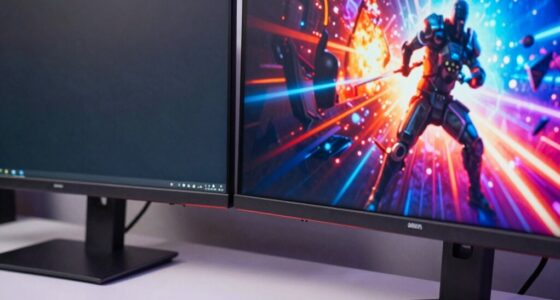
Motion blur reduction is another critical aspect that high refresh rates address directly. When your display can update so frequently, fast-moving objects appear sharper and less blurry. This reduction in motion blur means you can track fast-moving targets more easily, giving you a competitive edge in first-person shooters or racing games. Without high refresh rates, quick movements tend to blur together, making it difficult to judge distances or react swiftly. Motion blur reduction technology works in tandem with high refresh rates to keep the visuals clear, ensuring you don’t miss important details or lose track of your target during rapid movements. Moreover, display technology advancements continually improve how these features work together to create a seamless gaming experience. A deeper understanding of refresh rate capabilities can also help gamers fine-tune their settings for optimal performance.
The combination of high refresh rates with motion blur reduction creates a gaming environment that feels incredibly fluid. It’s not just about how fast the screen updates; it’s about how seamlessly that information translates into your perception of motion. You’ll notice fewer stutters, less ghosting, and a more natural flow of action that mimics real-life movement. This heightened sense of realism can make the game more immersive, pulling you deeper into the experience. Additionally, the responsiveness you get from these technologies means your inputs are reflected instantly, reducing input lag and making your reactions more precise. For fast-paced games, that responsiveness can be the difference between winning and losing. Recognizing how monitor refresh rates impact gameplay can help you choose the right display for your gaming style and preferences. Furthermore, understanding these technological advancements allows gamers to optimize their hardware for an enhanced overall experience.
In essence, high refresh rate displays, when combined with features like frame interpolation and motion blur reduction, transform your gaming experience into something smoother, clearer, and more responsive. You’ll find yourself reacting faster, tracking objects more easily, and enjoying visuals that feel more lifelike. It’s not just about prettier graphics; it’s about how these technological enhancements elevate your ability to play and enjoy games at a whole new level.
high refresh rate gaming monitor
As an affiliate, we earn on qualifying purchases.
As an affiliate, we earn on qualifying purchases.
Frequently Asked Questions
Do All Games Support High Refresh Rates Seamlessly?
Not all games support high refresh rates seamlessly. Many titles need graphics optimization to run smoothly at higher rates, and some may rely on frame interpolation to improve visual fluidity. You might experience lag or stuttering if a game isn’t optimized or doesn’t support your monitor’s refresh rate properly. To get the best experience, check game settings and confirm your hardware and software are configured for high refresh rate performance.
How Does Refresh Rate Impact Input Lag?
Think of your screen as a race car zipping along the track; a higher refresh rate keeps it smoother and sharper. It considerably reduces input lag, making your actions feel instant and precise. With a low refresh rate, you might notice screen flickering or motion blur, which can delay your response. Higher refresh rates guarantee your commands are reflected quicker, giving you a competitive edge and a more seamless, immersive gaming experience.
Can High Refresh Rates Cause Eye Strain?
Yes, high refresh rates can cause eye strain if you’re sensitive to rapid motion or experience motion sickness. The quick updates can lead to eye fatigue because your eyes continuously adjust to the fast-moving images. To reduce discomfort, take regular breaks, adjust brightness and contrast, and consider lowering the refresh rate if you notice persistent eye fatigue or motion sickness. Listening to your body’s signals is key.
What Hardware Is Required for High Refresh Rate Gaming?
A picture is worth a thousand words, so your hardware needs to be up to the task. For high refresh rate gaming, you need a powerful GPU capable of delivering high frame rates, a monitor with a high refresh rate (120Hz, 144Hz, or higher), and fast display ports like HDMI 2.1 or DisplayPort 1.4. Proper graphics optimization and display calibration guarantee smooth visuals, reducing lag and tearing, and making your gaming experience seamless.
Is There an Optimal Refresh Rate for Competitive Gaming?
Yes, an ideal refresh rate for competitive gaming is typically around 144Hz or higher. This refresh rate enhances your gaming experience by providing smoother, more responsive visuals, which can give you a competitive edge. While 240Hz or even 360Hz offers even better performance, 144Hz strikes a good balance for most gamers. Ultimately, choosing the right refresh rate depends on your hardware and the type of game you’re playing.
gaming monitor with motion blur reduction
As an affiliate, we earn on qualifying purchases.
As an affiliate, we earn on qualifying purchases.
Conclusion
So, now that you’re enlightened on high refresh rates, go ahead—imagine yourself conquering virtual worlds with the grace of a caffeinated squirrel. No more sluggish gameplay or blurry visions; just smooth, buttery motion that makes you look like a gaming god. Who knew that a simple tweak could transform you into the envy of your friends? Now, go on, indulge in the silky-smooth thrill—your thumbs deserve this upgrade. Happy gaming, pixel warrior!
gaming monitor with low input lag
As an affiliate, we earn on qualifying purchases.
As an affiliate, we earn on qualifying purchases.
As an affiliate, we earn on qualifying purchases.
Halloween Picks
halloween
As an affiliate, we earn on qualifying purchases.