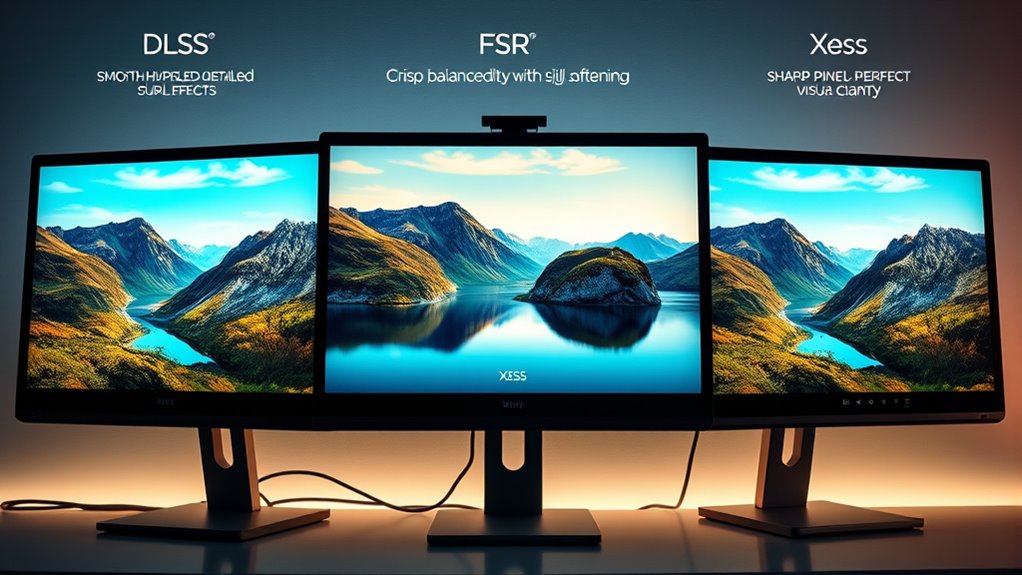

DLSS, FSR, and Xess are upscaling tools that enhance your gaming visuals without needing top hardware. DLSS uses AI and works only with Nvidia RTX cards, offering sharp images and good performance. FSR is made by AMD and works across many GPUs, giving you flexible options and multiple quality choices. Xess is newer and aims to combine AI with broad compatibility. Keep exploring further to understand which tech suits your setup best.
Key Takeaways
- DLSS uses AI and deep learning exclusive to Nvidia RTX GPUs for high-quality upscaling.
- FSR is open-source, compatible with many GPUs, and offers multiple quality modes balancing performance and visuals.
- Xess is a newer tech aiming for broad hardware support and efficient upscaling with minimal hardware requirements.
- DLSS typically provides the best image quality but is limited to Nvidia hardware; FSR and Xess are more versatile.
- All three improve game visuals and performance but differ in hardware compatibility and upscaling methods.
Upscaling technology has revolutionized gaming and graphics by enabling higher resolutions without demanding excessive hardware power. This means you can enjoy sharper visuals and smoother gameplay even if your system isn’t top-of-the-line. When it comes to upscaling, DLSS, FSR, and Xess are the main players, each with its unique approach and strengths. To understand how they compare, you need to consider factors like hardware compatibility and performance benchmarks. These elements determine how well each technology works with your system and how much they improve your gaming experience.
DLSS, developed by Nvidia, relies on artificial intelligence and deep learning to upscale lower-resolution images to higher resolutions. It requires Nvidia’s RTX graphics cards, which include dedicated Tensor Cores designed for AI processing. As a result, DLSS offers impressive performance benchmarks, often delivering higher frame rates and better visual quality than traditional upscaling methods. However, its hardware compatibility limits it to Nvidia’s ecosystem, so if you’re running AMD or other brands, DLSS isn’t an option. The performance benchmarks show DLSS can considerably boost frame rates while maintaining near-native image quality, making it a favorite among gamers with compatible hardware.
FidelityFX Super Resolution (FSR), developed by AMD, takes a different approach. It’s an open-source technology compatible with a wide range of graphics cards, including AMD and Nvidia GPUs, plus some integrated graphics. This broad hardware compatibility means FSR is accessible to more gamers without needing specific hardware features. FSR offers various quality modes, allowing you to prioritize performance or visual fidelity based on your system’s capabilities. In terms of performance benchmarks, FSR generally provides a noticeable boost over native resolutions, but the quality can vary depending on the mode you choose. It’s a flexible, accessible option for those who want to enhance graphics without sacrificing much performance.
Xess is a newer player aiming to bridge the gap between AI-powered upscaling and broad compatibility. It promises high-quality upscaling with minimal hardware requirements, potentially working across multiple platforms and hardware configurations. While performance benchmarks are still emerging, early tests suggest Xess aims to deliver a good balance between visual quality and frame rate improvements. Its main advantage could be hardware compatibility, making it appealing for users with diverse setups who want a straightforward, effective upscaling solution. Additionally, understanding cloud-based solutions and their role in gaming can help users leverage scalable, sustainable upscaling technologies in future gaming environments.

ASUS Dual GeForce RTX™ 5060 Ti 16GB GDDR7 OC Edition Graphics Card, NVIDIA, Desktop (PCIe 5.0, DLSS 4, HDMI 2.1b, DisplayPort 2.1b, 2.5-Slot, Axial-tech Fan, 0dB Technology)
AI Performance: 767 AI TOPS
As an affiliate, we earn on qualifying purchases.
As an affiliate, we earn on qualifying purchases.
Frequently Asked Questions
How Does Each Upscaling Tech Impact Gaming Latency?
Each upscaling tech impacts your gaming latency differently. DLSS usually adds minimal frame latency because it uses AI to reconstruct images quickly, keeping input lag low. FSR can introduce slightly more frame delay, depending on the quality setting. Xess aims to keep latency minimal, but its impact varies based on implementation. Overall, higher upscaling quality might increase frame latency and input lag, affecting your responsiveness and overall gaming experience.
Are DLSS, FSR, and Xess Compatible With All GPUS?
Think of DLSS, FSR, and Xess as different keys to a locked door; not every key fits every lock. DLSS is Nvidia-specific and requires compatible GPU and driver support, meaning it only works on Nvidia cards. FSR and Xess are more flexible, supporting a wider range of GPUs, but driver support varies. Before enabling these technologies, check your GPU compatibility and confirm your drivers are up to date.
Can These Upscaling Methods Improve VR Gaming Experiences?
Yes, these upscaling methods can improve your VR gaming experience by enhancing visuals and maintaining higher frame rates, which boosts VR immersion. When graphics are sharper and smoother, you’re less likely to experience motion sickness caused by lag or low-quality images. Using DLSS, FSR, or Xess helps create a more seamless VR experience, making gameplay more comfortable and immersive without taxing your hardware excessively.
Do These Technologies Affect Game Development and Optimization?
You might notice that these upscaling technologies influence game development and optimization, often acting as a double-edged sword. Hardware compatibility can limit how easily developers implement them, while they also require dedicated optimization efforts. Coincidentally, these tools push developers to refine performance, balancing visual quality with hardware constraints. Ultimately, their influence encourages innovation, shaping future game design while demanding more from both creators and your gaming setup.
How Do Upscaling Methods Influence Image Quality at Different Resolutions?
Upscaling methods substantially impact your image quality at various resolutions by enhancing visual fidelity while maintaining smooth performance. They rely on hardware compatibility to deliver sharper details and reduce artifacts, especially at lower resolutions. When you use these technologies, you get clearer, more detailed images without needing the highest native resolution, making gameplay more immersive. However, the balance between upscaling quality and hardware support determines how well the visual improvements appear.

MOUGOL AMD Radeon RX 580 Gaming Graphics Card, 8GB GDDR5 256-Bit, Dual Fan Cooling, DP/HDMI/DVI Video Output, PCI Express X16 3.0, Computer GPU Support Windows 11/10/7 Desktop PC
【8GB GDDR5 High-Capacity VRAM】: Equipped with 8GB of Samsung GDDR5 memory and a massive 256-bit bus width, this…
As an affiliate, we earn on qualifying purchases.
As an affiliate, we earn on qualifying purchases.
Conclusion
Just like choosing a path through a dense forest, your decision between DLSS, FSR, and Xess shapes your gaming journey. Each technology acts as a different compass, guiding you toward sharper visuals and smoother gameplay. Think of it as picking a lens—some clarify the scene, others brighten the view. Ultimately, your choice is your map—leading you through the landscape of pixels, making every adventure clearer and more vivid.

LG 55-Inch Class OLED evo AI 4K C5 Series Smart TV w/Dolby Atmos, Dolby Vision, HDR10, AI Super Upscaling 4K, Filmmaker Mode, Wow Orchestra, Alexa Built-in (OLED55C5PUA, 2025)
World's No.1 OLED: Celebrating 12 years of perfecting award-winning OLED TV technology.
As an affiliate, we earn on qualifying purchases.
As an affiliate, we earn on qualifying purchases.