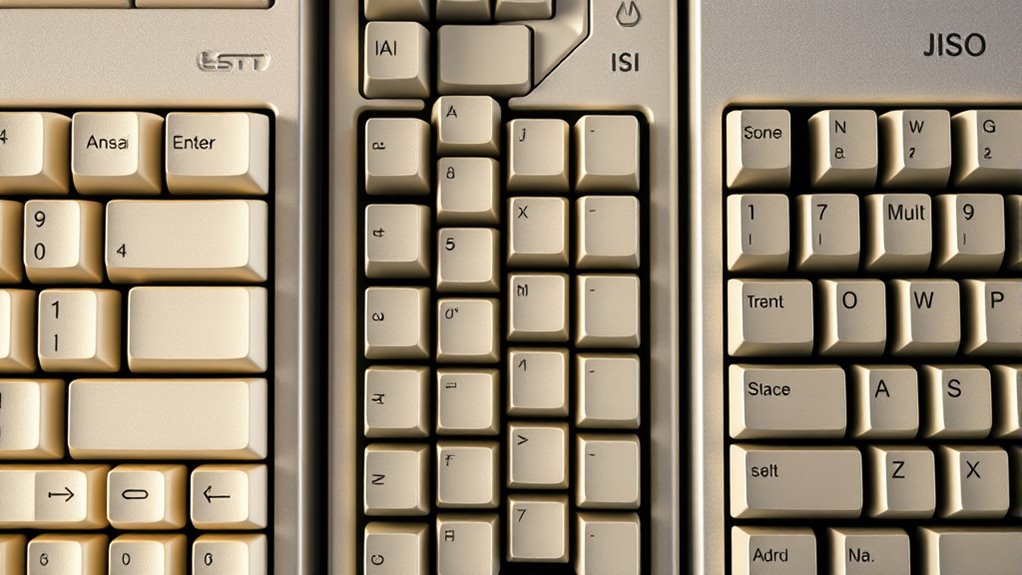

ANSI, ISO, and JIS are different keyboard layouts designed for regional language needs. ANSI, common in North America, has 104 keys with a single-row Enter key. ISO, used mainly in Europe, features a larger, two-row Enter key and extra keys for diacritics. JIS, primarily in Japan, includes keys for kana characters and unique punctuation. Understanding these variations helps you choose the right keyboard; explore further to see how each layout suits different typing habits.
Key Takeaways
- ANSI is predominant in North America with 104 keys and a single-row Enter key, while ISO has a larger, two-row Enter key and regional keys in Europe.
- JIS is tailored for Japan, featuring extra keys for kana characters and unique punctuation arrangements.
- ANSI layouts are simpler and easier to manufacture, whereas ISO and JIS layouts accommodate regional linguistic needs with additional keys.
- The regional variations reflect cultural and language-specific adaptations, affecting key placement and functionality.
- Understanding these differences helps users select the most suitable keyboard for their language, region, and typing preferences.

Understanding keyboard layouts can seem confusing at first, but once you grasp the basics, you’ll see how they shape your typing experience. The different layouts—such as ANSI, ISO, and JIS—have evolved over time, influenced by history and regional variations. Knowing how these layouts differ can help you choose the right keyboard for your needs and understand why certain keys are placed differently depending on where you are.
Understanding keyboard layouts helps you choose the right one and explains regional key placements.
The history evolution of keyboard layouts dates back to the early typewriters, where key arrangements were designed for mechanical efficiency. As technology advanced, these layouts adapted to accommodate different languages, typing habits, and regional preferences. For example, the ANSI layout, common in North America, was developed to streamline key placement, especially for programming and general use. It features a standard 104-key setup with a single-row Enter key and a shorter backslash key. Over time, this design became widely adopted due to its simplicity and ease of manufacturing.
In contrast, the ISO layout, prevalent in many European countries, introduces some variations to better suit regional linguistic needs. It typically has a slightly different key arrangement, including a larger Enter key that spans two rows and an extra key next to the left Shift key. These modifications accommodate special characters and diacritics used in various European languages. The ISO layout reflects regional variations in language and typing habits, making it more suitable for users in those areas but sometimes less familiar to those accustomed to ANSI.
Then there’s the JIS layout, used mainly in Japan. It incorporates unique features to support the Japanese writing system, including additional keys for kana characters and a different arrangement of punctuation keys. The JIS layout also usually features a slightly different key size and placement, accommodating both Latin and Japanese characters with ease. These adaptations stem from Japan’s regional linguistic needs, demonstrating how localized requirements influence keyboard design.
Understanding these differences helps you appreciate the regional variations shaped by history and language. Whether you’re switching between layouts for work or personal use, recognizing the purpose behind each design makes it easier to adapt. The evolution of these layouts shows how technology responds to regional linguistic needs, making typing more efficient and intuitive for users worldwide. Recognizing the regional adaptations in keyboard layouts can also help you better understand the cultural influences on technology. By understanding the background of ANSI, ISO, and JIS layouts, you gain insight into their unique features and regional origins, helping you navigate and select the most suitable keyboard layout for your language and typing preferences.

Newmen GM611 Mechanical Keyboard,Rainbow LED Backlit Gaming Wired Keyboards Compact Mini 61 Keys Portable 60 Percent Mechanical Keyboard with Black Keycaps,for Windows Laptop PC Linear Red Switches
1.Compact Mechanical Design:The Newmen GM611 mechanical keyboard adopts a 60% layout, optimizing desktop space while also providing the…
As an affiliate, we earn on qualifying purchases.
As an affiliate, we earn on qualifying purchases.
Frequently Asked Questions
How Do I Switch Between Keyboard Layouts on My Device?
To switch between keyboard layouts, you can use keyboard shortcuts like Alt + Shift or Windows key + Space, depending on your system. You might need to enable layout customization in your device settings first. Once set up, these shortcuts let you toggle easily between languages or layouts, making your typing more efficient. This quick switch helps you access different characters and symbols suited to your needs.
Are There Compatibility Issues With Different Keyboard Standards?
Think of keyboard standards as different dialects of the same language; regional variations can cause compatibility issues, especially with legacy support. You might encounter mismatched key functions or missing symbols if your device’s standard doesn’t align with your software or hardware. Most modern devices handle these differences seamlessly, but for smooth operation, make certain your system supports multiple standards or switch layouts accordingly. This keeps your typing experience hassle-free.
Which Layout Is Best for Programming or Gaming?
For programming or gaming, you should choose an ANSI layout, as it offers better keyboard efficiency with its standard key placement, making coding easier and faster. It also tends to be more ergonomic, reducing strain during long sessions. While ISO and JIS layouts have their benefits, ANSI’s familiarity and compatibility often make it the best choice for those prioritizing performance and comfort in gaming and programming.
Can I Customize or Modify Existing Keyboard Layouts?
Absolutely, you can customize or modify existing keyboard layouts—because who doesn’t want their keyboard to be a unique snowflake? With keyboard customization tools and layout modification software, you can reassign keys, create shortcuts, or even design new layouts tailored to your needs. It’s surprisingly straightforward, turning your standard keyboard into a personalized powerhouse. So go ahead, tweak away—your perfect setup is just a few clicks away!
How Do I Identify Which Layout My Keyboard Uses?
You can identify your keyboard layout through keyboard recognition by checking layout indicators on your device or in system settings. Look for symbols or labels on keys, especially near Enter, Shift, or Backspace, which differ among ANSI, ISO, and JIS layouts. Additionally, open your computer’s language or keyboard settings to see the layout type, helping you distinguish which one you’re using quickly and accurately.

EPOMAKER Aula F75 ISO-ES Wireless Mechanical Gaming Keyboard, 75% Spanish Layout with Knob, Creamy Gasket, Sound-Dampening, RGB, Hot-Swap, BT/2.4Ghz (Sea Salt Blue)
Optimized 75% Layout in Spanish: Integrates essential keys but rid the numpad, the compact size of F75 ISO-ES…
As an affiliate, we earn on qualifying purchases.
As an affiliate, we earn on qualifying purchases.
Conclusion
Understanding ANSI, ISO, and JIS layouts is like mastering different dialects of the same language—you gain deeper insight and flexibility. Just as explorers adapt to new terrains, knowing these standards helps you navigate your keyboard world with confidence. Remember, every layout has its own story, waiting for you to uncover. Embrace the diversity, and you’ll reveal a richer, more personalized typing experience—proving that, in the end, knowledge truly is power.
![ELECOM USB Wired Keyboard Membrane Type [Black] TK-FFCM01BK (Japan Import)](https://m.media-amazon.com/images/I/411inwEb+HL._SL500_.jpg)
ELECOM USB Wired Keyboard Membrane Type [Black] TK-FFCM01BK (Japan Import)
[Connection method] Wired (1.5 m)
As an affiliate, we earn on qualifying purchases.
As an affiliate, we earn on qualifying purchases.

Keychron C2 Pro Wired Custom Mechanical Keyboard Full Size Layout QMK/VIA Programmable Macro White Backlit with Tactile Brown Switch OEM Profile Double-Shot PBT Keycaps for Mac Windows Linux
Keychron C2 Pro is a wired mechanical keyboard with a full size (100%) layout and many premium features…
As an affiliate, we earn on qualifying purchases.
As an affiliate, we earn on qualifying purchases.