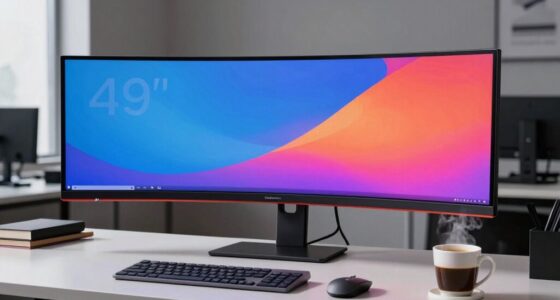

To make a monitor truly color accurate, you need to guarantee it’s properly calibrated using professional tools like colorimeters or spectrophotometers, which create custom profiles for precise colors. Support for wide color gamuts, high bit-depth panels, and good viewing angles also matter. Regular maintenance, controlling ambient light, and following industry calibration schedules help keep colors consistent over time. Keep exploring; understanding these factors can make a huge difference in your display’s accuracy.

Get the latest gadgets delivered free with Prime
- Fast, free delivery on millions of items
- Prime Video, Amazon Music and more included
- Member-only deals all year
Key Takeaways
- Regular calibration with hardware tools ensures precise color matching and consistency over time.
- Support for wide color gamuts like Adobe RGB or DCI-P3 enhances accurate color reproduction.
- High-quality panels with high bit-depth and uniform backlighting reduce banding and color shifts.
- Controlled ambient lighting and proper environmental maintenance prevent glare and preserve color perception.
- Adhering to a consistent calibration schedule maintains color accuracy aligned with industry standards.

When it comes to tasks like photo editing, graphic design, or video production, monitor color accuracy is essential. You need to see true-to-life colors to ensure your work looks consistent across different devices and platforms. Achieving this level of precision starts with understanding calibration techniques. Regular calibration helps your monitor display colors correctly by adjusting its settings to match a standard reference. You can use hardware calibration tools, like colorimeters or spectrophotometers, which connect to your computer and automatically fine-tune your display. These tools measure the monitor’s output and create custom profiles, ensuring that what you see on your screen is as close to the intended colors as possible. Proper calibration is fundamental for maintaining consistent color accuracy over time. Color space management is equally vital. Different color spaces, such as sRGB, Adobe RGB, or DCI-P3, define the range of colors your monitor can display. A truly color-accurate monitor supports wide color gamuts and allows you to select the appropriate color space for your work. Proper color space management means you’re consistently working within the correct gamut, avoiding color shifts and mismatches when exporting or printing your projects. When your monitor can accurately reproduce the chosen color space, your work maintains its integrity across various outputs. Beyond calibration techniques and color space management, you should also pay attention to your monitor’s hardware quality. Look for features like high bit-depth panels, which reduce banding and provide smoother gradients, and wide viewing angles to ensure color consistency from different positions. The monitor’s uniformity also plays a role; a display with even backlighting and consistent color reproduction across the screen prevents subtle color shifts that could compromise your work. Additionally, hardware quality directly influences the longevity and stability of your display’s color accuracy. Incorporating monitor calibration routines into your workflow can help detect and correct issues early, maintaining your display’s performance. Ambient lighting conditions matter too. Working in a controlled environment with neutral lighting reduces glare and reflections that can distort color perception. It’s wise to calibrate your monitor in your typical working environment to account for these factors. Regularly monitor maintenance can also help extend the life of your display and preserve its color accuracy over time. Furthermore, understanding the impact of ambient light on your viewing experience can significantly improve color perception and accuracy. Maintaining your calibration schedule is crucial. Over time, monitors can drift from their calibrated state due to aging components. Regular recalibration, say once a month, keeps your display aligned with industry standards, ensuring your colors stay accurate. All these components—proper calibration techniques, effective color space management, good hardware, ambient light control, and consistent upkeep—combine to make your monitor truly color accurate, giving you confidence that your digital creations will look as intended to everyone who views them.
As an affiliate, we earn on qualifying purchases.
Frequently Asked Questions
How Often Should I Calibrate My Monitor for Optimal Color Accuracy?
You should calibrate your monitor at least once a month to maintain ideal color accuracy and consistency. Regular calibration guarantees your display’s color consistency stays true over time, especially if you work in photography or design. However, if you notice color shifts or your environment changes markedly, it’s wise to calibrate more frequently. Consistent calibration helps keep your monitor’s colors accurate, so your work remains reliable and true to life.
Does Monitor Size Affect Color Accuracy Performance?
Monitor size doesn’t directly impact color accuracy, but it can influence color consistency across the screen. Larger screens may show slight variations in color uniformity, especially if the display isn’t high quality. Opt for a monitor with good panel technology and uniform backlighting to guarantee consistent color performance, regardless of size. Ultimately, the key is choosing a high-quality display that maintains accurate colors across its entire surface.
Are OLED Monitors More Color Accurate Than LED Ones?
OLED monitors generally offer better color accuracy than LED ones because they provide wider color gamuts, allowing for richer, more vibrant colors. You’ll notice improved brightness uniformity across the screen, reducing color shifts and ensuring consistent image quality. This makes OLEDs ideal if you prioritize precise color reproduction, especially for professional work or detailed visual content. However, their performance also depends on calibration and the specific panel quality.
What Role Does Ambient Lighting Play in Monitor Color Perception?
Did you know that ambient light can influence your perception of monitor colors by up to 40%? Ambient lighting plays a vital role in how you perceive colors on your screen. Bright or uneven ambient light can wash out colors or create glare, making it harder to see true hues. To get the most accurate color perception, keep your workspace well-lit with consistent, soft ambient light, reducing glare and contrast issues.
Can Software Calibration Fully Replace Hardware Calibration Tools?
Software calibration can’t fully replace hardware calibration tools because it has limitations in precision. While software adjustments help improve color accuracy, they often lack the hardware precision needed for professional-grade calibration. Hardware tools directly measure and modify the monitor’s output at a deeper level, ensuring more consistent, accurate colors. Relying solely on software may lead to less precise results, especially for critical tasks like photo editing or design work.
professional colorimeter for monitors
As an affiliate, we earn on qualifying purchases.
As an affiliate, we earn on qualifying purchases.
Conclusion
You might think that a high price tag guarantees color accuracy, but it’s not always true. True color accuracy depends on calibration, panel quality, and color space coverage rather than just brand or cost. While some believe industry standards like Adobe RGB or DCI-P3 guarantee precision, real-world testing often reveals discrepancies. So, don’t rely solely on specifications—invest in calibration tools and thorough testing to make certain your monitor truly delivers accurate, consistent colors.
As an affiliate, we earn on qualifying purchases.
As an affiliate, we earn on qualifying purchases.
Halloween Picks
halloween
As an affiliate, we earn on qualifying purchases.