To sync your lights and coffee maker for a smooth morning, start by using smart plugs or Wi-Fi-enabled devices for your coffee machine. Set routines in your smart home app to turn on lights gradually and brew coffee at your preferred times. You can program these actions to happen together, creating an effortless wake-up experience. Keep going, and you’ll discover simple steps to customize this setup perfectly for your mornings.
Key Takeaways
- Use smart lighting systems to schedule lights to turn on gradually or with alarms, creating a natural wake-up environment.
- Connect your coffee maker to a smart plug or Wi-Fi-enabled device to schedule brewing times aligned with your morning routine.
- Create personalized routines in your smart home app to synchronize lights and coffee maker, ensuring seamless automation.
- Use voice commands or routines to activate both lights and coffee maker simultaneously for a hassle-free wake-up.
- Adjust lighting brightness and color temperature to mimic natural sunlight, enhancing wakefulness alongside your coffee brewing schedule.

Have you ever wished mornings could start more smoothly? If so, you’re not alone. Many people dream of waking up to a house that’s already set just the way they like it. That’s where smart home devices come into play, transforming your routine into a seamless experience. By integrating these devices, you can optimize your morning routine, making it more efficient and less stressful. Imagine your lights gradually brightening as your alarm goes off, your coffee brewing just in time for you to enjoy it, all without lifting a finger. This isn’t just a fantasy—it’s achievable with the right setup.
To begin, consider investing in smart lighting systems that can be programmed to turn on at specific times or in response to your wake-up alarm. These devices not only create a pleasant environment but also help set a positive tone for your day. With routine optimization, you can customize brightness levels and color temperatures so that your lights mimic natural sunlight, easing you out of sleep gently. Many smart home platforms allow you to create routines that automatically activate multiple devices with a single command. For example, when your alarm sounds, your smart lights could gradually brighten, and your smart plugs could turn on your coffee maker.
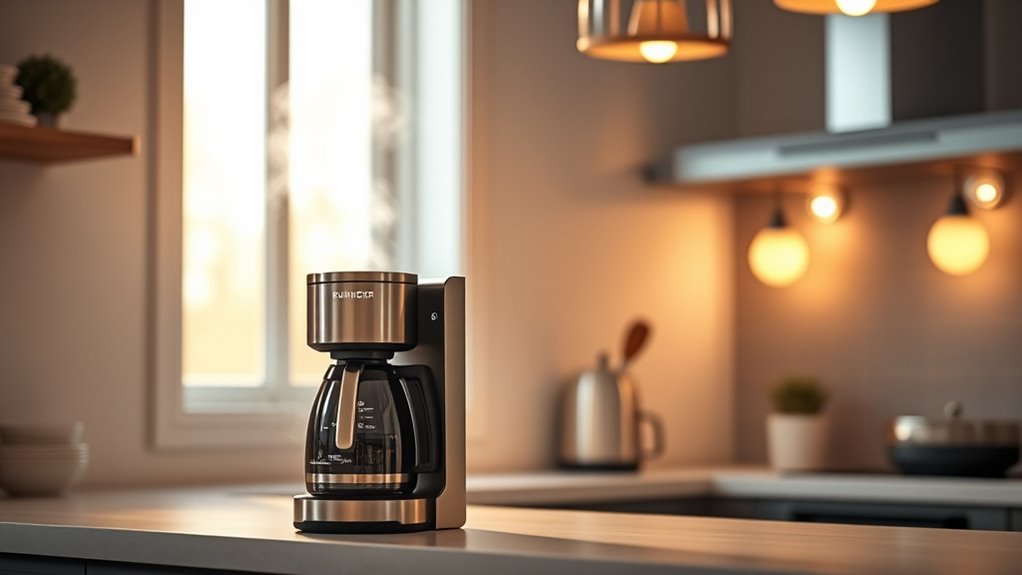
Synchronizing your coffee maker with your morning routine is surprisingly straightforward. Many smart plugs or coffee machines with Wi-Fi connectivity let you schedule brew times or activate with a voice command. By setting this up, your coffee could start brewing as soon as your lights turn on or your alarm goes off, so you wake up to the smell of fresh coffee. This level of automation maximizes routine optimization, ensuring that your favorite morning essentials are ready when you are. It also means you don’t have to rush around in the mornings, freeing up time for other activities or simply enjoying a more relaxed start.
Customizing these routines is simple. Most smart home apps let you create personalized scenarios based on your schedule. You can set different routines for weekdays and weekends, or adjust them seasonally. Over time, you’ll realize how much easier mornings become when your devices work together seamlessly, reducing the amount of manual control needed. The key is thinking about how your ideal morning should feel and then programming your smart home devices to make that a reality. When everything works in harmony, your mornings will become more consistent, less hurried, and far more enjoyable. Additionally, integrating smart home technology can enhance energy efficiency and reduce utility costs over time. When everything works in harmony, your mornings will become more consistent, less hurried, and far more enjoyable. With the right setup, you’ll look forward to waking up each day, knowing your home has already taken care of the small details that make a big difference.
smart Wi-Fi coffee maker
As an affiliate, we earn on qualifying purchases.
As an affiliate, we earn on qualifying purchases.
Frequently Asked Questions
Can I Control My Smart Lights and Coffee Maker With Voice Commands?
Yes, you can control your smart lights and coffee maker with voice commands, as long as your devices are compatible with voice assistants like Amazon Alexa or Google Assistant. Check the device compatibility first, then connect them to your smart home system. Once set up, you can effortlessly turn on lights or start brewing coffee using simple voice commands, making your mornings more convenient and hands-free.
What Safety Precautions Should I Take With Automated Kitchen Appliances?
Treat your automated kitchen appliances like fragile glass—handle with care. Always follow manufacturer instructions, avoid overloading circuits, and keep appliances away from water to prevent fire hazards. Regularly check electrical safety by inspecting cords and outlets for damage. Never leave devices unattended while in use, especially when cooking or brewing. These precautions help prevent fire hazards and ensure your smart kitchen remains a safe, efficient space to cook and relax.
Are There Compatible Apps to Manage Multiple Smart Devices Simultaneously?
Yes, there are compatible apps that let you manage multiple smart devices simultaneously. You should look for apps with strong device compatibility and seamless app integration to guarantee all your devices work together smoothly. Popular options like Google Home, Apple HomeKit, and Samsung SmartThings support a wide range of smart appliances, making it easy to control everything from one interface. This way, you can automate your entire morning routine effortlessly.
How Do I Troubleshoot Connectivity Issues Between Devices?
Oh, the irony of a smart home that refuses to cooperate. To troubleshoot connectivity issues, first check your device pairing to guarantee everything’s properly linked. Then, verify your wifi stability—weak signals cause chaos. Restart your devices and router if needed, and update firmware to fix bugs. If problems persist, reset the devices and re-pair them, because sometimes, even smart tech needs a little patience and a fresh start.
Can Automation Be Customized for Different Mornings or Weekends?
Yes, you can customize your automation for different mornings or weekends. Many smart home systems offer customization options that let you set specific routines for weekdays and weekends. You can adjust your lights and coffee maker to turn on at different times or trigger different scenes based on the day. This flexibility helps you tailor your morning routine to match your weekend routines, making your mornings more convenient and personalized.
smart lighting system with scheduling
As an affiliate, we earn on qualifying purchases.
As an affiliate, we earn on qualifying purchases.
Conclusion
Now, your mornings aren’t just routine—they’re seamless. Imagine waking up to a warm brew and perfectly lit room, all without lifting a finger. While technology can’t replace your morning smile, it can make everything else smoother. So, instead of rushing through chaos, you’ll start each day calm and in control. It’s a simple change that transforms your routine from hectic to harmonious—proving that automation isn’t just smart, it’s essential.
smart plugs for coffee machines
As an affiliate, we earn on qualifying purchases.
As an affiliate, we earn on qualifying purchases.
voice-controlled smart home routines
As an affiliate, we earn on qualifying purchases.
As an affiliate, we earn on qualifying purchases.