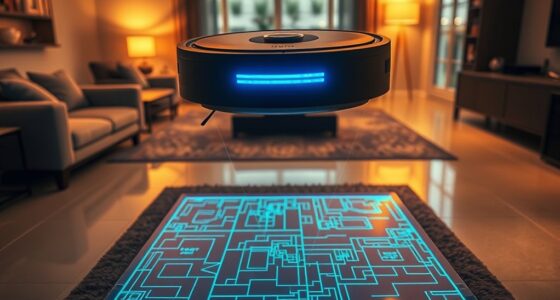
You can upgrade your home easily with DIY automation hacks under $50 by using smart plugs to control lamps and devices remotely, setting up motion sensors to turn lights on when you enter rooms, or using voice assistants like Alexa or Google Nest for hands-free control. Scheduling routines can automate multiple tasks, saving energy and increasing convenience. Keep exploring these simple ideas to transform your home into a smarter, more efficient space without breaking the bank.
Key Takeaways
- Use affordable smart plugs to control lamps and appliances remotely and automate schedules under $50.
- Integrate voice assistants like Amazon Echo or Google Nest for hands-free device control without extra cost.
- Install DIY motion sensors to trigger lights or devices automatically, enhancing convenience and energy savings.
- Create routines combining multiple devices for seamless automation, reducing manual effort and energy use.
- Choose displays with high contrast ratios for better visibility and efficiency in different lighting conditions.
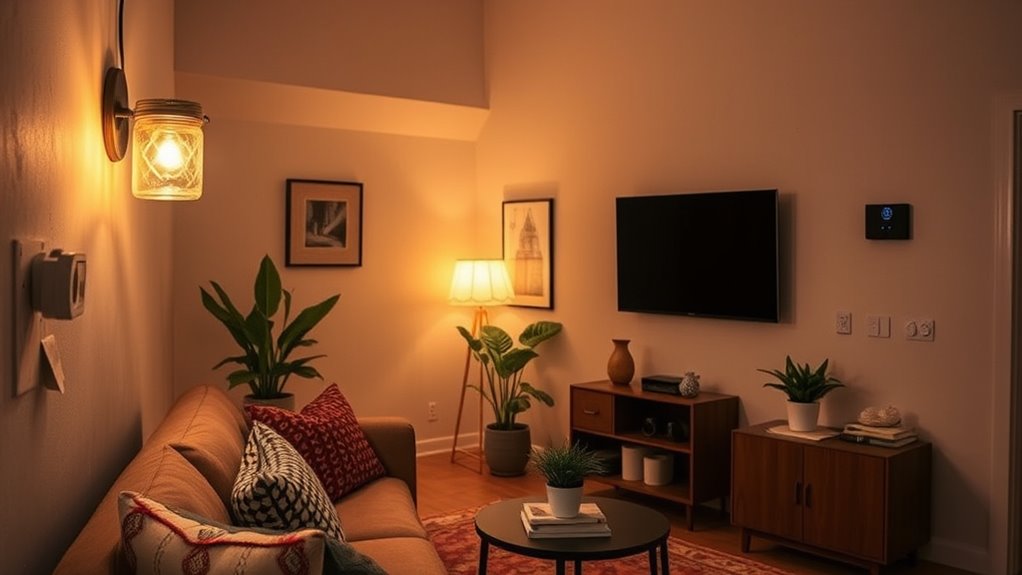
Transforming your home into a smart space doesn’t have to break the bank. You can start small with simple DIY automation hacks that make everyday life more convenient and energy-efficient. One of the easiest ways to upgrade your home is by incorporating voice control. With affordable smart speakers or voice assistants, like Amazon Echo or Google Nest, you can control lights, thermostats, and even appliances just by speaking. This not only adds a layer of convenience but also helps you manage your home hands-free, which is especially useful when your hands are full or you’re busy. Plus, voice control can contribute to energy savings by ensuring devices are turned off when not needed. For example, you can set routines that turn off all the lights and reduce heating or cooling when you leave the house, saving you money on energy bills.
Another budget-friendly hack is to leverage smart plugs or Wi-Fi-enabled outlets. These devices are inexpensive and easy to install. Plugging your lamps, fans, or other appliances into smart plugs allows you to control them remotely or set schedules through a smartphone app. You can automate your lighting to turn on at sunset or off at bedtime, which not only enhances security but also cuts down on unnecessary energy use. This simple step helps you avoid leaving devices running all day and night, directly contributing to energy savings and reducing your utility bills.
If you want to take automation a step further without spending a fortune, consider DIY sensor setups. For example, motion sensors can be connected to smart lighting systems to automatically turn lights on when you enter a room and off when you leave. This eliminates the need to manually switch lights on or off, ensuring you don’t waste energy. Many affordable sensors are compatible with existing smart home hubs or Wi-Fi setups, making installation straightforward. These sensors can also trigger other devices, like adjusting thermostats based on occupancy, further enhancing your home’s energy efficiency.
Additionally, understanding the importance of contrast ratio can help you choose smart home displays or screens that perform well in various lighting conditions, improving overall usability and efficiency. Lastly, don’t overlook the power of scheduling and routines. Most smart home apps allow you to create custom routines that automate multiple actions simultaneously. For instance, you can set a morning routine that gradually turns on your lights, adjusts the thermostat, and plays your favorite news station. By automating these tasks, you ensure your home operates efficiently without requiring constant manual input. This not only saves energy but also helps you develop consistent habits that make your smart home truly work for you.
Top picks for "smart home budget"
Open Amazon search results for this keyword.
As an affiliate, we earn on qualifying purchases.
Frequently Asked Questions
What Are the Best Budget-Friendly Smart Home Brands?
You should check out affordable brands like Wyze, Meross, and Gosund for budget options. These brands offer reliable smart devices at lower prices, making it easier to automate your home without breaking the bank. They work well with popular platforms like Alexa and Google Assistant, so you can easily control your devices. With their affordability, you get smart home features without sacrificing quality or your budget.
How Do I Ensure My DIY Smart Home Is Secure?
To keep your DIY smart home secure, you should use strong encryption protocols to protect your data and devices. Regularly update your firmware and passwords, and limit user access by only granting permissions to trusted individuals. Enable two-factor authentication where possible, and keep an eye on device logs for suspicious activity. These steps help safeguard your smart home without breaking the bank, ensuring your automation remains safe and private.
Can I Integrate New Devices With Existing Smart Systems?
Yes, you can integrate new devices with your existing smart systems, but watch out for device compatibility and integration challenges. Check if the new device supports your current platform or hub, and read reviews for compatibility insights. Sometimes, you might need a smart hub or bridge to connect different brands. Stay patient and be ready to troubleshoot, ensuring smooth integration without disrupting your smart home setup.
What Tools Are Needed for DIY Smart Home Projects?
Like a modern Da Vinci, you need the right tools for your DIY smart home projects. Grab a compatible microcontroller or hub, such as Raspberry Pi or Arduino, along with sensors for motion, temperature, or light. You’ll also want wireless protocol support like Zigbee or Z-Wave, and a good set of jumper wires, a screwdriver, and possibly a soldering kit. These essentials empower you to create seamless, custom automation setups.
How Can I Troubleshoot Common Smart Home Device Issues?
When troubleshooting common smart home device issues, start by checking your device firmware to make certain it’s up to date. For connectivity troubleshooting, restart your device and router, then test the connection again. Make sure your device is within range of your Wi-Fi network. If problems persist, reset the device to factory settings and reconfigure it. Regularly updating firmware and maintaining a strong Wi-Fi connection helps prevent future issues.
Conclusion
With a little creativity and these budget-friendly hacks, you can enjoy a smarter home without breaking the bank. Some might think DIY automation lacks reliability, but with basic tools and clear instructions, you’ll find it’s both fun and effective. Remember, even simple upgrades can enhance your daily life and save energy. So don’t let cost hold you back—start small, experiment, and watch your home become smarter without overspending.