TL;DR

Get the latest gadgets delivered free with Prime
- Fast, free delivery on millions of items
- Prime Video, Amazon Music and more included
- Member-only deals all year
Amazon’s 2026 Kindle Paperwhite Signature Edition costs $249.99, or $50 more than the standard Paperwhite. Its metal rear, 32GB storage, wireless charging, auto-adjusting light and support for new magnetic accessories may justify the upgrade for some readers, but the core screen and reading experience are similar.
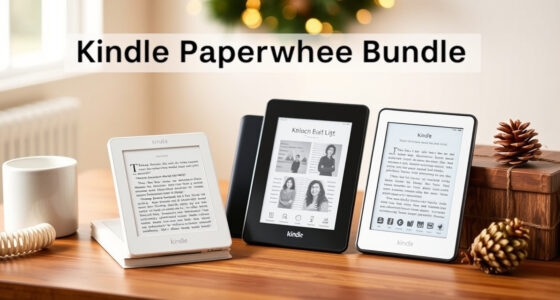
Amazon’s 2026 Kindle Paperwhite Signature Edition costs $249.99, $50 more than the standard Paperwhite, and adds a metal rear panel, wireless charging, auto-adjusting front light and features needed for new magnetic accessories. For a look at another Paperwhite option, see this Kindle Paperwhite bundle review. A Lifehacker review says those additions make the premium easier to justify than on earlier Signature models, though readers who mainly want a straightforward e-reader may not need them.
The two Paperwhite models share the core reading specifications: a 7-inch, 300-pixel-per-inch display, adjustable-color-temperature front lighting, USB-C charging, Bluetooth support and IPX8 water resistance. Amazon lists battery life of up to 12 weeks on a charge; that is the company’s estimate, not a guarantee for every reader or usage pattern.
The Signature Edition adds 32GB of storage, wireless charging and an automatically adjusting light. Its rear panel is metal rather than plastic, and the review reports a weight of about 8.1 ounces, compared with roughly 7.2 ounces for the standard model. The Signature also has an accelerometer for automatic screen rotation and supports double-tap page turns on the lower sides or back of the device. The review says that gesture moves forward through a book, not backward.
Its magnetic pogo connector is required for accessories including the new Page-Turn Cover and a Charging Stand. The stand was not yet available for preorder in the source material. The review says Amazon’s Kindle Click remote works with any Kindle from 2024 or later, so that accessory alone does not require a Signature model. Color choices also differ: the Paperwhite Signature comes in Seaglass Green, while the Signature Colorsoft is offered in Plum.
2026 Kindle buying guide · At a glance
Is the Paperwhite Signature Edition right for you?
The upgrade adds convenience, materials and magnetic accessory support. The core screen and reading experience remain similar to the standard Paperwhite, so the best choice depends on which extras you will actually use.
Both deliver the essentials
The standard model keeps the central reading specifications. The Signature upgrade focuses on convenience, capacity and design.
| Feature | Standard Paperwhite | Signature Edition |
|---|---|---|
| Display | 7-inch · 300 ppi | 7-inch · 300 ppi |
| Front light | Adjustable color temperature | Auto-adjusting light added |
| Charging | USB-C | USB-C + wireless charging |
| Water resistance | IPX8 | IPX8 |
| Connectivity | Bluetooth | Bluetooth |
| Storage | Less than 32 GB | 32 GB |
Amazon’s “up to 12 weeks” battery claim is a company estimate, not a guarantee for every reader or usage pattern.
Convenience and accessory options
Consider how you read day to day. Extra capacity may be reassuring, but typical text e-books are small and many readers will not need 32 GB.
Less cable handling
Wireless charging joins USB-C. It is useful if you already have a compatible charging setup and prefer dropping the device onto a pad.
Automatic adjustment
The Signature can adjust its front light automatically. The standard model still offers adjustable color-temperature lighting.
Metal rear, added gestures
It has a metal back, an accelerometer for screen rotation and double-tap page turns on the lower sides or back. The gesture advances pages; it does not go backward.
Know which extras need Signature
The magnetic pogo connector unlocks specific accessories. A remote is a separate case and does not require this model.
Page-Turn Cover & Charging Stand
The new magnetic accessories require the Signature Edition connector. In the supplied review, the Charging Stand was not yet available for preorder; its price and release date were not provided.
“The Kindle Click remote works with any Kindle from 2024 or later.”
Lifehacker review · Remote alone does not require SignatureWhy this generation may feel different
The review sees a stronger case for the Signature premium in 2026, while noting that everyday speed gains may be hard to notice.
Useful extras, weaker value
More storage, wireless charging and automatic front light were real additions. The reviewer felt the price increase was hard to justify for many readers.
Core reading stayed familiar
The review says the 2026 lineup retains many basic functions of 2024 Kindles. Amazon calls the new devices its fastest; the reviewer says the difference may be subtle in normal page turning.
More ways to use the premium
Magnetic accessories, a metal rear, automatic light and wireless charging give the upgrade more practical appeal—if those features fit your habits.
Choose by the features you will use
Either model keeps the same reported screen resolution and IPX8 rating. Think about your charging routine, reading library and accessory plans.
Signature may suit you if…
You want wireless charging, auto-adjusting light, 32 GB storage, a metal rear or the magnetic Page-Turn Cover and Charging Stand.
Standard may suit you if…
You mainly read text books, tap the screen to turn pages and charge by USB-C. You keep the same 7-inch, 300-ppi display and IPX8 water resistance.
Compare current local prices, confirm the exact model and check availability and total cost for any planned accessories. The supplied source does not establish real-world battery-life or speed differences, the stand’s launch details, or regional pricing.
Four checks before checkout
Keep the decision grounded in your own reading routine and the current listing details.
Compare prices
Check the current standard model price against the listed $249.99 Signature price.
Name your extras
Would you use wireless charging, automatic light, 32 GB storage or the metal back?
Check accessories
Confirm magnetic compatibility, current availability and the full cost of the cover or stand.
Pick your fit
Choose Signature for useful extras; choose standard if the shared reading basics are enough.
Quick answers
Details reflect the supplied Lifehacker source; listings and availability can change.
How much does it cost?
The source lists $249.99, or $50 more than the standard Paperwhite. Retailer and regional prices may vary.
Is its screen sharper?
No resolution advantage is reported. Both models have a 7-inch, 300-ppi display.
Do I need Signature for Kindle Click?
No. The review says Kindle Click works with any Kindle from 2024 or later. The Page-Turn Cover and Charging Stand need the magnetic connector.
What accessory details remain unknown?
The supplied source gives no Charging Stand price or release date and says it was not yet open for preorder. Check current product information.
What the Extra $50 Buys
The buying decision is less about a different screen than about materials, convenience and accessory compatibility. Readers who want wireless charging, automatic light adjustment, more room for downloaded content or the magnetic Page-Turn Cover may find the Signature’s added cost useful. The metal back and exclusive colors may also matter to shoppers who care about how the device looks and feels.
For readers who mostly download text books and turn pages by tapping the screen, many Signature features may go unused. The review notes that e-book files are typically small, making 32GB more capacity than many readers need. The basic Paperwhite retains the same display resolution and key water-resistance rating, so choosing the standard model does not mean giving up those central reading specifications.
Products Worth Considering

Amazon Kindle Paperwhite Signature Edition (12th Generation, 2024), 32 GB, Metallic Black

Amazon Kindle Paperwhite (12th Generation, 2024), 16 GB, 7-inch Display, Jade

Bose QuietComfort Wireless Bluetooth Headphones with Active Noise Cancellation, Mic, USB‑C Charging, Deep Bass, 24‑Hour Battery – White Smok
As an affiliate, we earn on qualifying purchases.
How Signature Editions Have Changed
Amazon introduced the first Paperwhite Signature Edition in 2021. Its added storage, wireless charging and automatic front light were real differences, but the Lifehacker reviewer argued that those extras did not justify the price increase for many people. Storage in particular was less persuasive for readers whose libraries consisted mainly of small text-based e-books.
The 2026 lineup retains many of the same basic functions as the 2024 Kindles, according to the review. Amazon describes the new devices as its fastest Kindles, but the reviewer says the speed difference from recent models may be difficult to notice in everyday page turning. The software remains Amazon’s Kindle system, with built-in book and audiobook shopping, library tools and Send to Kindle. That offers a convenient route for readers already using Amazon, while keeping the devices tied to its ecosystem.
“up to 12 weeks on a single charge”
— Amazon, as cited in the Lifehacker source
What Buyers Should Verify
The source does not give a detailed comparison of real-world battery life, page-turn speed or durability between the 2026 models. Amazon’s up-to-12-week battery figure is a company estimate, and the review does not provide a standardized test behind it. The Charging Stand’s release timing and price were also not available in the supplied material.
The review reports that the flush-front design has drawn mixed reactions, including criticism among users on Reddit, but it does not establish how widespread those views are. It also does not specify all regional prices or availability. Shoppers should check current listings for the exact model, price and accessory compatibility before purchasing.
Check Prices and Accessory Plans
Before buying, compare the current price of the standard Paperwhite with the $249.99 Signature Edition and decide whether wireless charging, automatic lighting, the metal back or magnetic accessories matter to your reading habits. Buyers interested in the Page-Turn Cover or Charging Stand should confirm availability and total cost; the supplied review said the stand was not yet open for preorder.
Amazon has not, in the source material, provided a separate timeline for future firmware changes or further Kindle upgrades. For now, the practical next step is to check the product listing for local pricing and confirm that any desired accessory works with the selected model.
Key Questions
How much does the 2026 Kindle Paperwhite Signature Edition cost?
The supplied Lifehacker source lists the Paperwhite Signature Edition at $249.99 and says it costs $50 more than the standard Paperwhite. Prices may vary by retailer or region, so check the current listing before purchasing.
Does the Signature Edition have a sharper screen?
No screen-resolution advantage is reported for the Paperwhite Signature. Both the standard and Signature models have a 7-inch, 300-ppi display, according to the source.
Who is most likely to benefit from the Signature Edition?
It may suit readers who want wireless charging, auto-adjusting light, 32GB storage or support for magnetic accessories such as the Page-Turn Cover. Readers who mainly read text books and use USB-C charging may prefer the standard model.
Do I need the Signature Edition for a Kindle page-turn remote?
Not for the Kindle Click remote described in the source. The review says it works with any Kindle from 2024 or later. The Page-Turn Cover and Charging Stand, by contrast, require the Signature Edition’s magnetic pogo connector.
What remains unknown about the new accessories?
The supplied source says the Charging Stand was not yet available for preorder and does not provide its price or release date. Check Amazon’s current product information for updated availability and compatibility.
Source: Lifehacker