
If your smart bulbs are flickering, you can often fix it without rewiring by checking compatibility with your dimmer switches—many bulbs aren’t designed for existing dimmers and may flicker. Also, confirm wiring connections are tight and free of corrosion, and update the bulbs’ firmware. Resetting the bulbs or switching to a compatible dimmer can also help. For more tips on stopping flickering without rewiring, keep exploring these helpful solutions.

Get the latest gadgets delivered free with Prime
- Fast, free delivery on millions of items
- Prime Video, Amazon Music and more included
- Member-only deals all year
Key Takeaways
- Check if your smart bulbs are compatible with existing dimmer switches to prevent flickering.
- Ensure all wiring connections are secure, tight, and free of corrosion; consult an electrician if needed.
- Update the bulbs’ firmware regularly to fix bugs that may cause flickering issues.
- Reset the smart bulbs as per manufacturer instructions to restore proper function.
- Avoid using incompatible dimmers; upgrade to compatible switches or rewire for optimal performance.
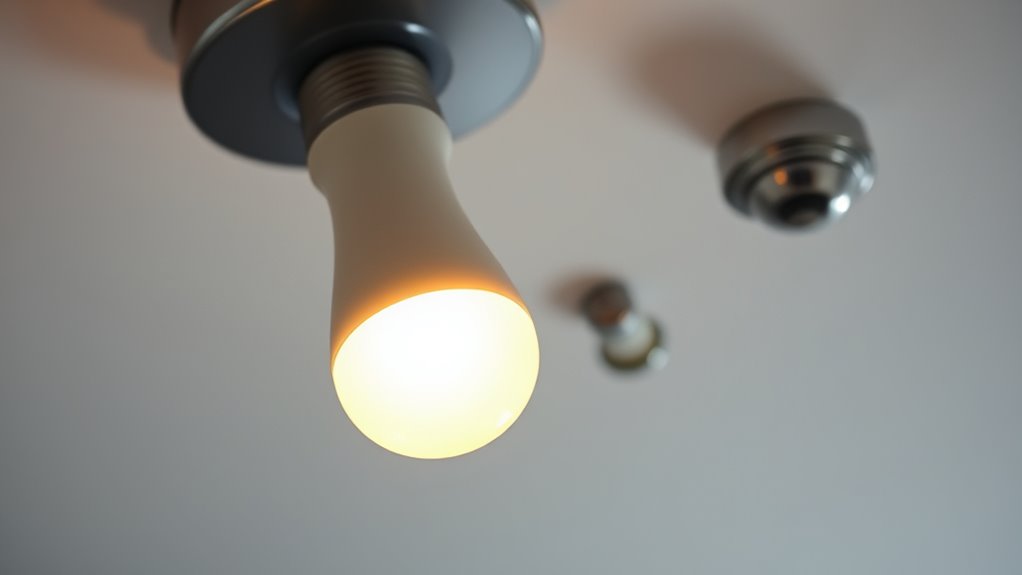
Smart bulbs flicker can be a frustrating issue, especially when you rely on them for consistent lighting. Flickering often points to underlying problems with dimming compatibility or wiring issues, and addressing these can restore your smart lighting to full functionality without the need for rewiring. First, it’s essential to understand that not all smart bulbs are compatible with existing dimmer switches. Some are designed specifically for non-dimming circuits, while others require compatible dimmers to function properly. If you’ve installed a dimmer switch that isn’t compatible with your smart bulbs, flickering is a common sign. To fix this, check the bulb’s packaging or manufacturer’s specifications for dimming compatibility. If your bulbs aren’t compatible, switching to a dimmer compatible with smart bulbs or replacing the dimmer altogether can eliminate flickering without rewiring your entire setup.
Ensure smart bulbs are compatible with your dimmer to prevent flickering and maintain consistent lighting.
Wiring troubleshooting is another key aspect in resolving flickering issues. Loose or faulty wiring connections can cause inconsistent power flow, leading to flickering or dimming of your smart bulbs. Start by turning off the power at the circuit breaker before inspecting the wiring. Check that the bulb’s socket is securely connected and that there are no loose wires or corrosion. If you notice any damaged wires or connections, tighten or replace them accordingly. Sometimes, the issue isn’t with the fixture itself but with the wiring in your wall or switch box. In such cases, it’s best to consult a qualified electrician to perform a thorough wiring inspection. They can identify loose connections, faulty switches, or other wiring problems and fix them safely, often without the need for a complete rewiring of your home.
Additionally, ensure your smart bulbs are compatible with your existing wiring and switches. Some smart bulbs require a neutral wire connection, which isn’t present in all homes’ wiring configurations. If your setup lacks a neutral wire, you might experience flickering or non-functionality. In those cases, you may need to upgrade your wiring or choose bulbs that are designed to work without a neutral wire. Before making any changes, review the manufacturer’s instructions or consult an electrician for advice. Moreover, understanding the compatibility of smart bulbs with different wiring types can help prevent future flickering issues.
Lastly, keep your firmware updated and reset your smart bulbs if flickering persists. Manufacturers often release updates that improve dimming compatibility and fix bugs that could cause flickering. By ensuring your bulbs are running the latest software and performing a reset, you can often resolve flickering issues without rewiring, saving time and expense. Addressing dimming compatibility and wiring troubleshooting thoughtfully can help you enjoy flicker-free smart lighting, all while avoiding complicated rewiring projects.
Frequently Asked Questions
Can Flickering Damage My Smart Bulbs Permanently?
Flickering can potentially shorten your smart bulb’s lifespan if it persists, but it usually won’t cause permanent damage. Frequent flickering might also compromise electrical safety, creating a risk of short circuits or other issues. To protect your bulbs and ensure safety, check your electrical connections, avoid overloading circuits, and consider updating faulty switches or wiring. Addressing flickering early helps maintain both bulb longevity and electrical safety.
Are There Specific Brands More Prone to Flickering Issues?
Coincidences happen, but certain brands are more prone to flickering issues. You might notice that generic or less reputable brands often struggle with brand compatibility, leading to flickering and shorter bulb lifespan. To prevent this, choose well-known brands with a reputation for quality and compatibility. Doing so guarantees your smart bulbs work smoothly, reducing flickering and extending their lifespan, saving you time and money in the long run.
Does Using a Dimmer Switch Cause Flickering in Smart Bulbs?
Using a dimmer switch can cause flickering in smart bulbs if they’re not compatible with dimmer functionality. Always check the bulb’s dimmer compatibility before installation and verify proper bulb installation. If flickering occurs, consider replacing your dimmer switch with one designed for smart bulbs or using bulbs specifically made for dimmer use. This prevents flickering and ensures smooth operation without rewiring your setup.
How Long Does It Typically Take to Fix Flickering Problems?
Fixing flickering smart bulbs usually takes about 10 to 30 minutes, depending on your troubleshooting duration. You’ll want to check your installation timing, such as ensuring bulbs are compatible and properly connected, which can speed up the process. Troubleshooting might involve updating firmware, adjusting settings, or replacing switches. With patience and a systematic approach, you can resolve flickering quickly, often in just a few minutes, without rewiring.
Do Smart Bulb Flickers Indicate a Wider Electrical System Issue?
Coincidence often makes you wonder if flickering smart bulbs hint at bigger electrical wiring issues. Usually, flickering signals power fluctuations or loose wiring, but it doesn’t necessarily indicate there’s a major problem. If the flickering persists across multiple bulbs or happens during high electrical demand, check your circuit connections. You might need to consult an electrician to guarantee your electrical system handles the load properly, preventing future flickering and potential hazards.
Conclusion
Think of your smart bulbs as dancers in a grand performance. When they flicker, it’s like their rhythm is off. But just like a skilled conductor can bring harmony, you can fix the flickering by checking your connections or adjusting settings. No need to rewire the entire stage—sometimes, a simple tune-up is enough. Keep your lights shining steadily, and let your home’s lighting dance smoothly without missing a beat.
Halloween Picks
halloween
As an affiliate, we earn on qualifying purchases.