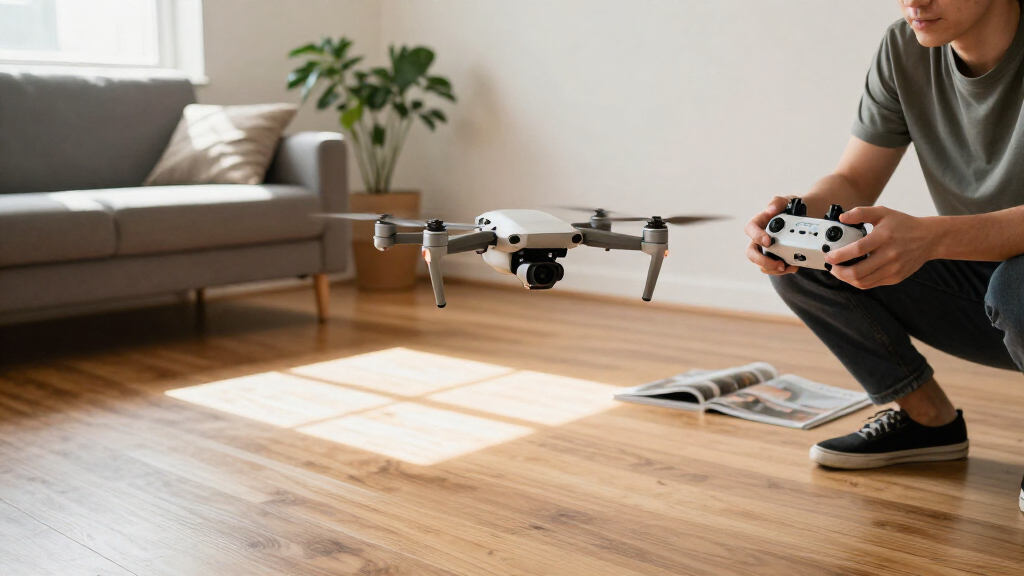

The best indoor flying drones balance manageable size, steady control, and enough protection to handle close walls and furniture. I’d put the DJI Neo Fly More Combo first for its 4K camera and more capable flight features, while the Holy Stone HS210 is a simpler fit for beginners and the Force1 Scoot offers a hands-off play style. The main tradeoff is between camera performance and forgiving, low-stakes flying: camera drones offer more creative options, while toy models are often easier to use in tight spaces. Battery life, propeller protection, and the room you actually have can matter more than headline camera resolution. Read on for the full breakdown and guidance on matching a drone to your home and skill level.

Get the latest gadgets delivered free with Prime
- Fast, free delivery on millions of items
- Prime Video, Amazon Music and more included
- Member-only deals all year
Complete the kit



Key Takeaways
- The DJI Neo Fly More Combo is the camera-first pick: its 4K positioning separates it from the toy-oriented models, though its advanced feature set may be more than a casual indoor flyer needs.
- The DJI Neo 2 is another premium camera option: it belongs in a different decision lane from basic kids’ drones, where simple controls and protected props can matter more than imaging.
- The Holy Stone HS210 and SYMA X100 prioritize accessible indoor flying: they make more sense for beginners and kids than camera-focused models, but buyers should not expect the same footage capabilities.
- Hand-controlled choices fill a distinct play niche: the Force1 Scoot and TrysGame trade conventional piloting for gesture-led interaction, which suits casual play better than precise flight or filming.
- Room size and flight style separate the lineup more than product names do: foldable and mini designs may be easier to store, while LED and camera features add appeal but do not automatically make a drone better for close-quarters control.
| DJI Neo Fly More Combo Mini Drone with 4K UHD Camera |  | Best Overall for Indoor Camera Features | Weight: 135 g | Video resolution: 4K UHD | Still image resolution: 12 MP | VIEW LATEST PRICE | See Our Full Breakdown |
| HOVERAir X1 Follow-Me Camera Drone |  | Best for Hands-Free Tracking | Video resolution: Up to 2.7K at 30 fps | HDR video: 1080p | Still resolution: 12 MP | VIEW LATEST PRICE | See Our Full Breakdown |
| SYMA X100 Indoor Drone for Kids |  | Best for Beginner Obstacle-Avoidance Practice | Recommended age: 8–12 years | Weight: 58 g | Dimensions: 5.16 × 5.16 × 1.77 in | VIEW LATEST PRICE | See Our Full Breakdown |
| Foldable FPV Quadcopter Drone with 1080p Camera |  | Best for App-Controlled Beginner Camera Flights | Camera resolution: 1080p | Still image resolution: 2 MP | Camera lens: 80° adjustable | VIEW LATEST PRICE | See Our Full Breakdown |
| Holy Stone HS210 Mini Drone for Kids and Beginners, Blue |  | Best Compact Indoor Starter | Weight: 50 g | Dimensions: 3.15 × 3.15 × 1.18 in | Battery capacity: 250 mAh | VIEW LATEST PRICE | See Our Full Breakdown |
| Force1 Scoot Hand-Operated Indoor Drone, Blue |  | Best for Simple Hand-Controlled Play | Control type: Hand operated | Flight time: Up to 8 minutes | Charging time: About 50 minutes | VIEW LATEST PRICE | See Our Full Breakdown |
| DJI Neo 2 Lightweight 4K Camera Drone |  | Best Premium Camera Pick | Weight: 151 g | Video resolution: 4K | Still resolution: 12 MP | VIEW LATEST PRICE | See Our Full Breakdown |
| HASAKEE Q9s Kids Drone with LED Lights, Altitude Hold, and Two Batteries |  | Best for Kids Who Want Remote-Controlled Tricks | Control: Remote control | Battery capacity: 500mAh per battery | Included batteries: 2 | VIEW LATEST PRICE | See Our Full Breakdown |
| TrysGame Hand-Controlled Mini Drone with Gesture Control and LED Lights |  | Best Compact Hand-Controlled Pick | Control: Gesture control | Weight: 26 g | Dimensions: 3.7 × 3.7 × 1.5 in | VIEW LATEST PRICE | See Our Full Breakdown |
| Mini Camera Drone for Beginners with 4.3-Inch Screen Remote, Two Batteries, Gray |  | Best for Beginners Who Want a Built-In Screen | Video resolution: 720p | Remote display: 4.3-inch pop-up screen | Positioning and flight assistance: Optical flow positioning and altitude hold | VIEW LATEST PRICE | See Our Full Breakdown |
| indoor flying drone | Weight | Dimensions |
|---|---|---|
| DJI Neo Fly More Combo Mini Dr | 135 g | — |
| HOVERAir X1 Follow-Me Camera D | — | — |
| SYMA X100 Indoor Drone for Kid | 58 g | 5.16 × 5.16 × 1.77 in |
| Foldable FPV Quadcopter Drone | — | 11.02 × 10.24 × 2.56 in |
| Holy Stone HS210 Mini Drone fo | 50 g | 3.15 × 3.15 × 1.18 in |
| Force1 Scoot Hand-Operated Ind | 1.12 oz | 4.7 × 4.7 × 2 in |
| DJI Neo 2 Lightweight 4K Camer | 151 g | — |
| HASAKEE Q9s Kids Drone with LE | — | — |
| TrysGame Hand-Controlled Mini | 26 g | 3.7 × 3.7 × 1.5 in |
| Mini Camera Drone for Beginner | — | 5.31 × 2.48 × 5.31 in |
More Details on Our Top Picks
DJI Neo Fly More Combo Mini Drone with 4K UHD Camera
The DJI Neo Fly More Combo is the strongest fit here for indoor flyers who want camera features alongside simple takeoff: palm launch, subject tracking, and eight QuickShots modes give it more ways to capture a clip than the SYMA X100 or Holy Stone HS210. Its stabilized 4K video also puts it in a different camera class from the foldable 1080p FPV Quadcopter, though those small, enclosed-frame toys are more expressly suited to bump-prone beginner practice. The included full-coverage propeller guards help when flying indoors, and three batteries plus a charging hub make repeat sessions easier. The tradeoff is that this is a camera-focused drone, not a toy designed around obstacle avoidance: its listed features do not include the X100’s infrared sensors. Its battery capacity is also listed without a unit, and voice control supports only English and Chinese.
Pros:- Stabilized 4K UHD video and 12 MP still photos support higher-detail capture than the 1080p camera options here.
- Palm takeoff and landing reduce setup steps for quick indoor clips.
- Subject tracking and eight QuickShots modes offer automated ways to frame footage.
- Three batteries, a charging hub, and full-coverage propeller guards are included.
Cons:- The listed battery capacity has no unit, so it is difficult to interpret from the supplied specifications.
- No obstacle-avoidance feature is listed, unlike the SYMA X100’s four-way infrared sensing.
- Voice control is limited to English and Chinese.
Best for: Indoor flyers who want stabilized 4K footage, subject tracking, and a controller-and-battery bundle for planned sessions.
Not ideal for: Parents seeking a low-complexity practice toy with obstacle sensing; the SYMA X100 is better aligned with that use.
- Weight:135 g
- Video resolution:4K UHD
- Still image resolution:12 MP
- Connectivity:Bluetooth, Wi-Fi
- Media:Micro SDXC
- Combo contents:Drone, RC-N3 controller, 3 batteries, two-way charging hub, propeller guards
Our verdict“Choose the DJI Neo if indoor filming quality and automated camera modes matter more than toy-style obstacle sensing.”
HOVERAir X1 Follow-Me Camera Drone
The HOVERAir X1 is the best match in this group for someone who wants a drone to follow a moving person rather than pilot every shot. Its programmed flight paths and tracking speeds up to 15 mph make it more suited to active follow footage than the DJI Neo’s palm-launch-and-QuickShots approach, while the Neo records at a higher listed resolution of 4K. For indoor use, the X1’s enclosed, foldable frame is a practical distinction from the more exposed design of the foldable FPV Quadcopter, and triple stabilization supports smoother clips. However, its flight time is about 11 minutes per battery, so sessions are short beside the SYMA X100’s stated 20 minutes across two batteries. It also depends on app control and compatible phone software, and its 2.7K ceiling is a compromise for buyers prioritizing detail.
Pros:- Subject tracking supports hands-free filming at speeds up to 15 mph.
- Automatic flight paths reduce the need for continuous manual piloting.
- Triple stabilization is designed to smooth captured footage.
- Enclosed foldable frame and 32 GB internal storage suit portable filming.
Cons:- Approximately 11 minutes of flight time per battery limits each session.
- Video tops out at 2.7K, below the DJI Neo’s 4K UHD recording.
- App control requires Android 10.0 or later or iOS 12.1 or later.
Best for: Active users who want hands-free tracking and automatic flight paths in a compact, guarded camera drone.
Not ideal for: Buyers who need longer continuous sessions, 4K capture, or operation without a compatible smartphone app.
- Video resolution:Up to 2.7K at 30 fps
- HDR video:1080p
- Still resolution:12 MP
- Flight time:Approximately 11 minutes per battery
- Maximum follow speed:15 mph
- Internal storage:32 GB
- Frame:Enclosed and foldable
Our verdict“Pick the HOVERAir X1 for guarded, app-driven follow footage, but choose the DJI Neo if 4K capture or longer supplied battery capacity matters more.”
SYMA X100 Indoor Drone for Kids
The SYMA X100 earns its place as the most practice-oriented indoor pick: four-way infrared sensing detects nearby obstacles, and its fully enclosed propeller guard helps soften the consequences of beginner mistakes. That makes it a clearer choice for children learning in furnished rooms than the camera-led DJI Neo, which offers more polished filming features but does not list obstacle avoidance. The X100 also keeps the controls approachable with one-button takeoff and landing, altitude hold, headless mode, and two speed settings. Two batteries provide up to 20 minutes total, close to the Holy Stone HS210’s stated 21 minutes across three batteries. The compromise is that the X100 is an indoor-focused toy, not a camera drone; no camera is listed, and its 58 g build and play features prioritize practice over aerial footage.
Pros:- Four-way infrared obstacle sensing detects objects within about 12 inches.
- Enclosed propeller guard and ABS body are suited to beginner indoor bumps.
- One-key takeoff and landing, altitude hold, and headless mode simplify early flights.
- Two batteries provide up to 20 minutes of total flight time.
Cons:- No camera or recording capability is listed.
- Its indoor-focused design limits use outside the home.
- Up to 20 minutes is the combined flight time across both batteries, not a single continuous session.
Best for: Beginner children aged 8–12 who want a guarded indoor drone with obstacle sensing and straightforward controls.
Not ideal for: Buyers seeking aerial photos, video, or a drone suited to outdoor use; camera-focused options such as the DJI Neo are a better fit.
- Recommended age:8–12 years
- Weight:58 g
- Dimensions:5.16 × 5.16 × 1.77 in
- Obstacle avoidance:Four-way infrared sensors; detects obstacles within about 12 in
- Flight time:Up to 20 minutes total with two batteries
- Connectivity:2.4 GHz
- Flight features:Altitude hold, headless mode, two speed modes, one-key takeoff and landing, 360° flips
Our verdict“Choose the SYMA X100 for a child’s indoor flying practice, not for camera work or broader-use versatility.”
Foldable FPV Quadcopter Drone with 1080p Camera
This Foldable FPV Quadcopter offers an accessible middle ground for buyers who want live camera viewing and basic flight aids without stepping up to the DJI Neo’s 4K-focused camera package. Its 1080p camera with an adjustable 80° lens gives beginners a way to frame indoor clips, while altitude hold, optical flow, and one-key start reduce the work of keeping it steady. Two batteries are listed for up to 25 minutes total, more stated flight time than the HOVERAir X1’s approximately 11 minutes per battery. The tradeoffs are its 30-meter maximum range and reliance on app control for some functions; its foldable form is also much larger than the tiny SYMA X100, so tight rooms are less forgiving. Propeller guards and an emergency stop add useful safeguards, but no enclosed frame or obstacle sensing is listed.
Pros:- 1080p camera with an adjustable 80° lens supports basic live-view framing.
- Altitude hold and optical flow help steady beginner flights.
- Two batteries are listed for up to 25 minutes of total flight time.
- Propeller guards and an emergency-stop function add practical safeguards.
Cons:- Maximum range is limited to 30 meters.
- Some flight functions require app control.
- Its 11.02 × 10.24-inch footprint is less suited to tight indoor spaces than the SYMA X100.
Best for: New pilots who want app-based live viewing, basic stabilization aids, and a camera for indoor practice.
Not ideal for: People flying in cramped rooms or seeking an enclosed, obstacle-sensing toy like the SYMA X100.
- Camera resolution:1080p
- Still image resolution:2 MP
- Camera lens:80° adjustable
- Maximum flight time:Up to 25 minutes
- Batteries included:2
- Maximum range:30 meters
- Dimensions:11.02 × 10.24 × 2.56 in
Our verdict“Pick this model for beginner camera practice with app viewing, provided you have enough room and accept its short range.”
Holy Stone HS210 Mini Drone for Kids and Beginners, Blue
The Holy Stone HS210 is the smallest, simplest fit here for beginner flying in a limited indoor area. At 3.15 inches square and 50 g, it is easier to place in a small room than the larger foldable FPV Quadcopter, while altitude hold, headless mode, and adjustable speed keep early controls manageable. Its three included batteries provide up to 21 minutes total, a little more stated combined flight time than the SYMA X100, which instead adds four-way obstacle sensing. The HS210’s flips and circle flight give it more play variety than the camera-led DJI Neo, but this is still a mini indoor quadcopter rather than a serious filming tool. The supplied specs list 1080p video, yet its compact beginner-focused design and 250 mAh batteries make it a less compelling choice for camera-first buyers. Multiple units also need separate pairing to avoid frequency confusion.
Pros:- Compact 3.15 × 3.15-inch body suits smaller indoor spaces.
- Altitude hold, headless mode, and adjustable speed help beginners learn basic control.
- Three batteries provide up to 21 minutes of total flight time.
- Propeller guards, spare propellers, and 360-degree flips support play and upkeep.
Cons:- Its mini indoor design is less suited to larger flying areas.
- Multiple units need to be powered on and paired separately to avoid frequency confusion.
- The 250 mAh battery capacity and toy-focused design are less suited to extended camera sessions.
Best for: First-time pilots and families seeking a small, simple drone for short indoor practice and basic tricks.
Not ideal for: Camera-first buyers or households planning to fly several units at once; the DJI Neo is better suited to filming, and separate pairing can complicate group sessions.
- Weight:50 g
- Dimensions:3.15 × 3.15 × 1.18 in
- Battery capacity:250 mAh
- Batteries included:3
- Maximum flight time:Up to 21 minutes
- Maximum range:160 ft
- Flight features:360-degree flips, auto-landing, altitude hold, headless mode
Our verdict“Choose the HS210 for compact beginner practice and simple tricks, but look to the DJI Neo for a more capable filming setup.”
Force1 Scoot Hand-Operated Indoor Drone, Blue
The Force1 Scoot is a strong fit for beginners who want to guide a drone with their hands rather than learn a conventional controller. Toss-to-launch operation and motion sensing make short indoor flights approachable, while its webbed propeller shell helps limit contact with fingers and household objects. Compared with the TrysGame hand-controlled mini drone, the Scoot offers a similar sensor-led style but has a larger footprint and a longer stated flight time of up to eight minutes; TrysGame, by contrast, adds floor-rolling play and a shorter charging window. The Scoot’s tradeoff is its indoor-only design and modest airtime, followed by roughly 50 minutes of USB charging. I’d choose it for casual, supervised play, not for camera work or outdoor flying.
Pros:- Toss-to-launch and hand-operated controls avoid a learning curve with a remote
- Motion sensors provide 360-degree obstacle avoidance
- Webbed shell helps shield propellers and nearby fingers or furniture
- USB charging and bright LEDs suit casual indoor play
Cons:- Up to eight minutes of flight time limits each play session
- About 50 minutes of charging is a long wait relative to its flight time
- Designed for indoor use rather than outdoor flying
Best for: First-time flyers and families seeking a simple, hand-guided drone for supervised indoor play
Not ideal for: Buyers who want outdoor flights, camera features, or extended sessions without charging breaks
- Control type:Hand operated
- Flight time:Up to 8 minutes
- Charging time:About 50 minutes
- Dimensions:4.7 × 4.7 × 2 in
- Weight:1.12 oz
- Obstacle protection:Motion sensing with 360° obstacle avoidance; webbed shell
- Age range:8 and up
Our verdict“Choose the Scoot for beginner-friendly hand control and a protective shell, but skip it if you need outdoor range or longer flights.”
DJI Neo 2 Lightweight 4K Camera Drone
For buyers who want indoor flying to produce polished footage, the DJI Neo 2 is the clear premium choice in this group. Its 4K video, 12 MP stills, and ActiveTrack offer creative options the Force1 Scoot and HASAKEE Q9s do not: those are play-first drones without cameras. Palm takeoff and landing and gesture control also reduce reliance on a traditional controller, while omnidirectional sensing and full-coverage propeller guards add protection around obstacles. The tradeoff is that this is a more capable camera drone, not a low-friction toy: the DJI Fly app must be downloaded from DJI’s website rather than Google Play, and the supplied package includes only one flight battery. Its stated 10 km maximum range is not a reason to fly it indoors; I’d favor it for controlled spaces and footage, not bump-heavy children’s play.
Pros:- Captures 4K video and 12 MP still photos
- Palm takeoff and landing, gesture control, and ActiveTrack support hands-free operation
- Omnidirectional obstacle sensing and full-coverage propeller guards add protection
- Lightweight 151 g design is easier to carry than a larger camera drone
Cons:- DJI Fly must be downloaded from DJI’s website rather than Google Play
- Includes one intelligent flight battery, limiting ready-to-fly backup time
- Camera-focused design and plastic construction are less suited to rough play than enclosed toy drones
Best for: Adults and older beginners who want indoor-capable camera footage, subject tracking, and palm-based controls
Not ideal for: Families seeking a low-cost-feeling, bump-friendly toy or buyers who do not want to install the DJI Fly app outside Google Play
- Weight:151 g
- Video resolution:4K
- Still resolution:12 MP
- Maximum range:10 km
- Flight controls:Palm takeoff and landing, gesture control, ActiveTrack
- Obstacle sensing:Omnidirectional
- Included flight batteries:1 intelligent flight battery
- Connectivity:Bluetooth and Wi-Fi
Our verdict“Pick the Neo 2 when footage and tracking matter more than toy-like durability or quick, child-friendly setup.”
HASAKEE Q9s Kids Drone with LED Lights, Altitude Hold, and Two Batteries
The HASAKEE Q9s suits children who want the feel of flying a small quadcopter, not just batting a sensor-controlled toy around. Its remote, altitude hold, headless mode, and one-button takeoff and landing make basic steering less intimidating, while three speed settings let families keep early flights gentler before trying flips and auto-rotation. Compared with the hand-operated Force1 Scoot, the Q9s gives the pilot more direct control and stunt options; the Scoot is simpler and has a protective webbed shell, so it may be a better match for very young or cautious beginners. Four propeller guards help, but the Q9s still has exposed flight hardware and a stated maximum range of just 0.03 miles. Two included 500mAh batteries offer a practical backup, though battery capacity is modest.
Pros:- Altitude hold and headless mode can make early steering easier
- Two included batteries provide a spare for continued play
- Three speed settings allow a gradual step up in control
- Four propeller guards and LED modes add protection and visual interest
Cons:- Maximum control range is limited to 0.03 miles
- 500mAh capacity per battery may restrict session length
- Remote control and exposed quadcopter layout require more active piloting than hand-operated enclosed drones
Best for: Children learning remote-controlled flight who want speed settings, basic stabilization, and simple aerial tricks
Not ideal for: Very young children who need fully enclosed propellers, or flyers who want long range or camera footage
- Control:Remote control
- Battery capacity:500mAh per battery
- Included batteries:2
- Flight assistance:Altitude hold, headless mode, one-button takeoff and landing
- Speed settings:3
- Tricks:360-degree flips and auto-rotation
- Maximum range:0.03 miles
- Propeller protection:4 guards
Our verdict“Choose the Q9s for kids ready to learn remote controls and tricks, rather than the simpler hand-guided experience of the Force1 Scoot.”
TrysGame Hand-Controlled Mini Drone with Gesture Control and LED Lights
The TrysGame TSM005-B is the compact choice for indoor play where a full-size remote-controlled quadcopter would feel like too much. At 3.7 inches across and 26 g, it is smaller and lighter than the Force1 Scoot, while gesture control and obstacle sensing keep the flying style similarly hands-on. It also adds a floor-rolling mode, a 360-degree flip gesture, and 12 LEDs, giving it more ways to entertain between short flights. The soft PP mesh shell is designed to absorb everyday bumps, but this remains a play-focused drone: the product data gives no flight-time figure, and it is intended for indoor use. Its roughly 30–35-minute USB recharge is shorter than the Scoot’s stated 50 minutes, though both require downtime after flying. I’d pick this for compact, varied play, not camera capture or outdoor use.
Pros:- Compact 3.7-inch body and 26 g weight suit indoor play in limited space
- Gesture control and obstacle sensing avoid conventional piloting
- PP mesh shell is designed to absorb everyday bumps and shield propellers
- Floor-rolling mode, flip gesture, and 12 LEDs add play variety
Cons:- Designed for indoor use rather than outdoor flying
- Flight time is not specified in the supplied product data
- Requires USB recharging after use
Best for: Families with children aged six and up who want a small, hand-guided indoor toy with both flying and floor play
Not ideal for: Buyers who need outdoor capability, camera footage, or a stated flight-time figure before choosing
- Control:Gesture control
- Weight:26 g
- Dimensions:3.7 × 3.7 × 1.5 in
- Material:Soft, high-resilience PP
- LEDs:12
- Charging time:Approximately 30–35 minutes
- Age range:6 years and up
- Flight features:Obstacle avoidance and 360° flip
Our verdict“Pick the TrysGame for a small, varied hand-controlled toy, especially if floor play and a shorter stated recharge matter more than the Scoot’s larger body.”
Mini Camera Drone for Beginners with 4.3-Inch Screen Remote, Two Batteries, Gray
The AxrumRC KY106 stands apart from toy-first indoor options by putting a 4.3-inch pop-up screen on the remote, so beginners can view its 720p footage without relying on a separate phone display. Optical flow positioning, altitude hold, and one-key takeoff and landing can make hovering and basic starts less demanding under suitable conditions. That gives it a different appeal from the HASAKEE Q9s, which favors kids’ tricks and LED effects rather than camera viewing; the DJI Neo 2 is the stronger choice for higher-resolution footage and tracking. The KY106’s two batteries and spare blades add useful backup parts, but flight time varies with use, and positioning features depend on suitable conditions. Its 720p capture is also a clear step below the Neo 2’s 4K, making this a beginner camera option rather than a detail-focused filming tool.
Pros:- Built-in 4.3-inch pop-up screen avoids needing a separate phone display
- Optical flow positioning and altitude hold assist with hovering in suitable conditions
- Two included batteries offer a backup for additional flights
- One-key takeoff and landing simplify basic operation
Cons:- 720p video is less detailed than the DJI Neo 2’s 4K capture
- Positioning and altitude hold depend on suitable conditions
- Flight time varies with use and operating conditions
Best for: New pilots who want a screen-equipped remote, basic hovering assistance, and simple 720p indoor video
Not ideal for: Buyers seeking 4K footage, dependable positioning in all environments, or a clearly specified flight duration
- Video resolution:720p
- Remote display:4.3-inch pop-up screen
- Positioning and flight assistance:Optical flow positioning and altitude hold
- Takeoff and landing:One-key takeoff and landing
- Battery capacity:500 mAh
- Included batteries:2
- Item weight:2.08 oz
- Dimensions:5.31 × 2.48 × 5.31 in
Our verdict“Choose the KY106 if a screen built into the remote matters more than 4K quality, while the DJI Neo 2 is the better fit for higher-detail footage.”
How We Picked
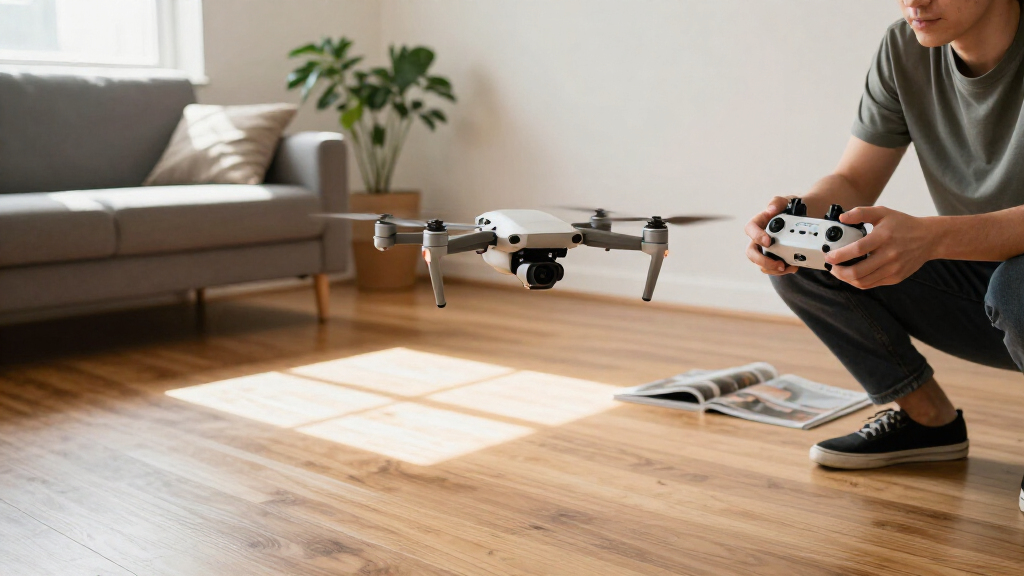
I ranked these models around indoor usefulness rather than treating camera resolution or feature count as the whole story. My main criteria were how approachable the controls appear for a new pilot, how well the design suits confined spaces, whether the product emphasizes protected or forgiving flight, and what kind of use it supports: filming, practice, or play. I also weighed practical details such as included batteries, screen or app-based control, portability, and whether the feature set fits the intended user.
The ranking separates camera-capable drones from simple toys and hand-controlled flyers instead of pretending they serve the same purpose. The DJI Neo Fly More Combo leads for buyers seeking a broad camera-and-flight package; the other DJI option sits in the premium camera lane. Beginner and kids’ models rank on ease and indoor-friendly play, while hand-controlled options suit a narrower recreational need. Where product details do not establish a clear advantage, I avoid treating a feature label as proof of better indoor performance.
Factors to Consider When Choosing Best Indoor Flying Drones
Choosing an indoor drone is less about finding the most feature-packed model and more about matching its flight style to your space, experience, and reason for flying. I’d settle those basics before comparing cameras or extra modes.
Match the Drone to Your Room
A drone that feels manageable in a large open living area may be frustrating in a narrow hallway or a room crowded with furniture. Measure the usable flight space, not just the room’s overall dimensions, and account for lamps, shelves, pets, and people. Small size helps with storage and tight turns, but it does not guarantee stable or forgiving flight. A beginner may be better served by a simple, guarded toy drone than by a compact camera model with more controls to learn. Avoid assuming that a product labeled mini can safely fly anywhere indoors. If you have limited clear floor space, prioritize controllability and protection over speed or camera features.
Decide Whether You Want Footage or Flight Practice
Camera resolution matters only if you plan to record clips and have a way to frame and review them. For indoor practice, predictable response and easy takeoff and landing can be more useful than a high-resolution camera. Camera drones also ask more of the pilot: you may need to manage framing, orientation, and recording while avoiding obstacles. A dedicated toy drone can be a better first step if the main goal is learning basic control. Do not pay extra for imaging features that will rarely leave the box. If filming is the priority, check how the drone is controlled and where footage is stored before choosing.
Check Propeller Protection and Household Safety
Indoor flying puts propellers close to walls, furniture, fingers, and curious pets, so protective guards can make everyday practice less stressful. A lightweight body can reduce the force of bumps, but it is not a substitute for supervision or a clear flying area. Look for a design that makes the propellers difficult to touch during ordinary handling, especially when buying for a child. Hand-controlled models reduce the need for conventional piloting, yet they still have moving parts and need room around them. Keep flights away from faces, fragile objects, and loose fabric. The right safety choice is the one that fits both the user’s age and the home environment.
Plan for Battery Swaps and Charging
Short flight sessions can feel even shorter when charging interrupts practice, so included spare batteries can make a real difference. Check whether extra batteries are included and whether they can be swapped easily; a bundle’s count is useful only if the batteries suit the drone and are ready when needed. A second battery supports more practice, but it does not guarantee longer uninterrupted flight. Build charging time into the routine rather than expecting a small indoor drone to stay airborne continuously. For children, simple charging and battery handling can matter as much as flight modes. Compare the full charging setup, not just the number of batteries listed.
Choose Controls That Fit the Pilot
Traditional remote controls offer more direct piloting practice, while gesture or hand-controlled designs can make casual play easier to start. A screen built into a remote may be convenient, but it adds another interface to manage and does not automatically make flight simpler. Before buying, think about whether the pilot wants to learn directional control or simply interact with a hovering toy. For a child or first-time flyer, a low learning curve can prevent early frustration. For someone who wants camera framing or more deliberate movement, conventional controls are usually the more relevant path. Match the control method to the activity rather than choosing by novelty alone.
Treat Indoor Camera Claims With Realistic Expectations
Indoor lighting, short distances, and quick movement can limit how useful camera specifications feel in practice. A high-resolution label does not tell you how stable footage will look, how easily the camera can be aimed, or how much control you have while recording. If footage is important, look for clear information about camera operation and file access, and plan to fly in a bright, uncluttered room. If your main goal is family play, camera quality may be a poor reason to spend more. A camera-focused drone can serve indoor and outdoor interests, but it may be less forgiving as a first aircraft than a simple toy. Decide what you will actually capture before making camera specs the deciding factor.
Frequently Asked Questions
Is a camera drone or a toy drone better for flying inside a small home?
For a small, cluttered home, I’d start with a simple toy drone if your main goal is practice or play. Camera drones bring recording features, but those features do not make close-quarters control easier, and a new pilot may have enough to manage without framing footage. Check the model’s size, propeller protection, and control style rather than assuming every mini drone suits tight rooms. If filming is the reason for buying, reserve a clear area and compare how the camera is controlled. The best fit depends on whether you value easy flying or usable footage more.
Should I buy a drone with propeller guards for a child?
Propeller guards are a sensible feature for a child’s indoor drone because they can help reduce direct contact during ordinary bumps. They do not make flying risk-free, so an adult should supervise and keep the drone away from faces, pets, and fragile items. Check that guards are part of the design or included with the specific model rather than assuming they come standard. A simple control scheme also helps reduce crashes caused by confusion. For younger pilots, prioritize protection and ease of use over camera features.
Do I need a camera for a first indoor drone?
No. A camera is useful if recording is part of the plan, but it adds little to basic flight practice and can distract a beginner from learning orientation and control. A camera-free toy model may be a better starting point when the aim is to build confidence in a room. If you expect to film, consider how the drone is piloted, how clips are accessed, and whether indoor lighting will suit your plans. I’d pay for imaging only when you can name the kind of footage you want to make. Otherwise, put the budget toward a more approachable flight experience.
Are gesture-controlled drones easier than remote-controlled drones?
Gesture-controlled drones can be easier to start using for casual play because they reduce the need to learn conventional stick inputs. They are not necessarily better for precise movement, camera framing, or practicing piloting skills. A remote-controlled model gives the user more direct command, though it may take longer to learn. Choose hand control when novelty and simple interaction matter most; choose a remote when you want deliberate flight practice. Check the intended play area, since both styles need space around people and objects.
Is a bundle with extra batteries worth choosing for indoor flying?
Extra batteries can make practice sessions more convenient by reducing downtime between flights, especially when several people want a turn. They do not remove the need to recharge, and a battery count alone says little about how long each flight will last. Check that spare batteries are included in the exact package and that swapping them is straightforward. If the drone will see only occasional short flights, an extra battery may be less valuable than simpler controls or better protection. For regular practice, having a charged spare ready can be a practical advantage.
Conclusion
For a camera-focused all-rounder, I’d choose the DJI Neo Fly More Combo as the best overall pick; its 4K camera and broader flight feature set distinguish it from the toy-first options. The best premium direction is the DJI Neo 2 for buyers who want a lightweight camera drone, while the best for beginners is the Holy Stone HS210 for a more approachable first-flight role. I’d look to the SYMA X100 as a value-minded kids’ option and the Force1 Scoot for hands-off, gesture-led play. Choose the HOVERAir X1 or a camera-equipped model when recording is the priority, and favor a simple guarded flyer when your main need is indoor practice. Before deciding, match the drone’s control style and protection to the room and pilot—not just the feature list.
Black Friday Picks

Bose TV Speaker Compact Soundbar with Bluetooth and HDMI-ARC, Black
As an affiliate, we earn on qualifying purchases.