

Complete the kit




Get the latest gadgets delivered free with Prime
- Fast, free delivery on millions of items
- Prime Video, Amazon Music and more included
- Member-only deals all year
Key Takeaways
- Gaming OLEDs have matured, with the MSI Stealth 16 AI+ proving that high refresh rates and anti-glare coatings can coexist without significant ghosting issues.
- Copilot+ integration is no longer just a marketing term; models like the ASUS Vivobook S16 leverage NPU power for local AI tasks, extending battery life during heavy workloads.
- The Lenovo Legion 5a and 5i highlight a clear choice between AMD efficiency and Intel raw speed, with AMD offering better battery endurance in OLED configurations.
- Premium ultrabooks like the Dell XPS 14 are shifting toward smaller, lighter chassis, forcing buyers to choose between thermal headroom and true portability.
- Entry-level OLED screens are now standard even in mid-range machines, meaning ASUS VivoBook users no longer need to pay flagship prices for deep blacks and vivid colors.
| MSI Stealth 16 AI+ Gaming Laptop (16″, QHD+ OLED, 240Hz) |  | Best for High-Refresh Gaming | Display: 16-inch QHD+ OLED, 2560 × 1600, 240Hz | Processor: Intel Core Ultra 9 386H | Graphics: NVIDIA GeForce RTX 5070 Ti, 16GB GDDR7 | VIEW LATEST PRICE | See Our Full Breakdown |
| Lenovo Legion 5a (2026) Gaming Laptop, 15.3-inch OLED WQXGA 165Hz, Ryzen 7 250, RTX 5060, 32GB RAM, 1TB SSD, Eclipse Black |  | Best Balanced Gaming Pick | Display: 15.3-inch OLED, 2560 × 1440, 165Hz | Processor: AMD Ryzen 7 250, 3.3 GHz | Graphics: NVIDIA GeForce RTX 5060, GDDR7 | VIEW LATEST PRICE | See Our Full Breakdown |
| Lenovo Legion 5i 15.3-Inch OLED Gaming Laptop, Core Ultra 7 251HX, 16GB RAM, 1TB SSD, GeForce RTX 5070, Eclipse Black |  | Best for Bright OLED Gaming | Display: 15.3-inch OLED, 2560 × 1600, 165Hz, 500 nits | Processor: Intel Core Ultra 7 251HX, 18 cores, 18 threads | Graphics: NVIDIA GeForce RTX 5070, 12GB GDDR7 | VIEW LATEST PRICE | See Our Full Breakdown |
| ASUS Vivobook S16 16-Inch Copilot+ Laptop, AMD Ryzen AI 9 465, 32 GB RAM, 1 TB SSD, OLED Display |  | Best for Productivity and Battery Endurance | Display: 16-inch WUXGA OLED, 1920 × 1200, 60Hz | Processor: AMD Ryzen AI 9 465 | Graphics: Integrated Radeon graphics | VIEW LATEST PRICE | See Our Full Breakdown |
| ASUS Vivobook S16 16-inch Copilot+ Laptop, WUXGA OLED, AMD Ryzen AI 7 445, 32GB RAM, 1TB SSD, Windows 11 Home | | Best Slim OLED for Everyday Carry | Display: 16-inch 16:10 WUXGA OLED, 1920 × 1200 | Processor: AMD Ryzen AI 7 445 | NPU performance: Up to 50 TOPS | VIEW LATEST PRICE | See Our Full Breakdown |
| ASUS VivoBook S 15 OLED Laptop | 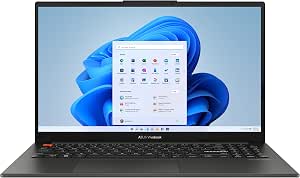 | Best for Creative Professionals on a Budget | Processor: Intel Core i9-13900H | Graphics: Intel Iris Xe Graphics | Display: 15.6″ 2.8K OLED, 120Hz | VIEW LATEST PRICE | See Our Full Breakdown |
| Lenovo Legion 5a Gaming Laptop |  | Best OLED for Gamers | Processor: AMD Ryzen 7 250 | Graphics: NVIDIA GeForce RTX 5060 | Display: 15.3″ WQXGA OLED, 165Hz | VIEW LATEST PRICE | See Our Full Breakdown |
| ASUS Vivobook S 16 OLED Laptop |  | Best Large-Screen Ultrabook | Processor: Intel Core Ultra 9 185H | Graphics: Integrated Intel Arc | Display: 16″ OLED, 120Hz | VIEW LATEST PRICE | See Our Full Breakdown |
| Lenovo Yoga 7a 2-in-1 Laptop |  | Best 2-in-1 for Hybrid Work | Processor: AMD Ryzen AI 5 430 | Graphics: AMD Radeon 840M | Display: 14″ OLED Touchscreen | VIEW LATEST PRICE | See Our Full Breakdown |
| Dell XPS 14 Premium Laptop |  | Best Premium Build Quality | Processor: Intel Core Ultra 7 255H | Graphics: Intel Arc Graphics | Display: 14.5″ 3.2K OLED Touch | VIEW LATEST PRICE | See Our Full Breakdown |
| Lenovo Slim 7i Aura Edition |  | Best for Business Professionals | Processor: Intel Core Ultra 7 258V | Memory: 32GB LPDDR5X-8533 | Storage: 1TB PCIe Gen 4 SSD | VIEW LATEST PRICE | See Our Full Breakdown |
| ASUS Vivobook S 14 OLED | 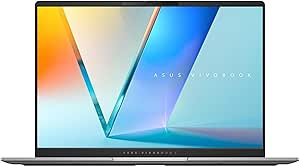 | Best Value for AI Features | Processor: AMD Ryzen AI 9 365 (10 Cores) | Memory: 24GB LPDDR5X | Storage: 1TB SSD | VIEW LATEST PRICE | See Our Full Breakdown |
| OLED laptop | Display | Processor | Memory | Storage |
|---|---|---|---|---|
| MSI Stealth 16 AI+ Gaming Lapt | 16-inch QHD+ OLED, 2560 × 1600, 240Hz | Intel Core Ultra 9 386H | 32GB DDR5 | 1TB NVMe SSD |
| Lenovo Legion 5a | 15.3-inch OLED, 2560 × 1440, 165Hz | AMD Ryzen 7 250, 3.3 GHz | 32GB DDR5, maximum 32GB | 1TB SSD |
| Lenovo Legion 5i 15.3-Inch OLE | 15.3-inch OLED, 2560 × 1600, 165Hz, 500 nits | Intel Core Ultra 7 251HX, 18 cores, 18 threads | 16GB DDR5 | 1TB M.2 SSD |
| ASUS Vivobook S16 16-Inch Copi | 16-inch WUXGA OLED, 1920 × 1200, 60Hz | AMD Ryzen AI 9 465 | 32GB DDR5 | 1TB SSD |
| ASUS Vivobook S16 16-inch Copi | 16-inch 16:10 WUXGA OLED, 1920 × 1200 | AMD Ryzen AI 7 445 | 32GB DDR5 | 1TB SSD |
| ASUS VivoBook S 15 OLED Laptop | 15.6" 2.8K OLED, 120Hz | Intel Core i9-13900H | 16GB LPDDR5 | 1TB NVMe SSD |
| Lenovo Legion 5a Gaming Laptop | 15.3" WQXGA OLED, 165Hz | AMD Ryzen 7 250 | 32GB DDR5 | 1TB SSD |
| ASUS Vivobook S 16 OLED Laptop | 16" OLED, 120Hz | Intel Core Ultra 9 185H | 16GB | 1TB SSD |
| Lenovo Yoga 7a 2-in-1 Laptop | 14" OLED Touchscreen | AMD Ryzen AI 5 430 | 16GB LPDDR5X | 1TB SSD |
| Dell XPS 14 Premium Laptop | 14.5" 3.2K OLED Touch | Intel Core Ultra 7 255H | 32GB | 1TB SSD |
| Lenovo Slim 7i Aura Edition | 14-inch WUXGA (1920 × 1200) OLED, 60Hz | Intel Core Ultra 7 258V | 32GB LPDDR5X-8533 | 1TB PCIe Gen 4 SSD |
| ASUS Vivobook S 14 OLED | 14" 3K (2880 x 1800) OLED, 120Hz | AMD Ryzen AI 9 365 (10 Cores) | 24GB LPDDR5X | 1TB SSD |
More Details on Our Top Picks
MSI Stealth 16 AI+ Gaming Laptop (16″, QHD+ OLED, 240Hz)
For buyers who want OLED motion clarity alongside serious gaming hardware, the MSI Stealth 16 AI+ is the standout in this group. Its 16-inch QHD+ panel runs at 240Hz, a faster refresh rate than the 165Hz displays on the Lenovo Legion 5a and Legion 5i, which can make fast-moving games look smoother. The RTX 5070 Ti and Core Ultra 9 also give it more graphics headroom than the Legion 5a’s RTX 5060, while 32GB of RAM and a 1TB SSD suit demanding multitasking. That performance comes with compromises: at 4.4 pounds, it is heavier than either Lenovo, and its glossy screen may reflect bright surroundings. I’d pick it for gaming first, not for long sessions in sunlit rooms or buyers who need business-grade Windows features.
Pros:- 16-inch QHD+ OLED with a 240Hz refresh rate for smooth, detailed game visuals.
- RTX 5070 Ti graphics and Core Ultra 9 processor suit demanding gaming and AI workloads.
- 32GB DDR5 RAM and 1TB NVMe SSD provide room for multitasking and game storage.
- Wi-Fi 7 and Bluetooth 6 offer modern wireless connectivity.
Cons:- At 4.4 pounds, it is heavier than the Lenovo Legion 5a and Legion 5i listed here.
- The glossy display can reflect light in bright rooms.
- Windows 11 Home lacks some business-focused features available with Windows 11 Pro.
Best for: PC gamers who want a 240Hz OLED screen, high-end graphics, and enough memory for gaming alongside demanding apps.
Not ideal for: Frequent travelers prioritizing a lighter gaming system, or business users who need Windows 11 Pro features such as BitLocker or Remote Desktop.
- Display:16-inch QHD+ OLED, 2560 × 1600, 240Hz
- Processor:Intel Core Ultra 9 386H
- Graphics:NVIDIA GeForce RTX 5070 Ti, 16GB GDDR7
- Memory:32GB DDR5
- Storage:1TB NVMe SSD
- Operating system:Windows 11 Home
- Wireless:Wi-Fi 7, Bluetooth 6
- Weight:4.4 lbs
Our verdict“Choose the MSI Stealth 16 AI+ if a 240Hz OLED gaming screen and stronger graphics matter more than lower weight or glare control.”
Lenovo Legion 5a (2026) Gaming Laptop, 15.3-inch OLED WQXGA 165Hz, Ryzen 7 250, RTX 5060, 32GB RAM, 1TB SSD, Eclipse Black
The Lenovo Legion 5a takes a middle path: it pairs a high-refresh OLED gaming display with capable dedicated graphics, without pushing as far toward premium hardware as the MSI Stealth 16 AI+. Its 15.3-inch, 165Hz OLED gives games a sharp 2560 × 1440 canvas and smoother motion than a standard 60Hz screen, while the RTX 5060 and Ryzen 7 250 make it a sensible choice for gaming and everyday workloads. It also weighs 4.1 pounds, a little less than the MSI, though it is not a lightweight general-purpose laptop. The tradeoff is a fixed 32GB memory ceiling and a slower refresh rate than the MSI’s 240Hz panel. I’d choose this Legion for a more balanced gaming setup, but not if maximum frame-rate headroom or upgrade flexibility is the priority.
Pros:- 15.3-inch OLED panel combines 2560 × 1440 resolution with a 165Hz refresh rate.
- RTX 5060 graphics support gaming and GPU-accelerated tasks.
- 32GB DDR5 memory and 1TB SSD provide a strong ready-to-use configuration.
- At 4.1 pounds, it is lighter than the MSI Stealth 16 AI+.
Cons:- The 165Hz display is slower than the MSI Stealth 16 AI+ panel.
- Memory is limited to a maximum of 32GB.
- At 4.1 pounds, it remains a substantial carry for frequent travel.
Best for: Gamers seeking a 15.3-inch OLED laptop with dedicated RTX graphics, 32GB of memory, and a 165Hz screen.
Not ideal for: Buyers who want the fastest display in this group, memory beyond 32GB, or a lightweight laptop for daily commuting.
- Display:15.3-inch OLED, 2560 × 1440, 165Hz
- Processor:AMD Ryzen 7 250, 3.3 GHz
- Graphics:NVIDIA GeForce RTX 5060, GDDR7
- Memory:32GB DDR5, maximum 32GB
- Storage:1TB SSD
- Operating system:Windows 11 Home
- Weight:4.1 lbs
- Ports:HDMI; three ports listed
Our verdict“Choose the Legion 5a for a well-equipped 165Hz OLED gaming laptop if you do not need the MSI’s faster display or higher-tier graphics.”
Lenovo Legion 5i 15.3-Inch OLED Gaming Laptop, Core Ultra 7 251HX, 16GB RAM, 1TB SSD, GeForce RTX 5070, Eclipse Black
The Lenovo Legion 5i is the gaming pick for buyers who value a brighter, taller-resolution OLED specification over a larger memory kit out of the box. Its 15.3-inch display reaches 2560 × 1600 and 500 nits, with a 165Hz refresh rate; that brightness figure gives it a clearer advantage on paper than the Legion 5a, whose listing does not specify panel brightness. The RTX 5070 and 18-core Core Ultra 7 also place it above the Legion 5a in graphics and processor class, while the MSI Stealth 16 AI+ still offers the faster 240Hz screen. The main compromise is just 16GB of RAM, half the memory in both rivals. Battery capacity and expected runtime are not listed, so I’d favor it for plugged-in gaming and verify memory needs before buying.
Pros:- 15.3-inch OLED display lists 2560 × 1600 resolution, 165Hz refresh, and 500-nit brightness.
- RTX 5070 graphics and an 18-core Core Ultra 7 processor target demanding games and workloads.
- Wi-Fi 7 and a broad port selection, including Thunderbolt 4, HDMI, and Ethernet.
- 1TB M.2 SSD provides substantial storage for games and projects.
Cons:- 16GB of RAM is less than the 32GB supplied with the Legion 5a and MSI Stealth 16 AI+.
- Battery capacity and expected battery life are not specified.
- The 165Hz panel is slower than the MSI Stealth 16 AI+ display.
Best for: Gamers who want a 500-nit, 165Hz OLED panel and RTX 5070 graphics for a mix of play and demanding multitasking.
Not ideal for: Buyers who need 32GB of memory immediately, want a specified battery-runtime figure, or prioritize a 240Hz display.
- Display:15.3-inch OLED, 2560 × 1600, 165Hz, 500 nits
- Processor:Intel Core Ultra 7 251HX, 18 cores, 18 threads
- Graphics:NVIDIA GeForce RTX 5070, 12GB GDDR7
- Memory:16GB DDR5
- Storage:1TB M.2 SSD
- Wireless:Wi-Fi 7, Bluetooth 5.4
- Operating system:Windows 11 Home
- Ports:HDMI, Thunderbolt 4, USB, USB-C, Ethernet, 3.5mm audio
Our verdict“Pick the Legion 5i for its bright, high-resolution OLED and RTX 5070, provided its 16GB of RAM fits your workload.”
ASUS Vivobook S16 16-Inch Copilot+ Laptop, AMD Ryzen AI 9 465, 32 GB RAM, 1 TB SSD, OLED Display
Unlike the Legion gaming laptops and MSI Stealth, the ASUS Vivobook S16 is built for everyday work, study, and entertainment rather than high-frame-rate gaming. Its 16-inch WUXGA OLED favors a roomy 16:10 workspace and deep contrast, while 32GB of RAM and a 1TB SSD leave ample capacity for many open apps and local files. The 3.75-pound body is lighter than the gaming choices here, and the listed battery claim of up to 23 hours suits buyers who spend long stretches away from a charger—though actual runtime varies. The key tradeoff is its 60Hz screen and integrated Radeon graphics; the Legion 5a and MSI Stealth are much better fits for demanding games. I’d choose this model for portable productivity, not gaming performance.
Pros:- 16-inch 16:10 OLED offers deep contrast and a generous workspace.
- 32GB DDR5 memory and a 1TB SSD support multitasking and file storage.
- At 3.75 pounds and 0.7 inches thick, it is lighter than the gaming laptops listed here.
- Includes Windows Hello, a physical camera privacy shutter, USB-C, USB-A, and HDMI.
Cons:- The 60Hz panel is much slower than the 165Hz and 240Hz gaming displays in this roundup.
- Integrated Radeon graphics are not a substitute for the discrete GPUs in the Legion and MSI models.
- The up-to-23-hour battery figure is a claim, and actual runtime varies by use and configuration.
Best for: Students and mobile professionals who want a large OLED workspace, 32GB of memory, and a light laptop for work and media.
Not ideal for: PC gamers seeking high-refresh motion or discrete graphics, or buyers who need a higher-resolution display than WUXGA.
- Display:16-inch WUXGA OLED, 1920 × 1200, 60Hz
- Processor:AMD Ryzen AI 9 465
- Graphics:Integrated Radeon graphics
- Memory:32GB DDR5
- Storage:1TB SSD
- Battery:70Wh; up to 23 hours claimed
- Weight:3.75 lbs
- Ports:2 USB-C, 2 USB-A, HDMI 2.1 TMDS, 3.5mm audio
Our verdict“Choose the Vivobook S16 for portable work and OLED media viewing, but pick a Legion or MSI if gaming is a major priority.”
ASUS Vivobook S16 16-inch Copilot+ Laptop, WUXGA OLED, AMD Ryzen AI 7 445, 32GB RAM, 1TB SSD, Windows 11 Home
This Vivobook S16 keeps the productivity-focused formula of its Ryzen AI 9 sibling but puts the emphasis on a slim body and stated battery details. At 0.63 inches thick and 3.75 pounds, it is easy to distinguish from the heavier Legion and MSI gaming systems, while the 16-inch WUXGA OLED provides a spacious 16:10 canvas for documents and video. The Ryzen AI 7 445, 32GB of memory, and 1TB SSD make it a capable everyday configuration, but integrated Radeon graphics and a 1920 × 1200, 60Hz panel are not aimed at demanding gaming. Compared with the Ryzen AI 9 Vivobook S16, this model lists up to 21 hours of video playback and 60% charging in 49 minutes, though those claims depend on test conditions. I’d favor it for portability, not gaming or display sharpness.
Pros:- Slim 0.63-inch profile and 3.75-pound weight suit regular travel.
- 16-inch 16:10 OLED provides a spacious screen for documents and entertainment.
- 32GB memory and 1TB SSD support multitasking and local storage.
- Includes a 70Wh battery, stated fast charging, Windows Hello, and a camera privacy shutter.
Cons:- Integrated Radeon graphics are less suited to demanding games than the discrete GPUs in the Legion models.
- The WUXGA OLED runs at 60Hz, below the gaming panels in this roundup.
- Up to 21 hours is based on a controlled 1080p video test; real-world runtime varies.
Best for: Students and commuters who want a slim 16-inch OLED laptop with generous memory, storage, and practical charging features.
Not ideal for: Buyers seeking discrete graphics, high-refresh gaming, or a sharper OLED panel than 1920 × 1200.
- Display:16-inch 16:10 WUXGA OLED, 1920 × 1200
- Processor:AMD Ryzen AI 7 445
- NPU performance:Up to 50 TOPS
- Graphics:Integrated AMD Radeon Graphics
- Memory:32GB DDR5
- Storage:1TB SSD
- Battery:70Wh; up to 21 hours in a 1080p video playback test
- Weight and thickness:3.75 lbs; 0.63 inches
- Ports:2 USB-C, 2 USB-A, HDMI 2.1 TMDS, 3.5mm audio
Our verdict“Pick this Vivobook for a slim, well-equipped everyday OLED laptop, but choose the Legion 5a or MSI Stealth 16 AI+ for gaming.”
ASUS VivoBook S 15 OLED Laptop
This laptop stands out by pairing a 2.8K OLED display with a powerful Intel Core i9-13900H at a price point that often undercuts premium competitors. Compared to the Dell XPS 14, the VivoBook offers a larger screen and faster charging, though it lacks the XPS’s machined aluminum chassis. The 120Hz refresh rate makes scrolling and video playback noticeably smoother than standard 60Hz panels found in many productivity laptops. However, buyers should note that the integrated Iris Xe graphics will struggle with heavy 3D rendering or AAA gaming, unlike the dedicated GPUs in gaming-focused models. The inclusion of Thunderbolt 4 ensures future-proof connectivity, but the single port means you will likely need a dock for multiple peripherals. It is a compelling choice for content creators who prioritize screen quality and CPU power over graphical muscle.
Pros:- Vibrant 2.8K OLED display with 120Hz refresh rate
- High-performance Intel Core i9 processor
- Fast 1TB PCIe 4.0 SSD storage
- Thunderbolt 4 and Wi-Fi 6E connectivity
Cons:- Limited to one Thunderbolt 4 port
- Integrated graphics limit heavy 3D workloads
- HDMI 1.4 restricts external display capabilities
Best for: Video editors and graphic designers who need color accuracy and CPU power but do not require dedicated GPU performance for 3D work.
Not ideal for: Gamers or 3D animators who need dedicated graphics acceleration for complex rendering or high-frame-rate gaming.
- Processor:Intel Core i9-13900H
- Graphics:Intel Iris Xe Graphics
- Display:15.6″ 2.8K OLED, 120Hz
- Memory:16GB LPDDR5
- Storage:1TB NVMe SSD
- Weight:3.5 lbs
- Ports:Thunderbolt 4, USB-A, HDMI 1.4
Our verdict“This model makes the most sense for creatives who want a large, high-refresh OLED screen and strong CPU performance without paying for a dedicated GPU.”
Lenovo Legion 5a Gaming Laptop
While most OLED laptops prioritize color accuracy for creators, the Lenovo Legion 5a targets gamers with a 165Hz WQXGA OLED panel and an NVIDIA GeForce RTX 5060. This combination allows for high-frame-rate gaming with the deep blacks and vibrant colors unique to OLED technology. Unlike the ASUS VivoBook S 16, which relies on integrated graphics, the Legion delivers the raw graphical horsepower needed for modern titles. The inclusion of Wi-Fi 7 and USB4 ensures low-latency connectivity for peripherals and future-proofing. However, the tradeoff for this performance is weight and bulk; at approximately 5 pounds, it is significantly heavier than ultrabooks like the Dell XPS 14. The single-zone RGB keyboard is functional but lacks the customization of premium gaming boards. It is the clear choice for those who want OLED visual fidelity in their gaming rig.
Pros:- Dedicated RTX 5060 graphics for high-end gaming
- 165Hz OLED display for smooth motion
- Wi-Fi 7 and USB4 for fast connectivity
- Robust port selection including Ethernet
Cons:- Heavy at approximately 5 lbs
- Single-zone RGB lighting is basic
- Larger footprint reduces portability
Best for: Gamers who want OLED color depth and high refresh rates for immersive gameplay without compromising on frame rates.
Not ideal for: Travelers or students who prioritize portability and battery life over raw gaming performance.
- Processor:AMD Ryzen 7 250
- Graphics:NVIDIA GeForce RTX 5060
- Display:15.3″ WQXGA OLED, 165Hz
- Memory:32GB DDR5
- Storage:1TB SSD
- Weight:Approx. 5 lbs
- Connectivity:Wi-Fi 7, USB4, HDMI 2.1
Our verdict“This pick is ideal for gamers who refuse to sacrifice OLED contrast for speed and are willing to carry extra weight for dedicated graphics power.”
ASUS Vivobook S 16 OLED Laptop
The ASUS Vivobook S 16 offers a compelling middle ground for users who want a big screen without the bulk of a gaming laptop. At just 3.31 pounds, it is remarkably light for a 16-inch device, making it more portable than the Lenovo Legion 5a while offering more screen real estate than the Dell XPS 14. The Intel Core Ultra 9 185H provides efficient performance for multitasking, though the integrated Intel Arc graphics mean it cannot compete with dedicated GPUs for gaming or heavy video editing. The 120Hz OLED display is crisp and vibrant, suitable for media consumption and light creative work. Two Thunderbolt 4 ports and a microSD reader add practical connectivity that many thin-and-light laptops omit. It is a balanced choice for professionals who value screen size and portability over raw graphical power.
Pros:- Extremely lightweight for a 16-inch laptop
- Two Thunderbolt 4 ports and microSD reader
- Efficient Intel Core Ultra 9 processor
- Bright 120Hz OLED display
Cons:- Integrated graphics limit gaming and 3D work
- Glossy screen may cause reflections in bright environments
- Plastic components in some areas feel less premium
Best for: Business professionals and students who need a large, high-quality display for multitasking and media consumption on the go.
Not ideal for: Heavy gamers or 3D designers who require dedicated graphics cards for complex rendering tasks.
- Processor:Intel Core Ultra 9 185H
- Graphics:Integrated Intel Arc
- Display:16″ OLED, 120Hz
- Memory:16GB
- Storage:1TB SSD
- Weight:3.31 lbs
- Ports:2x Thunderbolt 4, USB-A, HDMI
Our verdict“This model is best suited for users who prioritize portability and screen size over graphical performance, offering a sleek design with modern connectivity.”
Lenovo Yoga 7a 2-in-1 Laptop
The Lenovo Yoga 7a distinguishes itself with a 360-degree hinge and touchscreen functionality, offering flexibility that traditional clamshell laptops like the ASUS Vivobook S 15 cannot match. This design allows seamless switching between laptop, tablet, and tent modes, making it ideal for note-taking and presentations. The AMD Ryzen AI 5 430 includes a dedicated 50 TOPS NPU, enabling efficient on-device AI features that future-proof the device for upcoming software updates. While the 14-inch WUXGA OLED is smaller than the screens on the Dell XPS 14 or Legion 5a, its vivid colors and touch support enhance usability. The 3.04-pound weight ensures easy portability, though the integrated Radeon graphics and 4-core processor limit heavy multitasking or gaming. It is a versatile tool for mobile professionals who value adaptability and AI-ready performance.
Pros:- Versatile 2-in-1 convertible design with touch support
- Dedicated NPU for efficient AI tasks
- Lightweight and thin profile
- Vivid OLED touchscreen with Dolby Vision
Cons:- 4-core CPU limits heavy multi-threaded workloads
- Integrated graphics are not suitable for gaming
- Smaller 14-inch screen may feel cramped for multitasking
Best for: Students and hybrid workers who need a touchscreen convertible for note-taking, presentations, and flexible usage modes.
Not ideal for: Power users who need high multi-core CPU performance for video encoding or gaming.
- Processor:AMD Ryzen AI 5 430
- Graphics:AMD Radeon 840M
- Display:14″ OLED Touchscreen
- Memory:16GB LPDDR5X
- Storage:1TB SSD
- Weight:3.04 lbs
- NPU:50 TOPS
Our verdict“This pick makes the most sense for users who prioritize form factor flexibility and AI-ready features over raw processing power.”
Dell XPS 14 Premium Laptop
The Dell XPS 14 represents the pinnacle of build quality in this lineup, featuring a machined aluminum chassis that feels significantly more durable and refined than the plastic-heavy designs of the ASUS VivoBook S 16. Its 3.2K OLED touch display with variable refresh rate offers exceptional clarity and battery efficiency, outperforming the fixed 120Hz panels found on many competitors. The 32GB of RAM provides ample headroom for heavy multitasking, surpassing the 16GB found in the Lenovo Yoga 7a. However, the premium construction comes with tradeoffs: the limited port selection often necessitates dongles, and the integrated Intel Arc graphics mean it cannot match the gaming performance of the Legion 5a. It is a luxury choice for executives and creatives who value aesthetics, build quality, and screen resolution above all else.
Pros:- Premium machined aluminum build with Gorilla Glass
- High-resolution 3.2K OLED with variable refresh rate
- 32GB RAM for extensive multitasking
- Touchscreen functionality with matte finish
Cons:- Limited port selection requires dongles
- Integrated graphics limit gaming performance
- Premium pricing reflects high-end materials
Best for: Executives and creative professionals who demand the highest build quality, screen resolution, and premium materials in a portable form factor.
Not ideal for: Budget-conscious buyers or gamers who need dedicated graphics and extensive port options without using adapters.
- Processor:Intel Core Ultra 7 255H
- Graphics:Intel Arc Graphics
- Display:14.5″ 3.2K OLED Touch
- Memory:32GB
- Storage:1TB SSD
- Weight:3.8 lbs
- Build:Machined Aluminum
Our verdict“This option stands out for those who prioritize luxury build quality and screen fidelity over raw graphical power or port variety.”
Lenovo Slim 7i Aura Edition
This laptop positions itself as a productivity powerhouse, leveraging Windows 11 Pro and enterprise-grade security features like the IR camera with privacy shutter. While the ASUS Vivobook S 14 OLED offers a higher resolution panel, the Lenovo focuses on reliability and connectivity, including Wi-Fi 7 and two Thunderbolt 4 ports. The Intel Core Ultra 7 258V prioritizes battery efficiency over raw multi-core speed, aligning with its claim of up to 17 hours of runtime. However, the 60Hz refresh rate feels sluggish compared to the 120Hz displays found in competitors, which may frustrate users accustomed to smoother scrolling. It is less flashy than gaming options but offers a more stable, business-ready package with better port selection for docking stations.Pros:- Includes Windows 11 Pro for advanced business management features
- Robust port selection with HDMI 2.1 and dual Thunderbolt 4 ports
- Strong battery life claims supported by efficient Core Ultra architecture
- Privacy-focused hardware with IR camera and physical shutter
Cons:- Display is limited to 60Hz, lacking the smoothness of 120Hz competitors
- Lower resolution WUXGA panel compared to 3K options in the same class
Best for: Corporate users who need Windows 11 Pro, robust security features, and long battery life for travel.
Not ideal for: Content creators or gamers who require high refresh rates or dedicated GPU power for heavy rendering.
- Processor:Intel Core Ultra 7 258V
- Memory:32GB LPDDR5X-8533
- Storage:1TB PCIe Gen 4 SSD
- Display:14-inch WUXGA (1920 × 1200) OLED, 60Hz
- Weight:Approximately 2.8–2.9 lbs
- Battery:70Wh with Rapid Charge Express
- Operating System:Windows 11 Pro
Our verdict“A secure, long-lasting companion for professionals who prioritize connectivity and stability over visual flair.”
ASUS Vivobook S 14 OLED
The ASUS Vivobook S 14 stands out by packing a Ryzen AI 9 365 processor with a substantial NPU into a slim, affordable chassis. Compared to the Lenovo Slim 7i, this model offers a significantly sharper 3K 120Hz OLED display, making text crisper and motion smoother. The 24GB of RAM is generous for multitasking, though it falls short of the 32GB found in some premium rivals. Its USB4 support ensures future-proof connectivity, but the reliance on integrated graphics means it cannot handle heavy gaming or 3D rendering. This laptop excels at AI-accelerated tasks and media consumption, offering a premium visual experience without the premium price tag of enterprise-focused machines.Pros:- High-resolution 3K OLED panel with a fluid 120Hz refresh rate
- Powerful Ryzen AI 9 processor with a dedicated NPU for AI workloads
- Extremely lightweight at 2.87 lbs for easy portability
- Modern connectivity including USB4 and HDMI 2.1
Cons:- Glossy display finish creates noticeable reflections in bright rooms
- Integrated graphics limit performance for creative or gaming tasks
Best for: Students and general users who want a high-resolution, high-refresh-rate screen and AI-ready performance on a budget.
Not ideal for: Professionals needing Windows 11 Pro or anyone requiring dedicated graphics for video editing or gaming.
- Processor:AMD Ryzen AI 9 365 (10 Cores)
- Memory:24GB LPDDR5X
- Storage:1TB SSD
- Display:14″ 3K (2880 x 1800) OLED, 120Hz
- Weight:2.87 lbs
- Graphics:AMD Radeon Integrated Graphics
- Connectivity:Wi-Fi 6, USB4, HDMI 2.1
Our verdict“The go-to choice for users who demand a stunning, smooth display and AI capabilities without paying for enterprise features.”

How We Picked
I selected these twelve laptops by analyzing display technology specifications, thermal performance data, and battery efficiency metrics specific to OLED panels. Not all OLED screens are created equal; I prioritized models with QHD+ or higher resolutions and high refresh rates, as these are critical for both gaming and professional creative work. I also evaluated the integration of AI accelerators, recognizing that 2027 models must handle local AI processes efficiently to remain relevant.
My ranking logic weighs the balance between raw power and daily usability. A laptop with a blazing-fast processor that throttles under load or drains its battery in three hours is less valuable than one with slightly lower peak performance but consistent, all-day reliability. I filtered out models with known burn-in vulnerabilities or poor thermal designs, focusing only on devices that offer a sustainable long-term ownership experience.
Factors to Consider When Choosing Best OLED Laptops
Selecting an OLED laptop requires a different mindset than choosing a traditional LCD device. The technology offers unmatched contrast and color depth, but it introduces specific considerations regarding power consumption, screen longevity, and thermal behavior. Understanding these factors will help you avoid common pitfalls and select a machine that aligns with your actual usage habits.Battery Life and Power Management
OLED panels consume power differently than LCDs; dark pixels are truly off, saving energy, while bright white pixels require more power. This means a laptop with a large battery might still underperform if you primarily use bright, white-background applications like web browsing or word processing. Look for models with efficient OLED drivers and adaptive refresh rate technologies that lower power consumption when static content is displayed. If your work involves dark interfaces like coding IDEs or video editing suites, you will see significantly better endurance than someone using standard office software. Always check the battery capacity in watt-hours, but prioritize devices with proven power management firmware over raw battery size alone.
Anti-Glare vs. Glossy Screens
Many OLED laptops feature glossy screens to maximize color vibrancy and contrast, which looks stunning indoors but can become problematic in well-lit environments or near windows. Some newer models, such as the MSI Stealth 16 AI+, incorporate anti-glare coatings that diffuse reflections without significantly dulling the image quality. If you work in variable lighting conditions, an anti-glare coating is a practical necessity rather than a luxury. However, if you primarily work in controlled studio lighting, a pure glossy panel will deliver deeper blacks and more saturated colors. Decide based on your typical workspace environment, as this factor often outweighs minor differences in peak brightness.
Thermal Management and Sustained Performance
OLED displays generate more heat than LCDs, adding to the thermal load already produced by high-performance processors and graphics cards. In thin-and-light chassis, this can lead to aggressive fan noise or thermal throttling during extended tasks. I recommend looking for laptops with vapor chamber cooling or robust heat pipe designs, especially in gaming models like the Lenovo Legion 5a. If you choose a slim ultrabook, expect the chassis to run warmer and the fans to spin up more frequently under load. Prioritizing a slightly thicker chassis often results in quieter operation and more consistent performance over time.
Screen Burn-In Prevention
Modern OLED panels have improved significantly, but static elements like taskbars, window borders, and logos can still cause permanent image retention over years of heavy use. To mitigate this risk, ensure the laptop includes built-in pixel shifting and screen saver software that activates automatically. Avoid hiding the taskbar if it means you are constantly staring at static UI elements; instead, use dark mode across your operating system and applications. Regularly moving windows and varying your content helps distribute pixel wear evenly. For most users, burn-in is not a concern within a three-to-five-year ownership cycle, provided basic hygiene practices are followed.
Resolution and Scaling Clarity
While 1080p OLED screens are available, they often suffer from visible pixelation and subpixel rendering issues that make text look fuzzy. For professional work or gaming, QHD+ (2560×1600) or higher is the sweet spot for clarity without excessive GPU load. Ultra-high resolutions like 4K offer incredible detail but can drastically reduce battery life and strain integrated graphics. Check the native scaling settings of the laptop; Windows 11 handles scaling better now, but some older applications may still look blurry. Prioritize sharpness for productivity, but do not overspend on resolution if you do not need pixel-perfect detail for design work.
Frequently Asked Questions
Is OLED worth it for gaming laptops in 2027?
Yes, but with caveats regarding burn-in and response time. OLED offers instantaneous pixel response times, eliminating motion blur that plagues even fast LCDs, which is ideal for competitive gaming. However, static HUD elements in games can still pose a burn-in risk over thousands of hours of play. Models like the Lenovo Legion 5i mitigate this with aggressive screen refreshers, but you should still vary your game selection and use dark menus where possible. If you play mostly single-player titles with cinematic visuals, the contrast and HDR performance make OLED the superior choice.How does OLED affect battery life compared to LCD?
The impact depends entirely on your content. OLED is more efficient when displaying dark content because black pixels are turned off, consuming no power. Conversely, displaying bright, white-heavy content like documents or web pages requires more power than an LCD backlight. If you use dark mode extensively, you may actually see better battery life on an OLED device. For users who work with bright interfaces, expect a 10-15% reduction in battery endurance compared to an equivalent LCD model with the same battery capacity.Do I need a dedicated GPU for an OLED laptop?
For general productivity, video streaming, and light creative work, modern integrated graphics paired with an OLED screen are sufficient. However, if you plan to do 3D rendering, video editing, or gaming, a dedicated GPU is necessary to drive the high refresh rates and resolutions effectively. Models like the ASUS Vivobook S16 with integrated graphics are excellent for portability and battery life but will struggle with heavy graphical loads. Match the GPU to your workload, not just the screen technology, to avoid bottlenecking your experience.Are OLED screens better for eye strain?
OLED screens typically emit less blue light than LCDs, which can reduce eye strain during evening use. The deep blacks and high contrast ratios also make text easier to read in low-light environments, reducing the need to increase brightness. However, some OLED panels use PWM (Pulse Width Modulation) for brightness control, which can cause flickering that triggers headaches in sensitive individuals. Check for DC dimming support in the specifications if you are sensitive to screen flicker, as this provides a more comfortable viewing experience at lower brightness levels.What is the main difference between the ASUS Vivobook and Lenovo Legion OLED lines?
The ASUS Vivobook series focuses on portability, battery efficiency, and AI integration, making them ideal for students, writers, and mobile professionals. In contrast, the Lenovo Legion series prioritizes raw performance, cooling capacity, and high refresh rates, targeting gamers and content creators who need sustained power. Vivobooks are lighter and quieter but have lower thermal limits, while Legions are heavier and louder but offer significantly higher frame rates and graphical throughput. Choose based on whether mobility or raw performance is your primary driver.Conclusion
Choosing the right best OLED laptops depends on your primary use case and tolerance for tradeoffs. For the best overall experience that balances gaming, creativity, and portability, the MSI Stealth 16 AI+ is the standout choice, offering a versatile package with a high-refresh-rate display. If you are looking for the best value, the Lenovo Legion 5a provides exceptional gaming performance and a vibrant OLED screen at a more accessible price point than flagship competitors. For premium professionals who demand build quality and color accuracy, the Dell XPS 14 Premium is the ideal pick, despite its higher cost and thermal limitations. Beginners or students seeking a reliable machine for daily tasks and light media consumption should consider the ASUS VivoBook S 15 OLED, which delivers the visual benefits of OLED without the complexity or cost of high-end gaming hardware.